
Community listing page, reviews here may not be monitored by the author.
Resource Scanner

No reviews yet
Locates coal, iron, diamonds, netherite, etc.

Community voices
Reviews
No reviews yet. Be the first to review this project!
Get it on
Available Platforms
Compatibility
Supported Environments
Runs entirely on the client. Works on vanilla servers.
About
Project Details
For authors
Embed Badge
If you're the author of this project, you can embed a live badge anywhere that supports HTML or Markdown. It updates automatically whenever ratings change.
Use HTML for any page that supports it, or Markdown for README files and Markdown-based descriptions.
Identifiers
Platform IDs
About
Description
Resource Scanner



Resource locator mod for Fabric.
What is this mod?
It helps players to find resources more easily. At start, it only looks for coal, so the player can produce torches and fend-off mobs. At later stages, it can help locate resources near the player that are needed for advancing the session.
WARNING - mod is alpha quality, not tested with large number of mods, performance impact not known. Please, follow bug tracker to ask questions and report issues.
Features
- scans resources in range of 32 blocks in the direction player is looking.
- can look for a specific resource or a list of resources
- presents the echoes of found resources
- supports configuration via JSON editing or Mod Menu plugin
Usage

| Mouse button | Action |
|---|---|
| Button 4 | Open Resource Scanner settings screen |
| Button 5 | Scan nearby resources |
Pressing the scanner button will reveal the resouces, if any, in player's vicinity. It starts easy, with coal and deepslate coal ores, but later can be set up to look for anything you want (as long as you want to locate an ore). Just press mouse button 5 and enjoy.
The configuration is done through config/resource-scanner.json file. It will be created after first run. Alternatively, if you have a Mod Menu plugin installed, you can go into its screen from Minecraft menu and change the options there. Since version 0.5.2, you can also use mouse button 4 to get to the settings, even without Mod Menu plugin.
You can tweak the distance the scanner will try to reach, as well as width of the scaner cone and who long echoes are kept on screen. Finally, you can select the kinds of ore the scanner should look for.


Screenshots
Scanner in action
Running a scan will unveil chosen resources in player's vicinity. For instance, looking for iron might look something like this:


At the same time, putting a wider net may reveal much more iron, coal, dimonds and maybe some gold or redstone.

Settings GUI
While it is possible to modify the scanner reach in the main menu you can, a runnig session is needed to to also select kinds of ore to scan.


This inventory can contain up to 18 ore kinds. It is possible to add more directly through the JSON file, but as shown on the screenshot, there no much more ores to choose from.

Screenshots
Gallery
-
 Icon
Icon -
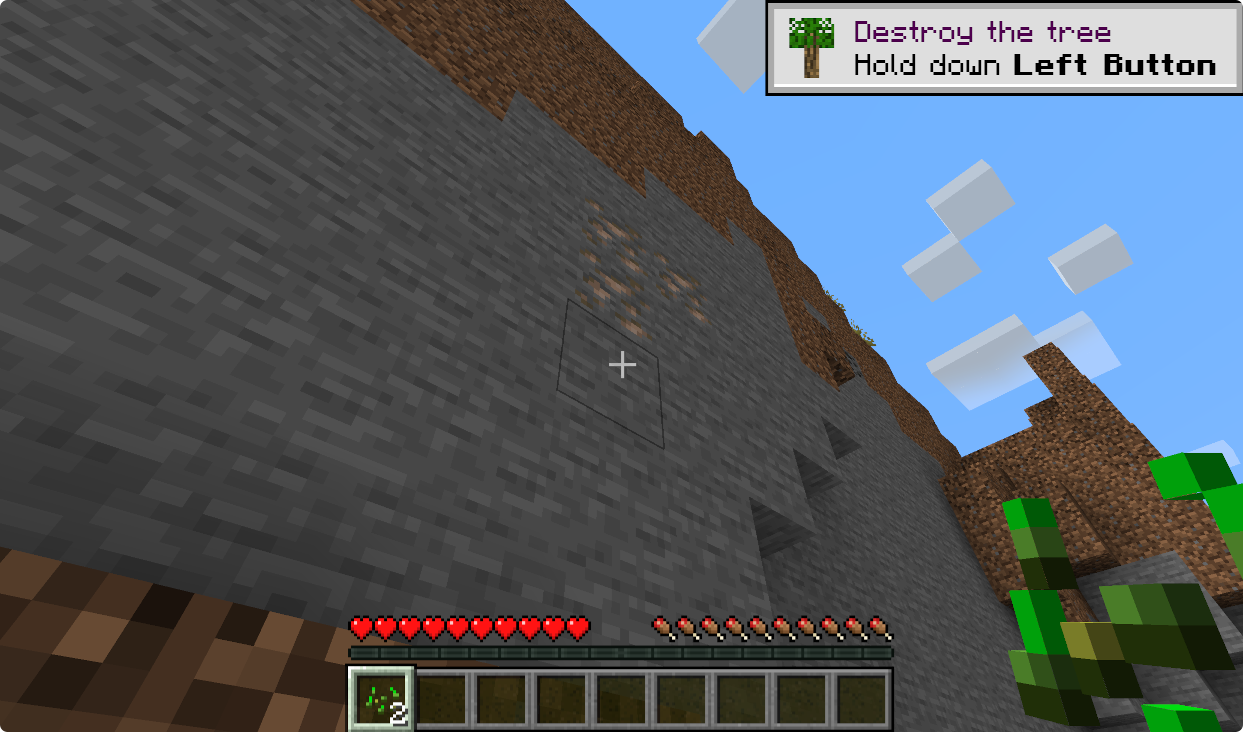 Iron scanner: before
 -
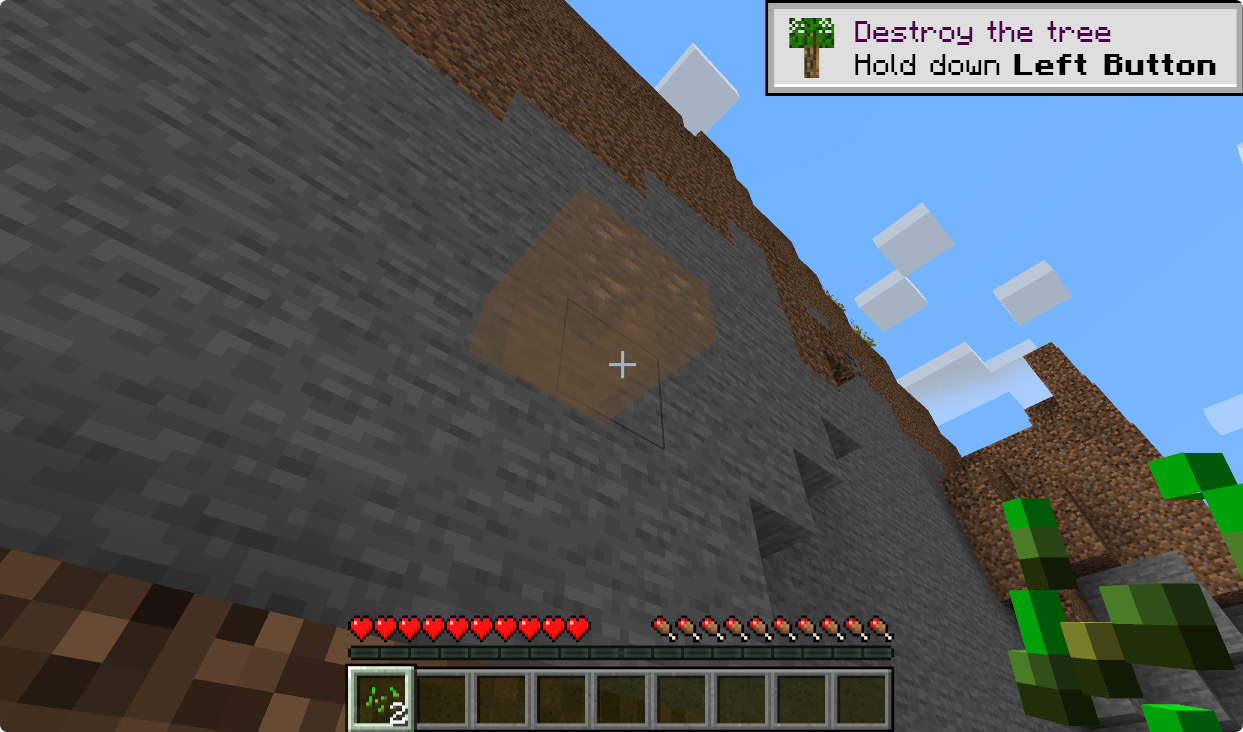 Iron scanner: after
 -
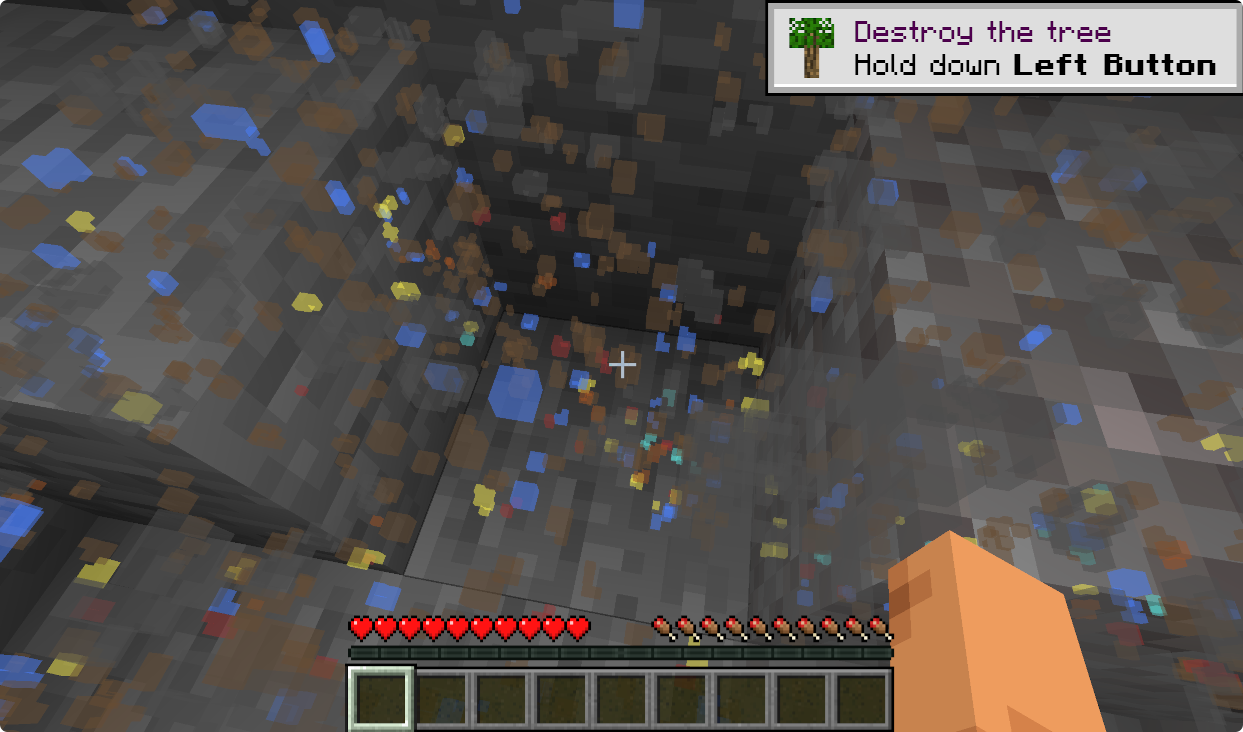 Wide scanner: too many, too wide, too deep
 -
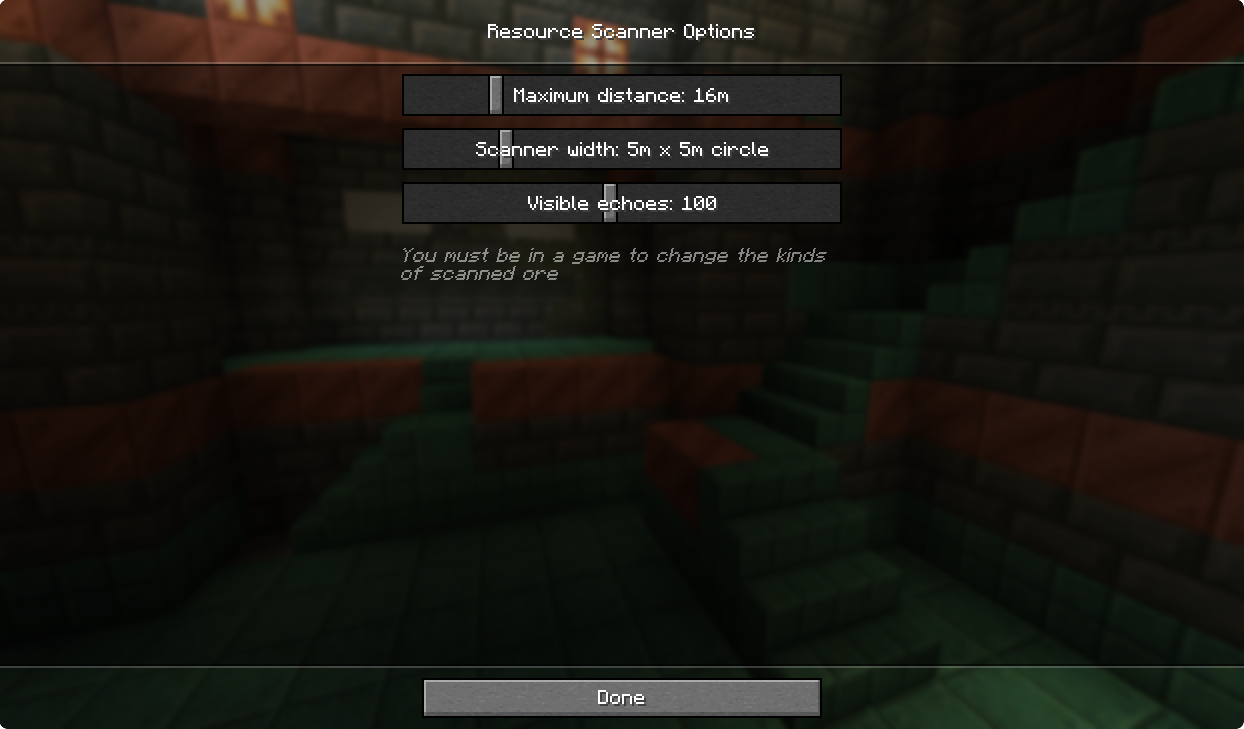 Scanner options, in main game
 -
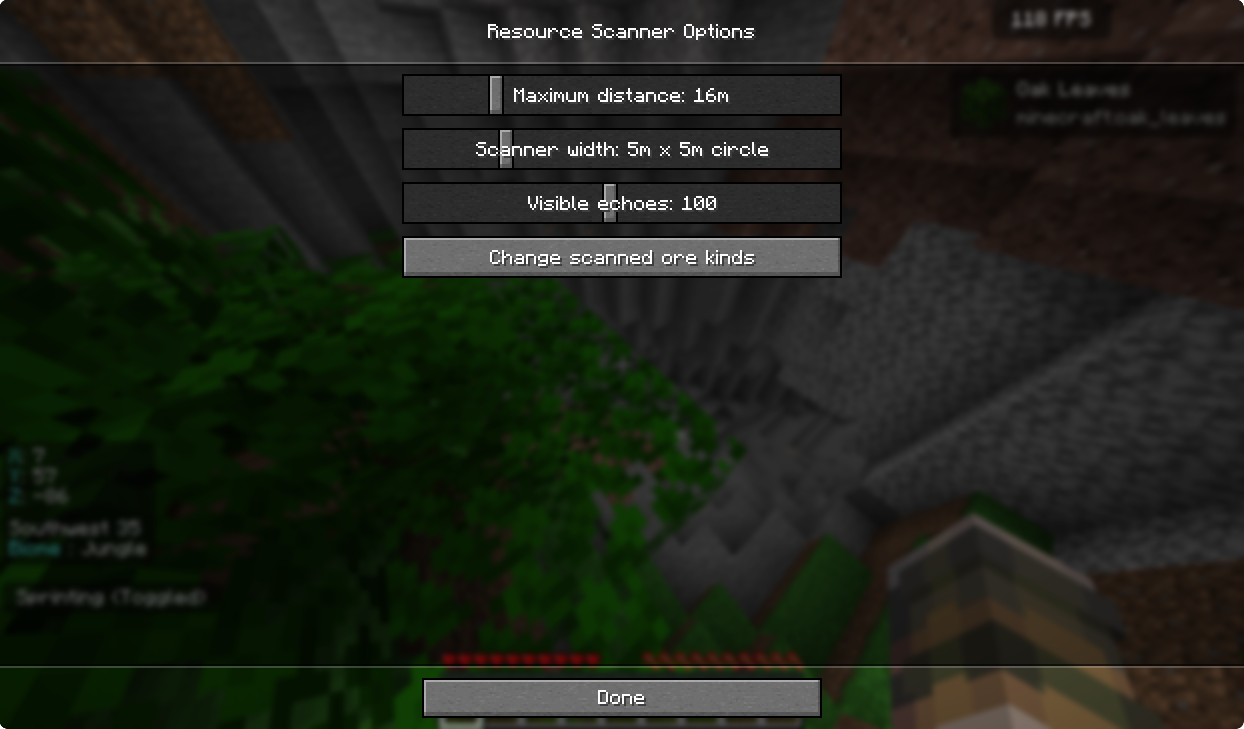 Scanner options, in game
 -
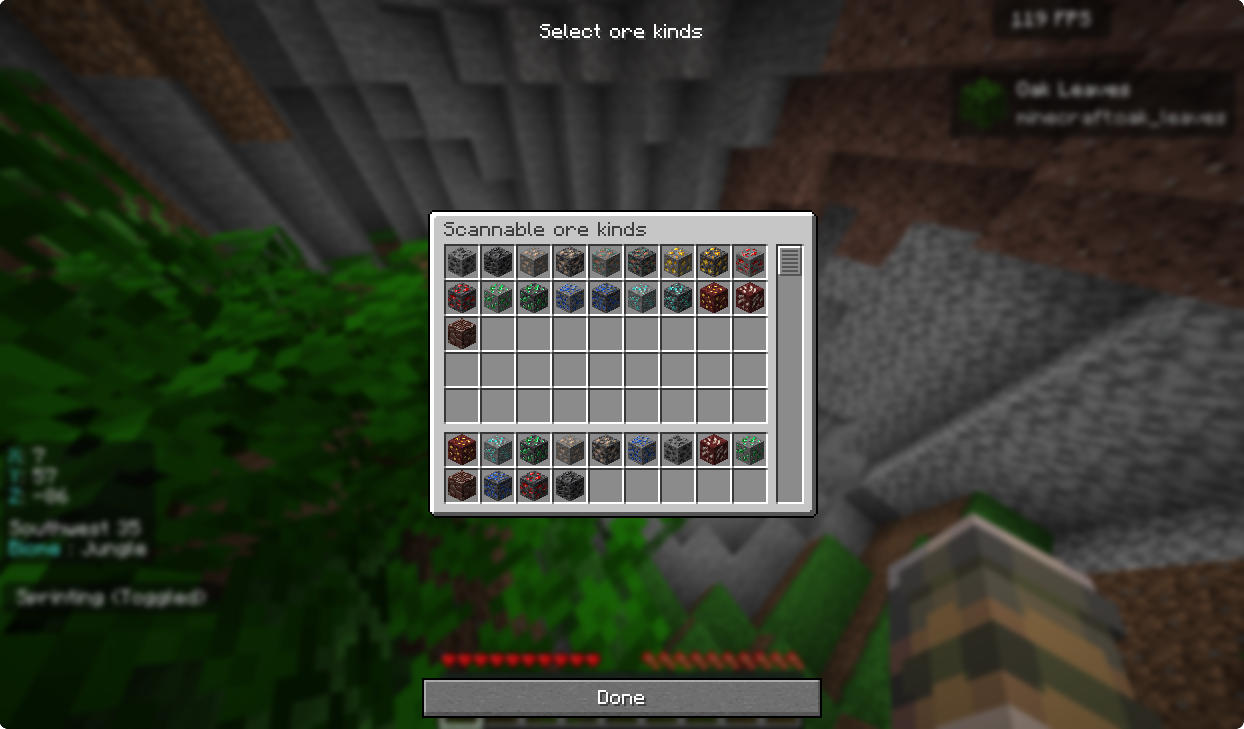 Scanner options, ore selection
Versions
Files
Relations
Project Relations
More like this
Similar Mods
Suggestions use data such as tags, dependencies, dependents, descriptions, titles, and more to rank how much they overlap with this mod.
On ModDex
Community snapshot
By the numbers
Statistics

 (opens in a new tab)
Get it on
Available Platforms
On ModDex
Community snapshot
By the numbers