
ResourceTracker
No reviews yet
Client-side Fabric HUD for tracking item collection goals across Minecraft 1.21.x and 26.1.
Fabric is a mod loader for versions 1.14+ of Minecraft, particularly popular for client side and optimization mods.
Community voices
Reviews
Click once to include, again to exclude, again to clear
No reviews yet. Be the first to review this project!
Get it on
Available Platforms
 Modrinth
Compatibility
Supported Environments
About
Project Details
For authors
Embed Badge
If you're the author of this project, you can embed a live badge anywhere that supports HTML or Markdown. It updates automatically whenever ratings change.
Use HTML for any page that supports it, or Markdown for README files and Markdown-based descriptions.
Identifiers
Platform IDs
About
Description
Resource Tracker
Resource Tracker is a client-side Fabric mod for tracking item collection goals on your HUD.
Use it for survival builds, farms, storage projects, map art, technical projects, or any task where you need exact item targets. Create lists in-game, add items, set target counts, and watch your progress update while you play.
Features
- Track multiple item lists for different projects.
- Show progress directly on the HUD.
- Count items in your inventory, containers, shulker boxes, and bundles.
- Choose between progress mode and remaining-items mode.
- Move each HUD list with drag and drop.
- Customize scale, columns, text color, title color, background color, and icons.
- Search items by translated name or item id.
- Use separate lists per world or server.
- Edit list files manually as
.txtfiles in the config folder. - Reload edited lists from disk without restarting the game.
- English and Russian localization included.
Controls
Mby default: open the Resource Tracker menu.- Use the
+button to create a list. - Click a list to edit items, targets, colors, scale, and layout.
- Use Move HUD Elements to drag lists into place.
- Hold
Shiftand click delete to remove a list.
Display modes
Resource Tracker supports two HUD modes:
- Progress: shows your current amount, for example
35/128. - Remaining: shows how many items you still need, for example
Need: 93.
Compatibility
- Loader: Fabric
- Environment: client-side
- Minecraft support:
- 1.21.0-1.21.4
- 1.21.5
- 1.21.6-1.21.8
- 1.21.9-1.21.11
- 26.1
You do not need to install this mod on a server.
Installation
- Install Fabric Loader.
- Install Fabric API.
- Download the Resource Tracker file for your Minecraft version.
- Put the
.jarfile into yourmodsfolder. - Launch the game and press
M.
Screenshots
Gallery
-
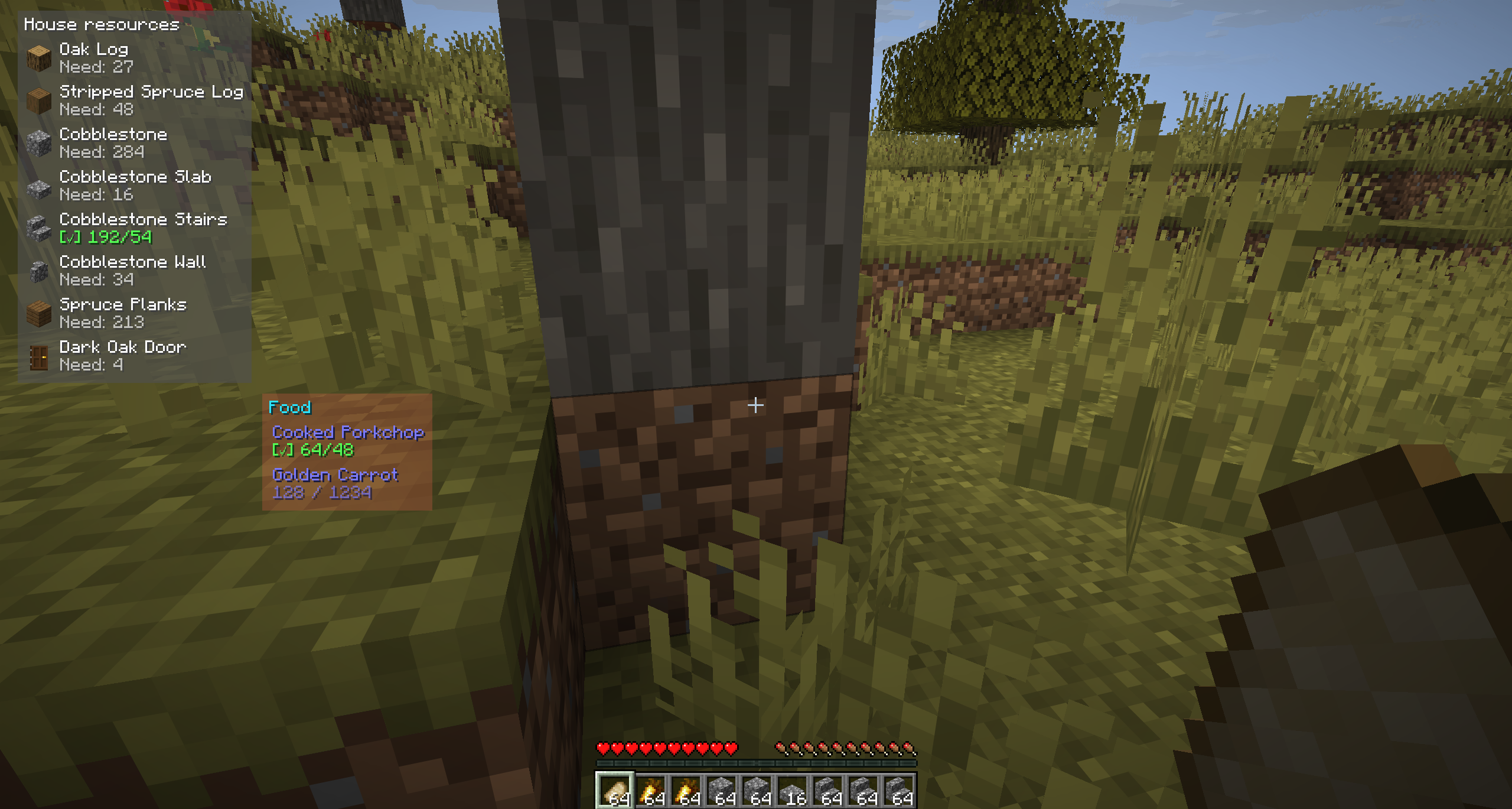 Overlay HUD
 -
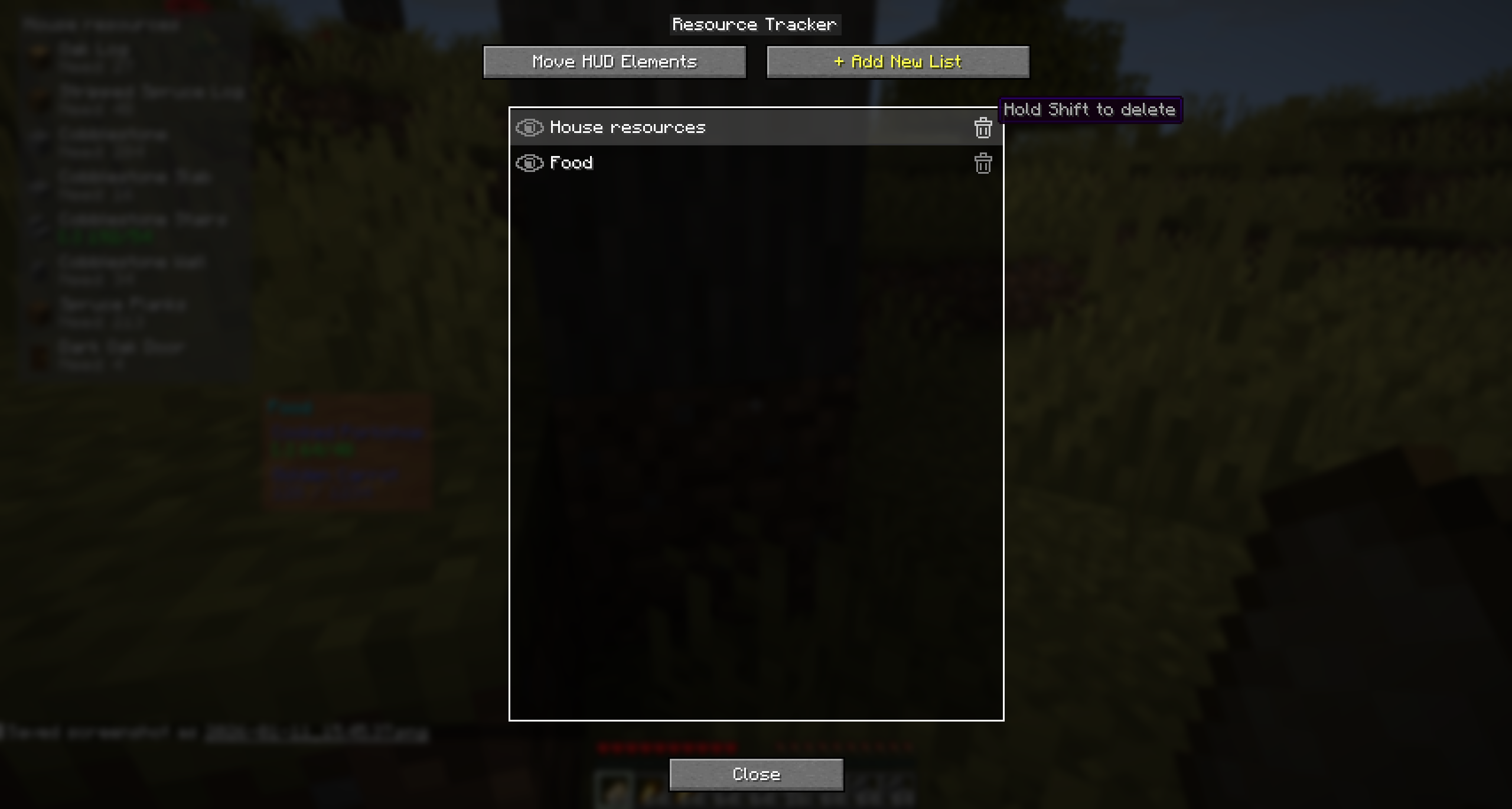 Menu
Menu -
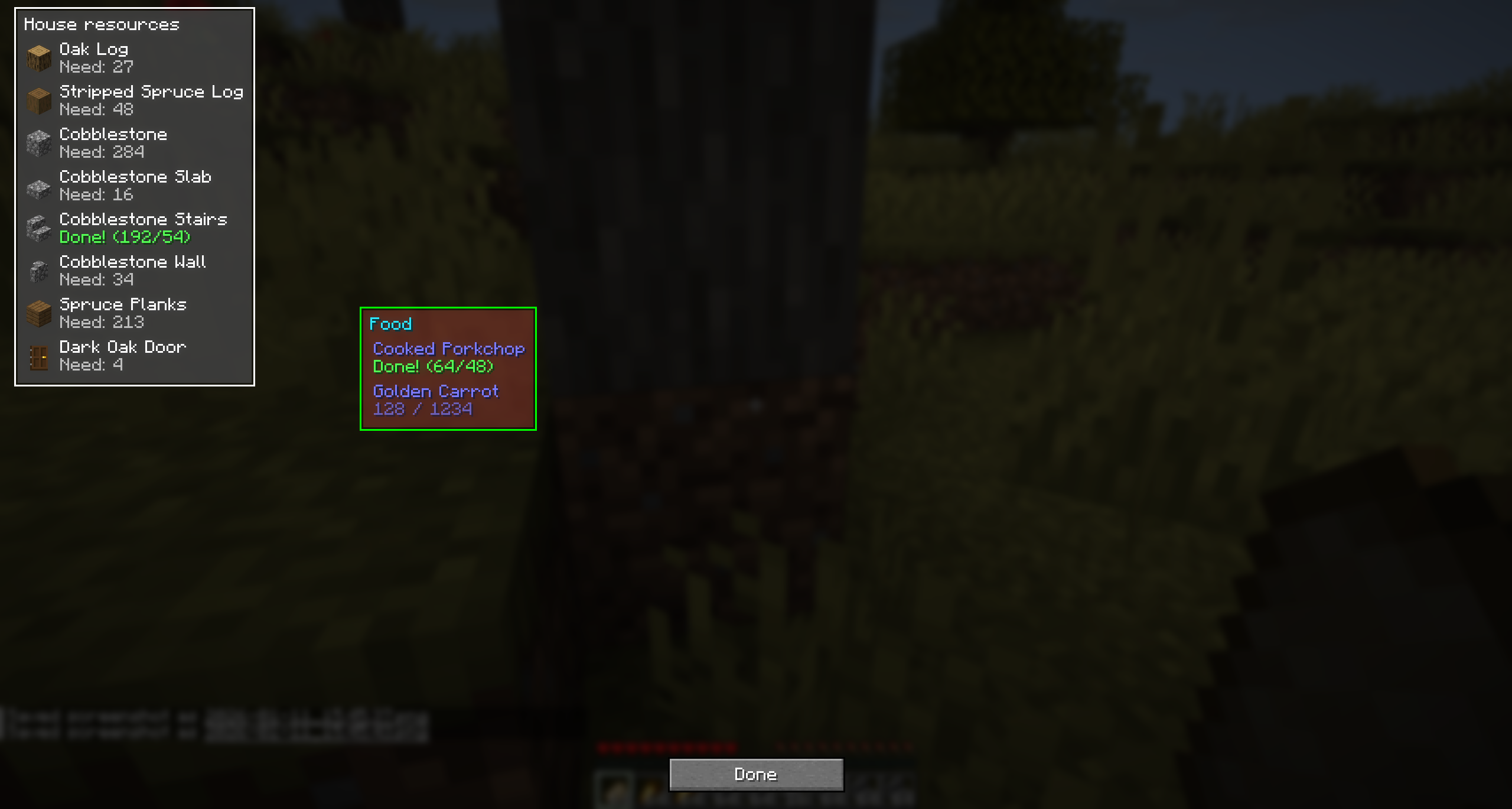 Moving Lists Screen
 -
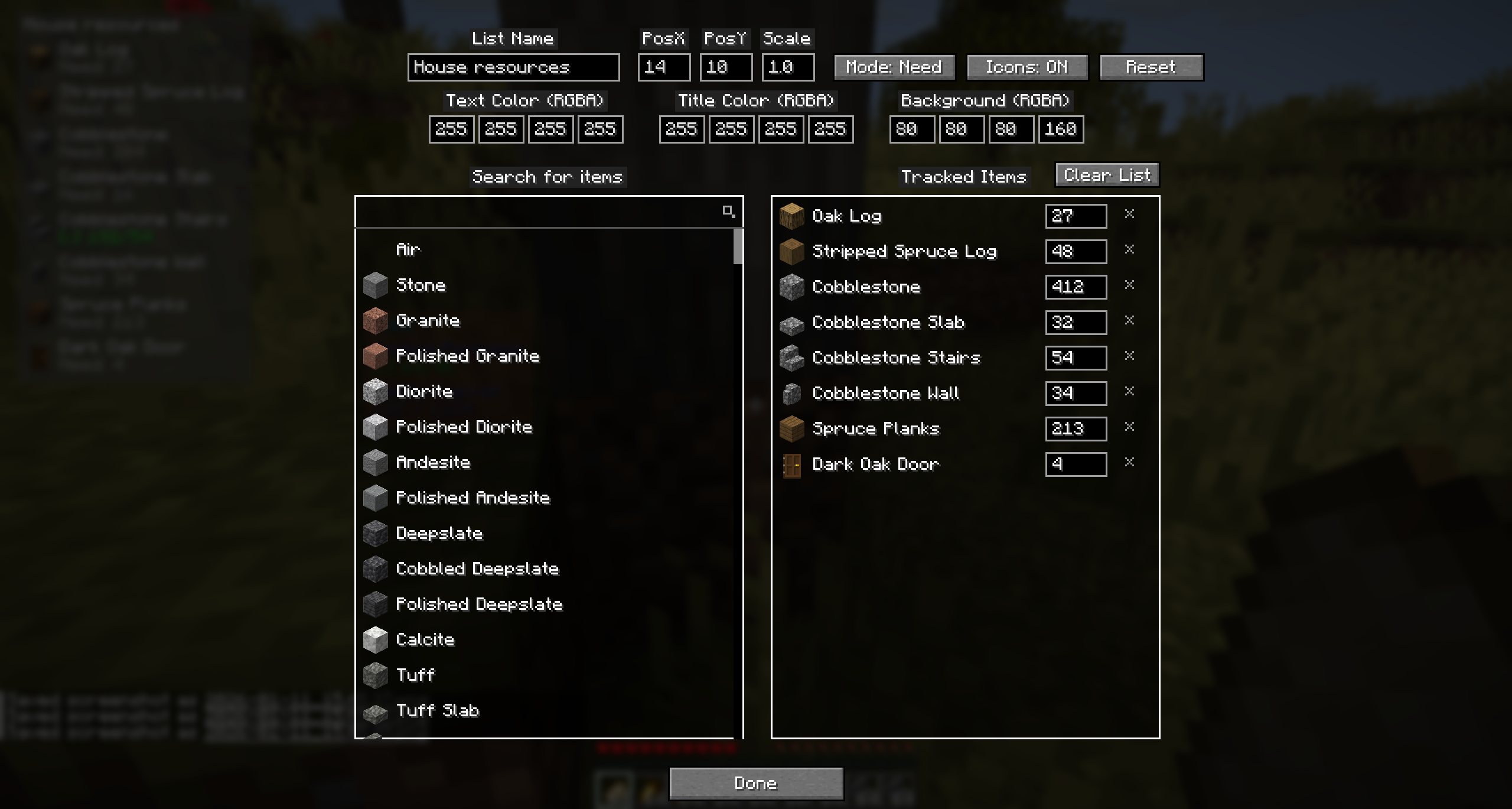 Edit List Screen
Versions
Files
Relations
Project Relations
More like this
Similar Mods
Suggestions use data such as tags, dependencies, dependents, descriptions, titles, and more to rank how much they overlap with this mod.
On ModDex
Community snapshot
By the numbers
Statistics

Want to reach Minecraft players?
We're looking for a server hosting partner to feature here and other parts of the site. Interested? Send us a message!
Get in touchGet it on
Available Platforms
On ModDex
Community snapshot
By the numbers