
Community listing page, reviews may not be monitored by the author.
Respackopts


Config menus for resource packs

Community voices
Reviews
No reviews yet. Be the first to review this project!
Get it on
Available Platforms
Compatibility
Supported Environments
Install on the client or the server; either alone gives full functionality.
About
Project Details
For authors
Embed Badge
If you're the author of this project, you can embed a live badge anywhere that supports HTML or Markdown. It updates automatically whenever ratings change.
Use HTML for any page that supports it, or Markdown for README files and Markdown-based descriptions.
Identifiers
Platform IDs
About
Description
Respackopts
PSA: Depending on the version you are downloading, a separate installation of cloth config, or LibJF may be required
Respackopts provides resource and data packs with config menus
By default, it provides a custom system for conditional resources, resource expansion and integrates with frex, canvas and fabulous shaders
Using Respackopts
Users
After installing respackopts, a menu button will appear besides all supported resource packs. No further configuration is needed.
Pack authors
Please head to the wiki for details on how to use respackopts in a pack.

Respackopts
PSA: Respackopts depends on LibJF, which you must add alongside it.
Respackopts provides resource and data packs with config menus
By default, it provides a custom system for conditional resources, resource expansion and integrates with fabulous shaders
Using Respackopts
Users
After installing Respackopts, a menu button will appear besides all supported resource packs. No further configuration is needed.
Pack authors
Please head to the wiki for details on how to use Respackopts in a pack.
Performance Impact
Performance always depends on factors other than the game itself like disk speed, resource usage by other programs, the OS you are using, etc. These measurements were made with Minecraft 1.20.1, Fabric Loader 0.14.21, Fabric API 0.84.0, and LibJF 3.8.0 on Linux 6.3 with a Ryzen 5 7600X processor and an NVMe SSD. Please do not expect them to be representative for all other versions and setups, but they should give you a general idea of the impact of using Respackopts.LibJF injects hooks into the resource loader, meaning there is additional overhead for every resource access. In practice, this results in a five-percent increase in resource reloading time over vanilla, and an eight percent increase in game load times over vanilla (.2 seconds).
Respackopts uses those hooks and additional mixins to work, adding additional overhead. In practice, this results in a six-percent increase in resource reloading time over vanilla, and an eighteen percent increase in game load times over vanilla (.43 seconds).
The most significant increase is measurable during pack scanning, which takes nearly 100 times longer when comparing Minecraft with Respackopts to vanilla. This is because Respackopts performs and caches most parsing and computation during this stage. As the statistic for game loading shows, this is not necessarily noticeable during startup, because the total is still comparably small. It is only noticeable in the resource pack screen, where scanning is performed every 20 ticks and whenever the screen is resized, which can lead to minor freezes while it is visible. For this reason, I have created a separate mod that tweaks that screen for increased performance.

Screenshots
Gallery
-
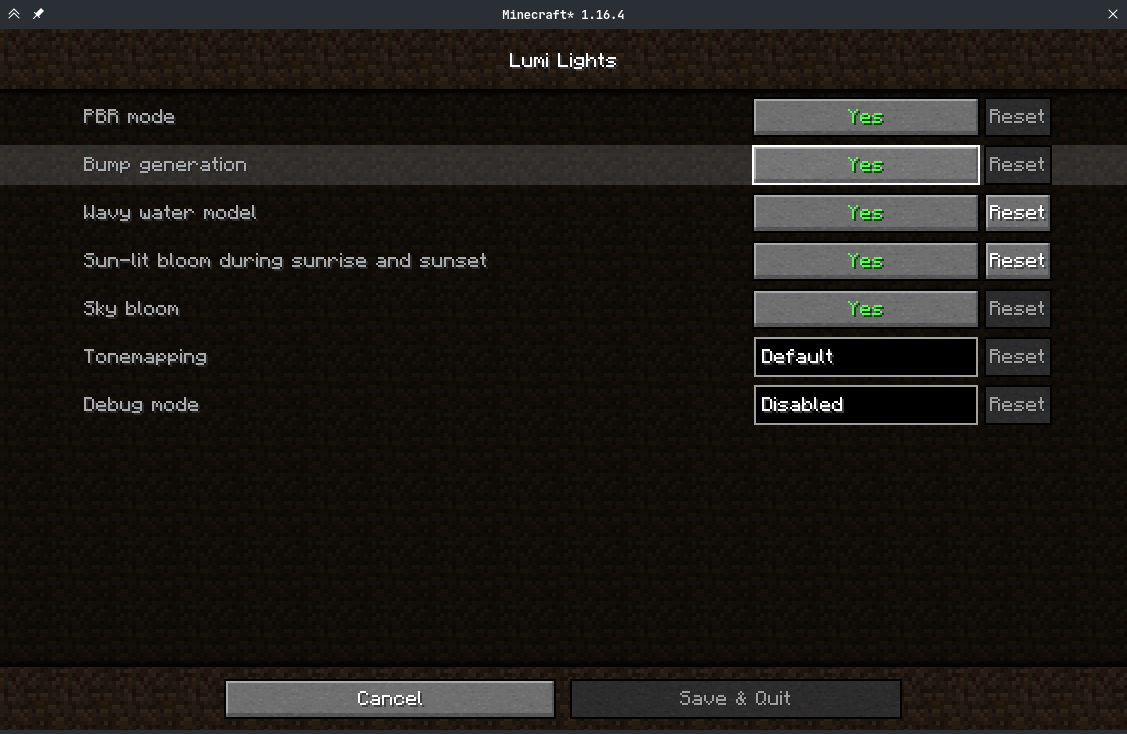 Options Screens Options screens get generated using Cloth Config and use its default look
 -
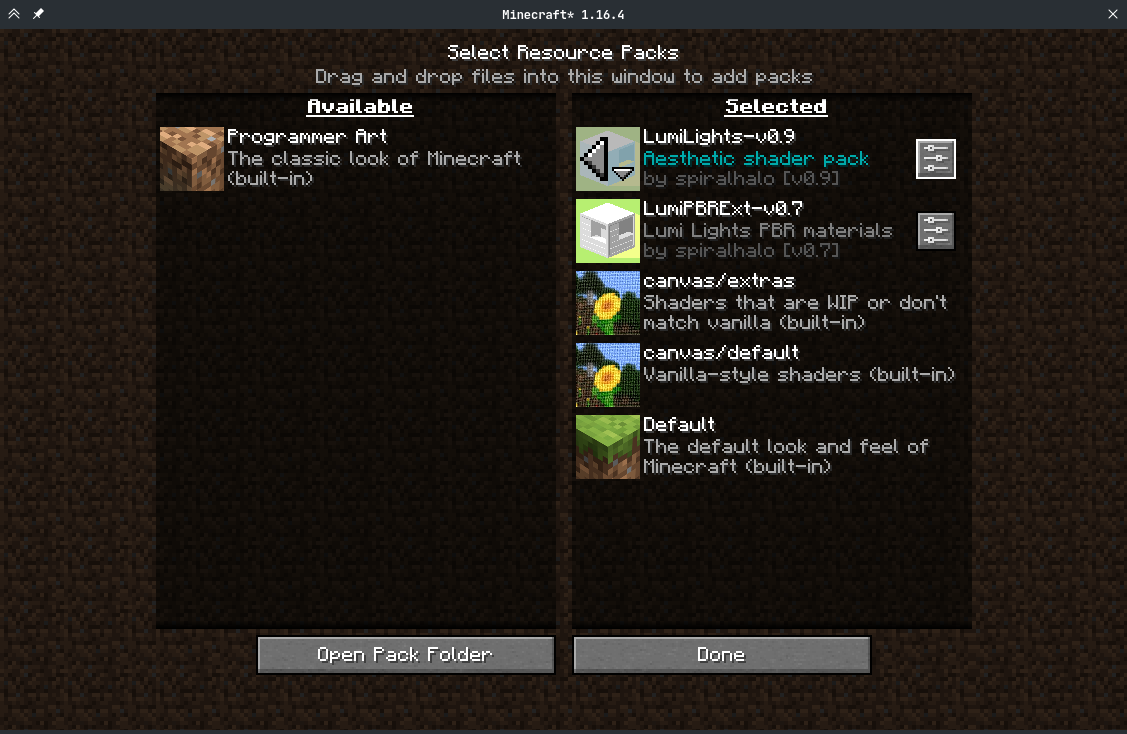 Resoure pack options screen Options buttons with textures from ModMenu get added to supported packs automatically
-
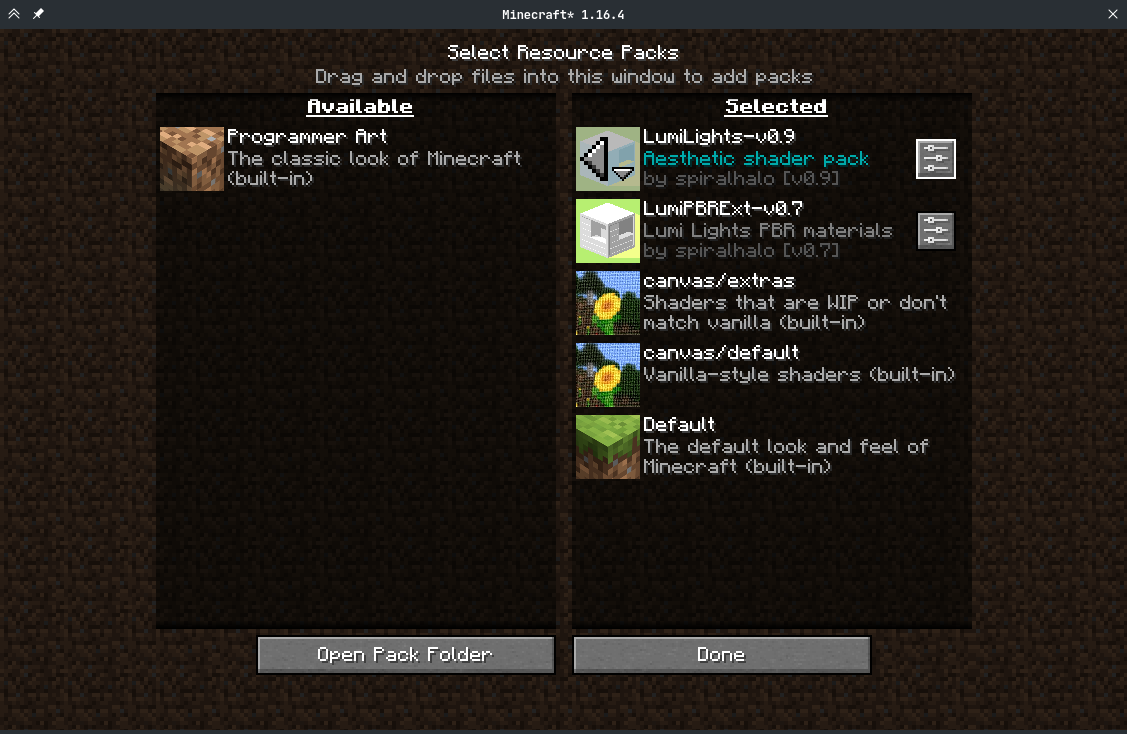 Resoure pack options screen Options buttons with textures from ModMenu get added to supported packs automatically
 -
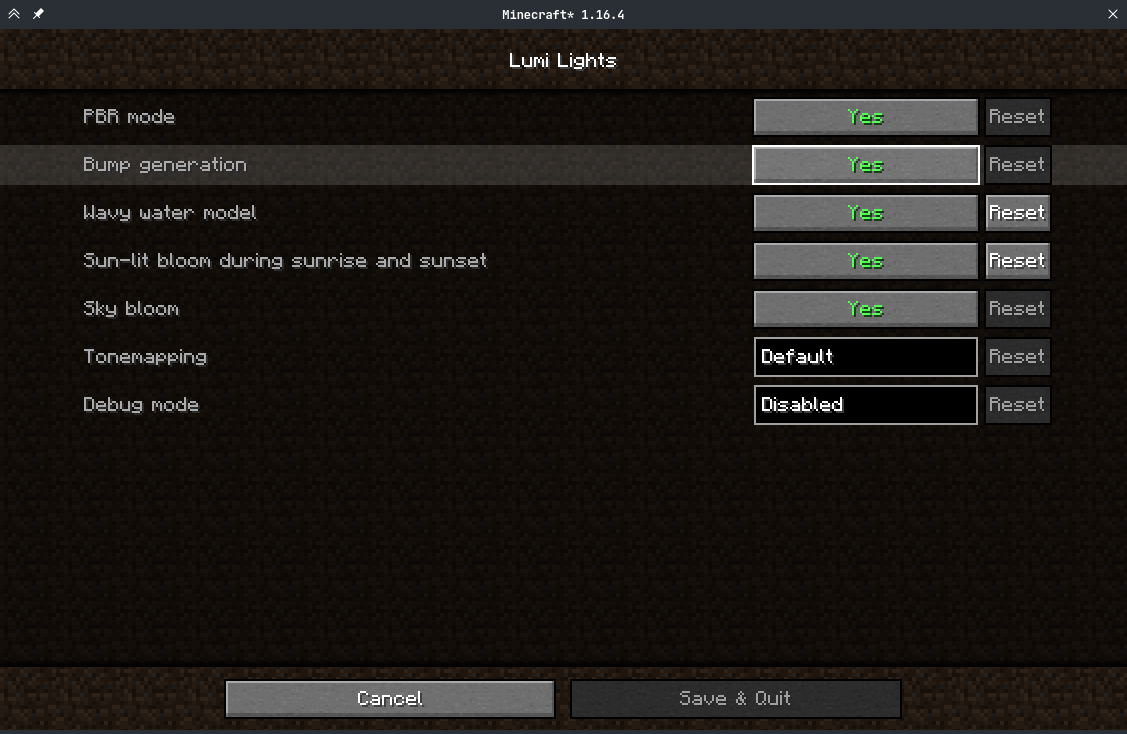 Options Screens Options screens get generated using Cloth Config and use its default appearance
Versions
Files
Relations
Project Relations
More like this
Similar Mods
Suggestions use data such as tags, dependencies, dependents, descriptions, titles, and more to rank how much they overlap with this mod.
On ModDex
Community snapshot
By the numbers
Statistics

Get it on
Available Platforms
On ModDex
Community snapshot
By the numbers