Community listing page, reviews here may not be monitored by the author.
Revo UI

No reviews yet
Provides some modern UI tweaks for modded Minecraft 1.12.2
Community voices
Reviews
No reviews yet. Be the first to review this project!
Get it on
Available Platforms
About
Project Details
For authors
Embed Badge
If you're the author of this project, you can embed a live badge anywhere that supports HTML or Markdown. It updates automatically whenever ratings change.
Use HTML for any page that supports it, or Markdown for README files and Markdown-based descriptions.
Identifiers
Platform IDs
Resources
External Links
About
Description
Offers many modern features, such as modern tooltips, smooth scrolling, and more.
This project has backported some Modern UI-related code, so it is licensed under the same LGPL license. In addition to providing the Modern UI background shader, a Mica-inspired shader has been added for a more attractive look; the images in the Gallery use this shader.
This mod is a companion mod for Neo Font Render. Be sure to install the prerequisite mod before activating it.
Revo UI feature modules
| Module | Description |
|---|---|
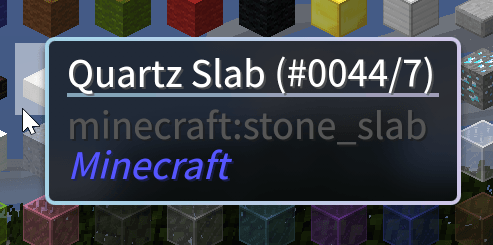
| Modern Tooltips | Full tooltip replacement with rounded corners, soft shadows, adaptive border colors (rarity/enchantment-based), Mica translucent backdrop, center-titled layout, mod name display. Supports HEI, Obscure Tooltips, and Quark map compat. |
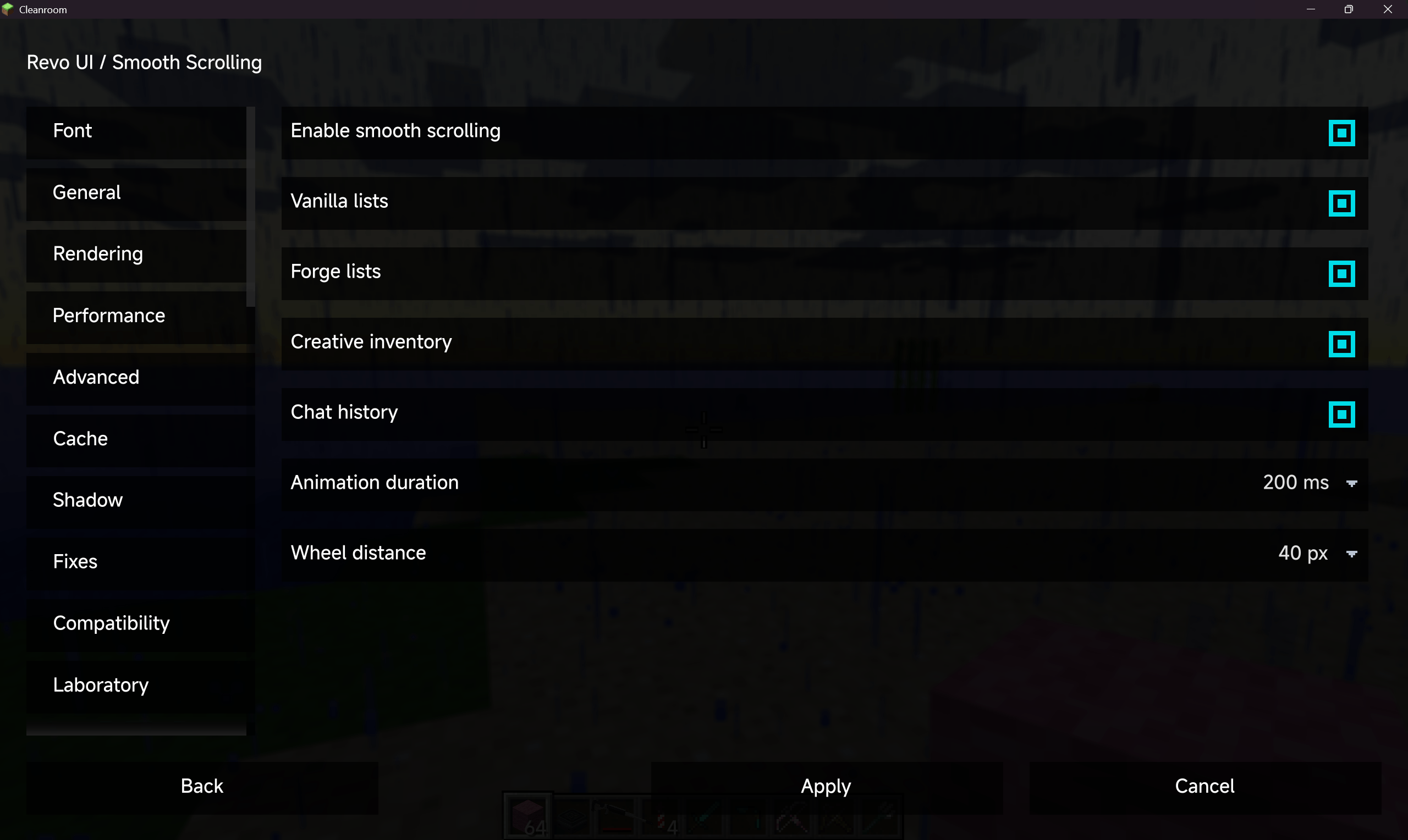
| Smooth Scrolling | Animated wheel scrolling for vanilla GuiSlot lists, Forge scrolling lists, creative inventory grid, and chat history. Configurable duration and step size. |
| Screen Effects | Background Gaussian blur (post-processing shader), four-corner color gradient overlay, and fade-in/fade-out transitions. Per-screen-type control for menus, containers, and chat. |
| HUD Bars | Modern replacement for vanilla health, food, armor, toughness, air, and mount bars. 6 visual themes (modern, flat, glass, segmented, minimal, classic), smooth animated fill, per-stat color customization, numeric/icon display. AppleCore integration. |
| Enhanced Chat | See sub-features below. Includes inline image glyphs, H2-backed persistence, and group chat. |
| Zoom | Hold-to-zoom keybind with configurable magnification (2–8x), smooth camera, mouse sensitivity adjustment, and animated FOV transitions. |
| Hover Effects | Smooth cross-fade animations for vanilla/Forge buttons, inventory slots, JEI/HEI ingredient grids, and ModularUI slots. |
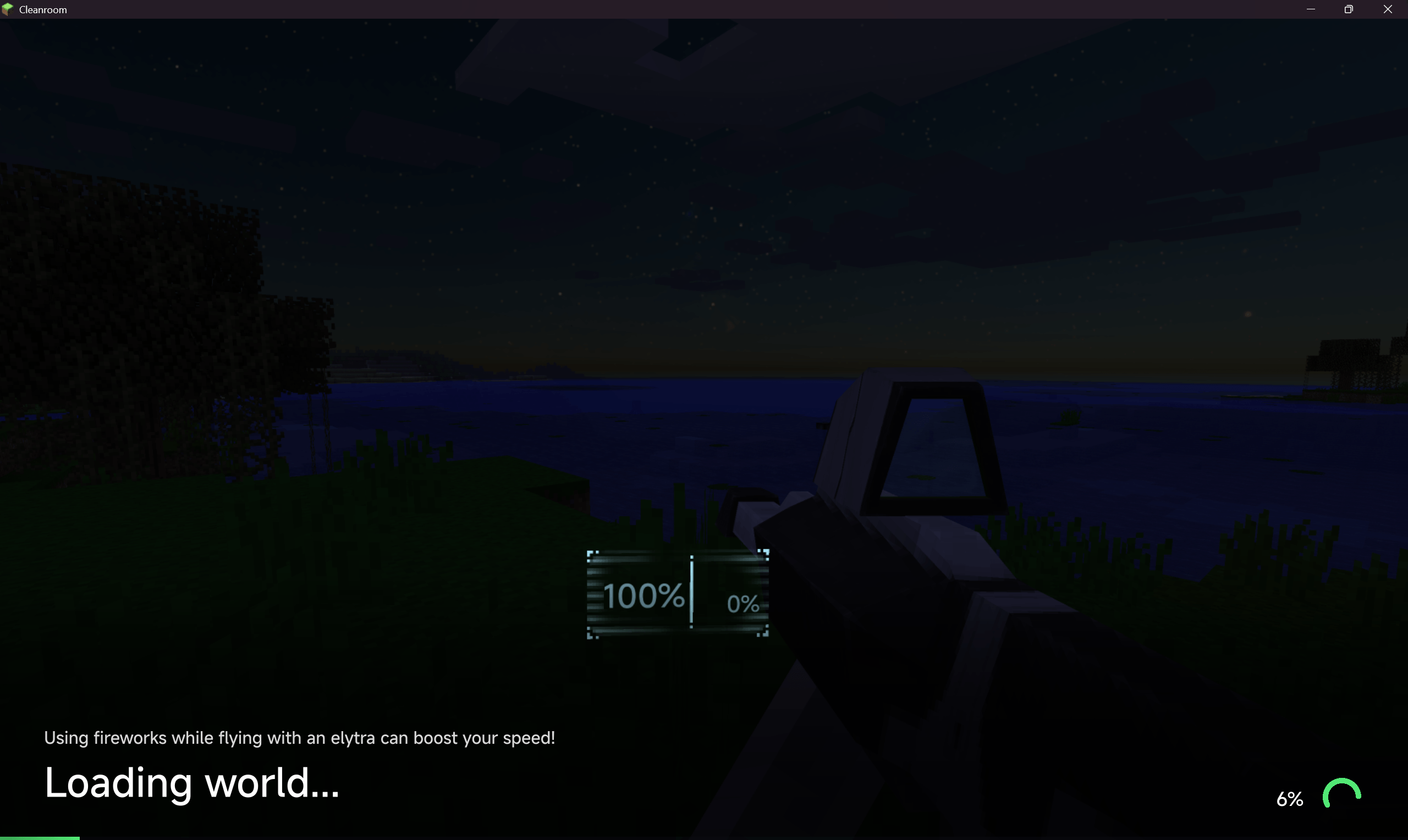
| World Loading | Modern loading overlay for world join and dimension change. Progress bar, percentage, spinner, bottom gradient shade, fade-out transition, last-exit frame snapshot. |
| Resource Reload | Progress overlay during resource pack and language reload with progress bar, percentage, and spinner. |
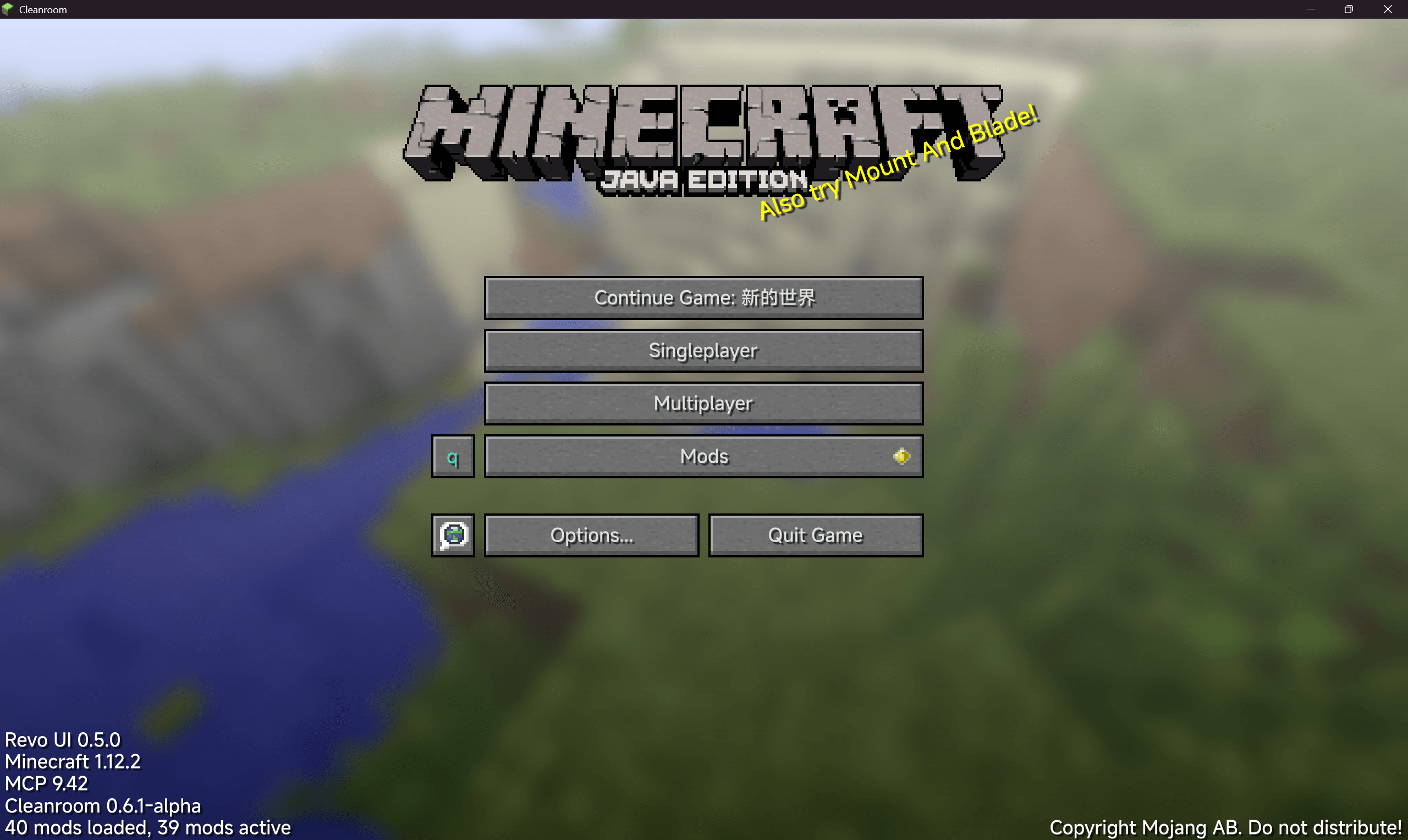
| Main Menu | "Continue Game" button to directly rejoin the last played world or server. |
| Create World | Three layout themes for the create-world screen: vanilla, tabbed, and modernui. |
| Text Input | OS-style I-beam cursor over vanilla and ModularUI text fields. |
| Flight Control | Continuous three-axis Elytra flight with momentum mode, per-axis sensitivity/inversion, controller input API for third-party gamepad mods, third-person pose sync, and barrel rolls. Includes an Arc3D-powered flight HUD with layouts inspired by Airbus, Boeing, and MSFS avionics, plus FPV OSD and cinematic tactical themes. User themes live in neofontrender/flight_hud_themes. |
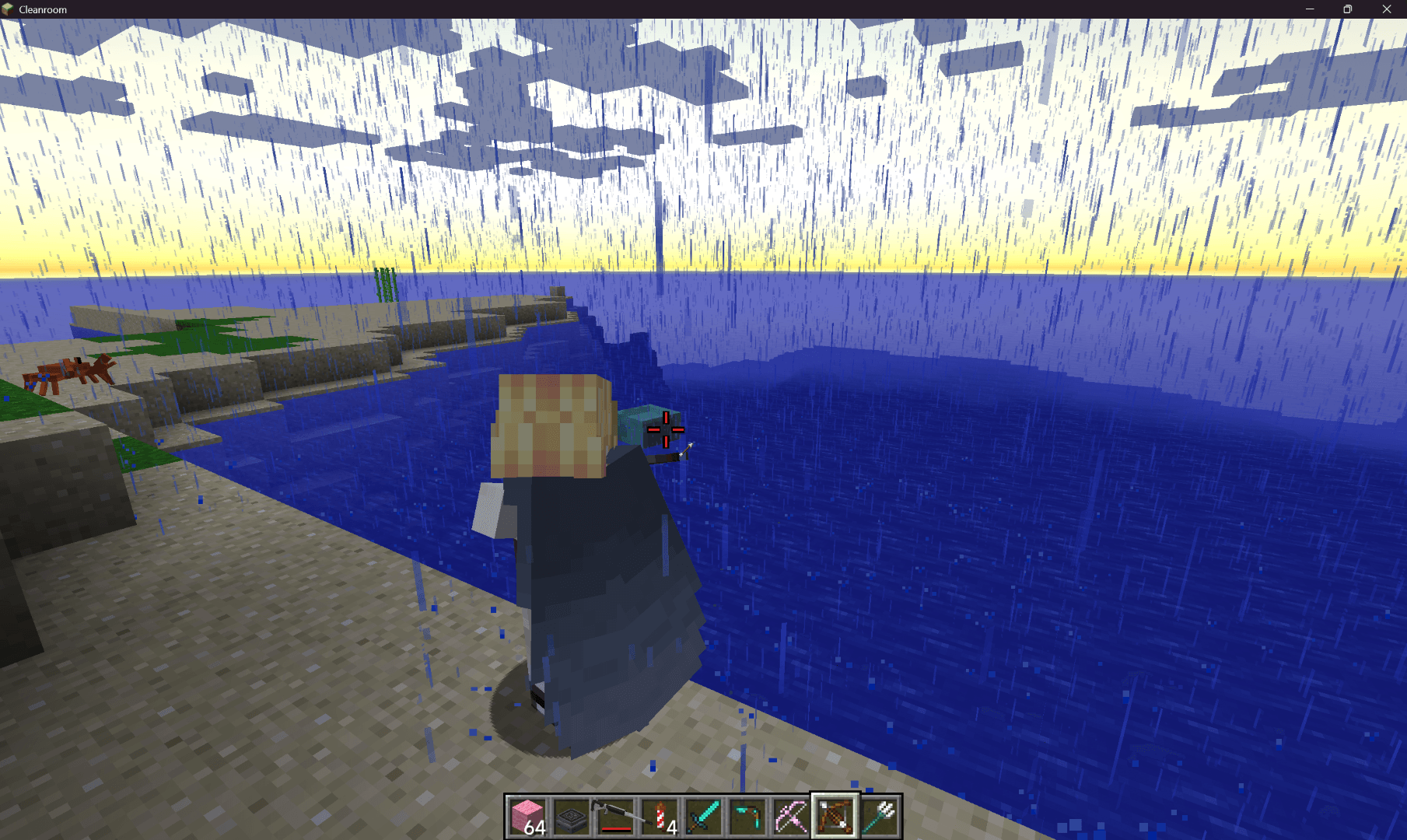
| Crosshair | Custom crosshair with 10 styles (vanilla, cross, dot, circle, square, triangle, arrow, flight-chevron, debug, pixel-drawn), independent sizing/rotation/offsets, adaptive contrast, outlines, center dots, contextual visibility, dynamic attack/bow spread, target colors, rainbow animation, cooldown rings, low-durability warnings, ammunition indicators, and in-game pixel editor. Shoulder Surfing compatibility included. |
Chat sub-features (inside UIE)
| Feature | Description |
|---|---|
| Tabbed chat | Embedded TabbyChat 2 with channel tabs, per-channel history and logging, anti-spam, timestamps, spelling check, unread flashing. |
| Vertical tabs | Edge-style vertical tab layout on the left edge of the chat window. |
| Tab pinning | Pin/unpin/delete channel tabs via right-click context menu. |
| Chat search | Full-text search across chat history with Ctrl+F. Keyboard navigation (↑↓/Enter/Esc), matched-term highlighting, jump-to-message in TabbyChat. |
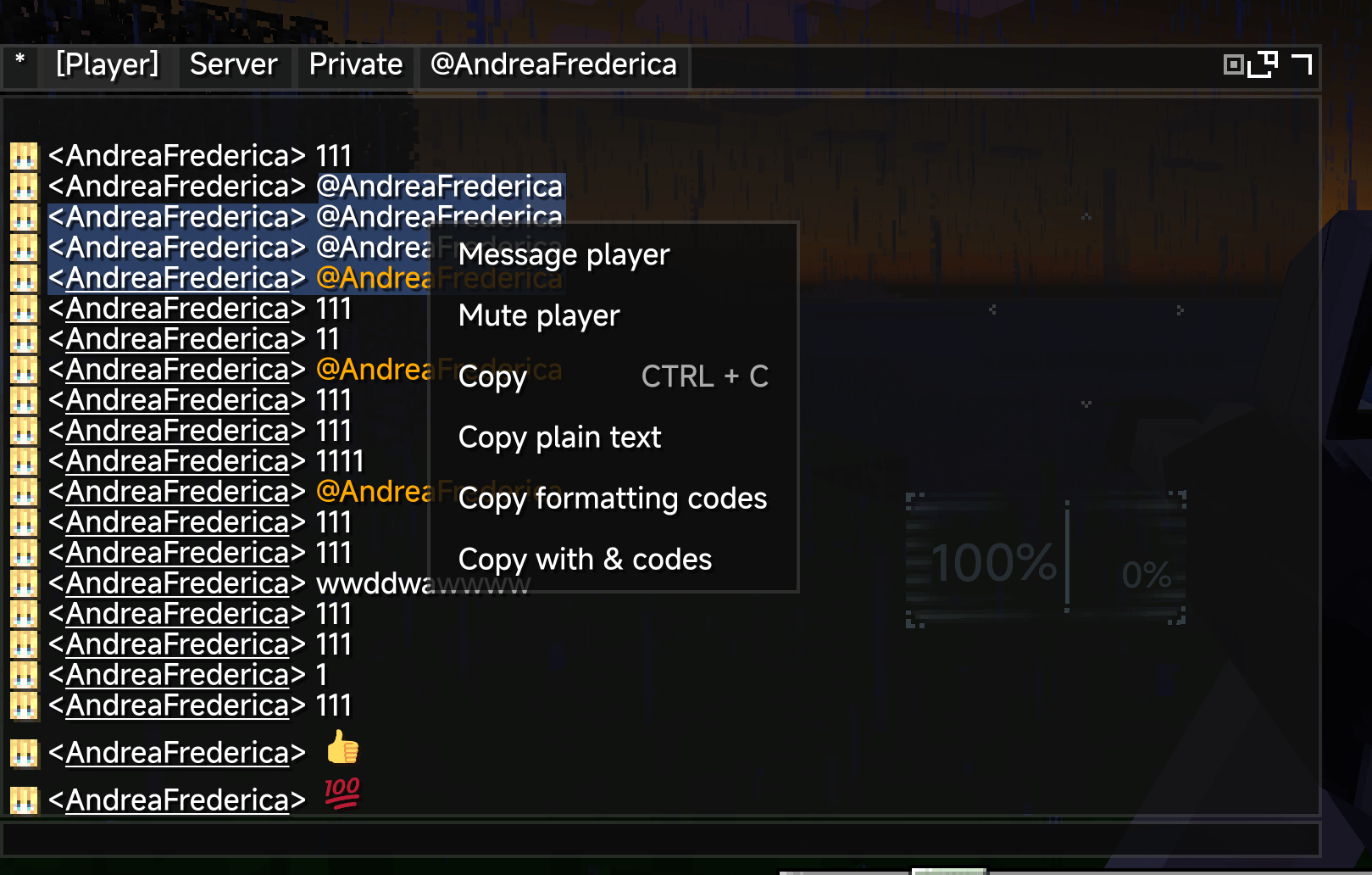
| Chat history | Ctrl+H opens a dedicated history browser with scope filtering (All/Player/Server/Private/Group) and per-scope management. |
| Group chat | Server-side group channels with /nfrgroup command, automatic source routing, and TabbyChat group tabs. |
| Inline image glyphs | Render Gosling/Emojicord emoji :aliases:, external <img:https://…> images (with allow/blocklist), and local image gallery (neofontrender/images/). Hover preview and right-click copy. |
| Source classification | Regex-based message routing into Player/Server/Private/Group channels. |
| Message filtering | Regex-based message blocking and per-player muting. |
| @mention completion | Live @player suggestions from online player list with notification sound. |
| Command completion | Scrollable tab-completion suggestions while typing. |
| Player links | Clickable player names with double-click interaction, avatar tooltips, and context menu (private message, whisper, copy name, mute). |
| Player heads | Renders cached player head avatars next to chat messages. |
| Item icons | Displays item icons beside SHOW_ITEM chat components. |
| Timestamps | Configurable timestamps prepended to chat messages. |
| Copy & paste | Drag-to-select text copying with formatting code options, Ctrl+C/X/V/A keybindings. |
| Right-click menu | Context menu on chat messages for copy, player actions, and inline image operations. |
| Keep-open policies | Per-source-type control for keeping chat open after sending. |
| HUD window | Floating chat window with compositor support for persistent/detached layout. |
| Persistence | Per-server/world persistent received and sent message history backed by an embedded H2 database with automatic legacy JSON migration. |
| Message animations | Entrance animations for new messages and chat input open/close. |
| Color theme | Full color theme for the chat panel (background, border, input, tray, tabs, scrollbar, text — 11 color slots). |
| Spellcheck | Jazzy (English) + Jieba (Chinese) spell checking. |
Screenshots
Gallery
-
 javaw_sNHRQmGNuI.png javaw_sNHRQmGNuI.png
 -
 Snipaste_2026-08-06_17-32-12.png Snipaste_2026-08-06_17-32-12.png
 -
 Snipaste_2026-08-06_17-32-47.png Snipaste_2026-08-06_17-32-47.png
 -
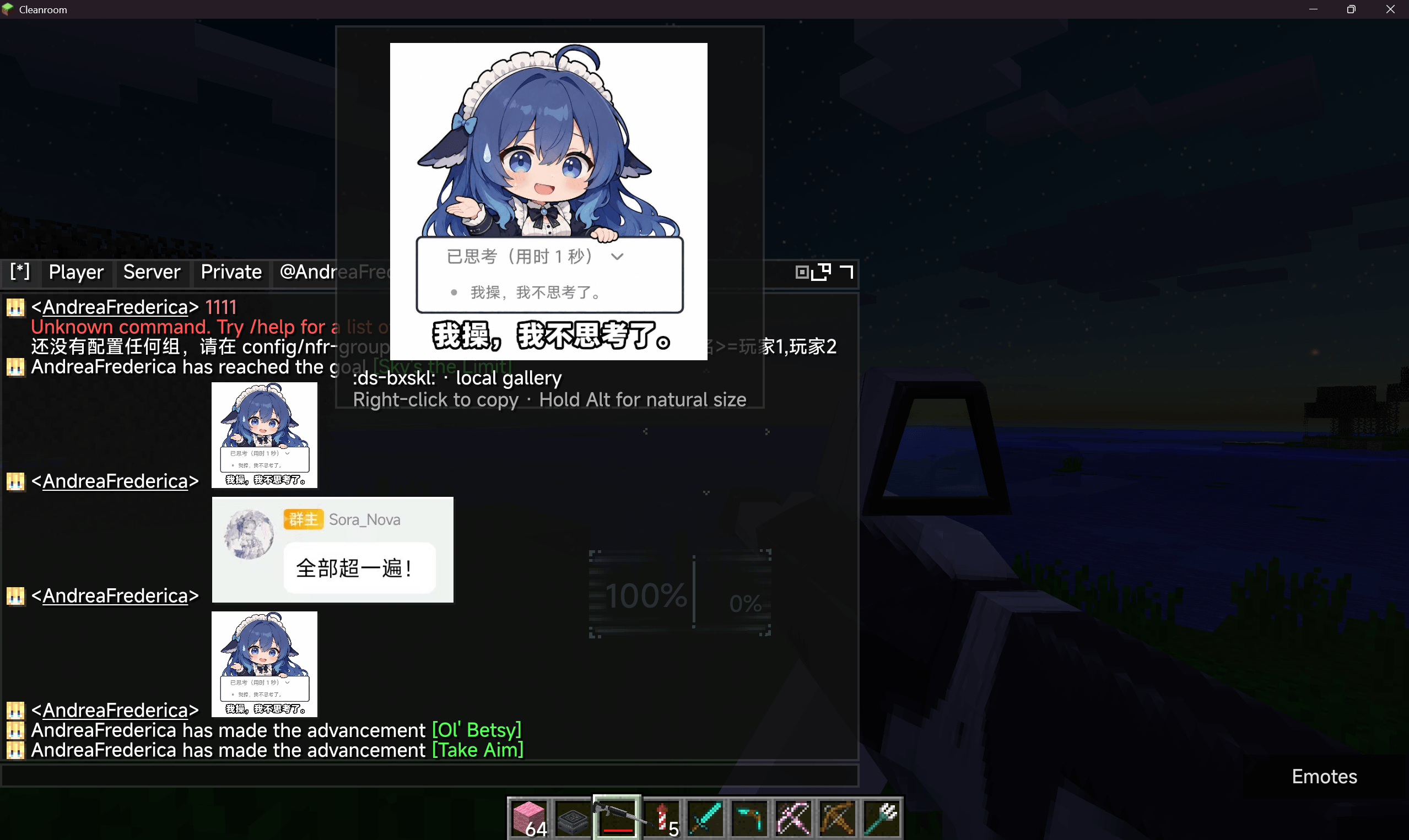 å±å¹æªå¾ 2026-08-06 173314.png å±å¹æªå¾ 2026-08-06 173314.png
 -
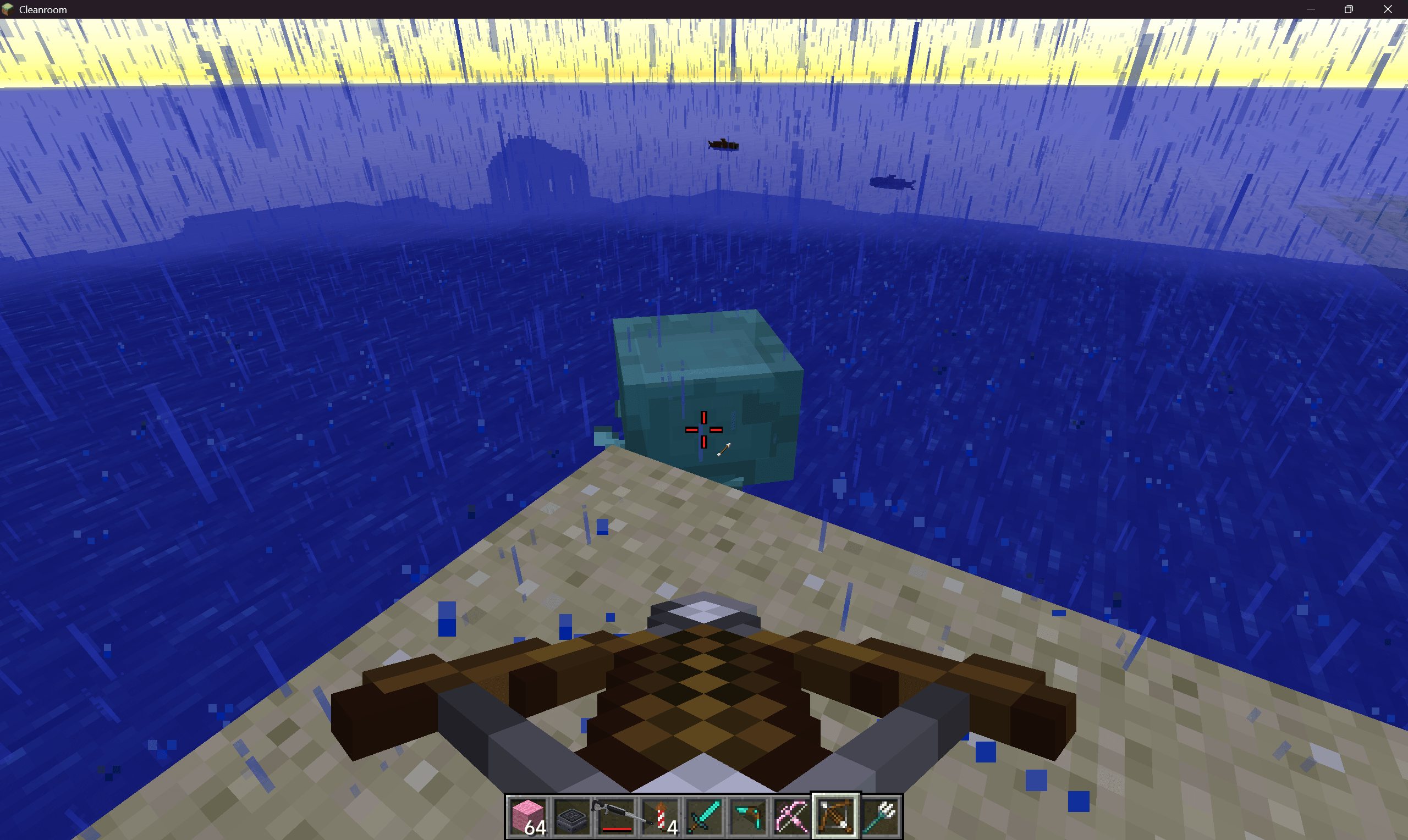 Snipaste_2026-08-06_17-37-42.png Snipaste_2026-08-06_17-37-42.png
 -
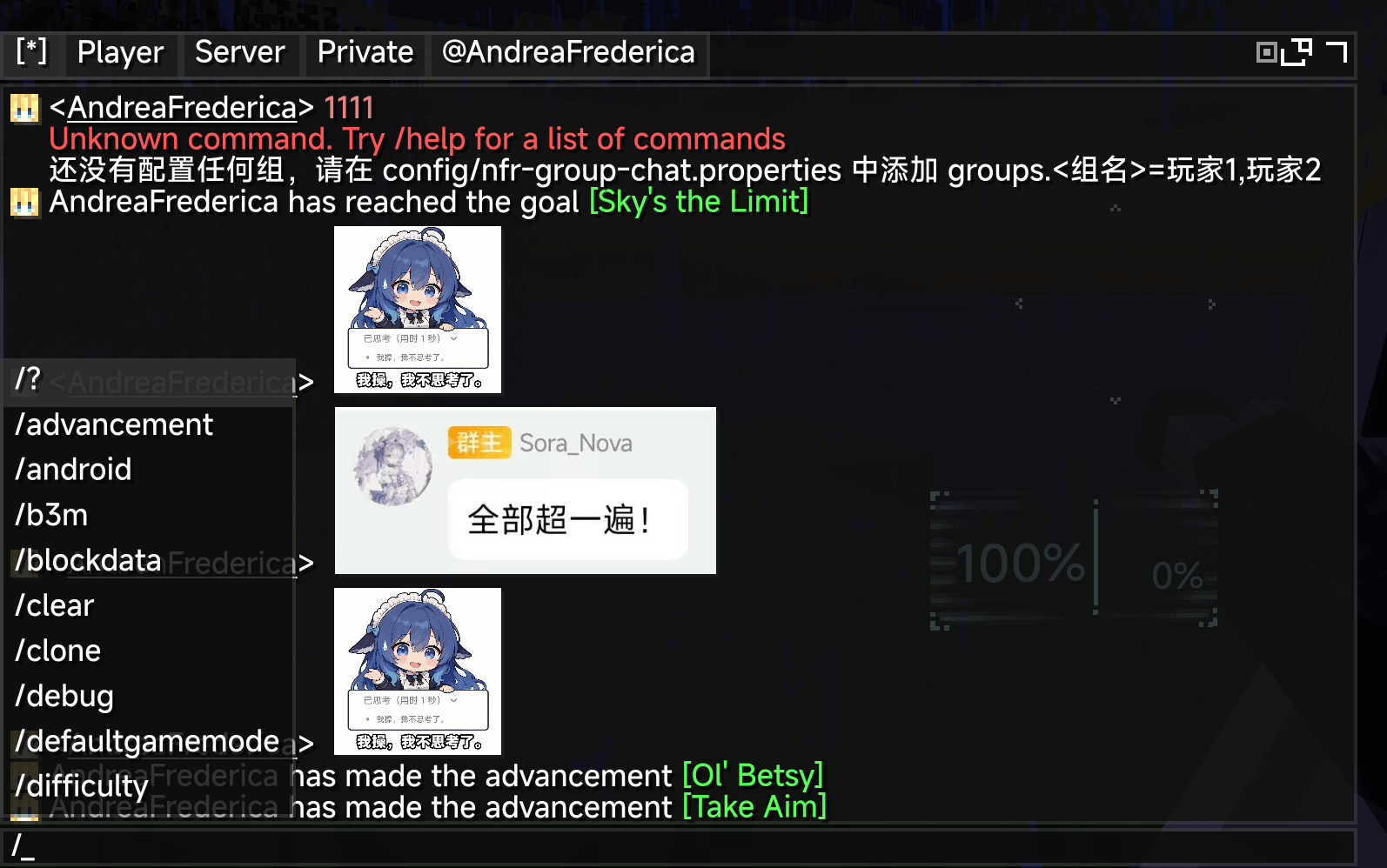 Snipaste_2026-08-06_17-33-44.png Snipaste_2026-08-06_17-33-44.png
 -
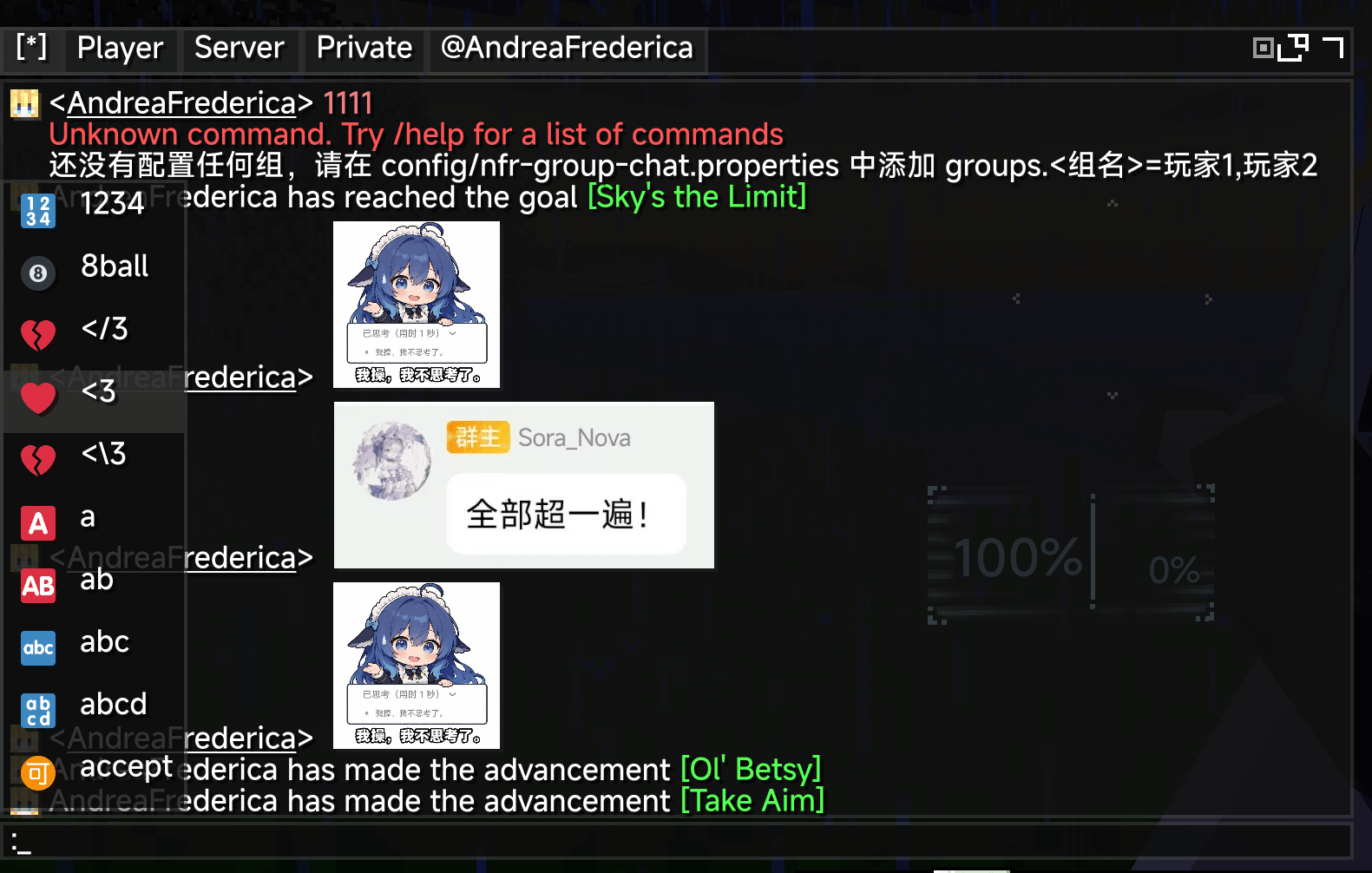 Snipaste_2026-08-06_17-34-02.png Snipaste_2026-08-06_17-34-02.png
 -
 Snipaste_2026-08-06_17-34-31.png Snipaste_2026-08-06_17-34-31.png
 -
 Snipaste_2026-08-06_17-39-02.png Snipaste_2026-08-06_17-39-02.png
 -
 Snipaste_2026-08-06_17-39-15.png Snipaste_2026-08-06_17-39-15.png
 -
 Snipaste_2026-08-06_17-37-58 (大).png Snipaste_2026-08-06_17-37-58 (大).png
 -
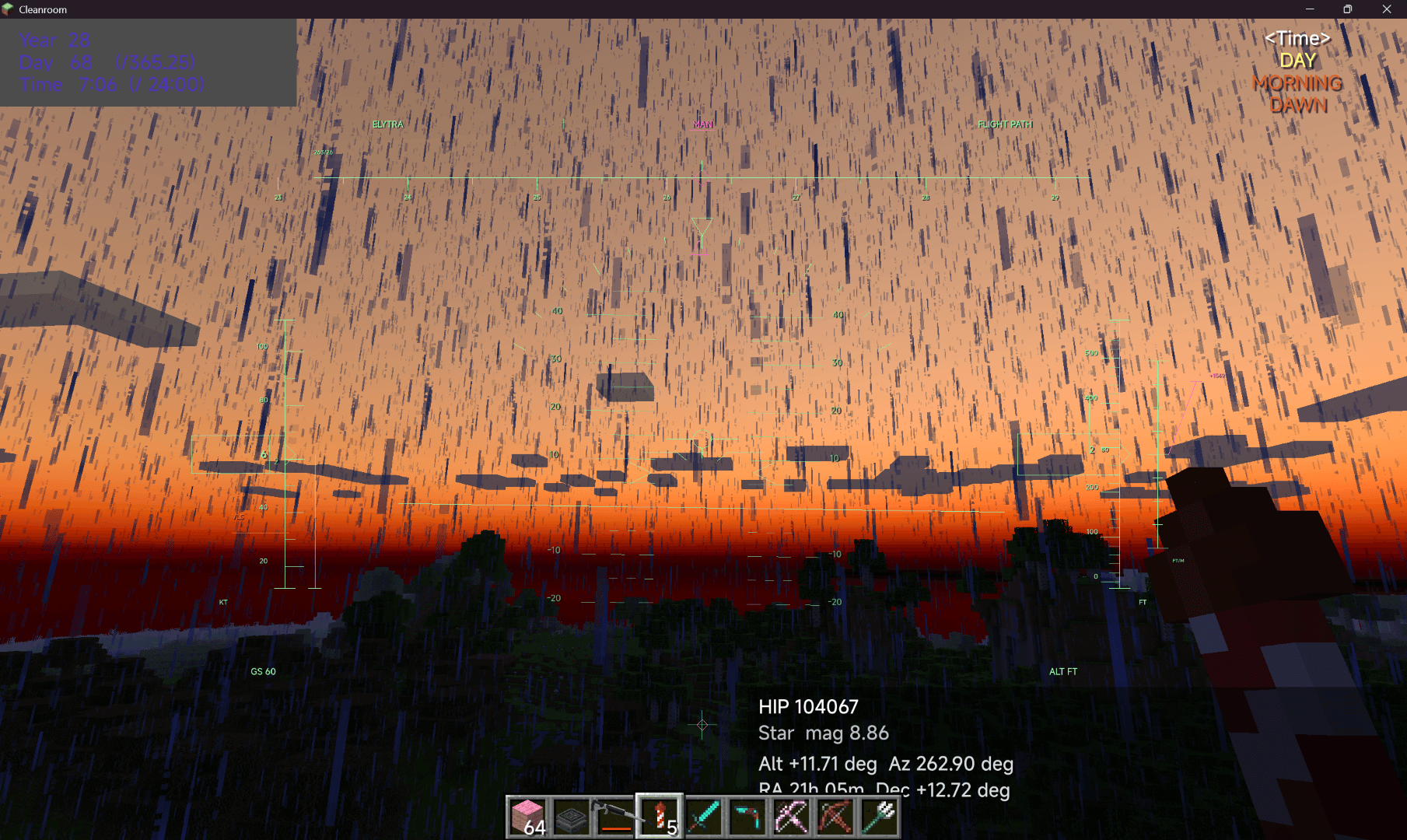 Snipaste_2026-08-06_17-35-11 (大).png Snipaste_2026-08-06_17-35-11 (大).png
 -
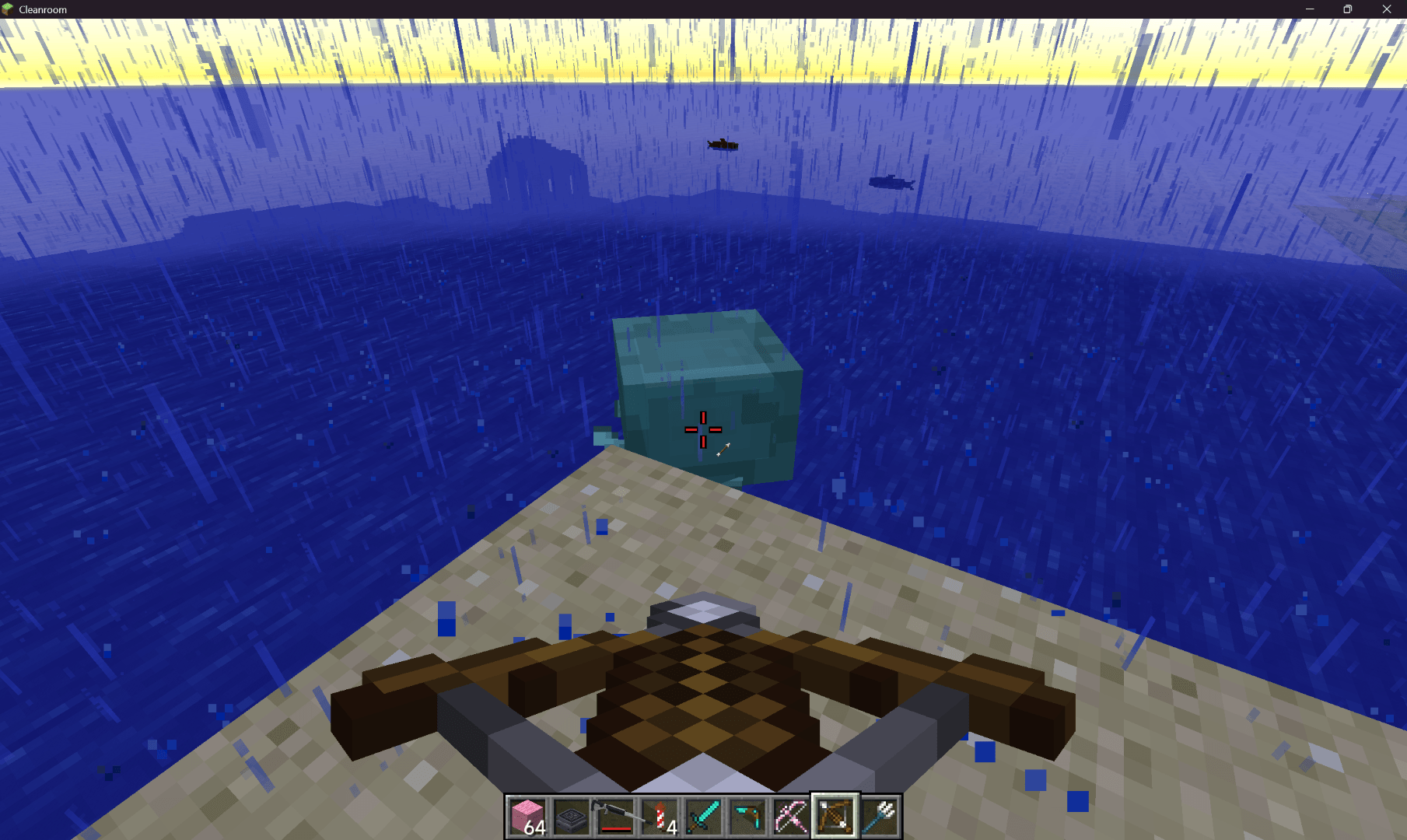 Snipaste_2026-08-06_17-37-42 (大).png Snipaste_2026-08-06_17-37-42 (大).png
 -
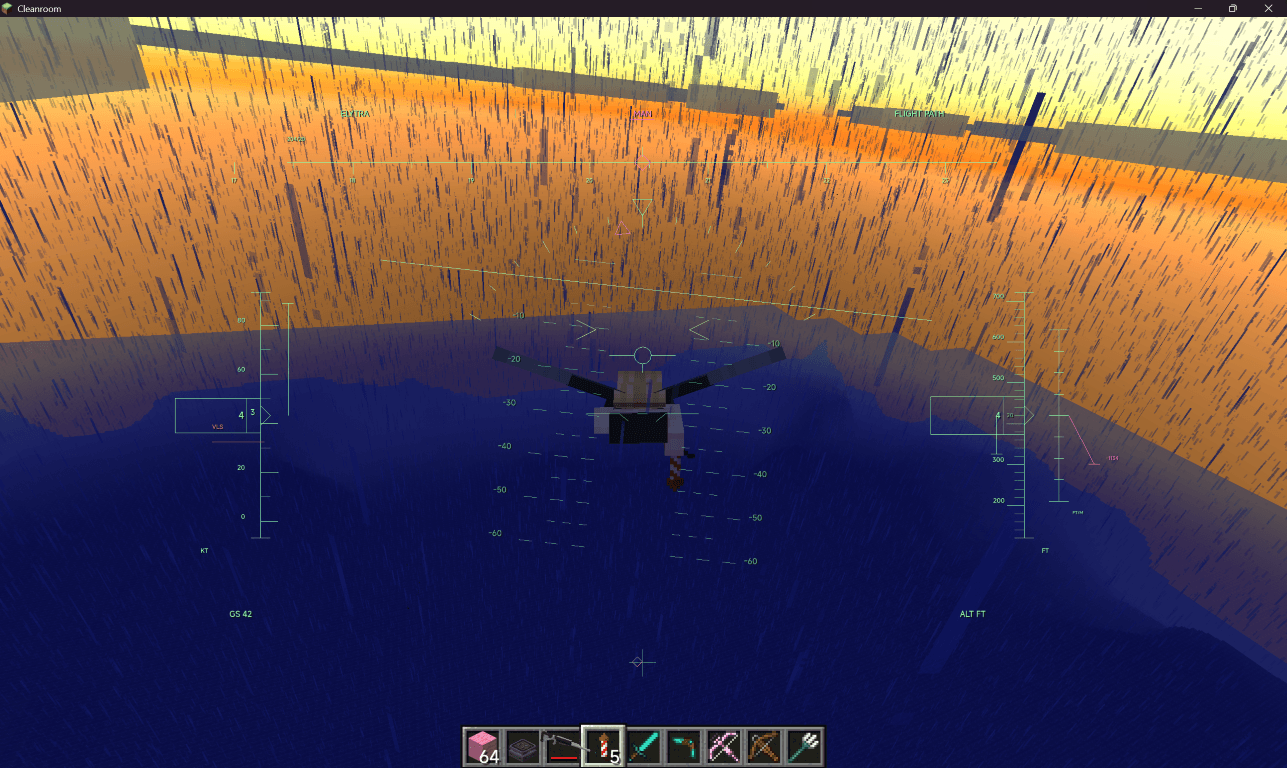 Snipaste_2026-08-06_17-35-42 (ä¸).png Snipaste_2026-08-06_17-35-42 (ä¸).png
 -
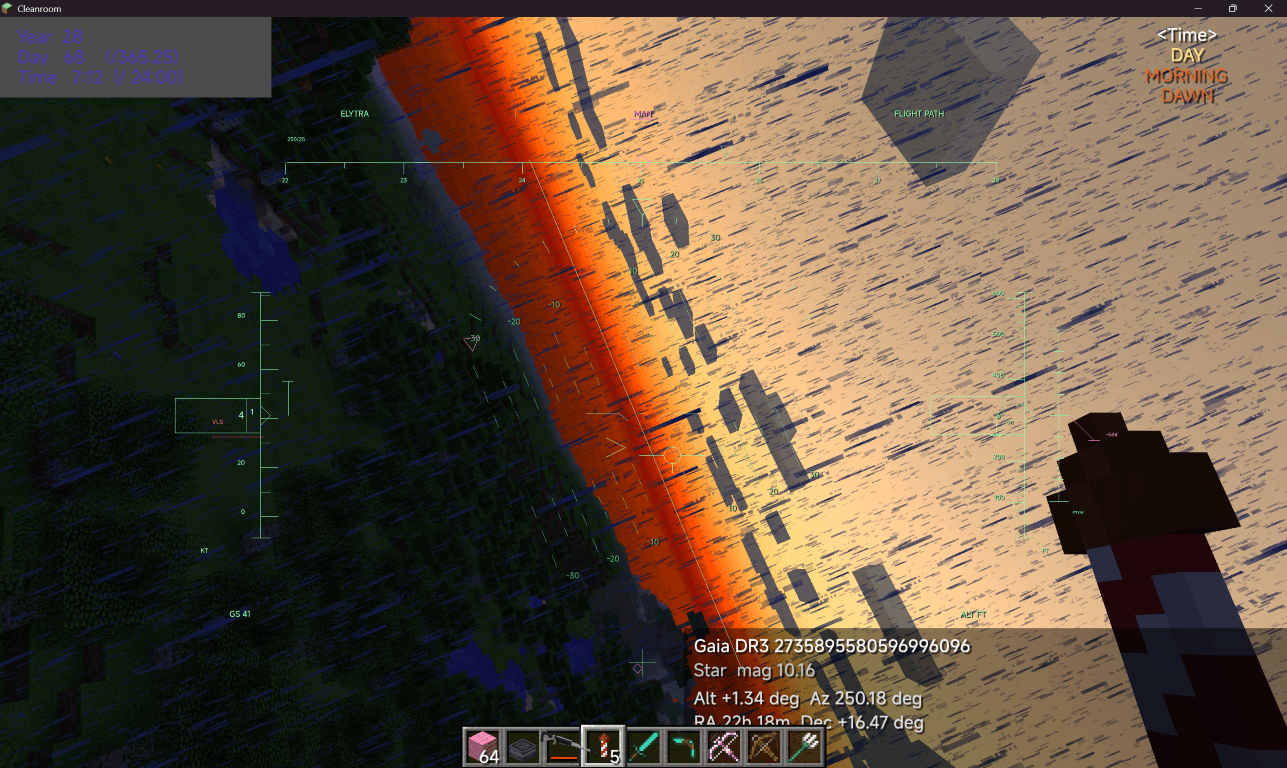 Snipaste_2026-08-06_17-35-22 (ä¸).png Snipaste_2026-08-06_17-35-22 (ä¸).png
 -
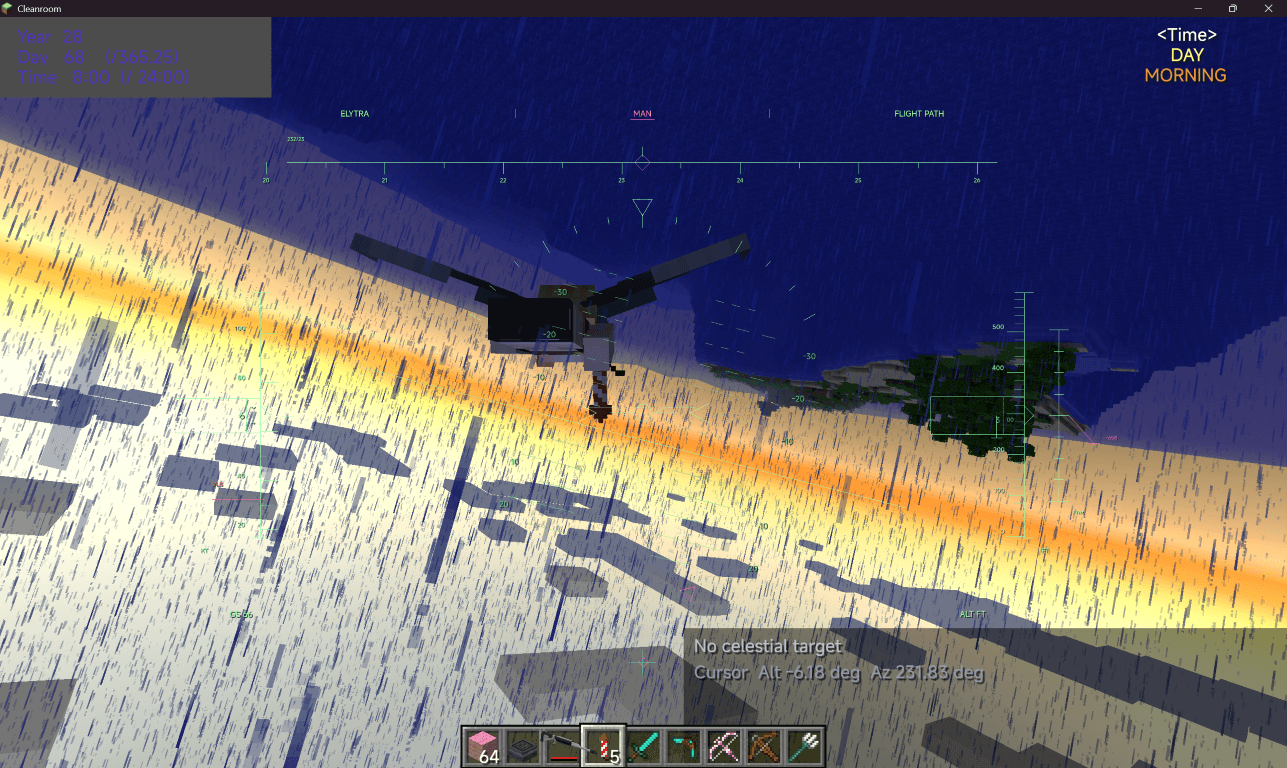 Snipaste_2026-08-06_17-36-14 (ä¸).png Snipaste_2026-08-06_17-36-14 (ä¸).png
Versions
Files
Relations
Project Relations
More like this
Similar Mods
Suggestions use data such as tags, dependencies, dependents, descriptions, titles, and more to rank how much they overlap with this mod.
On ModDex
Community snapshot
By the numbers
Statistics
Want to reach Minecraft players?
We're looking for a server hosting partner to feature here and other parts of the site. Interested? Send us a message!
Get in touchGet it on
Available Platforms
On ModDex
Community snapshot
By the numbers
Statistics
Resources