Community listing page, reviews here may not be monitored by the author.
RF Windmills

No reviews yet
Generate Redstone Flux from the Wind
Community voices
Reviews
No reviews yet. Be the first to review this project!
Get it on
Available Platforms
About
Project Details
For authors
Embed Badge
If you're the author of this project, you can embed a live badge anywhere that supports HTML or Markdown. It updates automatically whenever ratings change.
Use HTML for any page that supports it, or Markdown for README files and Markdown-based descriptions.
Identifiers
Platform IDs
About
Description
Note: Please delete your configuration file when updating to 0.7 as the new energy system uses different values and variables.
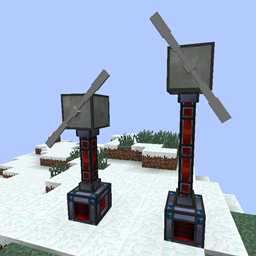
This mod adds four tiers of wind turbines based on Thermal Expansion's machine frames (basic, hardened, reinforced, and resonant) with increasing RF generation and internal storage. The exact RF/t varies depends on altitude, space around the block, and the efficiency of the attached rotor, with the turbine producing no energy at all at a height of 60 blocks or below, and producing maximum energy at an altitude of 100 blocks or more. The turbine also needs space for the air to flow, and so placing blocks in direct line (a 3x3 tunnel) of the rotor (closer than 10 blocks) will also reduce the turbines effectiveness. Weather also alters the effectiveness, with harsh weather conditions increasing the RF/t. The rotor can also be turned by hand to produce energy at a reduced rate.
By default the a maximum of 40 RF/t is assumed to be collected from the wind. This is then multiplied by an efficiency depending on the quality of the windmill as follows
- Basic - Efficiency factor of 0.1 and stores 16 000 RF
- Hardened - Efficiency factor of 0.3 and stores 32 000 RF
- Reinforced - Efficiency factor of 0.6 and stores 48 000 RF
- Resonant - Efficiency factor of 0.9 and stores 64 000 RF
Likewise the rotors have associated efficiency values which are
- Iron Rotor - 0.625
- Electrum/Gold Rotor -0.75
- Signalum/Nether Rotor - 0.875
- Enderium/Diamond Rotor - 1.0
- By Hand - 0.4
Placing Windmills
To create a windmill, first place the windmill block and then right click it with the rotor item to attach the rotor to the windmill on the side you clicked. Breaking the windmill will also drop the rotor, but breaking the rotor will not break the windmill, so swapping out rotors is easy.
Sneak-right clicking on a wind turbine will report its current (and maximum) energy storage as well as the amount of RF generated per tick (as of v0.41), and sneak-right clicking with a Buildcraft-compatible wrench will instantly drop the block with its storage intact.
Holding right-click on a rotor that is not producing RF will cause it to rotate at a slower rate, but still produce energy. This way you can use the windmills as makeshift (albeit expensive) dynamos. The height, air flow, and weather will not affect the generation values, but the efficiencies of the rotor and windmill will due to internal friction etc.
Textures
By default the rotors will take on the appearance of whatever material was used to make them, and the turbine blocks will also change texture depending on their material. You can disable this feature using the config file, and force the rotors to always display as the iron texture.
Requirements
Whilst this mod is designed to work with Thermal Expansion, it isn't necessary and the mod will work perfectly well without, albeit with different recipes to compensate for the lack of machine parts. Thermal Foundation isn't actually necessary either, although both are recommended.
Usage
The code is licensed under the GPL and I'm by no means a Java dev so feel free to fork. If you find any bugs or have feature/enhancement requests please submit an issue.
Modpacks
Use this in whatever modpack you want, no need to ask!
Screenshots
Gallery
-
 New Textures
 -
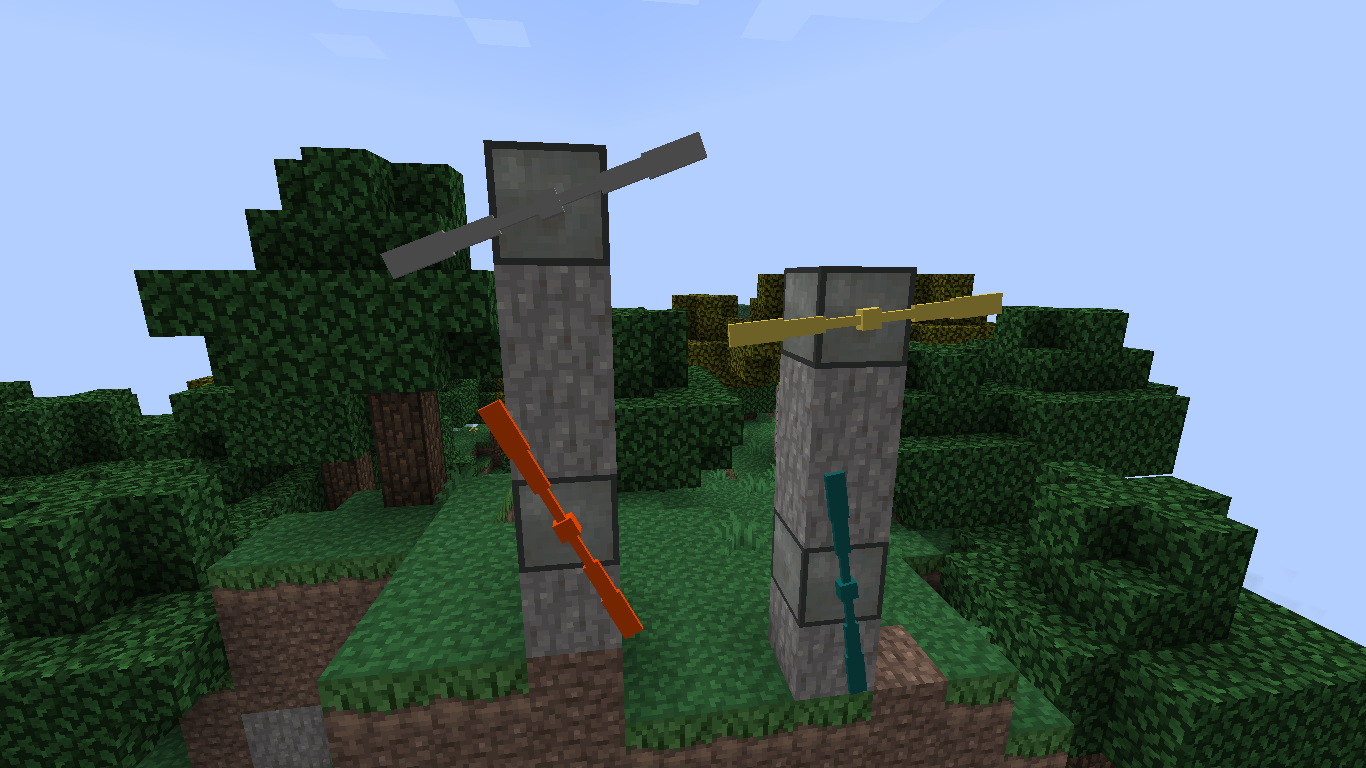 Different Rotors
Versions
Files
Relations
Project Relations
More like this
Similar Mods
Suggestions use data such as tags, dependencies, dependents, descriptions, titles, and more to rank how much they overlap with this mod.
On ModDex
Community snapshot
By the numbers
Statistics
Want to reach Minecraft players?
We're looking for a server hosting partner to feature here and other parts of the site. Interested? Send us a message!
Get in touchGet it on
Available Platforms
On ModDex
Community snapshot
By the numbers