
Community listing page, reviews here may not be monitored by the author.
Rift Anchoring

No reviews yet
A Chunk Loader Mod Keep your chunks loaded — upgrade a Respawn Anchor with an obsidian base to maintain a 5x5 chunk area
Community voices
Reviews
No reviews yet. Be the first to review this project!
Get it on
Available Platforms
Compatibility
Supported Environments
Must be installed on both the client and the server.
About
Project Details
For authors
Embed Badge
If you're the author of this project, you can embed a live badge anywhere that supports HTML or Markdown. It updates automatically whenever ratings change.
Use HTML for any page that supports it, or Markdown for README files and Markdown-based descriptions.
Identifiers
Platform IDs
Resources
External Links
About
Description
Rift Anchoring
Rift Anchoring is a Minecraft NeoForge 1.21.1 mod that enables permanent chunk loading through two multiblock structures: the Rift Respawn Anchor (core loader) and the Rift Lodestone (expansion loader), complete with visual effects and full configuration support.
Features
Rift Respawn Anchor (Core Loader)
- 3×3 Obsidian Base + Respawn Anchor — Build a solid 3×3 obsidian platform with a Respawn Anchor on top of the center block
- Chunk Loading — Right-click the anchor with Glowstone to activate chunk loading (consumes glowstone, drains energy over time). Use Infinite Glowstone for permanent loading (no energy drain)
- Infinite Glowstone Crafting (configurable method):
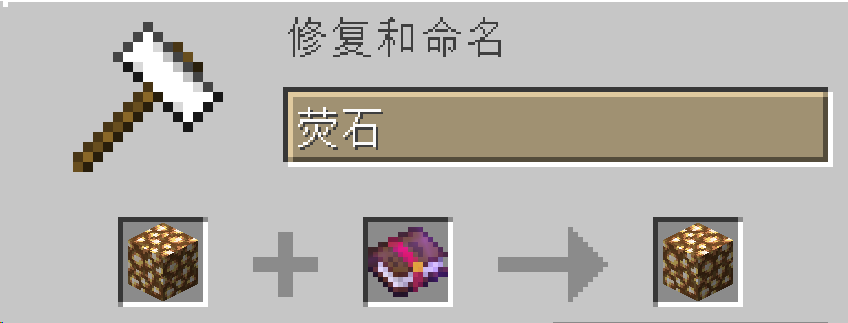
- Anvil: Glowstone + Enchanted Book (costs 5 XP levels)
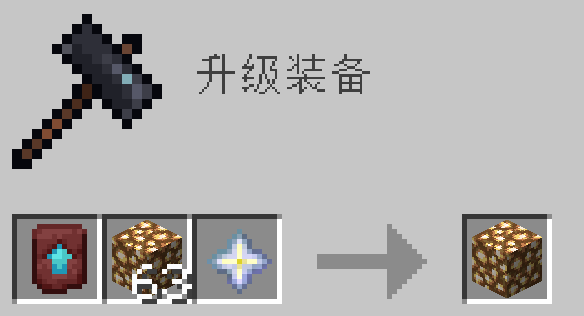
- Smithing Table: Glowstone + Nether Star + Netherite Upgrade Template
- Both: Both recipes available (default)
- No Respawn Point — Respawn Anchors inside a valid multiblock structure cannot set the player's spawn point
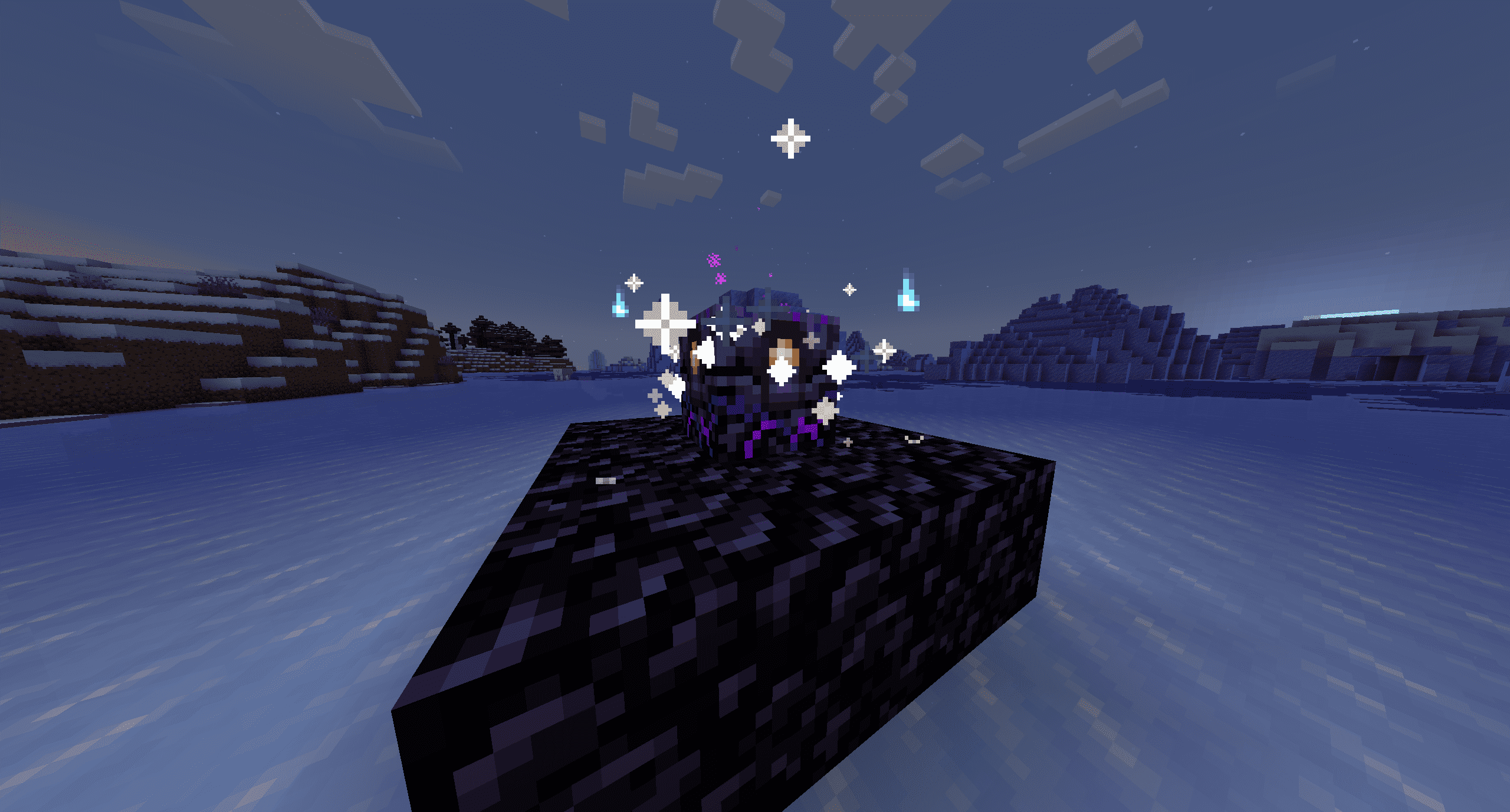
- Persistent Visual Feedback — Continuous particle effects while the anchor is active
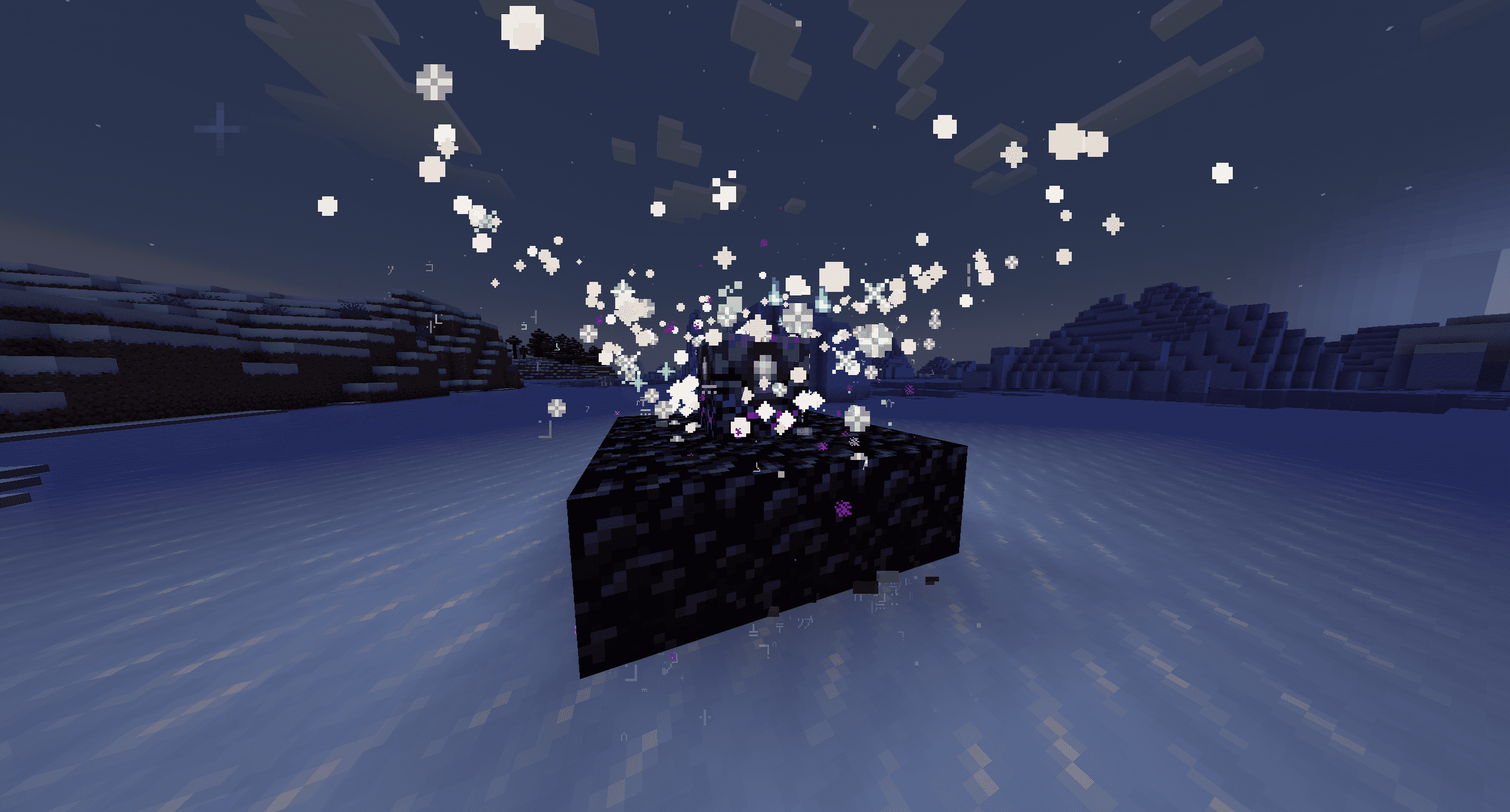
- Structure Break Punishment — If the obsidian base is broken, energy rapidly drains and particles intensify
- Configurable Energy Drain — Energy interval configurable (default: 1 hour per charge level)
Rift Lodestone (Expansion Loader)
- Extends Chunk Loading — Must be placed in a chunk adjacent (sharing an edge or corner) to a chunk already force-loaded by an active Rift Respawn Anchor
- 3×3 Obsidian Base + Lodestone — Same structure pattern as the anchor, but with a Lodestone
- Auto-activation — Activates automatically when the structure is correct, with particle effects and sound
- New: Iron Ingot Recipe — Backports the Minecraft 1.21.5 lodestone recipe (8 iron ingots + 1 chiseled stone bricks). Vanilla netherite recipe is also available
- Anchor Guide Compass Binding:
- First, upgrade Glowstone to Infinite Glowstone (see crafting above)
- In an Anvil, combine Infinite Glowstone + Enchanted Book → transforms the glowstone
- Hold the upgraded glowstone and right-click the Rift Respawn Anchor to activate it
- Craft a regular Recovery Compass (vanilla)
- Right-click an active Rift Lodestone while holding the Recovery Compass → compass is consumed and a bound Anchor Guide Compass is created
- The Anchor Guide Compass always points to its bound lodestone and shows coordinates/distance in its tooltip
- Expansion Limits: Each Rift Respawn Anchor supports up to 25 Rift Lodestones within a 5×5 chunk radius (including its own chunk)
- Break Punishment — Destroying a lodestone immediately releases its chunk; all Anchor Guide Compasses bound to it become unbound
Chunk Debug Wand
- Right-click any block — Displays chunk loading status, force load level, and nearby loaded chunks
- Right-click an active Rift Respawn Anchor — Shows anchor details (energy, infinite mode, remaining time)
- Right-click an active Rift Lodestone — Shows bound parent anchor (if any) and linked compass count
Requirements
| Requirement | Version |
|---|---|
| Minecraft | 1.21.1 |
| NeoForge | 21.1.222+ |
| Java | 21 |
Installation
- Install NeoForge 21.1.222+ for Minecraft 1.21.1
- Download the latest
.jarfrom the Releases page - Place the JAR into your
.minecraft/mods/folder - Launch the game
Usage Guide
Rift Respawn Anchor
- Build a 3×3 obsidian platform on the ground
- Place a Respawn Anchor on top of the center block
- Hold Glowstone and right-click the anchor → activates chunk loading (consumes energy over time)
- For permanent chunk loading (no energy drain), craft Infinite Glowstone first (see crafting section)
- Particle effects appear above the anchor while it's active
- Breaking the obsidian base stops chunk loading and triggers drain punishment
Rift Lodestone
- Ensure you have an active Rift Respawn Anchor loading its own chunk
- Find a neighboring chunk (touching the anchor's chunk by edge or corner)
- Build a 3×3 obsidian platform and place a Lodestone at the center → structure auto-activates
- Craft a Recovery Compass (vanilla item)
- Hold the Recovery Compass and right-click the active Rift Lodestone → compass is consumed, an Anchor Guide Compass is given
- The Anchor Guide Compass always points to the lodestone and shows its coordinates
Infinite Glowstone Crafting
Method 1 — Anvil (costs 5 XP levels):
Place Glowstone + Enchanted Book in an anvil.
Method 2 — Smithing Table (no XP cost):
Place Glowstone + Nether Star + Netherite Upgrade Smithing Template in a smithing table.
Breaking a Rift Lodestone
- Its chunk immediately stops being force-loaded
- All Anchor Guide Compasses bound to that lodestone become unbound (item lore resets)
- A shattering sound and particle burst plays
📸 Screenshots
Configuration
The configuration file is located at .minecraft/config/rift-anchoring-common.toml:
# Energy consumption interval in seconds (default: 3600 = 1 hour per charge level)
energyIntervalSeconds = 3600

# Infinite Glowstone crafting method: "anvil", "smithing", or "both" (default: both)
infiniteGlowstoneMethod = "both"

# Lodestone crafting recipe: "iron" (1.21.5 iron recipe), "netherite" (vanilla), or "both" (default: both)
lodestoneRecipe = "both"

# Maximum number of Rift Lodestones per Rift Respawn Anchor (default: 25, max: 25)
maxLodestonesPerAnchor = 25

# Enable detailed debug log output for rift lodestone operations (default: false)
enableLodestoneDebugLog = false

[debug]
# Enable the Chunk Debug Wand item (default: true)
enableDebugWand = true
License
This project is licensed under the GPL-3.0 License.
Credits
- NeoForge Team
- Minecraft Community
- an angel
Screenshots
Gallery
Versions
Files
Relations
Project Relations
More like this
Similar Mods
Suggestions use data such as tags, dependencies, dependents, descriptions, titles, and more to rank how much they overlap with this mod.
On ModDex
Community snapshot
By the numbers
Statistics

Want to reach Minecraft players?
We're looking for a server hosting partner to feature here and other parts of the site. Interested? Send us a message!
Get in touchGet it on
Available Platforms
On ModDex
Community snapshot
By the numbers
Statistics
Resources