
Roleplay chat
No reviews yet
This mod allows players to communicate in a roleplay (RP) setting with different ranges for various types of messages.
Fabric is a mod loader for versions 1.14+ of Minecraft, particularly popular for client side and optimization mods.
Community voices
Reviews
Click once to include, again to exclude, again to clear
No reviews yet. Be the first to review this project!
Get it on
Available Platforms
 Modrinth
Compatibility
Supported Environments
About
Project Details
For authors
Embed Badge
If you're the author of this project, you can embed a live badge anywhere that supports HTML or Markdown. It updates automatically whenever ratings change.
Use HTML for any page that supports it, or Markdown for README files and Markdown-based descriptions.
Identifiers
Platform IDs
About
Description
Roleplay Chat
[!WARNING] Most features described below (RP identity system, nametag visibility, introduction system) require version 2.0 or later and Minecraft 1.21.6. Earlier versions only include the proximity chat system.
A Minecraft Fabric mod (1.21.6) for roleplay servers. It replaces the vanilla chat with a proximity-based system, assigns each player an anonymous hex code identity, and gives them an RP name visible only to players they've been introduced to.
Proximity Chat
Every chat message is delivered only to players within a configured range. The range depends on the type of message, triggered by a prefix character or a slash command.
| Type | Color | Range | Prefix | Command |
|---|---|---|---|---|
| Whisper | 🟪 Violet #CC33CC |
4 blocks | « or " |
/whisper <message> |
| Action | 🟩 Green #33CC33 |
25 blocks | * |
/action <message> |
| Roll | 🟩 Green #33CC33 |
25 blocks | — | /roll [notation] |
| Speak | ⬜ White #FFFFFF |
30 blocks | (default) | /speak <message> |
| OOC | 🩶 Gray #AEC1D5 |
60 blocks | ( |
/ooc <message> |
| Shout | 🟥 Red #CC3300 |
80 blocks | ! |
/shout <message> |
| Global OOC | 🩶 Gray #AEC1D5 |
Unlimited | [ |
/globalOoc <message> |
| Support | 🩷 Pink #FF99CC |
Unlimited | ? |
/support <message> |
Support messages are only visible to server operators (permission level ≥ 2) and the sender.
Colors, ranges, and prefix characters are all configurable — see Configuration.
Color fade with distance
Messages fade toward black as the receiver moves away from the sender, reaching full black at maximum range. Players outside range receive nothing.
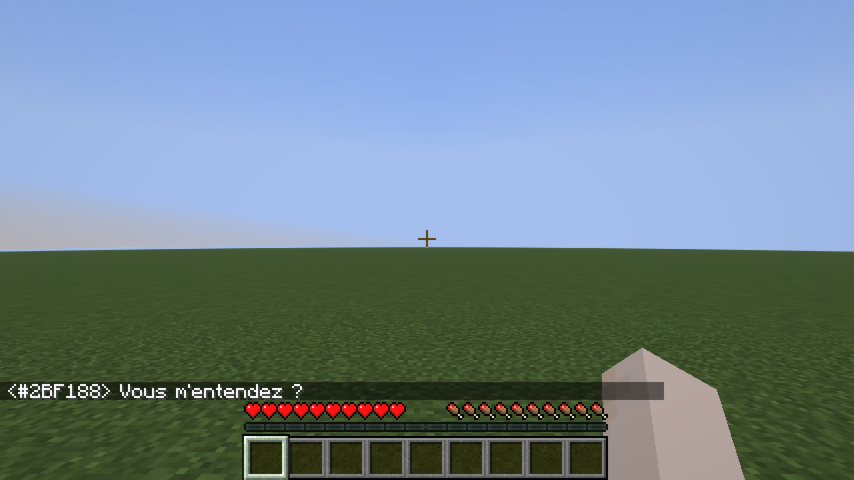
Chat message examples
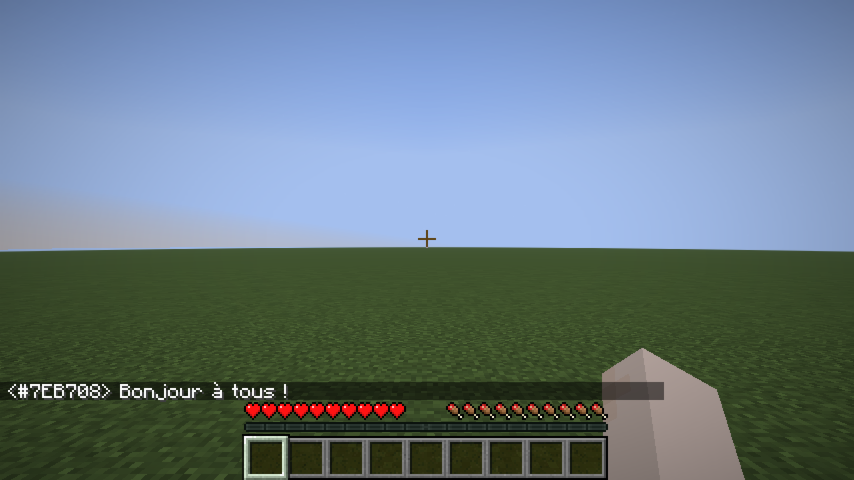 Speak |
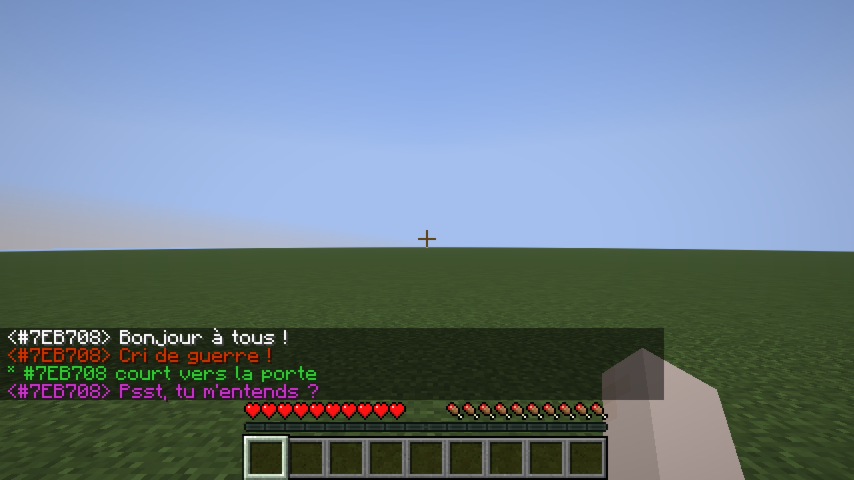 Whisper |
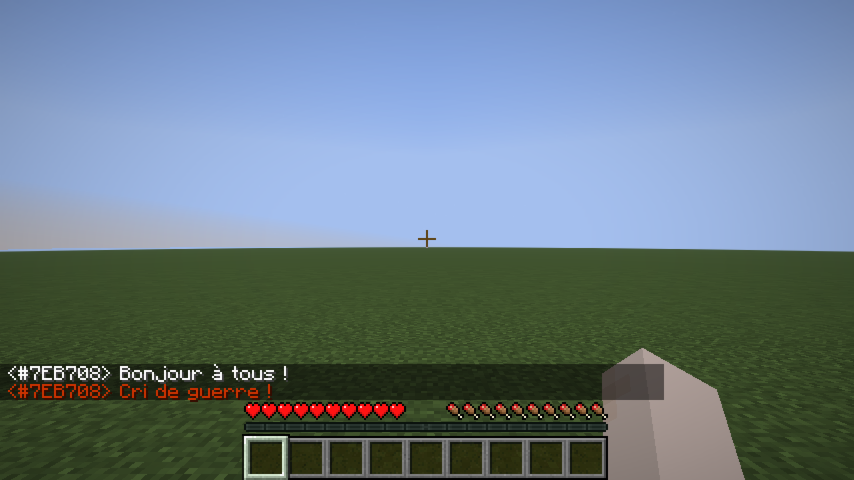 Shout |
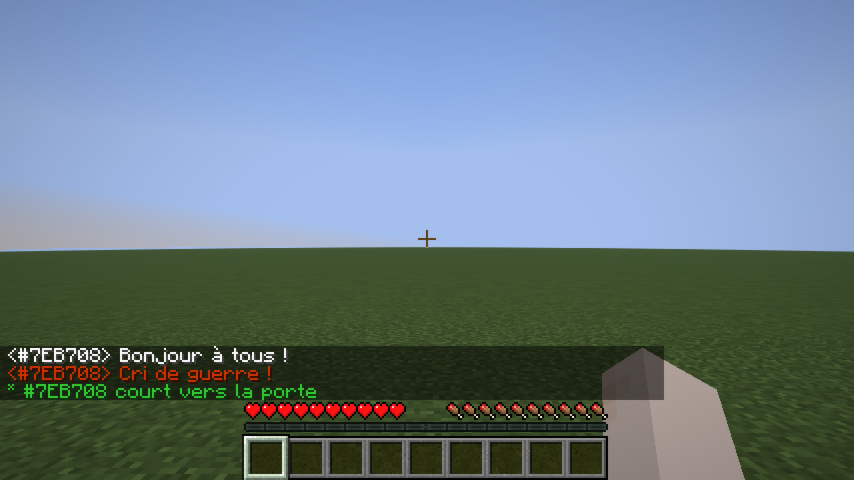 Action |
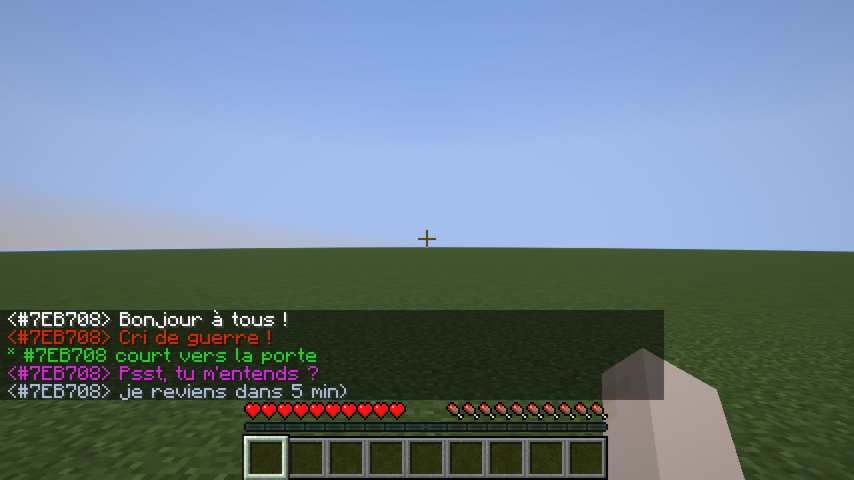 OOC |
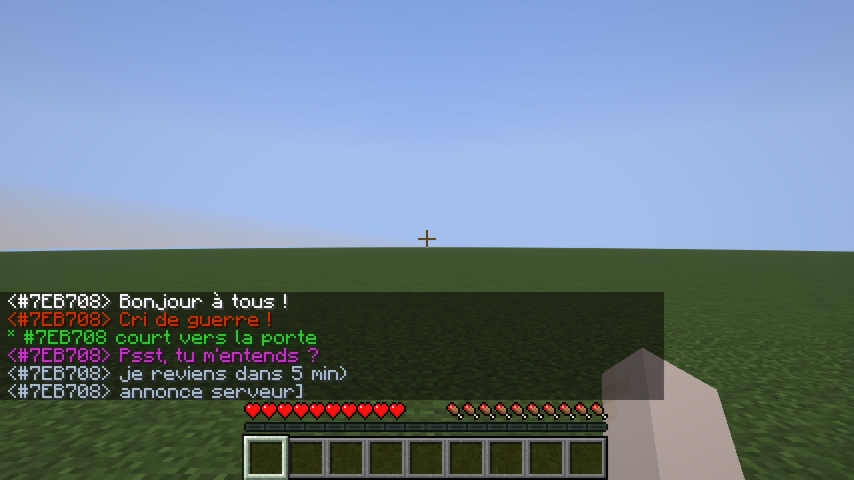 Global OOC |
Dice Roll
/roll broadcasts a dice result to nearby players (same range as Action, 25 blocks by default).
Syntax: /roll [NdF[±bonus]]
| Example | Meaning |
|---|---|
/roll |
Rolls 1d20 (default) |
/roll d6 |
Rolls 1d6 |
/roll 1d20+3 |
Rolls 1d20, adds 3 |
/roll d8-1 |
Rolls 1d8, subtracts 1 |
* Alice [1d20+3] → 17  (14+3)
* Bob [1d6] → 4  (Critical Failure)
Rolling the maximum value shows (Critical Success) in bold; rolling 1 shows (Critical Failure) in bold.
RP Identity System
Anonymous hex code
Every player is assigned a unique 6-digit hex code at their first connection (e.g. #15AACF). This code:
- Appears on their nametag (gray italic, below their RP name).
- Replaces their Minecraft username in chat until they have an RP name.
- Shows as a hover tooltip on their name in chat once they have an RP name.
- Works as a target in all vanilla commands (
/kick,/ban,/op,/tp,/give,/kill,/damage, …) — type#and autocomplete will suggest codes.
RP name
On first connection, players are shown a screen to choose their RP name:
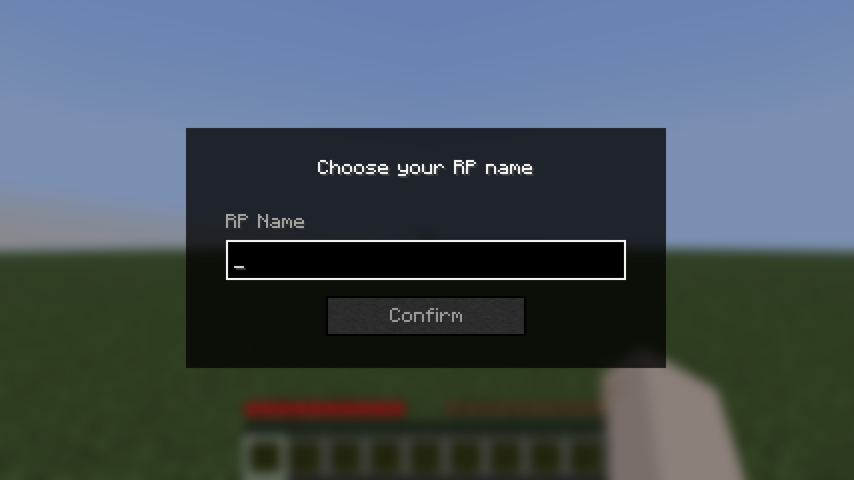 Name input |
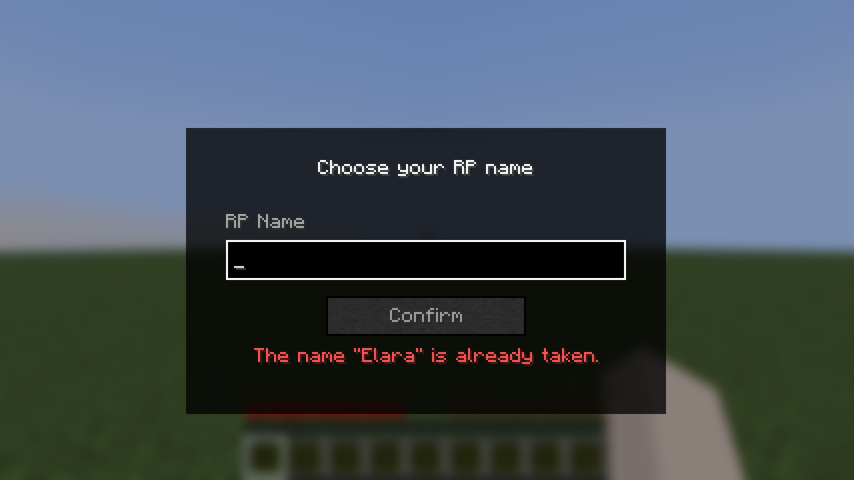 Validation error |
The screen cannot be bypassed with Escape — pressing Escape opens the pause menu, and the screen reappears when the player returns to the game.
Rules:
- Must be non-empty.
- Must be 32 characters or fewer.
- Must be unique (case-insensitive).
Once set, the RP name can be changed at any time with /rpname <name>.
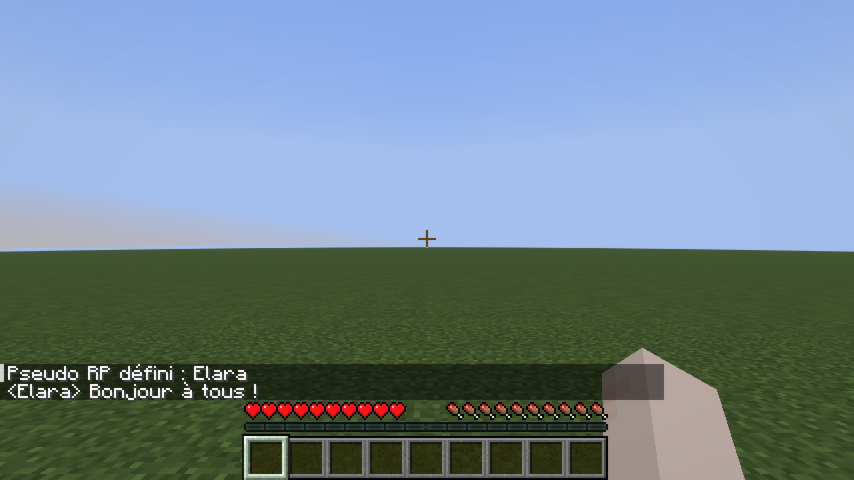
RP name chat example
Once a player has an RP name, it appears in chat instead of their hex code:
Nametag Visibility
Introduction system
By default, other players' RP names are hidden — their nametag shows ?. To reveal your identity to a specific player:
/rp present #15AACF
This sends a notification to that player and permanently records the introduction. After a reconnect, introductions are restored automatically.
Nametag states
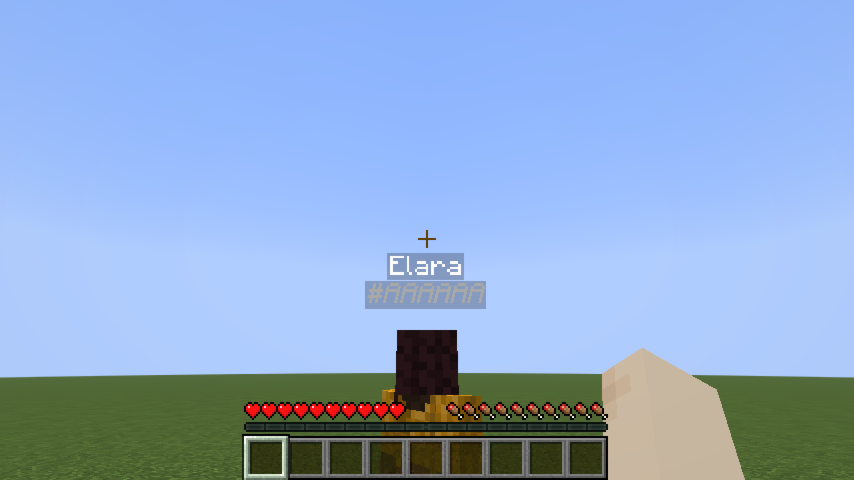 Known player |
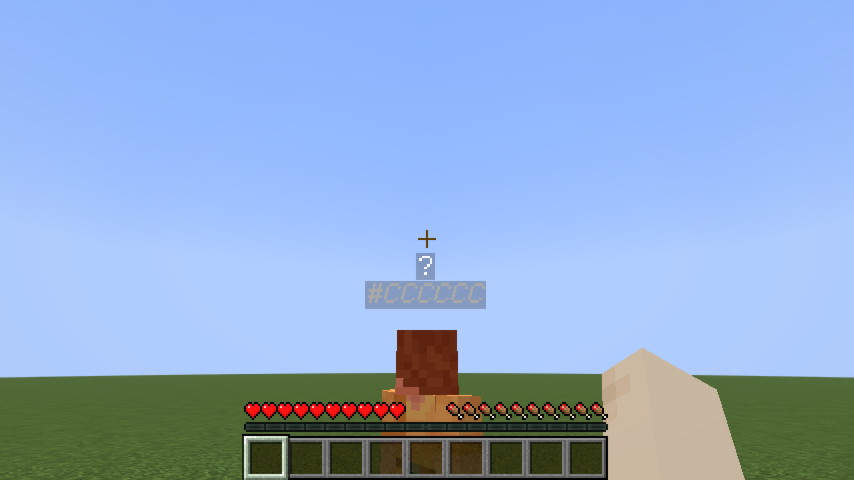 Not yet introduced |
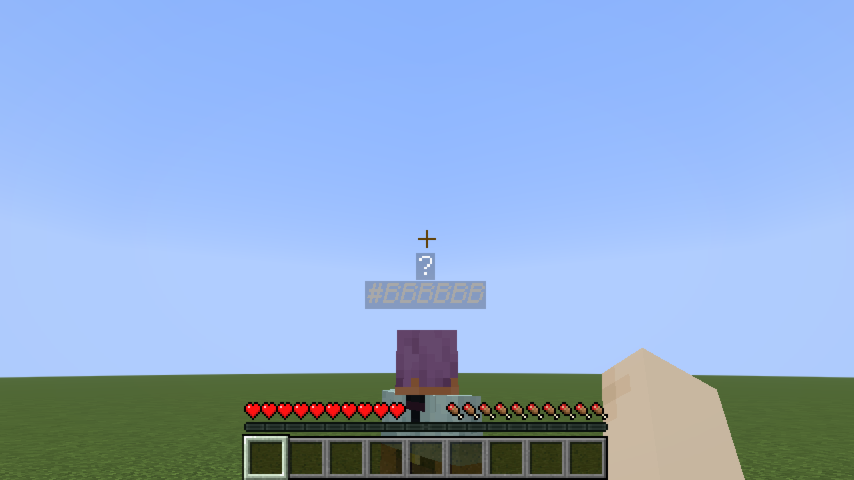 No RP name yet |
Line-of-sight occlusion
RP names are not visible through walls. If a solid block stands between your camera and another player, their entire nametag disappears — even if they have introduced themselves to you. Creative mode bypasses this check.
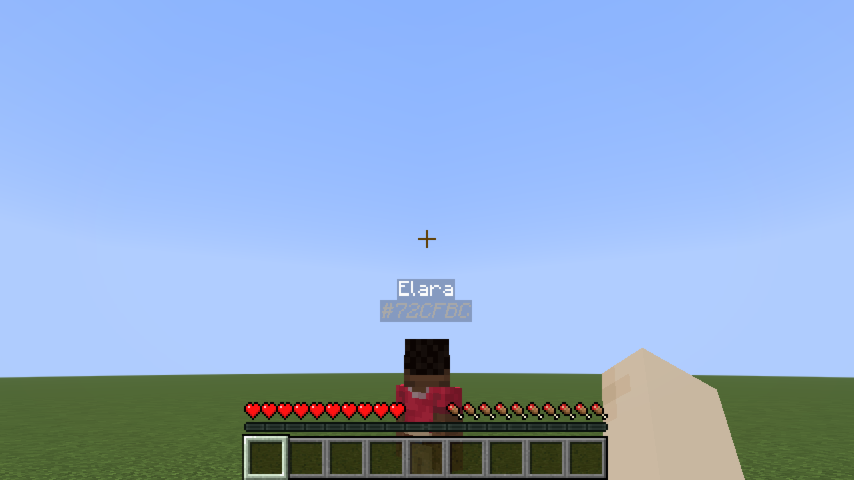 Clear line of sight |
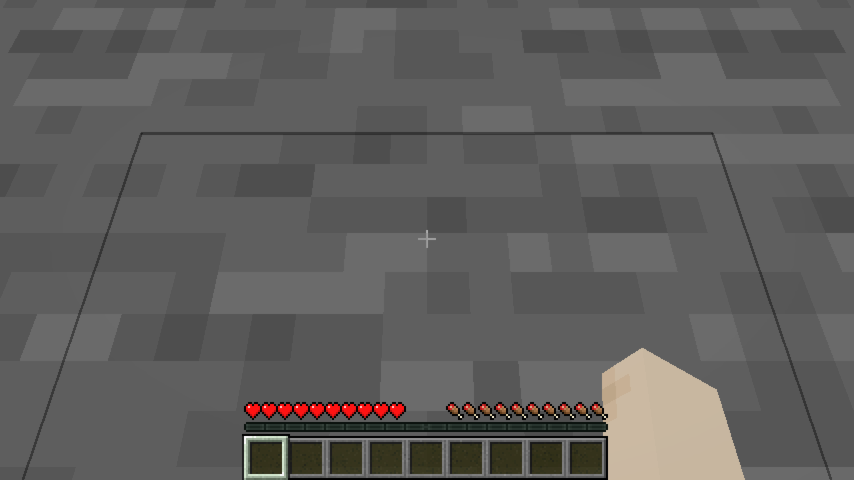 Wall between players |
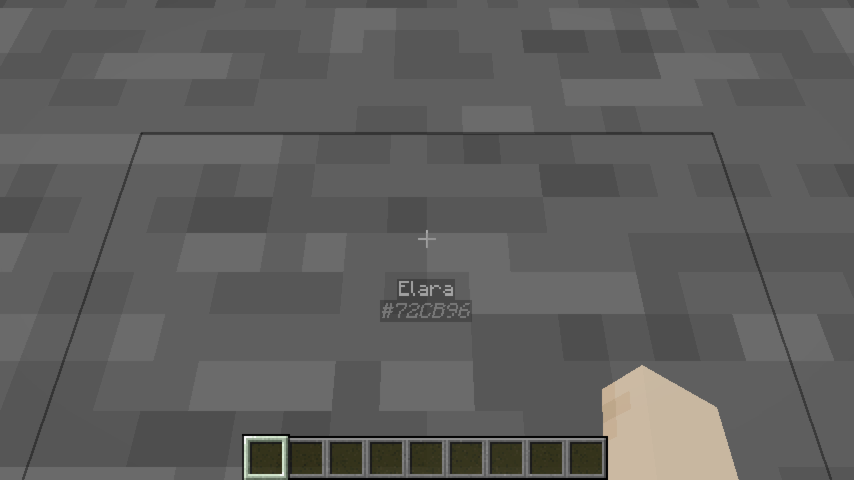 Creative mode — wall ignored |
Identity-concealing headgear
A player wearing an item tagged roleplay-chat:conceals_identity in the helmet slot appears as ? to everyone — even players they've introduced themselves to. Their hex code remains visible so staff can still identify them.
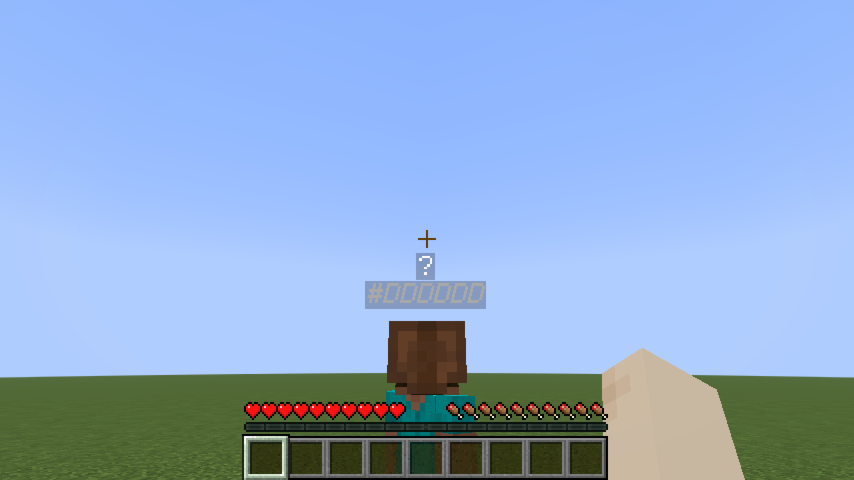 Concealing helmet worn |
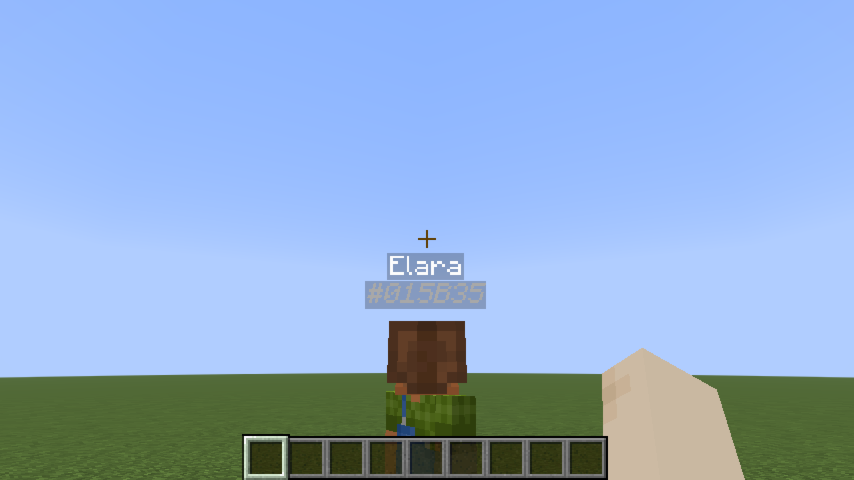 Creative mode — concealment ignored |
The mod ships with minecraft:leather_helmet in this tag by default. To add more items, create a datapack file:
data/roleplay-chat/tags/items/conceals_identity.json
{
  "replace": false,
  "values": [
    "minecraft:leather_helmet",
    "yourmod:hood",
    "yourmod:balaclava"
  ]
}
"replace": falsemerges your list with the mod's defaults instead of replacing them.
Configuration (server admins)
Settings live in config/roleplay-chat.json (next to your server or .minecraft folder). The file is created with defaults on first run. Edit it as UTF-8 to preserve special prefix characters (e.g. «).
Each message type has three fields:
| Field | Meaning |
|---|---|
radius |
Range in blocks. 0 = unlimited (delivered to all online players). |
color |
RGB color as a decimal integer (16777215) or hex string ("#FFFFFF"). |
characters |
Prefix strings that trigger this type. speak uses [] (no prefix). |
Reload without restart: /roleplaychat reload (operator level 4) re-reads the file while the server is running. If the file is invalid, the current settings are kept and an error is logged.
Supported keys: speak, whisper, shout, action, ooc, globalOoc, support, roll.
Example (excerpt):
{
  "speak": {
    "radius": 30,
    "color": 16777215,
    "characters": []
  },
  "whisper": {
    "radius": 4,
    "color": "#CC33CC",
    "characters": ["«", "\""]
  },
  "shout": {
    "radius": 80,
    "color": 13369344,
    "characters": ["!"]
  }
}
Screenshots
Gallery
-
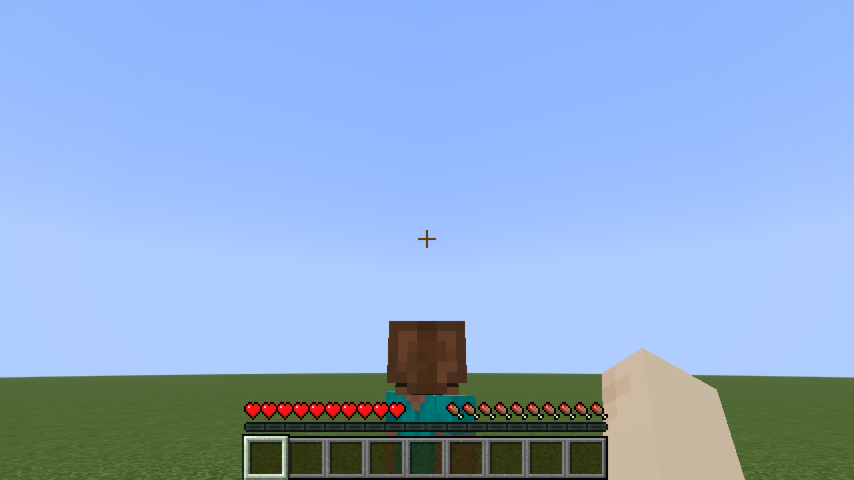 name tag is hidden with custom helmet
 -
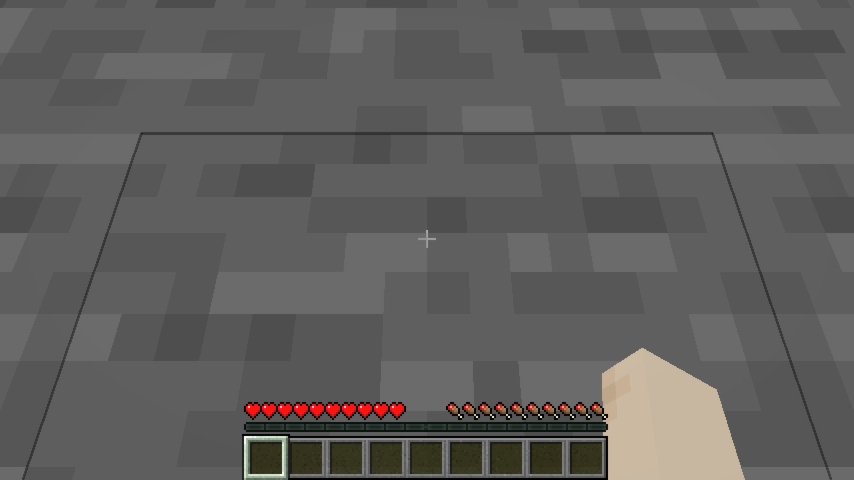 name tag is hidden behind wall
 -
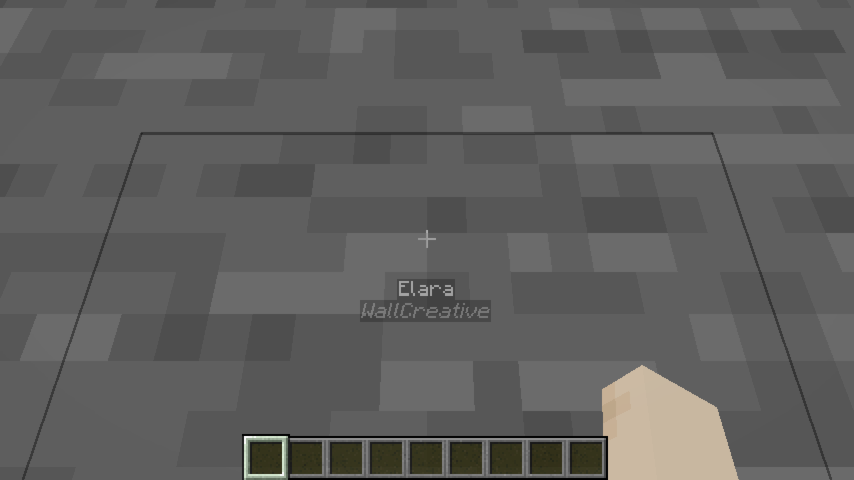 name tag is visible if you are in creative mode
 -
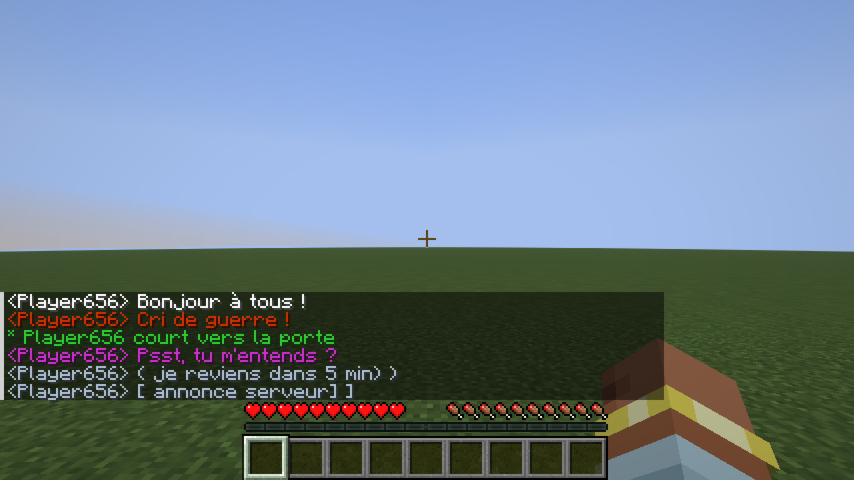 Chat Global OOC
 -
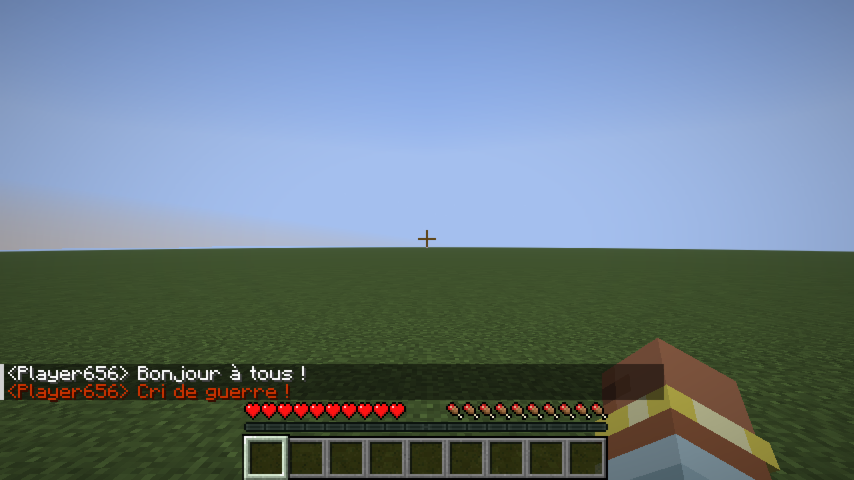 Chat Shout
 -
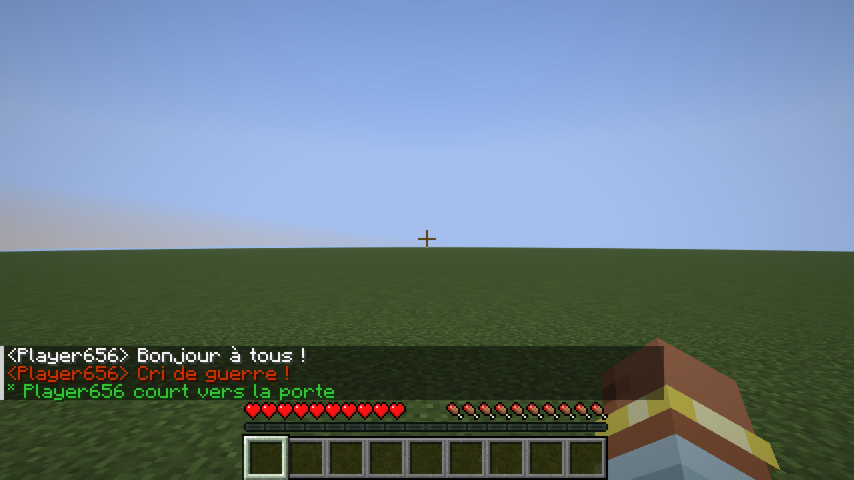 Chat action
 -
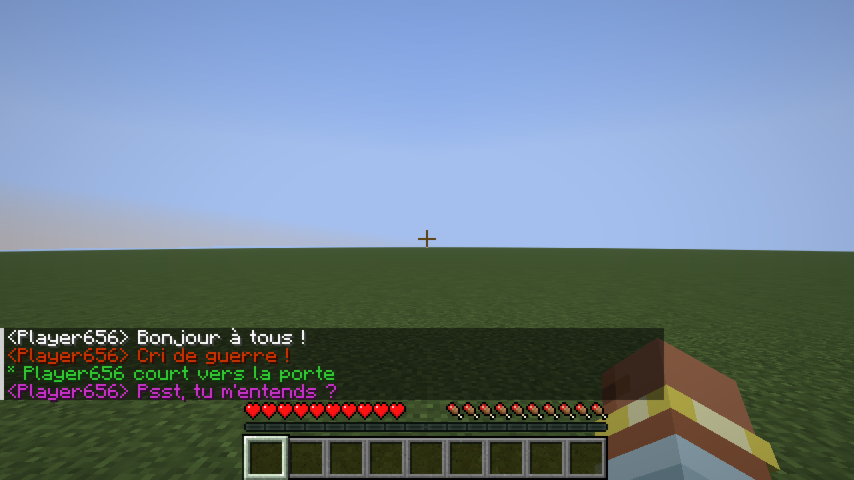 Chat Whisper
 -
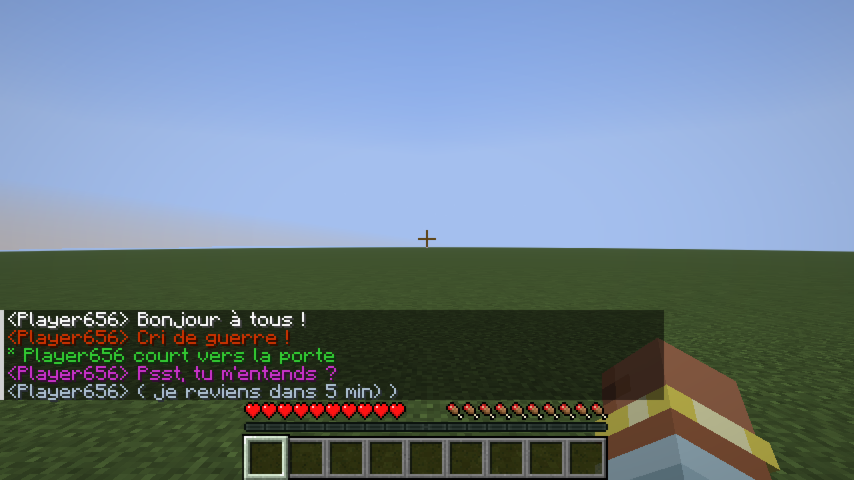 Chat OOC
 -
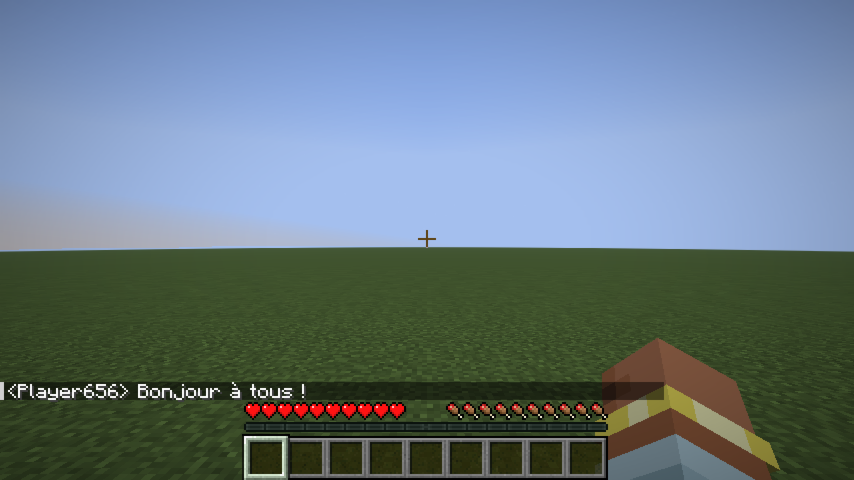 Chat speak
 -
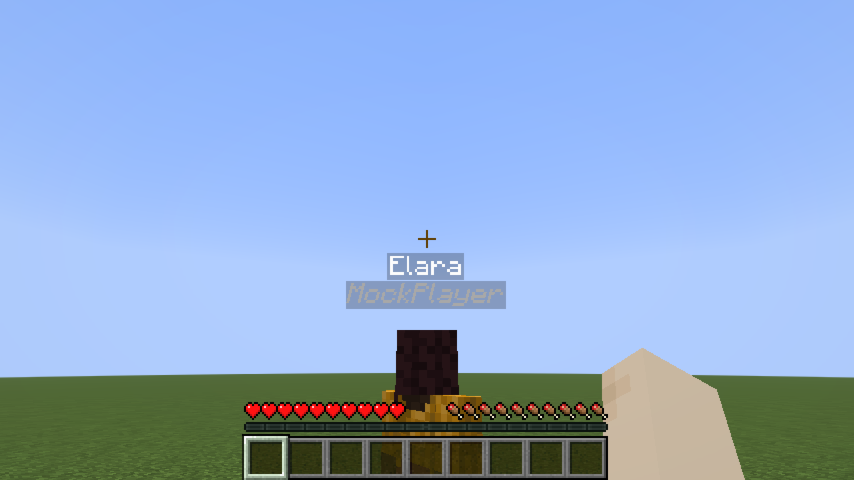 name tag with RP Name
Versions
Files
Relations
Project Relations
More like this
Similar Mods
Suggestions use data such as tags, dependencies, dependents, descriptions, titles, and more to rank how much they overlap with this mod.
On ModDex
Community snapshot
By the numbers
Statistics

Want to reach Minecraft players?
We're looking for a server hosting partner to feature here and other parts of the site. Interested? Send us a message!
Get in touchGet it on
Available Platforms
On ModDex
Community snapshot
By the numbers