Community listing page, reviews here may not be monitored by the author.
Room Marker

No reviews yet
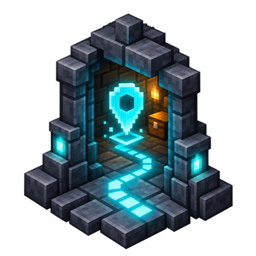
Holograms and pathfinding for big bases with integrations with Journeymap
Community voices
Reviews
No reviews yet. Be the first to review this project!
Get it on
Available Platforms
About
Project Details
For authors
Embed Badge
If you're the author of this project, you can embed a live badge anywhere that supports HTML or Markdown. It updates automatically whenever ratings change.
Use HTML for any page that supports it, or Markdown for README files and Markdown-based descriptions.
Identifiers
Platform IDs
Resources
External Links
About
Description
# Room Marker
Mark the rooms in your Minecraft base and follow a walking trail back to them. Keep track of storage rooms, farms, workshops, and entrances across sprawling builds.
Room Marker is a **client-only Fabric mod**. Use it in singleplayer or on multiplayer servers without installing anything on the server. Your markers stay personal unless you choose to share them.
## Features
- **Custom room markers:** Give each location a name, colour, visibility range, and hologram height.
- **In-world labels:** See room names and distances, with faint symbols for markers behind walls.
- **Searchable room list:** Find, edit, hide, move, or delete your saved markers.
- **Walking trails:** Choose a destination and follow a coloured line above the ground. The trail fades behind you as you walk.
- **Adjustable navigation:** Set the trail duration and customise its height, width, opacity, visible distance, and fade length.
- **Chat sharing:** Share a marker with another player. Players with the mod can click **Review & add** to inspect it before importing.
- **Clipboard backups:** Copy individual markers or back up and restore a complete marker set for a save or server, including its other dimensions.
- **Optional JourneyMap support:** See your active route and saved room markers on the minimap and fullscreen map.
Markers stay separate for each save or server and dimension. Imported markers retain their colour, visibility range, and hologram height; later edits do not sync between players.
## Getting started
1. Stand where you want to arrive at a room.
2. Press **H** and select **Create marker**.
3. Give the room a name, choose its appearance, and save.
4. Press **N**, find your destination, and select **Pathfind**.
5. Follow the line to your room.
You can change both shortcuts in Minecraft’s Controls menu or the mod’s settings.
Open **Settings** from the marker screen to customise markers and trails. If you have **Mod Menu**, you can also open settings through its Configure button.
## Installation
Install the Room Marker file matching your Minecraft version, together with:
- **Fabric Loader**
- **Fabric API**
- **Cloth Config**
The current project supports **Minecraft Java 26.2 and 26.3**.
**JourneyMap** and **Mod Menu** are optional. Use versions matching your Minecraft installation.
## How navigation works
The pathfinder searches loaded terrain for destinations up to **512 blocks away**. It accounts for floors, stairs, slabs, ladders, water, and doors you can open by hand.
You control your movement and open doors yourself. Closed iron doors block routes, and server claims or locks may prevent you from opening doors along a suggested route.
The mod does not load chunks. If the required terrain is unloaded or the pathfinder cannot find a route within its search limits, you’ll receive a message.
## Saved data
Markers are stored locally in `config/roomfinder/markers.json`, with a backup alongside it. Settings are stored in `config/roomfinder/settings.json`.
Some in-game labels currently use **Room Finder**.
Screenshots
Gallery
Versions
Files
Relations
Project Relations
More like this
Similar Mods
Suggestions use data such as tags, dependencies, dependents, descriptions, titles, and more to rank how much they overlap with this mod.
On ModDex
Community snapshot
By the numbers
Statistics
Want to reach Minecraft players?
We're looking for a server hosting partner to feature here and other parts of the site. Interested? Send us a message!
Get in touchGet it on
Available Platforms
On ModDex
Community snapshot
By the numbers
Statistics
Resources