Community listing page, reviews may not be monitored by the author.
RPG Health Bar

No reviews yet
A highly customizable GUI mod, bringing RPG-style bars to Minecraft.

Community voices
Reviews
No reviews yet. Be the first to review this project!
Get it on
Available Platforms
About
Project Details
For authors
Embed Badge
If you're the author of this project, you can embed a live badge anywhere that supports HTML or Markdown. It updates automatically whenever ratings change.
Use HTML for any page that supports it, or Markdown for README files and Markdown-based descriptions.
Identifiers
Platform IDs
Resources
External Links
About
Description
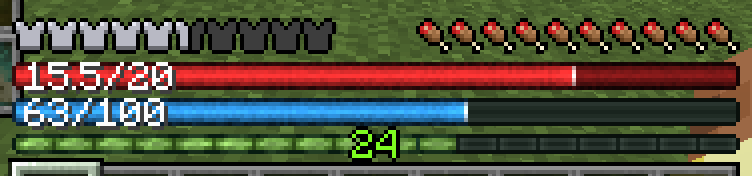
A highly customizable GUI mod. Replaces the vanilla hearts with an RPG-style health bar, and adds a similar mana bar when Iron's Spells 'n Spellbooks is installed.
Features
- Health bar the width of the hotbar. It goes beyond the vanilla max of 20 for mods that add hearts to the player (
32/40). - Absorption fills the bar in gold, and the text shows it separately (
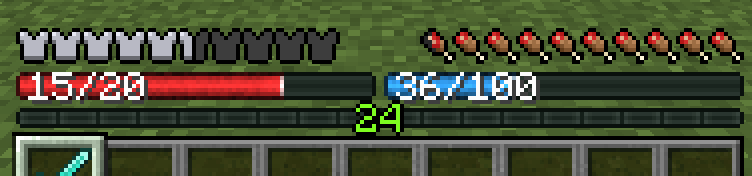
15.5+4/20) or added in (19.5/20). - Mana bar support: an overhaul of the mana bar from Iron's Spells 'n Spellbooks, in the same style as the health bar, replacing Iron's own.
- Status colors: like the vanilla hearts, the health bar changes when poisoned, withered or frozen. The hunger bar turns green with the Hunger effect. On 1.21.1, heart colors added by other mods are followed too.
- Armor and hunger as the vanilla icons (default), thin bars, or hidden.
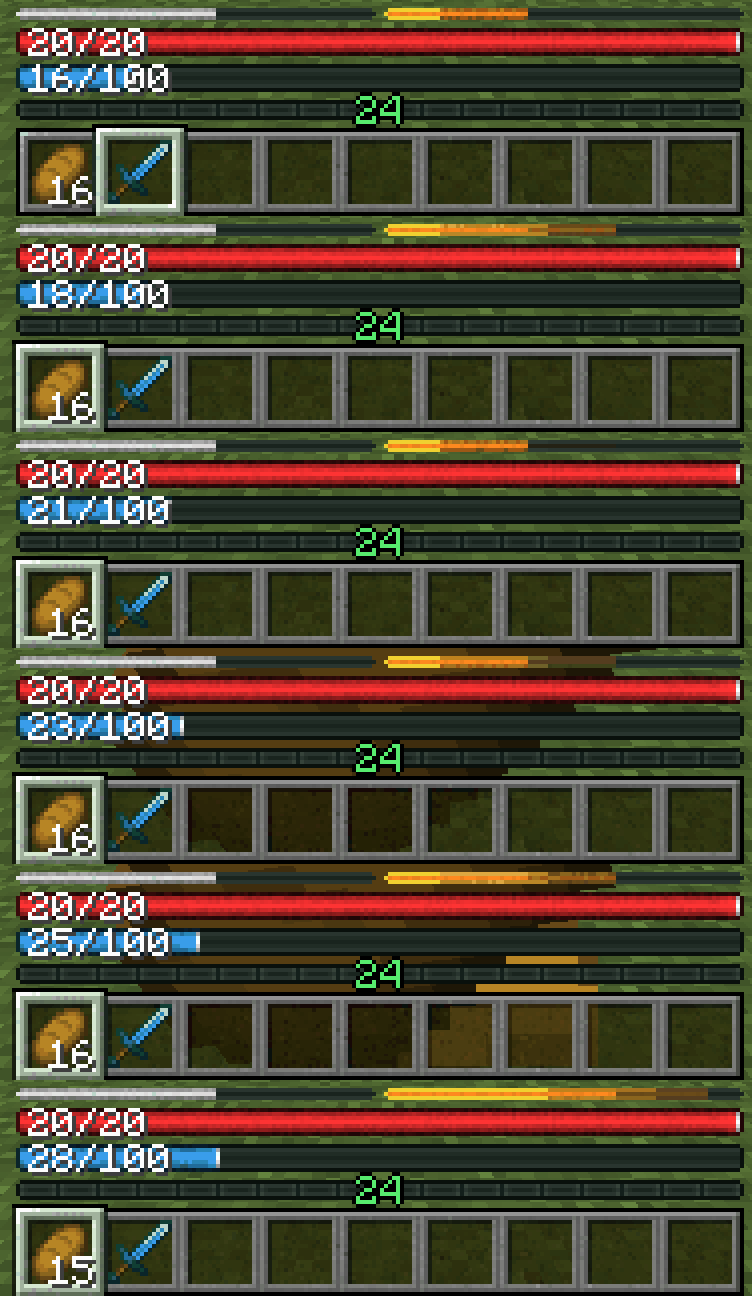
- AppleSkin support: saturation is outlined in yellow on the hunger bar, and held food's value flashes on it, like AppleSkin's preview on the icons.
Customization:
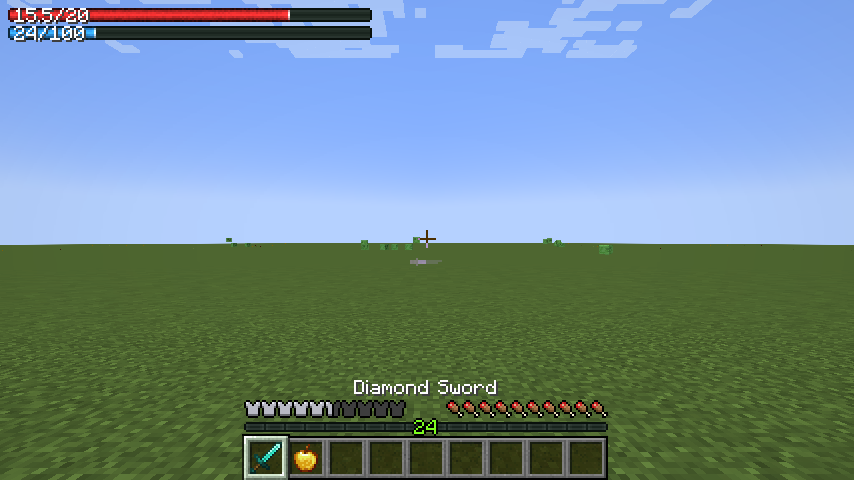
- Half-size bars: health and mana can each be full or half width. With both set at half, they will sit side by side (But can be moved individually)
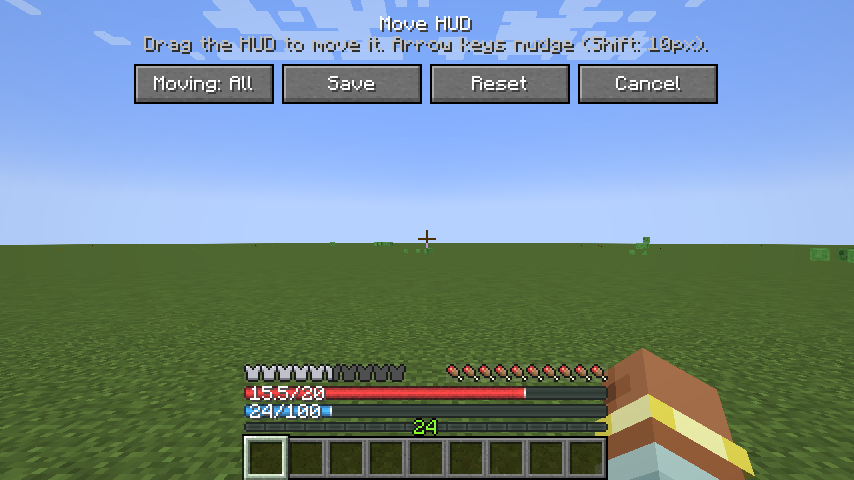
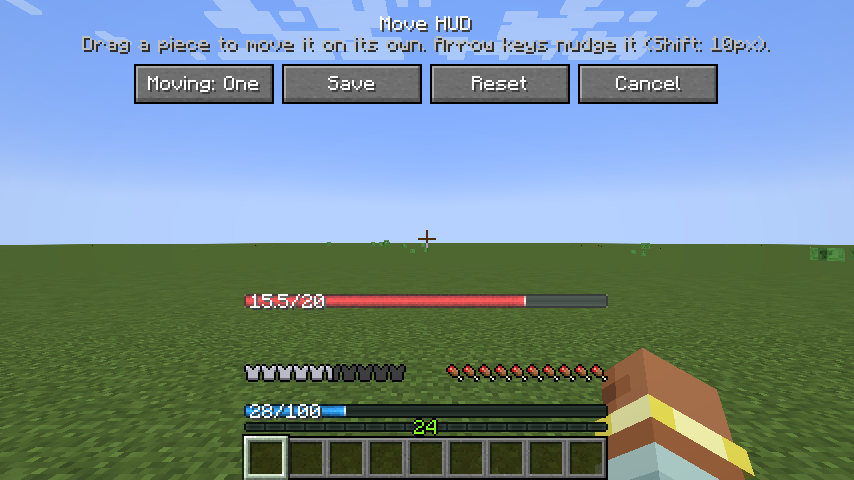
- Move the HUD by dragging it: can either move the whole set, including the XP bar and level, or each piece (armor, hunger, health, mana, XP bar) on its own. It stays in place when you change the window size or GUI scale.
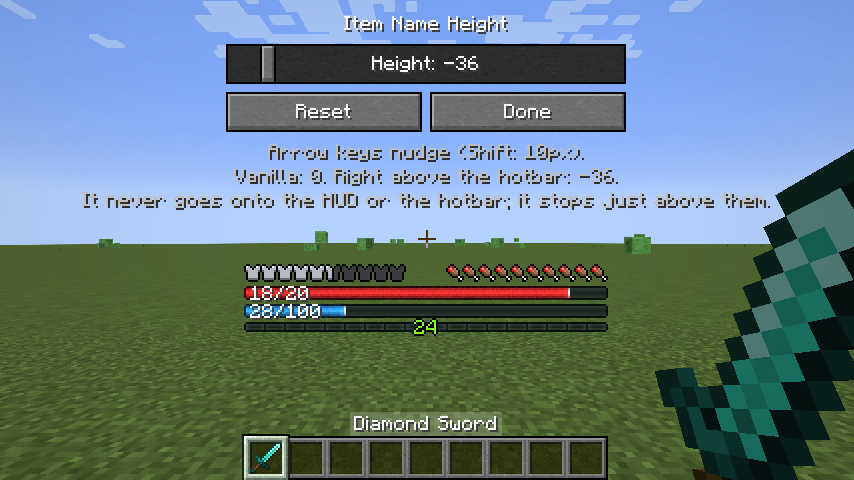
- Item name height: set how high the held item's name sits, with a preview that moves as you change it. It starts at vanilla's height, which leaves room for mods that add hotbars.
- Air bubbles and mount health can sit above hunger, like vanilla, or below it, for layouts with health or mana above hunger.
- Text position: the numbers on the health and mana bars can sit on the left, right or center, or be turned off.
- On/off switch: turn the whole mod off for a fully vanilla HUD, and back on, without losing your settings.
- Live preview: the config screen can show the HUD beside the options, drawn as your settings would, so you see each change without leaving the screen.
- Everything in game: changes show on the HUD as you make them, no restart. Save Settings keeps them, and leaving without saving asks first.
Armor and hunger as bars, with absorption
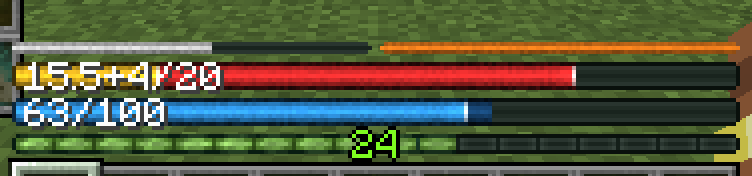
Status colors: poison and the Hunger effect
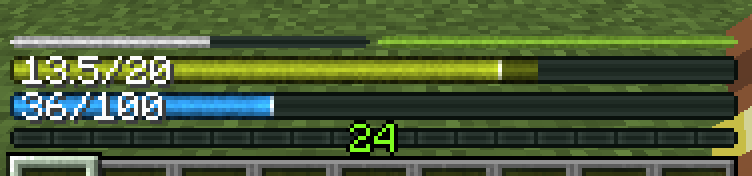
Half-size health and mana bars
AppleSkin: saturation and food preview
Compatibility
| 1.21.1 (NeoForge) | 1.20.1 (Forge) | |
|---|---|---|
| Mod loader | NeoForge 21.1.1+ | Forge 47.0.0+ |
| Iron's Spells 'n Spellbooks | 3.4.0+ | 1.1.5+ (spell cost preview: 3.1.4+) |
| AppleSkin | 3.0.4+ | 2.5.0+ |
| Double Hotbar | Any (Double Hotbar NeoForge, unofficial port by _retrospective_) | 1.3.2.1+ (Double Hotbar by sidezbros) |
- Client-side only: servers don't need it, and it works on servers that don't have it.
- Iron's Spells 'n Spellbooks by Iron431 and Lab3: optional. When it's installed you get the mana bar and the spell cost preview, and Iron's own mana bar is hidden.
- AppleSkin by squeek502: optional. When it's installed, saturation is outlined in yellow on the hunger bar and held food's value flashes on it; with the vanilla hunger icons, AppleSkin's own overlays move with them.
- Double Hotbar: compatible with Double Hotbar by sidezbros on 1.20.1, and its unofficial NeoForge port, Double Hotbar NeoForge by _retrospective_, on 1.21.1. Open Move HUD… and drag the HUD up above the second hotbar once; the bars, XP bar and level move together and stay there, and the item name stays above them.
- Works with other mods that draw near the hotbar the same way: drag the HUD, or just the pieces in the way, clear of them.
- Air bubbles and mount health stay vanilla and stack above the bars.
- Texture packs: armor and hunger on Vanilla use your pack's icons, and the hotbar, XP bar, air bubbles and mount health stay vanilla, so packs restyle them. The health and mana bars, and armor and hunger as bars, are drawn by the mod and don't change with a pack.
Iron's Spells: what spell cost preview looks like
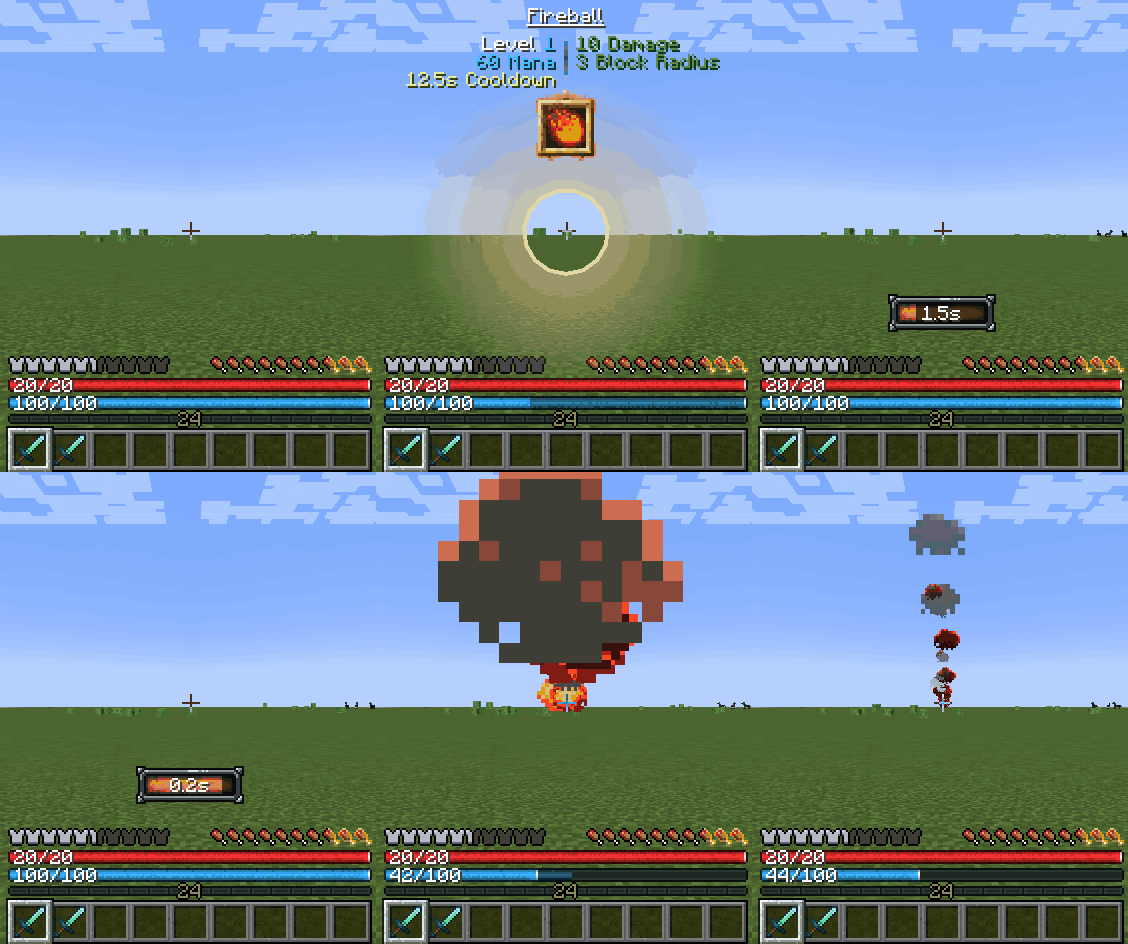
Settings
Open them from Mods → RPG Health Bar → Config (the Mods button is also in the pause menu). Hover over any option to see what each value does. Changes show on the HUD right away: Save Settings keeps them. Back to Mods (or Esc) asks whether to save them if you changed anything.
Defaults are in bold:
| Category | Option | Values |
|---|---|---|
| Mod State | Enabled, Disabled (a fully vanilla HUD; your settings are kept) | |
| Armor + Hunger | Armor | Vanilla, Bar, Hidden |
| Hunger | Vanilla, Bar, Hidden | |
| Air Bubbles/Mount HP | Above hunger, Below it | |
| Health | Health Units | HP (20 for a full vanilla bar), Hearts (10) |
| Absorption | Separate (16+4/20), Combined (20/20) |
|
| HP Text | Left, Right, Center, Off | |
| Health Bar Width | Full, Half | |
| Mana (only with Iron's Spells installed) | Mana Text | Left, Right, Center, Off |
| Mana Bar Width | Full, Half | |
| Positioning | Item Name… | Height of the held item's name: Vanilla (0), or pixels up (+) or down (-), down to right above the hotbar |
| Move HUD… | Drag the whole HUD (Moving: All) or a single piece (Moving: One); the arrow keys nudge it. Above the hotbar, Reset puts it back |
The config screen
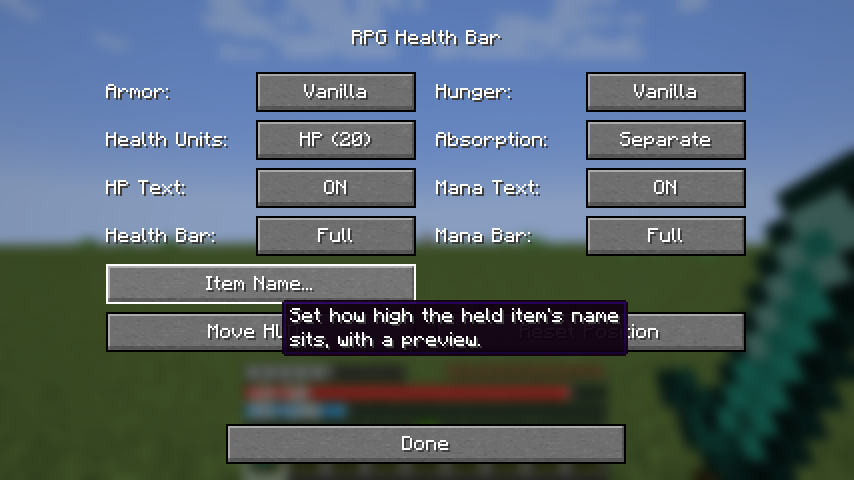
Moving the whole HUD
Moving a single piece
Setting the item name height
Example layout: health and mana in the top-left
Screenshots
Gallery
Versions
Files
Relations
Project Relations
More like this
Similar Mods
Suggestions use data such as tags, dependencies, dependents, descriptions, titles, and more to rank how much they overlap with this mod.
On ModDex
Community snapshot
By the numbers
Statistics

Get it on
Available Platforms
On ModDex
Community snapshot
By the numbers
Statistics
Resources