
RPG Locator Bar
No reviews yet
Makes the locator bar separate from the XP bar and High up like popular RPG's!
Includes a large focus on traversing worlds with enhanced world generation, structures, dungeons, and more for players to find unique loot.
Neoforge is a fork of the Minecraft Forge available for versions 1.20.1+ of Minecraft. Many Forge mods are compatible with Neoforge and vice versa.
Fabric is a mod loader for versions 1.14+ of Minecraft, particularly popular for client side and optimization mods.
Community voices
Reviews
Click once to include, again to exclude, again to clear
No reviews yet. Be the first to review this project!
Get it on
Available Platforms
 Modrinth
Compatibility
Supported Environments
About
Project Details
For authors
Embed Badge
If you're the author of this project, you can embed a live badge anywhere that supports HTML or Markdown. It updates automatically whenever ratings change.
Use HTML for any page that supports it, or Markdown for README files and Markdown-based descriptions.
Identifiers
Platform IDs
Resources
External Links
About
Description
RPG Locator Bar
This mod separates the Locator Bar from the XP Bar, moving it higher on the screen similar to popular RPG-style HUDs. The XP bar and locator bar no longer fight for the same space, and their behavior can be fully customized through in-game settings.

Features
-
Separates the locator bar from the XP bar
-
Adjustable vertical positioning for the locator bar
-
Optional XP bar visibility while the locator is active
-
RPG-style HUD behavior without replacing vanilla mechanics
Configuration Options

All settings are available in-game and can be changed at any time, either through the Mod Menu (Fabric requires Mod Menu for this feature) or via a configurable keybind.
Locator Bar Vertical Offset
Adjusts how high the locator bar appears on the screen.
default = 0
Can be raised all the way to the top of the screen to as low down as the XP bar.
Render XP Overlay with Locator
Controls whether the XP bar is visible while the locator bar is active.
On (default): XP bar remains visible when the locator bar is shown

Off: XP bar is hidden while the locator bar is on screen
Hide XP Bar in Creative
Controls XP bar visibility in Creative mode.
On (default): XP bar is hidden in Creative mode, matching vanilla behavior

Off: XP bar is visible in Creative mode
Keep Locator During XP Gain
Controls whether the locator bar stays visible while gaining experience.
On (default): Locator bar remains visible while XP is gained

Off: Locator bar is hidden while gaining XP
Locator Bar Always On
Controls whether the locator bar is situational or always visible.
Off (default): Locator bar only appears when something can be located

On: Locator bar is always visible, even with no active targets
Default Settings Button
Instantly resets all settings back to their default values
Screenshots
Gallery
-
 Icon RPG Locator Bar Icon
 -
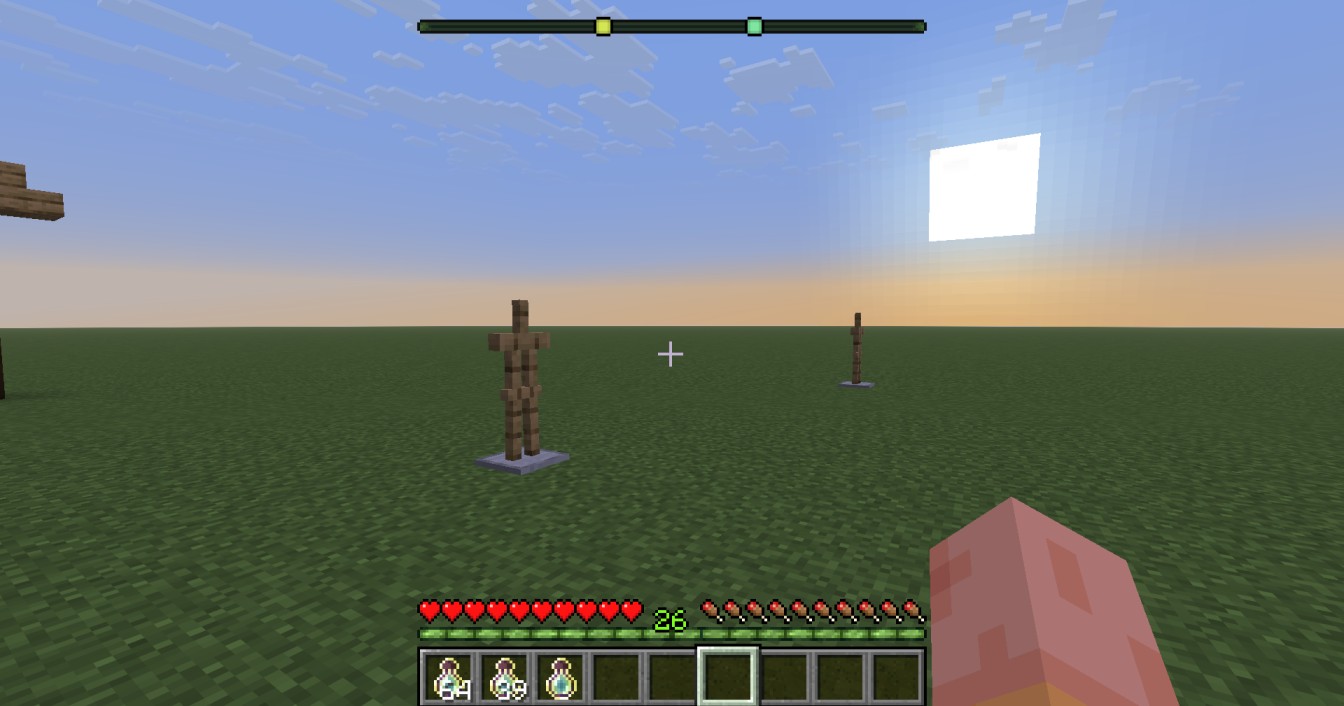 In-game Screenshot Screenshot showing how the locator bar is positioned
 -
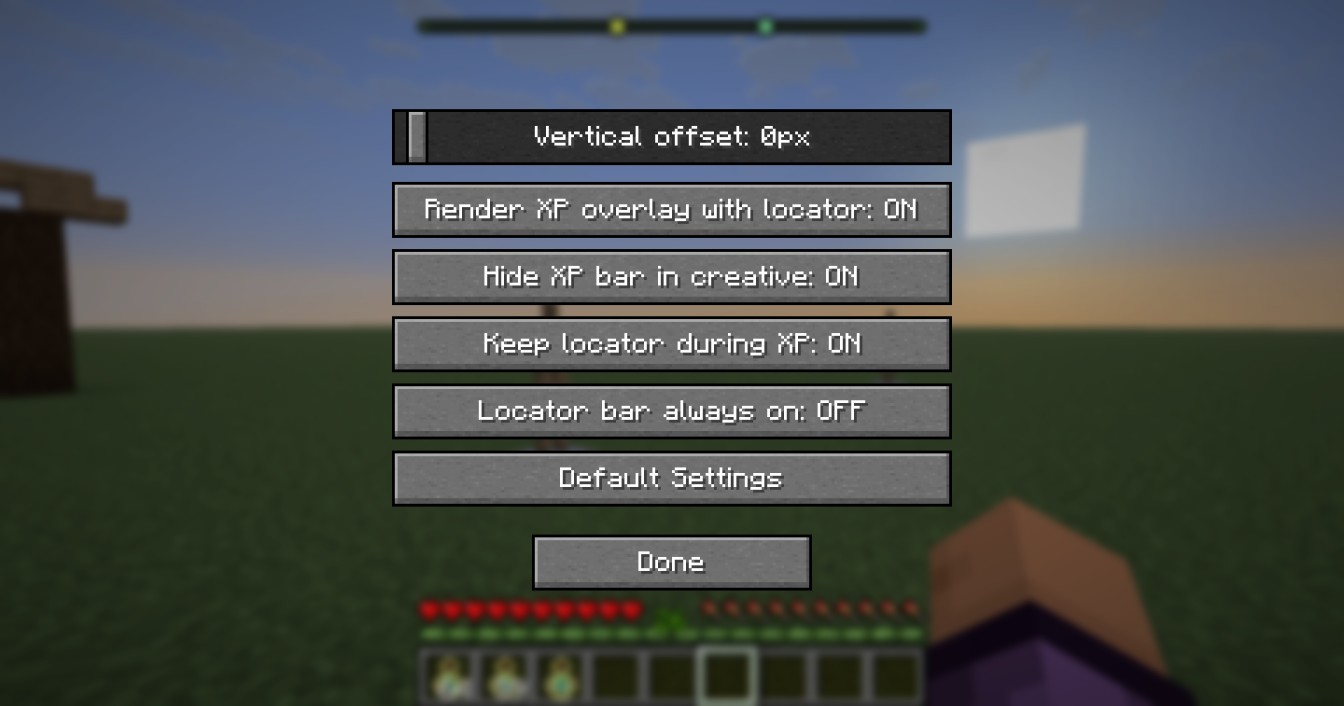 In-game Screenshot of Configuration Menu Screenshot showing the configurable options in the Mod Menu
Versions
Files
Relations
Project Relations
More like this
Similar Mods
Suggestions use data such as tags, dependencies, dependents, descriptions, titles, and more to rank how much they overlap with this mod.
On ModDex
Community snapshot
By the numbers
Statistics

Want to reach Minecraft players?
We're looking for a server hosting partner to feature here and other parts of the site. Interested? Send us a message!
Get in touchGet it on
Available Platforms
On ModDex
Community snapshot
By the numbers
Statistics
Resources