Community listing page, reviews here may not be monitored by the author.
Ru - Автоперевод | АвтоПереводчик


No reviews yet
A mod that translates items, descriptions, and books into Russian
Community voices
Reviews
No reviews yet. Be the first to review this project!
Get it on
Available Platforms
Compatibility
Supported Environments
Runs entirely on the client. Works on vanilla servers.
About
Project Details
For authors
Embed Badge
If you're the author of this project, you can embed a live badge anywhere that supports HTML or Markdown. It updates automatically whenever ratings change.
Use HTML for any page that supports it, or Markdown for README files and Markdown-based descriptions.
Identifiers
Platform IDs
Resources
External Links
About
Description
Speak Minecraft in Russian!
Imagine: you launch your favorite 1.7.10 modpack full of awesome machines, items, books, weapons—and all the text is English only.
Meet Ru – AutoTranslator! Your personal interpreter for Minecraft that makes modded gameplay accessible and convenient.
~ It doesn’t just swap words—it preserves colors, line breaks, and helps when your English is rusty.
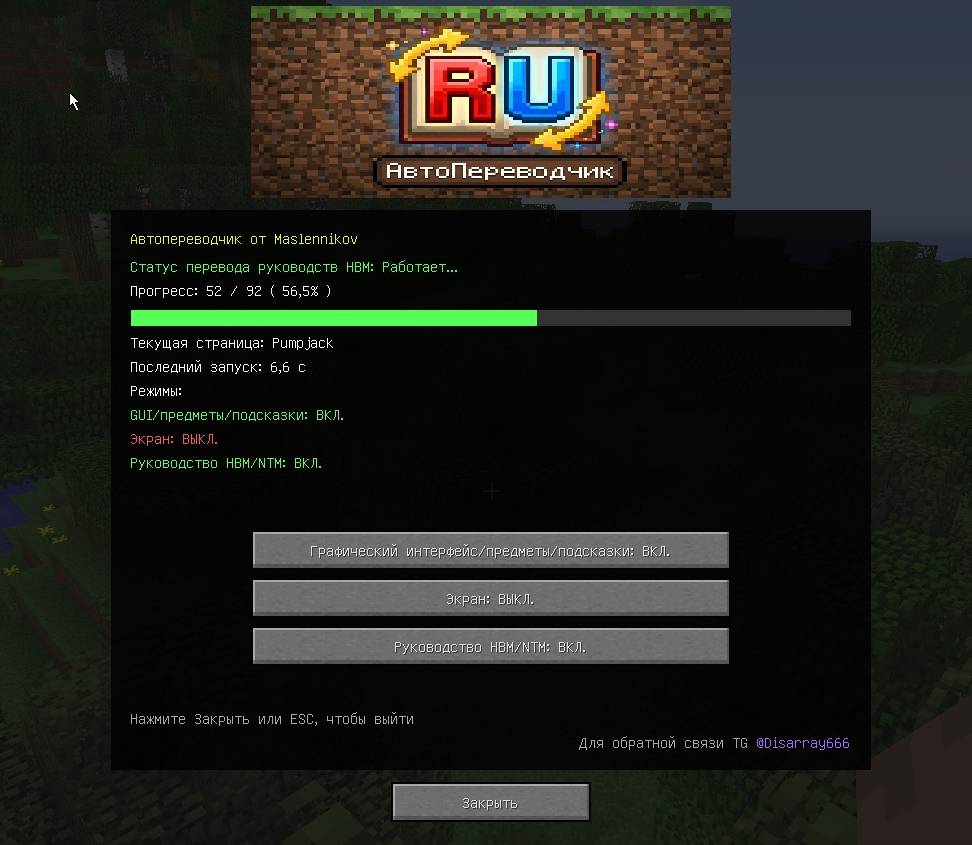
- Mod GUI: In your world press F6 to open the main menu and enable exactly what you need.
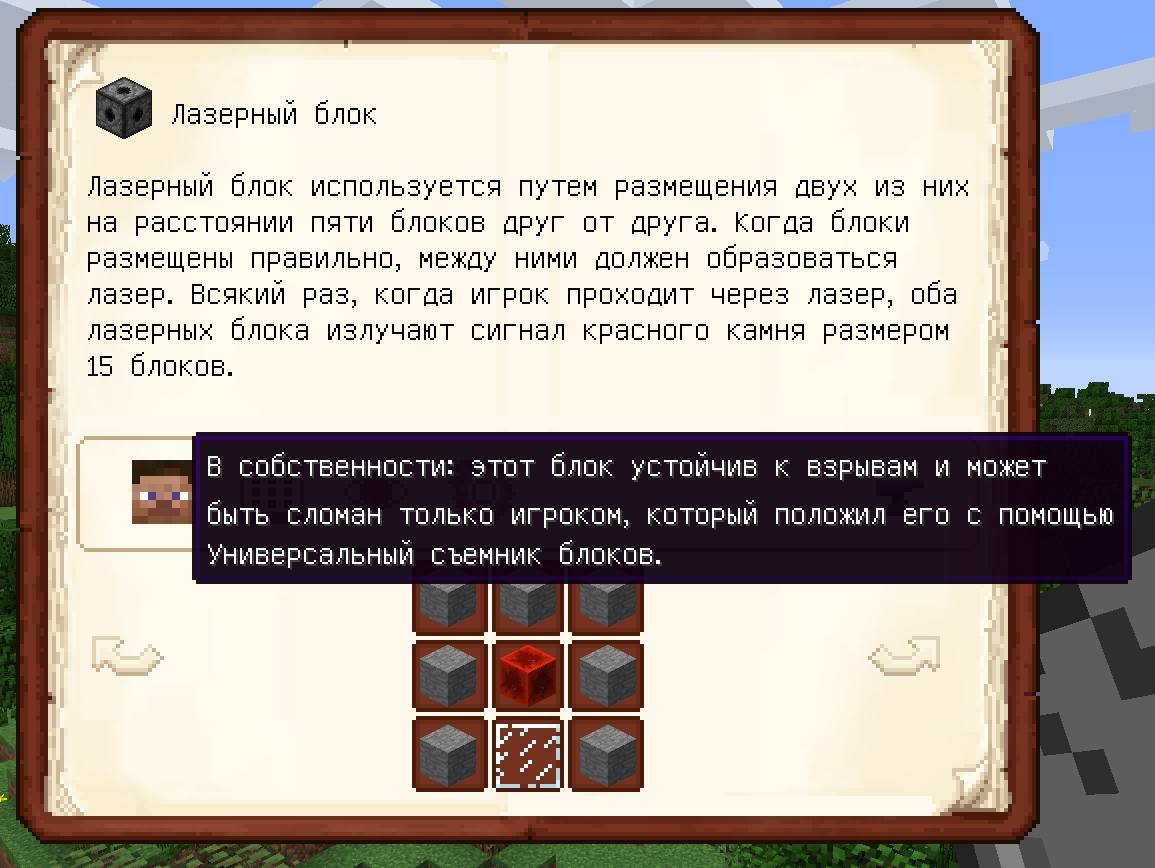
- Smart GUI/item translations: Buttons, block names, tooltips—everything in Russian.
- Caching: It remembers translations, so it doesn’t hit the API repeatedly.
- Instant screen translation: Need on-the-fly translating without a GUI? Press F7—every bit of text (menus, chat) turns Russian. Colors, spacing, and tooltip boxes adjust perfectly. The [RU] indicator in the top-right reminds you the magic is on!
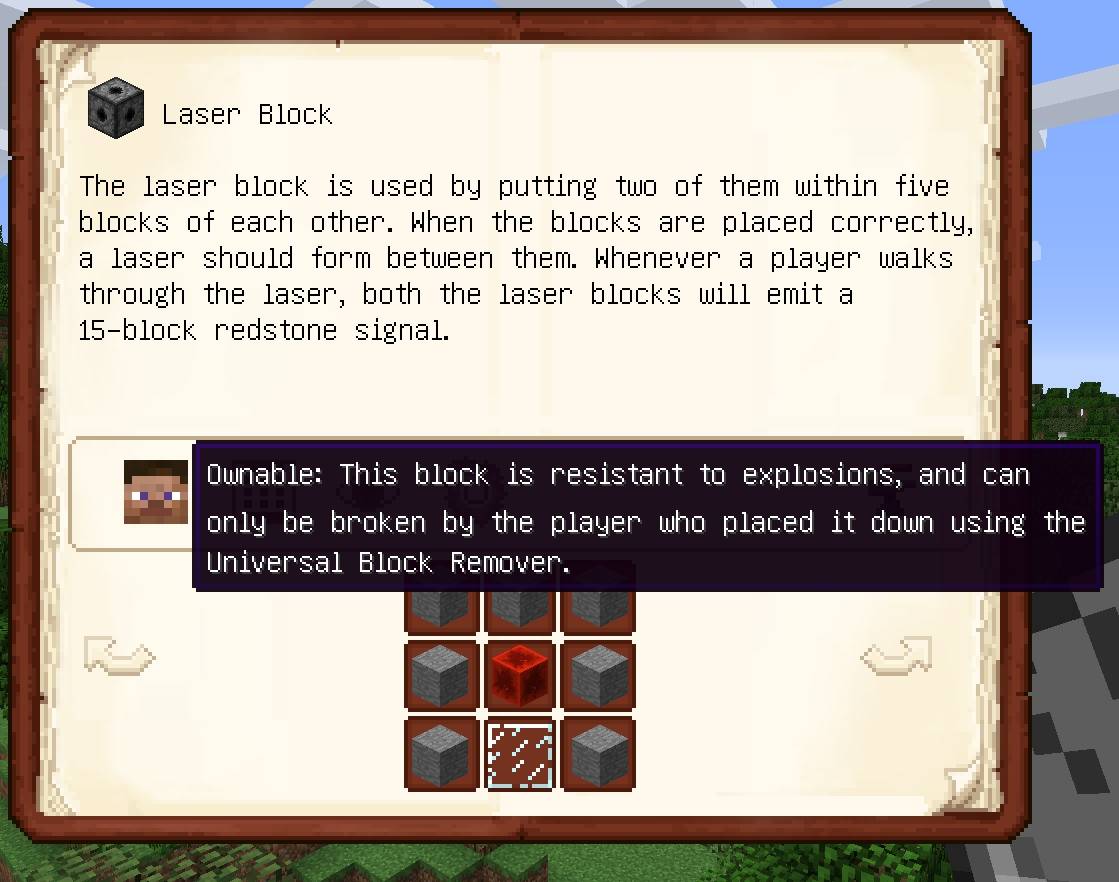
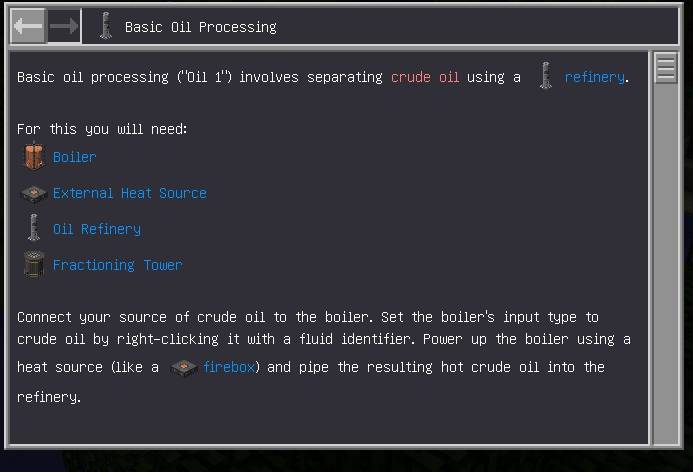
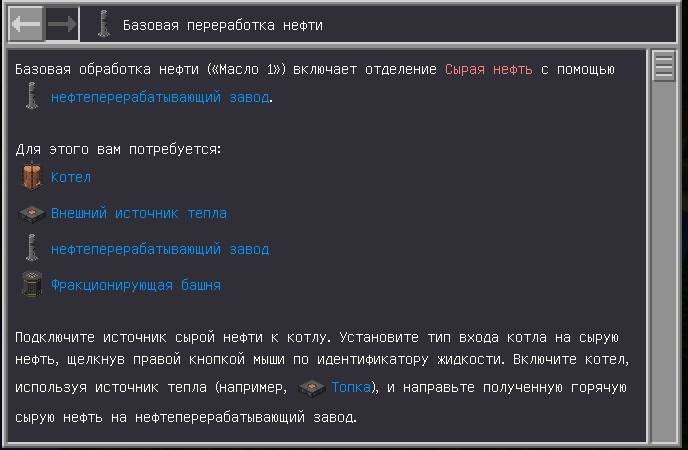
- HBM/NTM super-support: Full manuals are translated end-to-end. HBM guides load at game start and get translated one by one in the background; when you jump in, you have fully Russian HBM manuals. This is tailored to HBM’s rendering quirks.
Fact: In legacy modpacks like 1.7.10, ~80% of content is English—Ru helps with that.
##
- Uses Google API
- No dependencies
- Compatible with all mods—no conflicts!
- Translates ONLY from English to Russian
- You can edit cached translations yourself; on the next launch the mod will pick them up.
##
Settings persist in the config—next launch stays as you left it.
Translation cache: stored in the AutoTranslation folder in your Minecraft root.
Говори с Minecraft по-русски!
Представьте: вы запускаете любимый модпак на старенькой 1.7.10, полный крутых машин, предметов, книг, оружий, но весь текст — сплошной английский.
Знакомьтесь — Мод Ru - Автопереводчик! Это ваш личный интерпретатор для Minecraft, который делает игру с модами доступной и удобной.
~ Он не просто переводит слова — он учитывает цвета, переносы и помогает вам, если вы плохо разбираетесь в английском языке.
- GUI-окно мода: В вашем мире нажмите F6 — откроется главное меню мода, где вы можете включить то, что вам нужно!
- Умные переводы GUI, предметов и чата: Кнопки, чат, названия блоков, подсказки — всё на русском языке.
- Мод запоминает переводы в кеш, так что повторно не дергает API.
- Мгновенный перевод экрана: Нужен экранный переводчик без GUI? Нажмите F7 — и весь текст в игре (от меню до чата) превратится в русский. Цвета, отступы и рамки тултипов подстроятся идеально. Индикатор [RU] в правом верхнем углу напомнит, что магия работает!
- Суперподдержка HBM/NTM: Полные мануалы великого HBM/NTM переводятся целиком. Руководства HBM подхватываются сразу при запуске игры и переводятся один за одним в фоне, не мешая вам, а при входе в игру вы получаете супер-классные русские мануалы HBM. Такая реализация была сделана из-за особенностей рендера мода.
Факт: в старых модпаках вроде тех, что на 1.7.10, 80% контента на английском, и Ru помогает с этим.
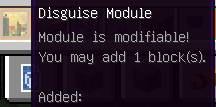
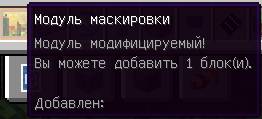
Примеры работы мода смотрите в изображениях!
##
- Использует Google API
- Зависимостей нет
- Поддерживает все моды, никаких конфликтов!
- Переводит ТОЛЬКО с Английского на Русский
- Вы можете сами отредактировать готовый перевод в файлах кеша, если вам нужно, при перезапуске Майнкрафта мод подтянет кеш.
##
Настройки сохраняются в конфиге — при следующем запуске всё как было.
Кеш переводов: появляется в папке AutoTranslation в главной директории вашего Minecraft.
Говори с Minecraft по-русски!
Представьте: вы запускаете любимый модпак на старенькой 1.7.10, полный крутых машин, предметов, книг, оружий, но весь текст — сплошной английский. Знакомьтесь — Мод Ru - Автопереводчик! Это ваш личный интерпретатор для Minecraft, который делает игру с модами доступной и удобной.
~ Он не просто переводит слова — он учитывает цвета, переносы и помогает вам, если вы плохо разбираетесь в английском языке.
- GUI-окно мода: В вашем мире нажмите F6 — откроется главное меню мода, где вы можете включить то, что вам нужно!

- Умные переводы GUI, предметов и чата: Кнопки, чат, названия блоков, подсказки — всё на русском языке.
- Мод запоминает переводы в кеш, так что повторно не дергает API.
- Мгновенный перевод экрана: Нужен экранный переводчик без GUI? Нажмите F7 — и весь текст в игре (от меню до чата) превратится в русский. Цвета, отступы и рамки тултипов подстроятся идеально. Индикатор [RU] в правом верхнем углу напомнит, что магия работает!
- Суперподдержка HBM/NTM: Полные мануалы великого HBM/NTM переводятся целиком. Руководства HBM подхватываются сразу при запуске игры и переводятся один за одним в фоне, не мешая вам, а при входе в игру вы получаете супер-классные русские мануалы HBM. Такая реализация была сделана из-за особенностей рендера мода.
Факт: в старых модпаках вроде тех, что на 1.7.10, 80% контента на английском, и Ru помогает с этим.
Примеры работы мода:


- Использует Google API
- Зависимостей нет
- Поддерживает все моды, никаких конфликтов!
- Переводит ТОЛЬКО с Английского на Русский
- Вы можете сами отредактировать готовый перевод в файлах кеша, если вам нужно, при перезапуске Майнкрафта мод подтянет кеш.
Настройки сохраняются в конфиге — при следующем запуске всё как было. Кеш переводов: появляется в папке AutoTranslation в главной директории вашего Minecraft.
English:
Speak Minecraft in Russian!
Imagine: you launch your favorite 1.7.10 modpack full of awesome machines, items, books, weapons—and all the text is English only.
Meet Ru – AutoTranslator! Your personal interpreter for Minecraft that makes modded gameplay accessible and convenient.
~ It doesn’t just swap words—it preserves colors, line breaks, and helps when your English is rusty.
- Mod GUI: In your world press F6 to open the main menu and enable exactly what you need.
- Smart GUI/item translations: Buttons, block names, tooltips—everything in Russian.
- Caching: It remembers translations, so it doesn’t hit the API repeatedly.
- Instant screen translation: Need on-the-fly translating without a GUI? Press F7—every bit of text (menus, chat) turns Russian. Colors, spacing, and tooltip boxes adjust perfectly. The [RU] indicator in the top-right reminds you the magic is on!
- HBM/NTM super-support: Full manuals are translated end-to-end. HBM guides load at game start and get translated one by one in the background; when you jump in, you have fully Russian HBM manuals. This is tailored to HBM’s rendering quirks.
Fact: In legacy modpacks like 1.7.10, ~80% of content is English—Ru helps with that.
- Uses Google API
- No dependencies
- Compatible with all mods—no conflicts!
- Translates ONLY from English to Russian
- You can edit cached translations yourself; on the next launch the mod will pick them up.
Settings persist in the config—next launch stays as you left it.
Translation cache: stored in the AutoTranslation folder in your Minecraft root.
Screenshots
Gallery
-
 2025-12-11 23_35_46-Minecraft 1.7.10.jpg 2025-12-11 23_35_46-Minecraft 1.7.10.jpg
 -
 2025-12-11 23_36_02-Minecraft 1.7.10.jpg 2025-12-11 23_36_02-Minecraft 1.7.10.jpg
 -
 2025-12-11 23_33_12-Minecraft 1.7.10.jpg 2025-12-11 23_33_12-Minecraft 1.7.10.jpg
 -
 2025-12-11 23_33_33-Minecraft 1.7.10.jpg 2025-12-11 23_33_33-Minecraft 1.7.10.jpg
 -
 2025-12-11 23_34_37-Minecraft 1.7.10.jpg 2025-12-11 23_34_37-Minecraft 1.7.10.jpg
 -
 2025-12-11 23_35_03-Minecraft 1.7.10.jpg 2025-12-11 23_35_03-Minecraft 1.7.10.jpg
 -
 2025-12-11 23_29_48-Minecraft 1.7.10.jpg 2025-12-11 23_29_48-Minecraft 1.7.10.jpg
Versions
Files
Relations
Project Relations
More like this
Similar Mods
Suggestions use data such as tags, dependencies, dependents, descriptions, titles, and more to rank how much they overlap with this mod.
On ModDex
Community snapshot
By the numbers
Statistics
Want to reach Minecraft players?
We're looking for a server hosting partner to feature here and other parts of the site. Interested? Send us a message!
Get in touchGet it on
Available Platforms
On ModDex
Community snapshot
By the numbers
Statistics
Resources