
Community listing page, reviews here may not be monitored by the author.
Rubix

No reviews yet
QoL Mod for Hypixel Skyblock - Primarily made for Bestiary Features with additional QoL features I personally find useful.
Community voices
Reviews
No reviews yet. Be the first to review this project!
Get it on
Available Platforms
Compatibility
Supported Environments
Runs entirely on the client. Works on vanilla servers.
About
Project Details
For authors
Embed Badge
If you're the author of this project, you can embed a live badge anywhere that supports HTML or Markdown. It updates automatically whenever ratings change.
Use HTML for any page that supports it, or Markdown for README files and Markdown-based descriptions.
Identifiers
Platform IDs
Resources
External Links
About
Description
Rubix is available as a Fabric mod. It currently offers QoL HUD options for Bestiary & other smaller QoL features in Hypixel Skyblock.
Bestiary Features
- Bestiary HUD
- Bestiary HUD shows an on-screen HUD that displays either a selected list of Bestiary mobs (Broken down by bestiary category.)
- Bestiary HUD Editor
- This feature opens up an additional UI that lets you customize/add/remove mobs onto your Bestiary HUD.
- Auto Track
- Instead of picking the mobs you want added to your HUD list, this feature allows your list to be built off of the most recent mob killed that is not maxed out. (If a mob that was added onto your list through this feature hasn't been killed within a 3 minute period, it gets taken off the of HUD until it's killed again.) - This can also be toggled on/off using the "/Rubix autotrack" command.
- Bestiary Alerts
- This feature allows for a popup to happen on your screen letting you know when you've gotten a new tier on your bestiary! (Special popup for when you get a max bestiary tier!)
- Bestiary Overview
- Use the "/Rubix Bestiary" or "/Rubix Be" command in chat to open a full screen UI displaying all of your bestiary tiers for each category. This is meant to be a more visual appealing UI to see your bestiary completion.
- Bestiary Highlight
- This feature will highlight/glow mobs that are within your bestiary HUD.
How to Use
-
Use the "/Rubix" command to open the mod's GUI to turn options on/off.
-
When first loading into your game, open up the /Bestiary through your chat, and click through each Category one by one to load your current Bestiary data into the mod's config. (Make sure each page is opened.)
-
Make sure the Bestiary widget is turned on in /Widgets & actively showing in your TAB list. This is what will keep your HUD actively updating when doing bestiary LIVE. If this is not turned on, the Auto-track feature will not work, nor will the kill count be updated unless you open the /Bestiary categories once more.
Dungeon Features
- Bat Death Alert
- Sends a quick popup alert when a bat is killed near you in Dungeons.
Mining Features
- Littlefoot Tracker
- Locates Littlefoots when you get near them, giving you a popup alert & draws an outline around the littlefoot. This will also notify your party that you found a littlefoot & provides coordinates as well for the location of the littlefoot.
Screenshots
Gallery
-
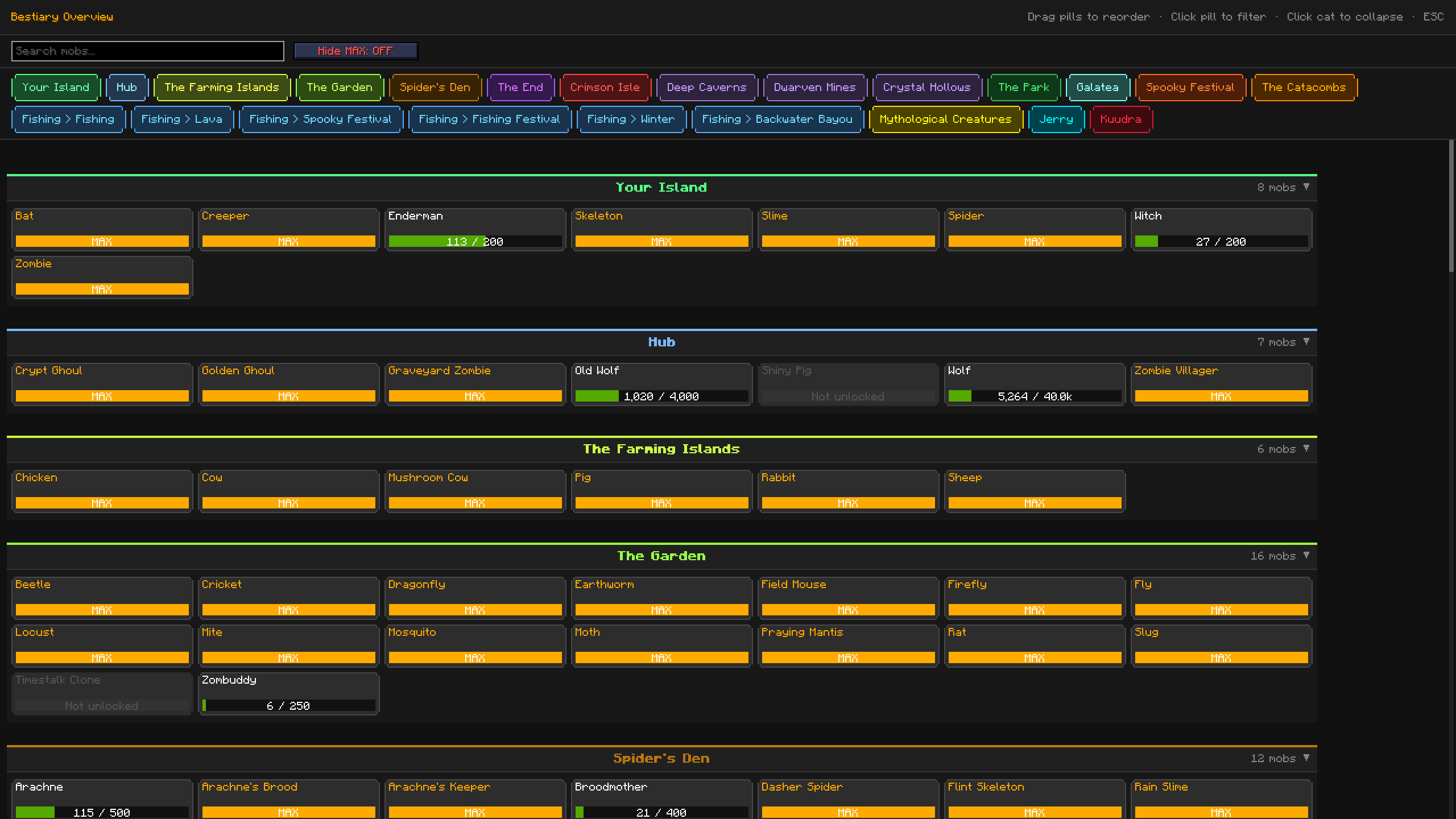 Using the "/Rubix Bestiary" or "/Rubix Be" command, you can open up a UI that will allow you to view all of your current bestiary progress! You can turn Show/Hide certain Categories by clicking on the name of the category at the top.
 -
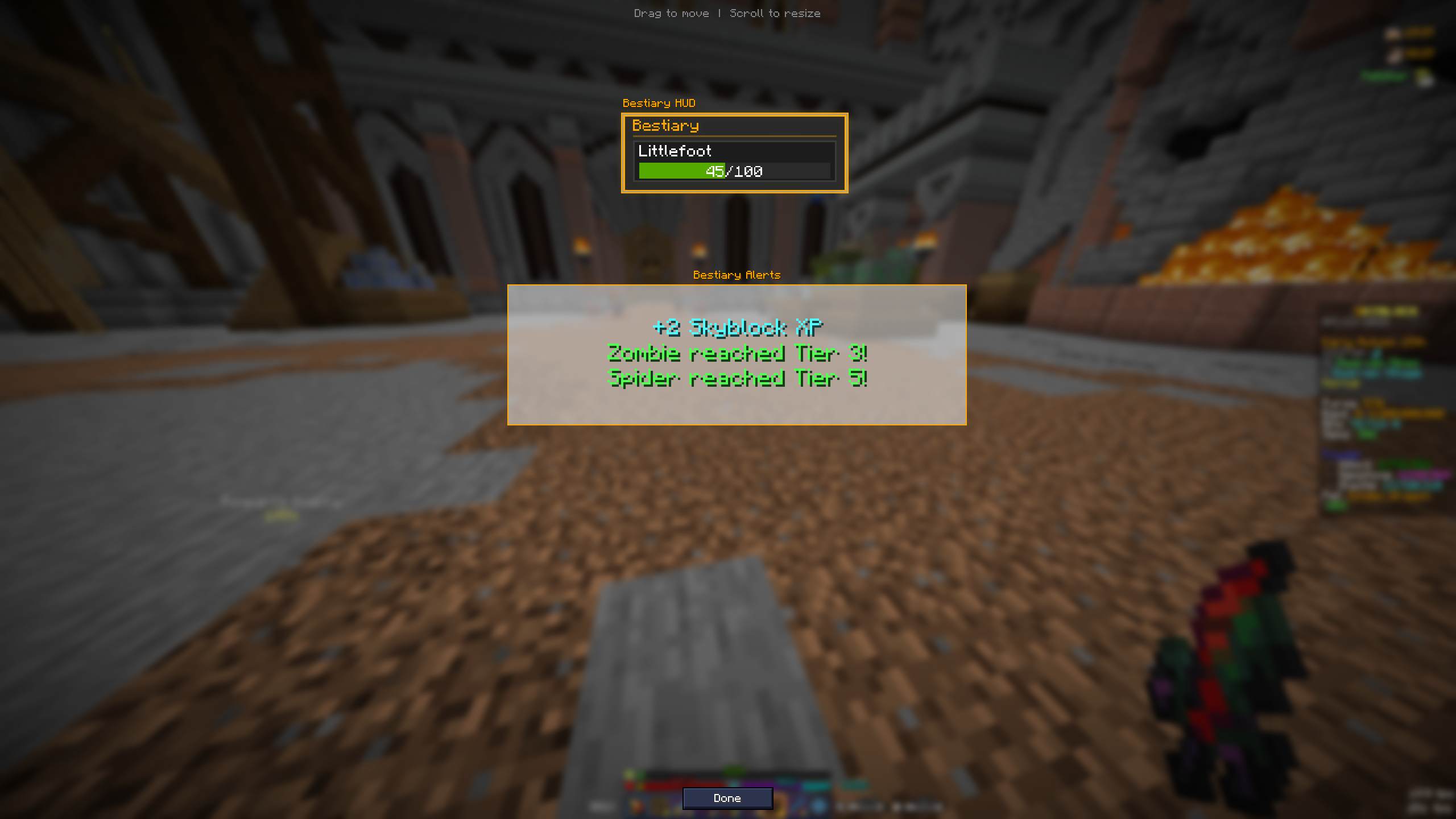 Bestiary HUD & Alert Both main options for the Bestiary part of the mod.
 -
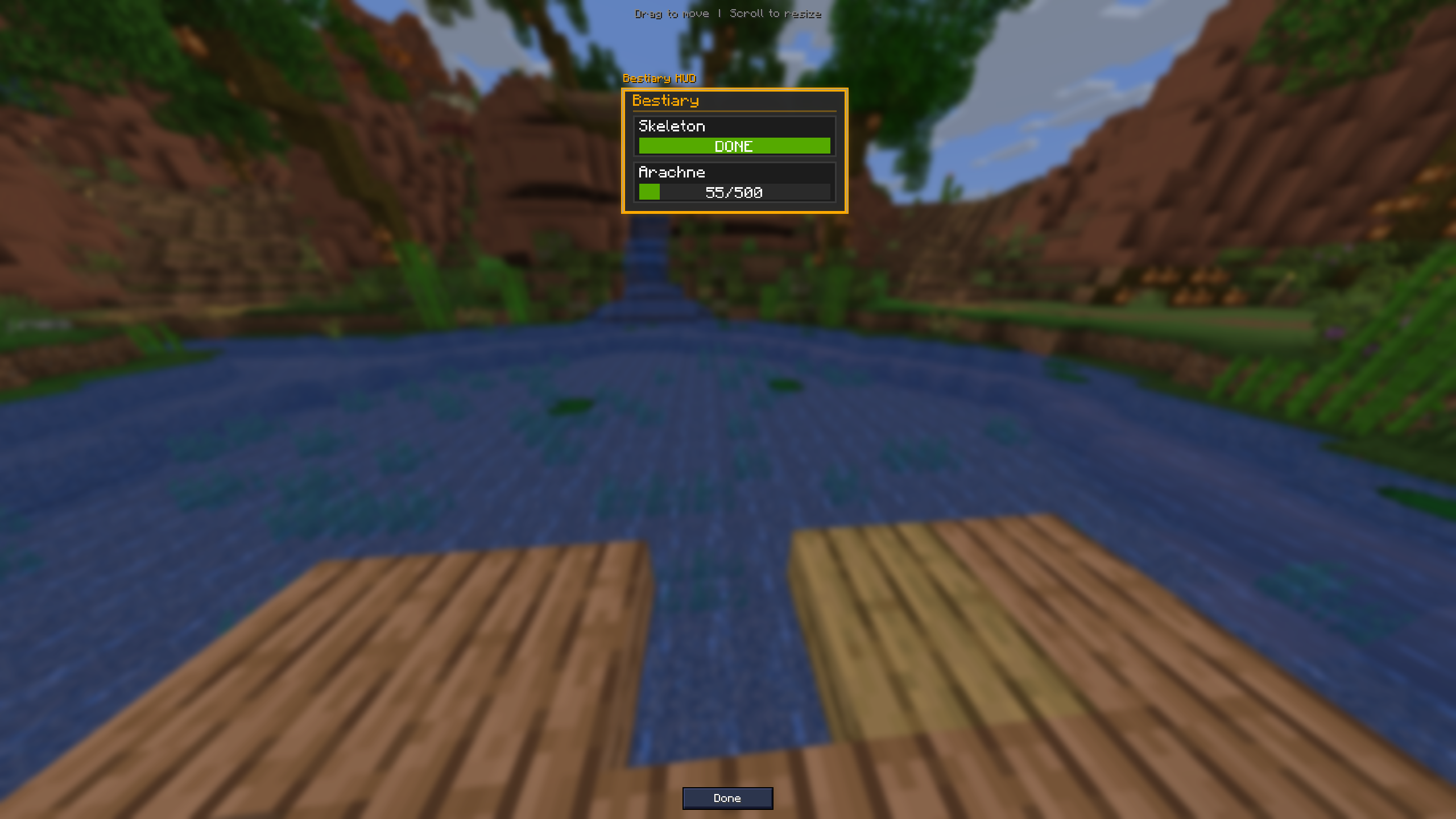 Bestiary HUD On-Screen Bestiary HUD to track bestiary mobs.
 -
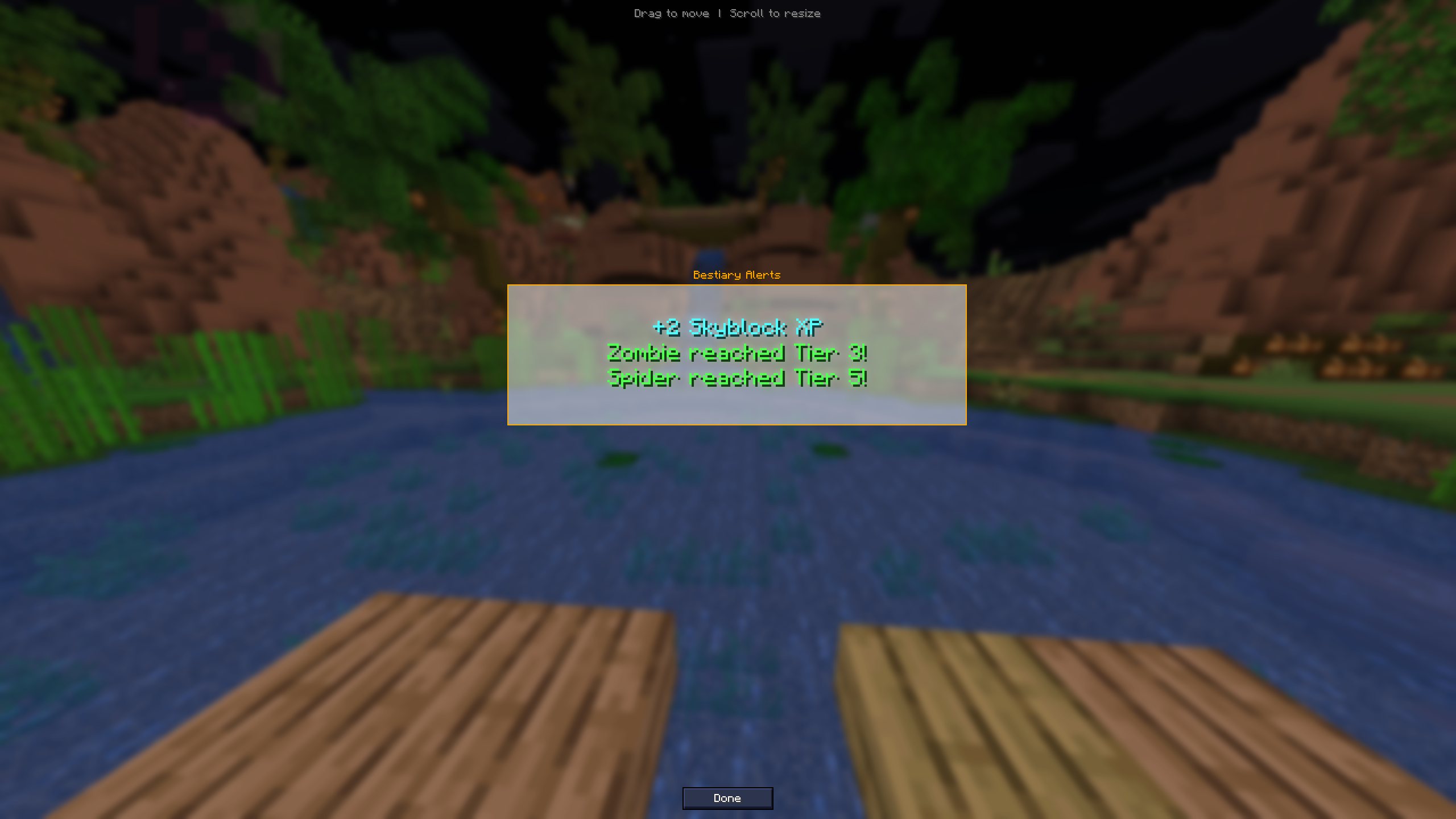 Bestiary Alerts Screen Pop-up to show new bestiary tier completions.
 -
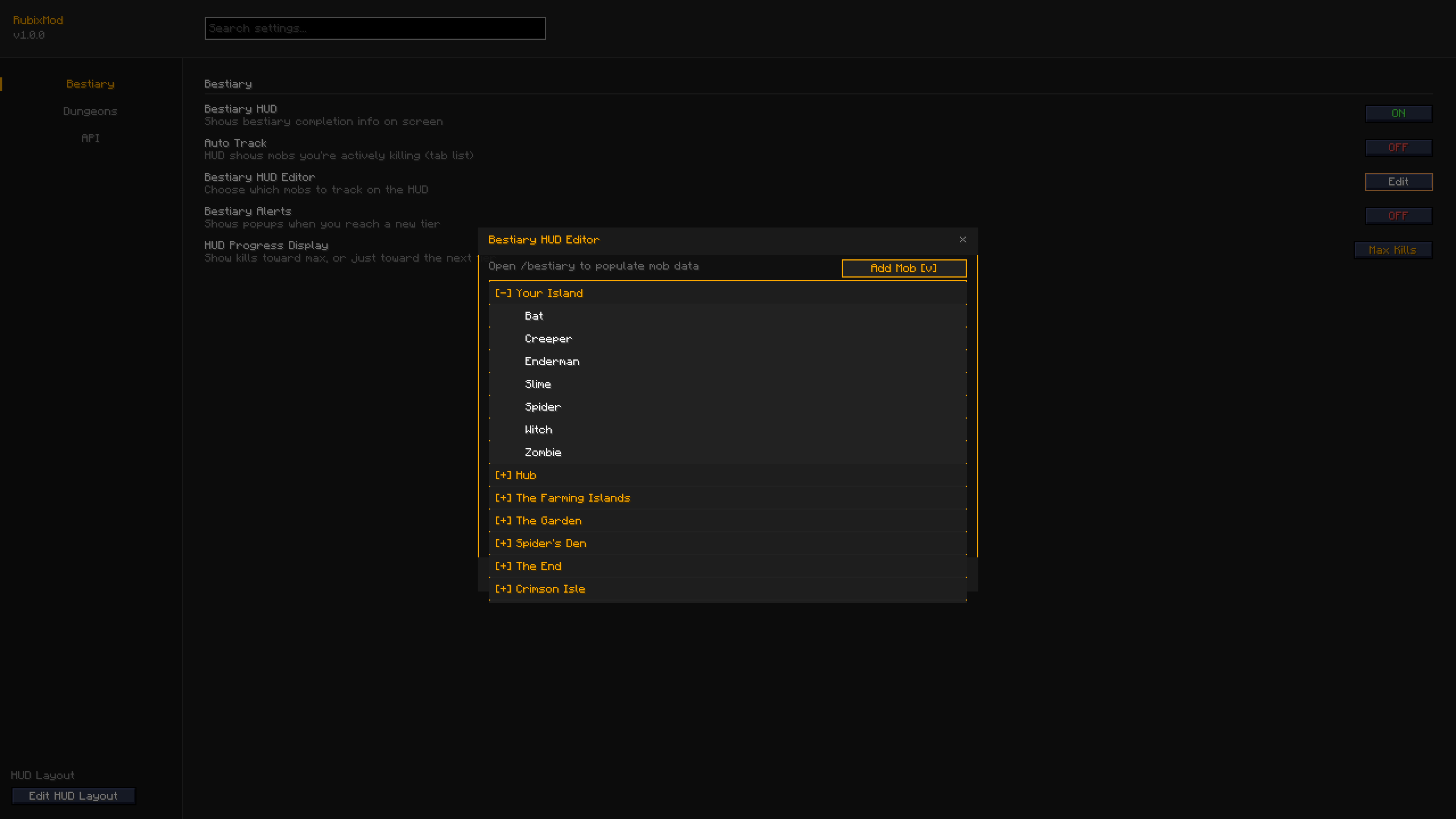 Bestiary HUD Editor Bestiary HUD Editor drop down list to select the mobs you want to add to your HUD list.
 -
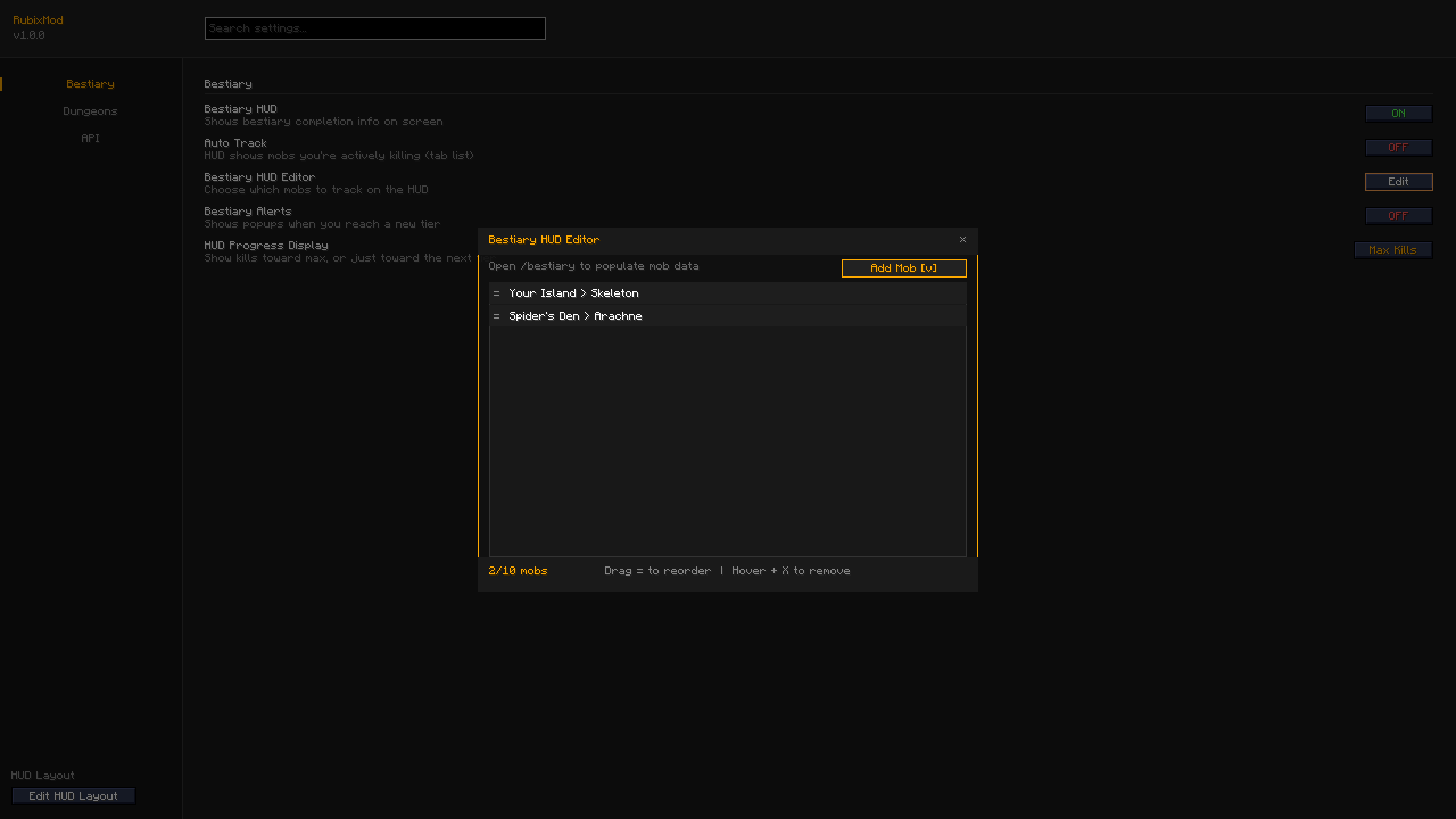 Bestiary HUD Editor Bestiary HUD Editor GUI to add/remove mobs from your bestiary list.
 -
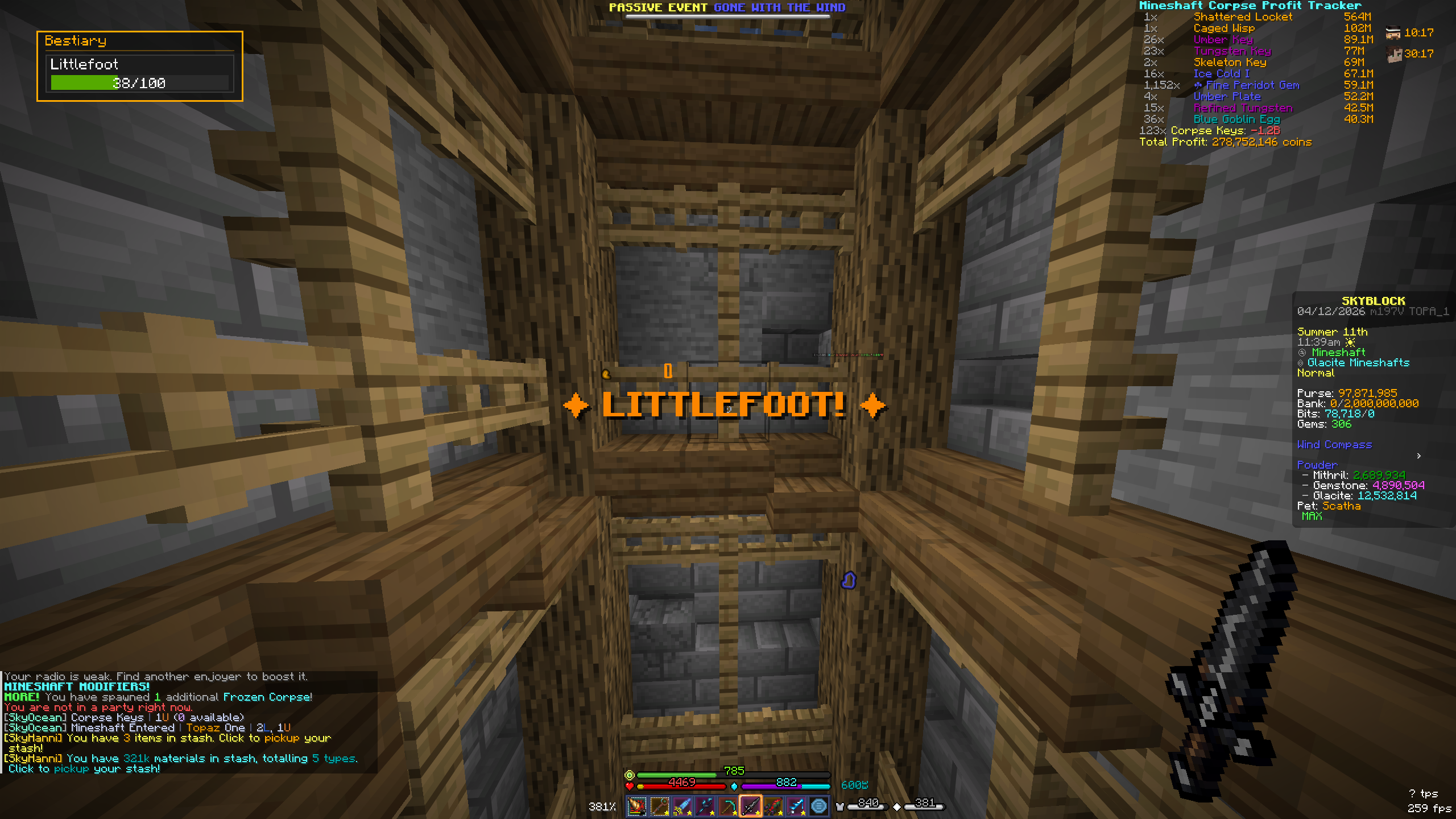 Littlefoot Tracker Notifies you & your party when you're near a Littlefoot! This will outline the Littlefoot & send the coordinates to the chat for your party to find quicker.
 -
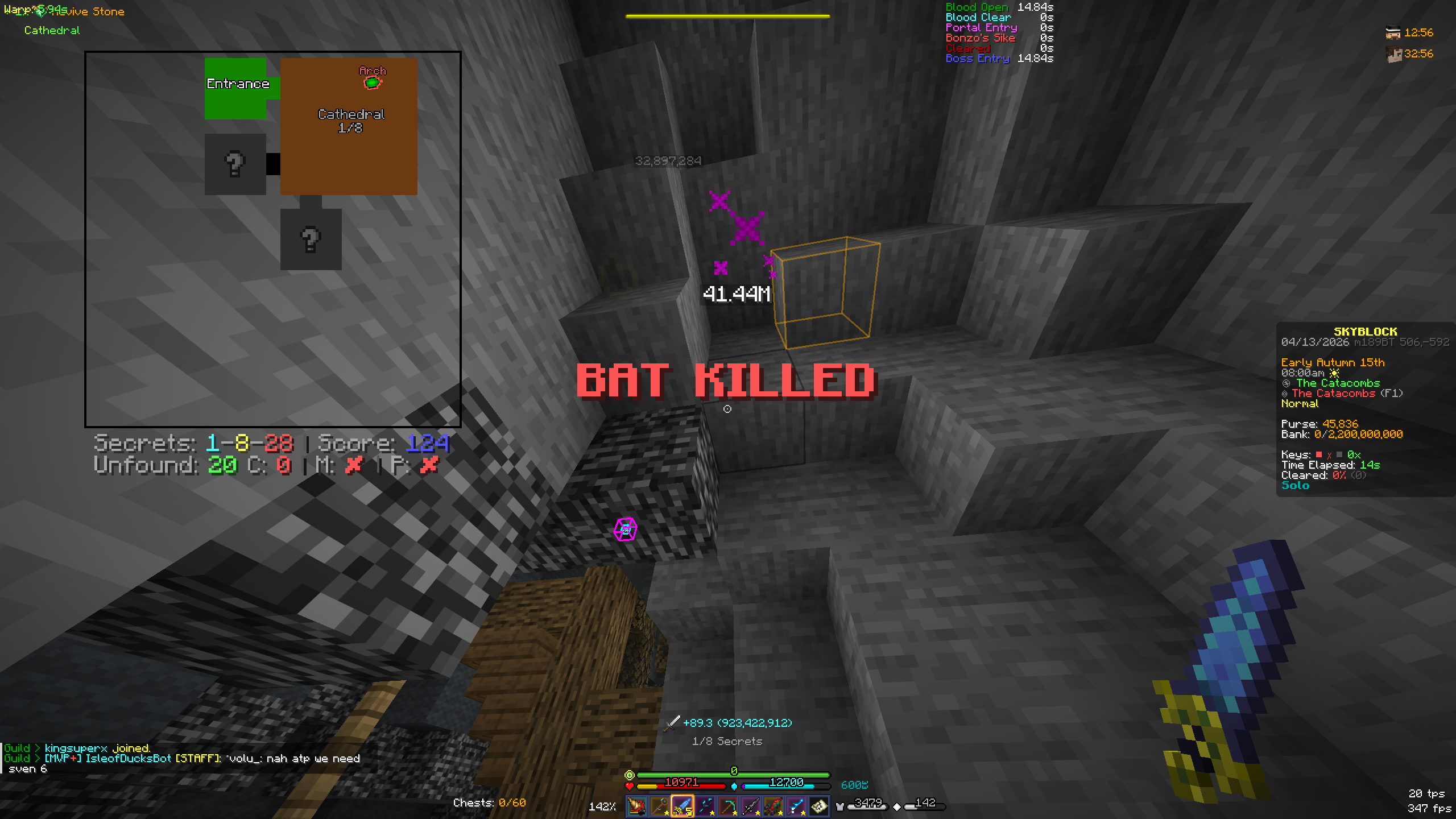 Bat Death Alert Alerts you when you've killed a bat in dungeons with a quick screen pop-up.
Versions
Files
Relations
Project Relations
More like this
Similar Mods
Suggestions use data such as tags, dependencies, dependents, descriptions, titles, and more to rank how much they overlap with this mod.
On ModDex
Community snapshot
By the numbers
Statistics

Want to reach Minecraft players?
We're looking for a server hosting partner to feature here and other parts of the site. Interested? Send us a message!
Get in touchGet it on
Available Platforms
On ModDex
Community snapshot
By the numbers
Statistics
Resources