Community listing page, reviews here may not be monitored by the author.
Rudo Locator


No reviews yet
Advanced ore locator with fully customizable RGB filters and an intuitive interface.
Community voices
Reviews
No reviews yet. Be the first to review this project!
Get it on
Available Platforms
Compatibility
Supported Environments
Must be installed on both the client and the server.
About
Project Details
For authors
Embed Badge
If you're the author of this project, you can embed a live badge anywhere that supports HTML or Markdown. It updates automatically whenever ratings change.
Use HTML for any page that supports it, or Markdown for README files and Markdown-based descriptions.
Identifiers
Platform IDs
Resources
External Links
About
Description
English
Advanced ore and block locator for Minecraft with deep customization!
Features:
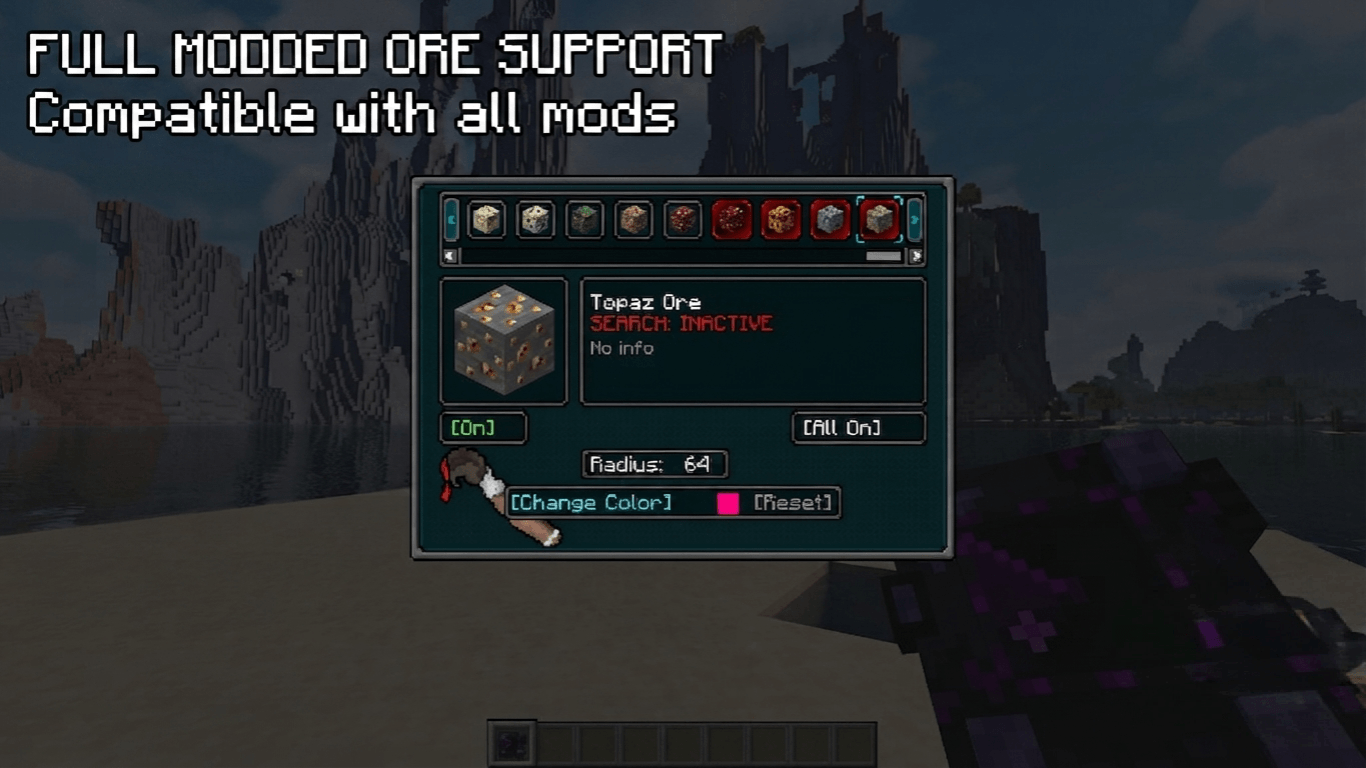
- 🧩 Universal Mod Support: Automatically detects and works with any custom ores from other modifications! No configuration files needed.
- 🎯 Precise Tracking: Highlights target ores and blocks in real-time.
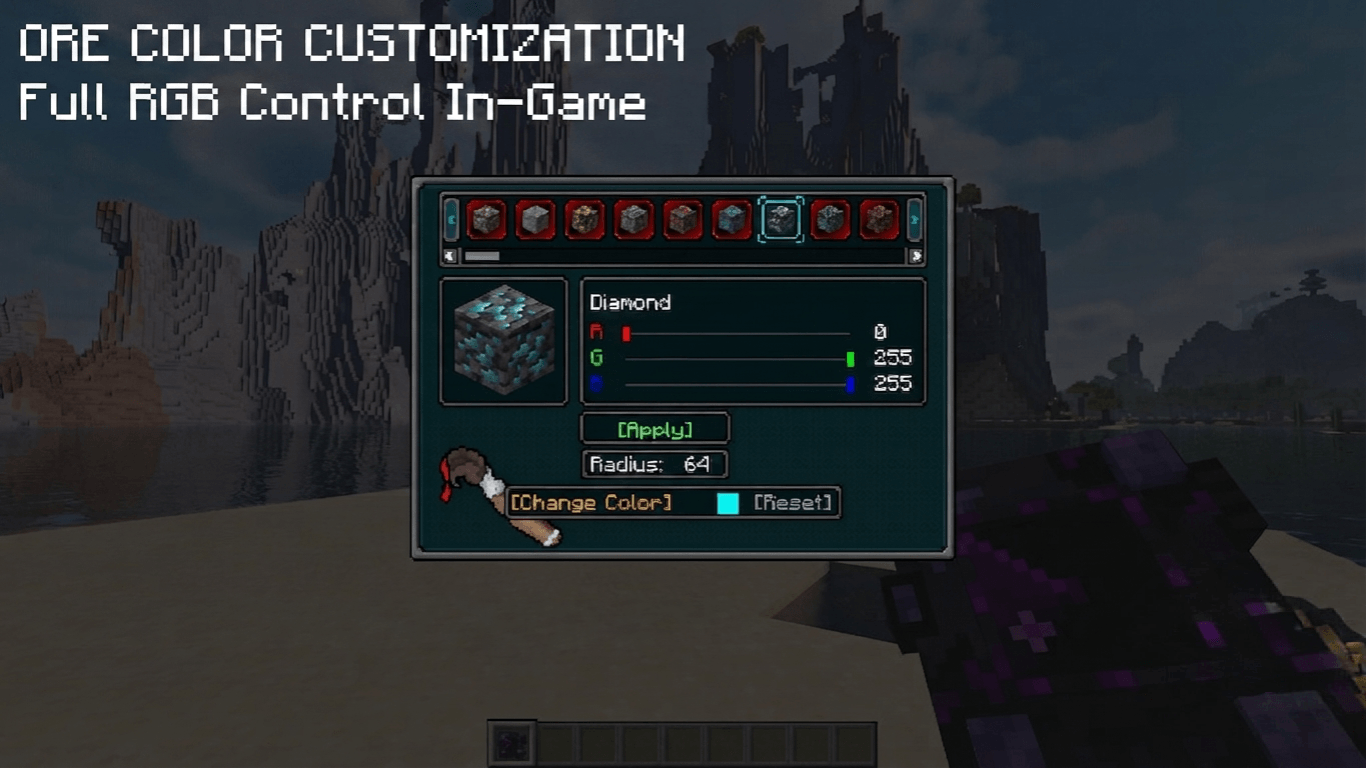
- 🎨 Full RGB Customization: Use built-in sliders to set any color for any specific ore.
- ⚙️ Polished GUI: Clean interface with locking frames for comfortable tweaking.
Tier System & Progression
Forget about a one-size-fits-all tool — the locator evolves right along with you! The mod features 5 technological tiers, each increasing your detection range:
- Copper Locator — your first basic device for tracking simple resources at a short range.
- Iron Locator — expands your scanning radius for more efficient mining.
- Golden Locator — further increases the detection range to spot rare materials earlier.
- Diamond Locator — a powerful tool built for deep mining with a massive coverage area.
- Netherite Locator — the ultimate pinnacle of technology. Maximum scanning radius and complete immunity to fire and lava!
💾 Sharing Your Configurations
You can easily share your custom ore colors and filter settings with friends! No game restart required.
- Find the config file: Go to your Minecraft folder, open "config", then "orelocator". Path:"...\.minecraft\config\orelocator\filter.json"
- Copy and Share: Send this "filter.json" file to your friend via Discord, Telegram, or any other way.
- Apply: Your friend just needs to place this file into their own "config\orelocator\" folder (replacing the old one if prompted).
Done! The changes will apply instantly when they open their world.
⚙️ How to Change the Maximum Scan Radius
Server owners and players can fully customize the scanning limits for each tier in the common config file:
- Open the "...\.minecraft\config\" folder and open "orelocator-common.toml" with any text editor (like Notepad).
- Locate the tier variables you want to change, for example, for the Netherite tier: "netherite_max_radius = 64" "netherite_current_radius = 64"
- Change the values to your liking (e.g., change both to "128" to increase the limit).
- Save the file and restart the game (or rejoin the world) to apply the new limits.
You can customize limits for all tiers using their respective lines: `copper_max_radius`, `iron_max_radius`, `gold_max_radius`, `diamond_max_radius`, and `netherite_max_radius`.
⚠️ Important Note: To open the settings interface, you must hold the locator in your main hand! Press "R" to open settings in-game. If you are not holding the device, the menu will not open.
---
Русский
Продвинутый локатор руд и блоков с полной кастомизацией!
Особенности:
- 🧩 Поддержка любых модов: Автоматически находит и работает с кастомными рудами из любых других модификаций! Никаких сложных настроек.
- 🎯 Точный поиск: Подсвечивает нужные руды в реальном времени.
- 🎨 RGB-кастомизация: Кастомные слайдеры позволяют настроить любой цвет подсветки для каждой руды отдельно.
- ⚙️ Продуманный GUI: Стильный интерфейс с аккуратными рамками-фиксаторами.
Система уровней и прогрессия
Забудьте об одном универсальном устройстве — локатор развивается вместе с вами! Мод предлагает 5 технологических тиров, каждый из которых увеличивает радиус вашего поиска:
- Медный локатор — ваше первое базовое устройство для поиска ресурсов на небольшом расстоянии.
- Железный локатор — расширяет радиус сканирования для более эффективных раскопок.
- Золотой локатор — ещё больше увеличивает дистанцию обнаружения, помогая находить редкие материалы раньше.
- Алмазный локатор — мощный инструмент для глубоких шахт с огромной зоной покрытия.
- Незеритовый локатор — абсолютный пик технологий. Максимальный радиус сканирования и полная неуязвимость к огню и лаве!
💾 Как поделиться настройками цветов и фильтров Вы можете легко передать свои кастомные цвета руд и настройки фильтров другу! Перезапуск игры не требуется.
- Найдите файл настроек: Откройте папку с игрой, перейдите в "config", а затем в "orelocator". Путь: "...\.minecraft\config\orelocator\filter.json"
- Скопируйте и отправьте: Скиньте файл "filter.json" другу через Discord, Telegram или любым удобным способом.
- Установка: Другу достаточно положить этот файл в свою папку "config\orelocator\" (с заменой, если файл уже существует).
Готово! Все настройки подхватятся автоматически прямо в игре, как только друг зайдет в мир.
⚙️ Как изменить максимальный радиус сканирования
Вы можете вручную настроить лимиты расстояния для каждого уровня локаторов под баланс своей сборки:
- Откройте папку "...\.minecraft\config\" и откройте файл "orelocator-common.toml" через любой текстовый редактор (например, Блокнот).
- Найдите строки нужного вам локатора (например, незеритового): "netherite_max_radius = 64" "netherite_current_radius = 64"
- Измените значения на желаемые (например, укажите "128" в обеих строках, чтобы увеличить предел).
- Сохраните файл и перезагрузите игру (или перезайдите в мир), чтобы новые лимиты вступили в силу.
Точно так же можно настроить радиус для остальных тиров, изменяя строки: "copper_max_radius", "iron_max_radius", "gold_max_radius", "diamond_max_radius" и "netherite_max_radius".
⚠️ Важное примечание: Чтобы открыть интерфейс настроек, вам обязательно нужно держать рудолокатор в руке! Нажмите кнопку "R", чтобы открыть настройки в игре. Если устройство не выбрано, меню не откроется.


Advanced ore and block locator for Minecraft with deep customization and universal compatibility!
Features:
- 🎯 Precise Tracking: Highlights target ores and blocks in real-time.
- 🎨 Full RGB Customization: Use built-in sliders to set any color for any specific ore.
- 🌍 Universal Mod Support: Now fully compatible with custom ores from any other modifications!
- 📂 Shared Configurations: Easily share your filters with friends via the automatically generated config files.
- ⚙️ Polished GUI: Clean interface with locking frames for comfortable tweaking.
Tier System & Progression
The locator evolves right along with you! The mod features 5 technological tiers, each increasing your detection range:
- Copper Locator — your first basic device for tracking simple resources at a short range.
- Iron Locator — expands your scanning radius for more efficient mining.
- Golden Locator — further increases the detection range to spot rare materials earlier.
- Diamond Locator — a powerful tool built for deep mining with a massive coverage area.
- Netherite Locator — the ultimate pinnacle of technology. Maximum scanning radius and complete immunity to fire and lava!
🛠️ Configuration & Sharing Guide
How to share your colors & filters with a friend:
- Open your Minecraft folder and navigate to
config/orelocator/. - Find the
filter.jsonfile and send it to your friend. - Your friend just needs to place this file into their own
config/orelocator/folder (replace the existing one). Changes apply instantly in-game!
How to increase the maximum scanning radius:
- Navigate to your
.minecraft/config/folder and openorelocator-common.tomlwith any text editor (like Notepad). - Find the lines for your locator tier, for example:
netherite_max_radius = 64andnetherite_current_radius = 64 - Change
64to your desired value (e.g.,128) in both lines, save the file, and restart the game. (You can do the same forcopper,iron,gold, ordiamondmax radius lines!)
⚠️ Important Note: To open the settings interface, you must hold the locator in your main hand! Press "R" to open settings in-game. If you are not holding the device, the menu will not open.
Русский
Продвинутый локатор руд и блоков с полной кастомизацией и универсальной совместимостью!
Особенности:
- 🎯 Точный поиск: Подсвечивает нужные руды в реальном времени.
- 🎨 RGB-кастомизация: Кастомные слайдеры позволяют настроить любой цвет подсветки для каждой руды отдельно.
- 🌍 Поддержка сторонних модов: Полная совместимость с кастомными рудами из абсолютно любых других модификаций!
- 📂 Общие конфигурации: Легко делитесь своими фильтрами с друзьями благодаря автоматической системе конфигурации.
- ⚙️ Продуманный GUI: Стильный интерфейс с аккуратными рамками-фиксаторами.
Система уровней и прогрессия
Локатор развивается вместе с вами! Мод предлагает 5 технологических тиров, каждый из которых увеличивает радиус вашего поиска:
- Медный локатор — ваше первое базовое устройство для поиска ресурсов на небольшом расстоянии.
- Железный локатор — расширяет радиус сканирования для более эффективных раскопок.
- Золотой локатор — ещё больше увеличивает дистанцию обнаружения, помогая находить редкие материалы раньше.
- Алмазный локатор — мощный инструмент для глубоких шахт с огромной зоной покрытия.
- Незеритовый локатор — абсолютный пик технологий. Максимальный радиус сканирования и полная неуязвимость к огню и лаве!
🛠️ Инструкция по настройке и обмену файлами
Как передать настройки цвета и фильтров другу:
- Откройте папку с игрой Minecraft, зайдите в папку
config, а внутри неё — в папкуorelocator. Полный путь:...\.minecraft\config\orelocator\filter.json - Скопируйте файл
filter.jsonи отправьте его другу через Discord, Telegram или любым удобным способом. - Друг должен положить этот файл в свою папку
config/orelocator/с заменой. Настройки подхватятся автоматически прямо в игре, перезапуск не нужен!
Как увеличить максимальный радиус локаторов:
- Откройте папку
.minecraft\config\и найдите там файлorelocator-common.toml. Откройте его через Блокнот. - Найдите строки нужного вам локатора, например, для незеритового:
netherite_max_radius = 64иnetherite_current_radius = 64 - Измените значения на нужные вам (например, на
128), сохраните файл (Ctrl+S) и перезапустите игру. (Точно так же можно изменить максимум и для других тиров, изменив строкиcopper_max_radius,iron_max_radius,gold_max_radiusилиdiamond_max_radius)
⚠️ Важное примечание: Чтобы открыть интерфейс настроек, вам обязательно нужно держать рудолокатор в руке! Нажмите кнопку "R", чтобы открыть настройки в игре. Если устройство не выбрано, меню не откроется.
Screenshots
Gallery
-
 2026-06-04_21.04.19.jpg 2026-06-04_21.04.19.jpg
 -
 2026-06-05_18.01.39.png 2026-06-05_18.01.39.png
 -
 3c890340-7cf5-11f1-883b-c98001be4511.png 3c890340-7cf5-11f1-883b-c98001be4511.png
 -
 cd6d5a00-7cfa-11f1-af41-69dc60e9e2ef.png cd6d5a00-7cfa-11f1-af41-69dc60e9e2ef.png
 -
 cd6da820-7cfa-11f1-afca-8530076457eb.png cd6da820-7cfa-11f1-afca-8530076457eb.png
 -
 cd6d8110-7cfa-11f1-9307-c1f713cfed2d.png cd6d8110-7cfa-11f1-9307-c1f713cfed2d.png
-
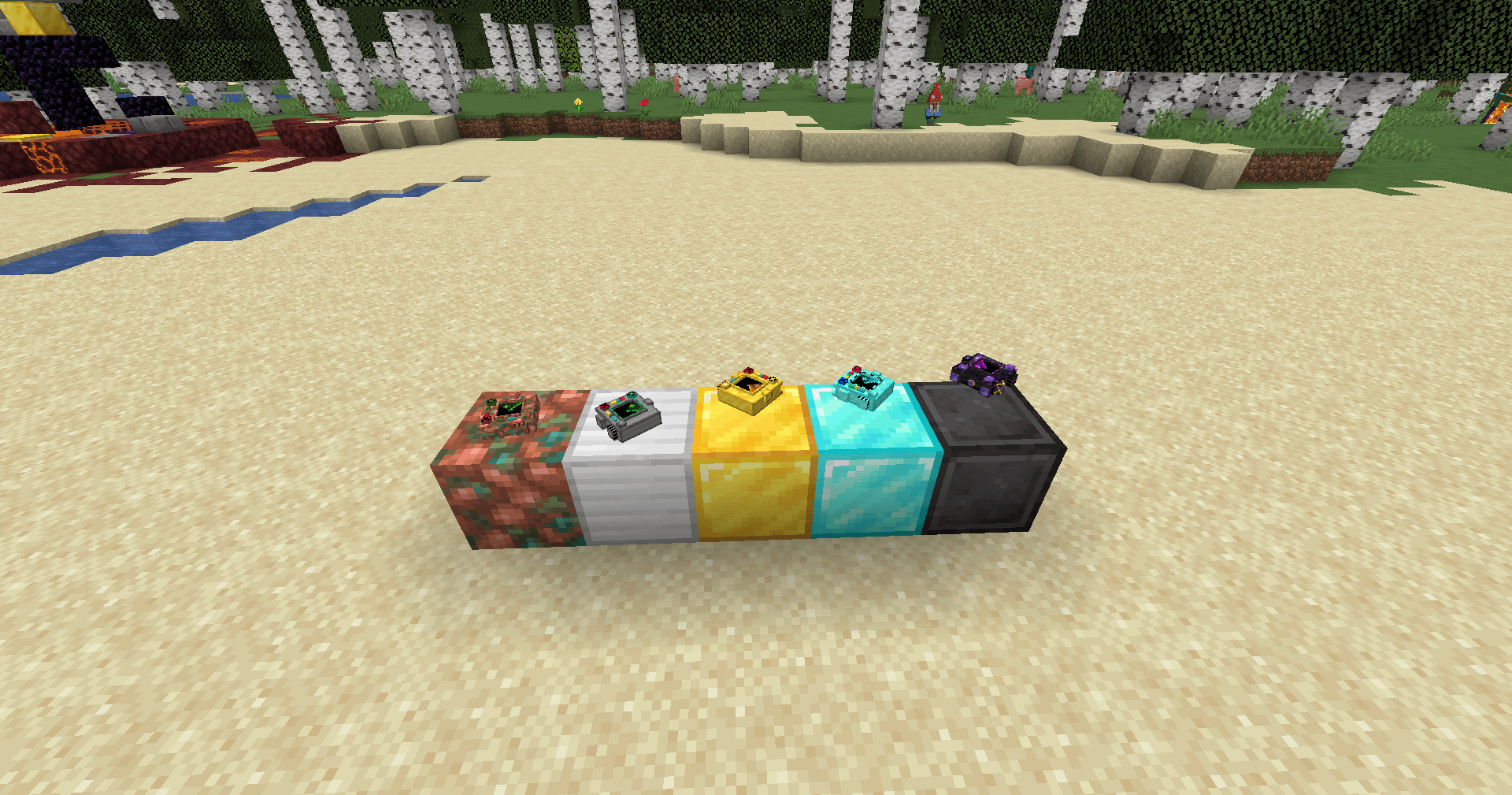
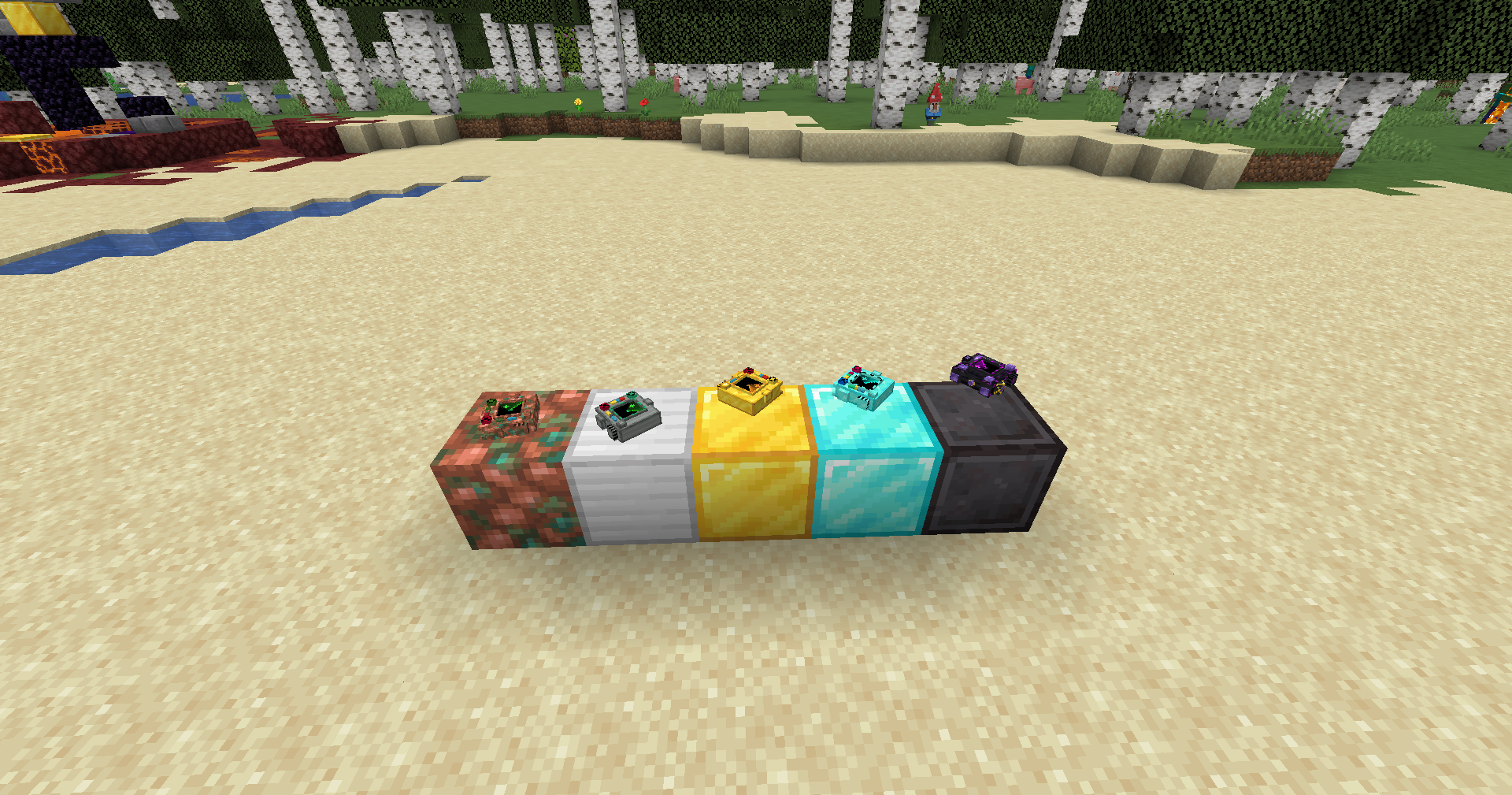 Locator Tiers Showcasing the progression of locator blocks from basic tiers to advanced levels.
 -
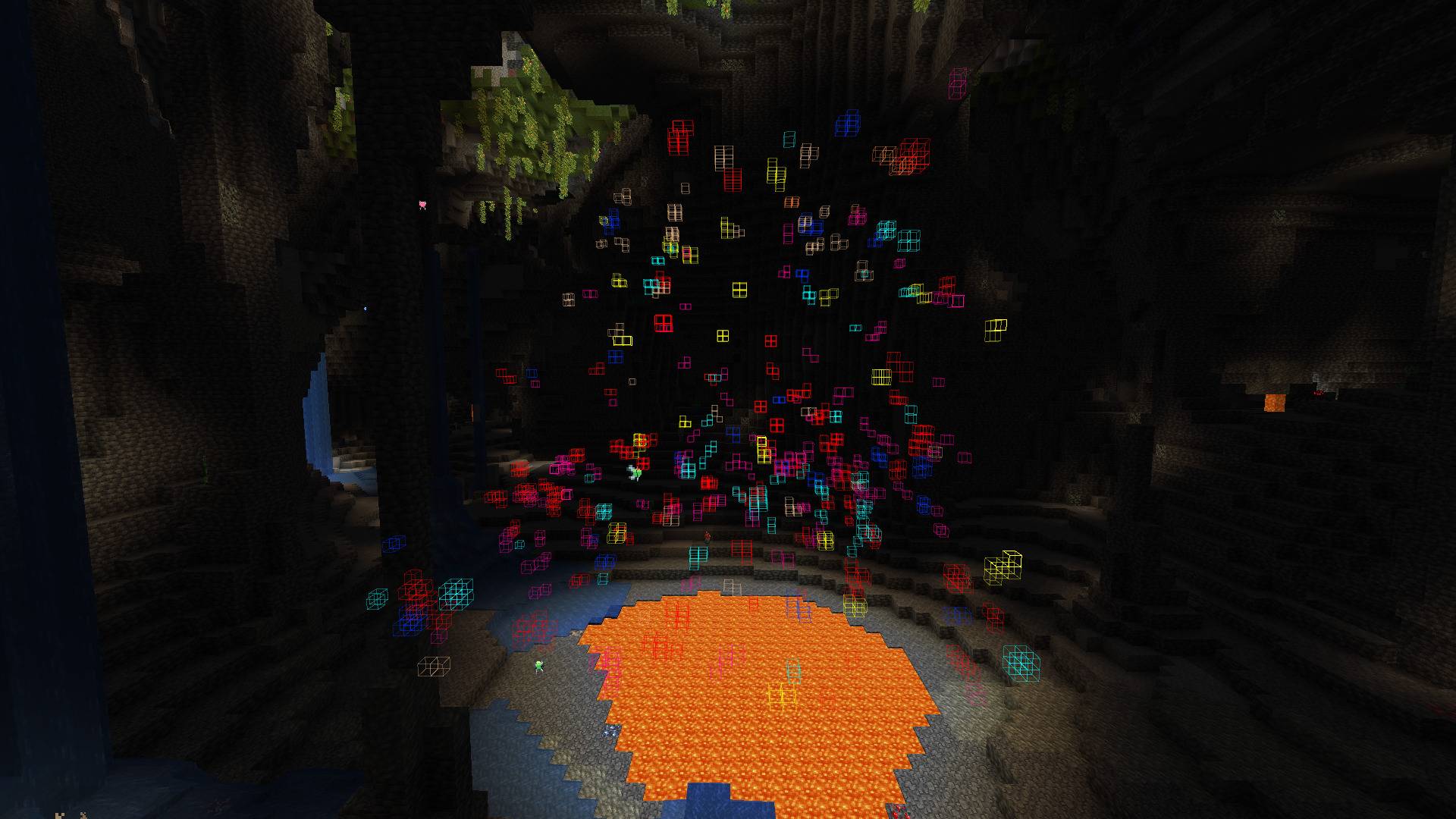
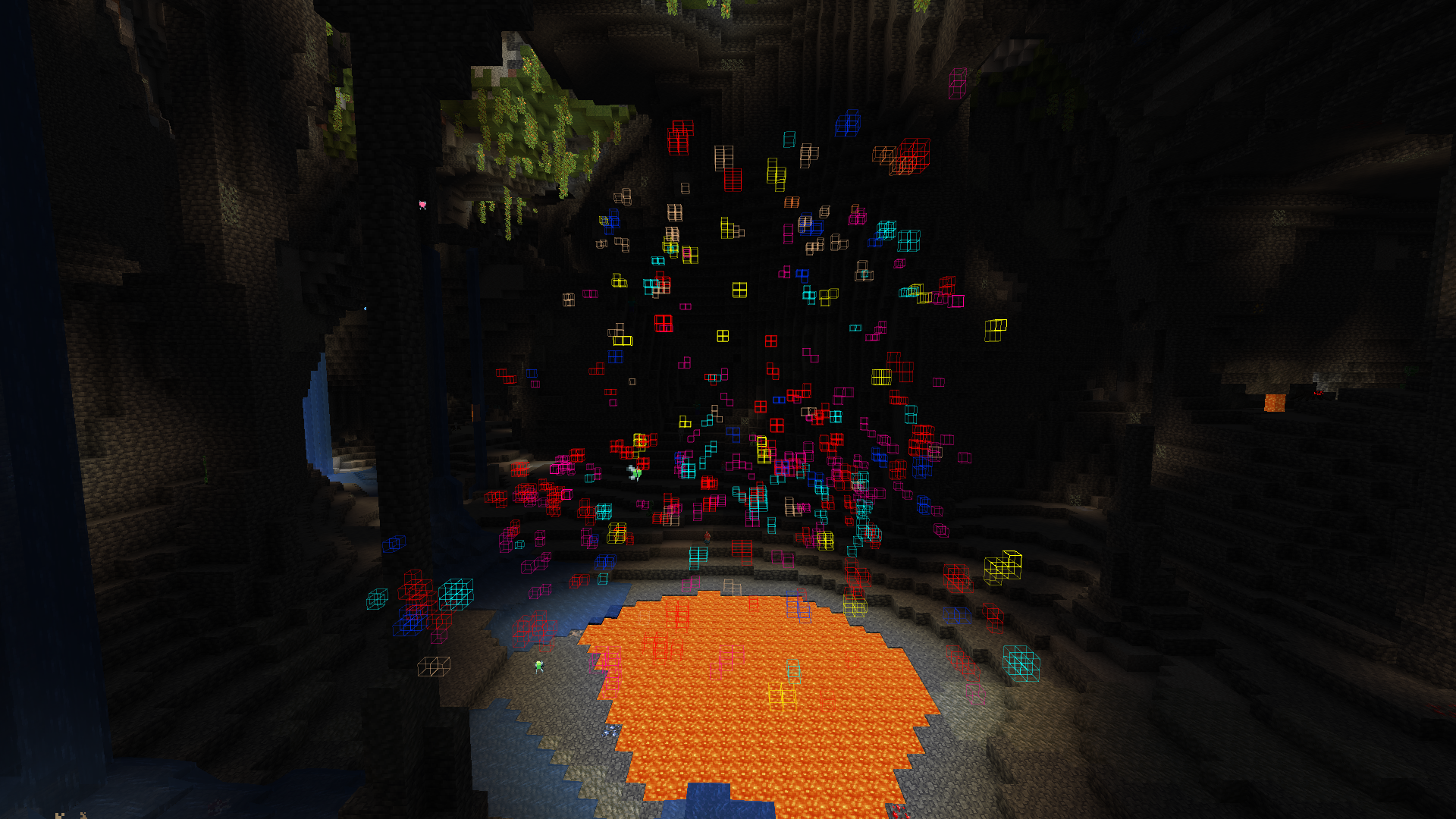 In-game Ore Highlighting How the locator highlights multiple ores and blocks around the player in real-time.
 -
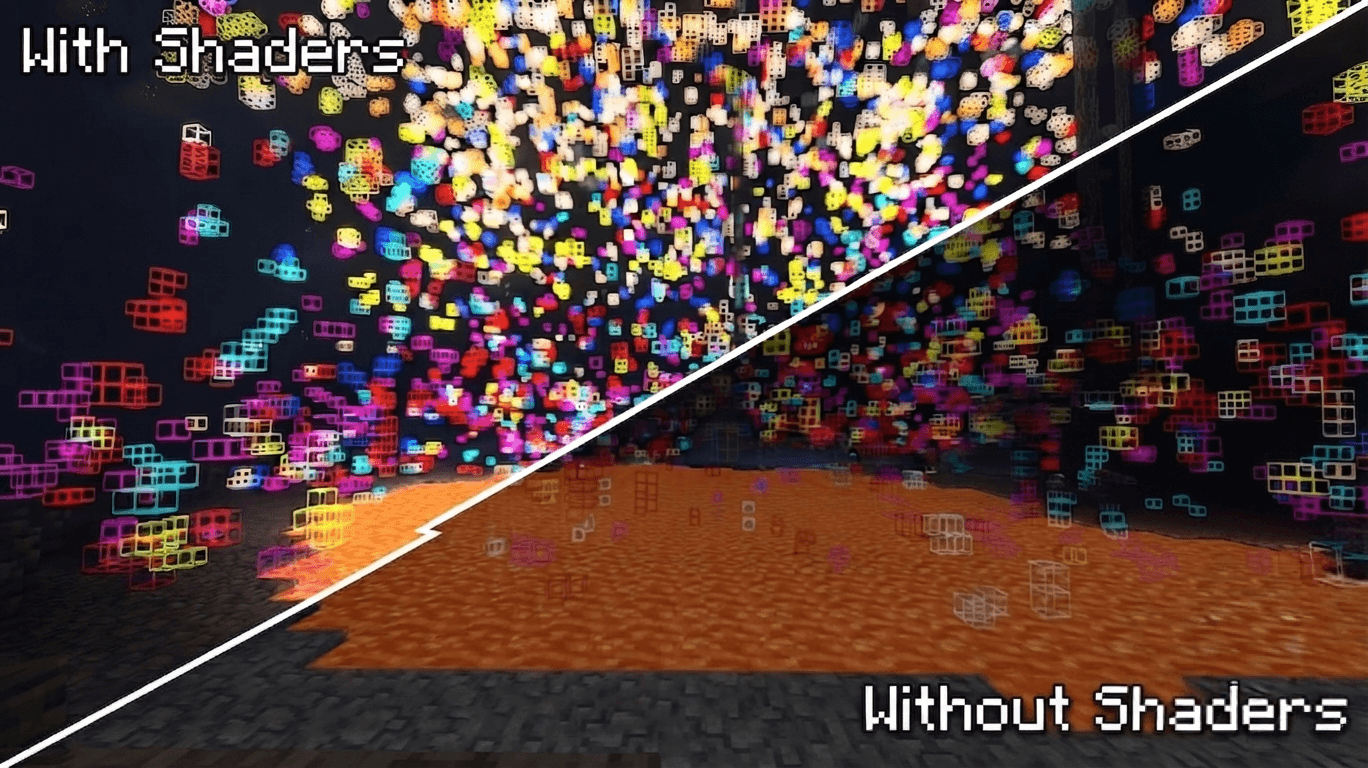
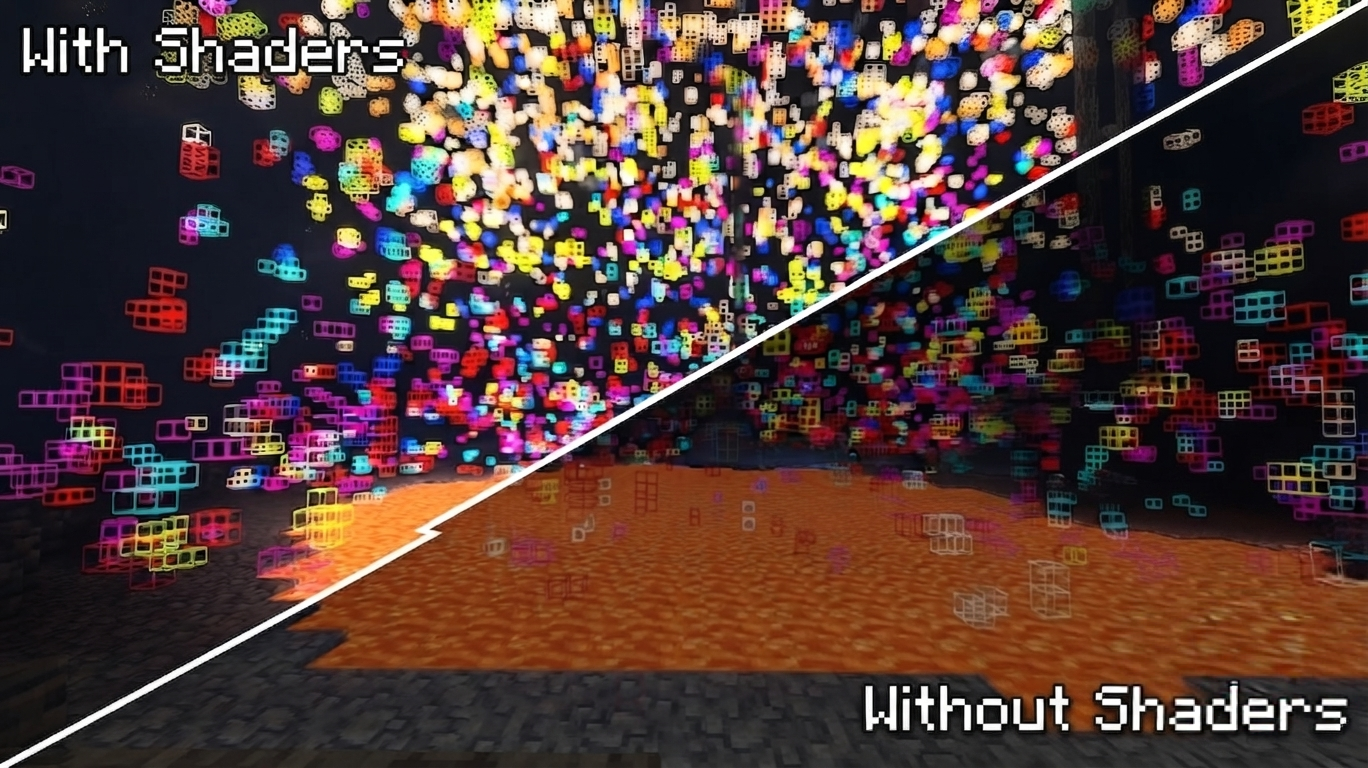 Shader Compatibility Support Full compatibility with shaders! The locator outlines and highlights stay perfectly visible, clear, and glitch-free whether you play with vanilla graphics or heavy shader packs.
 -
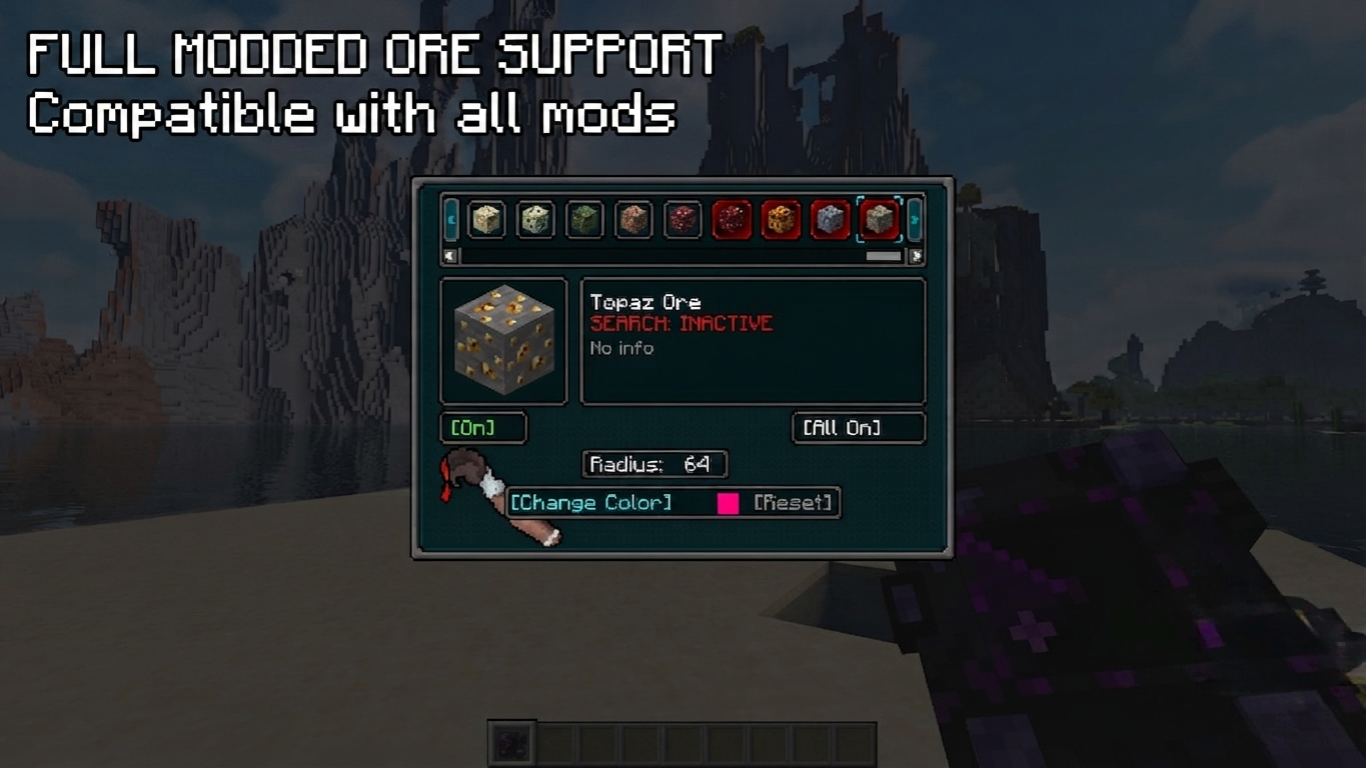 Universal Mod Support Full compatibility with custom ores from other modifications. The tracker automatically detects and registers modded blocks, allowing you to customize and search for them just like vanilla ores.
 -
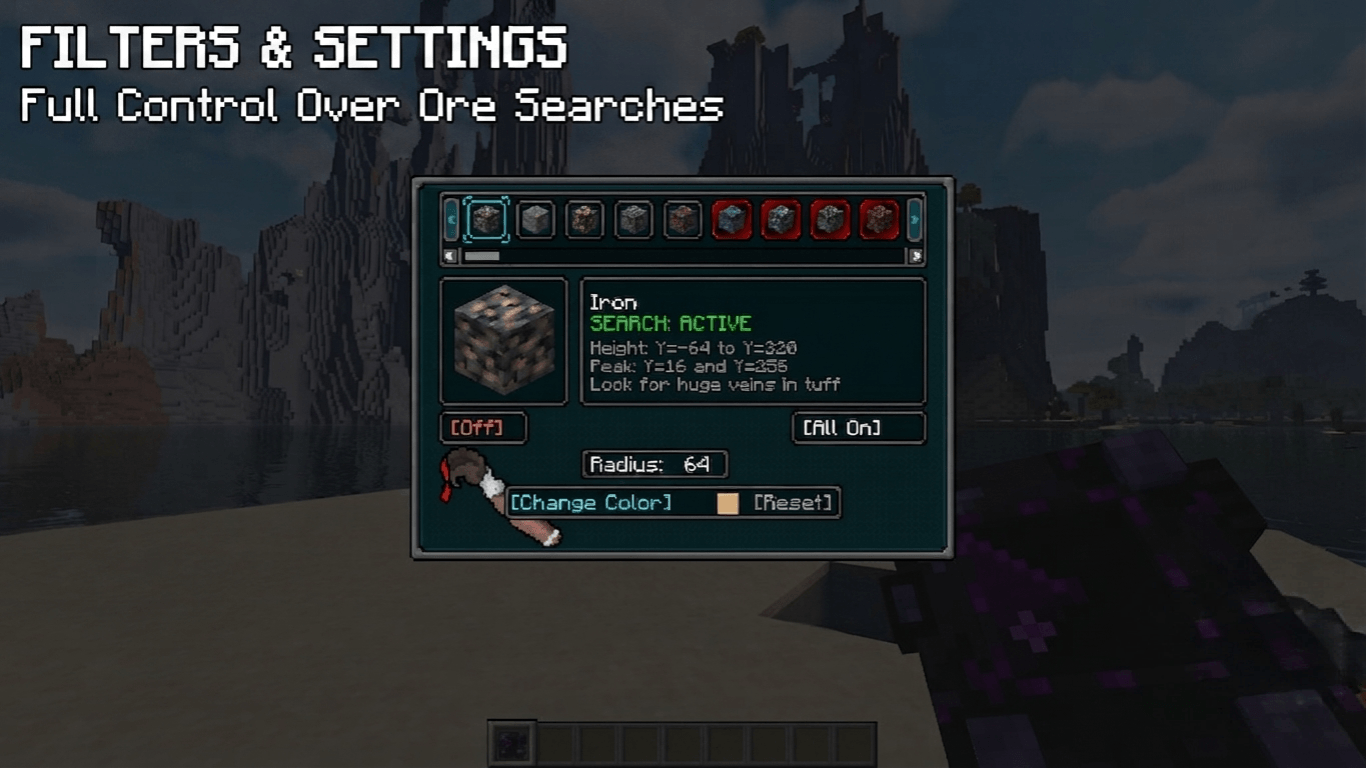
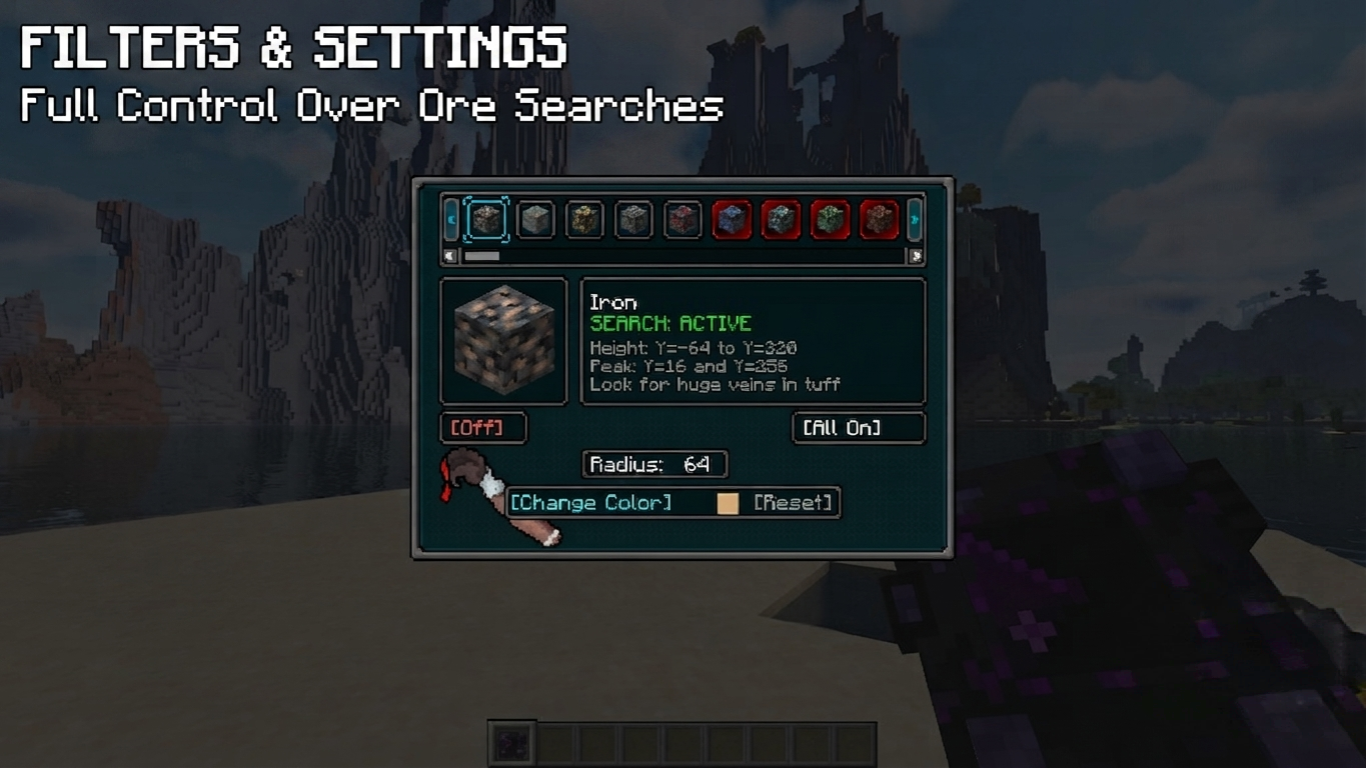 Filters & Search Settings An overview of the tracking dashboard. It displays detailed ore statistics, search status toggles, and height parameters to give you complete control over your mining tracking.
 -
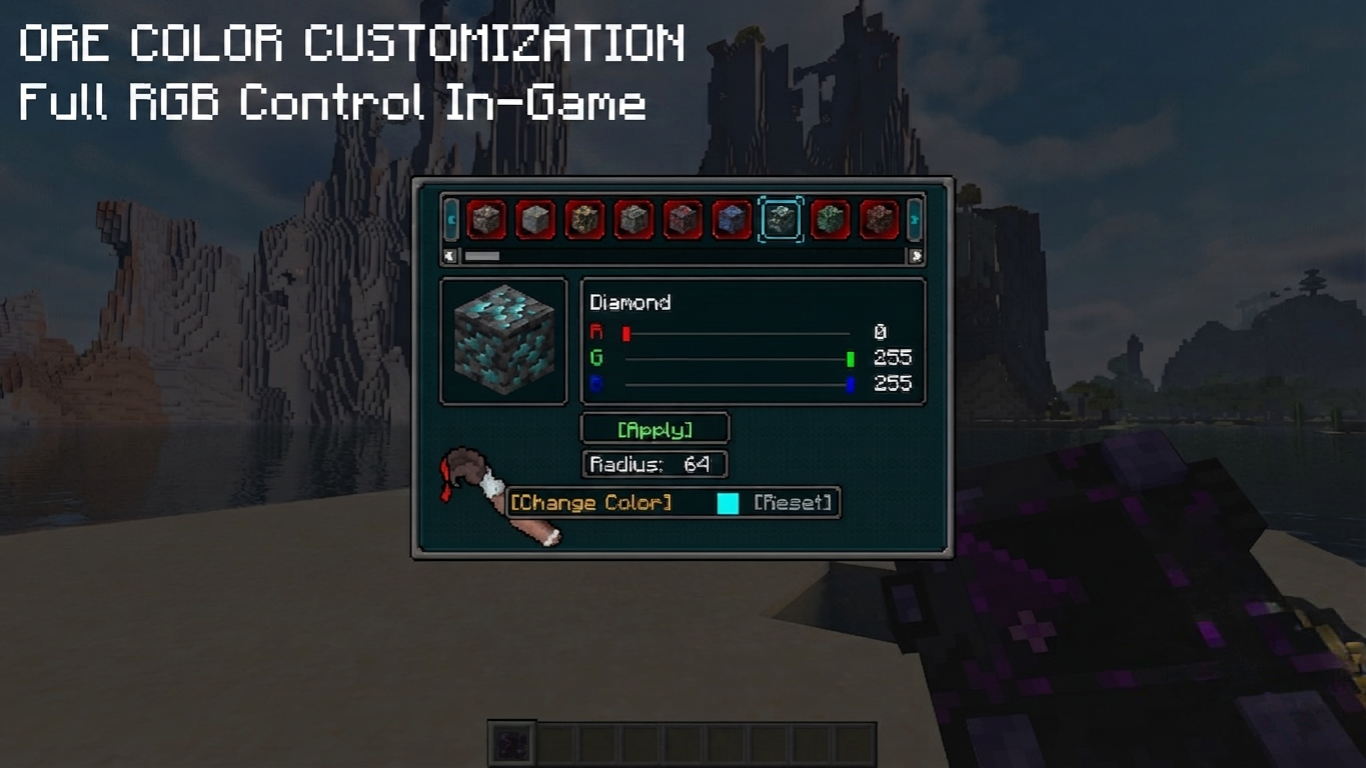 In-Game RGB Customization Menu A look at the built-in GUI settings menu. You can easily adjust individual RGB sliders for any ore or block, toggle visibility, and change scanning options seamlessly without leaving your world.
Versions
Files
Relations
Project Relations
More like this
Similar Mods
Suggestions use data such as tags, dependencies, dependents, descriptions, titles, and more to rank how much they overlap with this mod.
On ModDex
Community snapshot
By the numbers
Statistics
Want to reach Minecraft players?
We're looking for a server hosting partner to feature here and other parts of the site. Interested? Send us a message!
Get in touchGet it on
Available Platforms
On ModDex
Community snapshot
By the numbers
Statistics
Resources