
Community listing page, reviews here may not be monitored by the author.
Ruined Equipment


No reviews yet
Tools and Armors break into Ruined forms for repair or memorial purposes.

Community voices
Reviews
No reviews yet. Be the first to review this project!
Get it on
Available Platforms
Compatibility
Supported Environments
Must be installed on both the client and the server.
About
Project Details
For authors
Embed Badge
If you're the author of this project, you can embed a live badge anywhere that supports HTML or Markdown. It updates automatically whenever ratings change.
Use HTML for any page that supports it, or Markdown for README files and Markdown-based descriptions.
Identifiers
Platform IDs
About
Description

Grieving equipment owner? Tools and Armors break into Ruined forms for repair or memorial purposes.
With this mod installed, Tools and Armors break into Ruined forms (for players). The Ruined equipment can then be repaired in either a Crafting Grid or Anvil, upgraded by "Empowering" it with a Netherite Scrap or, if you're like me, kept as a keepsake. You may also use Name Tags to apply Lore to your Items in an Anvil - this allows you to commemarate them however you wish. May you never forget your fallen tools and armors & the adventures you had with them.
📖 About

- Ruined varieties of the following Items:
- All vanilla Tools/Swords
- All vanilla Armors (including Turtle Shell)
- Shields
- Misc: Shears, Flint & Steel, Bow, Crossbow, Trident, Fishing Rod
- All modded tools/armors: These will drop a "Ruined Item's Ashes" and do not have special "ruined" textures
- Tools & Armors will become "Ruined" when their durability reaches 0 (and you hear the break sound).
- Ruined equipment keep all their NBT data - this includes (but is not limited to) name, enchantments (although the enchantments no longer functionally do anything), dyes (if leather armor), and banner pattern (if shield).
- Ruined items with Mending are repairable when held in hands while collecting experience.
- You can apply Lore to your Ruined Items by combining them with a Name Tag in an Anvil!
- The Lore will carry over to your Item if you choose to repair it, enabling you to apply Lore to your Armors and Tools in Survival in a vanilla-friendly way!
- Lore can be applied to Ruined Items multiple times, adding more lines each time.
- You can remove all applied Lore by combining the Ruined Items with a Name Tag named "clear".
- You have 4 choices when you receive a Ruined item.
- Keep it as a keepsake, remember it always.
- Combine the Ruined item with either another Ruined item of the same type or the corresponding non-Ruined item in a Crafting Grid in order to repair the item, but lose all other features (name, enchantments, etc).
- Repair the Ruined item using an Anvil with either it's corresponding repair material or the corresponding non-Ruined item. This will apply all features (name, enchantments, etc) to the resulting Item.
- Make your Ruined item "Empowered"...

- By combining your Ruined Item with a Netherite Scrap in an Anvil (v2.2.0 or prior use Smithing Table), your Ruined Item will become "Empowered"
- When repairing the Empowered Ruined Item using an Anvil, all the existing Enchantments will become max value.
⛓ Dependencies
- Required:
- Optional:
📸 Media
<details open=""><summary>Photos!</summary>
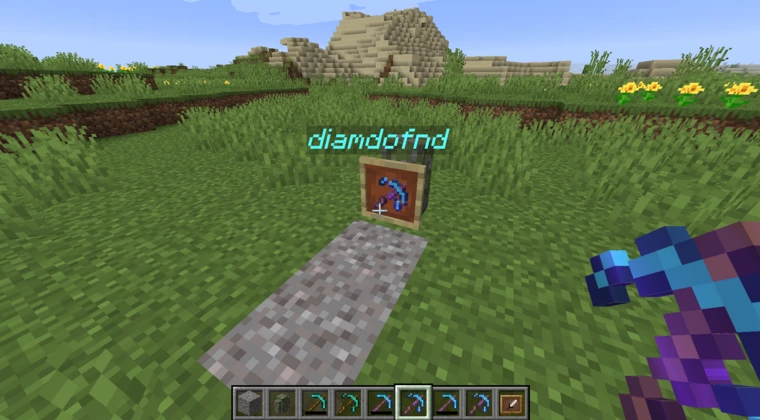
Place them in Gravesites
A plain Ruined Diamond Pickaxe
A Ruined Diamond Pickaxe with a custom name & enchantments
Repairing a Ruined Diamond Pickaxe in Anvil #1
Repairing a Ruined Diamond Pickaxe in Anvil #2
Repairing Ruined items using Crafting Grid
Shield with Banner pattern being repaired
Empowering a Ruined Wooden Pickaxe

Repairing an Empowered item in an Anvil
All Enchants become max level
Applying Lore to a Ruined Item with a Name Tag

Repair Ruined Item with Lore and Keep Lore on regular Item

All the Items
Repairing "Ruined Item's Ashes" #1

Repairing "Ruined Item's Ashes" #2

Empowering a "Ruined Item's Ashes"

⚙️ Config
The mod is highly configurable and offers in-game config editing with ModMenu. See the current config options here!
📃 Changelog
Changelogs are available at the GitHub Releases section
Grieving equipment owner? Tools and Armors break into Ruined forms for repair or memorial purposes.




With this mod installed, Tools and Armors break into Ruined forms (for players). The Ruined equipment can then be repaired in either a Crafting Grid or Anvil, upgraded by "Empowering" it with a Netherite Scrap or, if you're like me, kept as a keepsake. You may also use Name Tags to apply Lore to your Items in an Anvil - this allows you to commemarate them however you wish. May you never forget your fallen tools and armors & the adventures you had with them.
📖 About
- Ruined varieties of the following Items:
- All vanilla Tools/Swords
- All vanilla Armors (including Turtle Shell)
- Shields
- Misc: Shears, Flint & Steel, Bow, Crossbow, Trident, Fishing Rod
- All modded tools/armors: These will drop a "Ruined Item's Ashes" and do not have special "ruined" textures
- Tools & Armors will become "Ruined" when their durability reaches 0 (and you hear the break sound).
- Ruined equipment keep all their NBT data - this includes (but is not limited to) name, enchantments (although the enchantments no longer functionally do anything), dyes (if leather armor), and banner pattern (if shield).
- Ruined items with Mending are repairable when held in hands while collecting experience.
- You can apply Lore to your Ruined Items by combining them with a Name Tag in an Anvil!
- The Lore will carry over to your Item if you choose to repair it, enabling you to apply Lore to your Armors and Tools in Survival in a vanilla-friendly way!
- Lore can be applied to Ruined Items multiple times, adding more lines each time.
- You can remove all applied Lore by combining the Ruined Items with a Name Tag named "clear".
- You have 4 choices when you receive a Ruined item.
- Keep it as a keepsake, remember it always.
- Combine the Ruined item with either another Ruined item of the same type or the corresponding non-Ruined item in a Crafting Grid in order to repair the item, but lose all other features (name, enchantments, etc).
- Repair the Ruined item using an Anvil with either it's corresponding repair material or the corresponding non-Ruined item. This will apply all features (name, enchantments, etc) to the resulting Item.
- Make your Ruined item "Empowered"...
- By combining your Ruined Item with a Netherite Scrap in an Anvil (v2.2.0 or prior use Smithing Table), your Ruined Item will become "Empowered"
- When repairing the Empowered Ruined Item using an Anvil, all the existing Enchantments will become max value.
⛓ Dependencies
- Required:
- Optional:
📸 Media
Photos!
Place them in Gravesites

A plain Ruined Diamond Pickaxe

A Ruined Diamond Pickaxe with a custom name & enchantments

Repairing a Ruined Diamond Pickaxe in Anvil #1

Repairing a Ruined Diamond Pickaxe in Anvil #2

Repairing Ruined items using Crafting Grid

Shield with Banner pattern being repaired

Empowering a Ruined Wooden Pickaxe
Repairing an Empowered item in an Anvil

All Enchants become max level

Applying Lore to a Ruined Item with a Name Tag
Repair Ruined Item with Lore and Keep Lore on regular Item
All the Items


Repairing "Ruined Item's Ashes" #1
Repairing "Ruined Item's Ashes" #2
Empowering a "Ruined Item's Ashes"
⚙️ Config
The mod is highly configurable and offers in-game config editing with ModMenu. See the current config options here!
📃 Changelog
Changelogs are available at the GitHub Releases section
Screenshots
Gallery
-
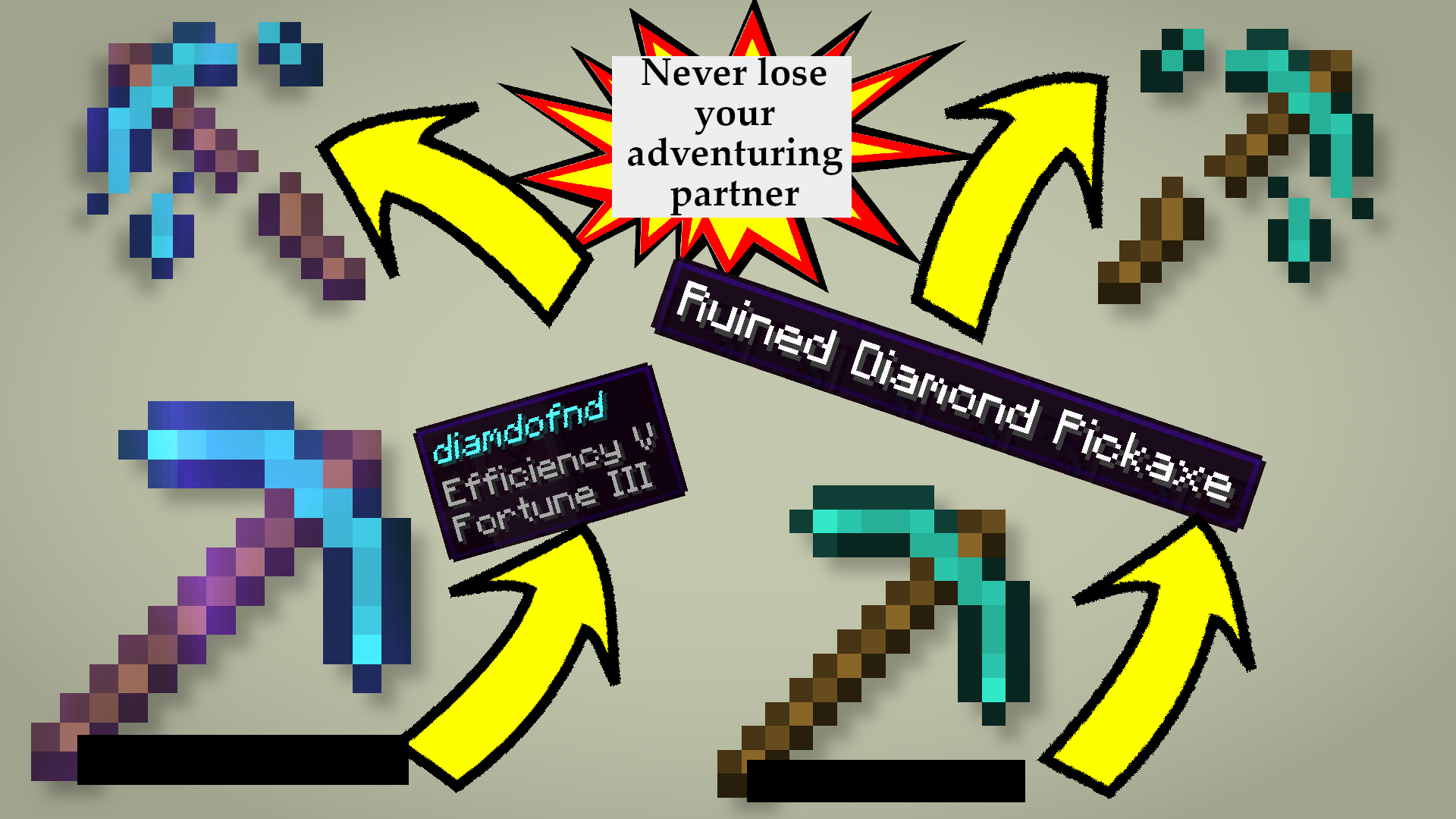 Never Lose Them Again
 -
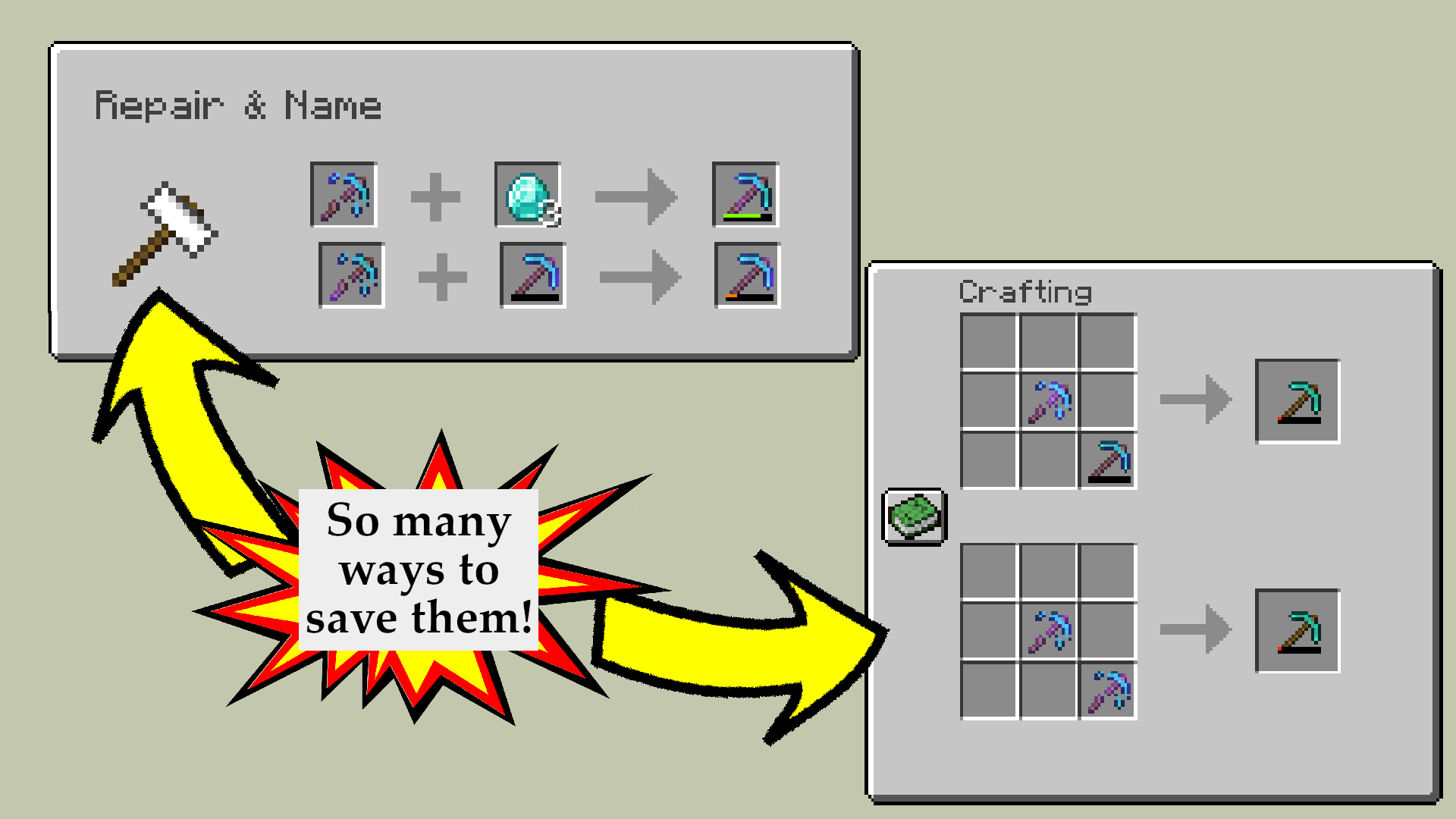 Options for Repairing
 -
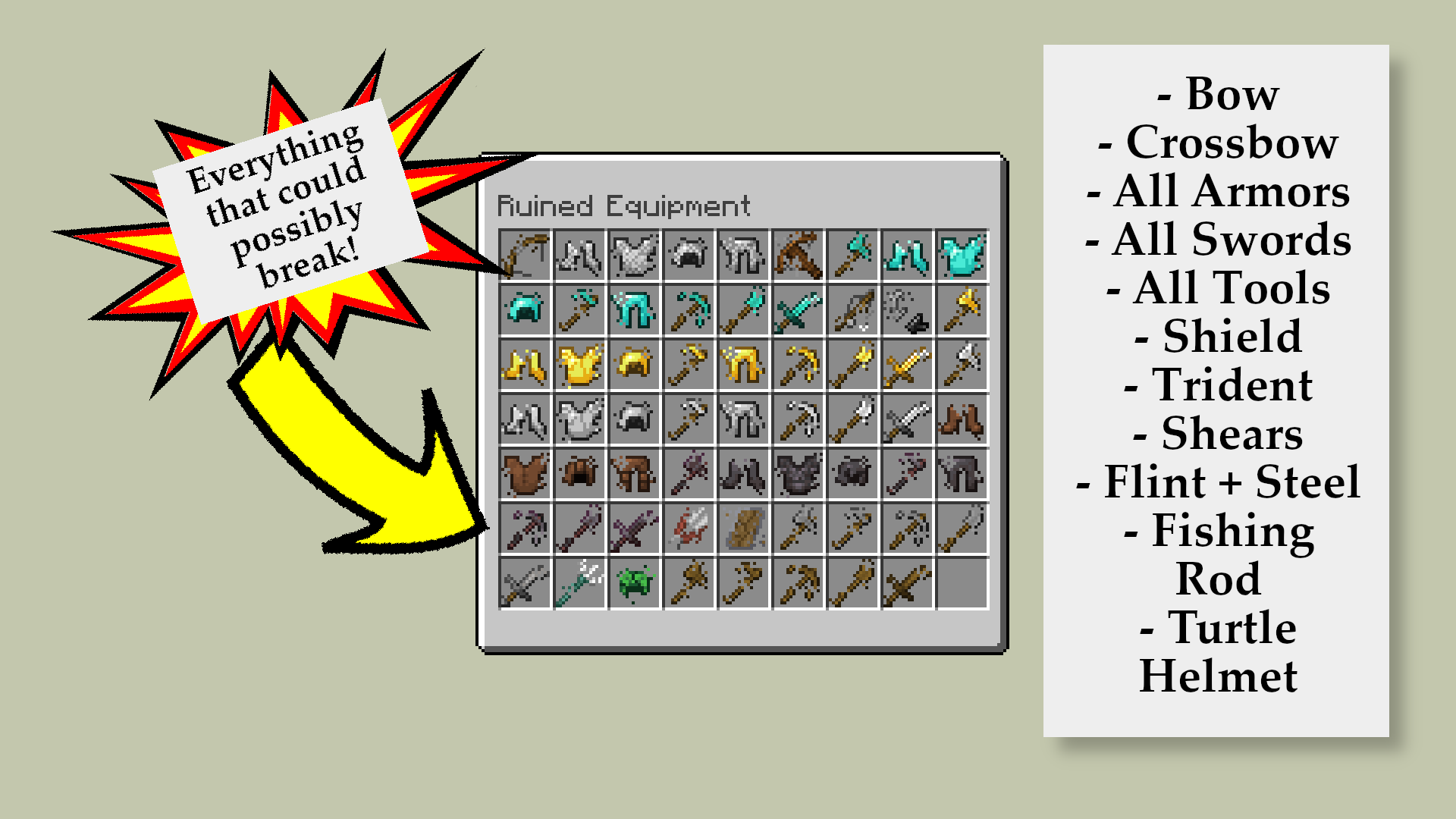 All the Items
 -
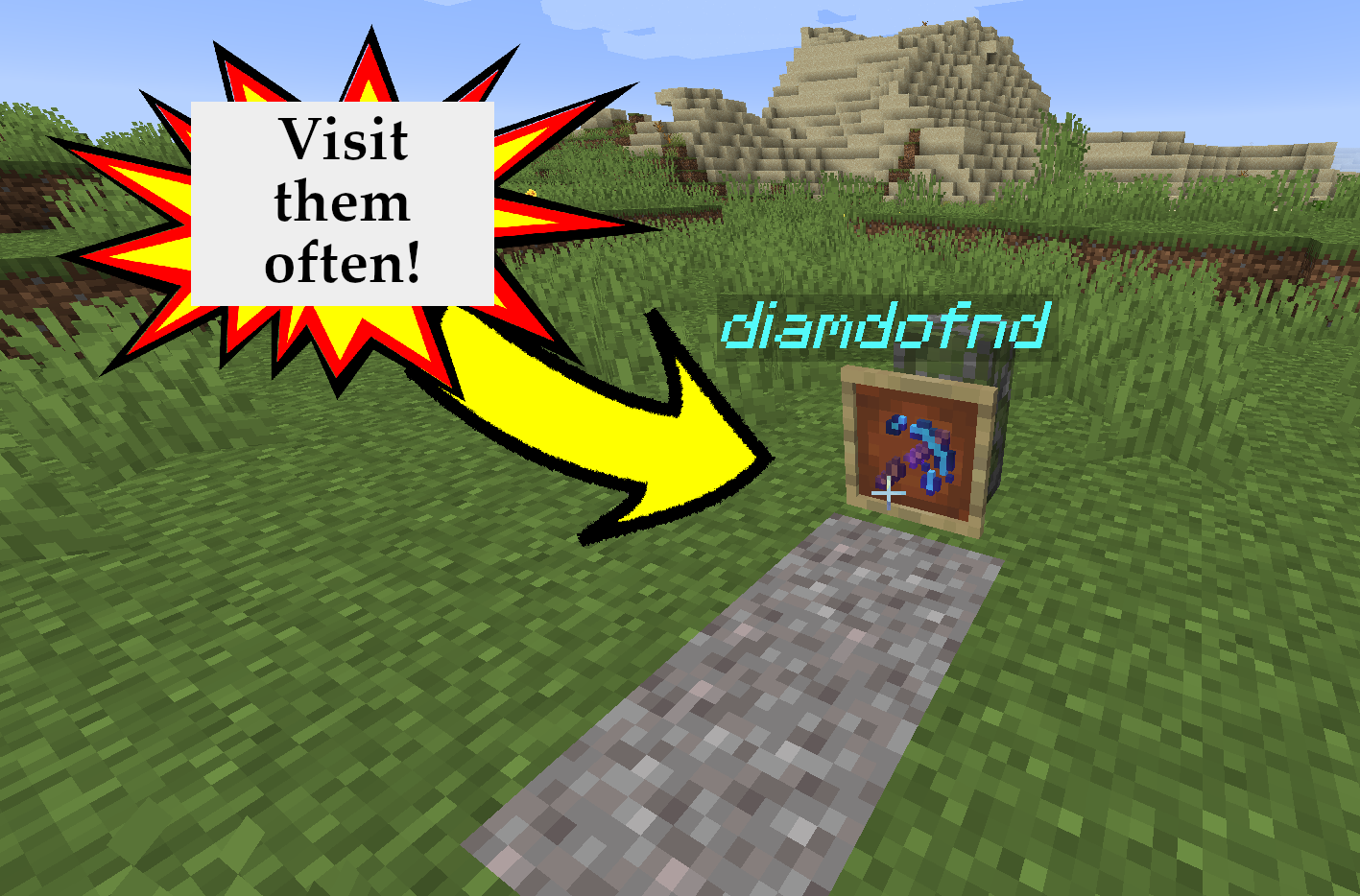 Gravesites (Press F)
 -
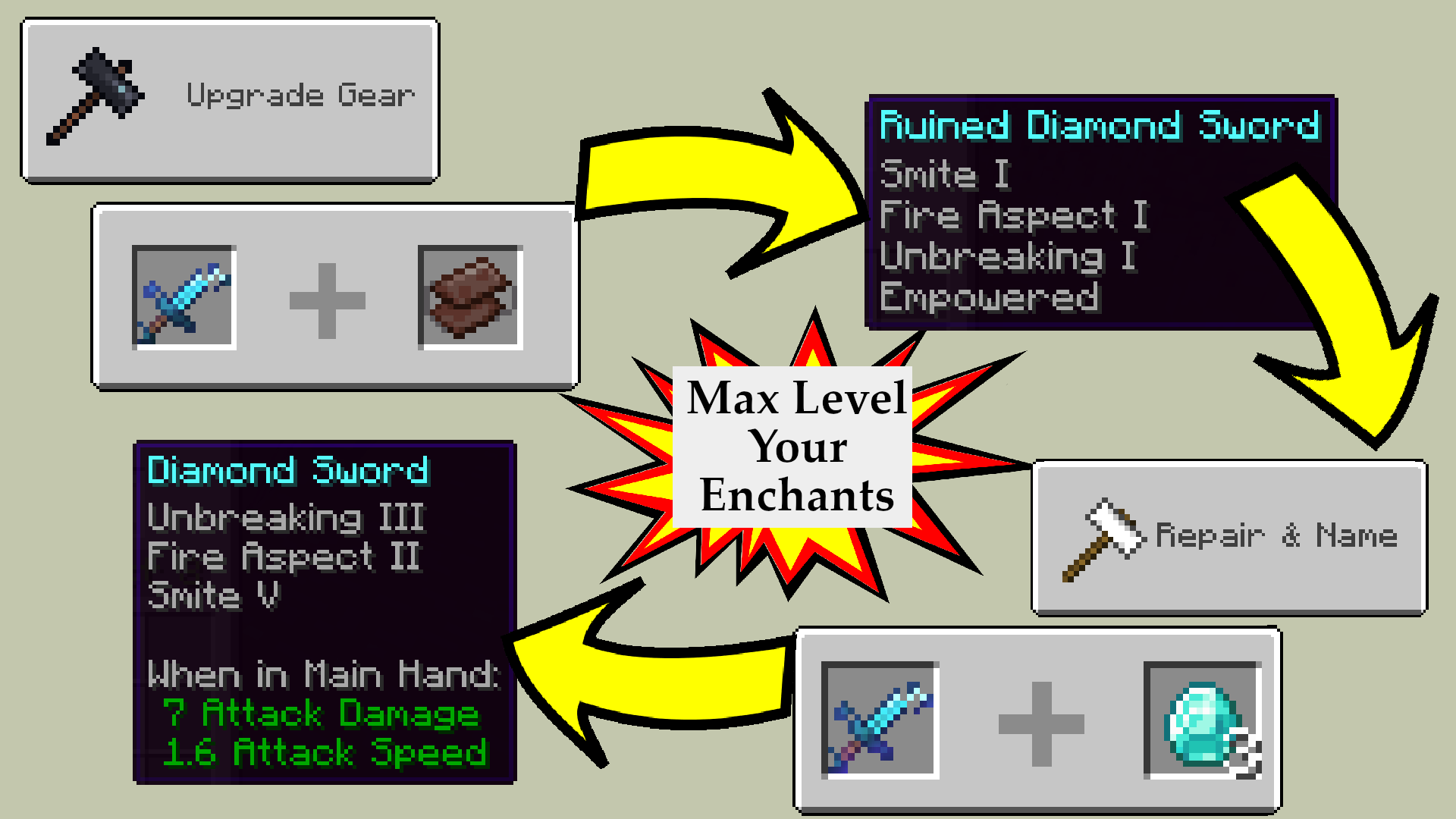 Empowering Feature
Versions
Files
Relations
Project Relations
More like this
Similar Mods
Suggestions use data such as tags, dependencies, dependents, descriptions, titles, and more to rank how much they overlap with this mod.
On ModDex
Community snapshot
By the numbers
Statistics
 (opens in a new tab)
Get it on
Available Platforms
On ModDex
Community snapshot
By the numbers