
Community listing page, reviews may not be monitored by the author.
Rules Plugin

No reviews yet
Paper, GUI, Rules, Admin Tools

Community voices
Reviews
No reviews yet. Be the first to review this project!
Get it on
Available Platforms
About
Project Details
For authors
Embed Badge
If you're the author of this project, you can embed a live badge anywhere that supports HTML or Markdown. It updates automatically whenever ratings change.
Use HTML for any page that supports it, or Markdown for README files and Markdown-based descriptions.
Identifiers
Platform IDs
About
Description

📜 RulesPlugin - Custom GUI Rules Acceptance
RulesPlugin is a lightweight Minecraft server plugin that shows your server rules in a clean GUI and requires players to accept them before playing.
It is designed for server owners who want a customizable rules menu, acceptance tracking, reloadable configuration, and safer GUI handling without building a custom system from scratch.
🚀 Latest Update
v1.3.3 - Emergency Hotfix fixes two community-reported regressions affecting rule acceptance and update notifications.
- Fixed the accept button becoming invalid after navigating away from page 1.
- Fixed false update notifications that reported v1.3.1 while v1.3.2 was installed.
- Replaced the legacy website version file with the official Modrinth API.
- Added proper numeric version comparison so older releases are never reported as updates.
- Removed the discontinued SpigotMC download link from update notifications.
✨ Features
- Fully customizable through
config.yml. - Unlimited rules with automatic GUI pagination.
- Custom rule titles, descriptions, punishments, and item icons.
- Custom accept button item and display name.
- Custom previous/next page buttons.
- Blocks player actions until the rules are accepted.
- Tracks accepted players in
data.yml. - Optional acceptance log in
acceptance-log.yml. - Recent logs and version-specific logs with pagination.
- Rule versioning: increase
rules-versionto force players to re-accept updated rules. - In-game reload command with YAML validation.
- Force-open the rules GUI for one player or everyone online.
- Permission support for admin commands.
- Tab completion for RulesPlugin commands.
- Update checker with official download links.
- Strong GUI item leak and duplication protection.
🧰 Commands
| Command | Description | Permission |
|---|---|---|
/rules |
Opens the rules GUI. If already accepted, opens it in view-only mode. | rulespl.rules |
/rules reload |
Reloads and validates the configuration. | rulespl.reload |
/rules logs |
Shows recent rule acceptances. | rulespl.seelogs |
/rules logs v<version> [page] |
Shows acceptances for a specific rules version with pagination. | rulespl.seelogs |
/rules show <player> |
Force-opens the first-join rules GUI for one player. | rulespl.show |
/rules show everyone |
Force-opens the first-join rules GUI for everyone online. | rulespl.show |
📁 Configuration Preview
rules-version: 1
gui-title: "Server Rules"

accept-button:
  name: "§aClick here to accept the rules"
  item: EMERALD_BLOCK

previous-page:
  name: "§a< Previous Page"
  item: ARROW

next-page:
  name: "§aNext Page >"
  item: ARROW

accepted-message: "§aYou've accepted the server rules!"
error-message: "§cYou must accept the rules before doing anything!"
rules-updated-message: "§cThe rules have been updated. Please review and accept them again."
update-check-failed-message: "§e[RulesPlugin] Could not reach the update API. Offline servers can ignore this; the plugin will keep working."

rules:
  - title: "§e1. Be respectful"
    description: "§7Treat all players with kindness."
    punishment: "§cPunishment: 1h mute"
    item: PAPER

  - title: "§e2. No hacking"
    description: "§7Mods and hacks are not allowed."
    punishment: "§cPunishment: Permanent ban"
    item: BARRIER
Use Bukkit material names for icons, such as STICKY_PISTON, DIAMOND_SWORD, PAPER, or EMERALD_BLOCK.
Full configuration guide: RulesPlugin Config
📥 Installation
- Download the correct
.jarfor your Minecraft server version from Modrinth. - Place it inside your server's
/pluginsfolder. - Start or restart the server.
- Edit
config.ymlif you want to customize rules, messages, or GUI items. - Run
/rules reloadafter changing the config.
Official download:
🧩 Compatibility
RulesPlugin currently provides separate builds for:
- Minecraft 1.21.x
- Minecraft 26.1.x
- Minecraft 26.2.x
- Minecraft 26.3.x
The plugin is built against the Spigot API and avoids unnecessary Paper-only calls where Spigot compatibility is expected.
RulesPlugin also declares passive compatibility with GeyserMC and Floodgate. If Geyser-Spigot or floodgate are installed, RulesPlugin loads after them and logs the detected compatibility state.
🛡️ Security Notes
RulesPlugin GUI items are internally tagged by the plugin. If a client desync, lag spike, creative interaction, drag action, or crafting-slot edge case moves a GUI item outside the menu, RulesPlugin detects the tag and removes the item automatically.
This protection runs during inventory events and through a periodic cleanup task for online players.
📜 License
RulesPlugin is distributed under the RulesPlugin Custom License Agreement (RPCLA).
Redistribution, re-uploading, selling, sublicensing, or distributing modified builds is not allowed unless explicitly authorized by Blix3r_.
License page: RulesPlugin License
🔗 Links
- Website: rulesplugin.netlify.app
- Modrinth: modrinth.com/plugin/rulesplugin
Screenshots
Gallery
-
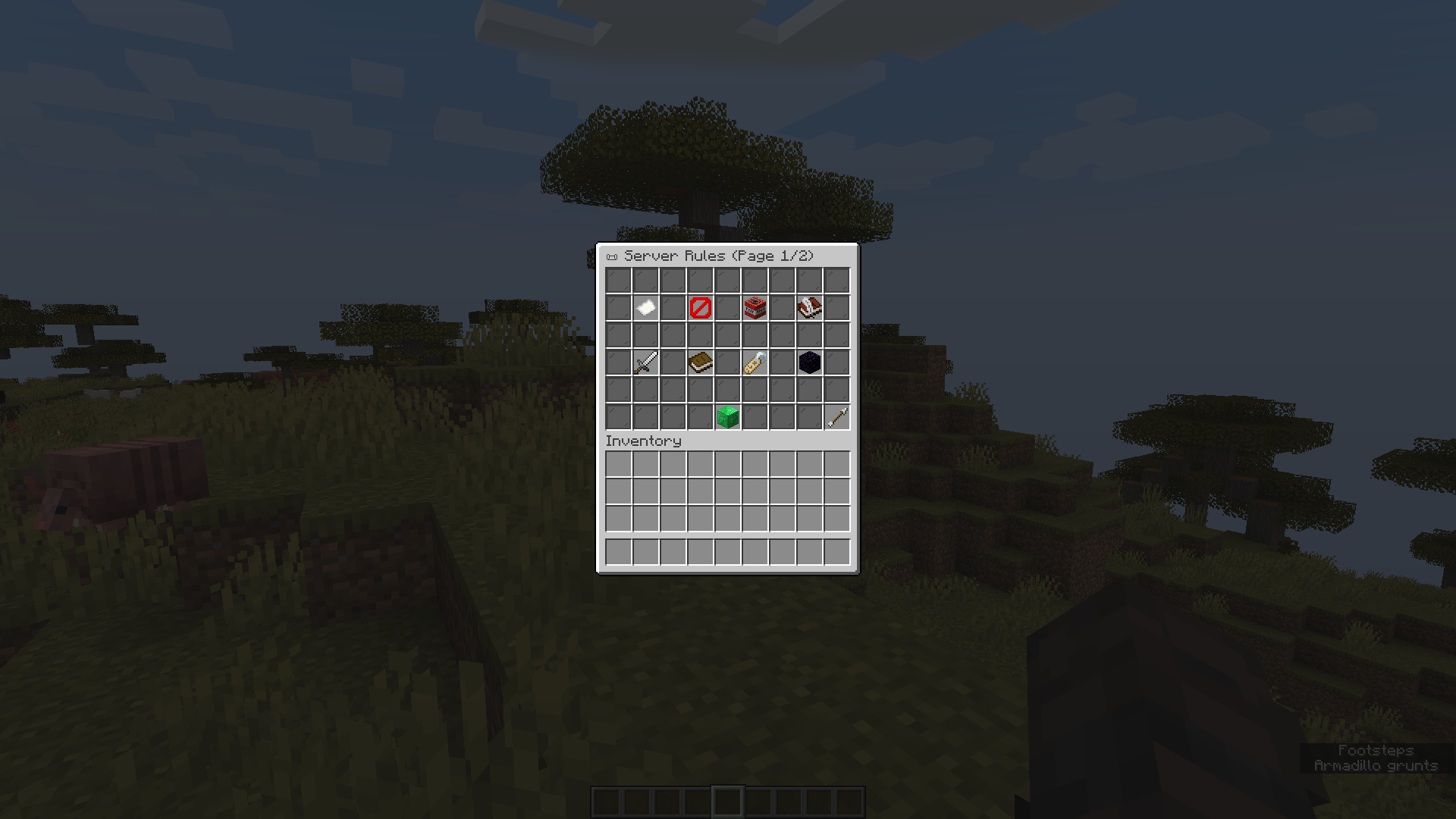 First-Join/Update Rules GUI The Rules GUI automatically shown on first join or when rules are updated, requiring players to accept the latest version before playing.
 -
 Rules GUI The main Rules GUI opened via "/rules", allowing players to review server rules at any time.
 -
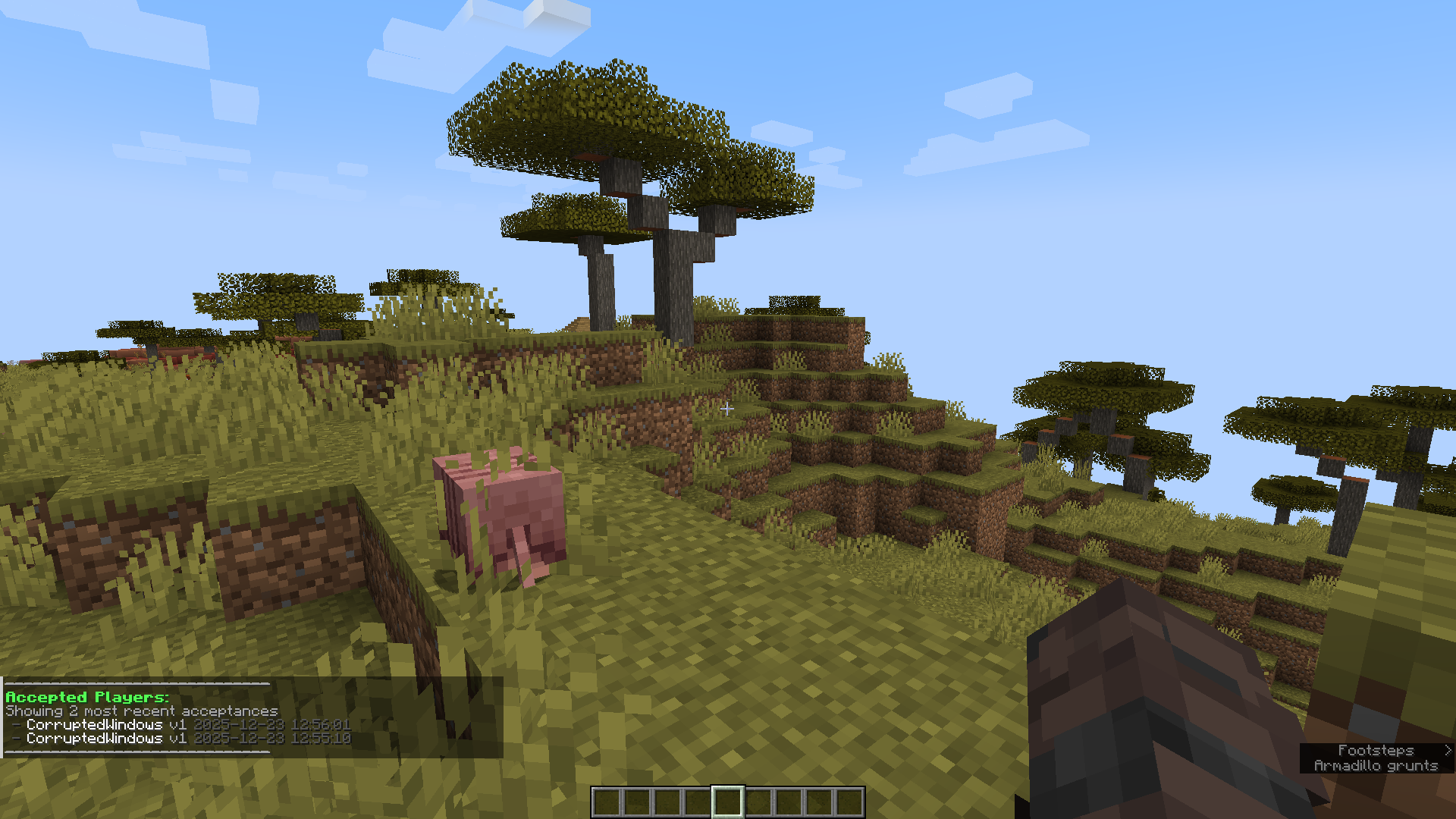 Rules GUI Output of "/rules logs", showing which players accepted the rules (OP / permission required).
 -
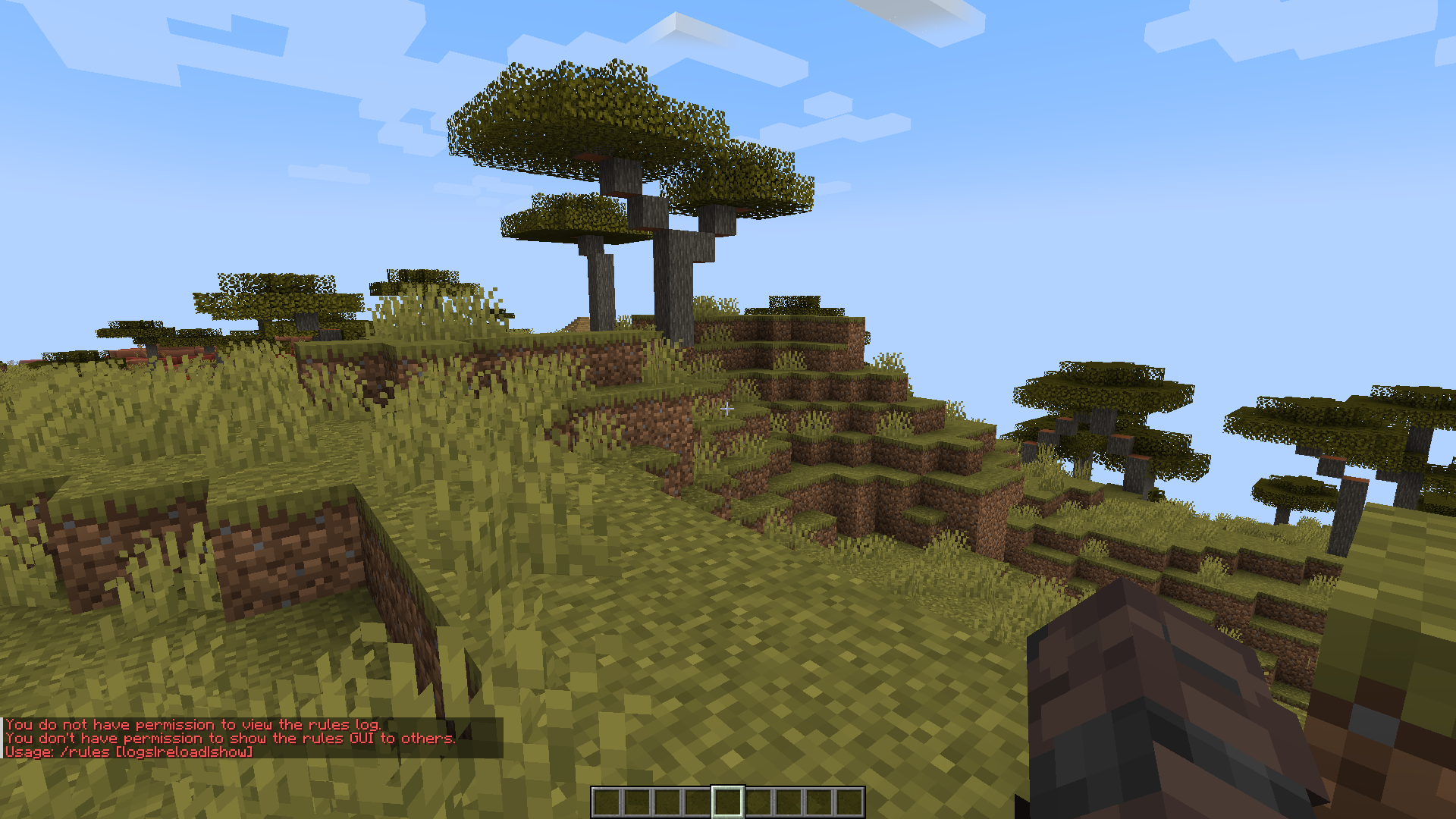 Rules Errors Example error messages shown when a player lacks permissions or uses a rules command incorrectly.
 -
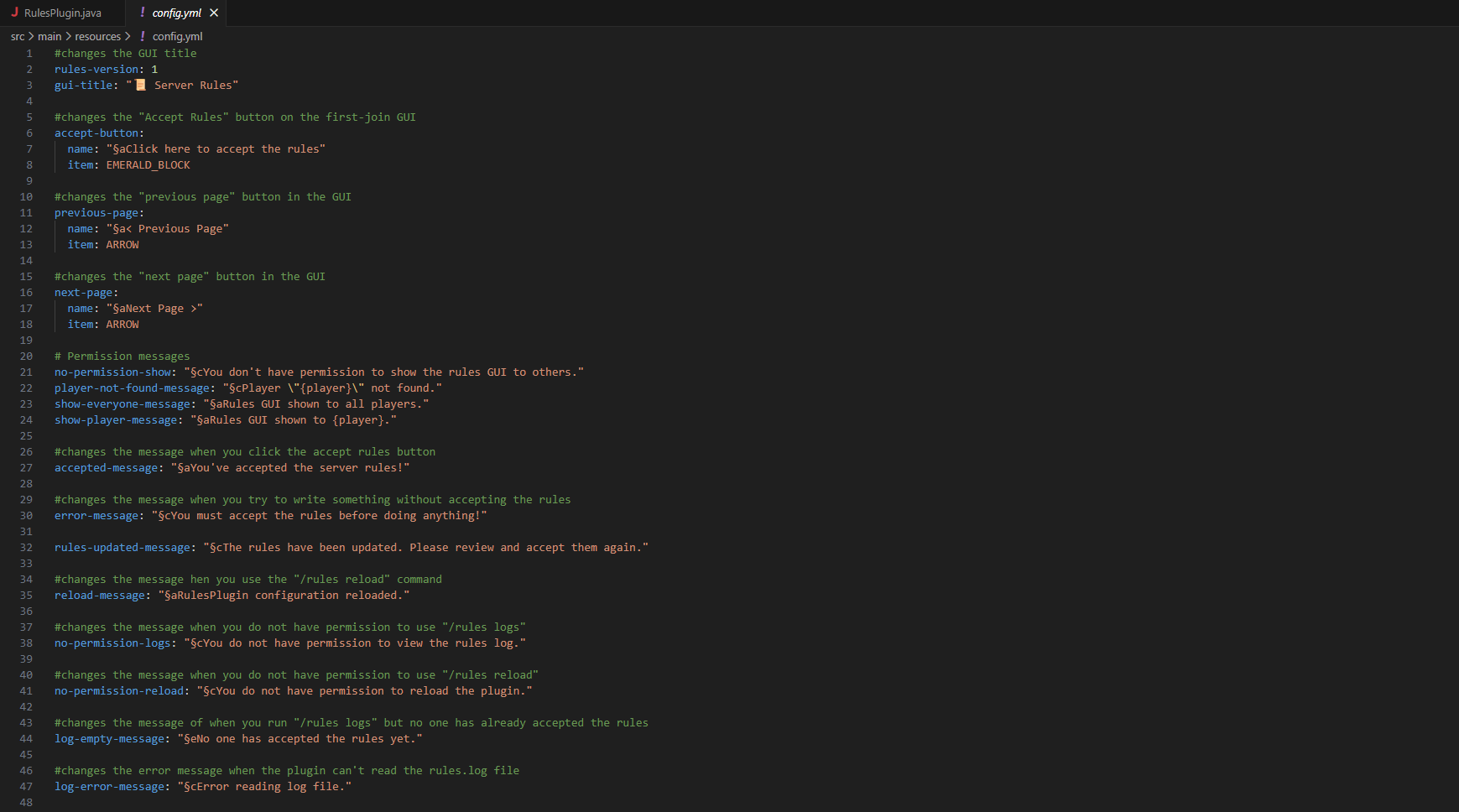 Rules Configuration Fully customizable config.yml allowing you to define rules, GUI layout, messages, buttons, pagination, and permissions.
Versions
Files
Relations
Project Relations
More like this
Similar Mods
Suggestions use data such as tags, dependencies, dependents, descriptions, titles, and more to rank how much they overlap with this mod.
On ModDex
Community snapshot
By the numbers
Statistics


Get it on
Available Platforms
On ModDex
Community snapshot
By the numbers