
Community listing page, reviews here may not be monitored by the author.
Safe Zone Claims

No reviews yet
Server-only land-claim mod for Minecraft with vanilla-client-compatible claims, trust menus, and admin tools.
Community voices
Reviews
No reviews yet. Be the first to review this project!
Get it on
Available Platforms
Compatibility
Supported Environments
Runs entirely on the server. Also works in singleplayer.
About
Project Details
For authors
Embed Badge
If you're the author of this project, you can embed a live badge anywhere that supports HTML or Markdown. It updates automatically whenever ratings change.
Use HTML for any page that supports it, or Markdown for README files and Markdown-based descriptions.
Identifiers
Platform IDs
About
Description
Safe Zone





%20%2F%2025%20(26.x)-e76f00)

Safe Zone is a server-only Fabric and Paper land-claim mod for Minecraft 1.21.11, 26.1, and 26.2. Players protect builds with a configurable vanilla claim wand (Golden Hoe by default), admins manage claims with /sz, and unmodded clients can still join and use the full workflow.
Highlights
- Server-side land claims for Fabric and Paper servers
- No client mod required
- First-join starter wand using a vanilla item
- In-world claim creation, resizing, trust management, and removal — with outline/preview visualization, no client mod needed
- Player self-service tools through
/claim - Admin moderation and management tools through
/sz - Paper only: optional claim-restricted editing with Axiom and FastAsyncWorldEdit / WorldEdit
Requirements
Each release ships one jar per Minecraft version — pick the file matching your server (the +26.1.2 jars cover all of 26.1.x):
| Your server | Jar | Java |
|---|---|---|
| Minecraft 26.2 | ...+26.2.jar |
25 |
| Minecraft 26.1 / 26.1.1 / 26.1.2 | ...+26.1.2.jar |
25 |
| Minecraft 1.21.11 | ...+1.21.11.jar |
21+ |
Fabric servers additionally need Fabric Loader and Fabric API.
Install
- Fabric: put the Safe Zone Fabric jar matching your Minecraft version in
mods/, along with Fabric API. Paper: put the Safe Zone Paper jar matching your Minecraft version inplugins/. - Start the server once to generate the Safe Zone data/config files (Fabric:
<world>/safe-zone/, Paper:plugins/SafeZone/). - Join normally. Players do not need anything installed on the client.
Player quick start
- Join the server and receive the configured claim wand once (default: Golden Hoe).
- Right-click one block with the wand to save corner 1.
- Right-click a second block with the wand to create the claim.
- Stand inside your claim and:
- Shift + left-click with the wand to open the build-access (trust) menu
- Shift + right-click with the wand to remove the claim after confirming
- Right-click one of your claim corners to start resizing
- Use
/claimfor claim lists, trust helpers, and claim info — and/claim showto keep your claim boundaries visible without holding the wand.
Commands
Player commands
/claim and /claims are aliases.
| Command | Purpose |
|---|---|
/claim |
Show help |
/claim help |
Show command help |
/claim status |
Show your claim count and limit |
/claim list [page] |
List claims you own |
/claim trusted [page] |
List claims where you are trusted |
/claim here |
Show the claim at your position |
/claim info [claimId] |
Show details for an accessible claim |
/claim trust [claimId] |
Open the trust menu for one of your claims |
/claim remove <claimId> |
Remove one of your claims after confirmation |
/claim show |
Toggle always-on display of your claim boundaries |
/claim remove must be run twice within the configured confirmation window (10 seconds by default).
Admin commands
/sz and /safezone are aliases and require operator or equivalent admin access.
| Command | Purpose |
|---|---|
/sz |
Show help |
/sz help |
Show command help |
/sz status |
Show Safe Zone status summary |
/sz list [page] |
List loaded claims |
/sz list owner <player> [page] |
List claims owned by one player |
/sz list trusted <player> [page] |
List claims that trust one player |
/sz info [claimId] |
Show claim details |
/sz here |
Show the claim at your position (Paper only; on Fabric use /sz info) |
/sz remove <claimId> |
Remove one claim |
/sz removeall <player> confirm |
Remove every claim owned by a player |
/sz transfer <claimId> <player> |
Transfer ownership |
/sz trust <claimId> <player> |
Grant build access |
/sz untrust <claimId> <player> |
Remove build access |
/sz tp <claimId> |
Teleport to a claim |
/sz notifications [purge [confirm]] |
Review or purge queued offline admin notices |
/sz inspect [claimId] |
Inspect claims in-world or by ID |
/sz reload |
Reload config and data |
/sz givewand [player] |
Give a claim wand |
/sz limits <player> [maxClaims|clear] |
Manage claim limit overrides |
Configuration and data
Safe Zone stores gameplay and ops settings together in one pretty-printed config.json, grouped into gameplay and ops sections on first load.
| Platform | Config | Runtime data | Audit log |
|---|---|---|---|
| Fabric | <world>/safe-zone/config.json |
<world>/safe-zone/ |
<world>/safe-zone/safe-zone_audit.log |
| Paper | plugins/SafeZone/config.json |
plugins/SafeZone/data/ |
plugins/SafeZone/logs/audit.log |
Gameplay defaults
claimWandItemId—minecraft:golden_hoestarterKitEnabled—truedropStarterKitWhenInventoryFull—truedefaultMaxClaims—3maxClaimWidth/maxClaimDepth—64/64claimGapEnforced—false(claimGapMinDistance—10blocks when enabled)claimExpiryDays—0(disabled); when set, expiry is login-driven: logging in before expiry refreshes your claims, logging in after it removes expired onesnotificationsEnabled—true; offline admin notices are queued and delivered on join (notificationRetentionDays—30)windChargeKnockbackInClaims—true; setfalseto suppress wind-charge knockback for players standing inside claims (the wilderness is never affected)wandRemoveConfirmSeconds—5commandRemoveConfirmSeconds—10wandSelectionRangeBlocks—30;0uses the maximum supported range
Ops defaults
auditLogEnabled—falsemirrorAuditToServerLog—falsecreateDataBackups—falserecoverFromBackupOnLoadFailure—false
Rules and files
- Claims are Overworld-only and full-height columns
- All JSON state saves atomically; config JSON stays pretty-printed, runtime state is compact
/sz reloadreloadsconfig.jsonand data
Protection coverage
Safe Zone currently protects:
- Block breaking and block placement attempts
- Bucket placement and use targets
- Fluid spread into protected claims from outside or a different claim
- General block use inside claims
- Minecart interaction in claims
- Fire spread into claims
- Explosion block damage and explosion-created fire in claims
- Paintings, item frames, minecarts, boats, and armor stands from explosion damage or movement
- Trusted, owner, and admin-bypass players from explosion damage and knockback inside claims — wind charges are exempt so movement works everywhere (configurable via
windChargeKnockbackInClaims) - Claim-wand interactions without hoe tilling or durability use
- Paper only: Axiom editing restricted to owned/trusted claims (requires AxiomPaperPlugin and
safezone.axiom) - Paper only: FAWE / WorldEdit edit sessions restricted to owned/trusted claims
Not implemented yet:
- Piston movement protection
- Enderman grief prevention
- General non-explosion entity-damage protection
Screenshots
Gallery
-
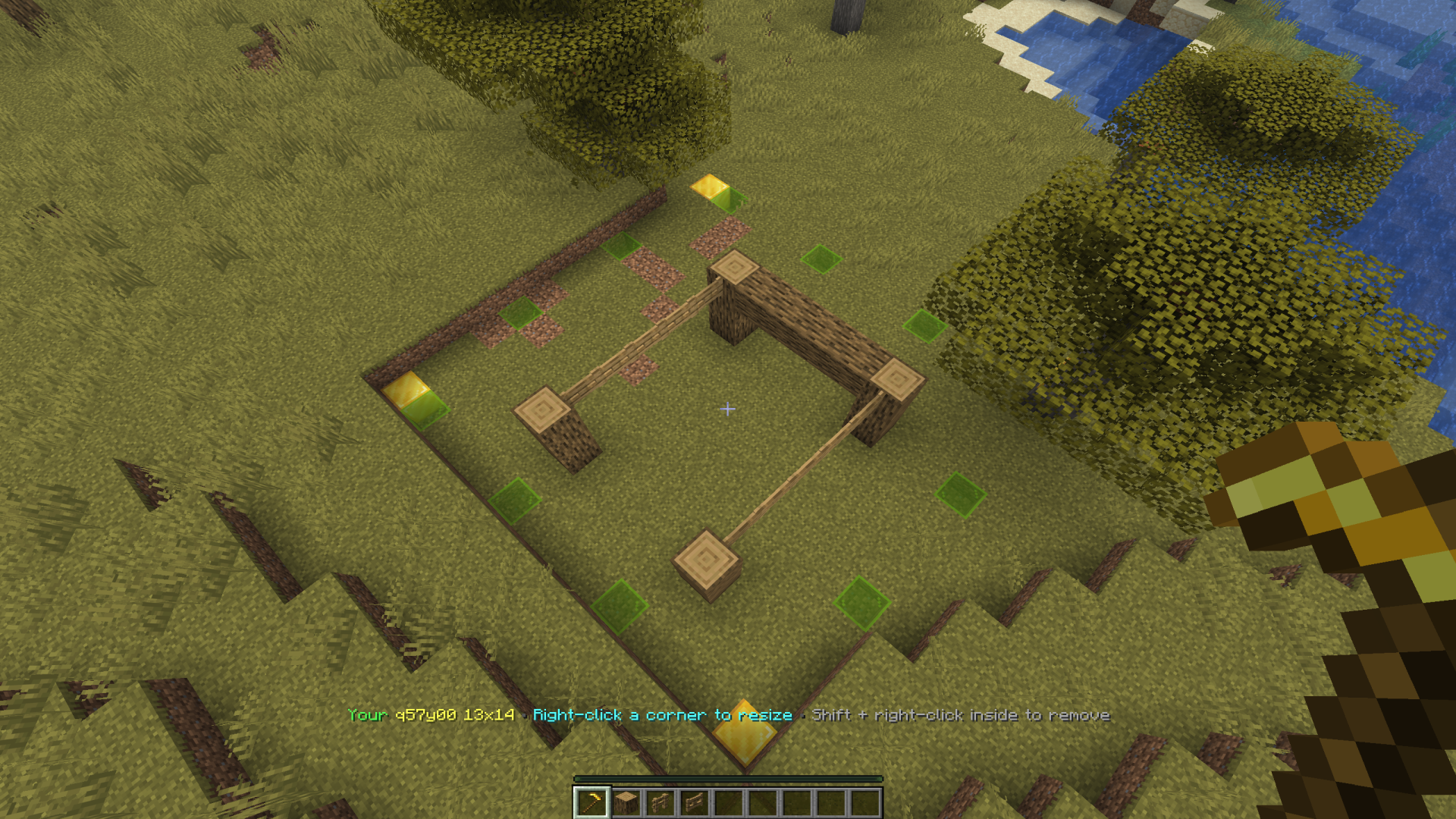 Area Boundary
 -
 Explosion Protection Protection from TNT, creepers, fire ticks, water flows, etc. Protects builds, armor stands, chests, paintings, minecarts, etc.
 -
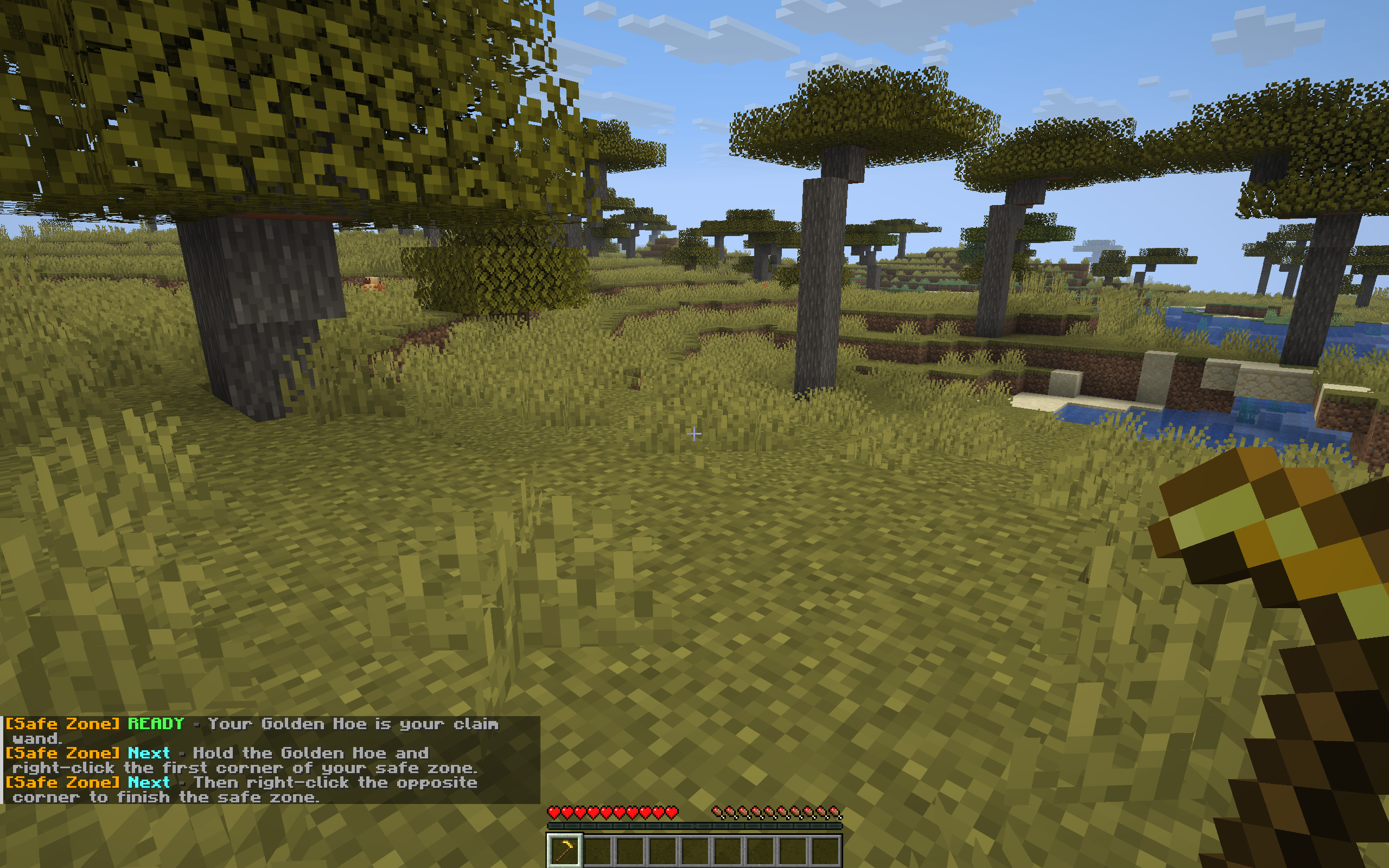 Initial Spawn When spawning in for the first time, a wand is given to the player with instructions on how to make claims.
 -
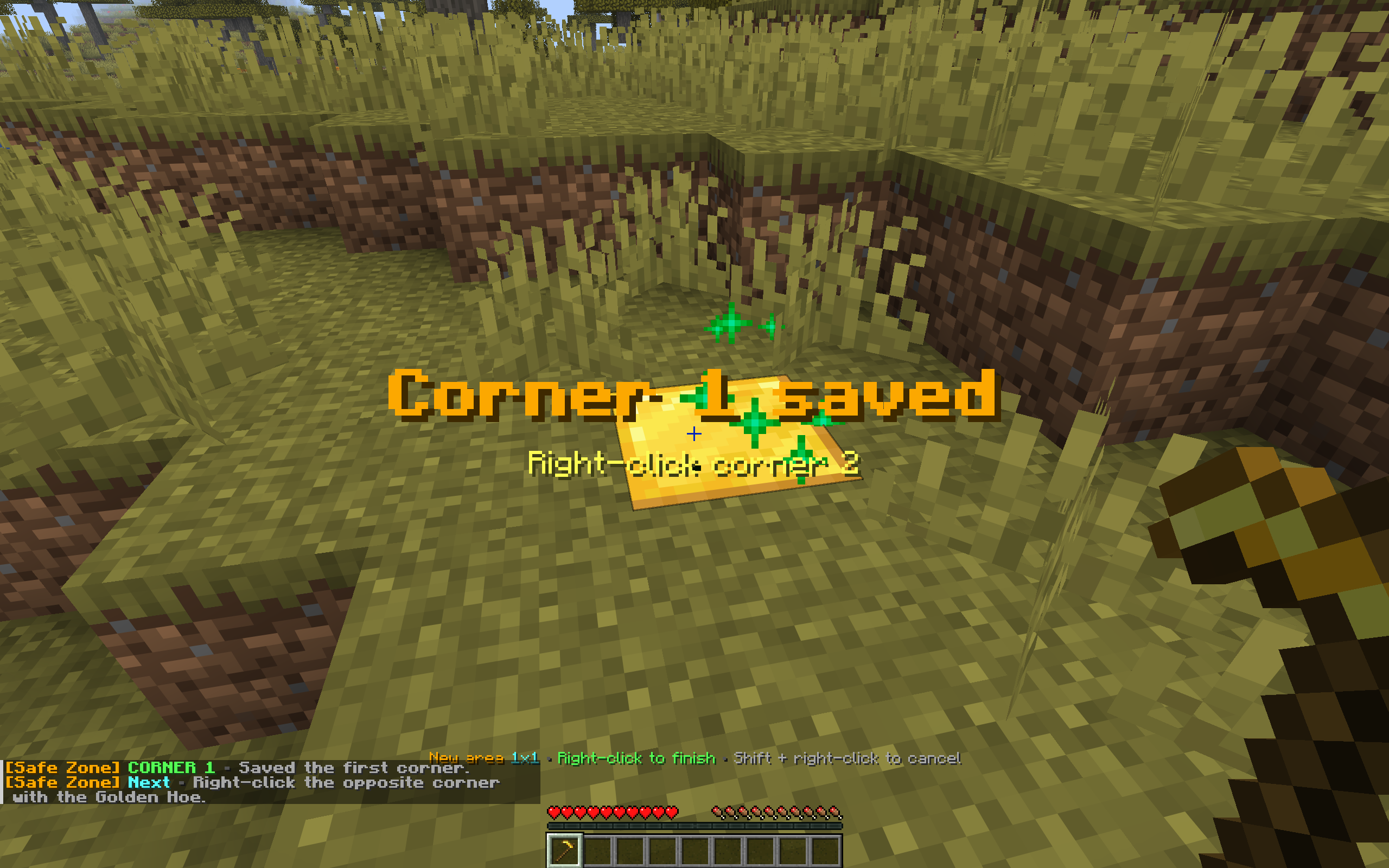 Claiming An Area Right click to start a claim.
 -
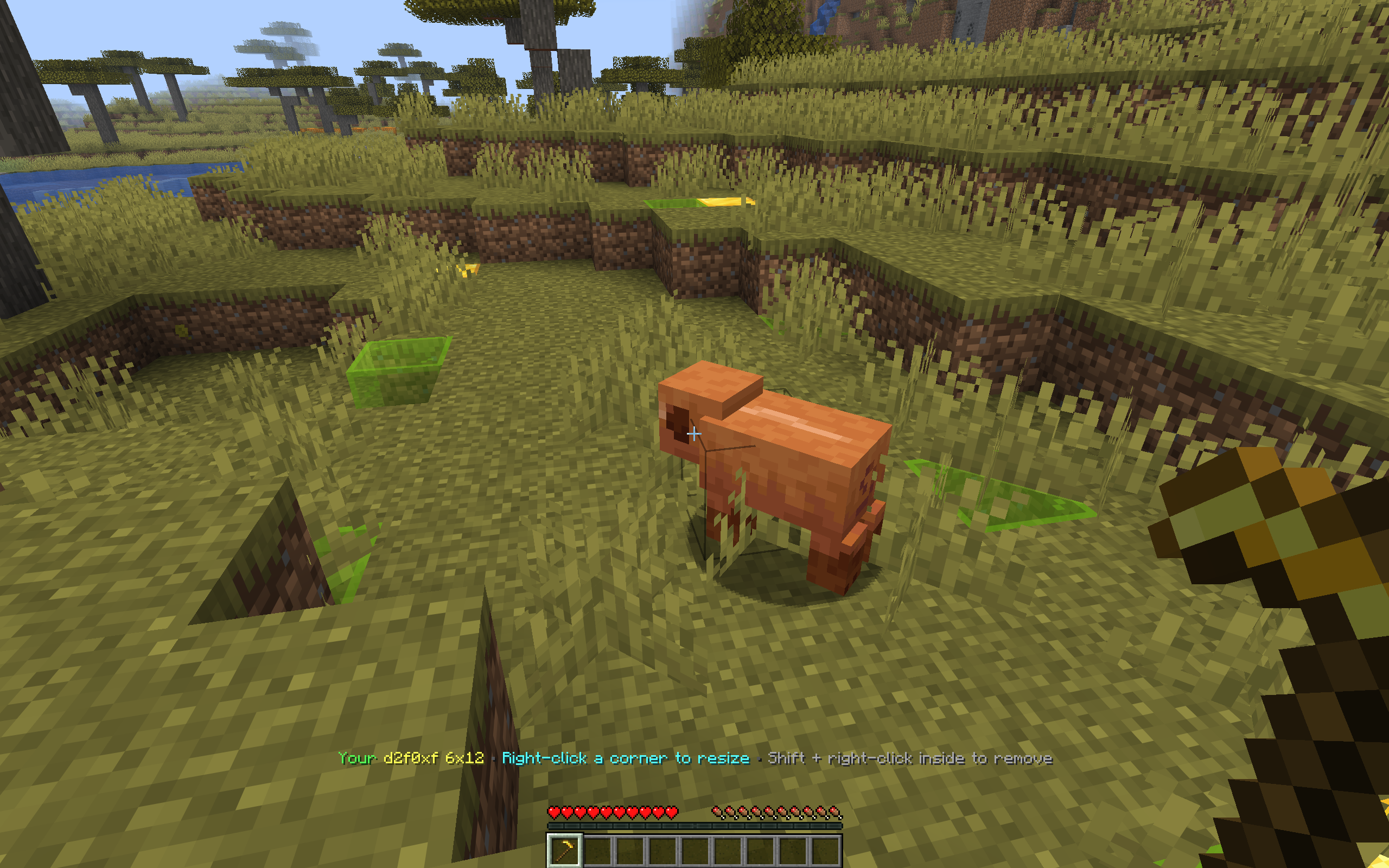 Area Boundaries - Owned The claim area boundaries will be green for an area you own.
 -
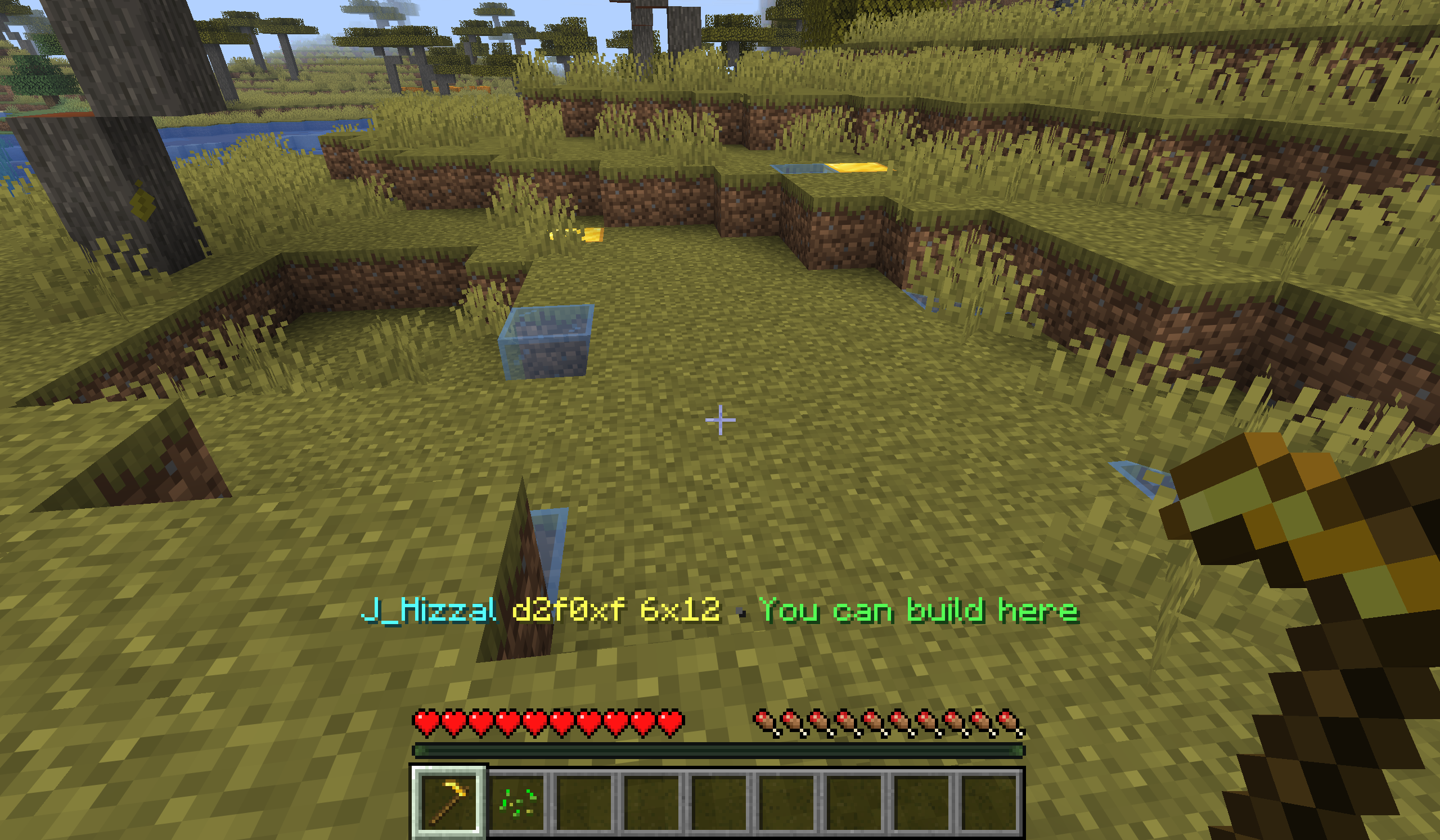 Area Boundaries - Trusted The area boundary will be blue for areas you don't own but are able to build in.
 -
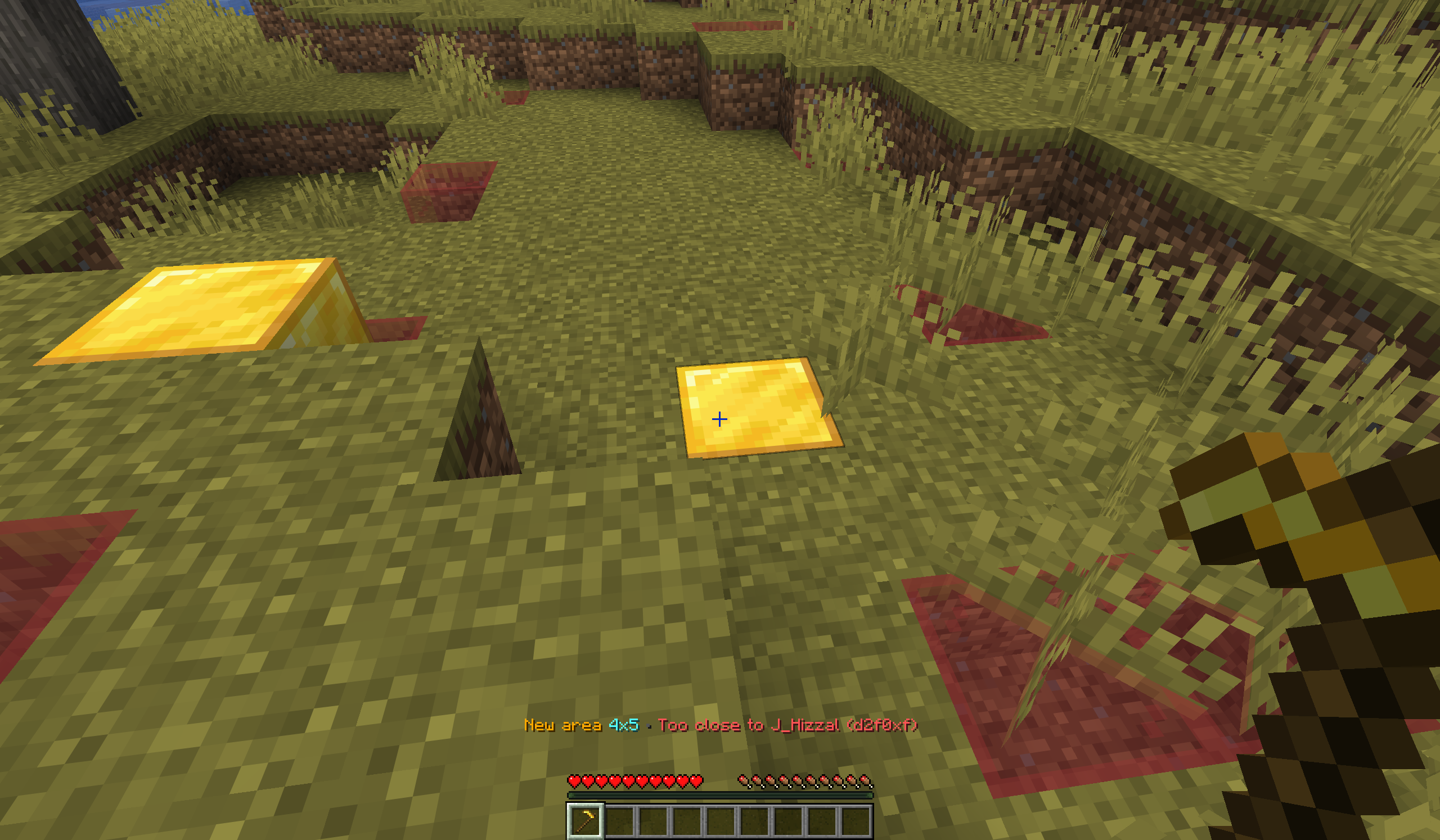 Area Boundaries - Error The area boundaries will show red if you attempt to set a boundary that overlaps with an area you don't own.
 -
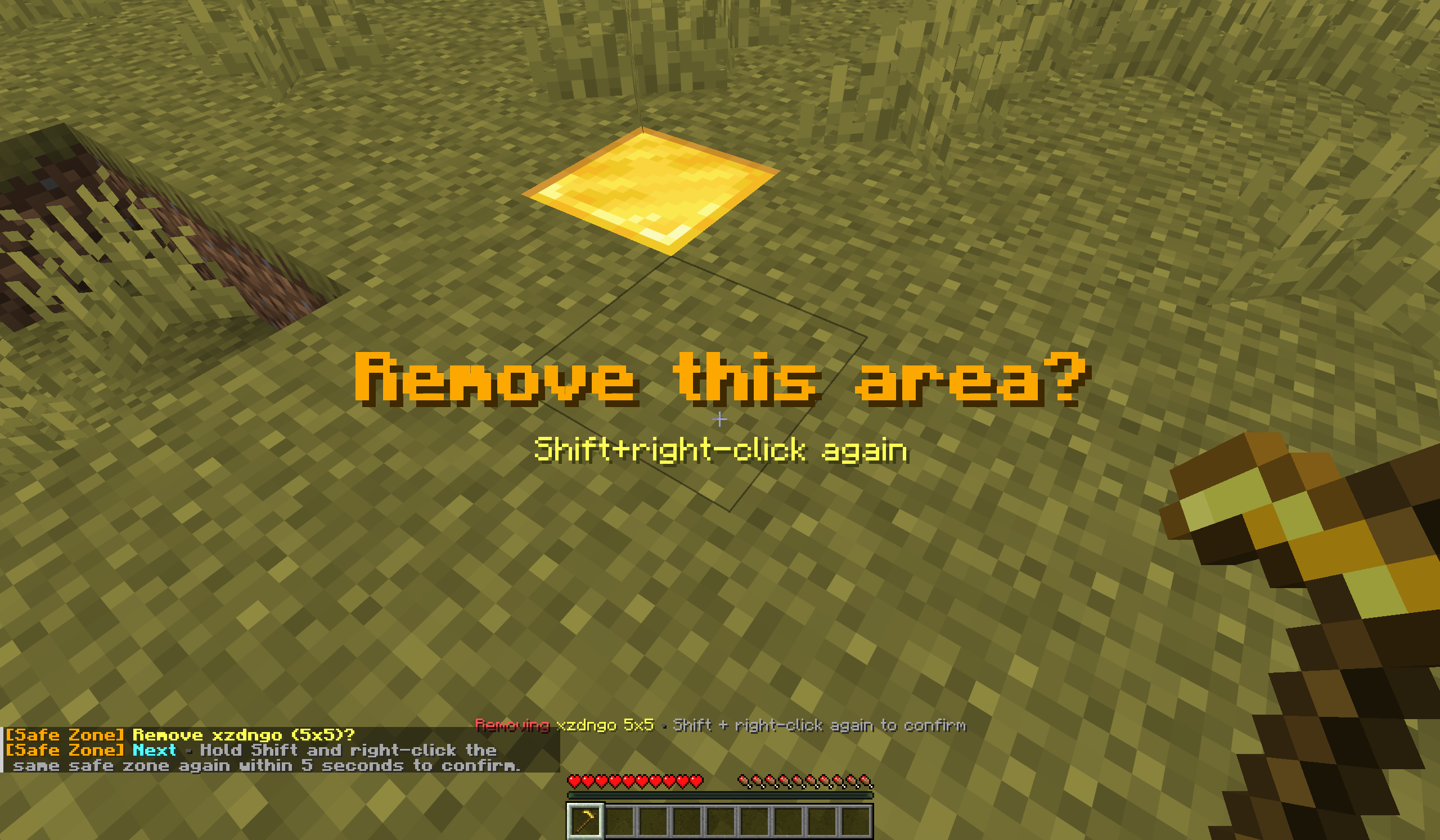 Remove Area Easily remove an area with a shift right click. Shift right click to confirm.
 -
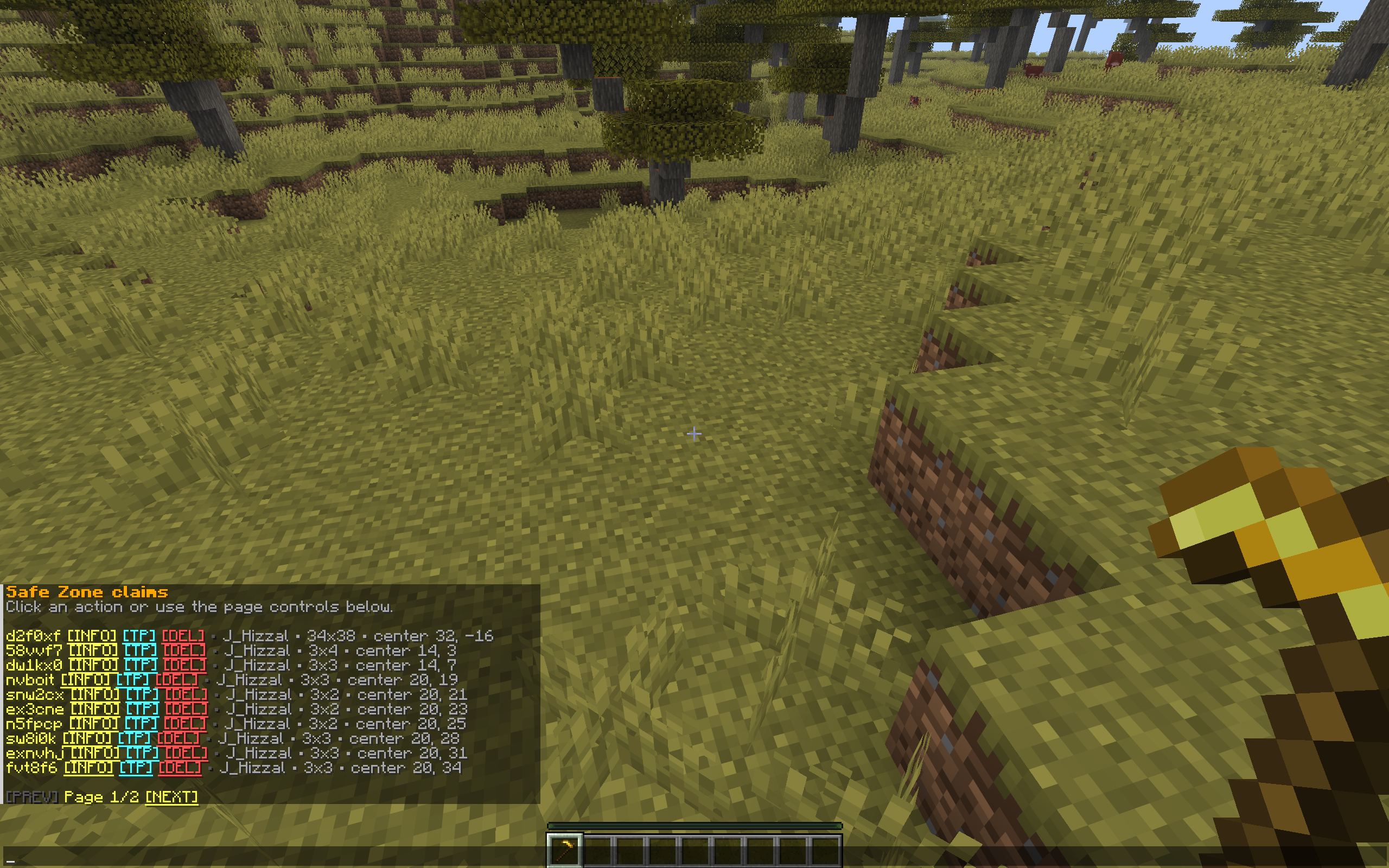 Commands Example Extensive commands exist for both admins and players.
 -
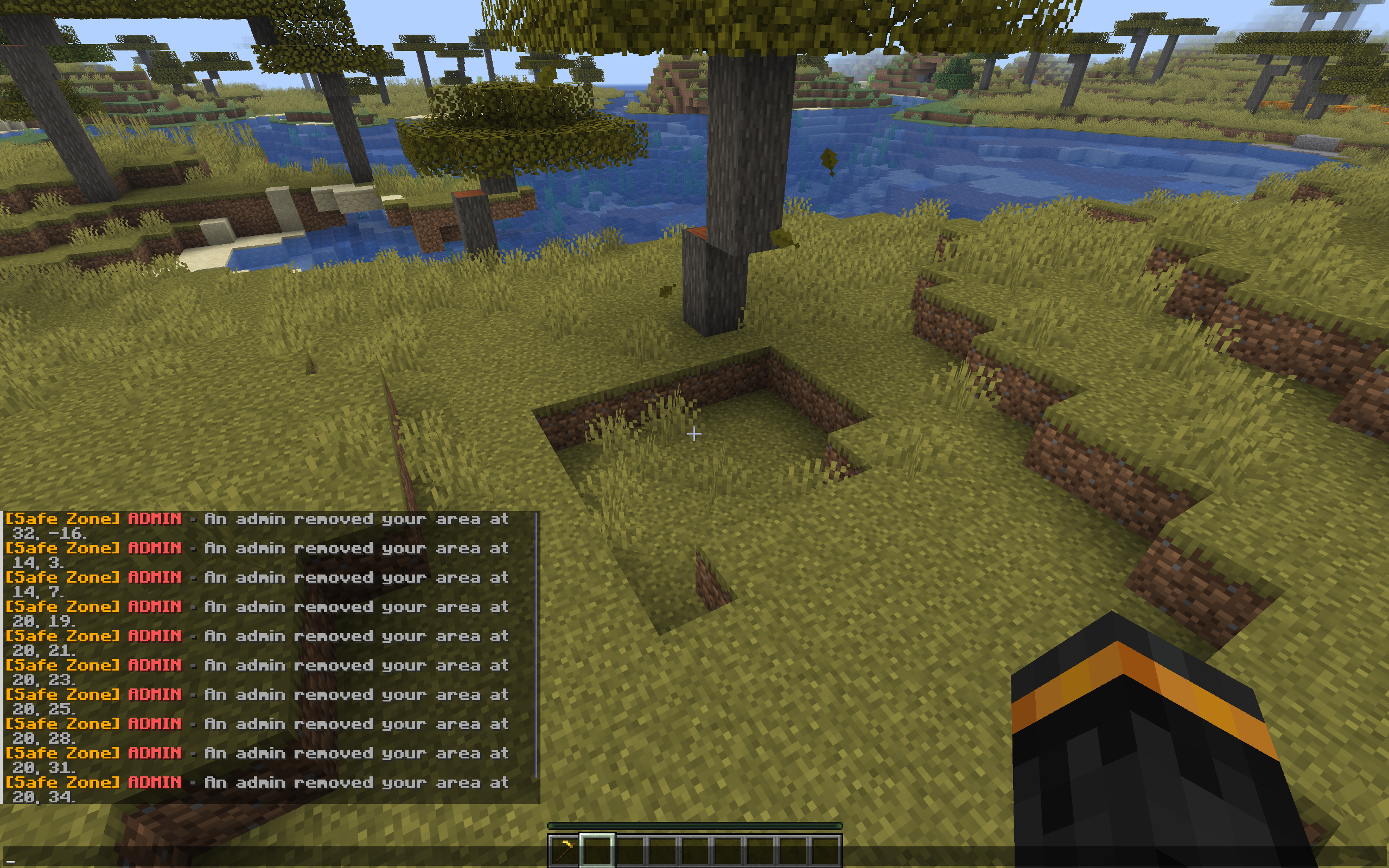 Notifications Support If you're offline and an admin deletes your area, next log in will deliver those notifications.
Versions
Files
Relations
Project Relations
More like this
Similar Mods
Suggestions use data such as tags, dependencies, dependents, descriptions, titles, and more to rank how much they overlap with this mod.
On ModDex
Community snapshot
By the numbers
Statistics

Want to reach Minecraft players?
We're looking for a server hosting partner to feature here and other parts of the site. Interested? Send us a message!
Get in touchGet it on
Available Platforms
On ModDex
Community snapshot
By the numbers