
Community listing page, reviews here may not be monitored by the author.
Sakura Lava Vision

No reviews yet
See clearly while submerged in lava. Client-side only, works with Iris shaders, and doesn't depend on helmets or enchantments.
Community voices
Reviews
No reviews yet. Be the first to review this project!
Get it on
Available Platforms
Compatibility
Supported Environments
Runs entirely on the client. Works on vanilla servers.
About
Project Details
For authors
Embed Badge
If you're the author of this project, you can embed a live badge anywhere that supports HTML or Markdown. It updates automatically whenever ratings change.
Use HTML for any page that supports it, or Markdown for README files and Markdown-based descriptions.
Identifiers
Platform IDs
Resources
External Links
About
Description
Sakura Lava Vision
See clearly while submerged in lava. No orange blindness, no guessing where the shore is — just full view distance underneath the surface.
This mod is client-side only. It works in singleplayer and on any server you join, without the server having it installed. It only changes how your own client draws fog.
It does not make you immune to lava. You still burn and take damage exactly as before — only what you see changes.
Why other lava-visibility mods don't work
Every existing option I tested on modern versions fails for one of two reasons.
They silently depend on your helmet. Tweakeroo's tweakLavaVisibility looks correct, and its mixin does target the right method. But the distance calculation starts by reading your head slot, and if that slot is empty it returns the fog distance completely unmodified. It was built to scale with Respiration, like underwater visibility. With no helmet on, the tweak does nothing at all — and because its config uses defaultRequire: 0, it would never tell you.
Shaders override them. Any mod that only widens vanilla's FogData gets overruled the moment you enable a shaderpack in Iris, because the shader draws its own lava fog on top.
This mod avoids both problems by design. There are no equipment or enchantment requirements, and it hooks the one place shaders also read from.
Installation
- Install Fabric Loader for Minecraft 26.2
- Put Fabric API in your
modsfolder - Put this mod in your
modsfolder
Enabled out of the box. No configuration required.
Configuration
A config file is generated at config/lavavision.json on first launch.
| Option | Default | Description |
|---|---|---|
enabled |
true |
Master switch |
mode |
FULL |
FULL = completely clear view, shader-compatible. FOG_ONLY = only widens the fog and keeps the orange tint |
fogDistance |
0.0 |
FOG_ONLY only. Blocks until fog ends. 0 = use your render distance |
hideFireOverlay |
true |
Hides the flames covering your screen while inside lava. Burning on dry land still looks normal |
showToggleMessage |
true |
Action bar notice when using the toggle key |
There is a toggle key, unbound by default so it never clashes with MaLiLib, Tweakeroo or MiniHUD. You can bind it under Options → Controls → Miscellaneous → "Toggle lava vision".
How it works
Rather than fighting fog values, the mod targets the single point where submerged rendering is decided: Camera.getFluidInCamera(), which reports LAVA when your eyes are under the surface. A mixin makes it report NONE instead, and everything downstream follows:
FogRendererstops selecting the lava fog environment and falls back to normal atmospheric fog — no orange tint, full view distance.- Iris builds its
isEyeInWatershader uniform from that exact method, so shaderpacks stop applying their own lava fog too.
Only three classes in the entire game reference that method, and all three are pure rendering code. No gameplay logic depends on it, which is why damage and burning are untouched.
The mixin config uses defaultRequire: 1 on purpose. If a future Minecraft update moves any of the targeted methods, the mod fails loudly at startup instead of loading and quietly doing nothing — which is exactly the failure mode that makes abandoned mods look like they still work.
Compatibility
Built and tested alongside Sodium, Iris, MaLiLib, MiniHUD, Tweakeroo and WorldEditCUI. Nothing else needs to be removed.
Source code, the full technical write-up and build instructions are on GitHub.
Licensed MIT.
Screenshots
Gallery
-
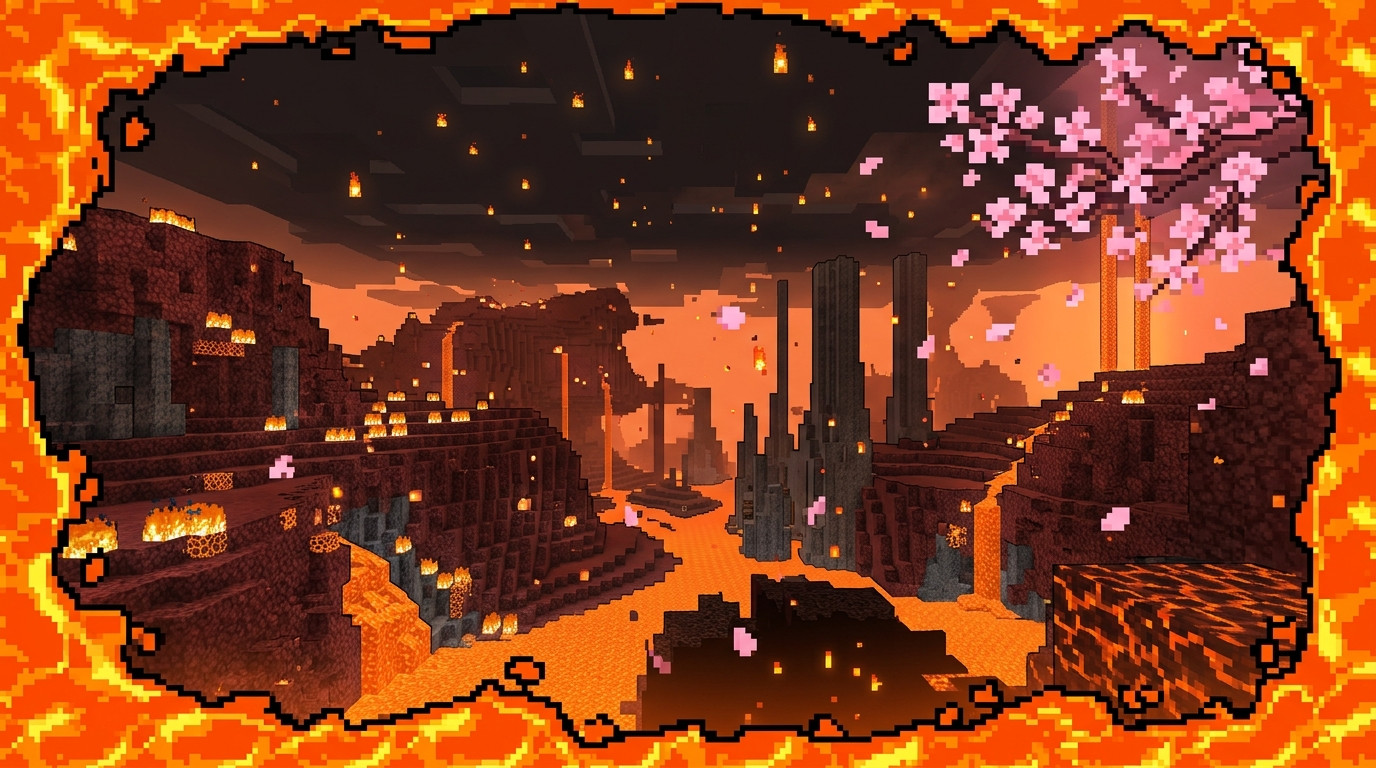 Clear view from inside a lava lake What the Nether looks like while fully submerged in lava with the mod enabled — no orange fog, full view distance.
Versions
Files
Relations
Project Relations
More like this
Similar Mods
Suggestions use data such as tags, dependencies, dependents, descriptions, titles, and more to rank how much they overlap with this mod.
On ModDex
Community snapshot
By the numbers
Statistics

Want to reach Minecraft players?
We're looking for a server hosting partner to feature here and other parts of the site. Interested? Send us a message!
Get in touchGet it on
Available Platforms
On ModDex
Community snapshot
By the numbers
Statistics
Resources