![[SBW] Combined Perk](https://cdn.modrinth.com/data/BGK8soKH/ef6a9295a4776f0a7ecd39a014ccdc9187332fb6_96.webp)
Community listing page, reviews here may not be monitored by the author.
[SBW] Combined Perk

No reviews yet
Addon for superb warfare mod Adds the ability to combine perks into a combined perk
Community voices
Reviews
No reviews yet. Be the first to review this project!
Get it on
Available Platforms
Compatibility
Supported Environments
Must be installed on both the client and the server.
About
Project Details
For authors
Embed Badge
If you're the author of this project, you can embed a live badge anywhere that supports HTML or Markdown. It updates automatically whenever ratings change.
Use HTML for any page that supports it, or Markdown for README files and Markdown-based descriptions.
Identifiers
Platform IDs
Resources
External Links
About
Description
Perk Combiner - SBW Addon
Not a standalone mod. Requires Superb Warfare (SBW) 0.8.8 or newer.
Perk Combiner adds:
- Combined Perks (merge perks of the same type)
- Perk Folders (store perks of different types in one item)
- Split system (separate a folder/combined perk back into individual perks)
1) Split Perk Folder (Anvil)
- Leave
Slot 1empty - Put a Perk Folder into
Slot 2 - Output shows the main split perk
- Hold Shift + LMB on the output slot to extract all split perks
If you do not hold Shift, extraction is blocked and the item returns.
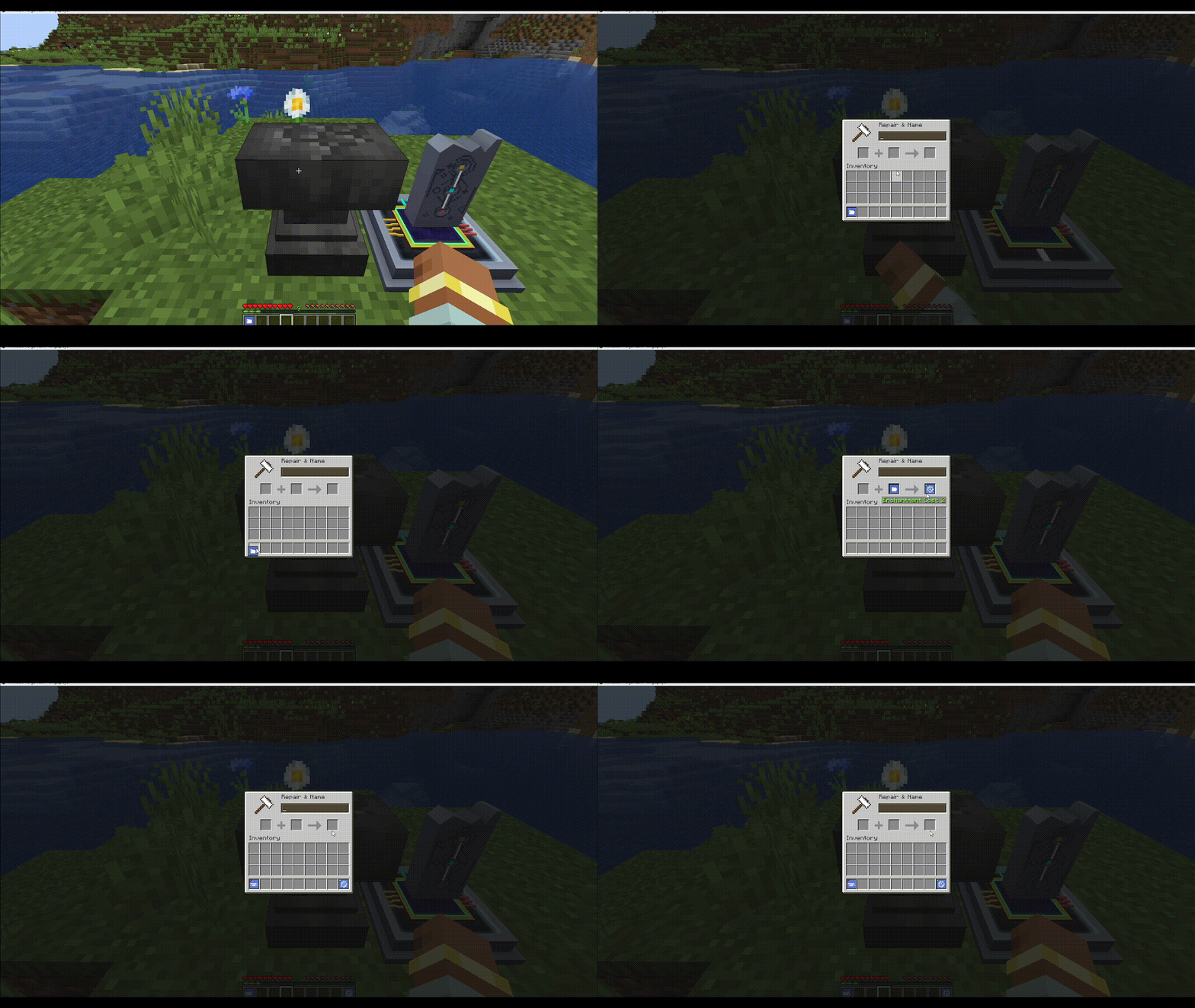
2) Split Combined Perk (Anvil)
- Leave
Slot 1empty - Put a Combined Perk into
Slot 2 - Hold Shift + LMB on output to extract split perks
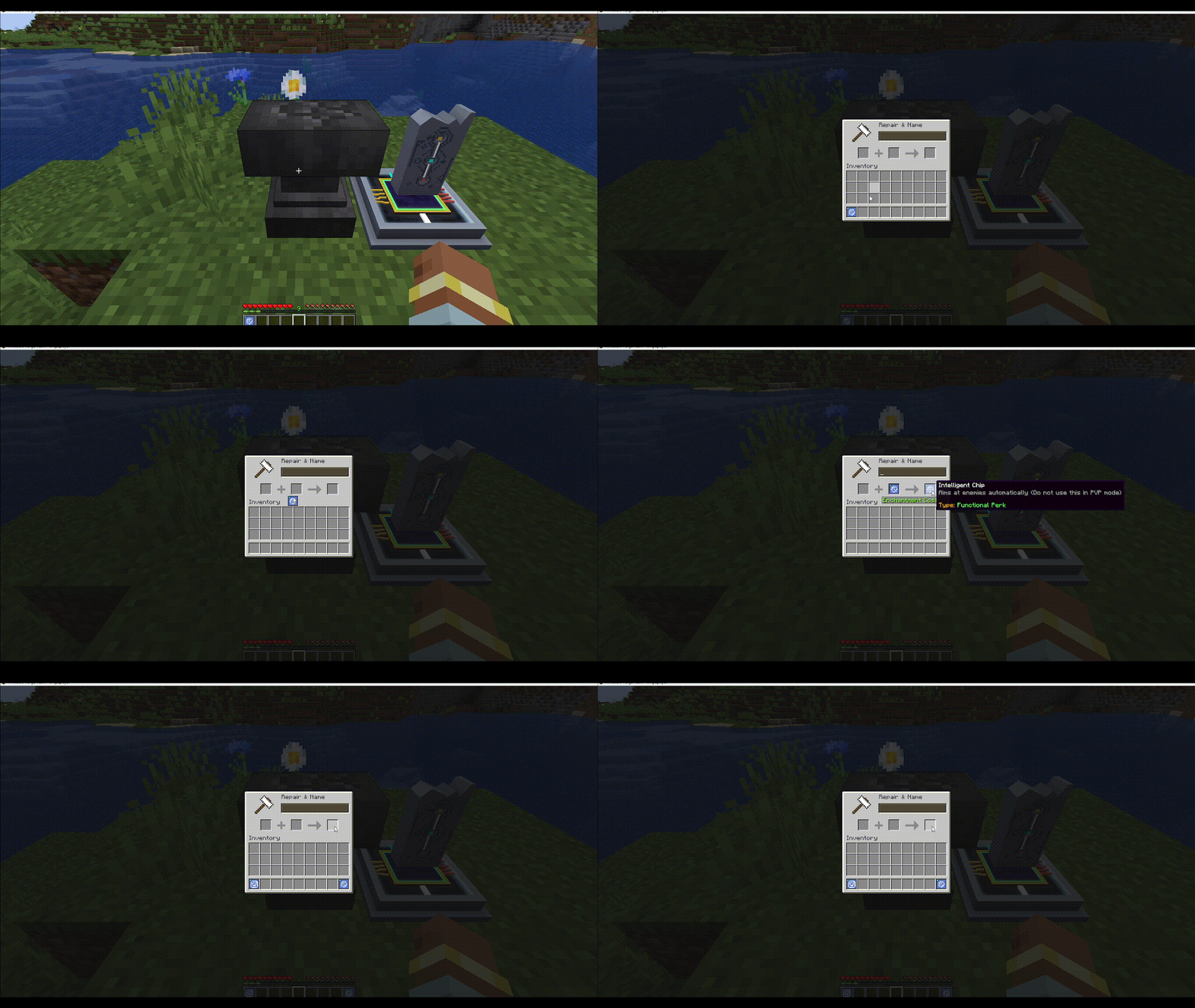
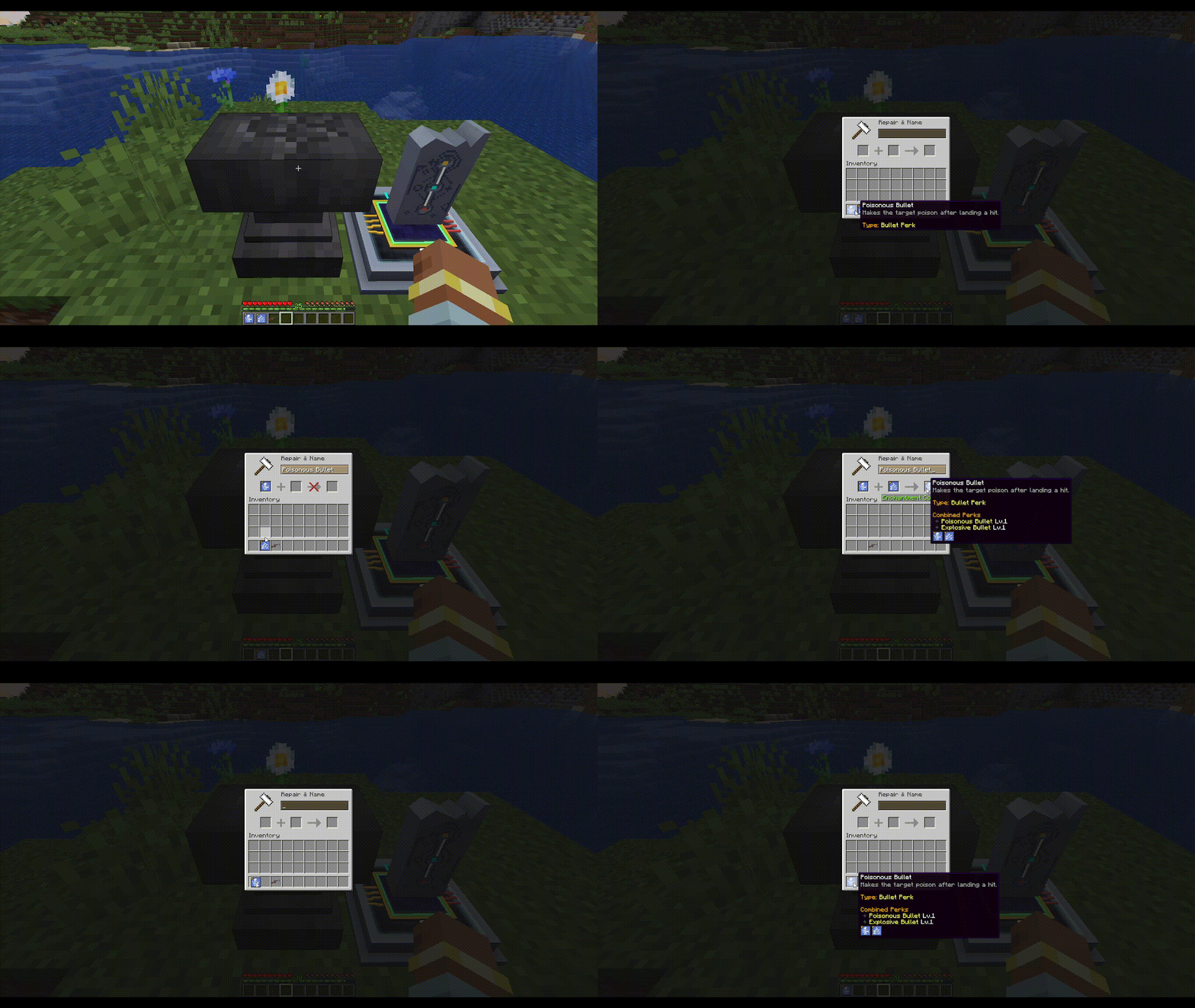
3) Combine Same-Type Perks -> Combined Perk (Anvil)
- Put the first perk in
Slot 1 - Put the second perk of the same type in
Slot 2 - Take the Combined Perk from output
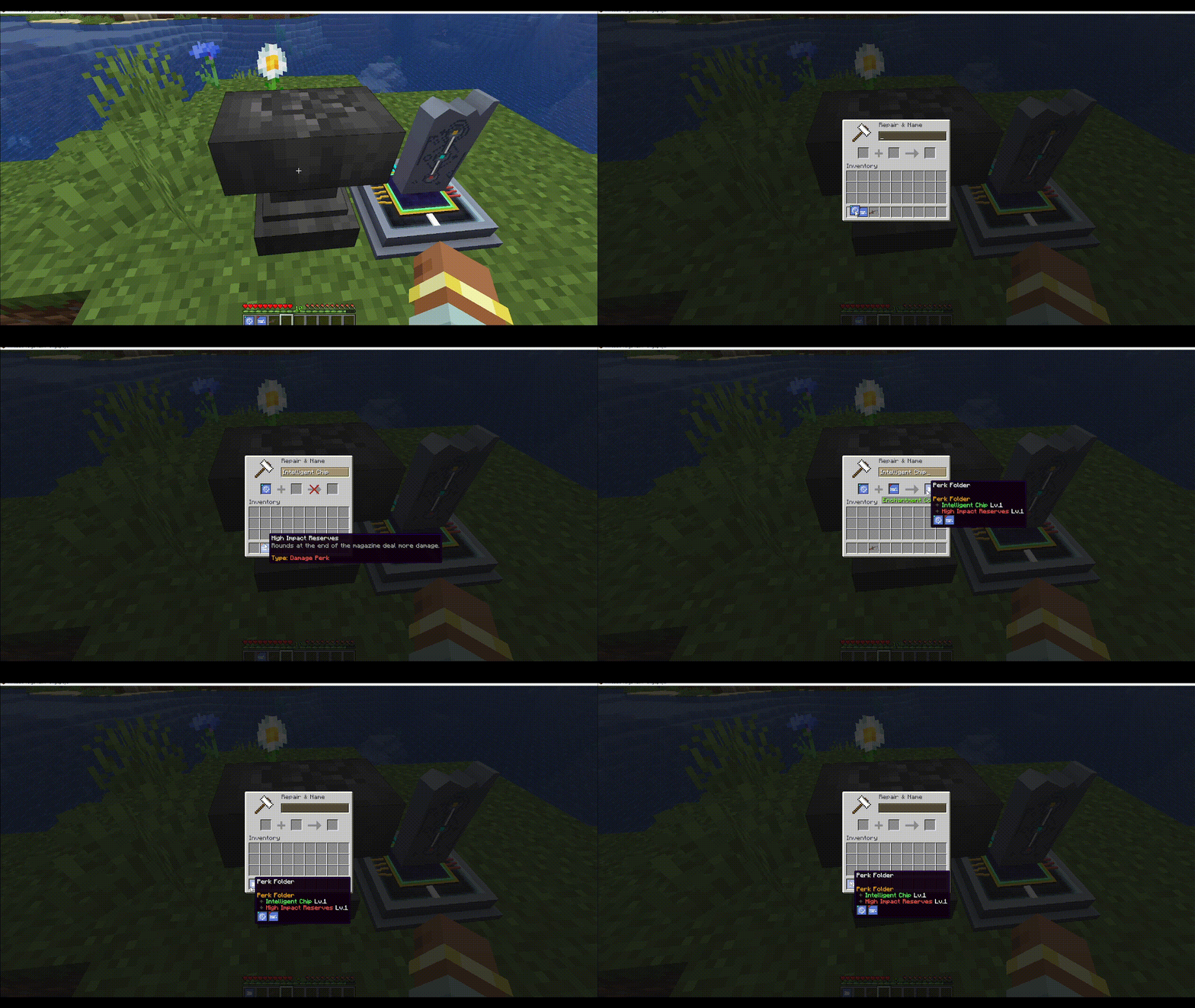
4) Combine Different-Type Perks -> Perk Folder (Anvil)
- Put a perk in
Slot 1 - Put a perk of another type in
Slot 2 - Take the Perk Folder from output
5) Apply Perk Folder to Gun (Anvil)
- Put your gun in
Slot 1 - Put Perk Folder in
Slot 2 - Take upgraded gun from output
Only Perk Folder can be applied to a gun through the anvil.
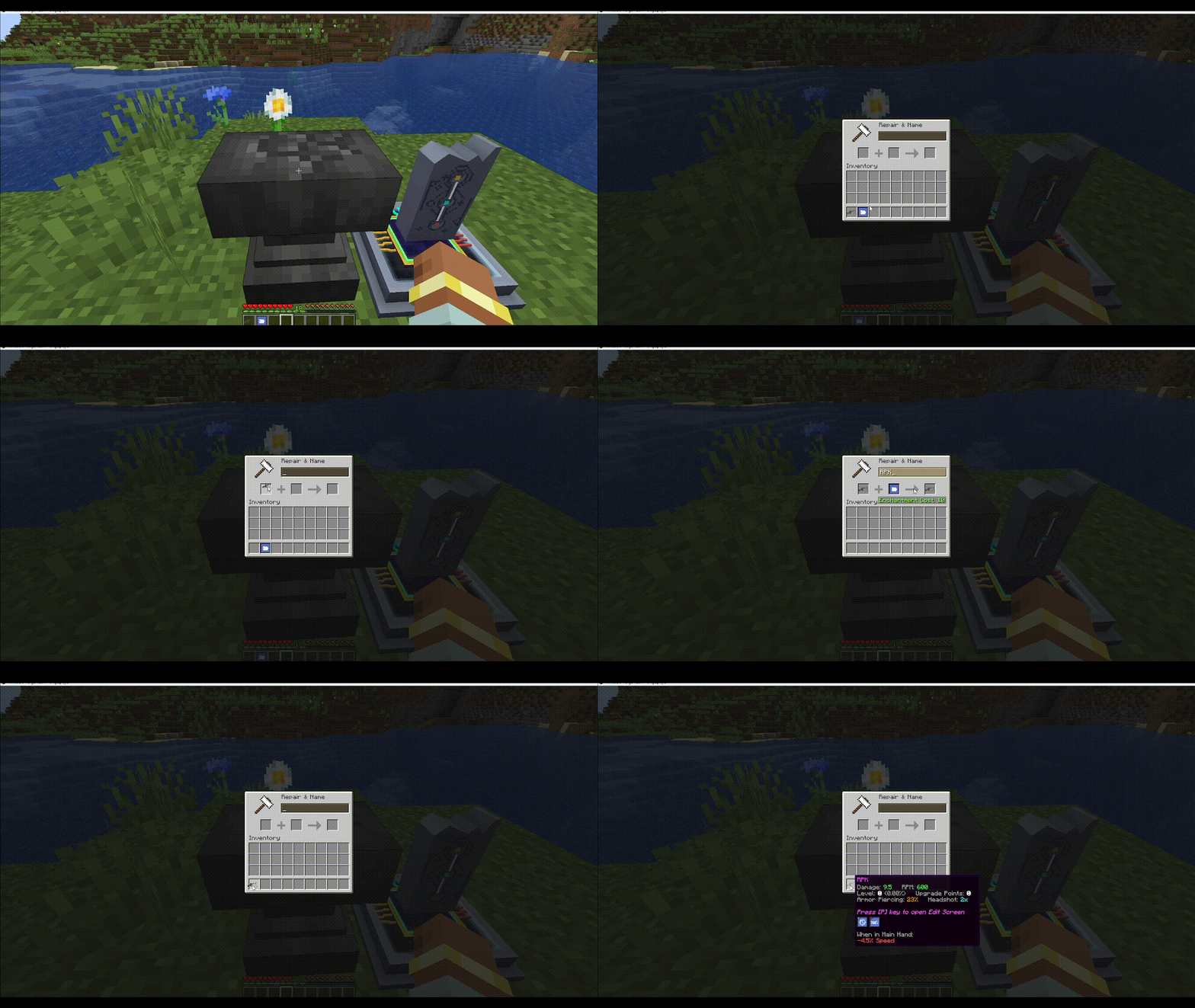
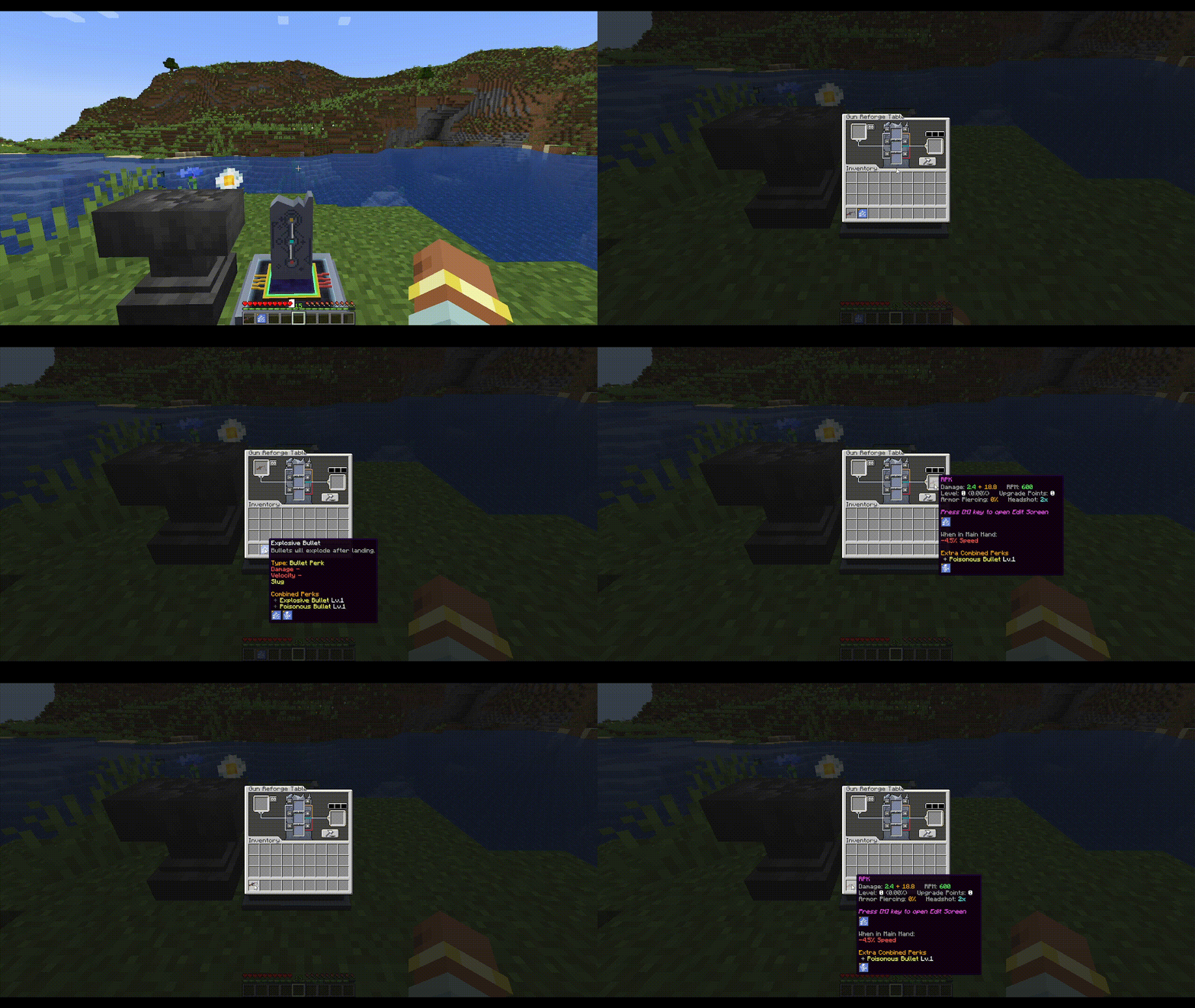
6) Apply Combined Perk on Reforging Table
- Place your gun in the Reforging Table
- Put the Combined Perk into the matching perk slot
- Take the upgraded gun
Requirements
- Minecraft:
1.20.1 - Forge:
47.4.16(only) - Superb Warfare (SBW):
0.8.8+
Screenshots
Gallery
-
Combine Different-Type Perks -> Perk Folder
-
Apply Perk Folder to Gun
-
Split Combined Perk
-
Apply Combined Perk
-
Combine Same-Type Perks -> Combined Perk
-
Split Perk Folder
Versions
Files
Relations
Project Relations
More like this
Similar Mods
Suggestions use data such as tags, dependencies, dependents, descriptions, titles, and more to rank how much they overlap with this mod.
On ModDex
Community snapshot
By the numbers
Statistics

Want to reach Minecraft players?
We're looking for a server hosting partner to feature here and other parts of the site. Interested? Send us a message!
Get in touchGet it on
Available Platforms
On ModDex
Community snapshot
By the numbers
Statistics
Resources