
Community listing page, reviews here may not be monitored by the author.
Scaling Pills

No reviews yet
Add Scaling Pills to your world, that allow you to make yourself smaller or bigger.
Community voices
Reviews
No reviews yet. Be the first to review this project!
Get it on
Available Platforms
About
Project Details
For authors
Embed Badge
If you're the author of this project, you can embed a live badge anywhere that supports HTML or Markdown. It updates automatically whenever ratings change.
Use HTML for any page that supports it, or Markdown for README files and Markdown-based descriptions.
Identifiers
Platform IDs
Resources
External Links
About
Description
Features
Fundamental Features
- Adds 4 Shrinking Pills (2x-16x)
- Adds 4 Growing Pills (0.5x-0.0625x)
- Adds a neutral Pill that resets your size
- Huge Customization
- Custom Crafting
Supported Versions
| Version | Status |
|---|---|
| 1.21.1 | ✅ Supported |
| 1.21 | ✅ Supported |
| 1.20.5 | ✅ Supported |
| 1.20.4 or lower | ❌ Broken due to Minecraft limitations |
Secondary Features
- Does not only change the Scale of Feature, but depending on the Settings also the Speed, Gravity, Jump Strength and so on.
- Resets your size back to normal on death.
- Programmed to be as Performance friendly as possible.
Features coming soon
- Ability to scale other Entities
- Changing range
Crafting
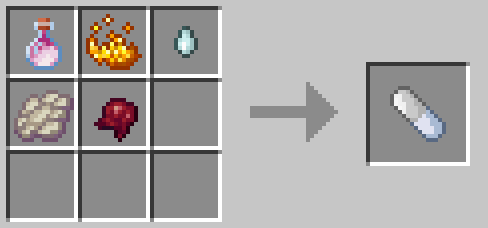
Neutral Pill
This is the Crafting Recipe for the neutral Pill, wich resets you back to the normal size.
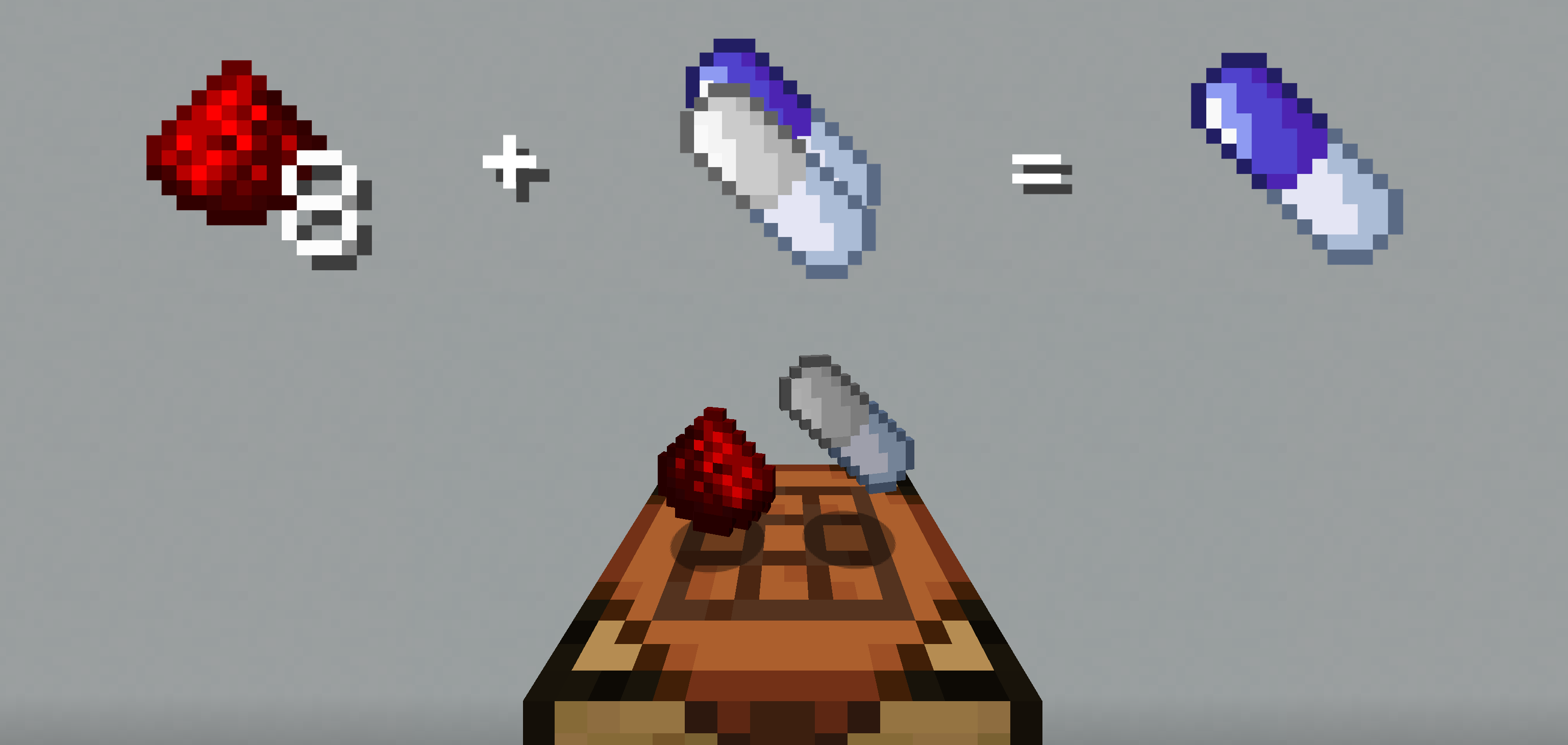
Shrink Pill
To Craft a Shrinking Pill, drop either the neutral Pill or a Shrinking Pill with 8 redstone onto a crafting table. This will give you the next bigger Pill.
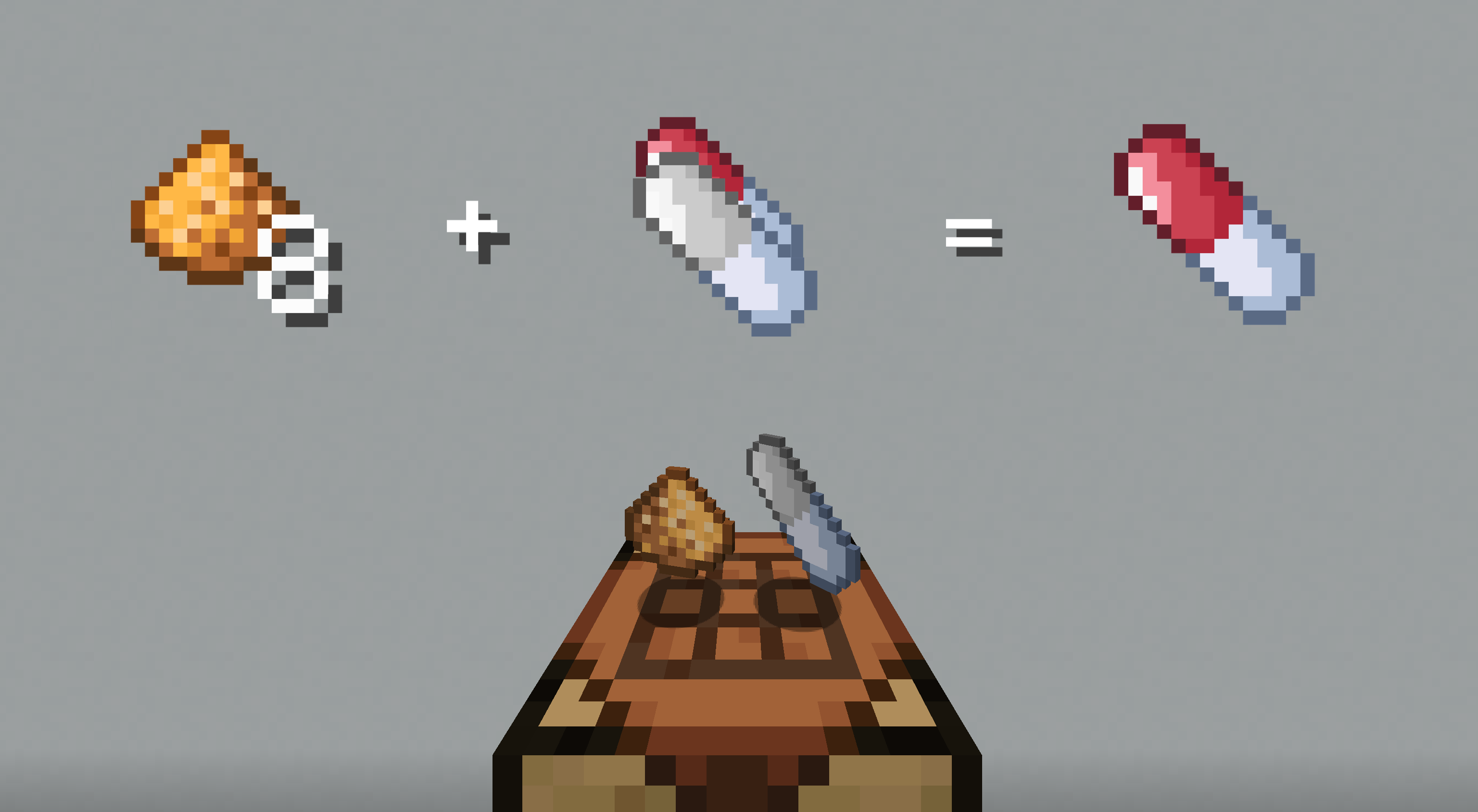
Grow Pill
To Craft a Growing Pill, drop either the neutral Pill or a Growing Pill with 8 glowstone onto a crafting table.
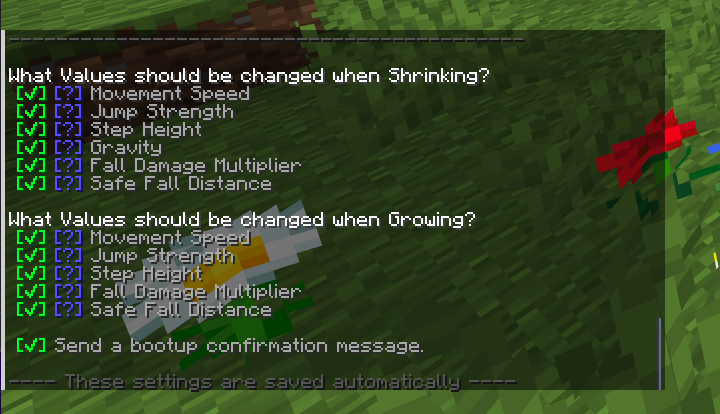
Customization
The Pack allows you to toggle what values should be changed, when shrinking or growing. To acces the Options Page just enter /function sap:options in chat. This will give you the next smaller Pill.
Installation of Datapack
Singleplayer - New World
- Create a new world and click on "Data Packs".
- Drag the data pack into the Minecraft window.
- Click "Yes" on the confirmation screen.
- Move the data pack to the right hand side of the screen by clicking the triangle on its icon.
- Click "Done" and continue creating your world.
Singleplayer - Existing World
- Open Minecraft.
- Select the world you want to install the data pack for, click on "Edit", then "Open world folder".
- Open the folder named datapacks, and put the data pack into it. It should be a .zip file or directory.
- Rejoin your world.
Multiplayer
- Download the data pack.
- Open your server folder, then open the folder of the world you wish to install the data pack in (default: world).
- Put the data pack into a folder named datapacks.
- Type /reload from the console if the server was running during the installation.
Made with ❤️
Screenshots
Gallery
-
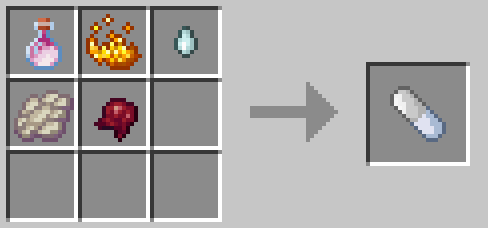 Neutral Pill
 -
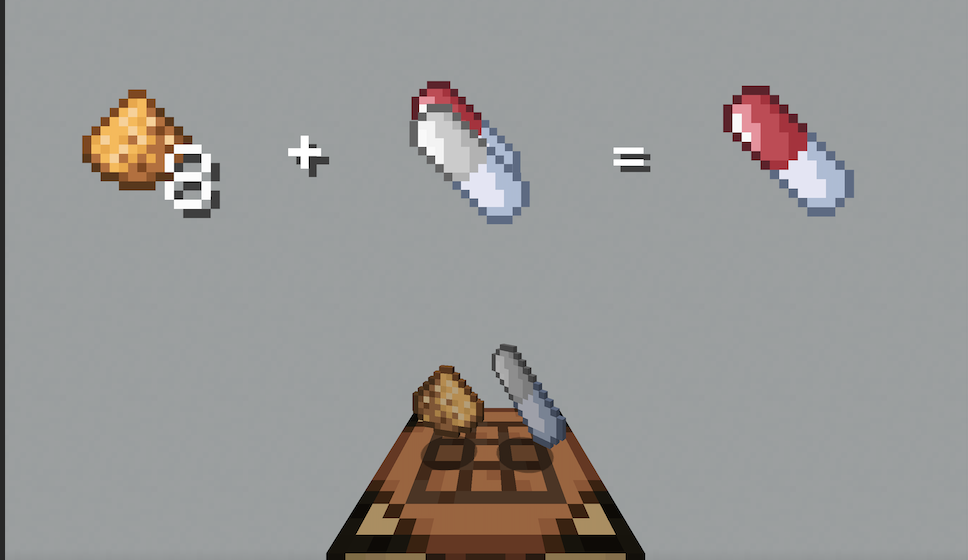 Grow Pill Drop the Ingredients on the Crafting Table to craft the next bigger Pill.
 -
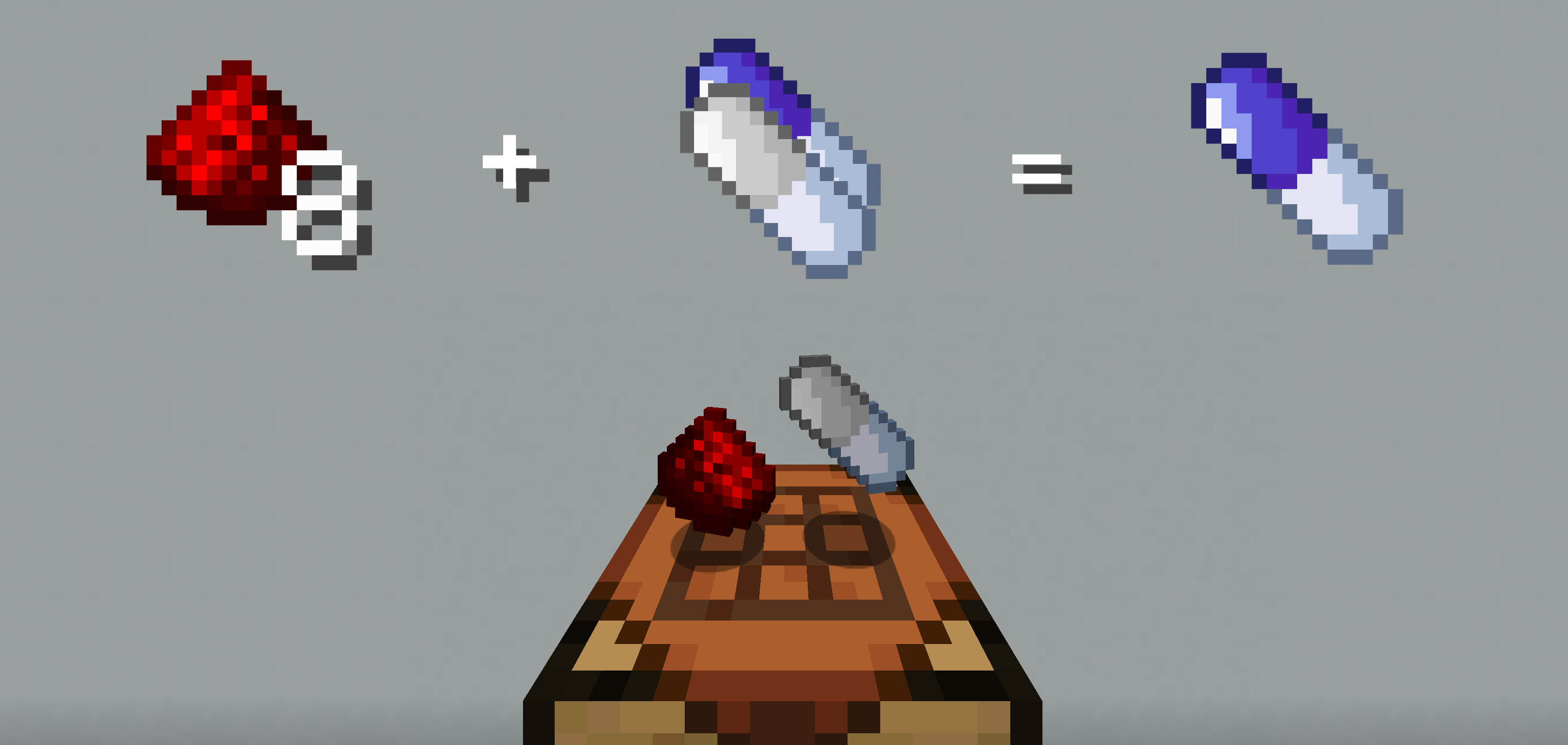 Shrink Pill Drop the Ingredients on the Crafting Table to craft the next smaller Pill.
 -
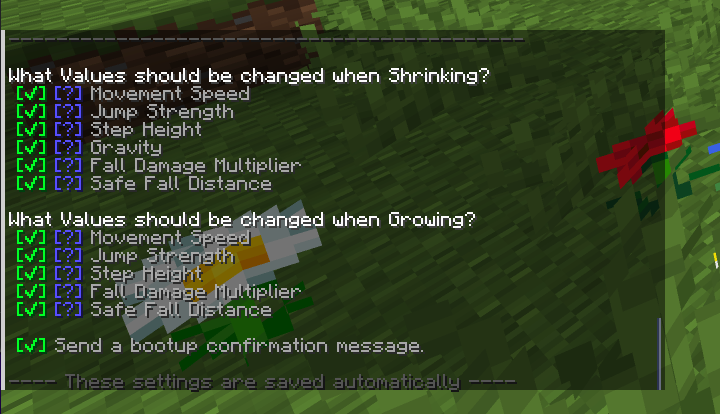 Customization The Datapack offers a lot of Customization, just type /function sap:options in chat.
 -
 The Scaling Pills Datapack Tiny, Huge oder normal size, whatever you want to be!
 -
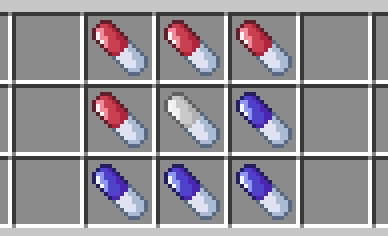 9 New Pills One Neutral Pill, 4 Grow Pills and 4 Shrink Pills.
Versions
Files
Relations
Project Relations
More like this
Similar Mods
Suggestions use data such as tags, dependencies, dependents, descriptions, titles, and more to rank how much they overlap with this mod.
On ModDex
Community snapshot
By the numbers
Statistics

Want to reach Minecraft players?
We're looking for a server hosting partner to feature here and other parts of the site. Interested? Send us a message!
Get in touchGet it on
Available Platforms
On ModDex
Community snapshot
By the numbers
Statistics
Resources