
Community listing page, reviews may not be monitored by the author.
SCC - Super Cool Calculator

No reviews yet
A storage and autocrafting network with nothing to encode. Put a connector on the chests you already have, a calculator on the machines you already built, and ask the terminal for what you want.

Community voices
Reviews
No reviews yet. Be the first to review this project!
Get it on
Available Platforms
About
Project Details
For authors
Embed Badge
If you're the author of this project, you can embed a live badge anywhere that supports HTML or Markdown. It updates automatically whenever ratings change.
Use HTML for any page that supports it, or Markdown for README files and Markdown-based descriptions.
Identifiers
Platform IDs
About
Description
Like SCC? Support it on Patreon – supporters get the newest versions first, before they reach CurseForge.
Storage and autocrafting with nothing to encode
Super Cool Calculator turns the chests you already have into one storage network, and then takes over the tedious half of building things: it works out the complete recipe tree for whatever you ask for, pulls the ingredients out of storage, and drives the machines that make it.
There are no patterns to encode. There are no storage cells and no drives to build first. You put a Storage Connector on a chest, a barrel, a drawer or a tank, and its contents belong to the network from that moment on. You put a Processing Calculator against a machine and the network works out for itself what that machine is.
Ask for one netherite pickaxe and it knows about the diamonds, the sticks, the scrap and the gold — and if you let it, it will go and make all of them.
Why this instead of the one you already use
Nothing to encode. The recipe catalogue is built from the recipes your pack already ships — every workbench recipe, every furnace recipe, and every machine recipe that JEI knows about. Change a recipe, add a mod: the catalogue rebuilds itself.
No cells, no drives. A connector on a container you already own is the entire storage setup. The mod brings its own storage blocks too, but they are a convenience, not a gate.
Machines identify themselves. Place a Processing Calculator against a machine and it reads the block's own id. In the normal case there is nothing to set up.
Over twenty-five mods have a dedicated integration, and every one of them is optional. If the mod is not there, nothing loads and nothing breaks — SCC starts and runs on its own.
When something goes wrong, it says what and where. Every block writes its own line into Jade. Every stuck job names what it is waiting for. A network report lists the recipe kinds this network cannot run — each with the block that would fix it.
It works with Applied Energistics, not against it – and helps it out. With AE2 installed, the Network Antenna also registers as an AE2 wireless access point — that is the hook Building Gadgets and others look for. A Storage Connector works on any block of an AE2 network — controller, cable, drive or ME Interface — and the whole ME network becomes storage, both ways. Whatever that network has a pattern for is listed as craftable in the SCC terminal, marked with a small AE2 badge: order it and the job goes to AE2, while everything else stays with SCC. And the other way round: whatever SCC can build and AE2 has no pattern for shows up in AE2 as craftable – an AE2 job that needs it simply asks SCC. AE2's Storage Bus on SCC storage sees the full amounts. No AE2 channel is used.
Your first five minutes
Four blocks, and you have a working network.
- Place a Calculator Controller and give it power: any FE cable into it, or a Transfer Calculator in energy mode on a generator. It also runs on the network's Energy Storages. No power grid yet?
/scc power offand it works without. - Run Network Cable from it to a chest and put a Storage Connector on the chest.
- Put a Network Terminal anywhere on the cable and open it — the contents of that chest are the list.
- Add a Calculation Crafter for workbench recipes, and a Processing Calculator on every machine the network should be allowed to use.
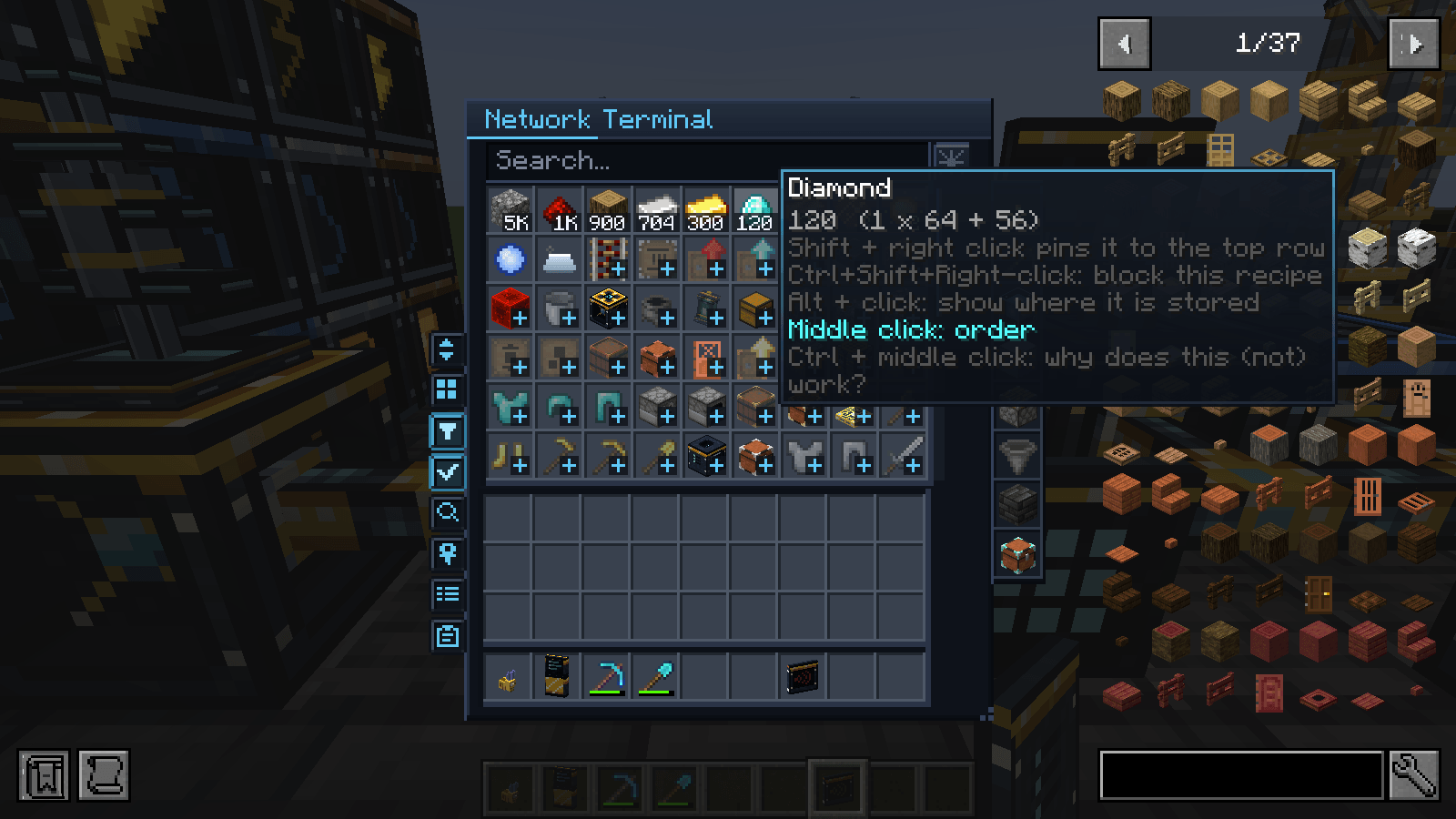
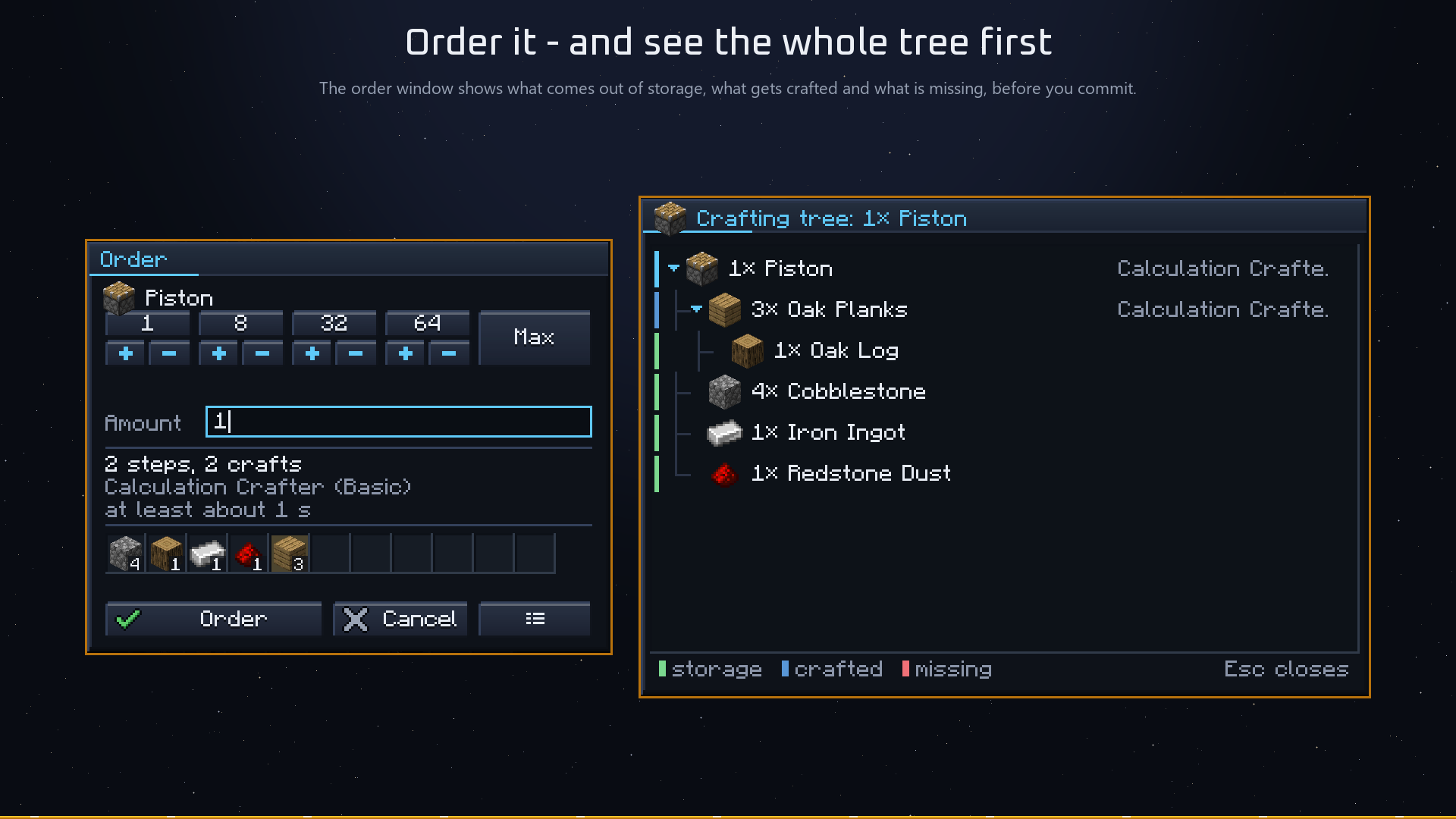
That is the whole setup. From here the terminal is one searchable grid of everything in the network, and anything craftable opens an order window that shows you — before you commit — what comes out of storage, what has to be crafted, and what is missing.
It looks like it belongs
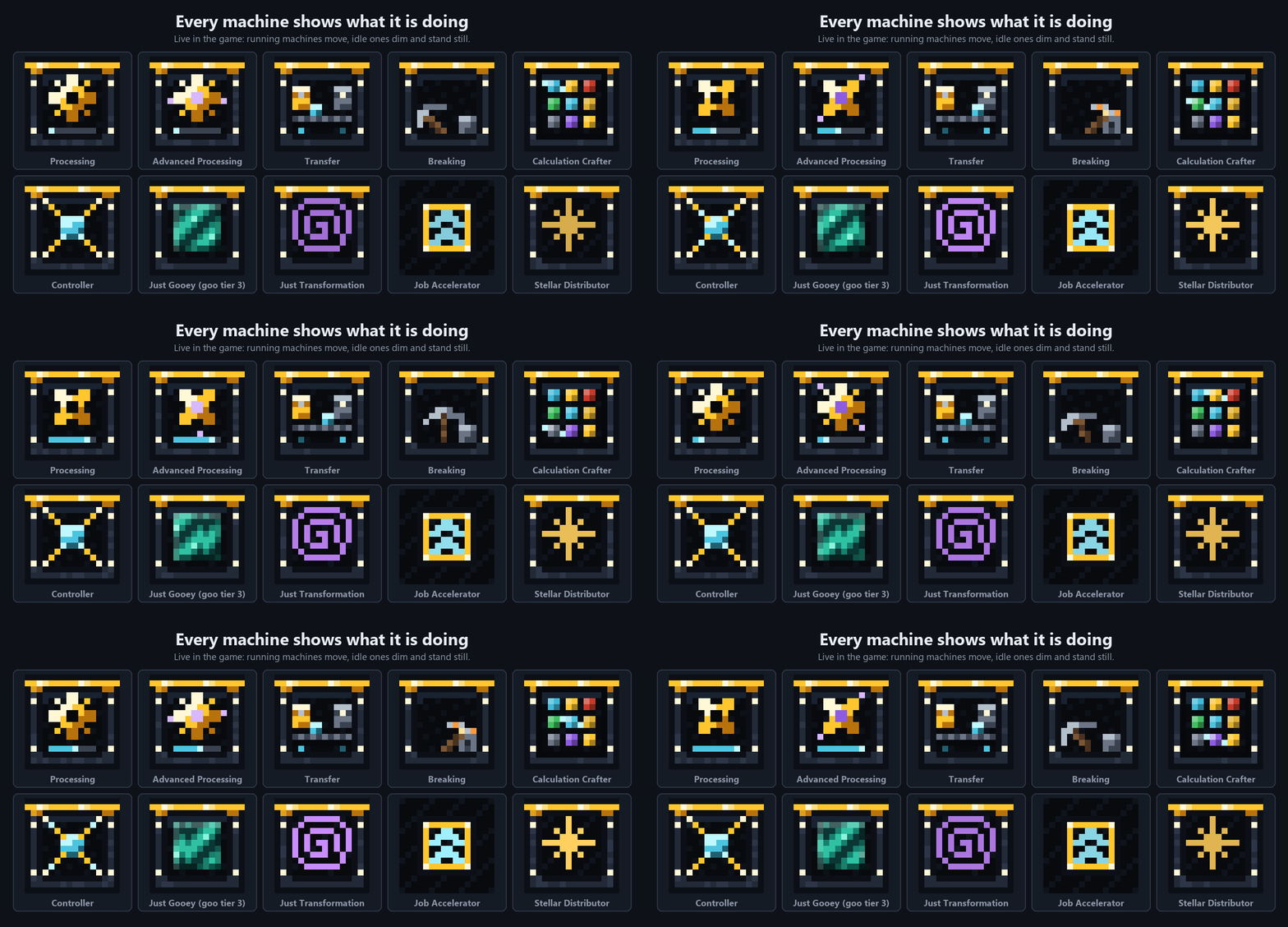
Every block wears the Star Forge style: dark steel, polished gold bands in its tier colour, and on the front a small picture behind glass that comes alive while the machine works — a turning gear, a pickaxe swinging at stone, the goo you put in slowly flowing. Switched off, it dims and stands still, so you see at a glance what is busy. Cables are slim, four pixels with a softly pulsing light strip. And it comes in 27 designs — from the default dark steel to Porcelain, Burgundy & Gold, Lapis Lazuli or the Classic look of the first versions — so your base can look the way you build.
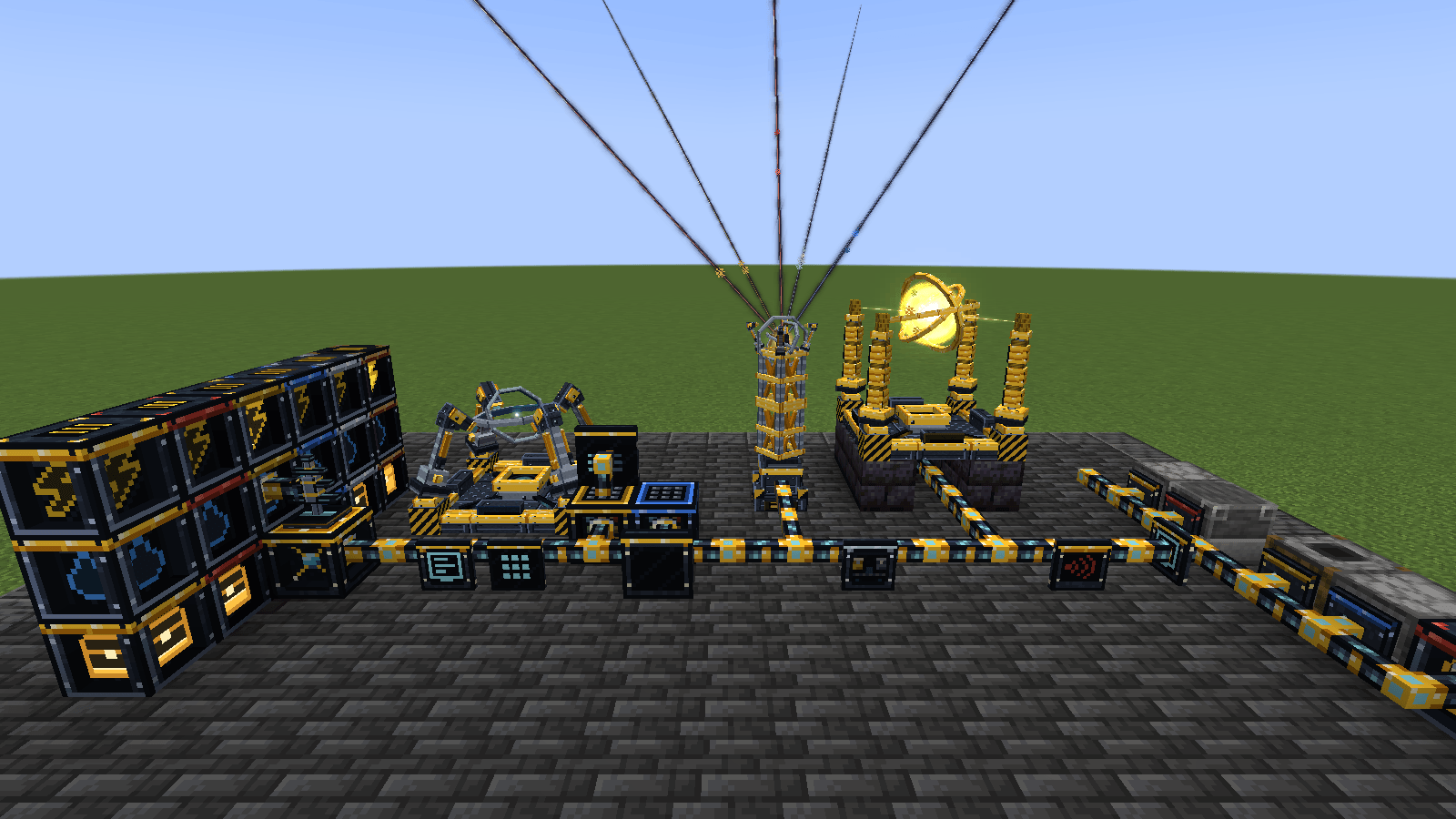
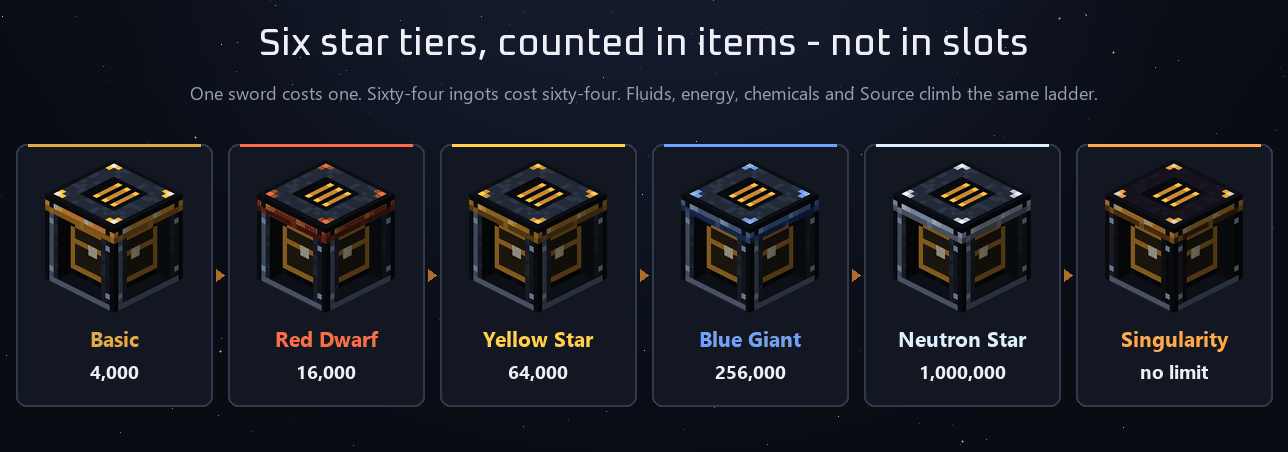
Six star tiers, forged from the night sky
Every tiered block climbs the same ladder: Basic, Red Dwarf, Yellow Star, Blue Giant, Neutron Star, Singularity. Above Basic nothing is crafted from ingots any more — it is forged.
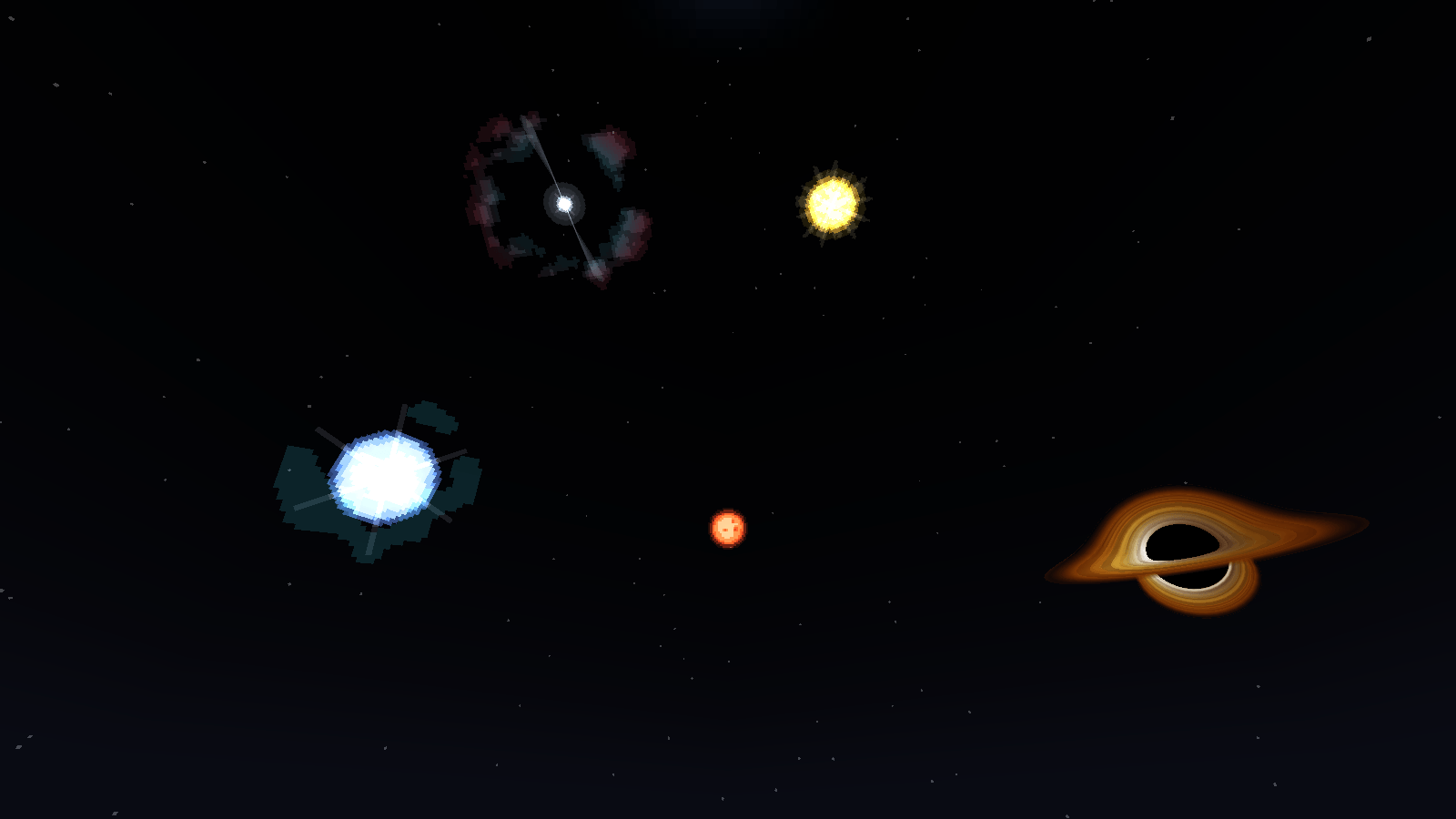
Look north at night and you will see five objects that were not there before: a spotted red dwarf, a yellow star with corona and spikes, a pulsing blue giant, a blinking pulsar, and a black hole with a turning accretion disc. They circle the pole and never set.
- The Sky Harvester, a three-block tower with a lens on top, shoots a beam at every object its lens reaches and pulls matter down into the network. The higher the object stands, the more it gives.
- The Basic lens is cheap on purpose – glass, amethyst shards and a gold ingot – so you can reach the sky from day one. Every lens above it is forged with a Lens Prism: star matter plus Blaze, Dragon's Breath, Echo Shards and finally Chronon – a ladder that follows your progress through the game. The Star Forge core asks for one Nether Star: the only star the sky costs you.
- The Star Forge — a core, eight frames and up to four Focus Pylons — takes the tier below plus that matter and forges the next one. Blue Giant to Neutron Star ends in a supernova, Neutron Star to Singularity in a collapse.
- Connect the forge with a cable – to any of its frames – and it becomes a network machine by itself: order a Singularity block in the terminal and the network plans and forges the whole chain.
Each Singularity block gets a power of its own: crafts that finish in the tick they arrive, Time Dilation that runs the machine in front up to eight times as fast – paid in Chronon, condensed time from your own black hole –, a transfer node that moves a whole inventory at once, a breaking calculator whose tool never wears out, and storage with no limit at all.
130 blocks
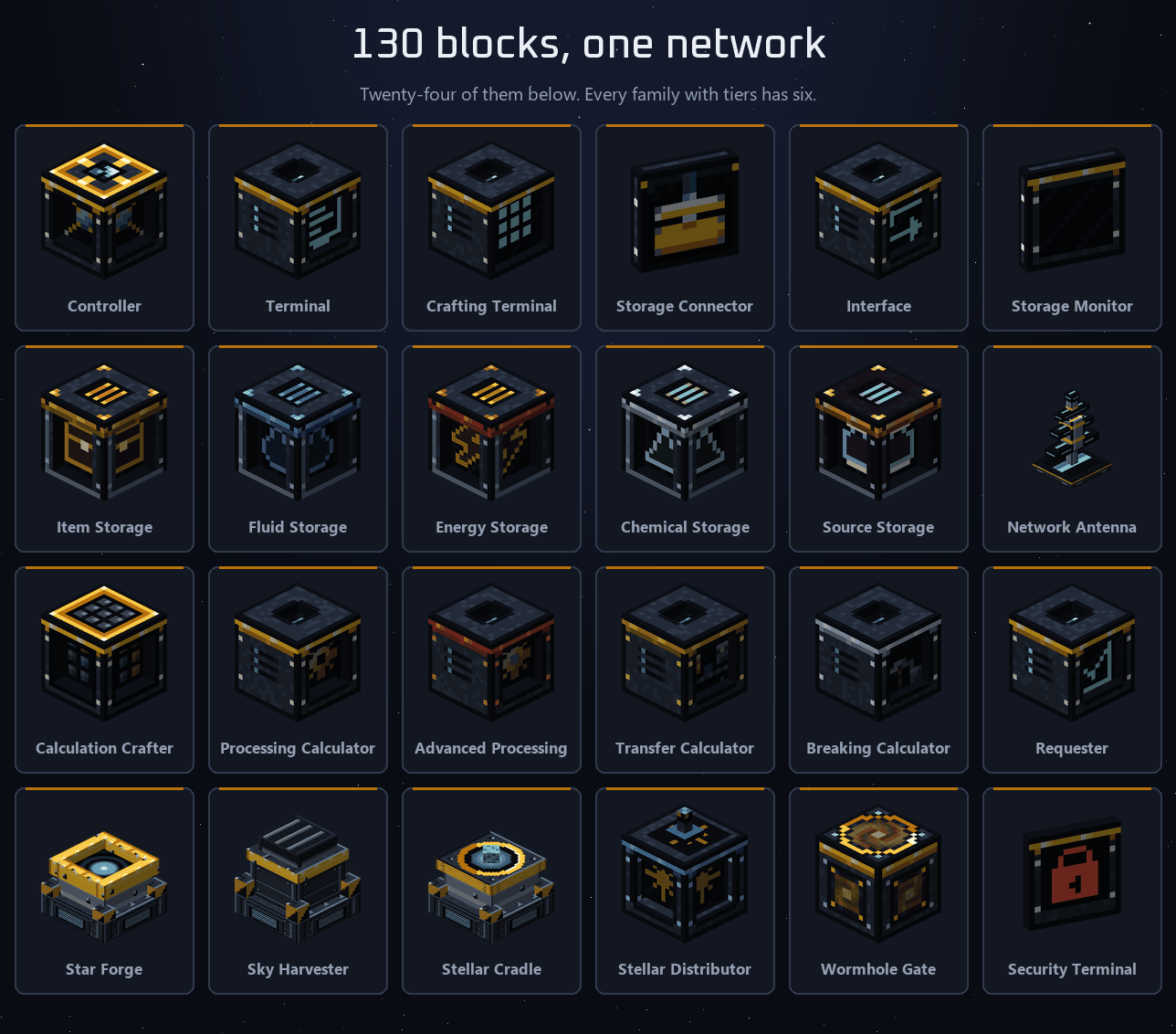
Storage
- Storage Connector — attaches any container to the network. Filter by item or by tag, set a priority, choose import / export / both, and optionally void the overflow.
- Item, Fluid, Energy, Chemical and Source Storage — storage the network brings along, six tiers each. Break one and the contents travel inside the item, like a shulker box.
- Storage Monitor — the stock of one item on the wall, and it works like a drawer. Right-click it with a battery and it shows the network's power instead, live, in FE per tick; with an Ars Nouveau source gem, the network's Source.
- Interface — the network presented as an ordinary chest, for every mod SCC does not know by name.
Machines
- Processing Calculator — the one you will place ninety percent of the time. It detects the machine itself.
- Three modules for the Processing Calculator — slot them in when a machine needs more. The Routing Module sets each side for items, fluids and chemicals (input, output, both – like Mekanism's side config). The Supply Module keeps fuel, FE, fluids and chemicals topped up. The Custom Pattern Module lets you write your own recipes for multiblocks and machines JEI does not know. Click an empty slot and the module comes out of storage – or gets crafted; Ctrl-click orders it straight away. Each inserted module gets its own tab in the window – the Routing tab shows the machine as an unfolded cube with its real textures, so you click the actual furnace door instead of a letter.
- Calculation Crafter — workbench recipes, with leftovers handed straight back to storage, which is why buckets and moulds do not vanish.
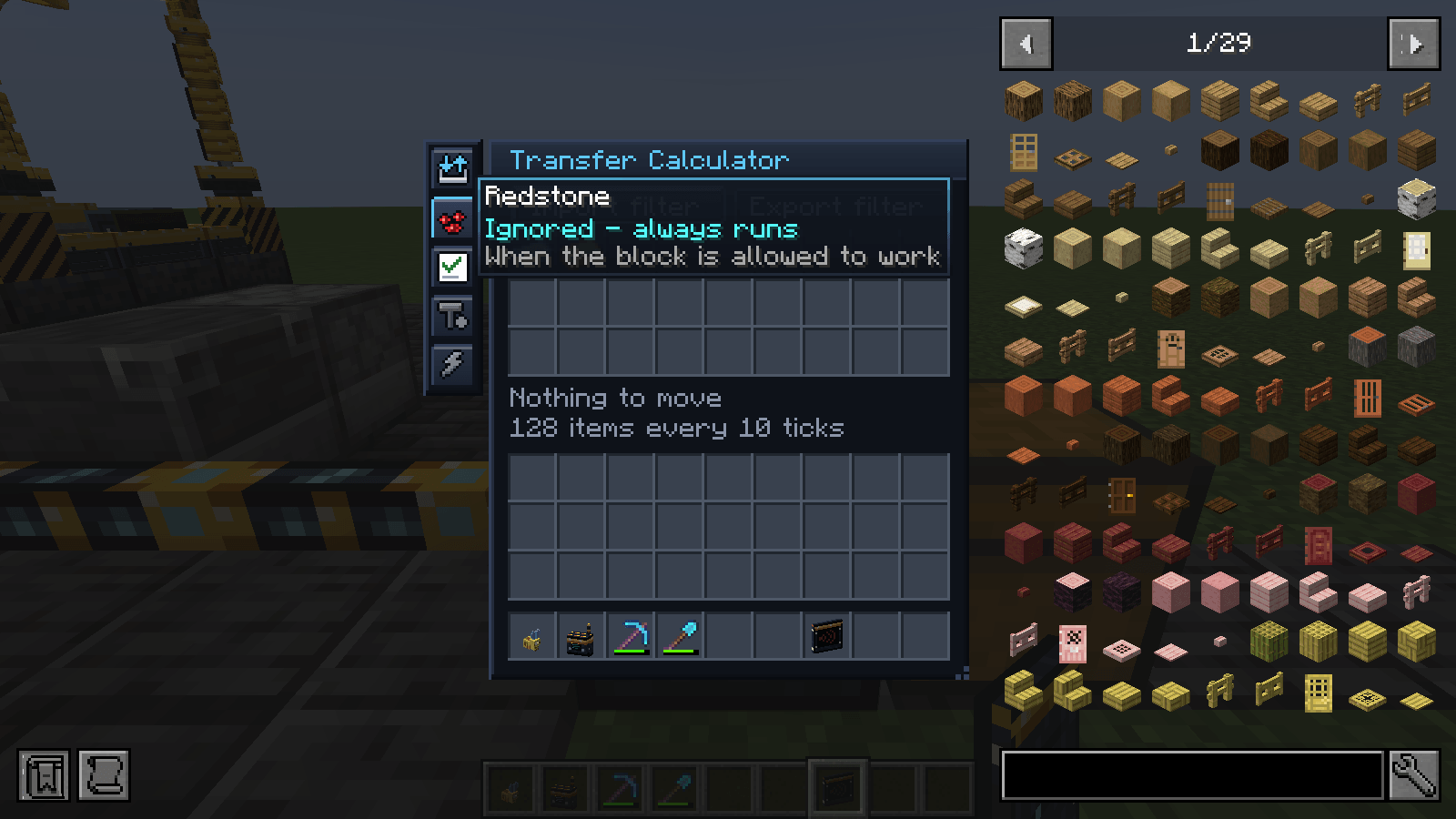
- Transfer Calculator — moves items, fluids, FE, chemicals and Source between the network and one container. Import, export or both, with a "leave 8" minimum per filter entry. It is also the network's power inlet: cable in, done.
- Breaking Calculator — breaks blocks out of storage and gives you the real drops, Fortune and Silk Touch included. Six star tiers. The tool wears out as it would in your hand; only the Singularity keeps it whole. "Keep tool" stops it at one point left instead of breaking it, and a tool with Mending repairs itself from liquid experience in the network.
Automation
- Requester — keeps up to six items at a target stock level on its own.
- Calculated Redstone Emitter — turns a stock count into a redstone signal, at least or at most.
- Constructor — places blocks from the network into the world, in order, round robin or at random.
- Item Collector — vacuums dropped items into the network, with the area drawn in the world so you can see what it covers.
- Crafting Monitor and Calculator Monitor — every running job and every calculator's load on one panel.
Reaching it from anywhere
- Network Antenna plus a Wireless Terminal — 32 blocks of range, plus 32 per Range Upgrade. An Infinite Range Upgrade covers the whole dimension, a Dimensional Upgrade every dimension.
- Wireless Transmitter and Receiver — continue the same network in another base, or another dimension.
- Security Terminal — on a server, hand out Take, Put, Order and Build per player.
Panels and facades
Both terminals, the redstone emitter, the Storage Connector and the calculators also come as a panel: just the plate, sitting on a network cable the way AE2's parts do. Right-click a cable with one and it attaches on that side, facing away. Right-click a machine or a chest and it goes into the space in front of it, facing in, with the cable underneath. Several panels share one cable, so a single run can pass a whole wall of furnaces with a panel on each. Breaking takes off what you aim at — a panel on its own, or just the cable in the middle.
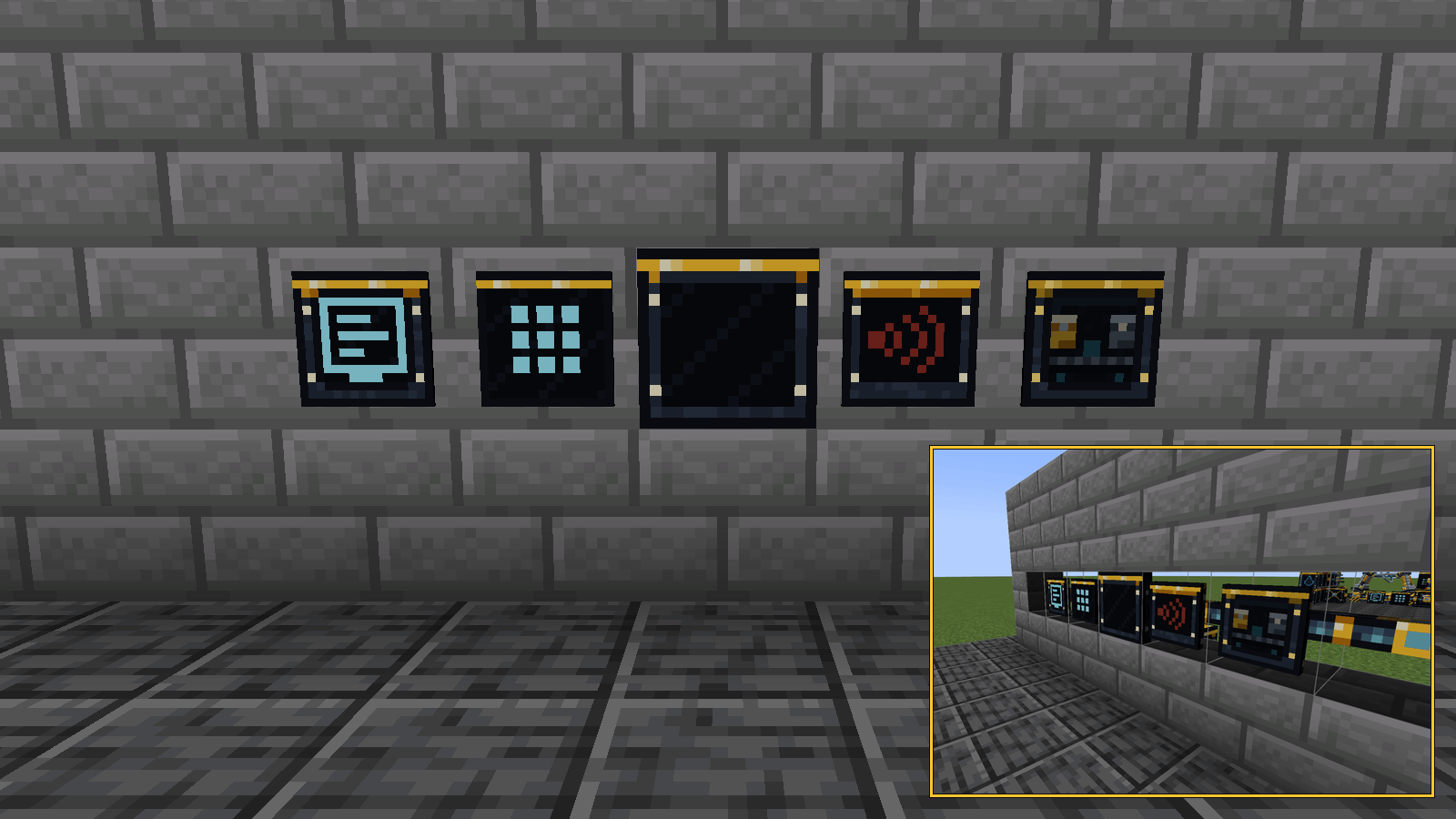
Craft four iron nuggets around any full block and you get four facades that look like it. The cable disappears into the wall, the panel still looks out, and holding the wrench turns every facade into a wireframe so you can see what you are working on.
Over twenty-five mods it knows by name
JEI is the important one. Without it, SCC only knows the recipes Minecraft itself hands out — crafting, smelting, stonecutting, smithing. With it, SCC sees every machine recipe of every mod in the pack, because JEI already had to collect them to show them to you. EMI does the same job if you prefer it.
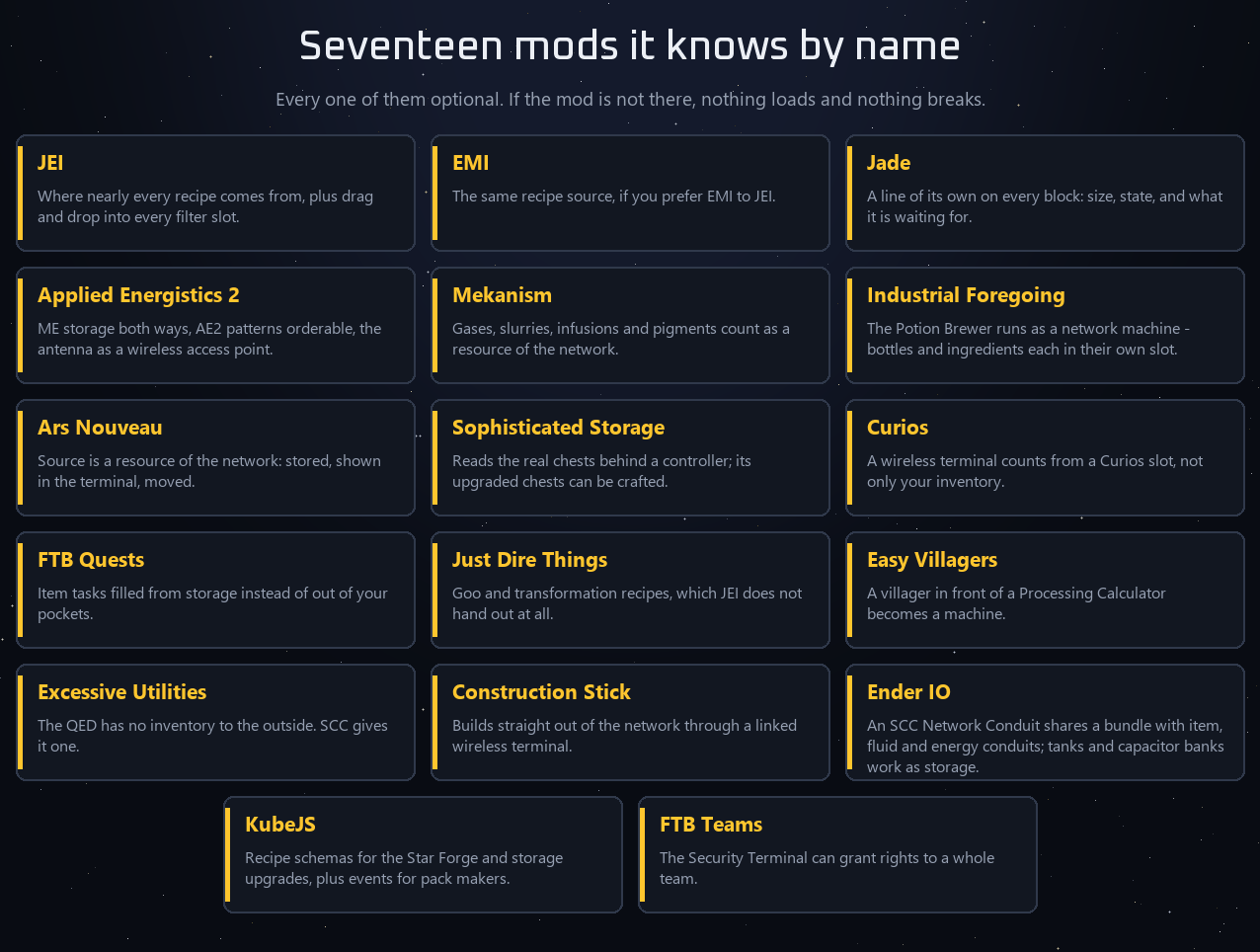
Jade gets a line from every block. AE2 shares its wireless access point, its ME storage and its crafting patterns. Mekanism chemicals, Industrial Foregoing's Potion Brewer, Ars Nouveau Source, Sophisticated Storage variants, Curios slots, FTB Quests, Just Dire Things, Easy Villagers trades, Excessive Utilities, Construction Stick, Effortless Building (builds from the network with a linked Wireless Terminal, like with AE2), Ender IO (its own SCC Network Conduit), KubeJS (recipe schemas and events), FTB Teams (team rights in the Security Terminal), Create (presses, mixers, fans, sequenced assembly – and a Schematicannon next to an Interface builds straight from the network), Actually Additions (Reconstructor Calculator), Chisel / Chipped / Rechiseled (Chisel Calculator), Oritech, Powah (Energizing Socket: the orb on top, real rods inside), Avaritia (a Processing Calculator in front of the Sculk, Nether, End or Extreme Crafting Table lays out the grid and takes the result), Draconic Evolution (Fusion Crafting, 1.21.1), Apothic Enchanting (infusion at the Enchanting Table of the Raven – SCC sets Eterna/Quanta/Arcana per recipe), Polymorph (pick the result in the SCC crafting grid), Building Gadgets 2 (link gadgets to the Network Antenna and build from storage), Mystical Agriculture, Occultism, Hostile Neural Networks, Logistics Networks and Industrial Foregoing: Souls (Soul Storage) all have their own small bridge.
And if none of them is installed? Then SCC runs exactly as it is: storage, terminals, autocrafting from vanilla recipes, wireless, breaking and transfer, star tiers and the sky. Everything above is an addition, never a requirement — client and dedicated server both start with no other mod in the folder.
When something does not work
Every storage mod eventually leaves you staring at a machine that is not doing anything. This one tries to answer that instead of leaving you to guess:
- Look at the block. With Jade installed, every block writes its own line: how large the network is, what a calculator is waiting for, why a job is stuck.
- Ask the item. Ctrl + middle-click an item in the terminal and it says exactly what is missing, and how much. The order window names the machine when one is missing.
- Ask the network.
/scc doctorlists which recipe kinds this network cannot run, each with the block that would fix it. - Unstick it.
/scc unstickreleases every step filter in the network around you and frees the machines. - Suspect the mod?
/scc selftestplaces every block once in a free cube of air, builds a network, stores an item, takes it back out, and clears up after itself. - Read the log.
logs/scc.logis SCC's own: refused orders, stuck jobs, machines that hand nothing out — and every frame over 100 ms with SCC's share of it, so you can tell SCC stutter from everything else.
Settings, in the game
Press F7 (or Mods → SCC → Config): Star Forge and Sky Harvester animations, the sky objects, the window fade-in, the design — and every SCC sound on its own, grouped, each with a play button. No restart, no config file.
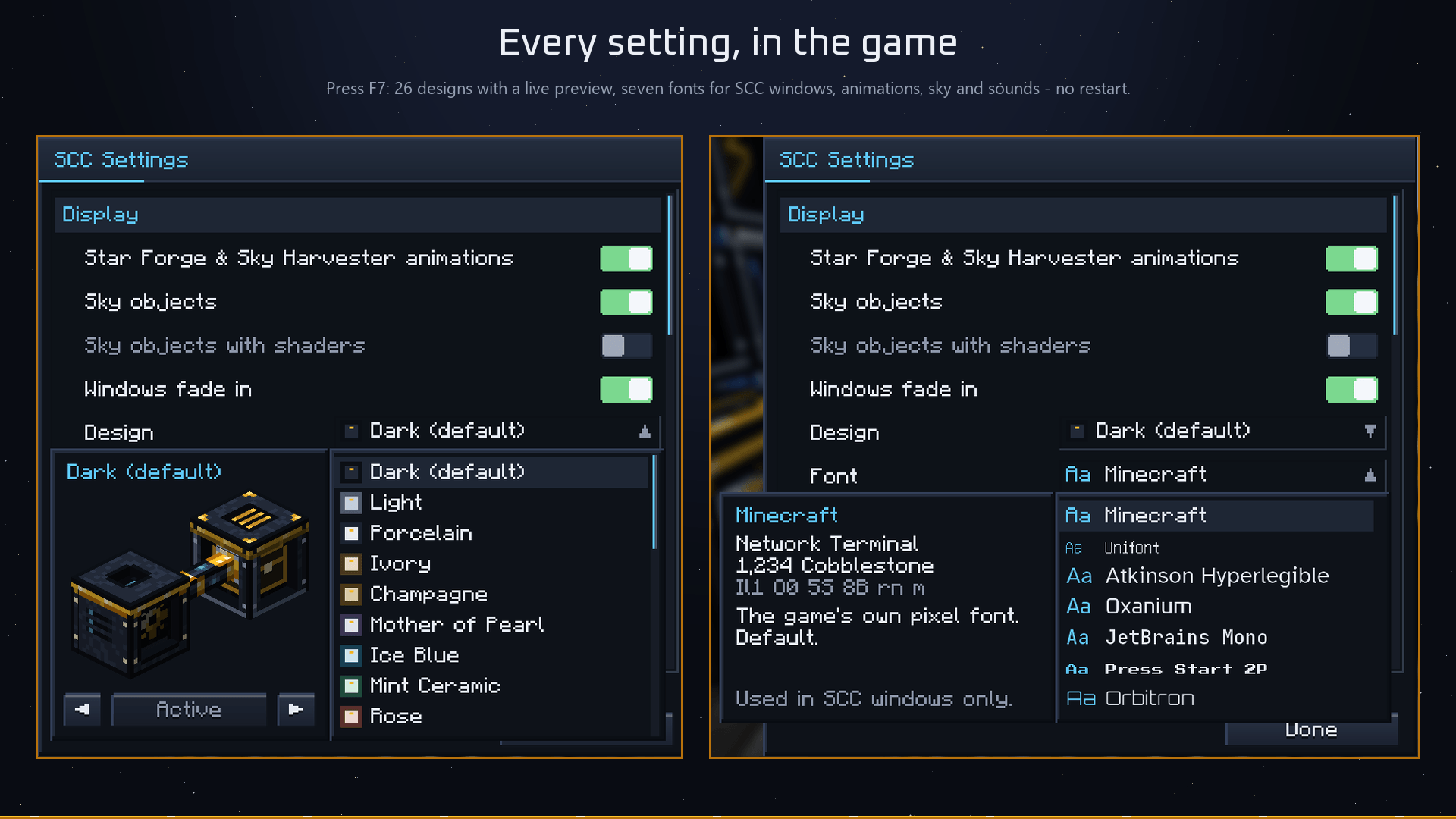
With a shader pack running, the star effects switch to render types a shader understands. If your pack still draws them oddly, one switch turns them off.
27 designs, already in the box
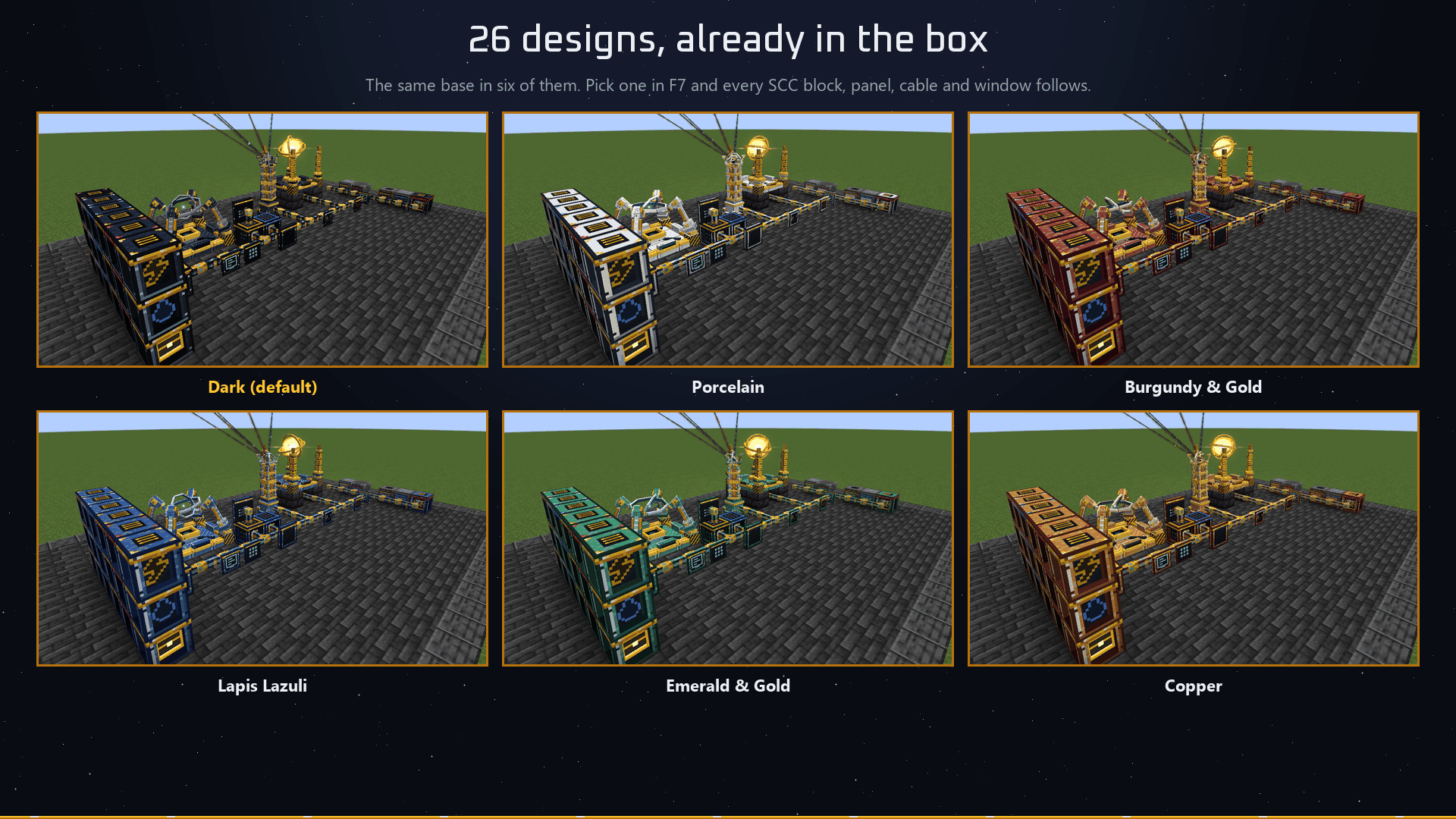
Press F7 and open Design: the default dark steel, light, and 24 colour worlds — Porcelain, Ivory, Champagne, Mother of Pearl, Ice Blue, Mint Ceramic, Rose, Sandstone, Royal Blue & Gold, Burgundy & Gold, Emerald & Gold, Copper, Terracotta, Lapis Lazuli, Amethyst, Petrol, Jade, Black & White, Light Graphite, Warm Titanium, Sky Blue, Peach, Lavender and White & Signal Red – plus Classic, the dark slate look of the first SCC versions. Pick one and the whole mod — blocks, panels, cables, items — switches instantly, without a loading screen. The glowing fronts and the gold stay, and every SCC window follows with a light or dark surface to match. Nothing to download, and the mod does not get bigger for it: the colours are worked out while the game loads.
Power
Power mode is on by default. Every block costs FE per tick, and the network pays from the Calculator Controller's buffer first, then from every Energy Storage on the network. Feed it with a cable into the controller, or put a Transfer Calculator in energy mode on a generator — both work, and a network whose controller is empty keeps running on its storages.
A grown base lands somewhere around 50 to 100 FE/t, which one simple generator covers on the side. The Sky Harvester is the one hungry block: it draws from 40 FE/t with the Basic lens up to 12,000 FE/t with the Singularity lens, and it waits instead of taking the power the network needs to stay alive.
All of it is adjustable while the game runs with /scc — including /scc power off, or setting all costs to a percentage.
Your own power – from the stars
SCC no longer needs another mod for power.
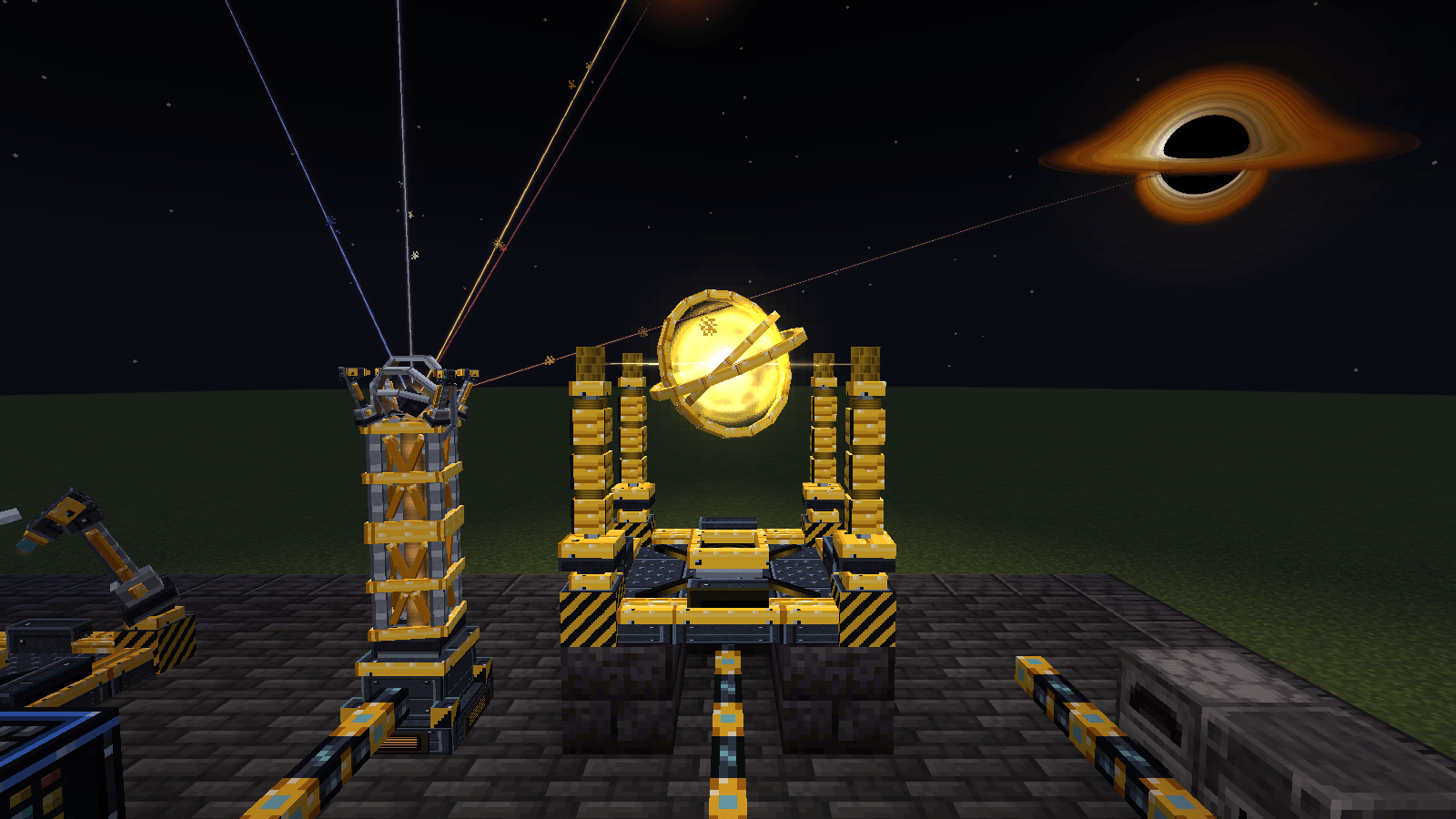
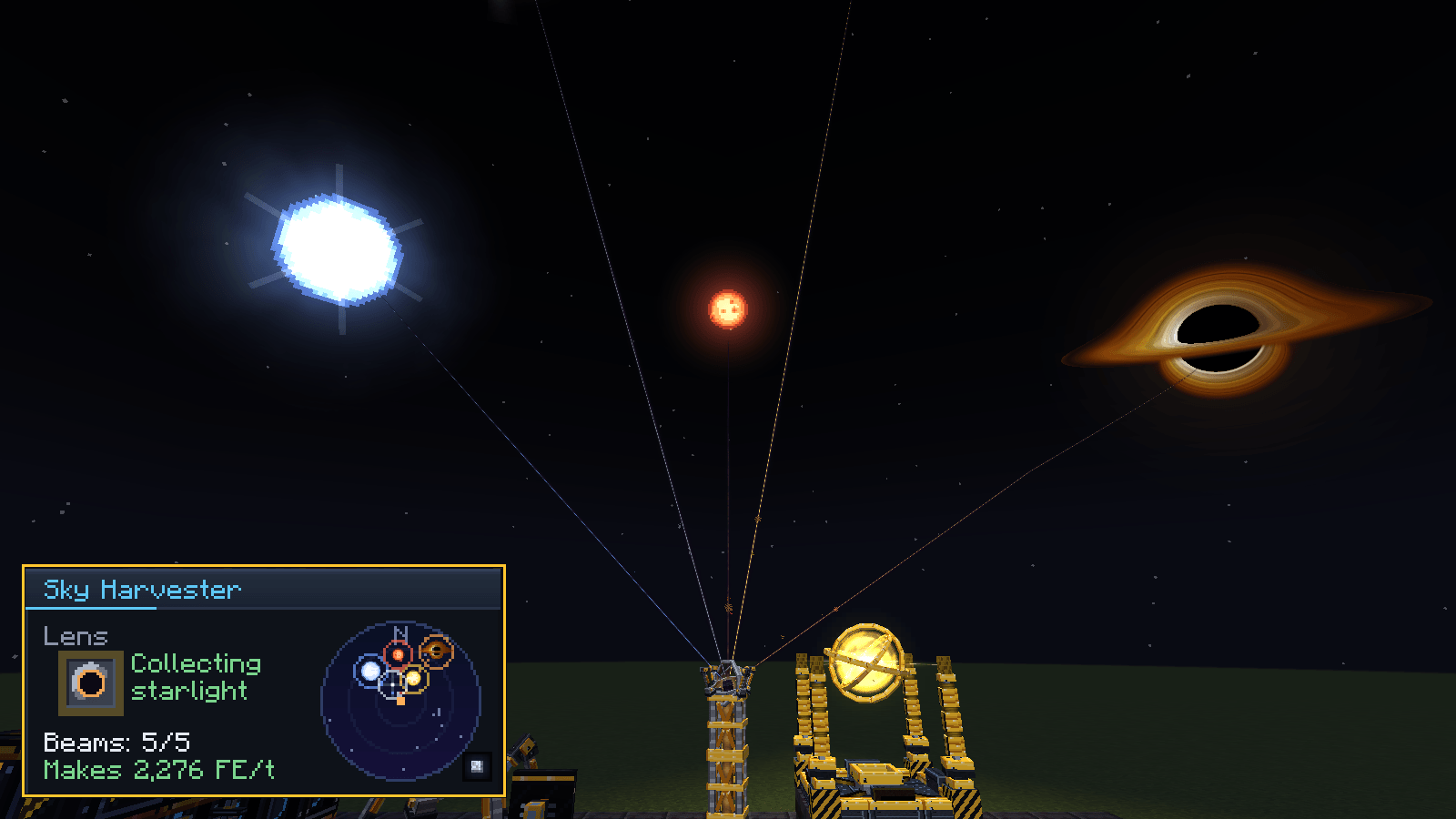
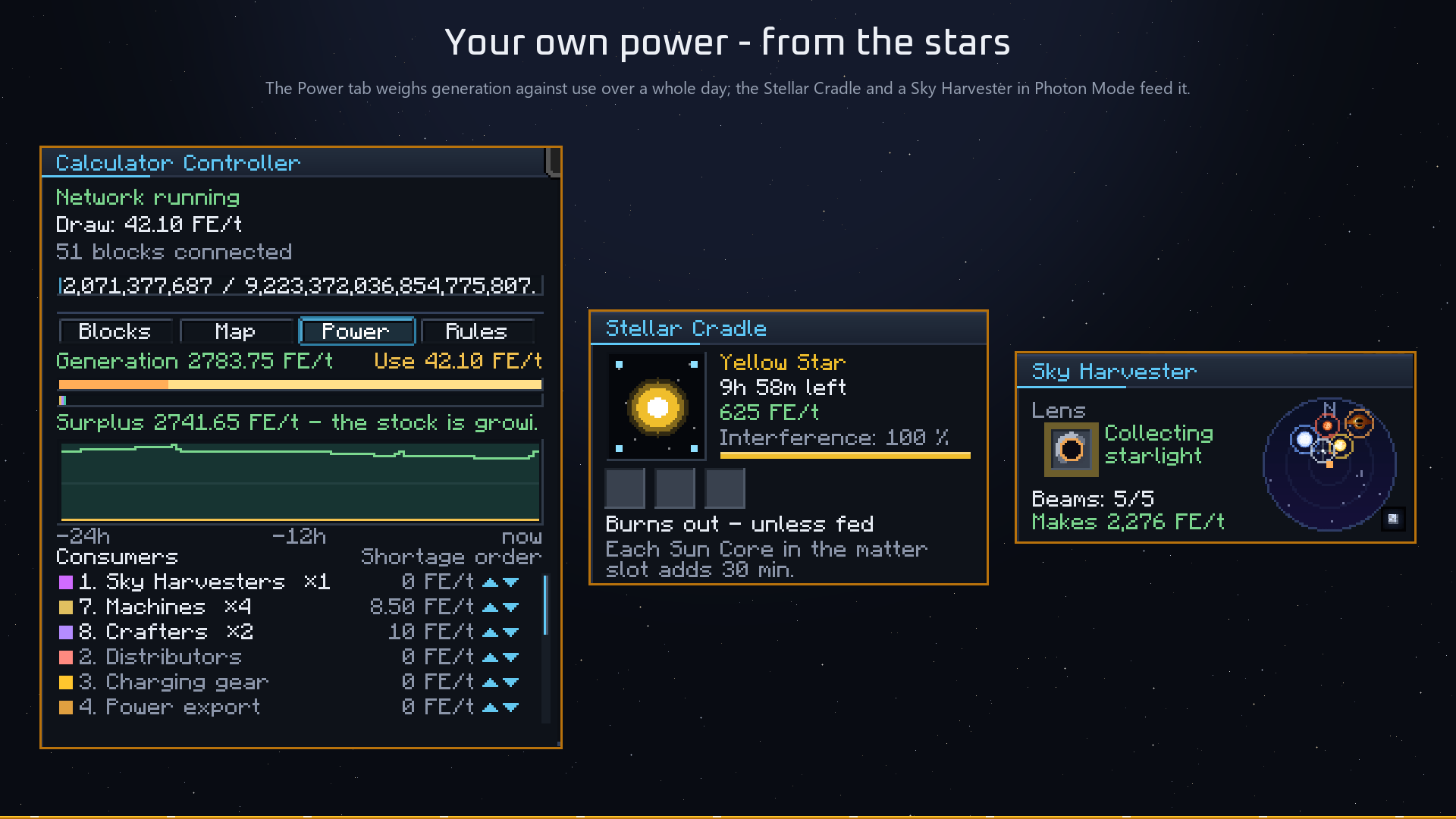
- Photon Mode: switch a Sky Harvester from matter to photons and it collects starlight instead – 50 FE/t with the Basic lens, up to 1,600 FE/t, without using any power itself. One harvester starts an empty network.
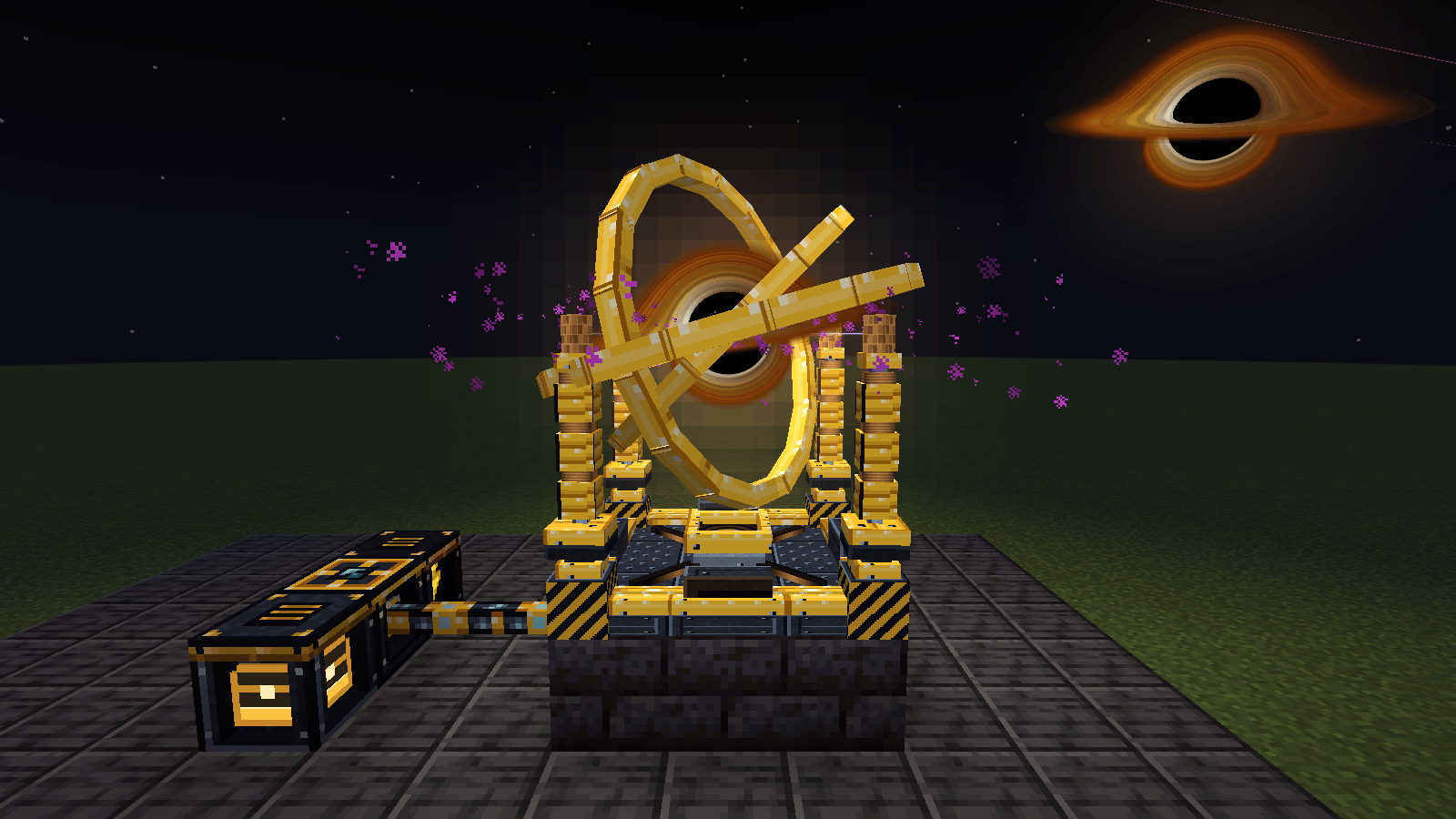
- Stellar Cradle: a multiblock where a star forged in the Star Forge is ignited and lives its whole life – a Red Dwarf gives 80 FE/t for a day, a Yellow Star 500 FE/t, a Blue Giant 2,500 FE/t until it goes supernova. Hold the supernova with a 2M FE barrier and you keep a Pulsar (10,000 FE/t); feed it Dark Matter and it collapses into a Black Hole that eats your overflow items for up to 40,000 FE/t.
- Balanced on purpose: stars burn out and need matter from the harvester, several cradles near each other interfere (100 / 50 / 25 %), and the numbers stay well below fusion reactors – SCC powers itself, it does not replace your pack's power mods.
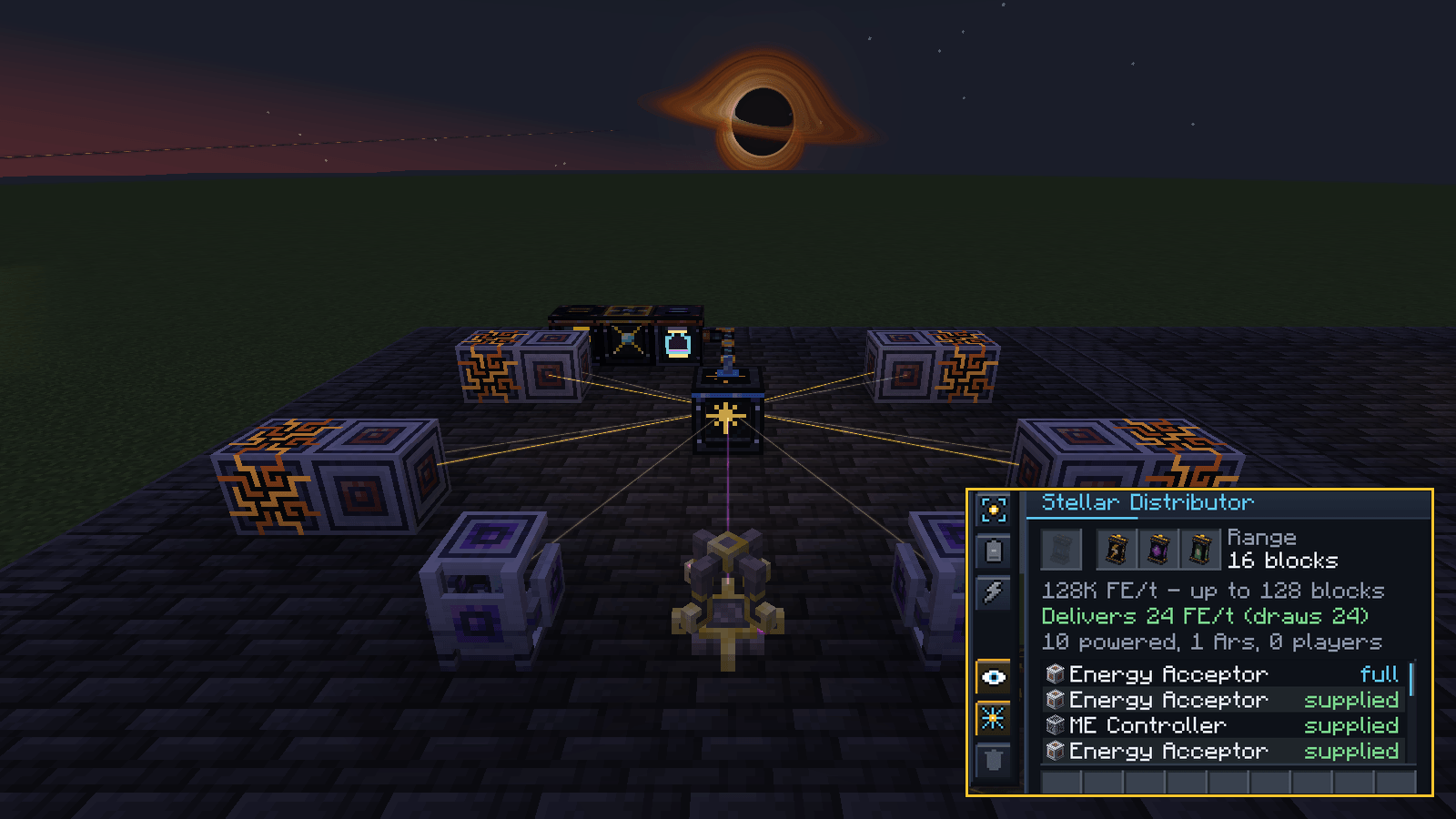
- Stellar Distributor: powers every machine around it without cables – with Range Upgrades up to the whole dimension, with a small loss over distance. Modules also supply Ars Nouveau Source and charge players' gear.
- Power tab: the controller shows generation against consumption with a 24-hour history, and on a shortage switches groups off in an order you choose – harvesters first, crafters last.
More new things
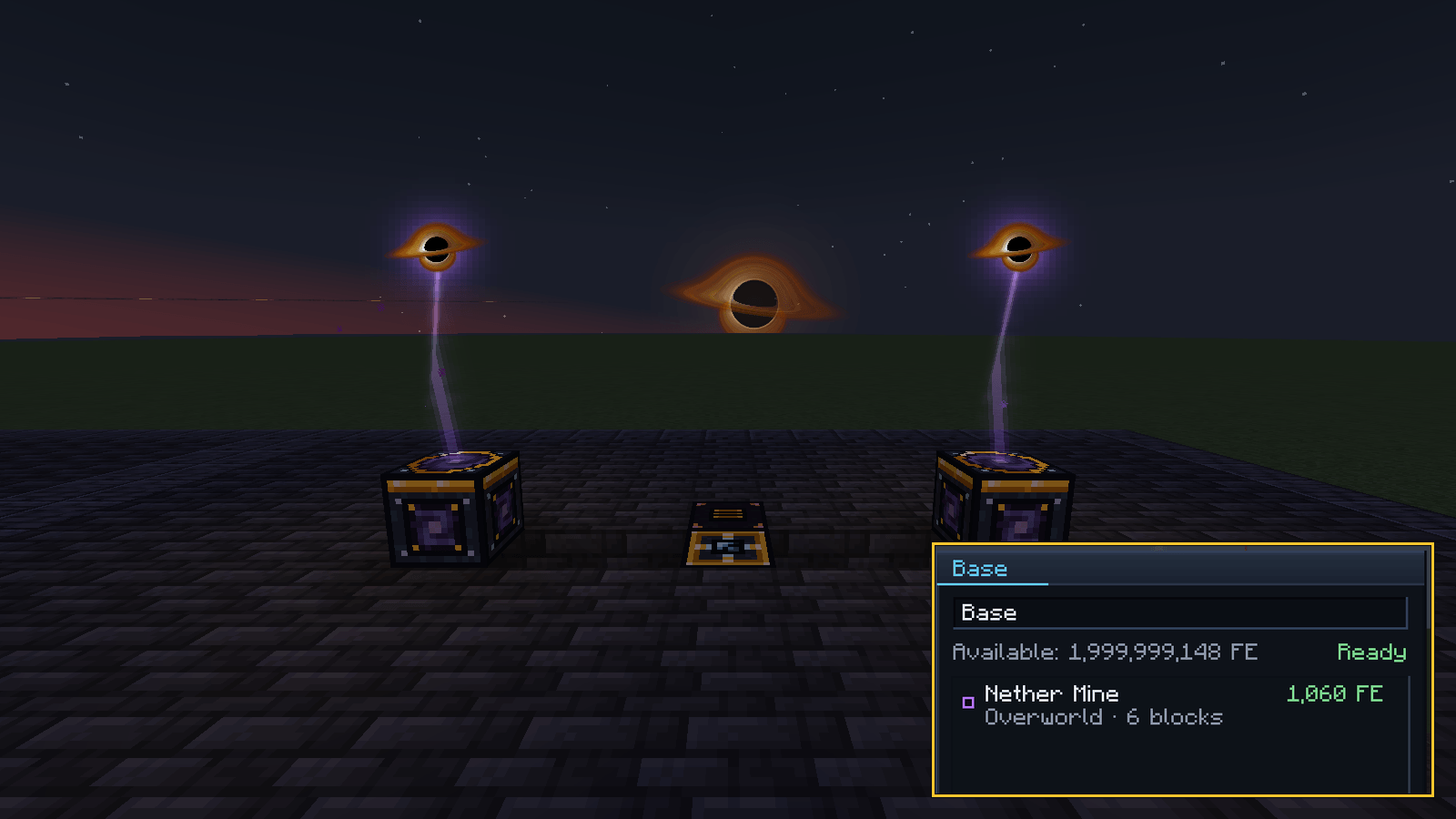
- Wormhole Gate: teleport between gates of the same network, paid in FE – across dimensions too.
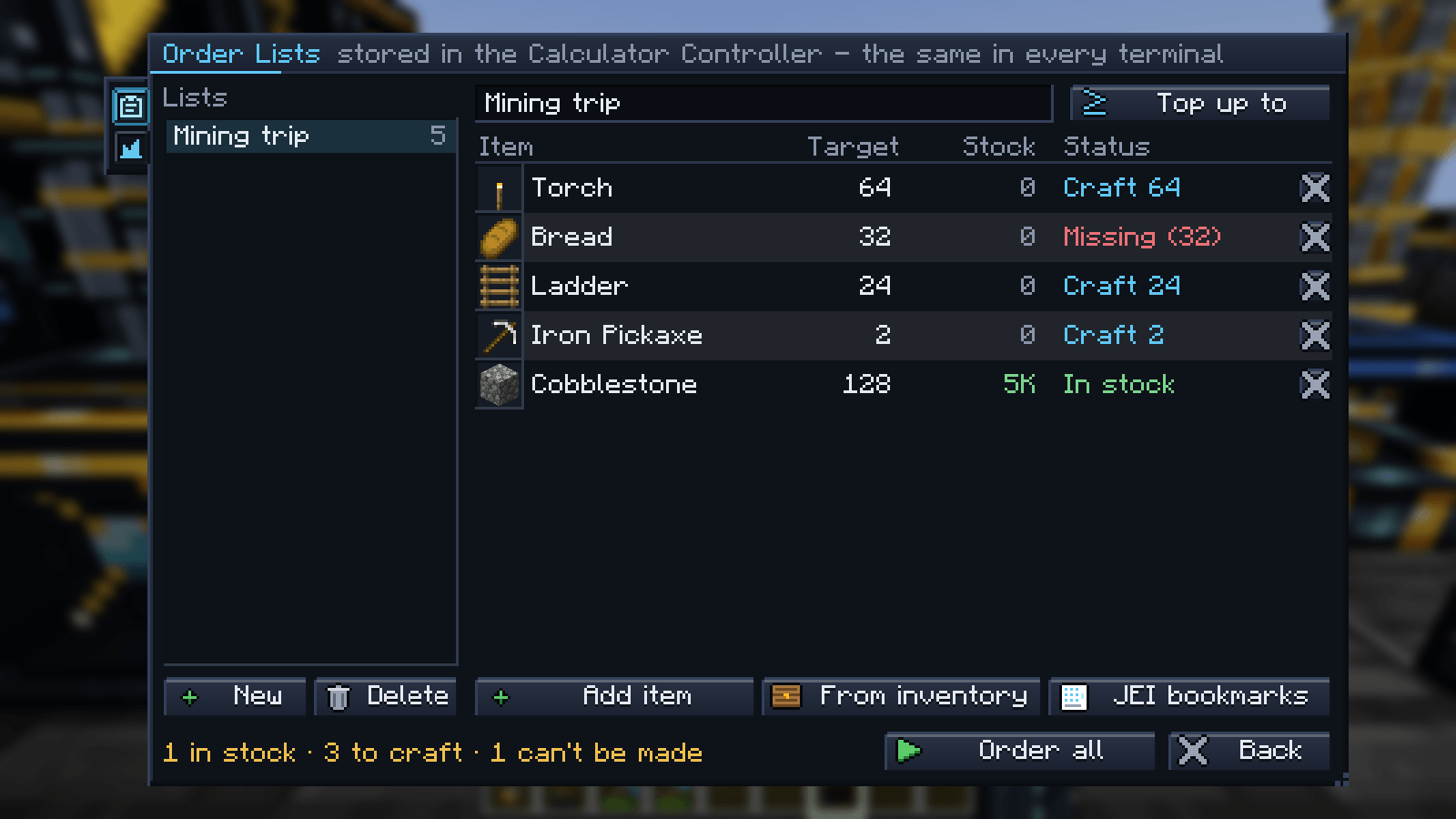
- Standing orders: "Cobblestone → Stone when it arrives" – the network places the jobs itself.
- Magnet mode on the wireless terminal, Star Chart item, and conjunctions in the sky that double a harvester's yield for ten minutes.
- Ender IO: an SCC Network Conduit that shares a bundle with item, fluid and energy conduits.
New in 1.3 and 1.4
- Star Quarry – a star (or, on Singularity, a 3D black hole) hovers over your pit and cuts it layer by layer with lasers, straight into storage. Six tiers, marker pylons, an ore estimate before you start, and cards for Void, Silk Touch, Fortune, Ores Only, Fluids, Fill Holes – or Orbital Mining with no hole at all. Respects claims, never loads chunks.
- Stellar Gear – your own gear from Netherite upwards, raised tier by tier at the Star Anvil: the Stellar Drill (pickaxe, axe and shovel in one – autosmelt, 3×3 up to 7×7 with a preview, Silk/Fortune switch, drops into storage, whole ore veins), the Stellar Blade (Red Harvest, Sun Flash, plasma sickle, Gravity Strike, Time Stop) the Stellar Bow (plasma arrows, solar volley, plasma bolt, gravity arrow, seeking star), the Stellar Pocket tool bag with a quick-swap wheel, and the Stellar Exo in full 3D (core heat, solar skin, plasma shield, gravity boots that walk up walls, event horizon – and flight only with the full Singularity set). Runs on FE, never breaks, takes your enchantments.
- Star Gadgets – Orbit Satellites (collect, shoot, heal, light) set up at a Constellation Pedestal, Gravity Gauntlet, Star Lasso with Star Bubbles, Gravity Grenade, Mini Sun, Star Shield, the Little Star companion and a Planetarium to control it all.
- Meteors fall at night – catch them with a Sky Harvester, or mine the small crater for ores and Star Shards. Plus the Gravity Lift, Starlight blocks in five star colours and a brush that paints blocks and gear in any design.
- Chronon Overdrive for the Singularity Breaking Calculator (up to 128 blocks/s), pick the tier right in the order window, and a big server config (
/scc <setting> <value>). - One Processing Calculator, three modules – Routing, Supply and Custom Pattern replace the Advanced and Custom calculators. Your old ones are converted automatically, settings and recipes included.
- Wormhole Remote – a pocket rift: pick a gate and a small black hole opens in front of you; walk in and you arrive at the gate.
- Design Brush – give single blocks their own design.
- Chronon – condensed time from your Stellar Cradle's black hole; it pays for Time Dilation and the last lens.
- Fair machine sharing – several orders split the machines between them instead of queueing.
- JEI shows what you can build first while an SCC terminal is open, and marks what is missing.
- A tidier terminal – six buttons and a ⋯ menu; pin what you use most.
- Performance – the antenna, terminals and orders sleep until something happens; tested at 20 TPS with 10,000+ item kinds and 360 storages.
- Soul Storage for Industrial Foregoing: Souls, Ars Source jars in the terminal, the Chisel and Reconstructor Calculators, a Turn button for Destructor and Constructor.
New in 1.4.1 and 1.4.2
- Smarter storage – the terminal shows what is really free next to what running orders have reserved, a 24-hour stock trend in every tooltip, your network stock right in item tooltips, "Recently changed" sorting, recently ordered items, one click to store your whole inventory, and optional auto-compress (nuggets → ingots → blocks, split again when needed).
- Order from anywhere –
/scc order <item> [amount]with a linked wireless terminal, and blueprint import: Litematica, WorldEdit.schem, structure.nbt, Building Gadgets copies or a pasted list become an order list – SCC shows what is missing and orders it in one click. - Monitor walls – Storage, Calculator and Crafting Monitors side by side join into one big screen up to 8×8 with a seamless frame; Crafting Monitors each show a different job.
- Wormhole Gate – look through it and see the destination like a window, open the menu on the portal itself, pick a portal colour, hide the base behind a facade, cheaper recipe.
- The sky does more – Sky Sensor redstone block, meteor shower nights, a Planetarium sky projection, Orbital Mining that pulls the ores of its own dimension (mod ores included), the Star Quarry can refill its pit.
- Automation – pick the machine by hand, Avaritia tables, Draconic Fusion, Powah Energizing Socket, Raven-table infusion, Mekanism gases in transfers and filters, recipes with up to 18 ingredients, click an empty module slot to fill it from the network.
- Stellar Gear – Stellar Bow, Stellar Pocket, night vision helmet, mining in the air at full speed, low power warning, a Star Logbook with your milestones and statistics.
- Designs switch instantly, the Gravity Lift runs on its own power, and
/scc helpexplains every command and setting.
In the game, not on YouTube
The mod ships a manual: craft the SCC Manual once and every chapter of this page is in it, in the order a player actually needs them — including three new chapters for the sky, the forge and the Singularity powers.
Six languages
English, German, Brazilian Portuguese, Simplified Chinese, Russian and Spanish — block names, tooltips, windows, messages and the whole in-game manual. Pick the language in Minecraft's language settings as usual.
Repair with XP
Liquid experience in the network repairs the gear you carry. Shift + right-click a wireless terminal, turn on Repair with XP, and anything with Mending in your inventory, armor or Curios slots is mended from it, once a second — exactly like picking up XP orbs. Any fluid tagged c:experience works.
Support SCC
SCC is made in my spare time. If you like it, you can support it on Patreon – supporters get the newest versions first, before they reach CurseForge.
Requirements
- Minecraft 1.21.1 or 26.1.2, NeoForge – the same features in both
- JEI or EMI — not required, but strongly recommended: it is where nearly every recipe comes from
- Everything else is optional
Bug reports and ideas: **https://github.com/xXxRonaldxXx/SuperCoolCalculator/issues**. If a machine from a mod is not being fed correctly, the most useful things to send are logs/scc.log and the output of /scc doctor.
Screenshots
Gallery
-
SCC – Super Cool Calculator Storage and autocrafting with nothing to encode – and now its own power, from the stars.
-
A small base in the new look Storage wall, crafters, Star Forge, Sky Harvester and a Stellar Cradle on one slim cable, with panels sitting on it.
-
26 designs, already in the box The same base in other designs: Dark, Porcelain, Burgundy & Gold, Lapis Lazuli, Emerald & Gold and Copper.
-
Every machine shows what it is doing The machine fronts, animated as in the game.
-
The five sky objects The five sky objects at night: red dwarf, yellow star, blue giant, pulsar and black hole.
-
130 blocks, one network Twenty-four of the blocks in the Star Forge style.
-
Six star tiers The six star tiers and their capacities.
-
Order it - and see the whole tree first The order window shows what comes out of storage, what gets crafted and what is missing, before you commit.
-
The Network Terminal One searchable grid of everything in the network, with a toolbar on the side and JEI next to it.
-
Order Lists Save a list once and order all of it with one click - with what is in stock, what gets crafted and what is missing.
-
Constellation View The whole network as a star map: every block a star, tier as glow, problems marked.
-
Settings on a toolbar Every machine window keeps its settings on a toolbar at the side, each with a tooltip that says what it does.
-
Every setting, in the game Press F7: 26 designs with a live preview, seven fonts for SCC windows, animations, sky and sounds - no restart.
-
The Power tab Generation against consumption over a whole day, and the order in which groups switch off on a shortage.
-
Panels on a facade wall Panels looking out of a facade wall - and with the wrench in hand, the cable shows through.
-
Seventeen mods it knows by name The supported mods - every one of them optional.
-
A star in the Stellar Cradle A yellow star burning in the cradle, the Sky Harvester reaching for the sky, and the black hole overhead.
-
A black hole of your own Fed with Dark Matter, a pulsar collapses into a black hole that eats overflow items for up to 40,000 FE/t.
-
Photon Mode A Sky Harvester in Photon Mode collects starlight instead of matter - power for the network without using any.
-
Stellar Distributor Power for every machine around it, without cables - the beams show which blocks it supplies, here AE2 blocks and an Imbuement Chamber.
Versions
Files
Relations
Project Relations
More like this
Similar Mods
Suggestions use data such as tags, dependencies, dependents, descriptions, titles, and more to rank how much they overlap with this mod.
On ModDex
Community snapshot
By the numbers
Statistics
 (opens in a new tab)
Get it on
Available Platforms
On ModDex
Community snapshot
By the numbers