

ScheduledTickVisualizer
No reviews yet
Render ScheduledTick in real-time!
Fabric is a mod loader for versions 1.14+ of Minecraft, particularly popular for client side and optimization mods.
Community voices
Reviews
Click once to include, again to exclude, again to clear
No reviews yet. Be the first to review this project!
Get it on
Available Platforms
 Modrinth
Compatibility
Supported Environments
About
Project Details
For authors
Embed Badge
If you're the author of this project, you can embed a live badge anywhere that supports HTML or Markdown. It updates automatically whenever ratings change.
Use HTML for any page that supports it, or Markdown for README files and Markdown-based descriptions.
Identifiers
Platform IDs
About
Description
What is this?
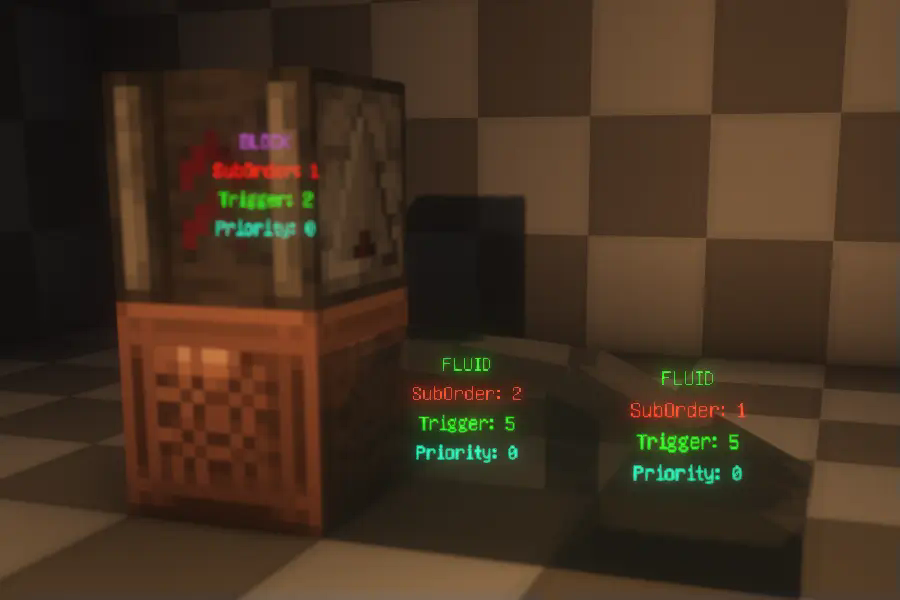
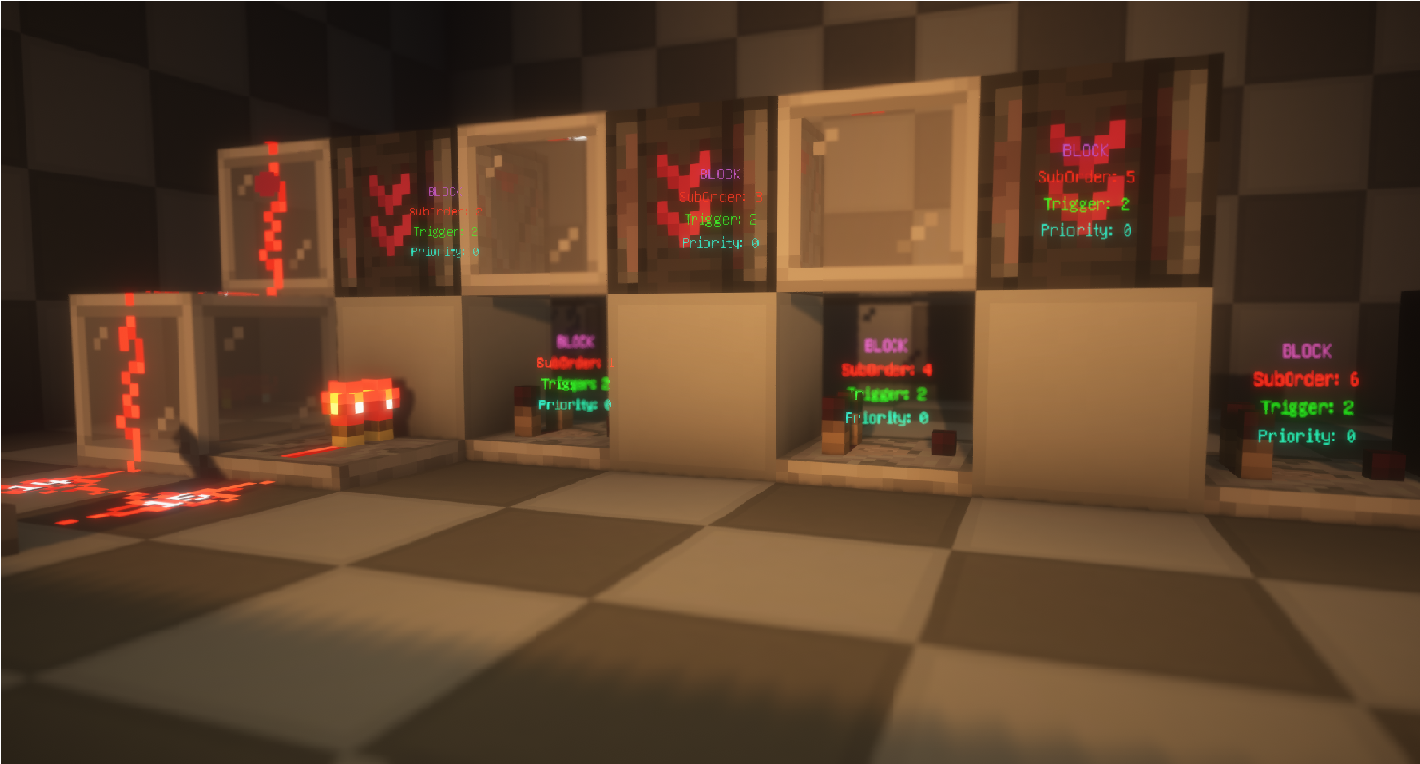
This is a visualization mod that renders detailed information about ScheduledTicks in the world, including their type, trigger time, order, and priority.
How to Use?
First, make sure to install YACL and Mod Menu, and ensure this mod is installed on both the server and the client. Then, enter the world, open the settings menu, navigate to Mod Menu, find this mod, and click on its settings. Enable "Main Render" to start visualizing ScheduledTicks.

Related Commands and Settings
Settings are already explained in the configuration menu and won't be elaborated on here. However, it's worth noting that to prevent the server from sending ScheduledTick data for distant areas (very far away) to the client, the server will check whether any players are within range (default is 20 blocks). This range can be adjusted using the command:
/gamerule scheduledTickInformationRange <int>
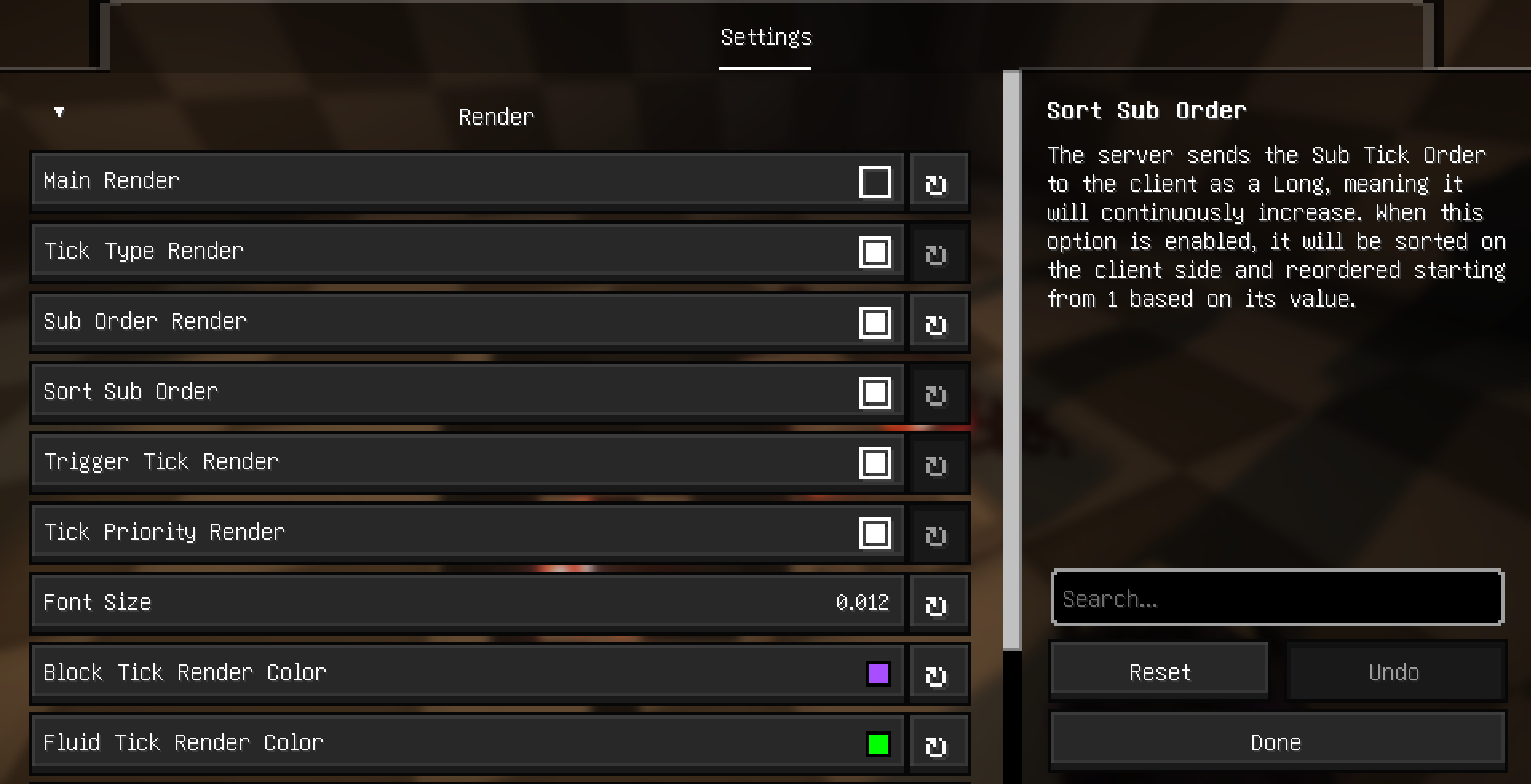
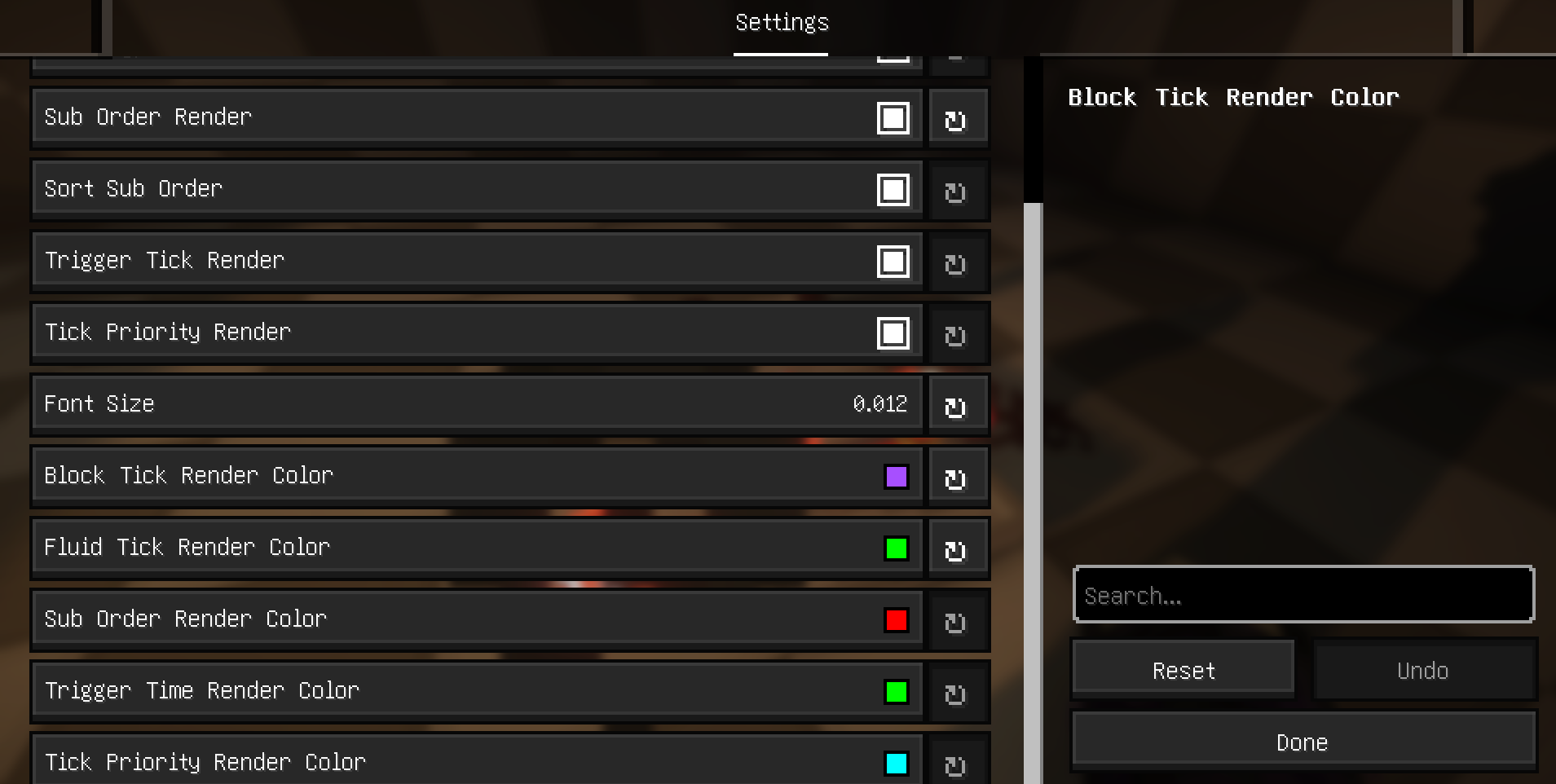
Additional Explanation and Supported Languages
Explanation
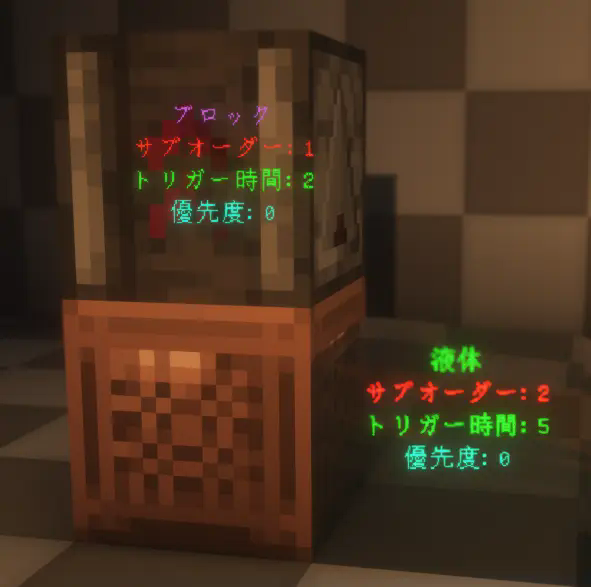
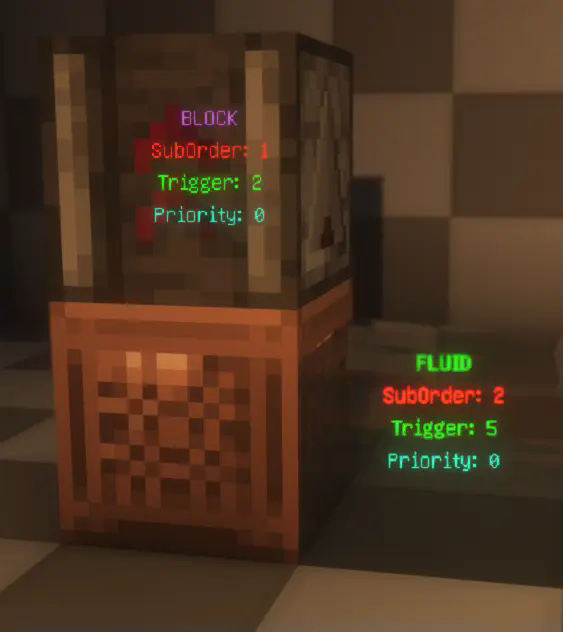
- Type: Displays the type of the ScheduledTick, indicating whether it's a block tick or a fluid tick.
- SubOrder: Shows the execution order of the ScheduledTick within the current tick, i.e., the sequence among multiple ScheduledTicks.
- Trigger: Indicates how many ticks remain until the ScheduledTick is triggered.
- Priority: Displays the priority level of the ScheduledTick. For more details, refer to this .
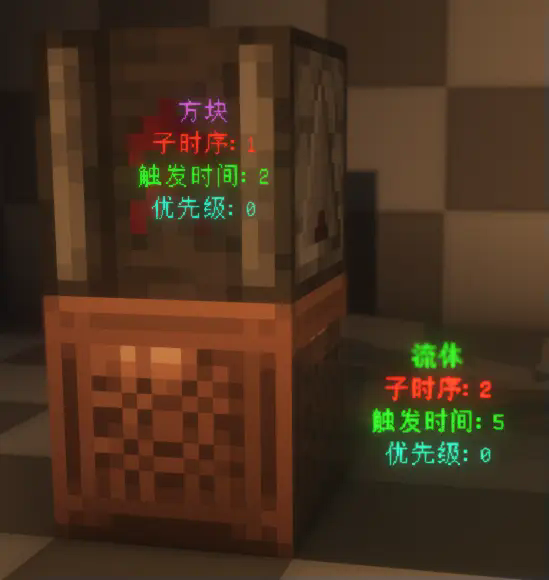
Supported Languages:
The mod currently supports multiple languages, including English, Simplified Chinese, Traditional (Taiwan and Hong Kong), and Japanese.
Screenshots
Gallery
Versions
Files
Relations
Project Relations
More like this
Similar Mods
Suggestions use data such as tags, dependencies, dependents, descriptions, titles, and more to rank how much they overlap with this mod.
On ModDex
Community snapshot
By the numbers
Statistics

Want to reach Minecraft players?
We're looking for a server hosting partner to feature here and other parts of the site. Interested? Send us a message!
Get in touchGet it on
Available Platforms
On ModDex
Community snapshot
By the numbers