Community listing page, reviews may not be monitored by the author.
SCP: Labels Editor

No reviews yet
It lets you create custom labels by loading images into the mod folder.

Community voices
Reviews
No reviews yet. Be the first to review this project!
Get it on
Available Platforms
About
Project Details
For authors
Embed Badge
If you're the author of this project, you can embed a live badge anywhere that supports HTML or Markdown. It updates automatically whenever ratings change.
Use HTML for any page that supports it, or Markdown for README files and Markdown-based descriptions.
Identifiers
Platform IDs
Resources
External Links
About
Description

Labels Creator
Minecraft Forge 1.12.2 / 1.20.1 / 1.21.1 / 26.3 - forge, neoforge, fabric
Place custom image labels on walls. Each label can show a picture from a local folder, with a chosen name and resolution. Unconfigured or missing images stay as a white/blank label base so you can tell something is wrong.
NOTE: This mod was created to generate default SCP labels, but it can also be used to create images for your world, or things like that.
Features
- Wall labels only — place on sides of blocks, not floor or ceiling
- Custom images — load PNG/JPG (and similar) from a folder next to the game
- Label Editor GUI — set name, photo, and resolution (2–1024/4096)
- Dynamic overlay — your image is drawn on the label face (and edges)
- White base — default look when no image is set or the file is missing
- Named items — break or middle-click a configured label to get an item named like "Label SCP-440" with the same data (is an example SCP-440)
- Copy / place again — NBT keeps name, image, and resolution
- /labelsfolder — opens the image folder and prints its path in chat (changed)
How to use
1. Image folder
Put your images here:
- Normal launcher: .minecraft/uploadcustomlabels/ (or type the command in the chat /labelsfolder)
Supported formats: .png, .jpg, .jpeg, .gif, .bmp
Example: uploadcustomlabels/tormentor.png
2. Place a label
- Take a Label from the Decorations tab (or your creative tab).
- Right-click a wall.
- The Label Editor opens if the label is not configured yet.
3. Configure
| Field | Meaning |
|---|---|
| NAME | Display name (also used on the item when broken) |
| PHOTO | File from uploadcustomlabels (< > to cycle) |
| RESOLUTION | Texture size (e.g. 64×64, 256×256) |
| Confirm | Save and apply the image |
| Cancel | Close without saving |
4. Edit again
Right-click an existing label to open the editor again.
5. Copy a label
- Break it → item keeps name + image data
- Middle-click (creative) → same
Place that item to get the same label again.
6. Open the folder in-game
/labelsfolderOpens the folder in your file manager and shows the full path in chat.
Tips
- If the label stays White, the file is missing, the name is wrong, or the folder path is not the one the game uses (check /labelsfolder).
- Images are client-side (each player needs the same files in their folder for multiplayer).
- Higher resolution = sharper image, more memory.
Technical (short)
- Forge 1.12.2, 1.20.1 - neoforge, forge, fabric
- Block + tile entity + overlay
- Client command /labelsfolder
- Network packet to save label data on the server
Screenshots
Gallery
-
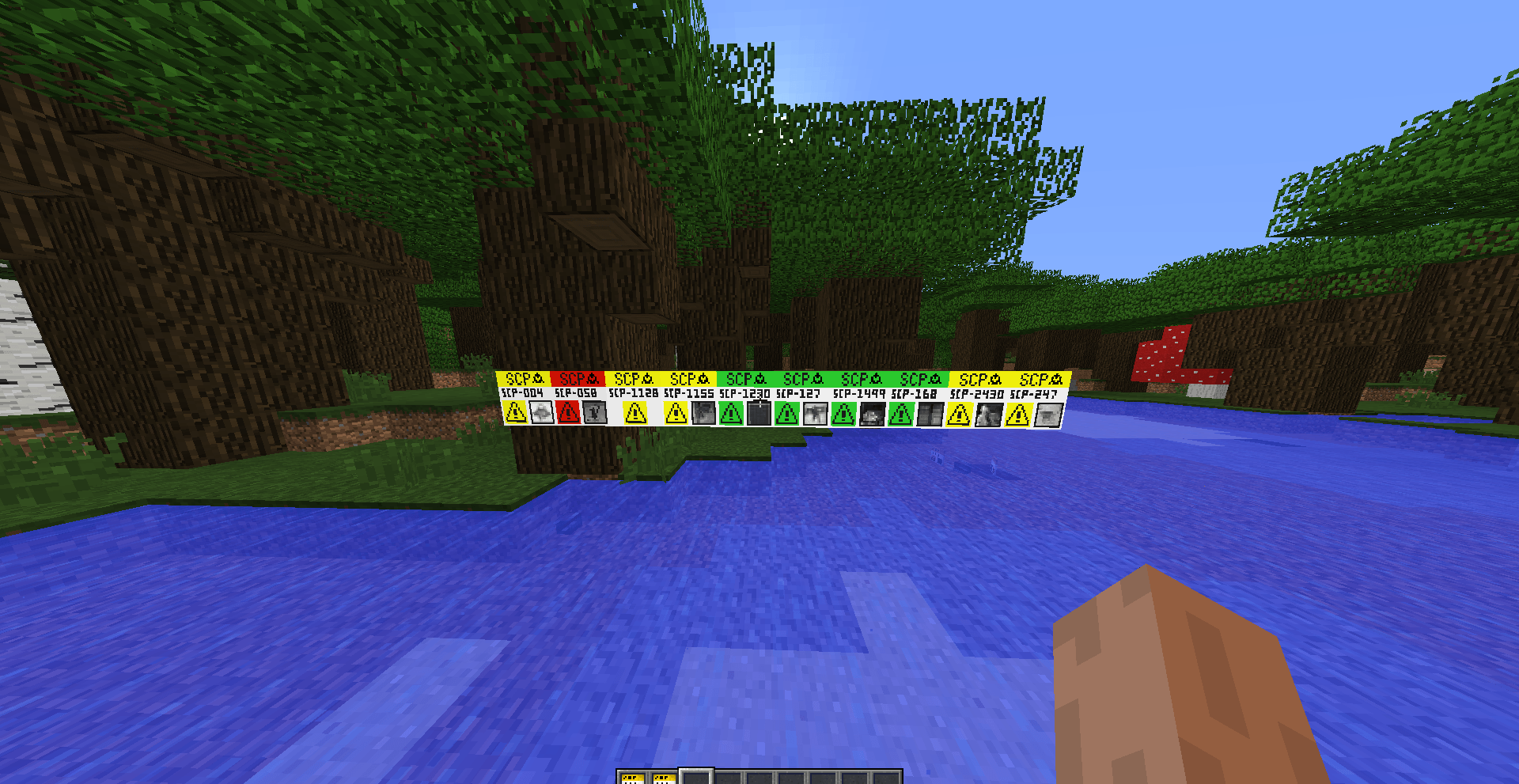 Example:
Versions
Files
Relations
Project Relations
More like this
Similar Mods
Suggestions use data such as tags, dependencies, dependents, descriptions, titles, and more to rank how much they overlap with this mod.
On ModDex
Community snapshot
By the numbers
Statistics

Get it on
Available Platforms
On ModDex
Community snapshot
By the numbers
Statistics
Resources