Community listing page, reviews here may not be monitored by the author.
ScreenshotMetadata


No reviews yet
Automatically add detailed metadata to your Minecraft screenshots including player info, coordinates, biome, and timestamp.
Community voices
Reviews
No reviews yet. Be the first to review this project!
Get it on
Available Platforms
Compatibility
Supported Environments
Runs entirely on the client. Works on vanilla servers.
About
Project Details
For authors
Embed Badge
If you're the author of this project, you can embed a live badge anywhere that supports HTML or Markdown. It updates automatically whenever ratings change.
Use HTML for any page that supports it, or Markdown for README files and Markdown-based descriptions.
Identifiers
Platform IDs
About
Description
Screenshot Metadata is a lightweight Fabric mod that automatically enriches your Minecraft screenshots with useful context so you can organize and find them later. Every time you press F2, the mod collects player and world information (like username, coordinates, dimension, biome, timestamp, and optional world seed) and saves it alongside the image. Metadata can be embedded directly into the PNG, written as an XMP sidecar file, or saved as JSON — so it works for both standard image viewers and advanced tools.
The goal is simple: make your screenshots more meaningful without changing how you play. Whether you are documenting builds, exploring worlds, or just saving memories, the mod helps you remember exactly where and when each screenshot was taken. Configuration is available through Mod Menu, letting you toggle which output formats you want and whether to include sensitive data like the world seed.
Screenshot Metadata is a Fabric mod that adds context to your screenshots automatically, so they’re still useful months later.
Every time you press F2, the mod collects information from your current game state and saves it with the screenshot. That can include your username, coordinates, dimension, biome, time, and other optional details depending on your settings. The idea is simple: screenshots should tell you what was happening, not just what it looked like.
You can choose how metadata is stored:
- PNG metadata for info embedded directly in the image
- XMP sidecar for compatibility with image/file tools
- JSON sidecar for easy parsing, scripting, and archive workflows
This makes the mod useful for players who document builds, track exploration, or keep progress logs across worlds and servers. Instead of guessing where a screenshot came from, you can immediately see the important details.
All settings are available in Mod Menu. You can pick output formats, switch capture profiles, and control privacy options (like how sensitive fields are handled). The default behavior is lightweight and automatic, so once it’s installed, you can just play normally and let it handle the metadata in the background.
Screenshots
Gallery
-
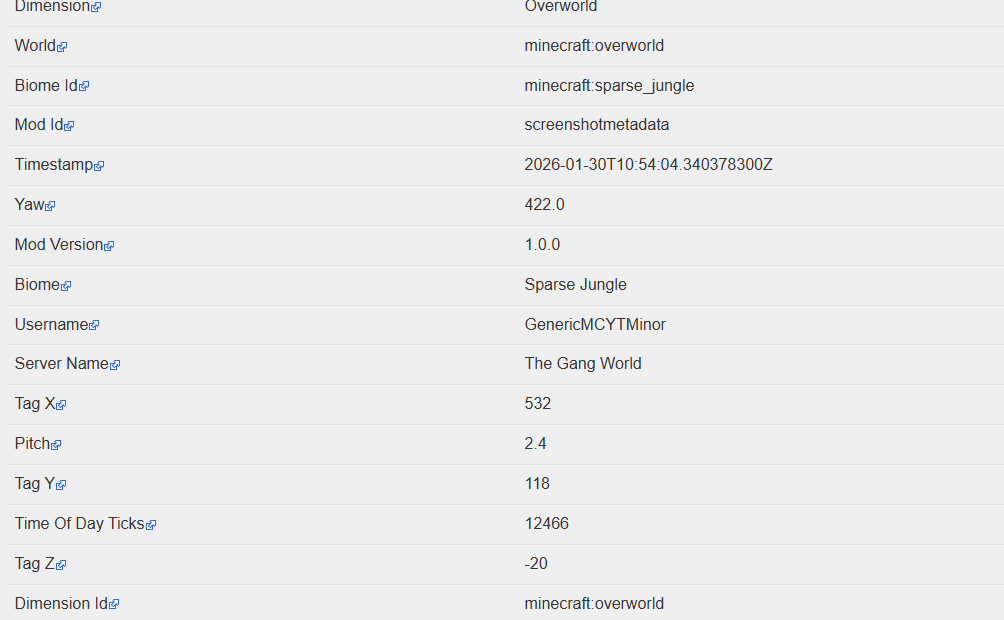 It works!!!
 -
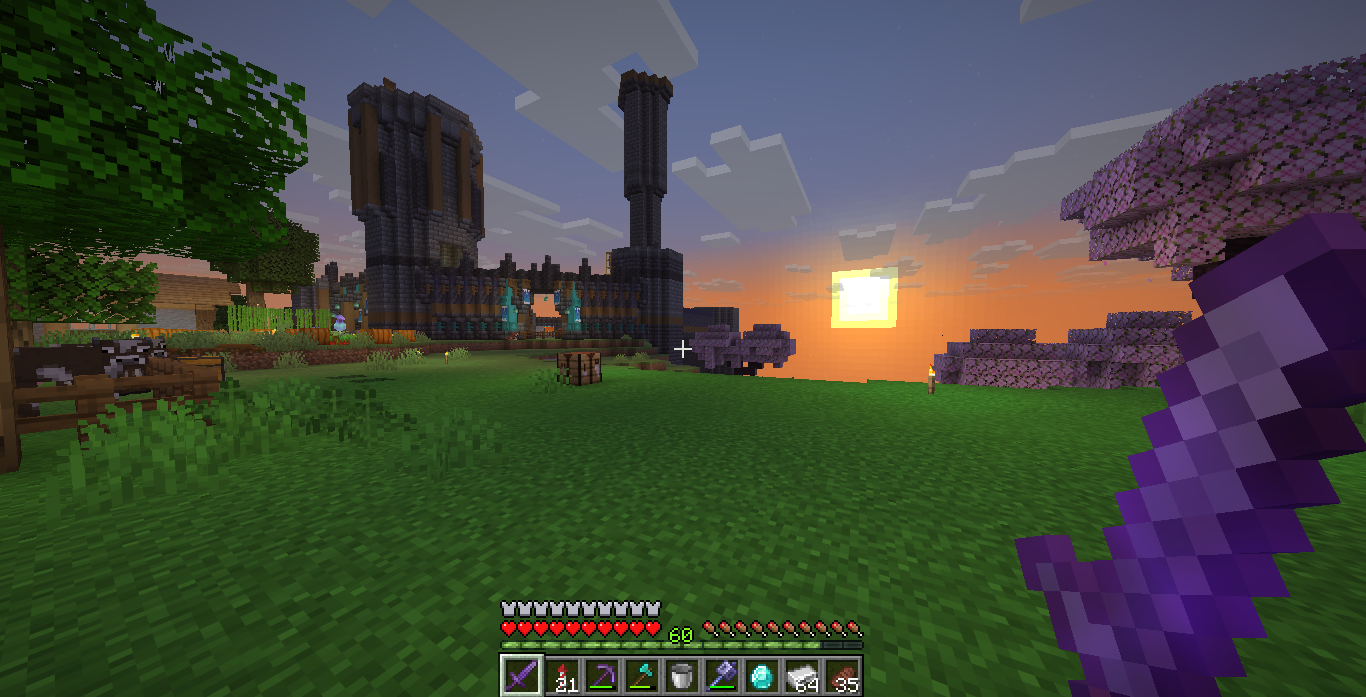 The screenshot
Versions
Files
Relations
Project Relations
More like this
Similar Mods
Suggestions use data such as tags, dependencies, dependents, descriptions, titles, and more to rank how much they overlap with this mod.
On ModDex
Community snapshot
By the numbers
Statistics
Want to reach Minecraft players?
We're looking for a server hosting partner to feature here and other parts of the site. Interested? Send us a message!
Get in touchGet it on
Available Platforms
On ModDex
Community snapshot
By the numbers