Community listing page, reviews here may not be monitored by the author.
Screenshots Enhanced

No reviews yet
Makes taking screenshot way smoother and makes it easier to share and manage them
Community voices
Reviews
No reviews yet. Be the first to review this project!
Get it on
Available Platforms
About
Project Details
For authors
Embed Badge
If you're the author of this project, you can embed a live badge anywhere that supports HTML or Markdown. It updates automatically whenever ratings change.
Use HTML for any page that supports it, or Markdown for README files and Markdown-based descriptions.
Identifiers
Platform IDs
Resources
External Links
About
Description
What is this mod about?
The Screenshots Enhanced mod improves the way screenshots work in Minecraft. The mod itself modifies the actual process of taking screenshots and adds a new interface to the game which allows you to quickly access screenshots, either by interacting with the chat or pressing a key on your keyboard. Once in the interface you can scroll through the previews, delete game captures you don't like and even upload them to Imgur instantly with only one click.
Could you give some more in-depth information?
Of course I can. That's why I'm here. The mod overwrites the game's internal keybinding for taking a screenshot and assigns it to itself. Long story short: you will still able to take screenshots with the same key like you're used to even though the mod influences the way screenshots are taken. First of all, you may or may not encounter lag spikes whenever you take a screenshot in vanilla Minecraft. This mod effectively removes every sign of lag, meaning that the game will still be at a constant framerate even if you're playing on a high resolution with many, many colors involved. Secondly, look at the following image:
You probably see the little chat output in the bottom left corner. This message indicates that a screenshot has been taken successfully. If you open the chat, you can now click on the underlined part of the message and it'll open the new interface with the preview of your recently taken screenshot instantaneously. You can also access the interface by pressing "V" ingame. It should look a bit like this:
You can switch between the previews by pressing either the buttons to the left and the right of the indicator or you can use your arrow keys on your keyboard. Use the left-key and right-key, the outcome will be the same. Apart from the preview, there are two actions available as of now. On the right, you can delete screenshots you don't like. To be sure, once you click the "Delete" button you have to confirm your choice. Otherwise the mod won't delete the selected screenshot. On the left, you can upload your screenshots to Imgur. As soon as the upload is complete, there will be a link shown instead of the upload button. Click it and the link is in your clipboard. Easy, isn't it?
Important! Thanks to the swell guys over at Imgur this mod has been whitelisted. What does it mean? Basically, you can run riot on uploading screenshots. However, they still have the ability to block your IP if you're spamming their services with screenshots.
What will be added in the future?
I'm always improving the mod itself. If you run into some kind of bug or feel like there's a feature which needs to be added, feel free to leave your suggestions in the comments. As of now, the next update will have the following features:
- Synchronized saving process (spam that F2 button) [✔]
- Renaming screenshots [✔]
- Preview chat shortcuts accessible on servers [✔]
- Upload to your Imgur account/album [✘]
- Quickly open screenshots on your OS [✔]
- Improved stability [✔]
[✔] Feature completed
[✘] Feature yet to be added
But wait, are there any known issues?
I'm not quite sure, but there's an extremely rare case that your screenshots might be shown like that in the preview. If this happens to you, then don't freak out. Your screenshots are not corrupt. However, the issue has been taken care of and will be removed in the next update.
Meh, still not convinced yet ...
Then convince yourself by watching some mod reviews.
More to be added in the future. If you've made a review then let me know and I'll have a look at it.
I hope that you find this mod enjoyable. If so, then please show me your support in the comments, give this post a diamond if you think that it really deserves it and suggest new features. Keep this mod alive. Remember, it may be only a small functional mod, but even the tiniest thing can cause huge differences.
Screenshots
Gallery
-
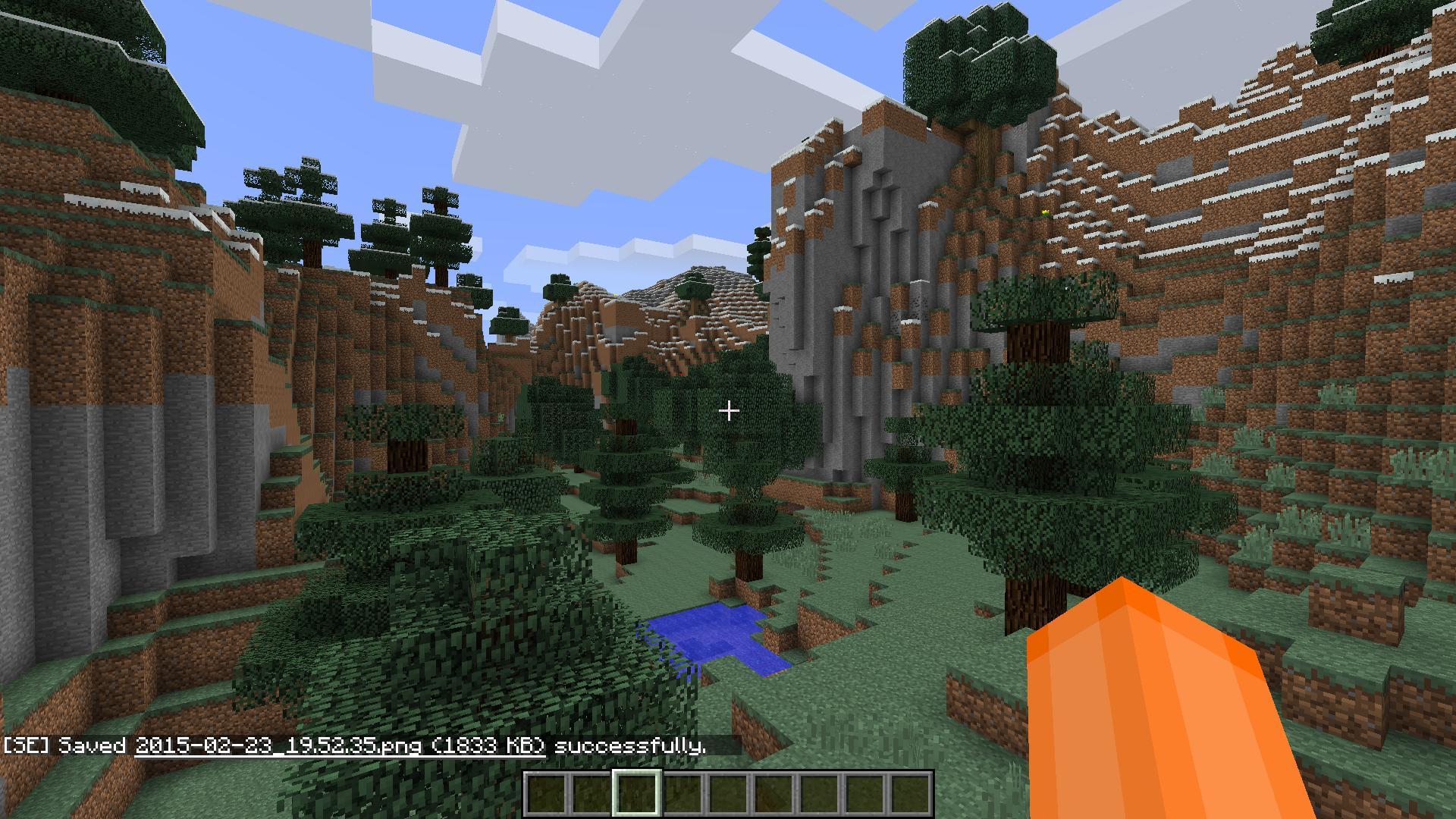 Oh? New message? Click the underlined text (only in SP and LAN as of now) to open the screenshot interface with the selected preview
 -
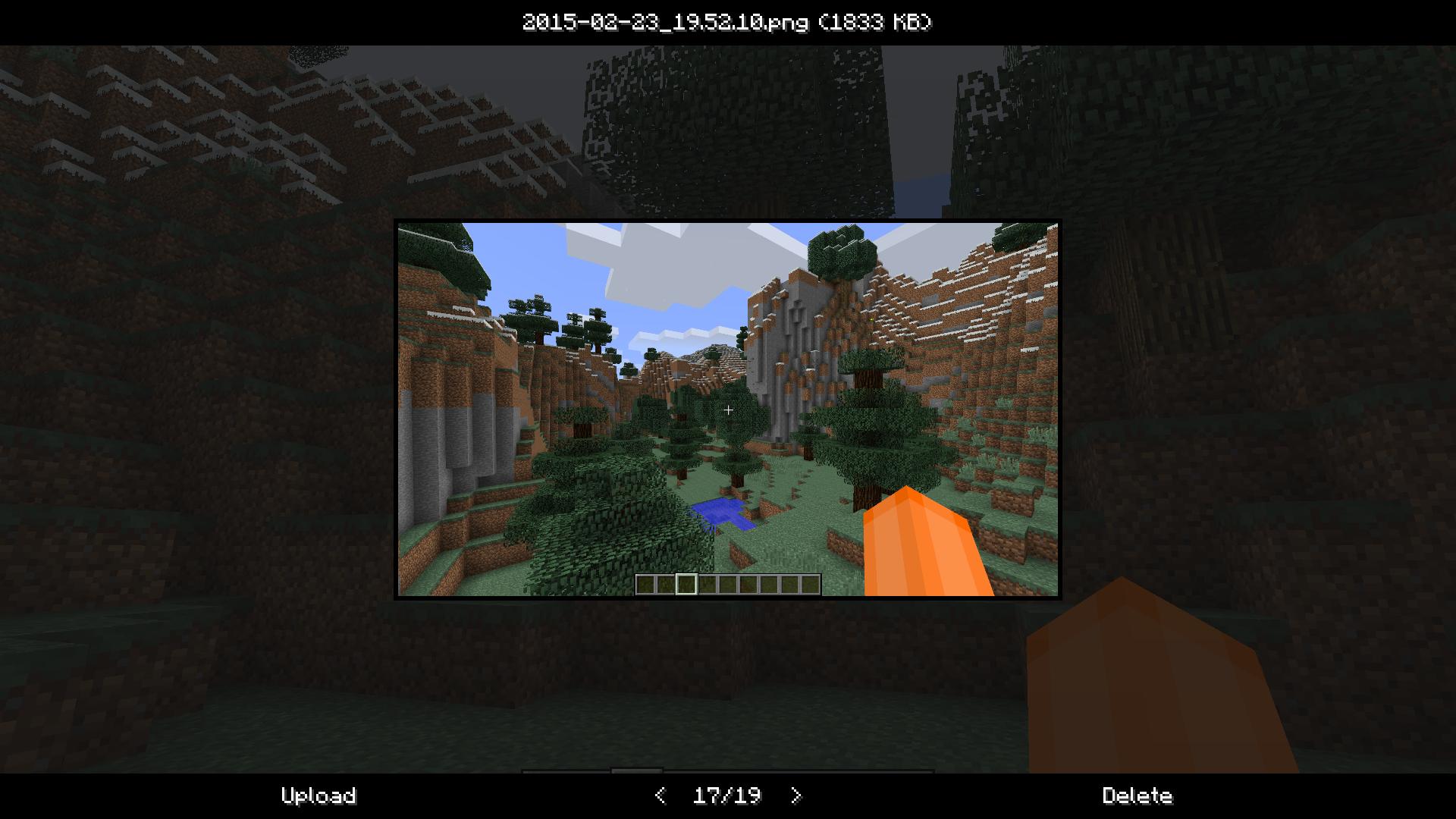 New interface for screenshots Look at the previews, delete the ones you don't like and upload them to Imgur instantaneously.
Versions
Files
Relations
Project Relations
More like this
Similar Mods
Suggestions use data such as tags, dependencies, dependents, descriptions, titles, and more to rank how much they overlap with this mod.
On ModDex
Community snapshot
By the numbers
Statistics
Want to reach Minecraft players?
We're looking for a server hosting partner to feature here and other parts of the site. Interested? Send us a message!
Get in touchGet it on
Available Platforms
On ModDex
Community snapshot
By the numbers
Statistics
Resources