Community listing page, reviews may not be monitored by the author.
Screw it! Too many keybinds - Keybind Wheel

No reviews yet
A radial wheel for your keybinds: hold one key, flick toward a slot, and fire any bind. Built for modpacks drowning in keybinds.

Community voices
Reviews
No reviews yet. Be the first to review this project!
Get it on
Available Platforms
About
Project Details
For authors
Embed Badge
If you're the author of this project, you can embed a live badge anywhere that supports HTML or Markdown. It updates automatically whenever ratings change.
Use HTML for any page that supports it, or Markdown for README files and Markdown-based descriptions.
Identifiers
Platform IDs
Resources
External Links
About
Description
Screw it! Too many keybinds - Keybind Wheel
Source & full guide: github.com/teamdemivfxfish-dev/keybind-wheel-wiki
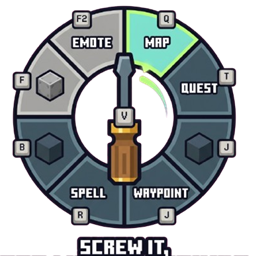
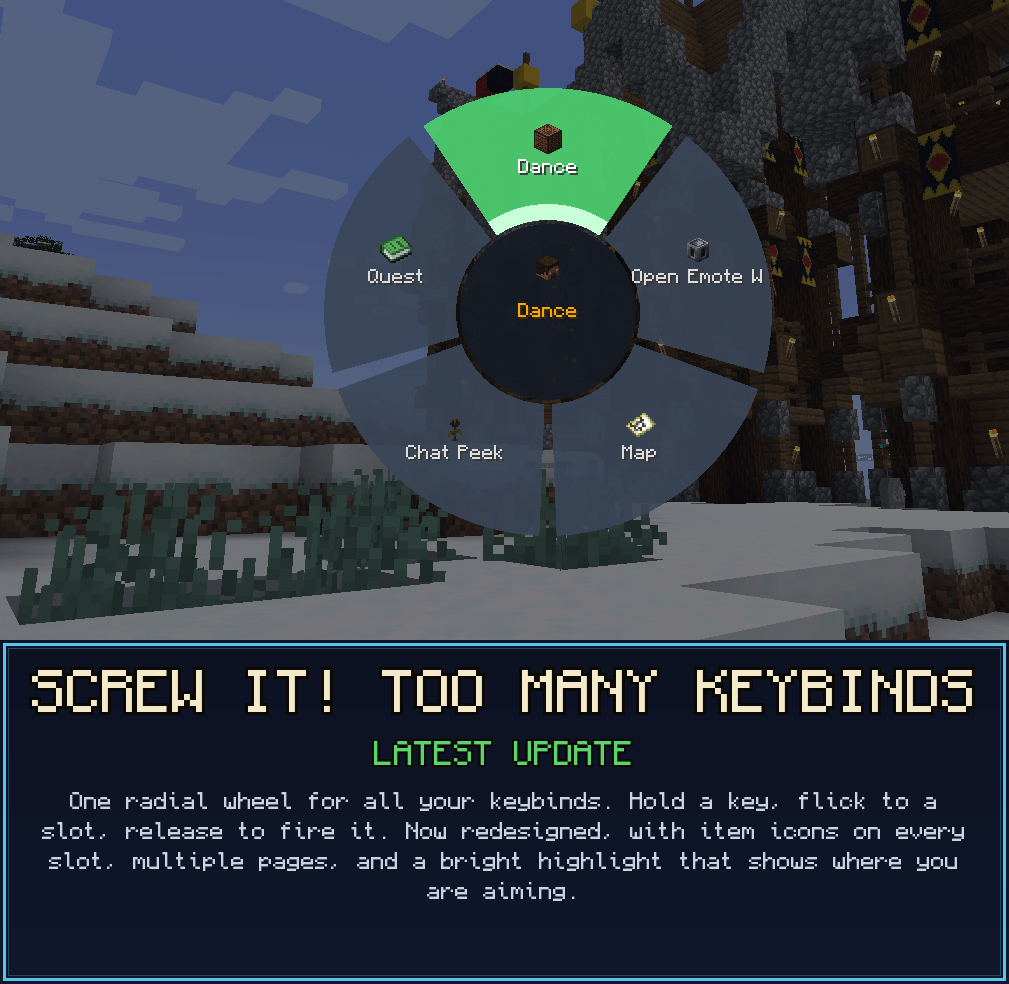
Modpacks run out of keys long before they run out of features. The map is on F9, mining is on Numpad 3, and that one ability somehow lives on Right-Ctrl-Shift-G. KeyWheel hands the whole keyboard back to you: hold a single key (default V), a segmented radial wheel opens, aim at a slot, release, and it fires whatever keybind you parked there, exactly as if that key had been pressed.
Any keybind from any mod can live on the wheel, including one you never bound to a physical key at all. The mod adds exactly one keybind to your controls; everything else happens inside the wheel.
One Wheel, Every Bind
Hold your key and the wheel opens as a segmented ring: a centre hub, one pie sector per slot, and a bright green wedge on the sector your cursor points at, so your aim is unmistakable. Flick the mouse toward a slot, let go, and it fires.
- Bind any keybind, vanilla or modded, through a searchable picker.
- Hit detection is angle-based, so aiming feels the same no matter how large the wheel grows.
- The wheel closes before it fires, so a keybind that opens its own screen (a map, a quest book) opens cleanly.
No Key? No Problem
This is the whole reason the mod exists. Park a keybind that has no key left to bind onto a slot, then fire it with a flick; no physical key required.
Rescue every "(Not bound)" action out of your overflowing controls menu.
The wheel fires the keybind you picked, and only that one. A keybind sharing its physical key with something else no longer sets both off, so nothing has to be unbound before it goes on the wheel. That is the whole promise of the mod, and it holds now even on a keyboard where every key is spoken for twice.
Ideal for spell mods, quest mods, and anything that ships ten binds you cannot fit.
One wheel holds far more actions than a keyboard ever could.
Per-Page Hotkeys
Slots live on named Pages you scroll between, each with its own slot count (1 to 36, default 6) and its own bindings, so the same flick fires a different action depending on the active page. You can keep up to 32 pages.
- Assign a direct hotkey to any page and jump straight to it, skipping the scroll entirely.
- In fire mode, scroll to flip pages; the hub shows the current
Page i/n: name. - In edit mode you get a live rename box, page arrows, and add or delete page controls.
Command Slots
A slot can hold a chat command instead of a keybind. Type it into the picker's command box and it fires on release, mirroring vanilla chat: a leading / runs it as a command (for example /home, /spawn), anything else is sent as a chat message. Command slots take a custom name and icon like any other slot.
That box is the game's own command field, so you get the live / suggestion dropdown as you type, Tab or click to complete it, and the familiar red text when what you have typed is not a real command. It behaves like chat because it is the same engine.
One Slot, One Thing
The slot editor asks one question at a time and lets you change your mind before anything is saved.
- A Mode toggle at the top decides whether the slot fires a keybind or a command, and only that mode's controls are shown, so there is never a question about which one a slot will actually run. Opening a bound slot lands in its own mode with the name and icon intact.
- Clicking a keybind selects it instead of slamming the editor shut. The row highlights, the editor stays open, and you can rename it, give it an icon, or pick something else entirely.
- A bottom row of Confirm, Cancel and Clear slot finishes the job, and Confirm stays greyed out until you have actually chosen something.
Make It Yours
- Custom icons: any slot can borrow an item or block icon through a searchable grid picker; pages can carry a hub icon too.
- Rename anything: give every slot a display name that reads the way you think, not the way a translation key reads.
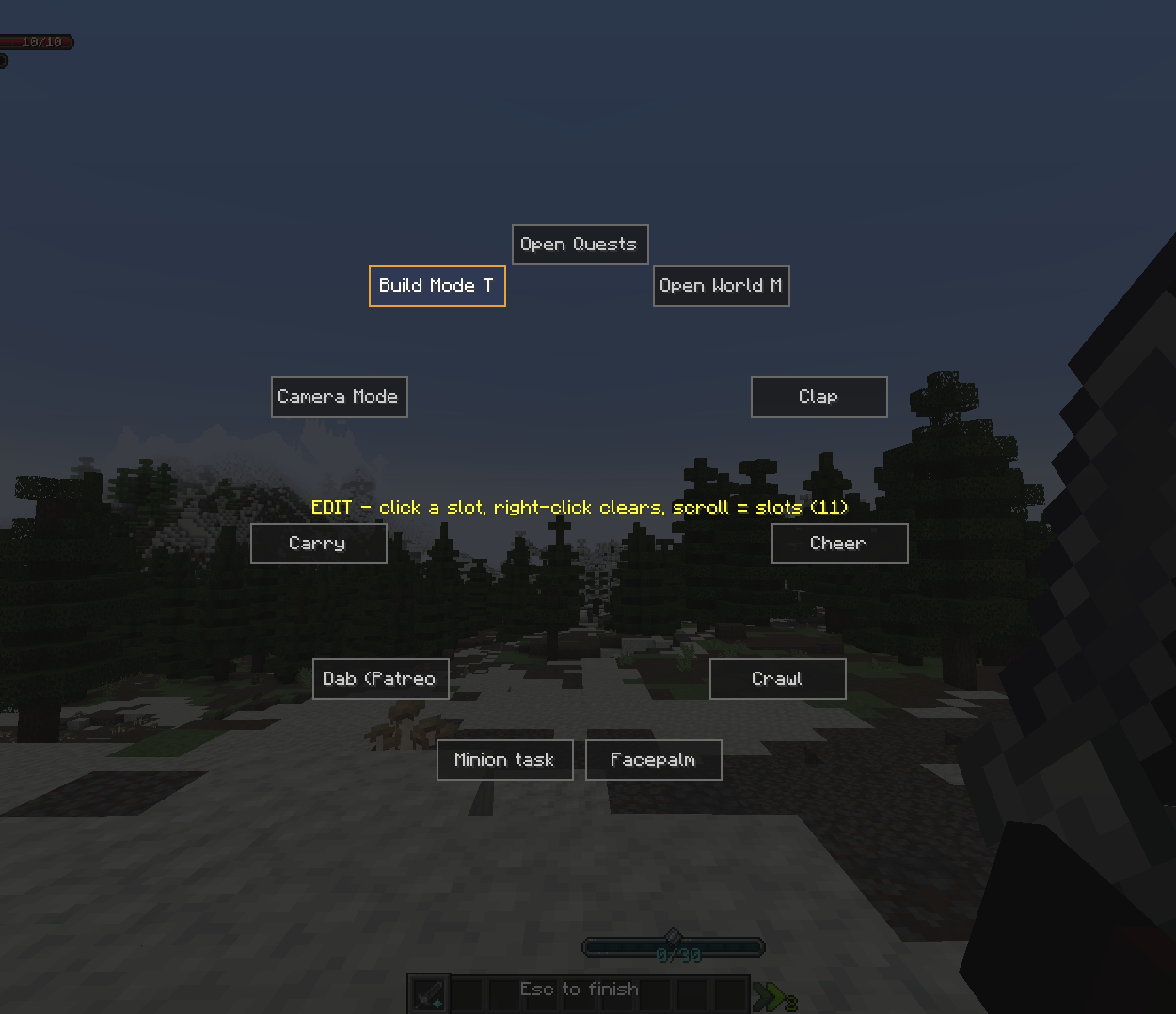
- Dynamic size: scroll in edit mode to set 1 to 36 slots per page; the wheel grows outward so labels stay readable.
- Movement passthrough: W, A, S and D (and sprint, where the version allows) carry through while the wheel is open, so opening it never roots you in place mid-fight.
Server-Wide Disable
New for servers: an operator in creative can switch off any keybind for everyone.
- A disabled bind is unbound in memory on every client, hidden from the vanilla Controls screen, and stripped off any wheel slot that already held it.
- Red means disabled, green means active. Re-enable it at any time, or simply leave the server and your real binding returns; the mod never touches your options file on disk.
- Drive it three ways: the in-game manager, the
/keywheelcommands (list,disable,enable,reload), or a hand-edited server config that syncs to every client on change.
It is server-authoritative: the server re-checks operator and creative status on every toggle, so a modified client cannot disable anything.
Controls
The mod adds exactly one keybind, rebindable in vanilla Controls. Everything else happens inside the wheel.
| Action | How |
|---|---|
| Open the wheel | Hold V (default key.keywheel.open) |
| Fire a slot | While holding V, aim at a slot and release |
| Flip pages | Scroll the wheel (fire mode) |
| Enter edit mode | Left-click anywhere in the open wheel |
| Bind a slot | In edit mode, left-click a slot to open the picker |
| Choose keybind or command | The Mode toggle at the top of the picker |
| Save a slot | Confirm, greyed out until something is picked |
| Clear a slot | In edit mode, right-click a slot |
| Change slot count | Scroll the wheel in edit mode (1 to 36 per page) |
| Set a custom icon | "Choose icon…", then search any item or block |
| Finish editing | Press Esc |
No Dependencies
- No required dependencies. The wheel is client-side and runs on any server, whether or not the server has the mod.
- Built for heavily-modded packs where the normal controls menu falls apart.
- The Server-Wide Disable feature is the only part that needs the mod present on each client to take effect; where it is absent it simply stays inert and never errors.
Supported Versions
KeyWheel ships across a broad span of Minecraft versions on both major loaders. All shipping variants share the modid keywheel. Minecraft 1.21.1 is offered on both loaders.
| Loader | Minecraft | Java |
|---|---|---|
| Forge (primary) | 1.21.1 | 21 |
| NeoForge | 1.21.1 | 21 |
| NeoForge | 1.21.4 | 21 |
| NeoForge | 1.21.5 | 21 |
| NeoForge | 1.21.7 | 21 |
| NeoForge | 1.21.8 | 21 |
| NeoForge | 1.20.6 | 21 |
| NeoForge | 1.20.4 | 17 |
| Forge | 1.20.1 | 17 |
| Forge | 1.19.4 | 17 |
| Forge | 1.19.2 | 17 |
| Forge | 1.18.2 | 17 |
| Forge | 1.16.5 | 8 |
An early Forge 1.12.2 backport also exists for reference. It predates the Pages, command, icon and server-disable features, so it is kept as a legacy build rather than a current release.
Configuration
Bindings are stored client-side in config/keywheel.json. The mod uses atomic writes and a self-heal protocol, so a modpack update that deletes or replaces the file does not wipe your wheel: a durable backup is restored only when the primary file is missing or corrupt, never over a valid empty file.
Support the Mods
These mods are free and they stay free. If one of them runs on your server, you can back the next version, the next port, and the next mod at patreon.com/epicwarborn. Patrons get their name in the credits, a direct line to me for bugs, early builds, and a vote on what gets built next.
Tame the chaos. One wheel for every key. Grab KeyWheel and give your keyboard back.
Part of The Warborn Realm, by barunn
Screenshots
Gallery
-
 Screenshot 2026-06-11 013807.png Screenshot 2026-06-11 013807.png
 -
 Screw It - Update Banner.png Screw It - Update Banner.png
 -
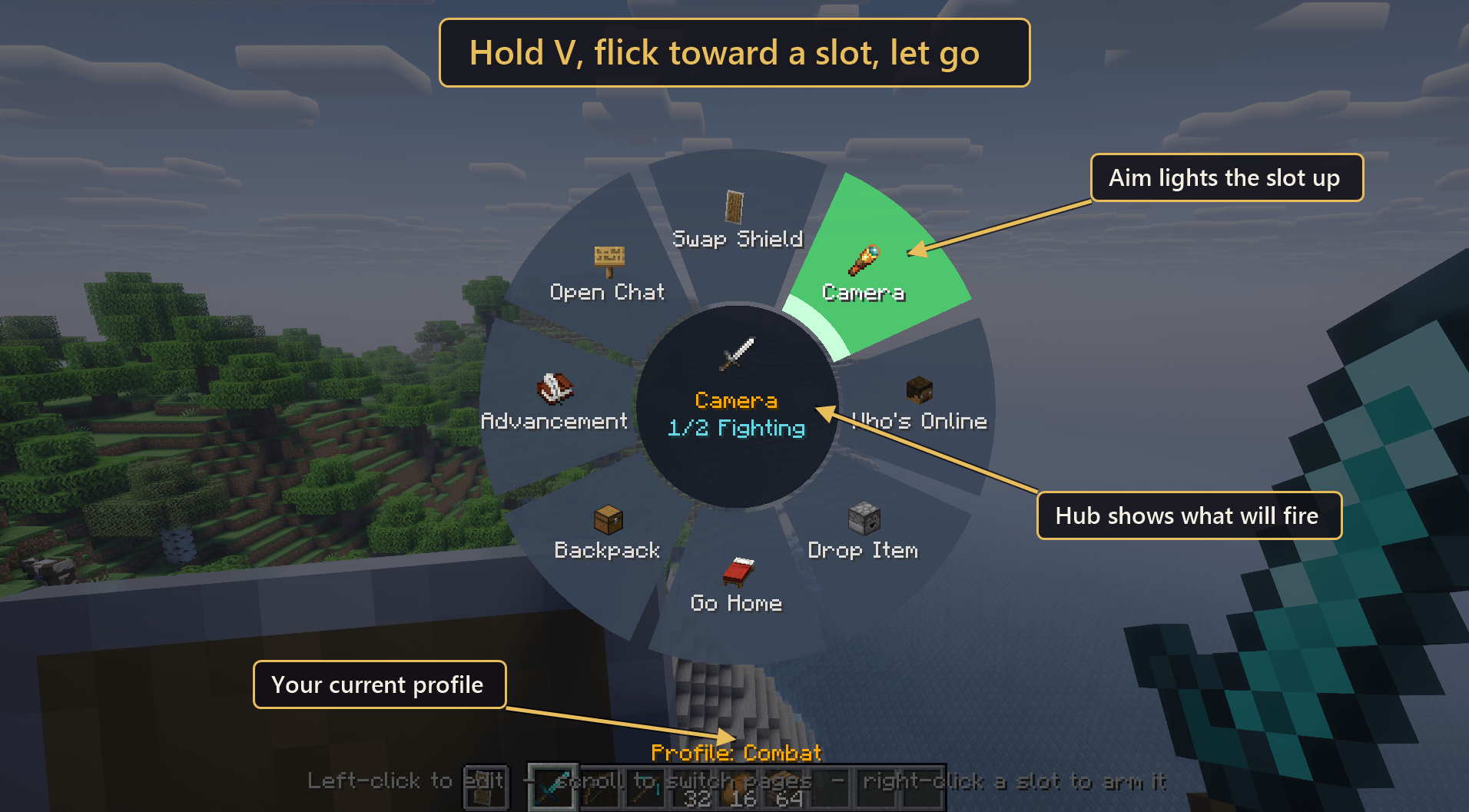 image-attachment_23040817-5f69-449a-8408-739953fe955e.png
 -
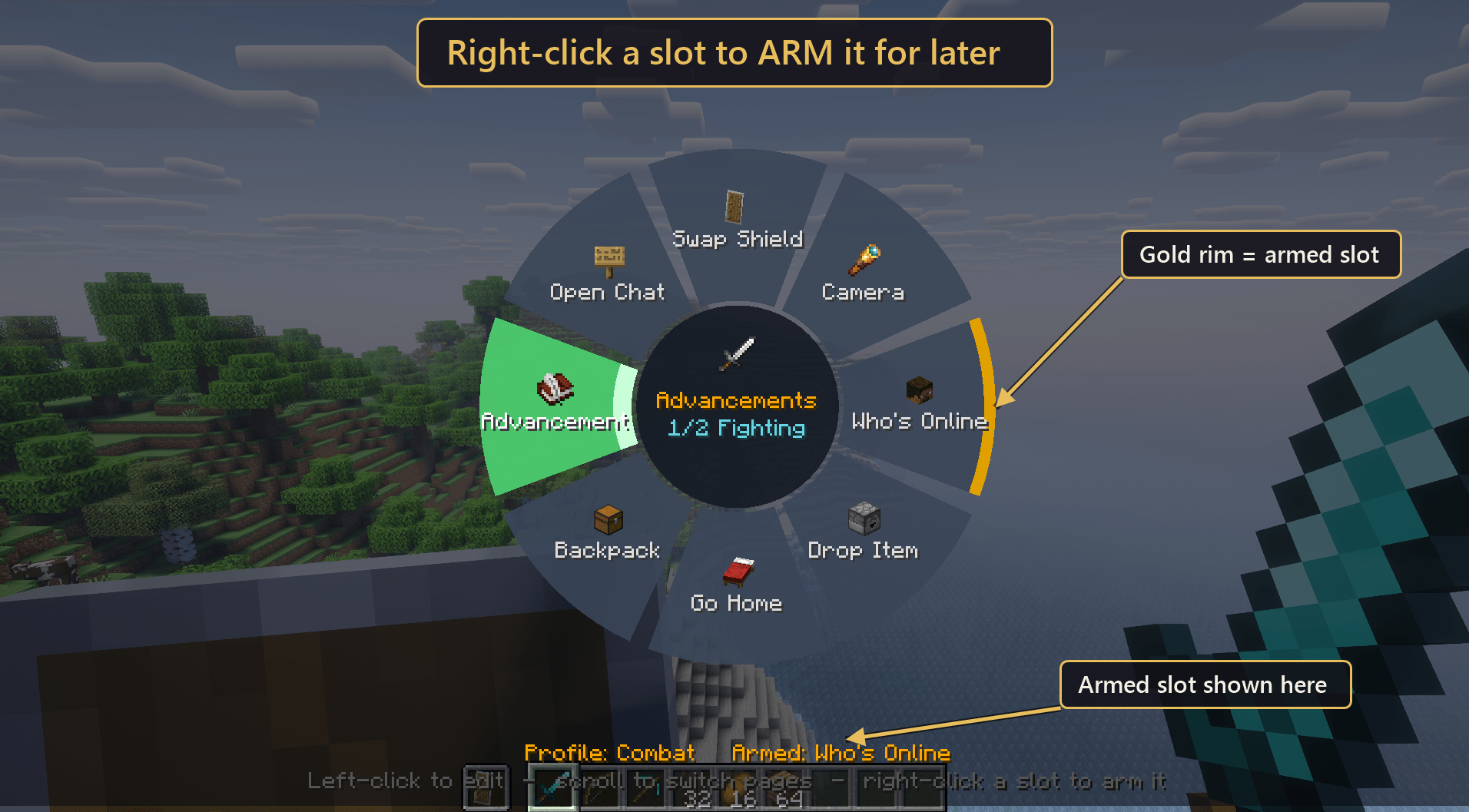 image-attachment_ab7ab75b-dbf4-4e85-b14a-f1239b1bae7f.png
 -
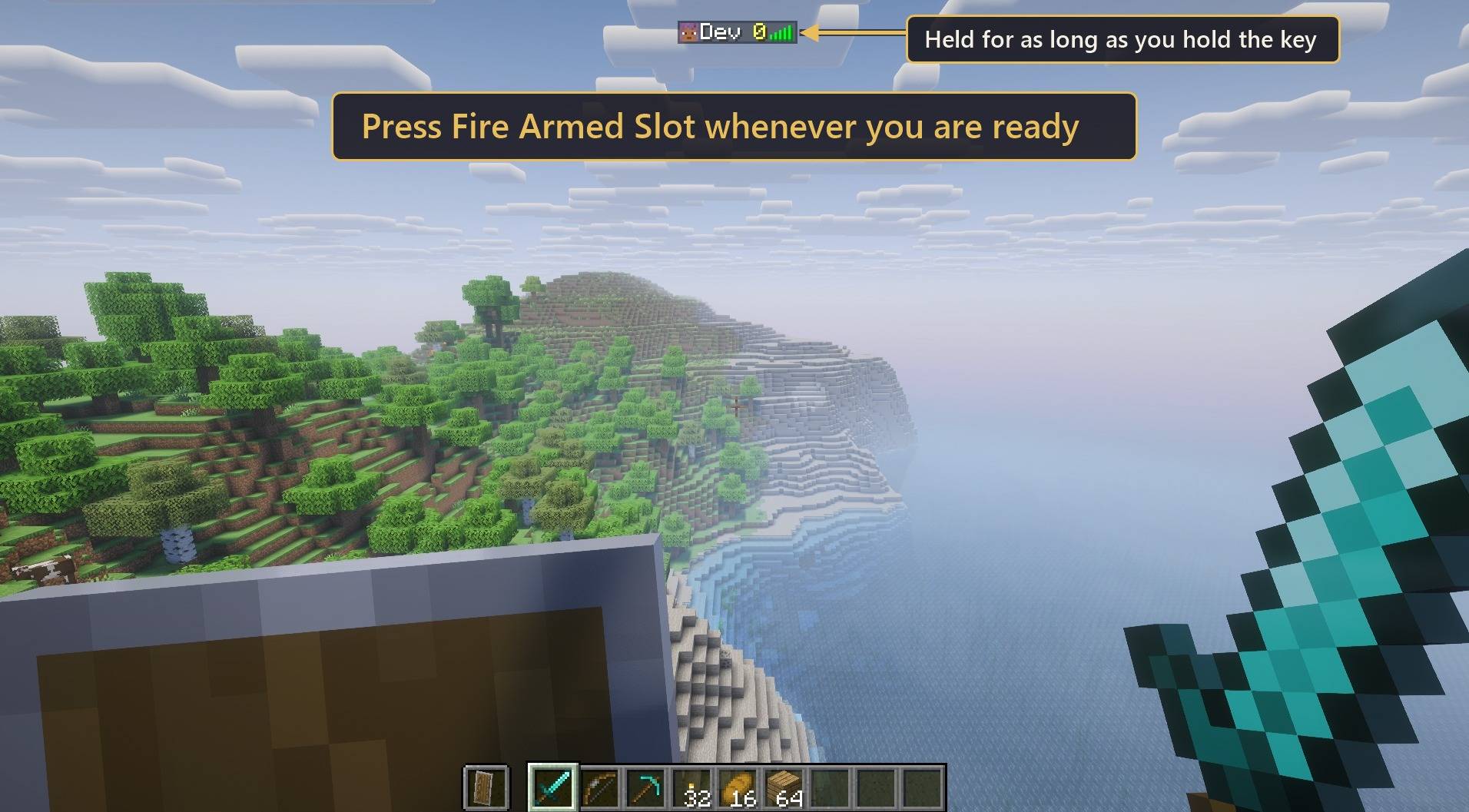 image-attachment_3d5d4e09-21e8-4bb7-a0ba-8542a29979e1.jpg
 -
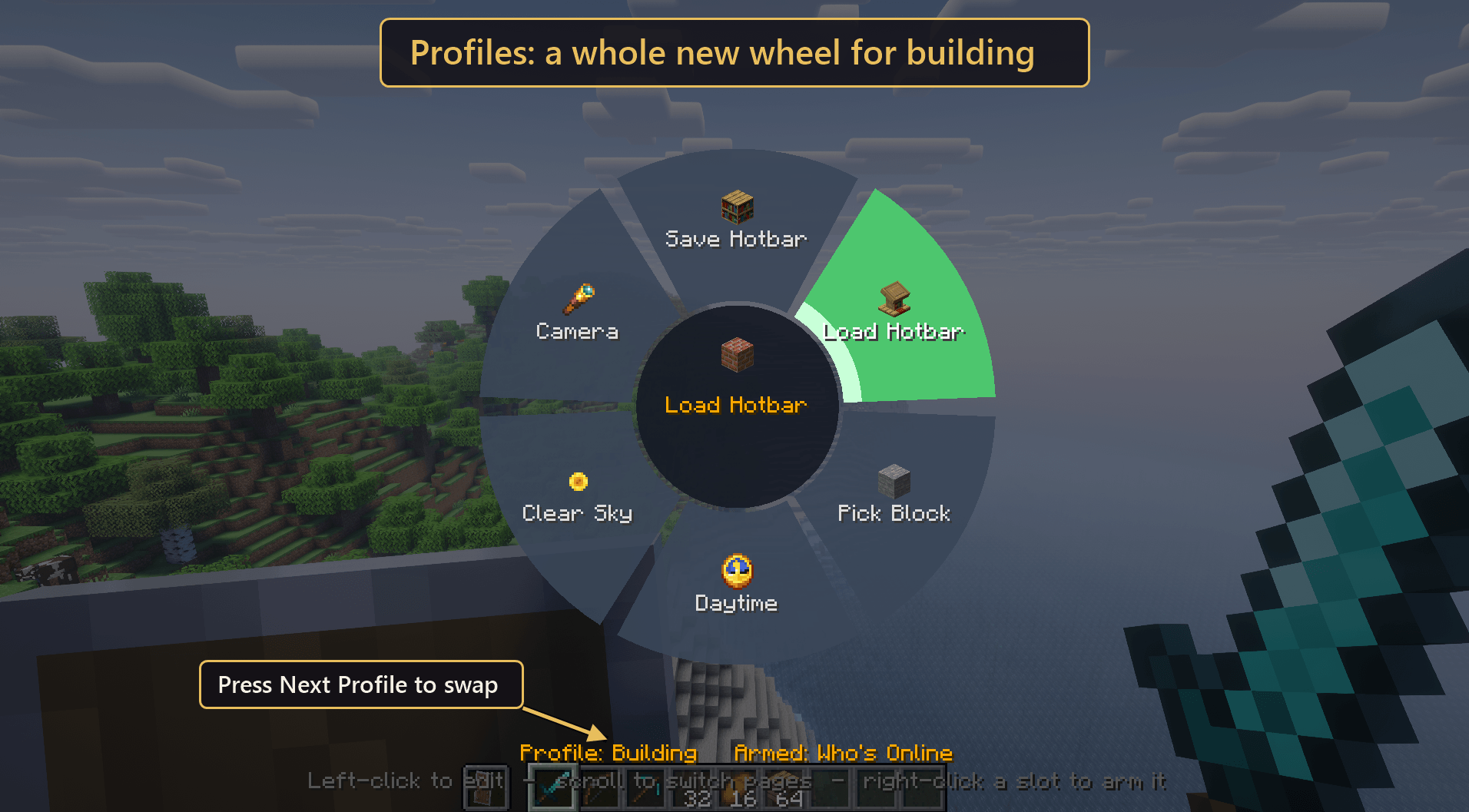 image-attachment_fc145f16-b18e-41f1-89e7-eebb8f3e91cd.png
 -
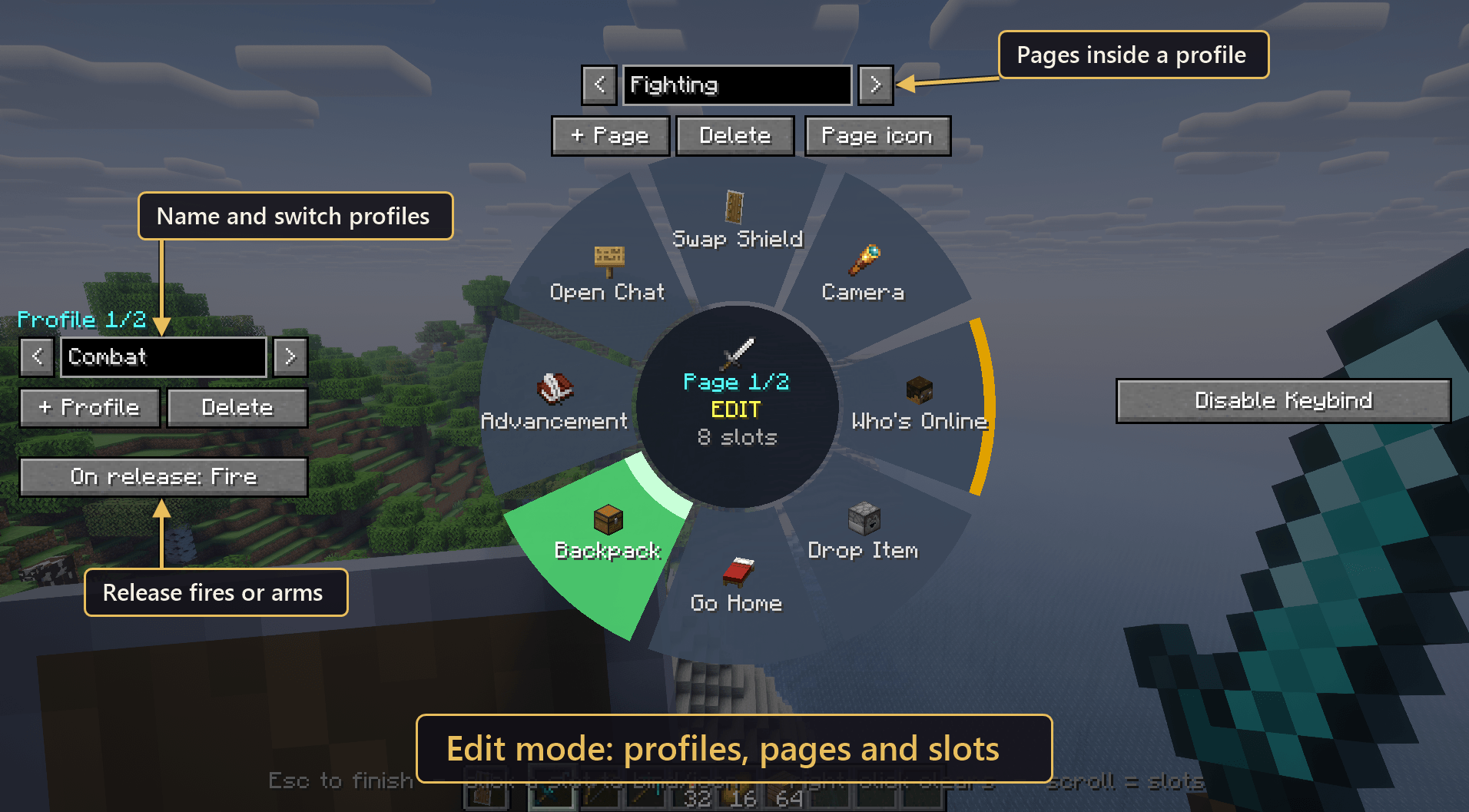 image-attachment_213109bf-ccf7-4abb-9018-246ba2199a02.png
 -
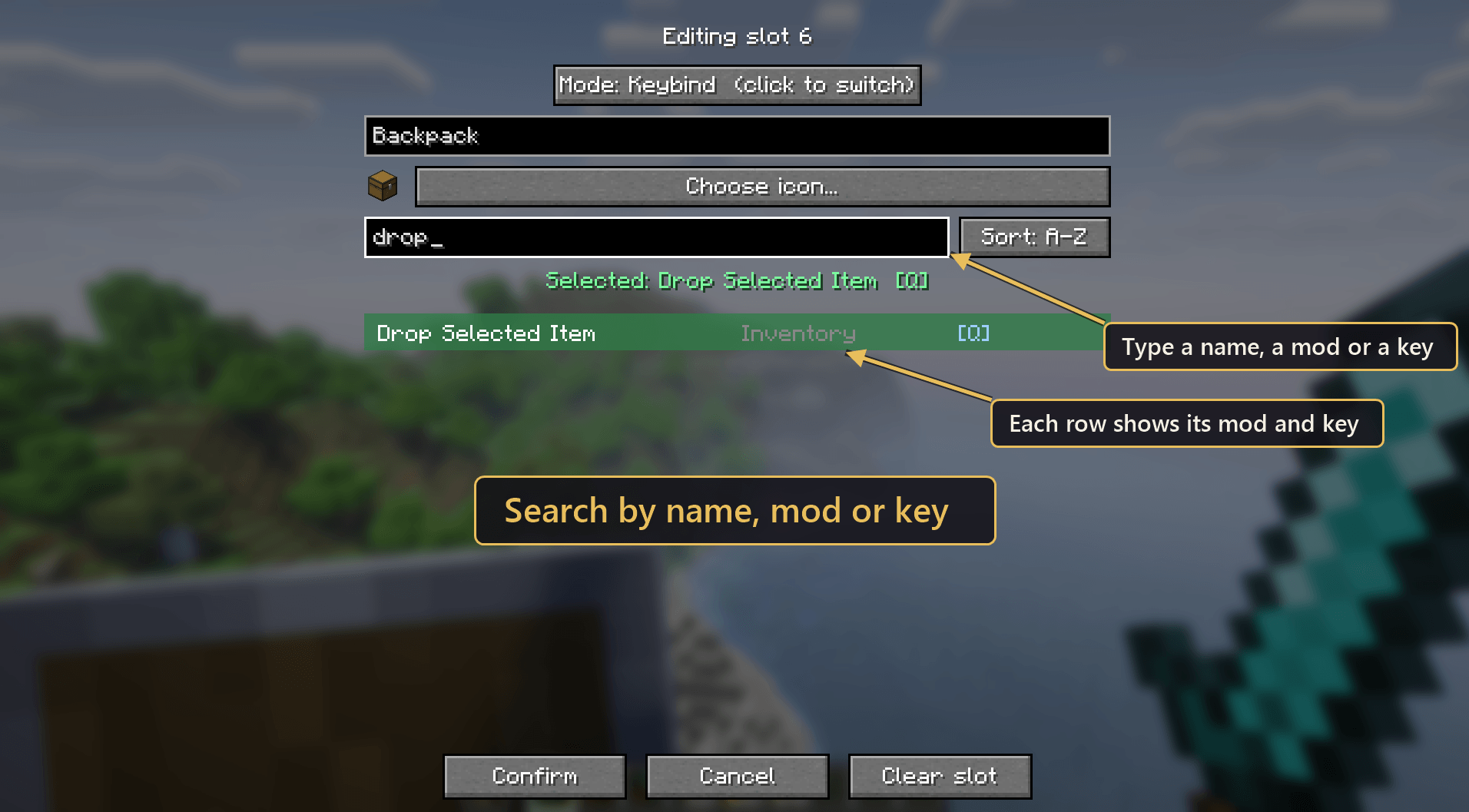 image-attachment_04b750f1-bbff-4880-b741-a81020f79fa2.png
 -
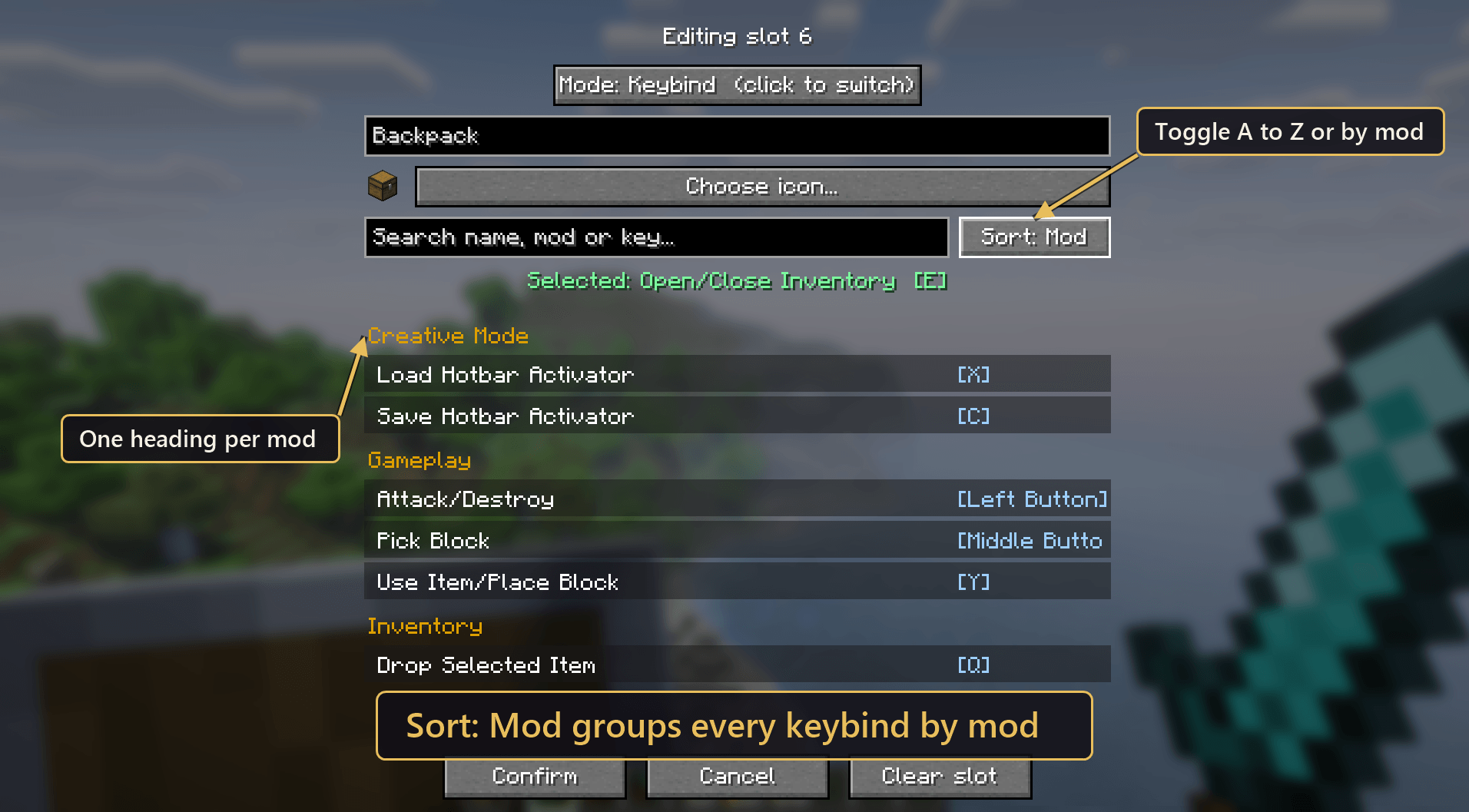 image-attachment_40305caa-5123-4a01-b48a-a081a341c520.png
 -
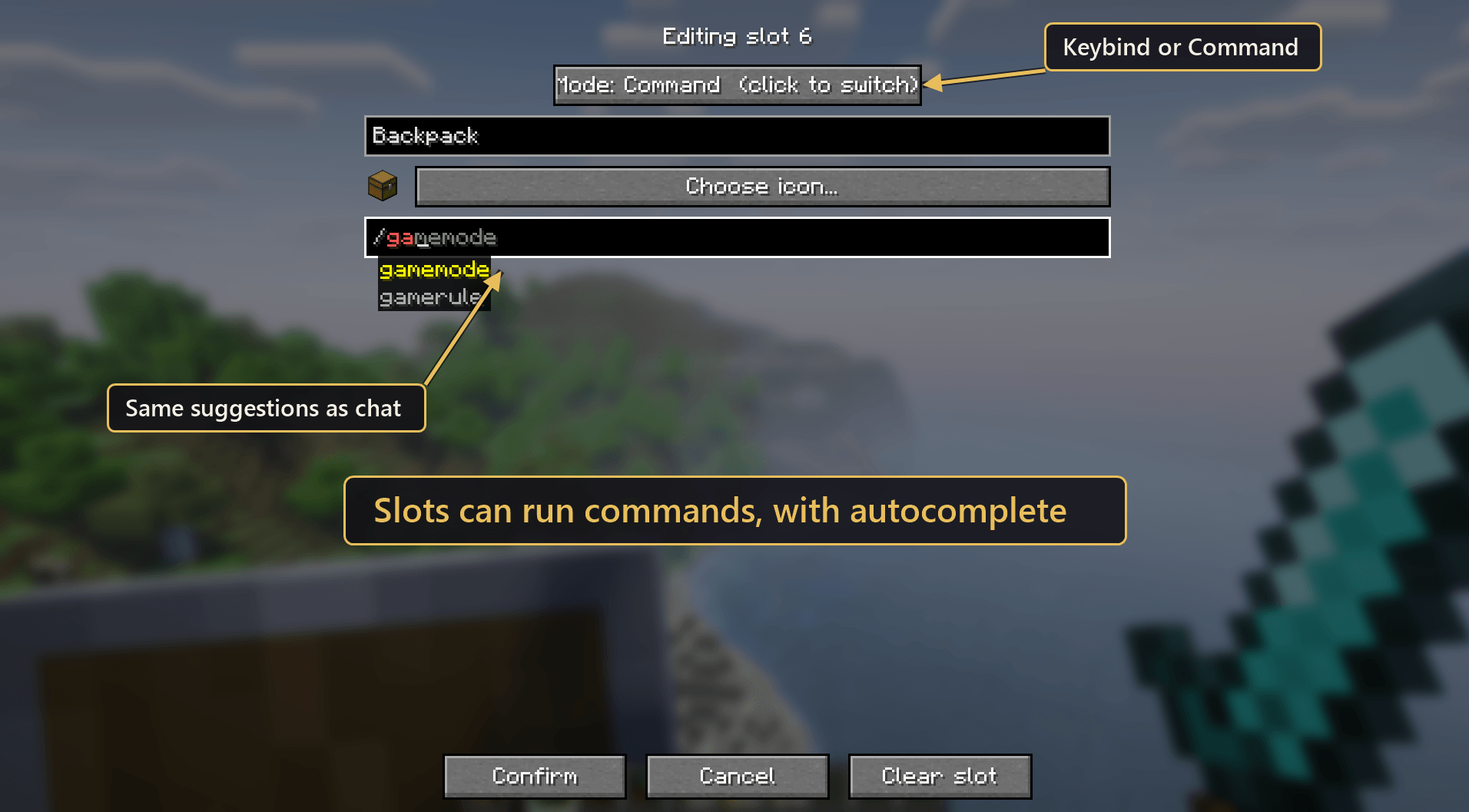 image-attachment_a31e4e37-2786-40d0-978e-5d607338729c.png
Versions
Files
Relations
Project Relations
More like this
Similar Mods
Suggestions use data such as tags, dependencies, dependents, descriptions, titles, and more to rank how much they overlap with this mod.
On ModDex
Community snapshot
By the numbers
Statistics
 (opens in a new tab)
Get it on
Available Platforms
On ModDex
Community snapshot
By the numbers
Statistics
Resources