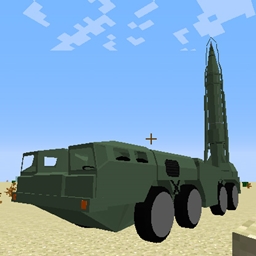

Scud Missile Mod
Add [Scud B Missile] & [MAZ-543]
No ratings yet
Be the first to rate it.
Community listing page
Community listing page, reviews may not be monitored by the author.

Community voices
Reviews
No reviews yet. Be the first to review this project!
Get it on
Available Platforms
About
Project Details
For authors
Embed Badge
If you're the author of this project, you can embed a live badge anywhere that supports HTML or Markdown. It updates automatically whenever ratings change.
Use HTML for any page that supports it, or Markdown for README files and Markdown-based descriptions.
Identifiers
Platform IDs
About
Description
The development of this mod has been finished!
The developer group for this mod has been disbanded and is no longer active. Thank you for your patronage over the years.
ScudMod

- The version for 1.7.10 has been updated.
- The version for 1.10.2 has been updated.
- The version for 1.12.2 has been updated.
Overview
This mod adds a ballistic missile called "Scud Missile" and a vehicle (MAZ-543) for its carrying and launching.
It is possible to attack points 10 km - 300 km away.
Feature
・ This mod has a chunk loading function, and it is possible to attack Ultra-long distances (Max 300 km) that we could not do in the past.
・ You can experience simulation like car driving, weapon deployment, launch operation etc...
・ We realized near-realistic behavior such as air resistance, air turbulence, thrust calculation. Therefore, doe tot turbulence etc., it lands off from the specified point.
Craft recipe
Unimplemented. Enjoy in creative mode, please.
Operating environment
Minecraft Forge10.13.4.1558 -1.7.10
Minecraft Forge12.18.3.2185 -1.10.2
Minecraft Forge14.23.4.2705 -1.12.2
How to install
Put download file into a "mods" folder.
How to Use
Rocket launch operation
1, (1.7.10) Place the MAZ-543 transport machine with the ScudB rocket on the ground.
(1.10.2) Place the MAZ-543 transport aircraft on the ground. Click the center of the car body with the Scud B item and install the rocket.
2, right-click the center of the car body to open the window. You can press only the white button.
3, Press "Expand" to fix the car body.
4, Wait for it to turn white, press "Stand up", "Inject" in order.
5, Specify the coordinates of the target (hold down the left button of the mouse, drag the number up or down).
6, Press "Release" (Release the holding lever) and Fire (Start!).
7, press "Lay down" and close the GUI by pressing "Esc" key.
8, Scud B Items will be loaded with the rocket by clicking on the center of the car body.
9, Repeat steps 4 to 8.
Driving a car
1, Confirm that Launch Pad and Fixed legs are stored.
If it is not stored, click the center of the car body to open the GUI and operate.
Operate "Capture", "Lay down", "Store" in order, and confirm that all are red.
After confirming, press "Esc" key to close the GUI.
2, Click the seat part on the left side of the body front and get on.
3, "W", "S", "A," "D" key, you can turn left and right around the body.
4, Get off the car with "Shift" key.
Future Plans
- Add craft recipe
Add soundMore particles
Screenshots
Gallery
-
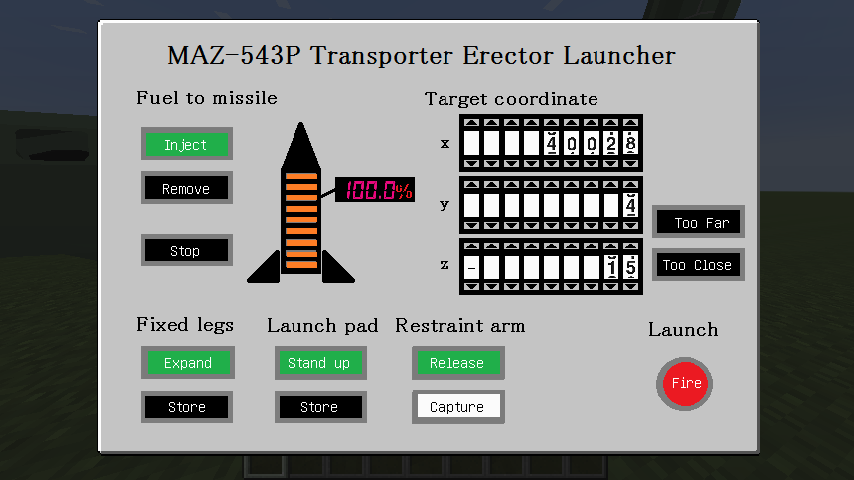 Gui
-
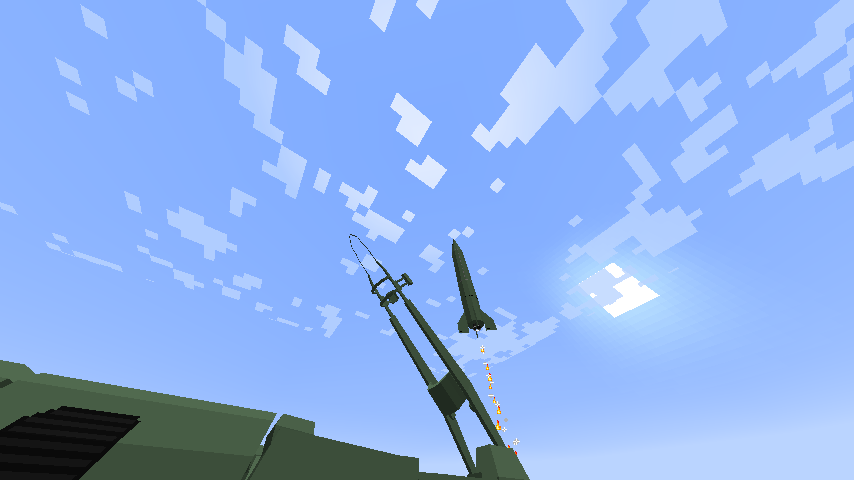 Launch
-
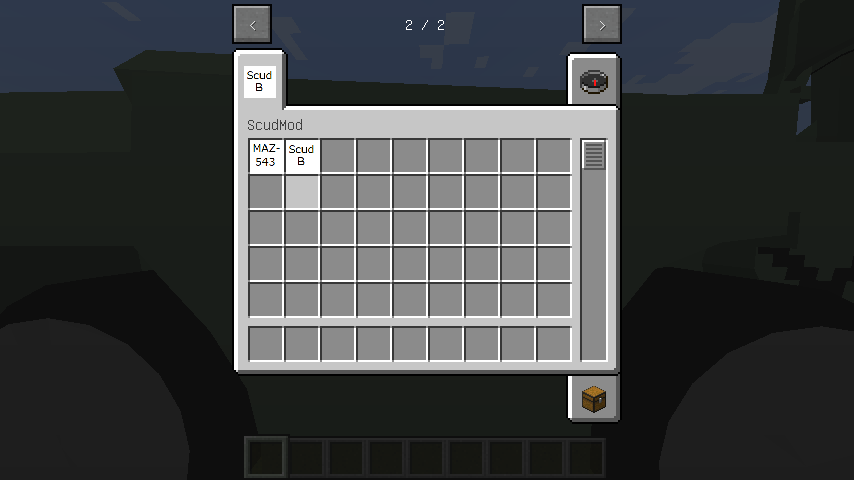 Items
-
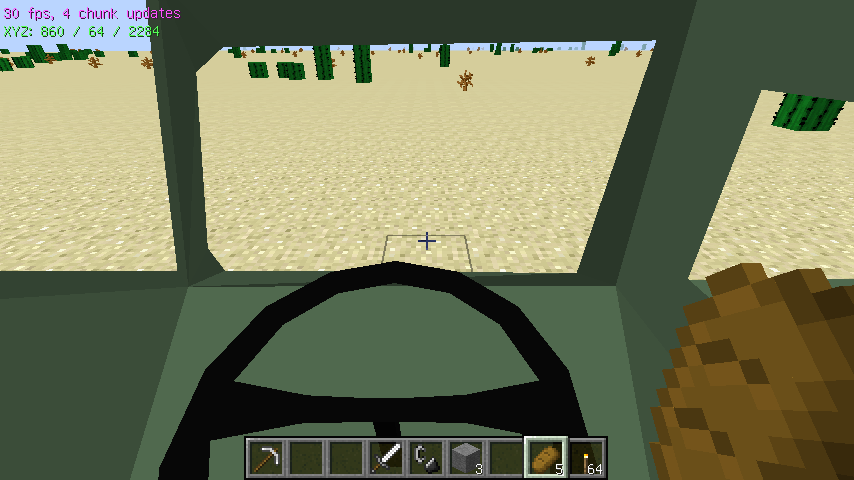 Seat
Versions
Files
Relations
Project Relations
More like this
Similar Mods
Suggestions use data such as tags, dependencies, dependents, descriptions, titles, and more to rank how much they overlap with this mod.
- Real Life Mod
- Warfront
- WMATM Vehicles
- Public Transport Mod
- ModernCraft
- Big guns Big
- [Immersive Vehicles/IV/MTS] VEB Automobilwerke Schwikau Military/Civilian Tanks, Helicopters, Planes, and more!
- Immersive Vehicles (MTS)
- [Immersive Vehicles] AZLK/IZH car pack
- Military Tanks & Helicopters
- Realistic Traffic Control
- Block Motor Company Pack [Immersive Vehicles] DISCONTINUED
Stats
- Downloads
- 53k
- Used in
- 8 modpacks
- Followers
- 0
- In stacks
- 0
- Created
- Last synced
-
Nov 4, 2026 8:22 AM UTC
New file updates sync automatically.
When ModDex last fully re-synced this project from CurseForge or Modrinth. A new file release triggers a resync usually within minutes, and every project is also re-synced on a schedule. Edits that don't ship a file, such as a new description or screenshots, are checked every few hours and can appear before this date changes.
How syncing works
External Links

Stats
- Downloads
- 53k
- Used in
- 8 modpacks
- Followers
- 0
- In stacks
- 0
- Created
- Last synced
-
Nov 4, 2026 8:22 AM UTC
New file updates sync automatically.
When ModDex last fully re-synced this project from CurseForge or Modrinth. A new file release triggers a resync usually within minutes, and every project is also re-synced on a schedule. Edits that don't ship a file, such as a new description or screenshots, are checked every few hours and can appear before this date changes.
How syncing works