Scutum Incantatum: Enhanced Shields
No reviews yet
Adds new shield types and enchantments for more dynamic and engaging combat
Centers around fantasy elements such as spells, rituals, and magical energies, often involving personal empowerment and magical automation.
Data Packs were introduced to vanilla Minecraft in version 1.13 and allow the server to modify data about the game, or run commands. Data Packs are compatible with all mod loaders.
Forge is a popular mod loader for versions 1.1+ of Minecraft.
Neoforge is a fork of the Minecraft Forge available for versions 1.20.1+ of Minecraft. Many Forge mods are compatible with Neoforge and vice versa.
Fabric is a mod loader for versions 1.14+ of Minecraft, particularly popular for client side and optimization mods.
Quilt is a fork of the Fabric mod loader. Many Fabric mods are compatible with Quilt and vice versa.
Community voices
Reviews
Click once to include, again to exclude, again to clear
No reviews yet. Be the first to review this project!
Get it on
Available Platforms
 Modrinth
Compatibility
Supported Environments
About
Project Details
For authors
Embed Badge
If you're the author of this project, you can embed a live badge anywhere that supports HTML or Markdown. It updates automatically whenever ratings change.
Use HTML for any page that supports it, or Markdown for README files and Markdown-based descriptions.
Identifiers
Platform IDs
Resources
External Links
About
Description
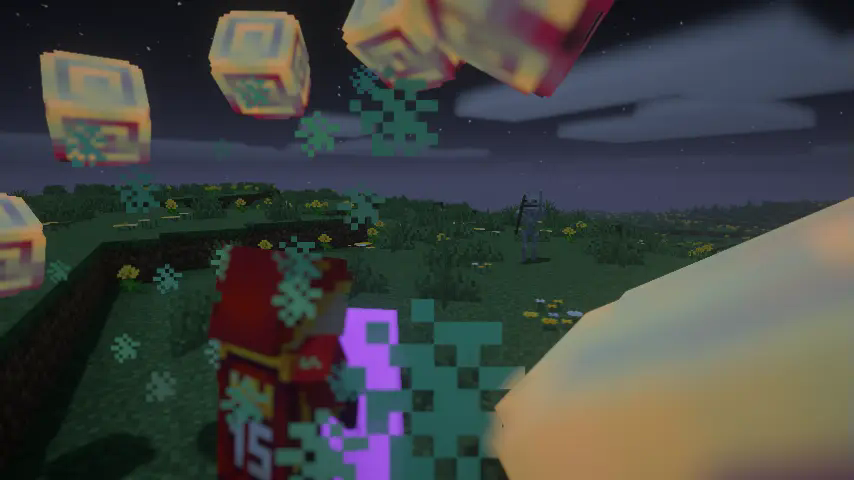
Shield Battles Just Got More Exciting!
This datapack overhauls shield mechanics, making blocking projectiles more skillful and combat more dynamic.
For example, the Wooden Shield now has a shorter cooldown before you can raise it to guard. You can also enchant shields with abilities like Shield Bash and Parry.
However, be aware that shields no longer grant complete immunity to overwhelming damage, such as critical hits or point-blank explosions.
Enchantments
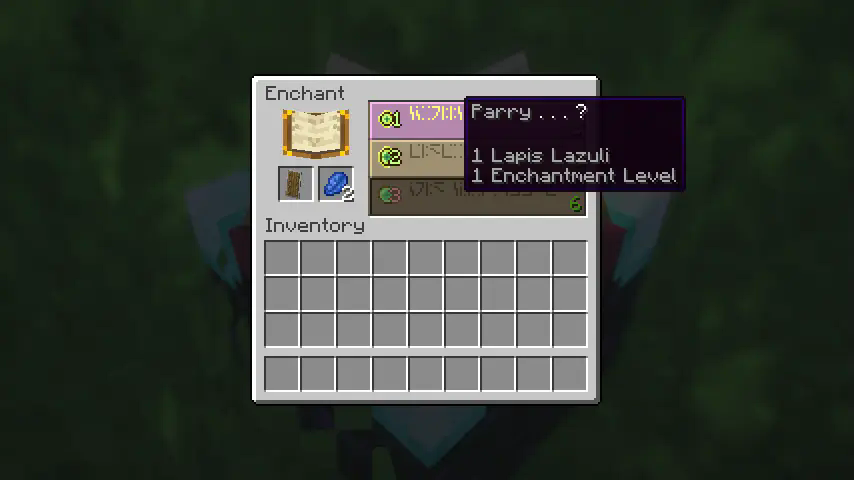
You can apply enchantments by placing your shield on an Enchanting Table.
Examples
Shield Bash
While holding your shield up, quickly double-tap the sprint key to dash forward, closing the distance to enemies and knocking them back.
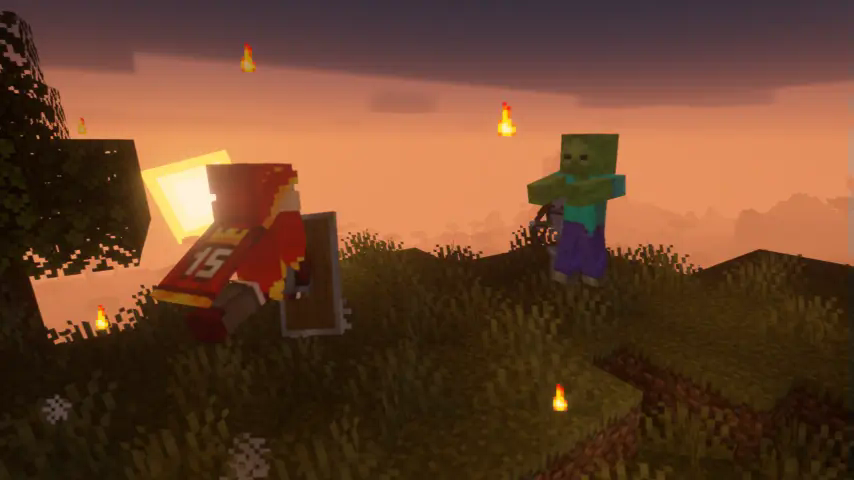
Parry
Blocking projectiles like arrows with precise timing will restore the shield's durability.
+Parry Effects
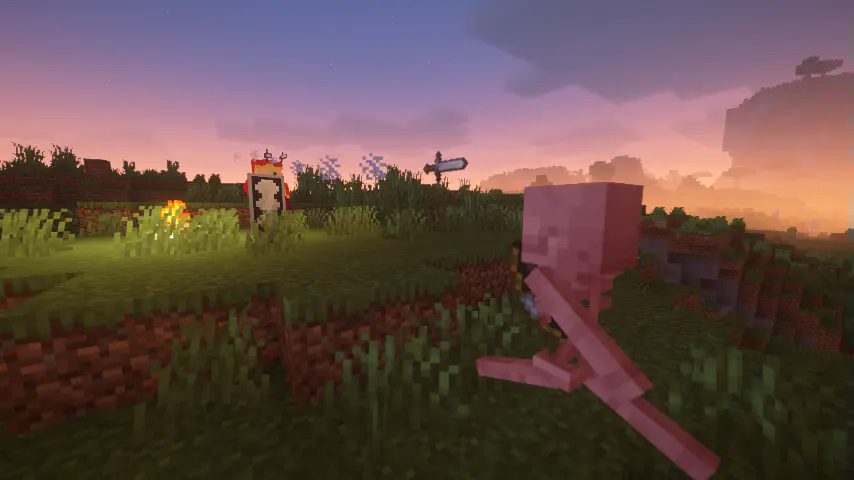
Combining the Parry enchantment with a specific Parry Effect enchantment (e.g., Spellblade Counter, Blast Counter) unlocks additional effects upon a successful parry.
Special Shields
Crafting allows you to create Special Shields with powerful enchantments unavailable via the Enchanting Table. These shields often come with drawbacks, such as reduced durability, but mastering their unique abilities provides a significant combat advantage.
Examples
Stream Enchantments
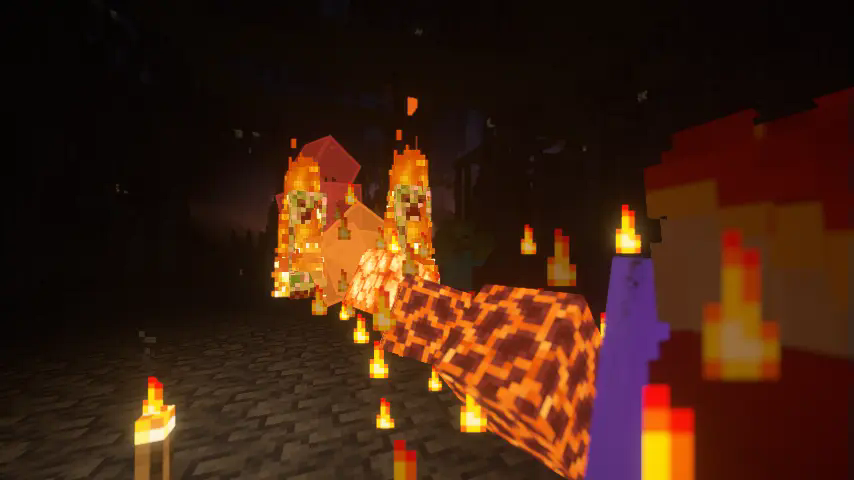
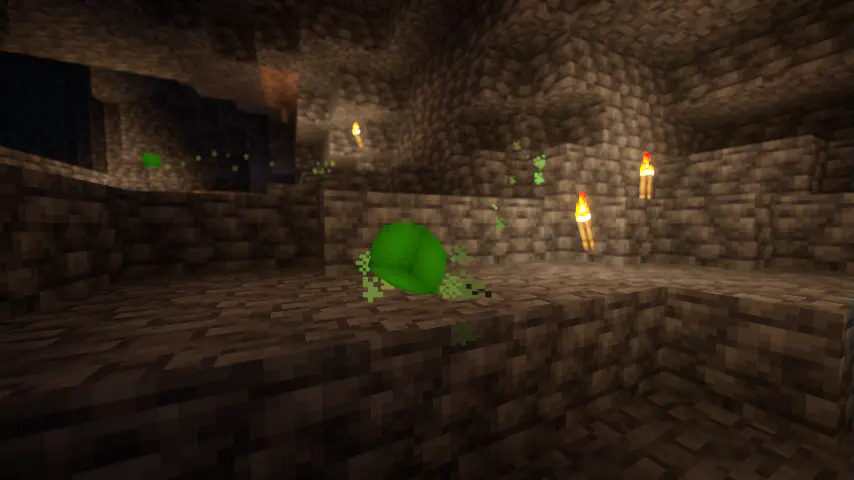
 Activates continuously while guarding.
Blaze Stream
Poison Stream
Ice Stream

Burst Enchantments
 Activates upon successfully blocking an attack.
Ender Burst

Breeze Burst
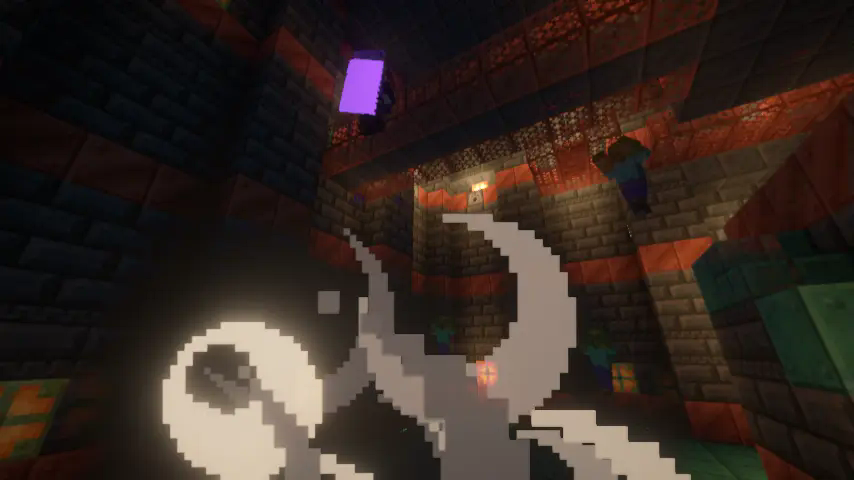
Smite Burst
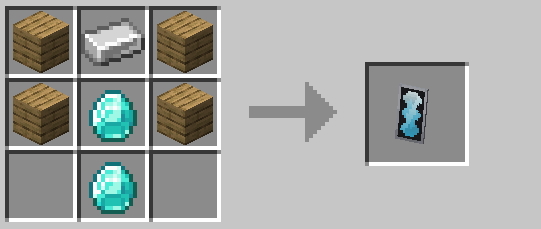
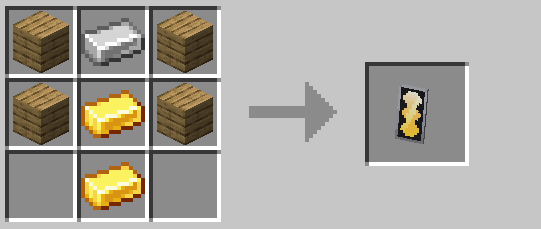
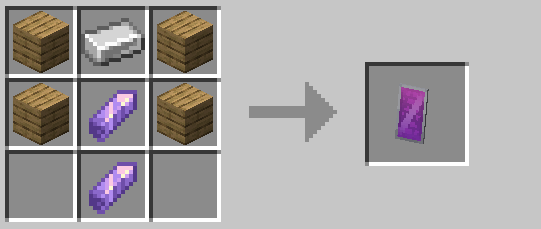
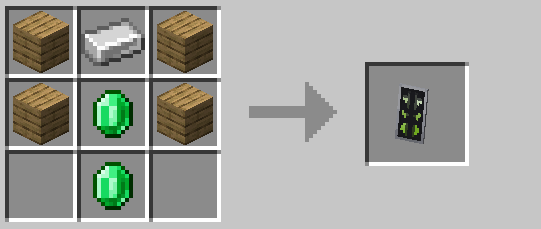
New Shield Recipes
This datapack adds a variety of new shields beyond the standard wooden one. All shields can perfectly block projectiles. Therefore, your choice of shield primarily affects how you handle non-projectile threats.
Shield Showcase
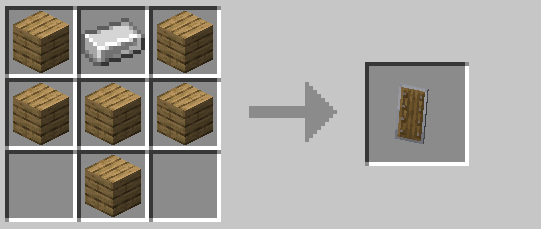
✅ Faster to raise
❎ Weak against high damage (e.g., weapon attacks)
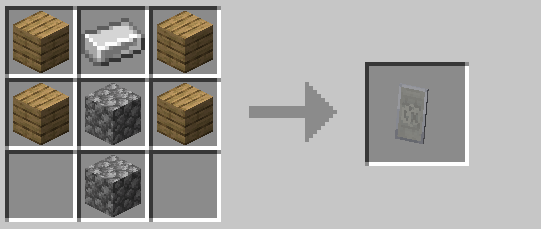
✅ High damage reduction and durability
❎ Very slow to raise
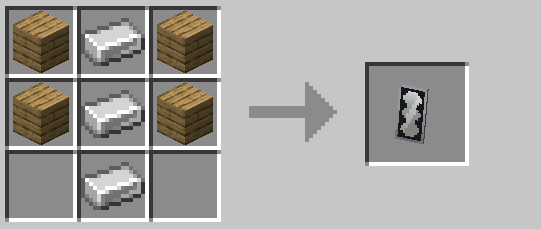
✅ 100% block against 3.5 hearts (7 damage)
❎ Cannot perfectly block damage from Stone Sword critical hits or higher; longer stun duration after blocking strong hits
✅ 100% block against 4 hearts (8 damage)
❎ Cannot perfectly block damage from Iron Sword critical hits or higher; longer stun duration after blocking strong hits
✅ 100% damage reduction, similar behavior to vanilla shields
❎ Low durability
✅ Wider blocking arc (protects a larger area)
❎ Only 70% damage reduction
✅ 100% damage reduction
❎ Narrower blocking arc (protects a smaller area)
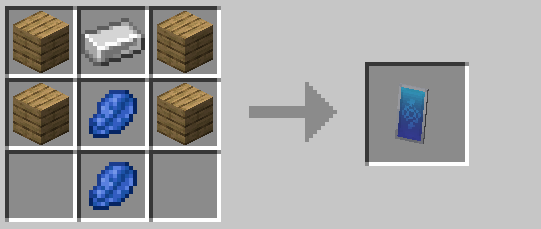
✅ 100% magic damage reduction
❎ Only 40% physical damage reduction
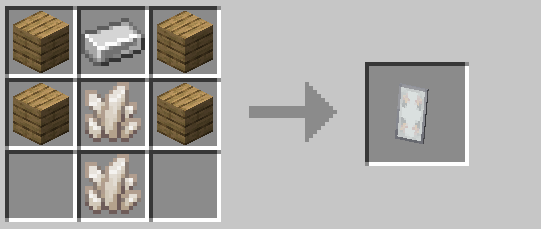
✅ 100% fire damage reduction
❎ Only 50% physical damage reduction
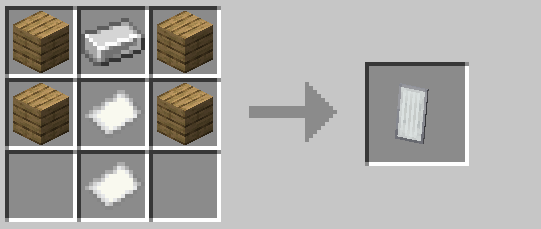
✅ Very fast to raise
❎ Very low durability
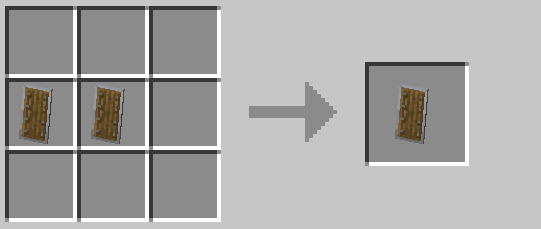
✅ Very fast blocking speed, behavior similar to pre-1.9 sword blocking
❎ Only 50% damage reduction
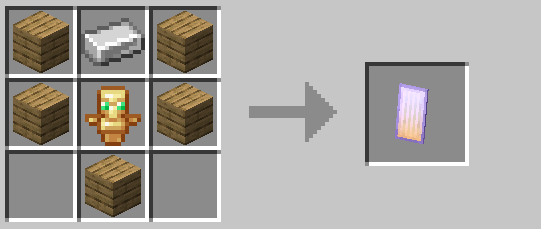
✅ Grants the Totem of Undying effect upon taking fatal damage
❎ Effect may be slightly weaker than a standard Totem; can break before activation if durability is low
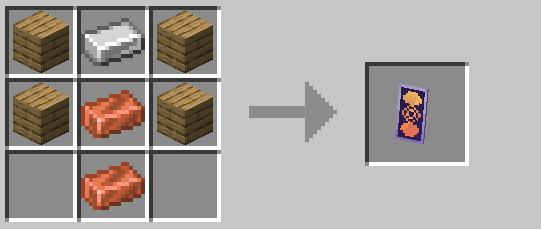
✅ 100% damage reduction, restores durability when blocking ranged attacks
❎ Loses durability slowly over time while held/in use
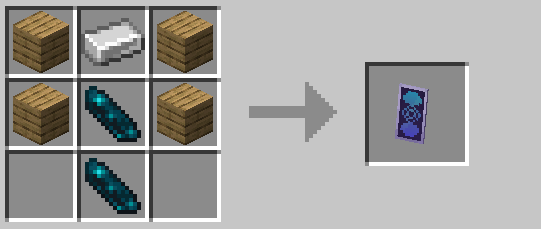
✅ 100% damage reduction
❎ Drains the user's HP slowly while held/in use
License
Streaming
You are free to stream or record gameplay using this datapack. However, please ensure your content adheres to Minecraft's usage guidelines, which generally require content to be freely accessible.
Custom Maps, Datapacks, Mods
You may include this datapack in custom maps, other datapacks, or mods under the terms of the MIT License. However, no support or warranty is provided for such integrations. Please also be aware of the Minecraft Java Edition EULA, which prohibits the sale of mods and related content.
Disclaimer
Functionality is not guaranteed. Support cannot be provided for corrupted data or conflicts with other mods/datapacks. It is highly recommended to back up your world before installing this datapack, especially on an existing world.
Known Issues and Specifications
Issues
The following are known issues or intended behaviors within this datapack. There are currently no plans to change these aspects.
Issue: Upon first login, all players are automatically assigned to the 'player' team.
Reason: This is intentionally done to disable friendly fire from the datapack's magic effects by default.
Issue: Shields held in the off-hand may occasionally duplicate when in Creative mode.
Reason: This can occur because the datapack is primarily designed and optimized for Survival and Adventure modes, prioritizing performance within those gameplay experiences.
Issue: The Creative inventory search tab or other modded inventories might display enchanted books with no names. Additionally, applying non-vanilla/non-datapack enchantments might remove the enchanted glint effect from items.
Reason: These are unavoidable side effects related to the internal mechanics and processes used by the datapack to implement its features. They cannot be fixed without compromising the core functionality.
Tips
PVP Usage
For PVP, it's recommended to assign players to one of the designated teams (e.g., illager, player, red, other) and execute the function provided below to enable team-based friendly fire logic:
function #untwo:update_all_player_team
Installation Instructions
Datapack - New World
When creating a new world, click "More". Click "Data Packs". Drag and drop the downloaded .zip file. Make sure to drag the entire .zip file; do not extract it. Click the arrow on the pack icon to move it to the "Selected" list. Click "Done"
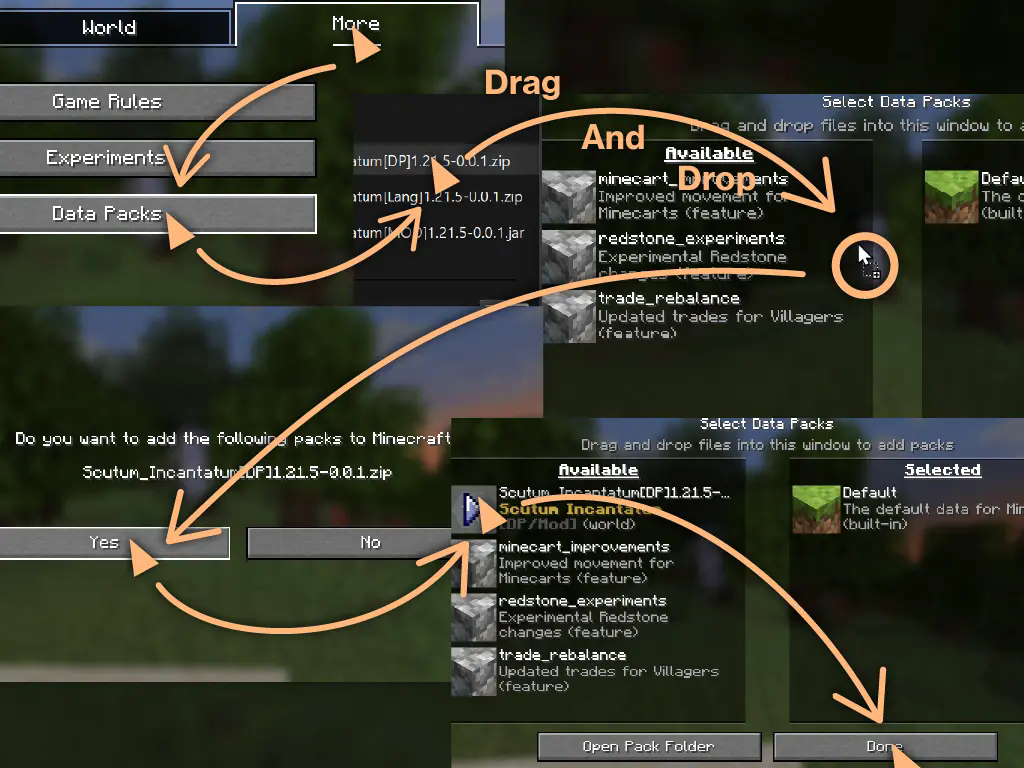
Datapack - Existing World
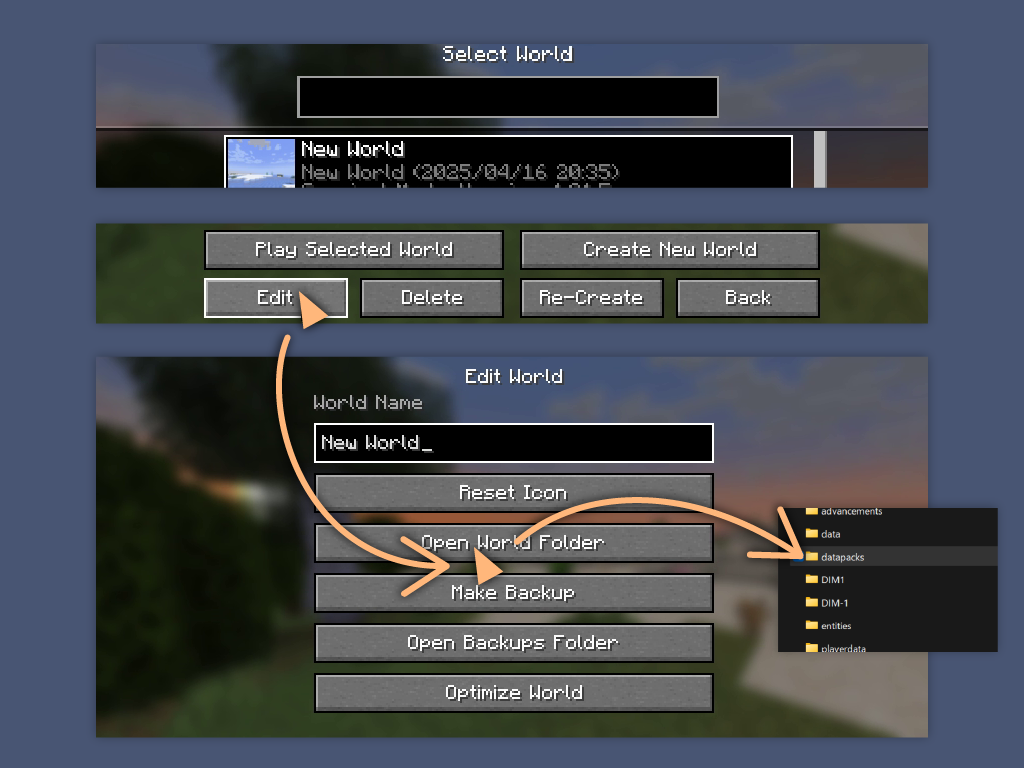
⚠ Warning: Issues may occur. Always back up your world first! Select your world in the singleplayer menu. Click "Edit". Click "Open World Folder". Drag and drop the downloaded .zip file into the datapacks folder. Make sure to drag the entire .zip file; do not extract it. The datapack should load the next time you open the world.
Language Files
This datapack includes support for 日本語, 繁體中文, 简体中文, and Español. Translations may be incomplete or contain errors. We appreciate any feedback or corrections submitted via our Discord server.
Language Pack (Resource Pack)
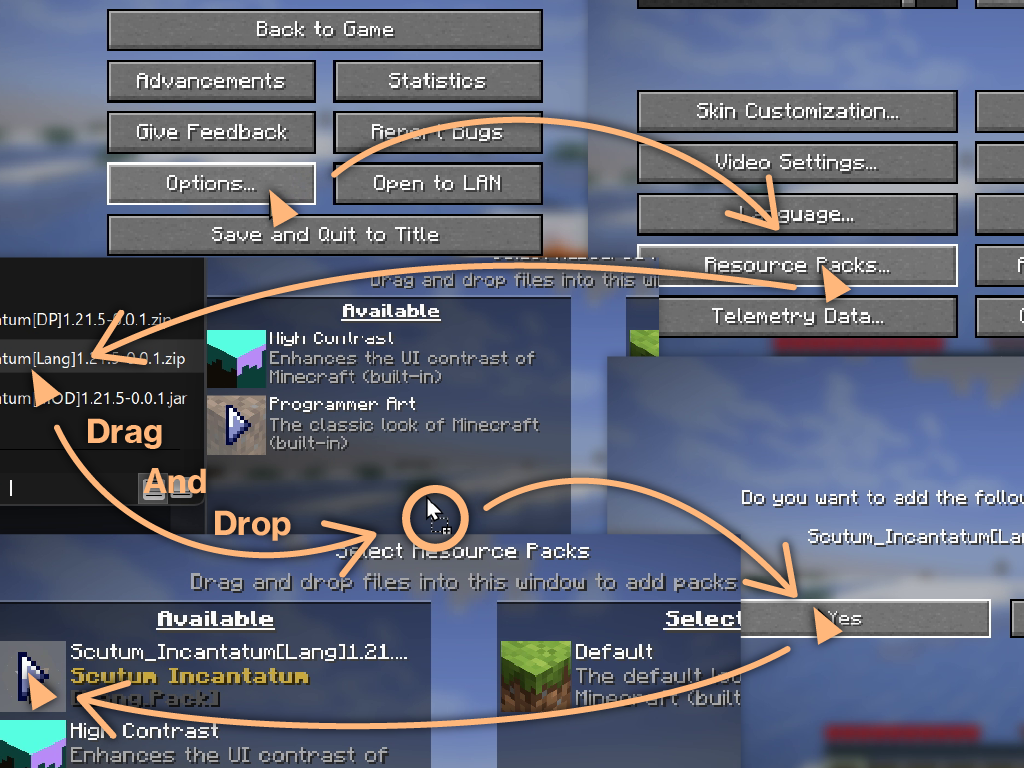
Go to Options > Resource Packs.
Drag and drop the downloaded language pack .zip file.
Click the arrow on the pack icon in the "Available" list to move it to the "Selected" list. Click "Done".
Mod Versions
The MOD version automatically activates the language pack.
Mod Version Installation
Install the .jar file like any other Minecraft mod (place it in your mods folder).
Found a bug? Let us know on our Discord server!
Screenshots
Gallery
-
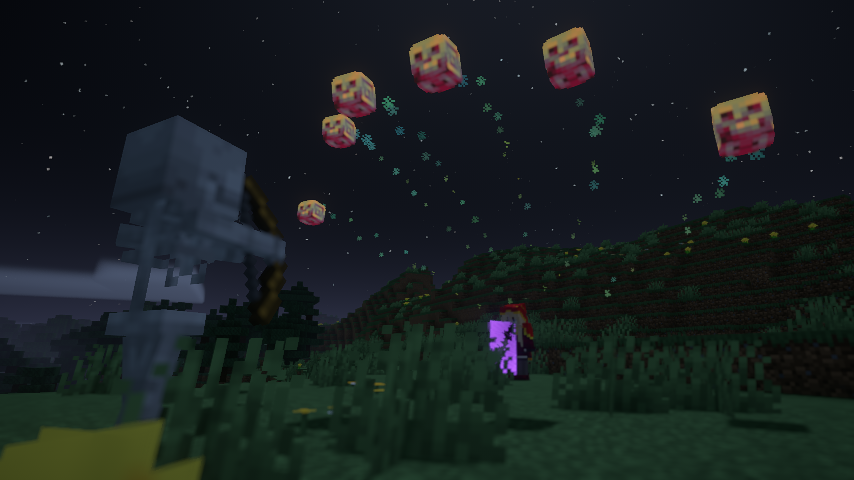 Powerful Enchantments
 -
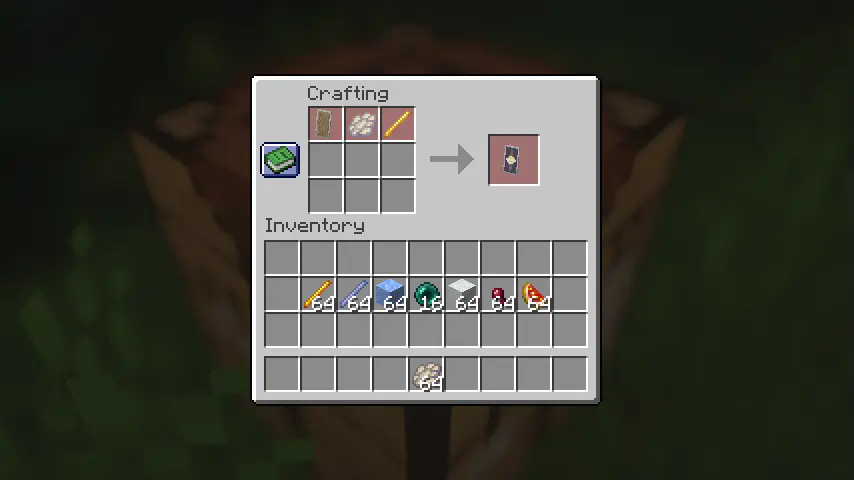
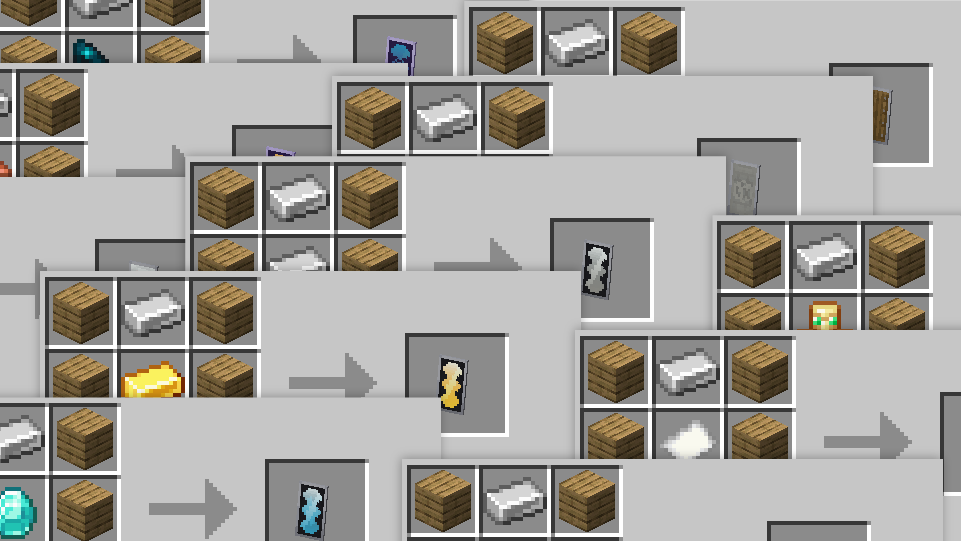 Recipe
Versions
Files
Relations
Project Relations
More like this
Similar Mods
Suggestions use data such as tags, dependencies, dependents, descriptions, titles, and more to rank how much they overlap with this mod.
On ModDex
Community snapshot
By the numbers
Statistics

Want to reach Minecraft players?
We're looking for a server hosting partner to feature here and other parts of the site. Interested? Send us a message!
Get in touchGet it on
Available Platforms
On ModDex
Community snapshot
By the numbers
Statistics
Resources