
Community listing page, reviews here may not be monitored by the author.
Nearby Chest Crafting


No reviews yet
Craft using items from nearby chest's without moving them
Community voices
Reviews
No reviews yet. Be the first to review this project!
Get it on
Available Platforms
Compatibility
Supported Environments
Must be installed on both the client and the server.
About
Project Details
For authors
Embed Badge
If you're the author of this project, you can embed a live badge anywhere that supports HTML or Markdown. It updates automatically whenever ratings change.
Use HTML for any page that supports it, or Markdown for README files and Markdown-based descriptions.
Identifiers
Platform IDs
Resources
External Links
About
Description




About
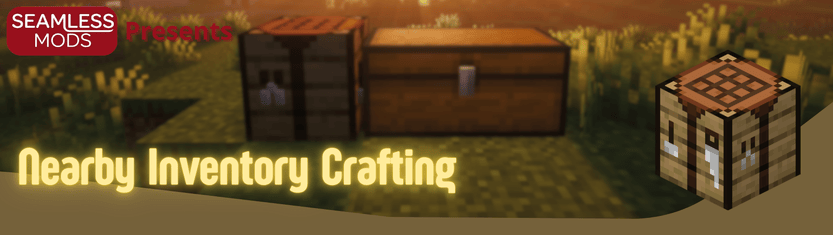
Nearby Item Crafting lets you craft with items stored in nearby chests and other inventories instead of moving every ingredient into your player inventory first.
Features
- Craft using ingredients from nearby inventories while keeping vanilla crafting flow
- Updates the recipe book so recipes become craftable when nearby storage contains items
- Adds a nearby-items panel with item counts, search, scrolling, and sorted entries
- Click items in the nearby panel to locate their storage
- Highlights chests in the world, including double chests
- Optional distance labels and locate-trail effects for faster chest finding
- Cancel button returns nearby-sourced ingredients back to storage
- Quick spacebar shortcut to fill one set from the selected recipe
- Configurable refresh timing, scan radius, highlight color, and panel defaults


How It Works
- Open a crafting table or your inventory recipe book
- The mod scans nearby inventories within the configured radius
- Nearby items appear in the side panel and count toward recipe availability
- When you craft, ingredients are pulled from nearby storage
- Use the cancel button to send nearby items back if needed
Requirements
- Minecraft 1.21.11
- Fabric Loader 0.18.4+
- Fabric API 0.141.1+1.21.11
- Optional: Mod Menu for in-game config screen
Configuration
If Mod Menu is installed, you can configure:
- Nearby scan radius
- Highlight color and opacity
- Highlight duration
- Distance labels and locate-trail effects
- Nearby panel default open state
- Auto-refresh interval
Notes
The mod is built around vanilla crafting screens rather than adding a global shared inventory. On singleplayer, your local config controls scan radius. On a dedicated server, the server config controls the actual nearby-inventory range.
Bugs and Support
For bug reports, please open an issue on GitHub or message through Discord:
- Issues: https://github.com/DerkOttersberg/bluethooth-chest/issues
- Source: https://github.com/DerkOttersberg/bluethooth-chest
Bug reports are easier to fix if you include:
- Minecraft version
- Fabric Loader version
- Fabric API version
- Mod version
- Steps to reproduce
- Latest log or crash report, if available
Also Check out!




About
Nearby Item Crafting lets you craft with items stored in nearby chests and other inventories instead of moving every ingredient into your player inventory first.
Features
- Craft using ingredients from nearby inventories while keeping vanilla crafting flow
- Updates the recipe book so recipes become craftable when nearby storage contains items
- Adds a nearby-items panel with item counts, search, scrolling, and sorted entries
- Click items in the nearby panel to locate their storage
- Highlights chests in the world, including double chests
- Optional distance labels and locate-trail effects for faster chest finding
- Cancel button returns nearby-sourced ingredients back to storage
- Quick spacebar shortcut to fill one set from the selected recipe
- Configurable refresh timing, scan radius, highlight color, and panel defaults
How It Works
- Open a crafting table or your inventory recipe book
- The mod scans nearby inventories within the configured radius
- Nearby items appear in the side panel and count toward recipe availability
- When you craft, ingredients are pulled from nearby storage
- Use the cancel button to send nearby items back if needed
Requirements
- Minecraft 1.21.11
- Fabric Loader 0.18.4+
- Fabric API 0.141.1+1.21.11
- Optional: Mod Menu for in-game config screen
Configuration
If Mod Menu is installed, you can configure:
- Nearby scan radius
- Highlight color and opacity
- Highlight duration
- Distance labels and locate-trail effects
- Nearby panel default open state
- Auto-refresh interval
Notes
The mod is built around vanilla crafting screens rather than adding a global shared inventory. On singleplayer, your local config controls scan radius. On a dedicated server, the server config controls the actual nearby-inventory range.
Bugs and Support
For bug reports, please open an issue on GitHub or message through Discord:
- Issues: https://github.com/DerkOttersberg/bluethooth-chest/issues
- Source: https://github.com/DerkOttersberg/bluethooth-chest
Bug reports are easier to fix if you include:
- Minecraft version
- Fabric Loader version
- Fabric API version
- Mod version
- Steps to reproduce
- Latest log or crash report, if available
Also Check out!
Screenshots
Gallery
-
Return items Return items to chest of origin
-
Locator Locate item in chest
-
Nearby Crafting Craft items from chests!
Versions
Files
Relations
Project Relations
More like this
Similar Mods
Suggestions use data such as tags, dependencies, dependents, descriptions, titles, and more to rank how much they overlap with this mod.
On ModDex
Community snapshot
By the numbers
Statistics
Want to reach Minecraft players?
We're looking for a server hosting partner to feature here and other parts of the site. Interested? Send us a message!
Get in touchGet it on
Available Platforms
On ModDex
Community snapshot
By the numbers
Statistics
Resources