Community listing page, reviews here may not be monitored by the author.
Seed Scout

No reviews yet
Search Minecraft seeds by biome, structure, and terrain, then explore matches in a dedicated gallery.
Community voices
Reviews
No reviews yet. Be the first to review this project!
Get it on
Available Platforms
About
Project Details
For authors
Embed Badge
If you're the author of this project, you can embed a live badge anywhere that supports HTML or Markdown. It updates automatically whenever ratings change.
Use HTML for any page that supports it, or Markdown for README files and Markdown-based descriptions.
Identifiers
Platform IDs
Resources
External Links
About
Description
Seed Scout
Seed Scout is a client-side Fabric mod for Minecraft Java Edition 26.3. Choose the biomes, structures, and terrain features you want near your search start, set a radius and result target, and let the mod look for matching seeds. Results appear in a searchable gallery where you can inspect a seed or open it as a creative world.
Features
- Search across Overworld, Nether, and End biomes and structures, with grouped filters such as any camp site or any village.
- Combine biome and structure requirements, set structure quantities, individual radii, and a maximum spread between matches.
- Save filter presets, resume interrupted searches, and avoid rechecking seeds already searched with the same filter settings.
- Browse saved results, copy seed numbers, and open a selected seed in creative mode. Matching structures can be highlighted with configurable key binds.
- Hold Escape for three seconds to stop an active search.
How searching works
Seed Scout loads a temporary world once to initialize Minecraft's world-generation data. Subsequent biome and structure candidates are checked from seed data without opening every world. Verify in world is optional and off by default; turning it on loads matches for a preview. Lake and cliff terrain filters still need loaded-world checks. A saved result without in-world verification may not have a thumbnail until you open it.
Search speed depends on the filters and radius you choose. A larger radius covers many more positions, so searches—especially those using biome filters—can slow down substantially. For faster results, start with a smaller radius (such as 50 blocks) and increase it when you need a wider search area. 50 block radius will search about 73 seeds per second.
Getting started
From the Minecraft title screen, click the small map button beside Singleplayer. In Seed Scout, choose New Search, set your radius and result target, then open Filters to select biomes and structures. Choose Start seed search when ready. Results remain in the Seed Scout gallery rather than the normal Singleplayer list.
Requirements
- Minecraft Java Edition 26.3
- Fabric Loader 0.19.5 or newer
- Fabric API for Minecraft 26.3
- Java 25 or newer
Seed Scout is a client-side mod. It is not an official Minecraft product.
Support
If you enjoy the mod, you can support development at https://buymeacoffee.com/ixxes. All features remain available without payment.
Screenshots
Gallery
-
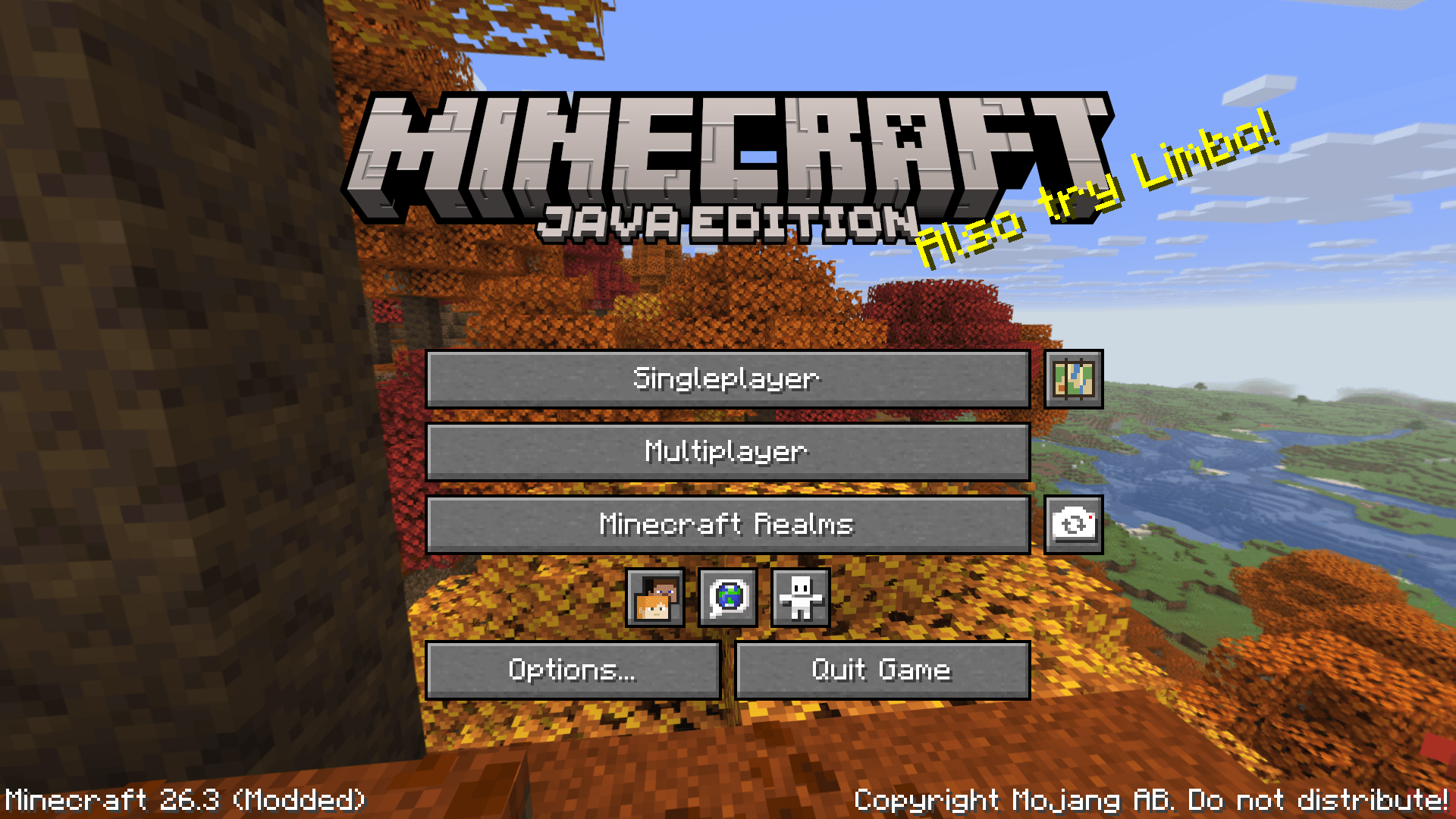 Seed Scout - Minecraft Mod location
 -
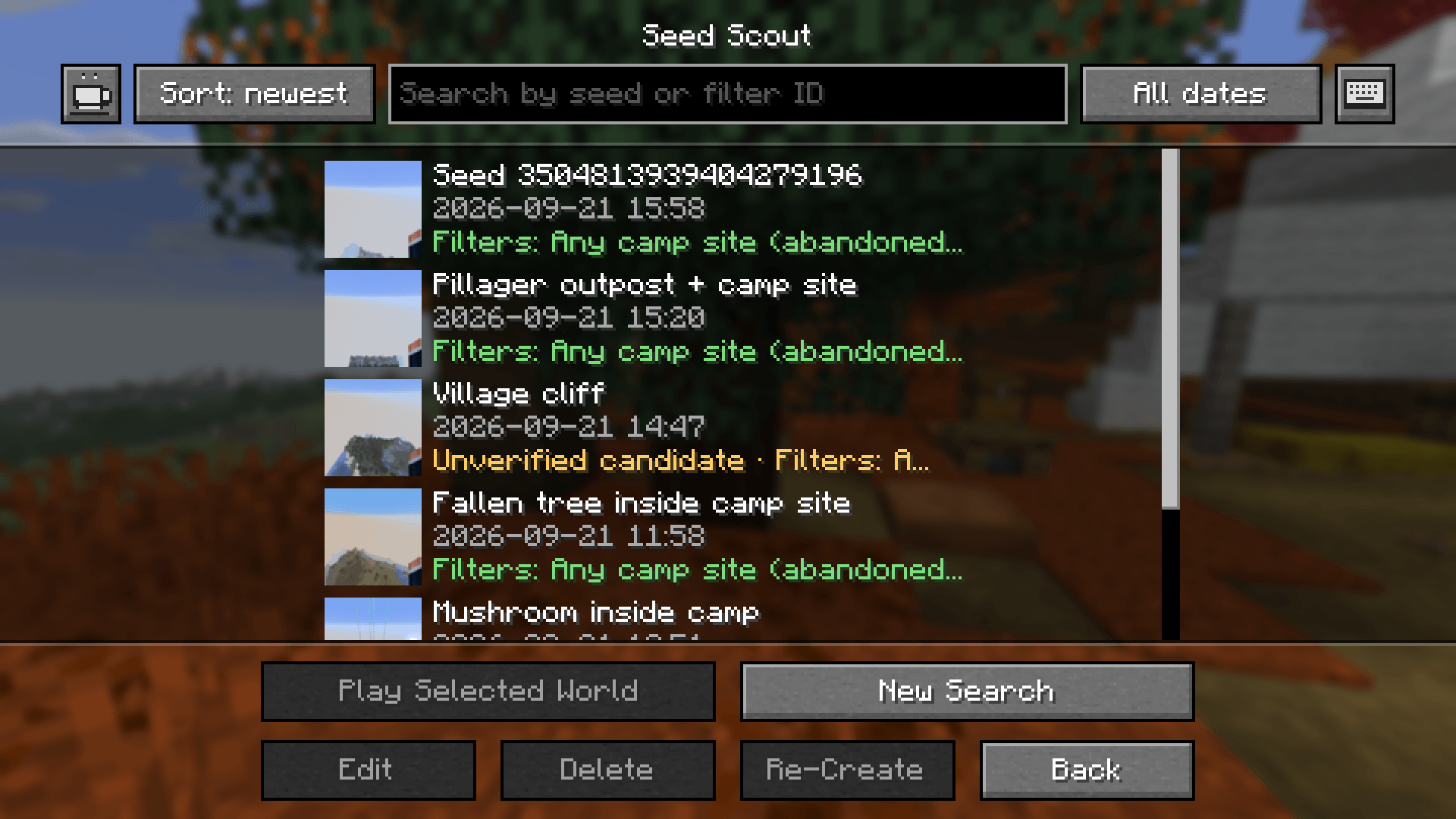 Seed Scout - Result Seed List
 -
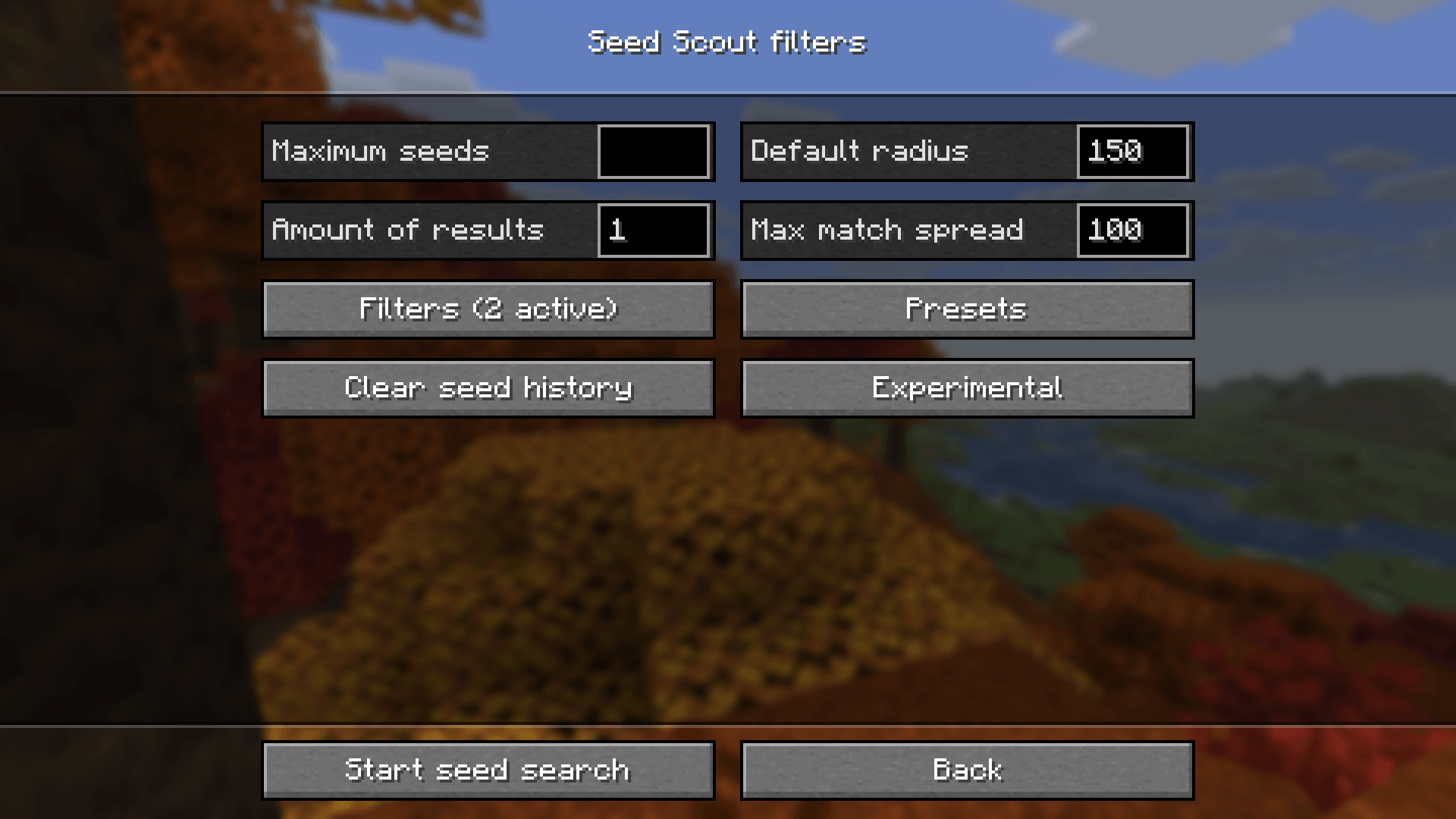 Seed Scout - Filter Settings
 -
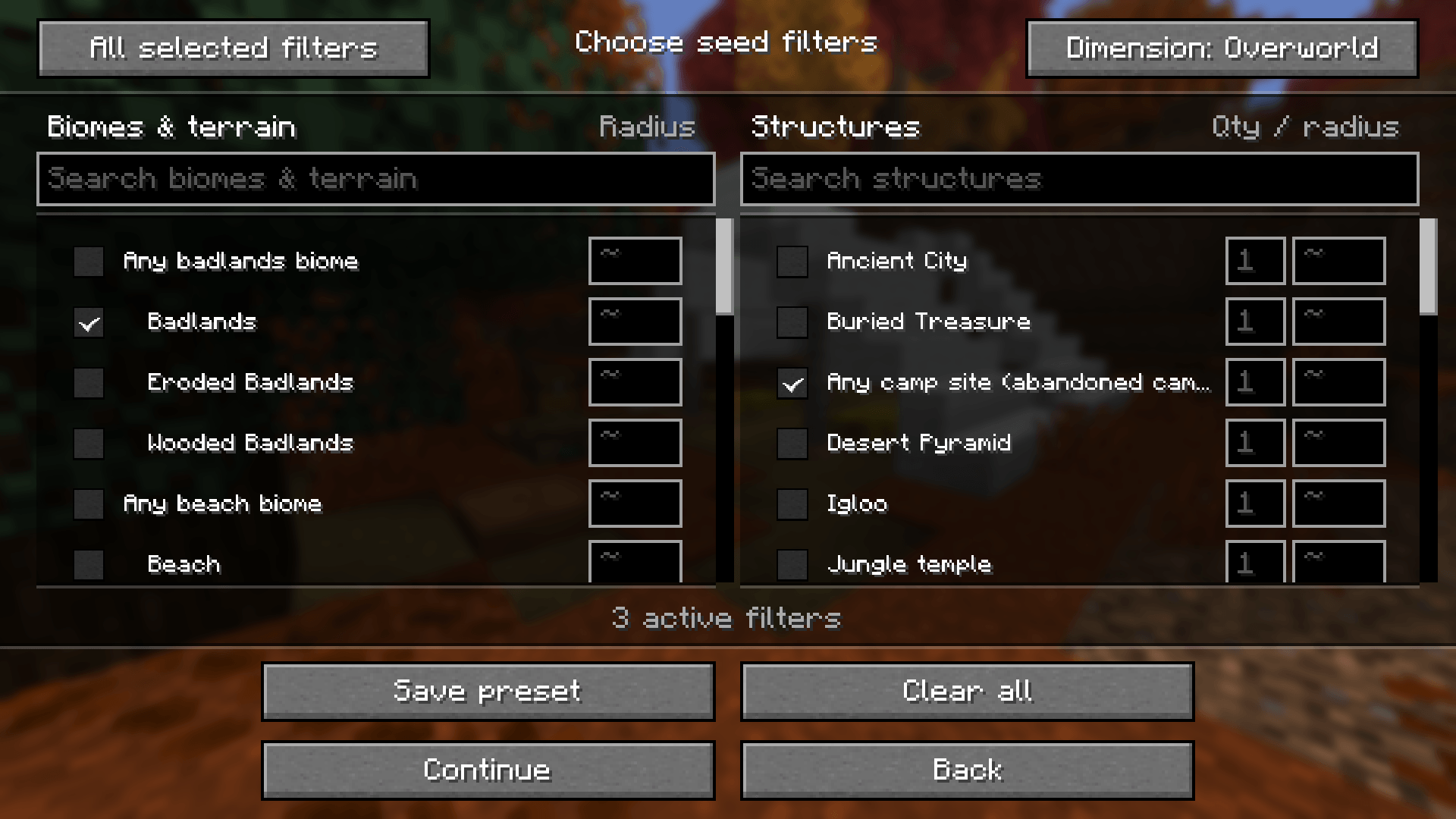 Seed Scout - Filters
Versions
Files
Relations
Project Relations
More like this
Similar Mods
Suggestions use data such as tags, dependencies, dependents, descriptions, titles, and more to rank how much they overlap with this mod.
On ModDex
Community snapshot
By the numbers
Statistics
Want to reach Minecraft players?
We're looking for a server hosting partner to feature here and other parts of the site. Interested? Send us a message!
Get in touchGet it on
Available Platforms
On ModDex
Community snapshot
By the numbers
Statistics
Resources