
GalaxyByne's Economy
No reviews yet
An economy datapack including currency, debit cards and stock market.
Includes systems for trading and managing economies.
Data Packs were introduced to vanilla Minecraft in version 1.13 and allow the server to modify data about the game, or run commands. Data Packs are compatible with all mod loaders.
Forge is a popular mod loader for versions 1.1+ of Minecraft.
Fabric is a mod loader for versions 1.14+ of Minecraft, particularly popular for client side and optimization mods.
Quilt is a fork of the Fabric mod loader. Many Fabric mods are compatible with Quilt and vice versa.
Community voices
Reviews
Click once to include, again to exclude, again to clear
No reviews yet. Be the first to review this project!
Get it on
Available Platforms
 Modrinth
Compatibility
Supported Environments
About
Project Details
For authors
Embed Badge
If you're the author of this project, you can embed a live badge anywhere that supports HTML or Markdown. It updates automatically whenever ratings change.
Use HTML for any page that supports it, or Markdown for README files and Markdown-based descriptions.
Identifiers
Platform IDs
Resources
External Links
About
Description
! ! ! This is a deprecated data pack. Download the new version here.
Galaxy's Server Economy
Features:
- Balance System
- Pay System
- Stock Market
- Debit Cards / Payment Terminals
Usage Instructions:
Balance System:
Use /trigger ShowBalance to see your balance
To depoit / withdraw Diamonds from your account, you'll need to summon some interactions:
Use /function galaxyseconomy:summon_atm/[direction] to summon the preset ATM.
Use /kill @e[tag=ATM,distance=..1] to remove an ATM.
Note:
- Replace [direction] with either north, east, south, or west. Use the direction the ATM is facing.
You can also customize ATMs.
Use
/summon interaction ~ ~ ~ {width:[width here]f,height:[height here]f,response:1b,Tags:["bank_interaction","bank_diamond_sell"]}
to summon a deposit interaction.
Use
/summon interaction ~ ~ ~ {width:[width here]f,height:[height here]f,response:1b,Tags:["bank_interaction","bank_diamond_buy"]}
to summon a withdraw interaction.
Note:
- Replace [width here] and [height here] with a positive number describing the interaction's size
Pay System:
Use /trigger Pay set [amount] to pay the nearest Player in a 10-block radius
Stock Market:
The Stock Market also uses interactions to buy/sell stock (ores):
Use
/summon interaction ~ ~ ~ {width:[width here]f,height:[height here]f,response:1b,Tags:["bank_interaction","bank_[stock]_<sell/buy>"]}
to summon a stock interaction.
Note:
- Replace [width here] and [height here] with a positive number describing the interaction's size
- Replace <sell/buy> with either "sell" or "buy" depending on your needs
- Replace [stock] with any stock. Stocks include:
- redstone
- lapis
- iron
- copper
- gold
- emerald
- netherite
Set stock prices with /scoreboard players set [Stock] Stock [amount]
Note:
- Replace [amount] with the price in cents
- i.e. $3.79 -> 379
- Replace [Stock] with any stock
- First letter needs to be caps here
emerald-> Emerald
Debit Cards / Payment Terminals:
Use
/give @s name_tag{display:{Name:'{"text":"Debit Card","color":"light_purple","italic":false}'},DebitCard:1b}
to give yourself a Debit Card.
Note:
- If you know how to, you may modify this item's attributes (like name, lore, etc.). Just make sure the tag
DebitCard:1bis still there.
Use /function galaxyseconomy:summon_payment_terminal/[direction] to summon a Payment Terminal.
Stand on it and use /trigger ClaimPaymentTerminal to claim it.
Use /kill @e[tag=PaymentTerminal,distance=..1] to remove a Payment Terminal.
Use
/give @s name_tag{display:{Name:'{"text":"Payment Terminal Key","color":"light_purple","italic":false}'},TerminalKey:1b}
to give yourself a Payment Terminal Key.
The Payment Terminal has its own "bank account". Use the Key on the Tap Card button to claim your earnings.
Note:
- Replace [direction] with either north, east, south, or west. Use the direction facing your customers
- This will spawn/kill a Payment Terminal at your feet
- If you know how to, you may modify the Key item's attributes (like name, lore, etc.). Just make sure the tag
TerminalKey:1bis still there.
Use /tag @s add EconomyBankSubscriber to "subscribe" to a premium subscription that allows you to:
Use /trigger SellAll[Stock] to sell all blocks of stock in your inventory.
Use /trigger BuyAll[Stock] set [amount] to buy stacks of blocks of stock.
Note:
- Replace [Stock] with any stock
- First letter needs to be caps here
emerald-> Emerald
- Replace [amount] with any positive integer that describes the amount of stacks of blocks of stock you'd like to buy
Bugs / Questions:
Please report any bugs / suggestions / questions on the linked discord
Screenshots
Gallery
-
 Server Economy Banner
 -
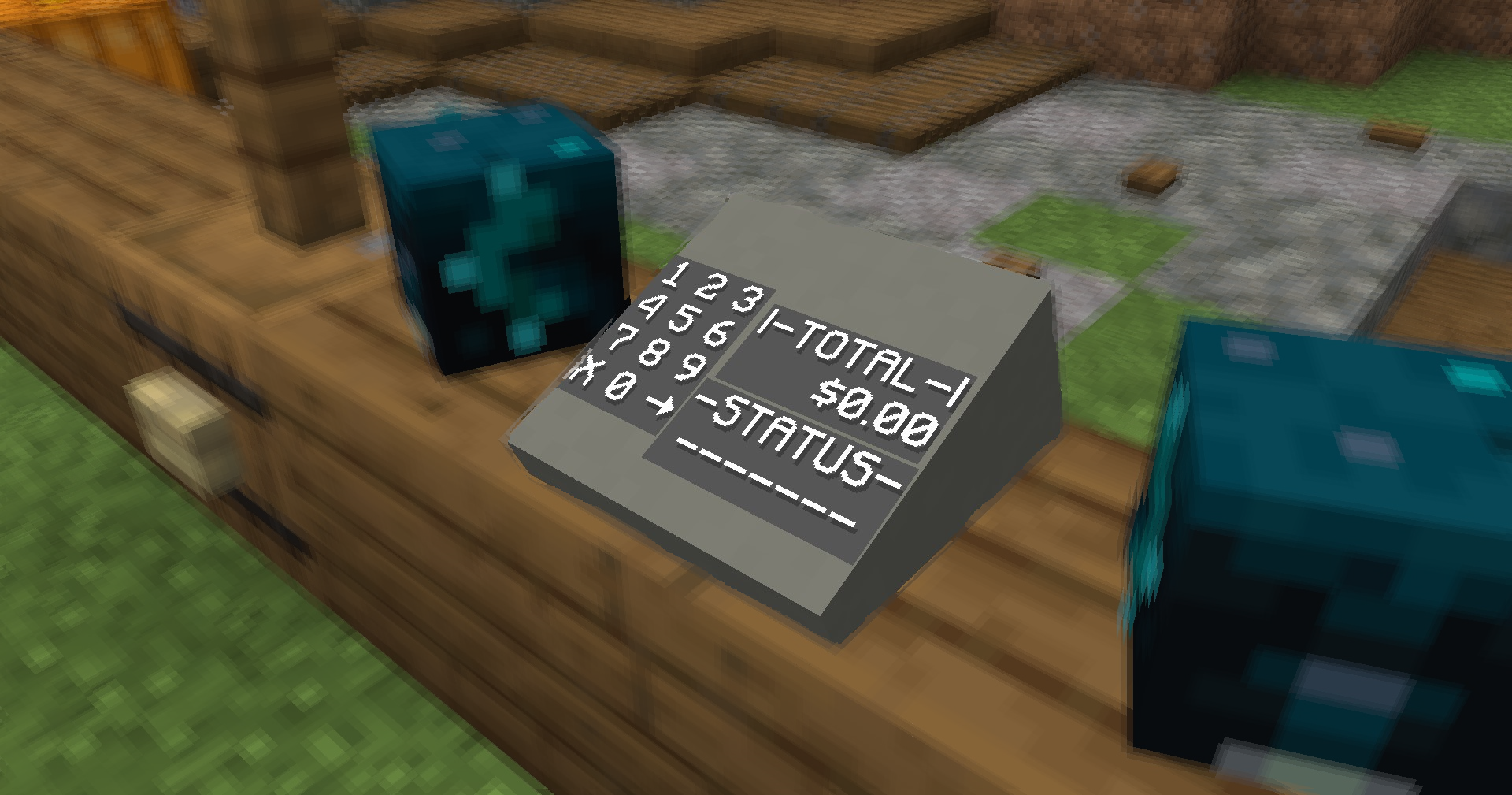 Payment Terminal
Versions
Files
Relations
Project Relations
More like this
Similar Mods
Suggestions use data such as tags, dependencies, dependents, descriptions, titles, and more to rank how much they overlap with this mod.
On ModDex
Community snapshot
By the numbers
Statistics

Want to reach Minecraft players?
We're looking for a server hosting partner to feature here and other parts of the site. Interested? Send us a message!
Get in touchGet it on
Available Platforms
On ModDex
Community snapshot
By the numbers
Statistics
Resources