
Community listing page, reviews here may not be monitored by the author.


Community voices
Reviews
No reviews yet. Be the first to review this project!
Get it on
Available Platforms
Compatibility
Supported Environments
Runs on a dedicated server only; does not work in singleplayer.
About
Project Details
For authors
Embed Badge
If you're the author of this project, you can embed a live badge anywhere that supports HTML or Markdown. It updates automatically whenever ratings change.
Use HTML for any page that supports it, or Markdown for README files and Markdown-based descriptions.
Identifiers
Platform IDs
Resources
External Links
About
Description
Languages
Server Manager
A server-side Fabric mod that provides a web-based Minecraft server management panel.
It allows you to monitor server status, manage online players, view logs, execute commands, edit game rules, and manage Carpet rules when Carpet is installed.
Features
- Web-based server management panel
- Login authentication
- Dashboard for server statistics
- Online player list
- Player operations
- Server log viewer
- Command execution panel
- Gamerule management
- Carpet rule management when installed
Page Overview
- Dashboard
- Players
- Logs
- Command
- Gamerule
- Carpet Rule
Command Page
The Command page allows server commands to be executed from the web panel.
If the input starts with /, it is sent as a command.
If the input does not start with /, it is sent as a say command.
Player Management
The Players page shows online players and provides common operations.
Displayed player information includes:
- Name
- Status
- Dimension
- Position
- Health
- Hunger
- Level
- Gamemode
- Ping
Supported player operations include:
- Heal
- Feed
- Clear inventory
- Kill
- Kick
- Ban
- Add to whitelist
- OP
Access Control
The Players page also includes access control tables.
Supported lists:
- Whitelist
- Blacklist
- Operators
Supported operations include:
- Enable or disable whitelist
- Remove whitelist entries
- Remove blacklist entries
- Remove operator permissions
Gamerule Management
The Gamerule page lists server gamerules by category.
For each gamerule, the page can show:
- Name
- Type
- Current value
- Default value
- Allowed values
- Recommended values
Carpet Rule Management
The Carpet Rule page follows the same rule UI format as the Gamerule page.
If Carpet is installed, rules can be viewed and changed from the web panel.
Supported Versions
- Minecraft 26.3
- Fabric Loader 0.19.5+
- Fabric API 0.160.5+
- Java 25
License
MIT
Languages
Server Manager
A server-side Fabric mod that provides a web-based Minecraft server management panel.
It allows you to monitor server status, manage online players, view logs, execute commands, edit game rules, and manage Carpet rules when Carpet is installed.
Features
- Web-based server management panel
- Login authentication
- Dashboard for server statistics
- Online player list
- Player operations
- Server log viewer
- Command execution panel
- Gamerule management
- Carpet rule management when installed
Page Overview
- Dashboard
- Players
- Logs
- Command
- Gamerule
- Carpet Rule
Command Page
The Command page allows server commands to be executed from the web panel.
If the input starts with /, it is sent as a command.
If the input does not start with /, it is sent as a say command.
Player Management
The Players page shows online players and provides common operations.
Displayed player information includes:
- Name
- Status
- Dimension
- Position
- Health
- Hunger
- Level
- Gamemode
- Ping
Supported player operations include:
- Heal
- Feed
- Clear inventory
- Kill
- Kick
- Ban
- Add to whitelist
- OP
Access Control
The Players page also includes access control tables.
Supported lists:
- Whitelist
- Blacklist
- Operators
Supported operations include:
- Enable or disable whitelist
- Remove whitelist entries
- Remove blacklist entries
- Remove operator permissions
Gamerule Management
The Gamerule page lists server gamerules by category.
For each gamerule, the page can show:
- Name
- Type
- Current value
- Default value
- Allowed values
- Recommended values
Carpet Rule Management
The Carpet Rule page follows the same rule UI format as the Gamerule page.
If Carpet is installed, rules can be viewed and changed from the web panel.
Supported Versions
- Minecraft 26.3
- Fabric Loader 0.19.5+
- Fabric API 0.160.5+
- Java 25
License
MIT
Screenshots
Gallery
-
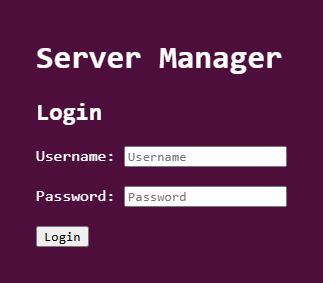 Login page
 -
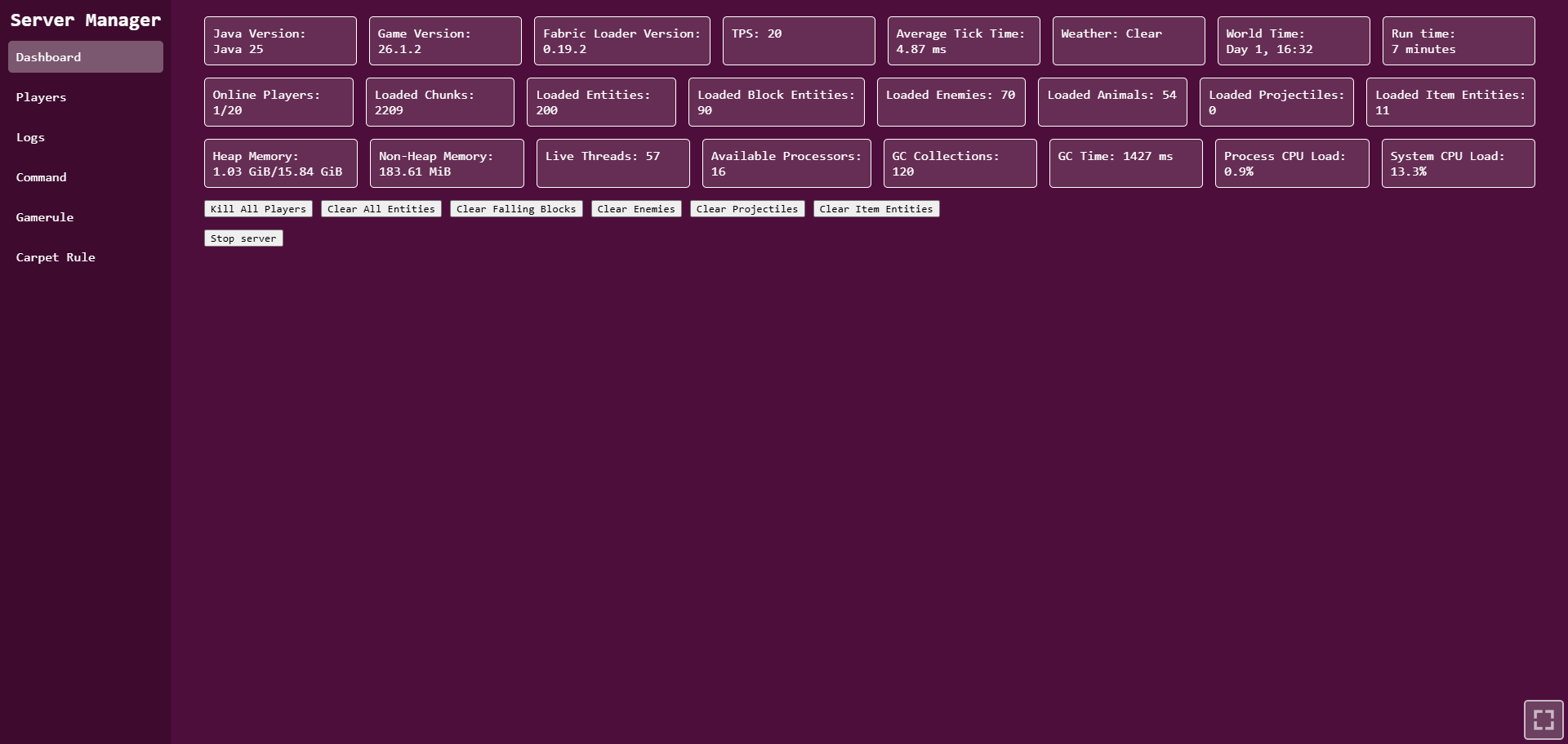 Dashboard
 -
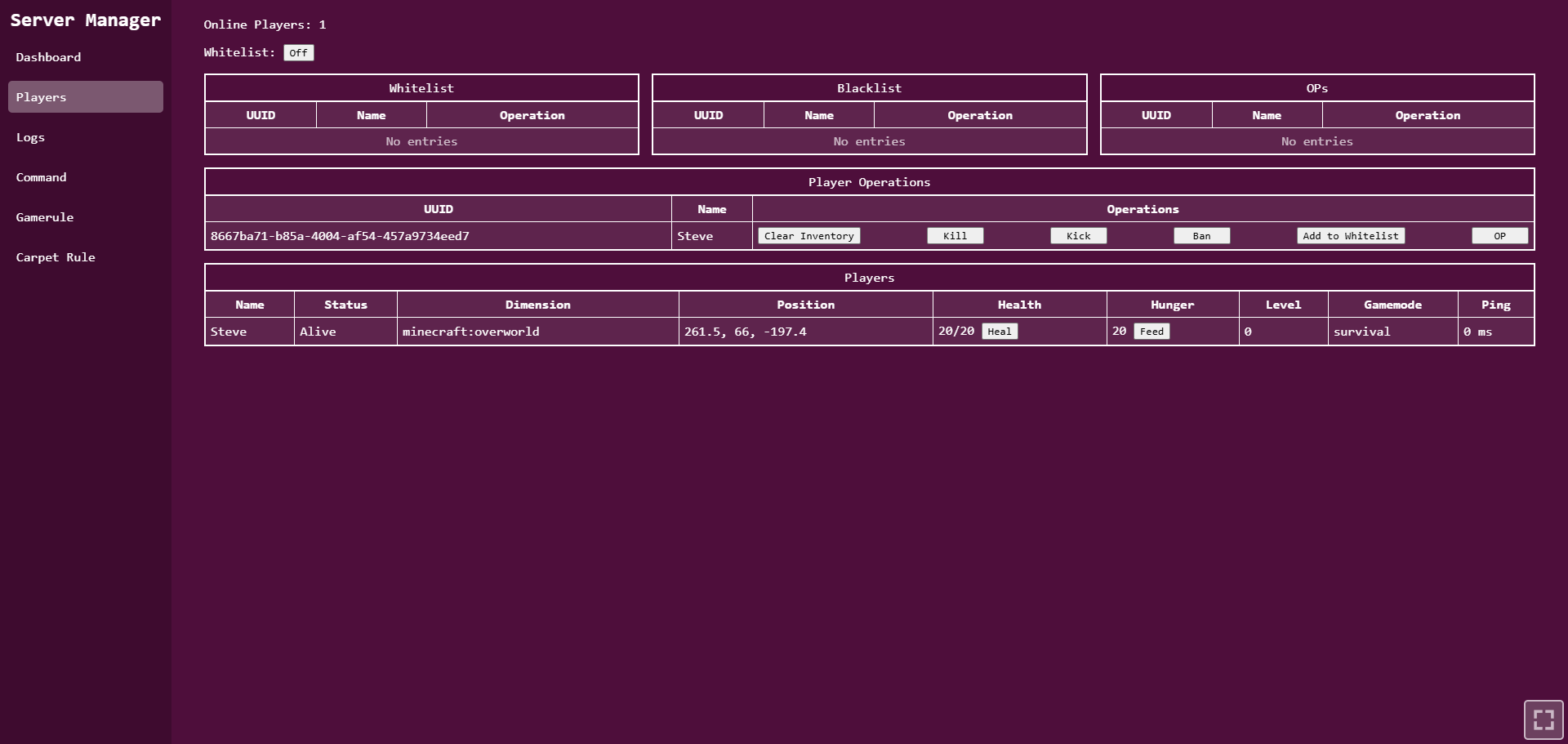 Players Menu
 -
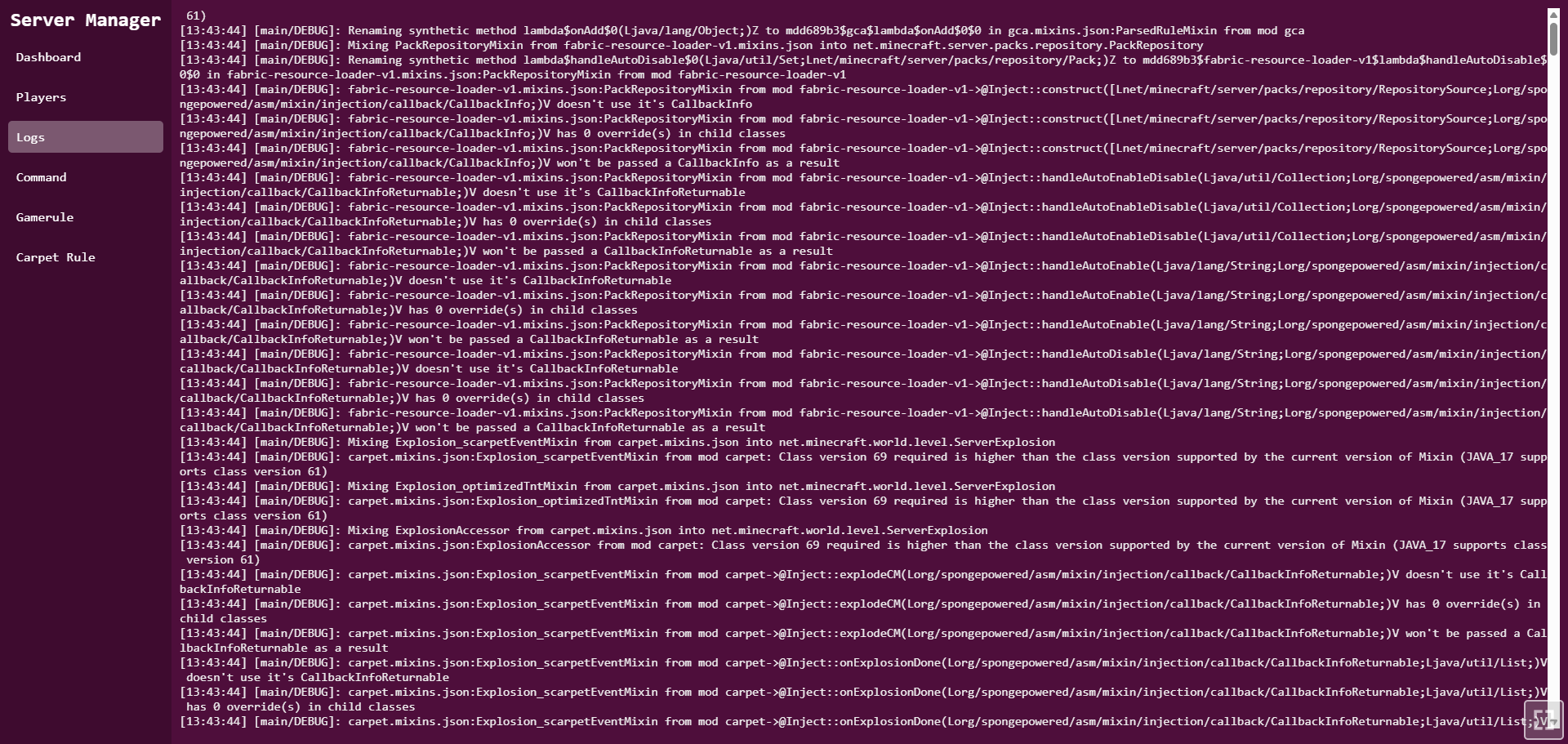 Logs
Logs -
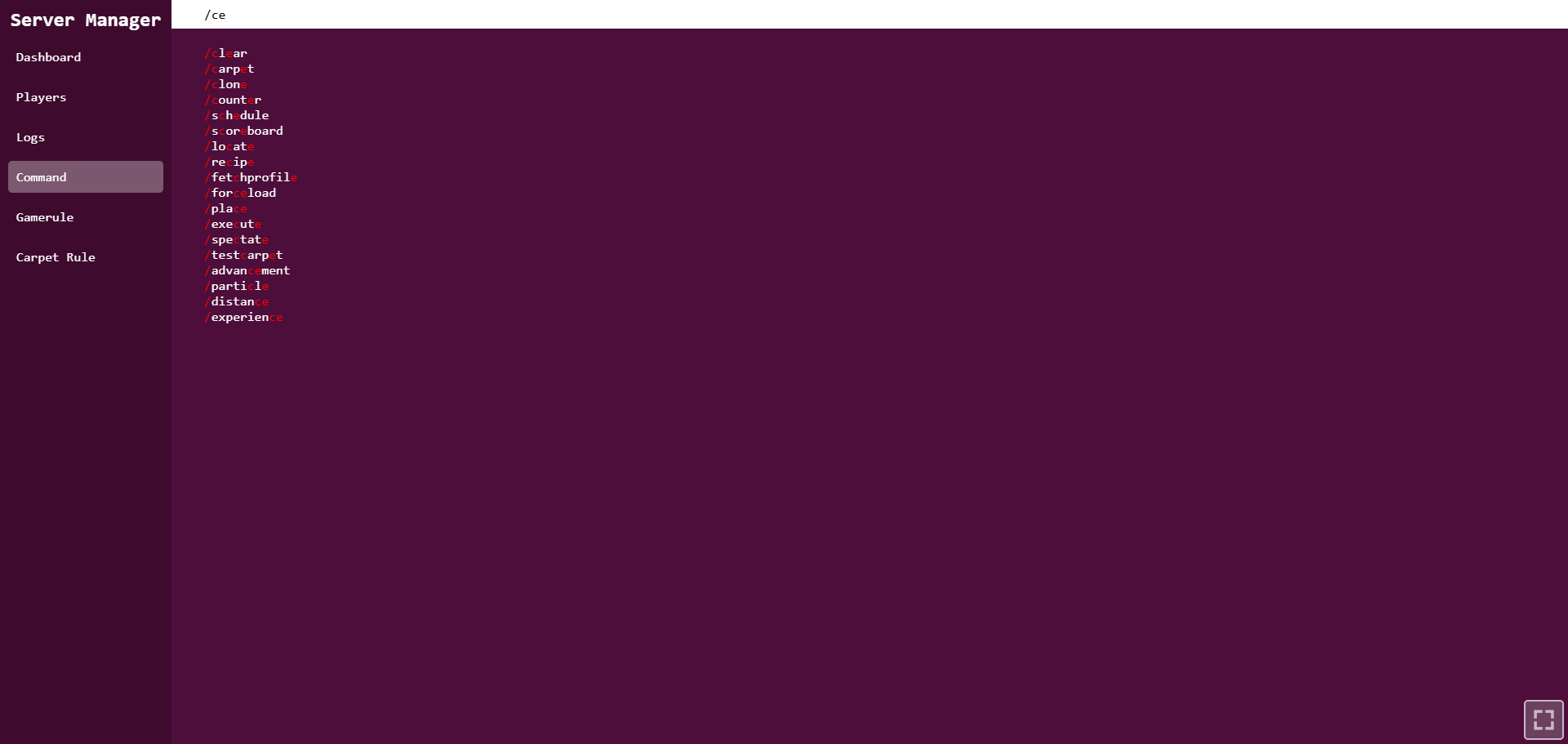 Commands
 -
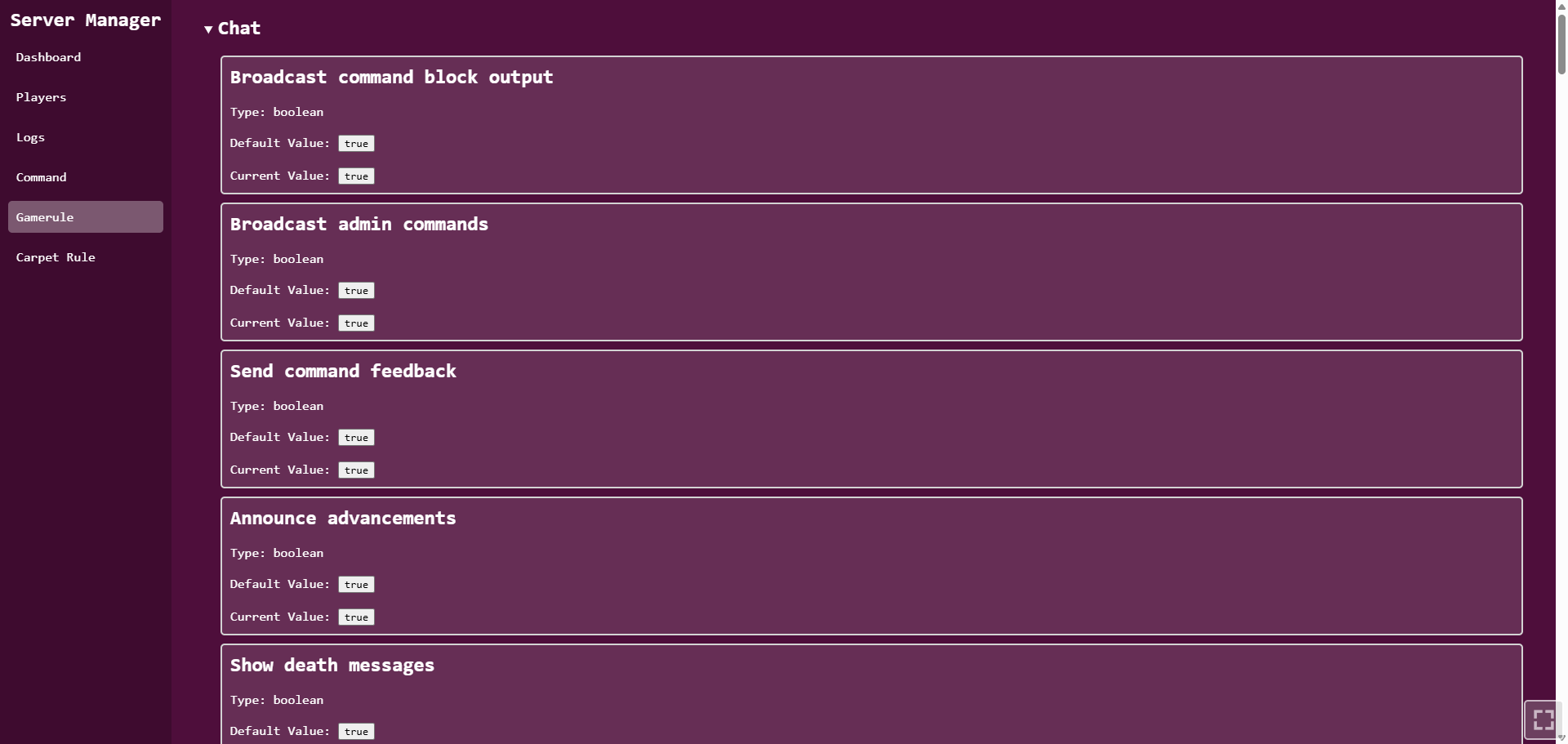 Gamerules
 -
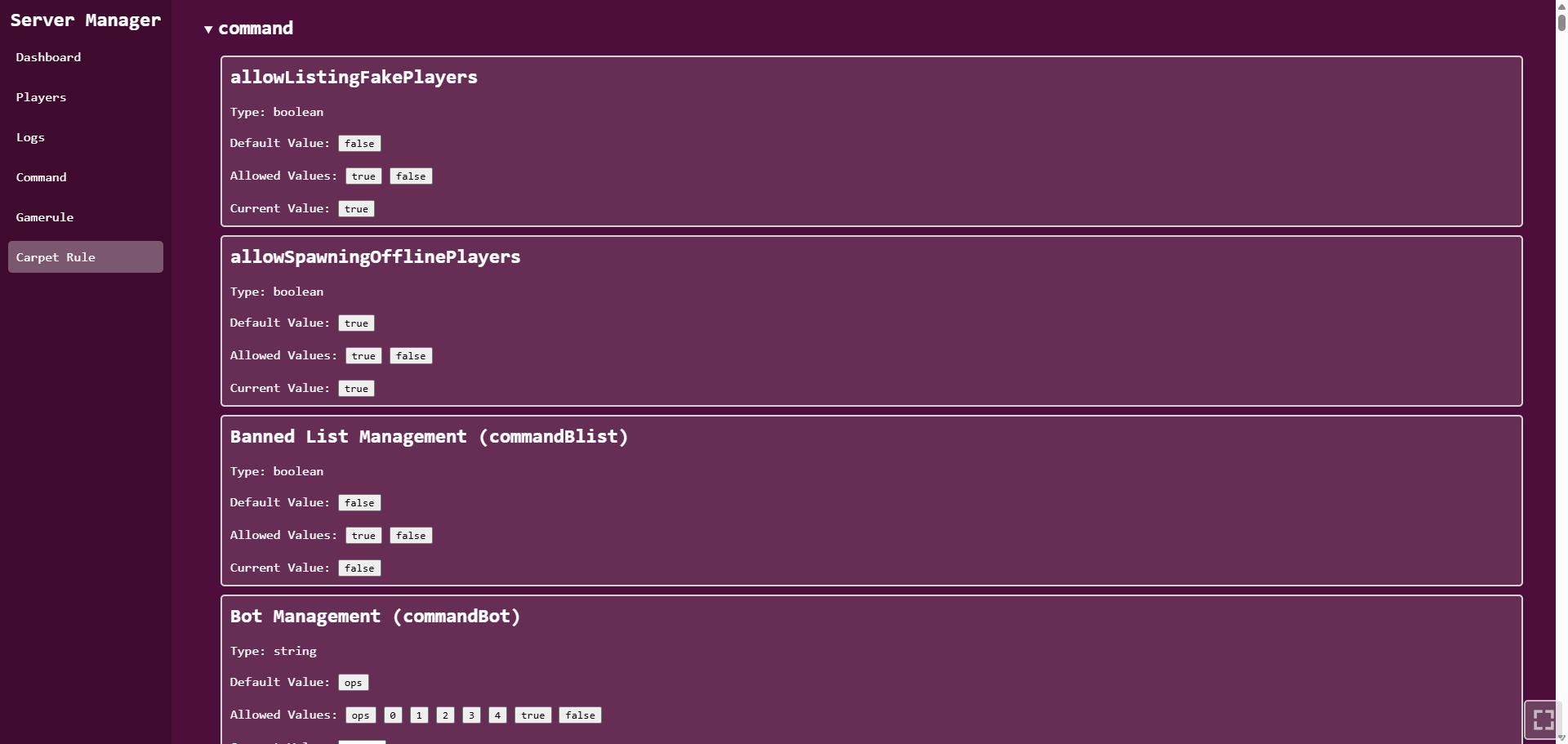 Carpet rules
-
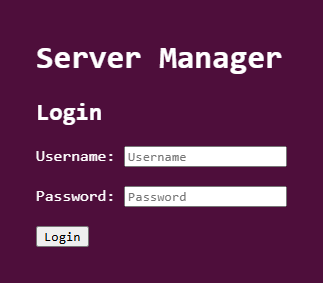 Login page
 -
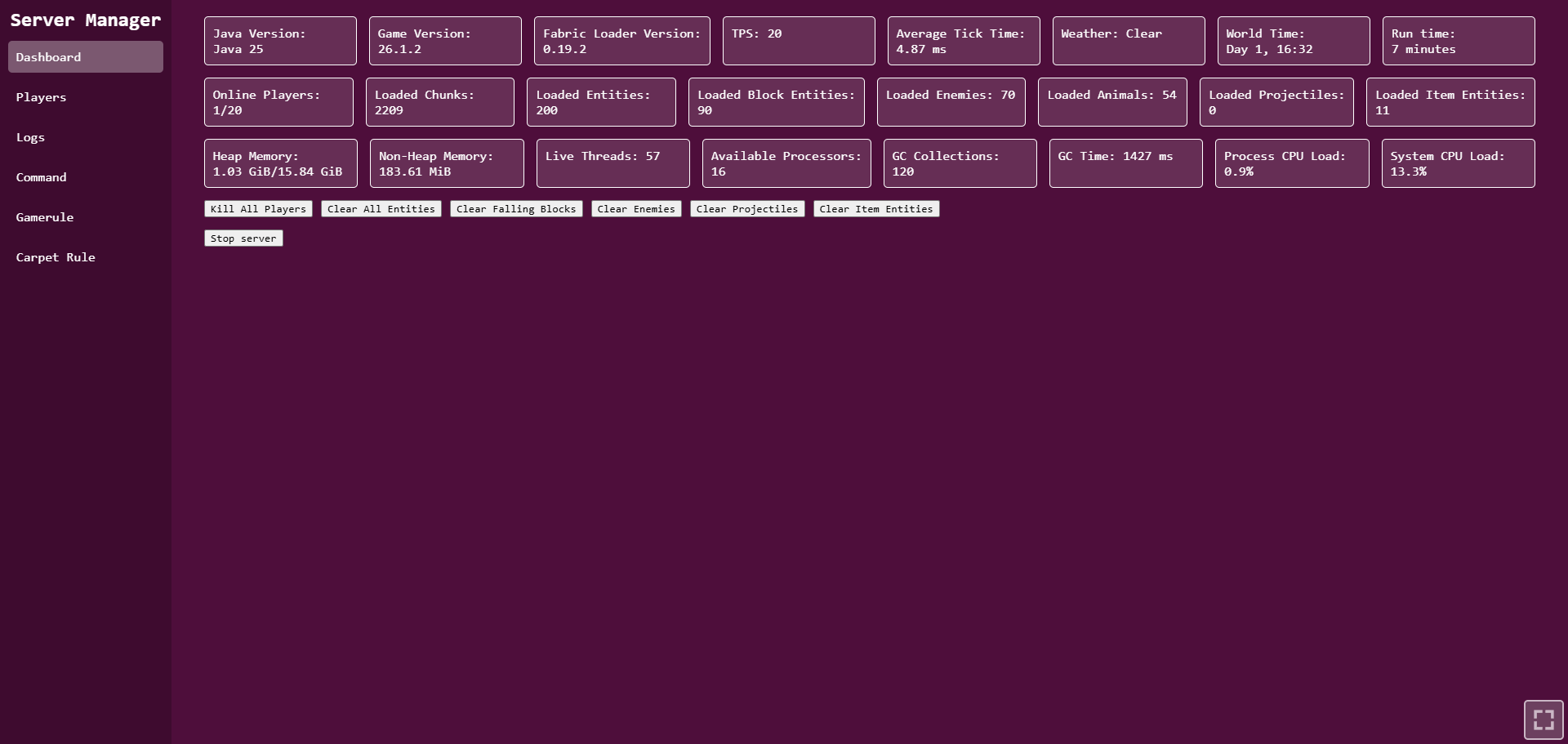 Dashboard
 -
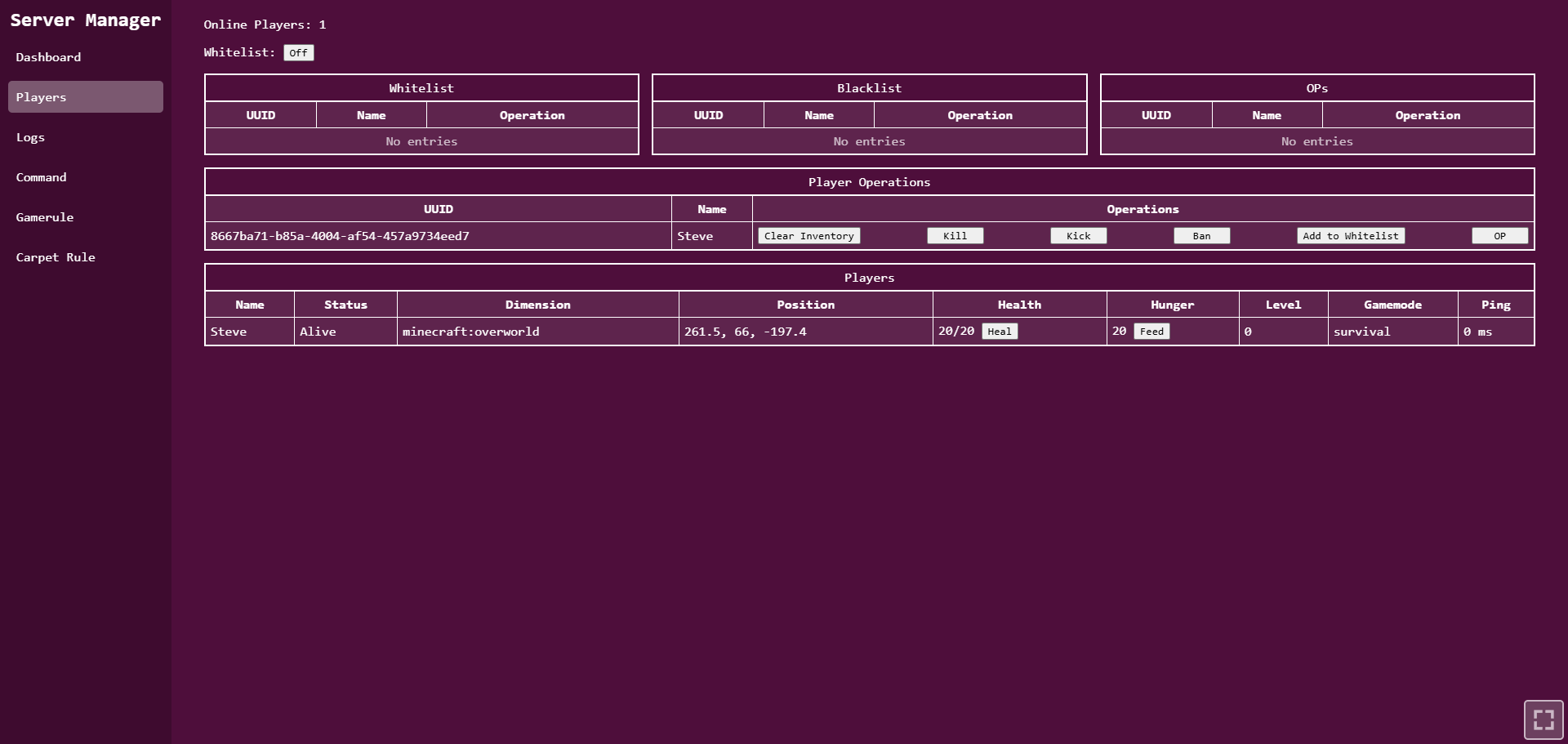 Players Menu
 -
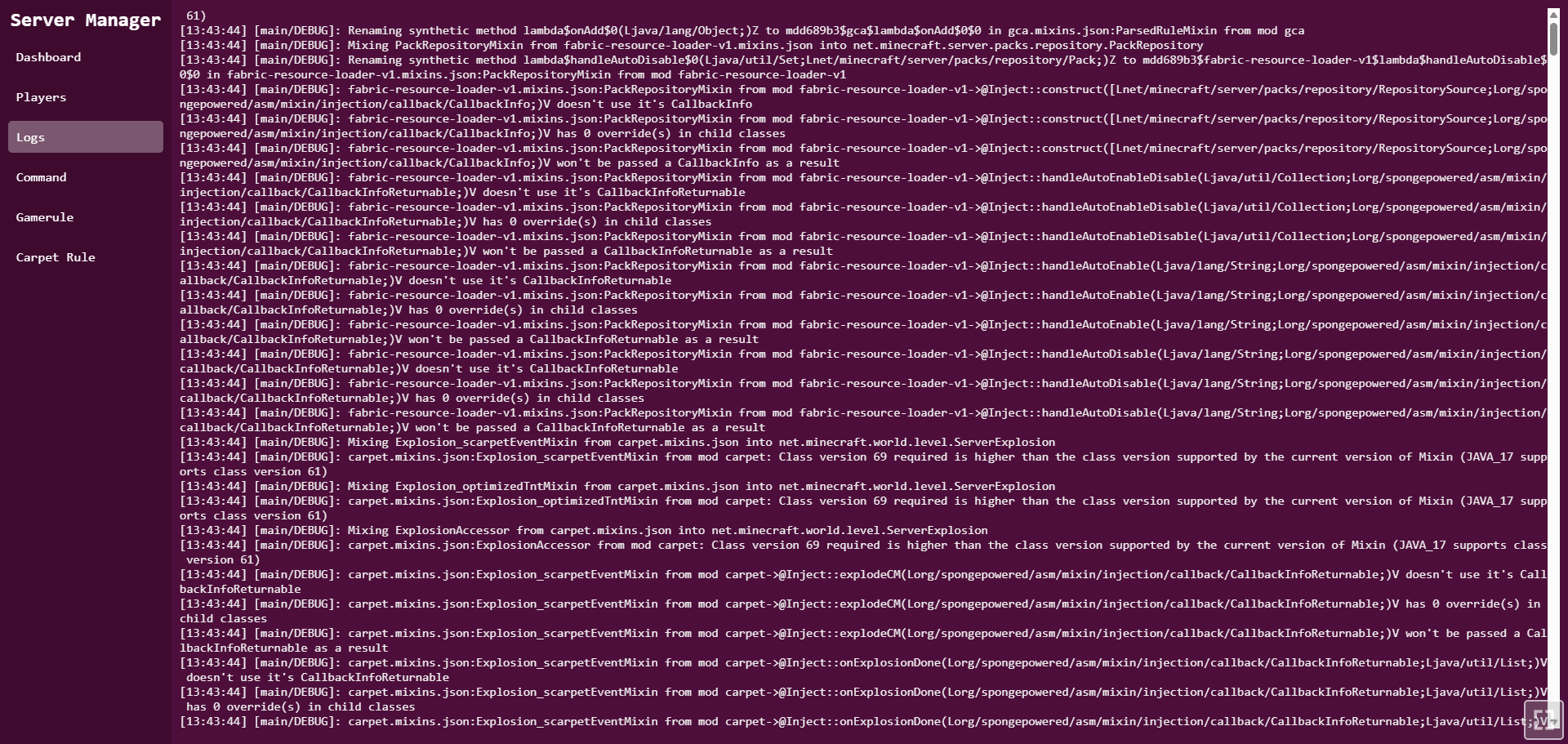 Logs
Logs -
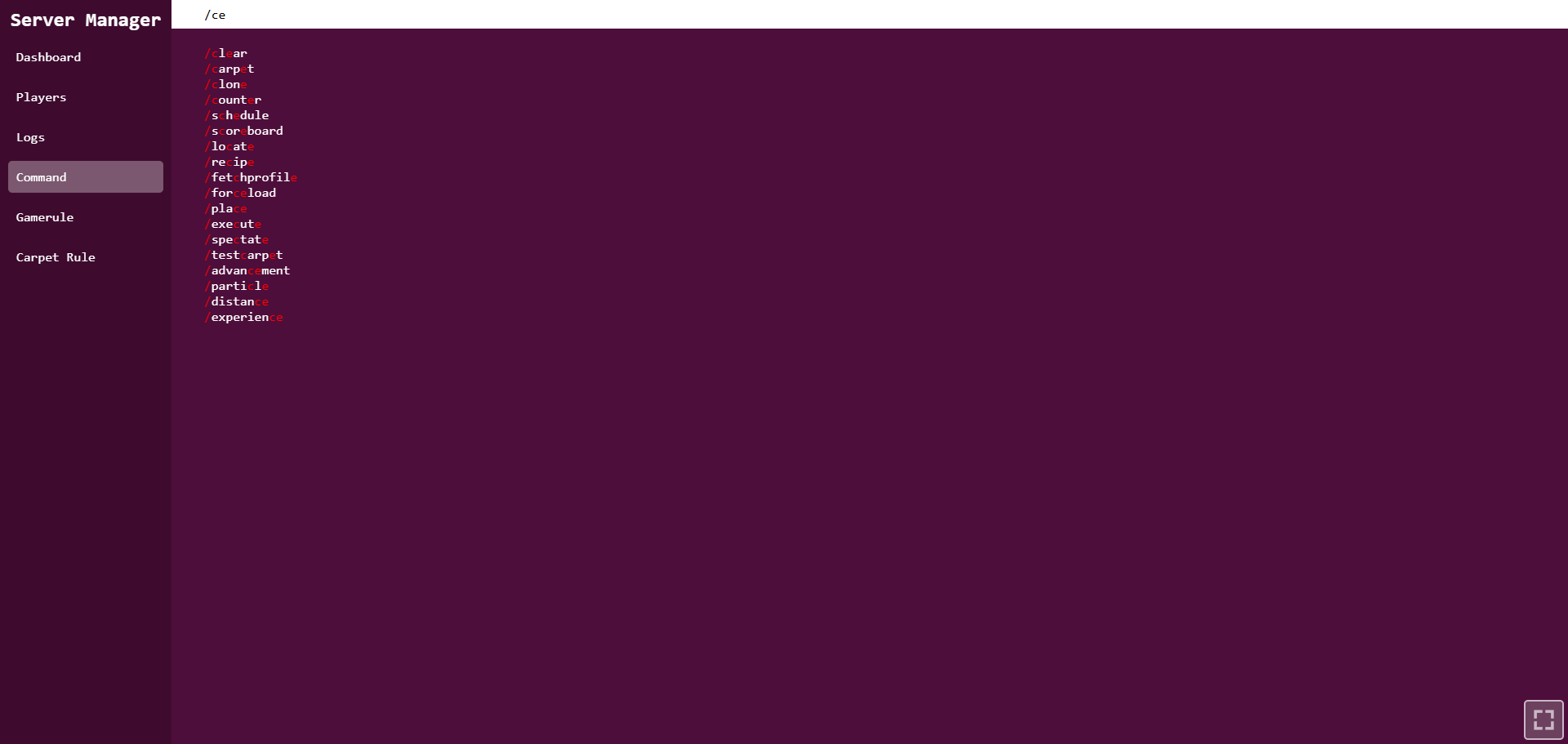 Commands
 -
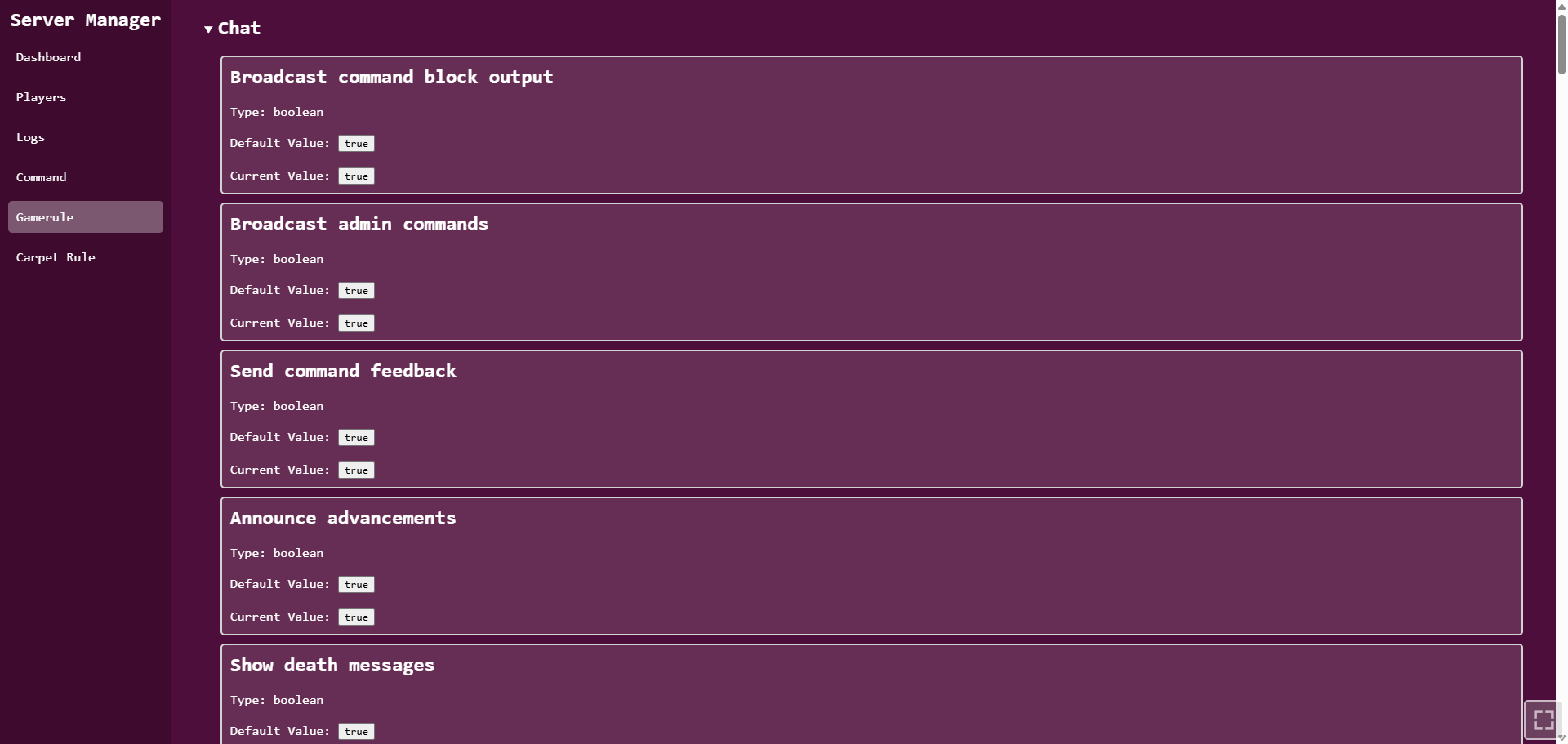 Gamerules
 -
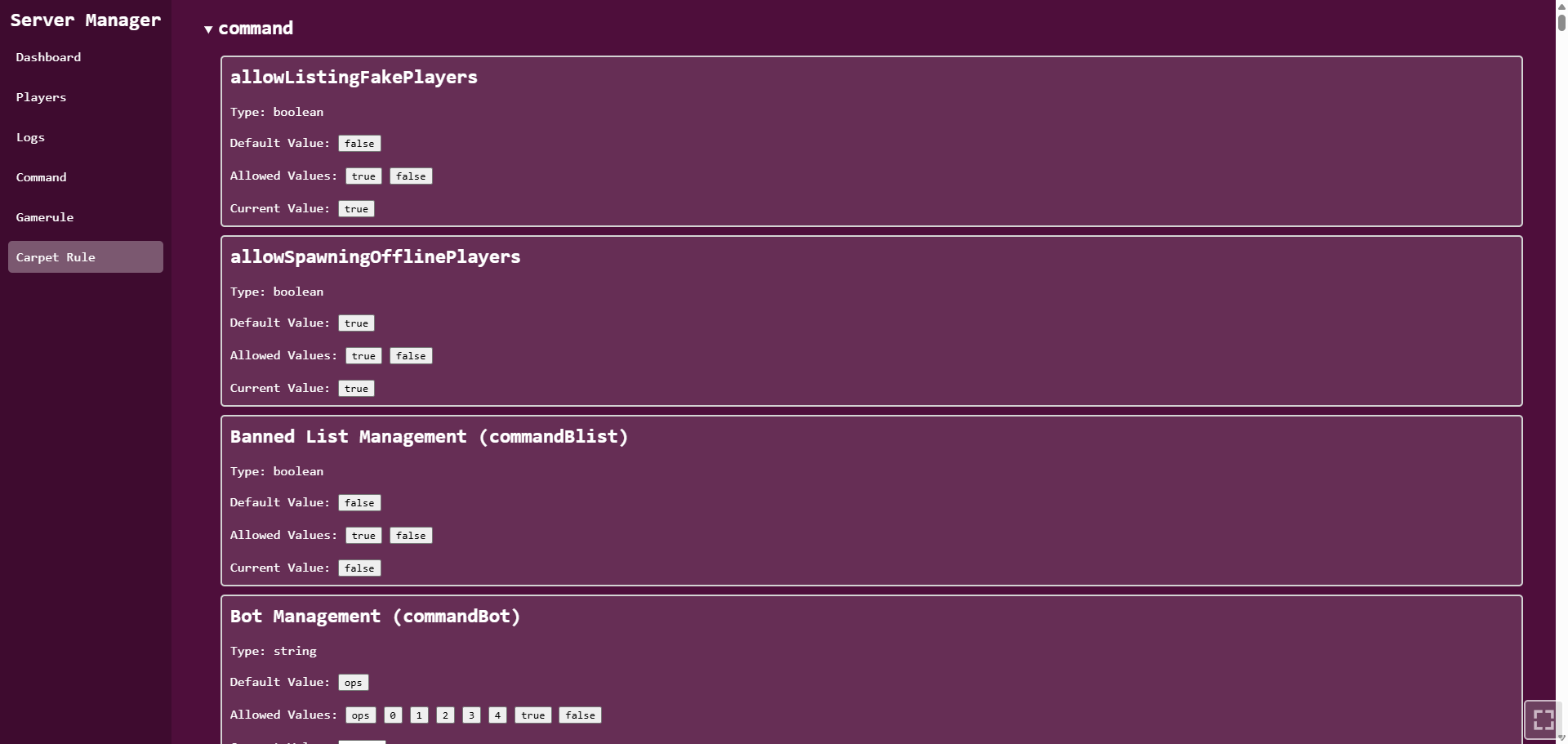 Carpet rules
Versions
Files
Relations
Project Relations
More like this
Similar Mods
Suggestions use data such as tags, dependencies, dependents, descriptions, titles, and more to rank how much they overlap with this mod.
- AutoPlug | Automatic Updater for Plugins/Mods/Server/Java and itself
- Obsidian Watch
- Server Playtime Manager
- Server ResourcePack Manager
- Server Multimedia Manager (WaterMedia)
- Server Multimedia Manager (FancyVideo)
- ASLM
- EncData's Event Manager
- Structure Grief Manager
- Metro Manager
- Real Time (Time Manager)
- Speech Manager by Command 'scoreboard'
On ModDex
Community snapshot
By the numbers
Statistics
Want to reach Minecraft players?
We're looking for a server hosting partner to feature here and other parts of the site. Interested? Send us a message!
Get in touchGet it on
Available Platforms
On ModDex
Community snapshot
By the numbers
Statistics
Resources