
Community listing page, reviews here may not be monitored by the author.
Server password without /login

No reviews yet
Per-player passwords for offline-mode servers: the first login claims a name for its password, and that name cannot be used without it again.
Community voices
Reviews
No reviews yet. Be the first to review this project!
Get it on
Available Platforms
Compatibility
Supported Environments
Must be installed on both the client and the server.
About
Project Details
For authors
Embed Badge
If you're the author of this project, you can embed a live badge anywhere that supports HTML or Markdown. It updates automatically whenever ratings change.
Use HTML for any page that supports it, or Markdown for README files and Markdown-based descriptions.
Identifiers
Platform IDs
About
Description
Server Password
Per-player passwords for offline-mode servers (online-mode=false), where a name proves nothing and
anyone can take someone else's.
NeoForge 1.21.1. Required on both the client and the server.
Why you'd want this
On a server with online-mode=false, nothing verifies who you are. The name is just a string the
client sends when joining, and the server takes its word for it. Anyone can call themselves by your
name and join as you: your inventory, your base, your operator rights. Vanilla has no answer for
this — a whitelist keeps strangers out, but does not stop an already-admitted player from joining
under someone else's name.
This mod adds the missing piece: a password bound to the name. The first login claims the name for whatever password the player set in their client; after that, joining under that name without the same password is impossible — the server drops the connection before the player reaches the world.
The password never travels over the network and is not stored on the server: the server keeps only a derivation of it, which is enough to log in but cannot be turned back into the password itself (see How it works).
What the player sees
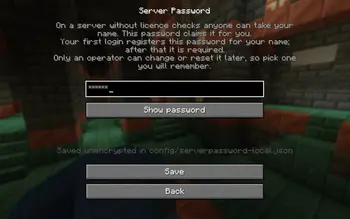
- Until a password is set, Multiplayer opens the password screen instead of the server list — every time, not just on the first visit. Save leads on to the server list, Back returns to the main menu. Once a password is set the list opens as usual, and the Password button in its top-right corner lets the player set a new one.
- The password is entered once and used for every server running this mod.
- The first login on a server registers it for that name.
- From then on, that name can only join with that same password — otherwise the player is disconnected before entering the world.
How it works
An offline-mode server never enables packet encryption (that is part of the Mojang auth flow), so the password is never sent over the wire:
| Client | stretches the password into a 32-byte key: PBKDF2-HMAC-SHA256, 210,000 iterations, salt from the server |
| Server | stores that key as a verifier and sends a fresh single-use nonce on every login |
| Client | answers with HMAC-SHA256(key, nonce) |
The key itself is sent only once, when the name is registered. Every login after that is proved with a single-use answer, so a sniffed login cannot be replayed.
The check runs during the connection's configuration phase, before the player is created in the world. The payloads are registered as required, so the server refuses a vanilla client without the mod — the password cannot be bypassed by simply not installing it.
Files
| File | Contents |
|---|---|
<world>/serverpassword/passwords.json |
name → salt, iteration count, verifier. No passwords |
config/serverpassword-local.json (client) |
the player's password, unencrypted |
config/serverpassword-server.toml |
allowNewRegistrations — whether unknown names may register |
A per-world override of that config can be placed in <world>/serverconfig/serverpassword-server.toml.
The client file is plain text: the password is the input to the KDF on every login, and there is no way to hide it from someone who can already read the game folder. Same trust model as a launcher's saved session.
The server's passwords.json does not reveal passwords (PBKDF2 is one-way), but the verifier alone
is enough to log in — guard it as carefully as ops.json.
If passwords.json cannot be read, the server turns everyone away and does not overwrite the
file. Otherwise a corrupt file would silently disable the check and let any name be claimed afresh.
Commands (operator, permission level 3)
/serverpassword list
/serverpassword reset <name>
reset clears a name's password — and disconnects that player if they are online — so their next
login registers a new one. There is deliberately no way to set or read a password from a command: the
server does not know it, and typing it into chat would put it in the logs.
Resetting a password
The important part: a player cannot change their password on their own. The Password button only changes what the client stores, while the server still expects the old one — after such a "change" the player is simply refused with Wrong password. Changes and recovery always go through an operator.
A player forgot their password, or wants to change it
- Operator, on the server:
/serverpassword reset <name>— clears the entry (and kicks them if online). - Player: Password button → enter the new one → Save → join the server.
- That login registers the new password for the name, exactly like the very first time.
Order matters: if the player sets a new password before the reset, the server will refuse them.
No access to the server console
With the server stopped, open <world folder>/serverpassword/passwords.json and delete the
object for that name inside "players". To reset everyone, delete the file — it is recreated.
Only edit it while the server is stopped: a running server holds the contents in memory and will rewrite the file on the next registration.
Clearing the password on your own client
Delete config/serverpassword-local.json in the game folder. This only makes the client forget it;
the server's entry stays, so joining still requires entering that same password again.
What this mod does not do
- No brute-force protection: attempts are not rate-limited, only logged.
- No self-service password change — it takes
/serverpassword resetfrom an operator. - A typo on first entry registers the typo. Same
resetis the cure.
Screenshots
Gallery
-
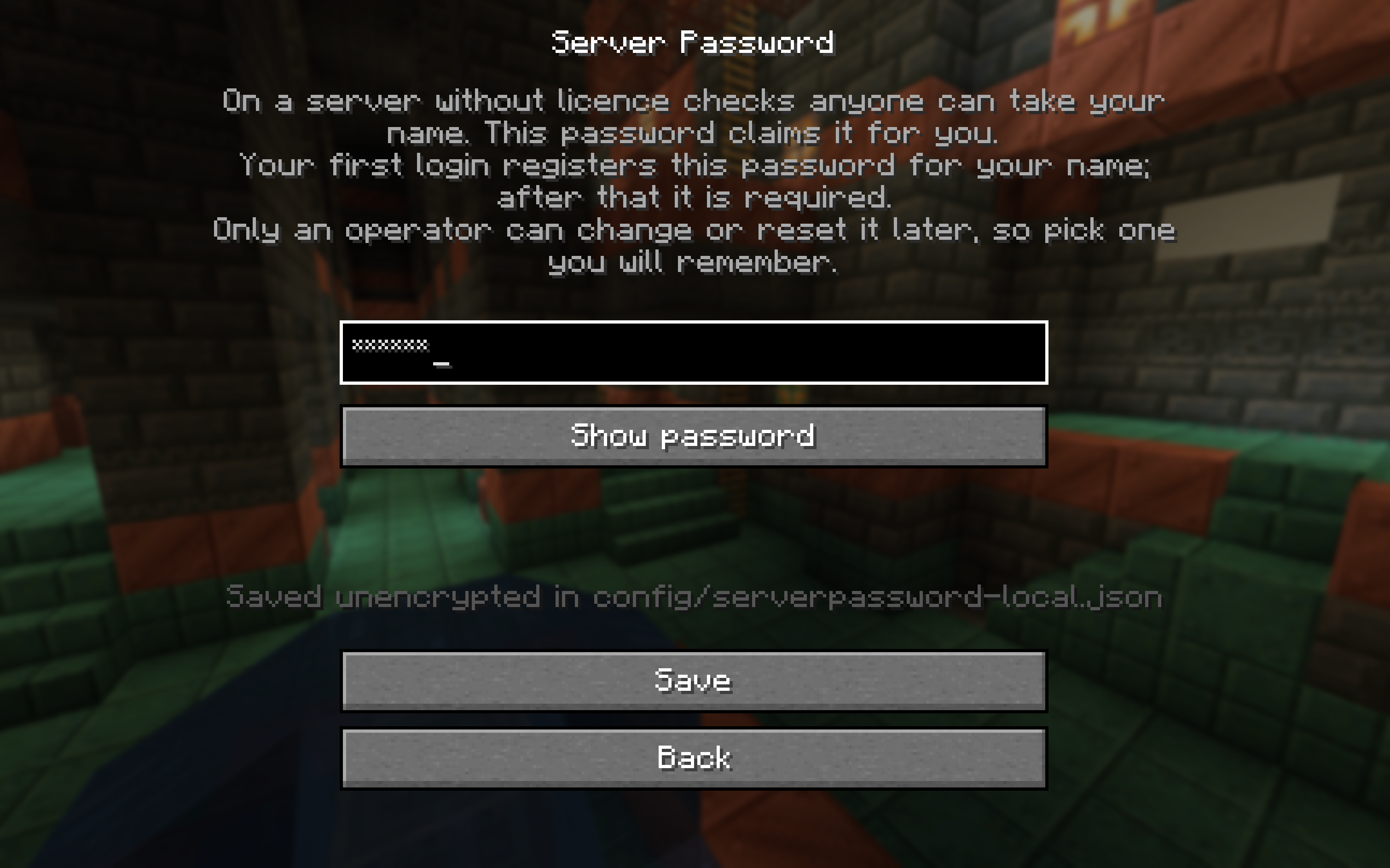 password menu
Versions
Files
Relations
Project Relations
More like this
Similar Mods
Suggestions use data such as tags, dependencies, dependents, descriptions, titles, and more to rank how much they overlap with this mod.
On ModDex
Community snapshot
By the numbers
Statistics

Want to reach Minecraft players?
We're looking for a server hosting partner to feature here and other parts of the site. Interested? Send us a message!
Get in touchGet it on
Available Platforms
On ModDex
Community snapshot
By the numbers