
ServerLocalizer
No reviews yet
A powerful Minecraft server content localization AI translation mod, allowing you to easily enjoy international servers!
Forge is a popular mod loader for versions 1.1+ of Minecraft.
Community voices
Reviews
Click once to include, again to exclude, again to clear
No reviews yet. Be the first to review this project!
Get it on
Available Platforms
 Modrinth
Compatibility
Supported Environments
About
Project Details
For authors
Embed Badge
If you're the author of this project, you can embed a live badge anywhere that supports HTML or Markdown. It updates automatically whenever ratings change.
Use HTML for any page that supports it, or Markdown for README files and Markdown-based descriptions.
Identifiers
Platform IDs
About
Description

🌐 ServerLocalizer





🎮 A powerful Minecraft server content localization AI translation mod, allowing you to easily enjoy international servers!
📖 Introduction
ServerLocalizer is a Forge mod for Minecraft 1.8.9 that provides high-quality, customizable game content translation by intercepting server packets and calling AI large language model APIs. It helps you overcome language barriers and enjoy a seamless gaming experience on international servers.
✨ Features
Core Translation Functions
- Item Translation: Automatically translates item names and lores.
- Chat Translation: Instantly translates any chat message by clicking the
[T]button next to it. - Style Preservation: Fully retains color codes and text formatting in both items and chat.
Intelligence & Efficiency
- Stream Response: When enabled, translation results are displayed word by word, providing a smoother interactive experience without waiting.
- Smart Caching: Automatically caches translation results to avoid redundant requests and save resources.
- Concurrent Processing: Uses a thread pool to handle multiple translation requests, ensuring smooth game performance.
User Experience
- Visual Configuration GUI: Provides a modern GUI for users to easily adjust all settings.
📥 Installation Guide
-
Prerequisites:
- Minecraft 1.8.9
- Forge
11.15.1.2318or a later version
-
Installation Steps:
- Download the latest
ServerLocalizer-x.x.jarfrom the Releases page. - Place the downloaded
.jarfile into your.minecraft/modsfolder. - Launch the game to start using the mod.
- Download the latest
🎮 How to Use
- Open Configuration:
- From the main menu or pause menu, click "Mods" -> find "ServerLocalizer" -> click the "Config" button.
- Alternatively, use the in-game command
/serverlocalizer config.
- Configure API:
- In the "Item Translation" and "Chat Translation" tabs, enter your API service address (Base URL), API Key, and Model name.
- This mod is compatible with any model service that adheres to the OpenAI API standards.
- Enable Features:
- In the respective tabs, enable the features you need, such as "Item Translation" or "Chat Translation".
- Save Configuration:
- Click the "Save" button at the bottom left. All settings will take effect immediately.
- Start Translating:
- Items: Hover over an item to see the translation.
- Chat: Click the
[T]button next to a chat message to start the translation.
⌨️ Command List
The main command is /serverlocalizer.
/serverlocalizer config: Opens the mod's graphical configuration interface./serverlocalizer translate <messageId>: Translates a chat message with a specific ID (mainly used internally by clicks).
📂 Configuration Files
All configurations are stored in the .minecraft/config/serverlocalizer/ModConfig.json file. It is recommended to modify settings through the in-game GUI rather than editing this file manually.
🔧 Development Guide
Setup Environment
# Clone the project
git clone https://github.com/CedarXuesong/ServerLocalizer.git

# Setup the development workspace
./gradlew setupDecompWorkspace

# Generate IDE configurations
./gradlew eclipse    # For Eclipse
./gradlew idea       # For IntelliJ IDEA
🤝 Contributing
We welcome all forms of contributions!
- Submit Bug Reports: Report any issues you find via GitHub Issues.
- Improve Translations: Fork the repository and optimize the translation cache files.
- Add New Features: Feel free to contribute your code via Pull Requests.
📞 Contact
- Author: CedarXuesong
- Bilibili: 雪松CedarXuesong
- Feedback & Issues: GitHub Issues
🙏 Acknowledgements
- Minecraft Forge - The powerful mod loader.
- SpongePowered Mixin - The flexible code injection framework.
- All developers and users who have contributed to this project and provided feedback ❤️.
Screenshots
Gallery
-
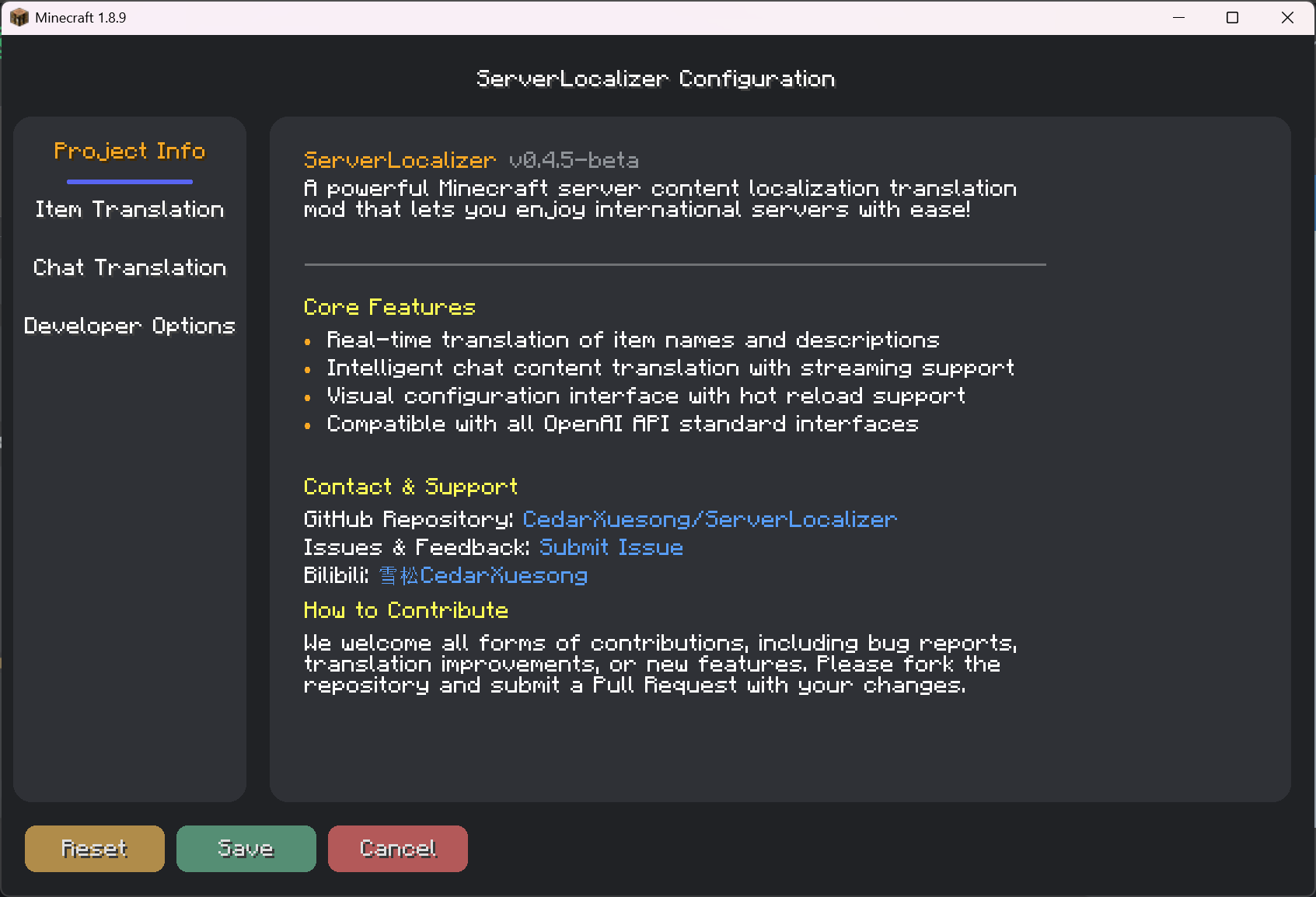 ConfigGUI
 -
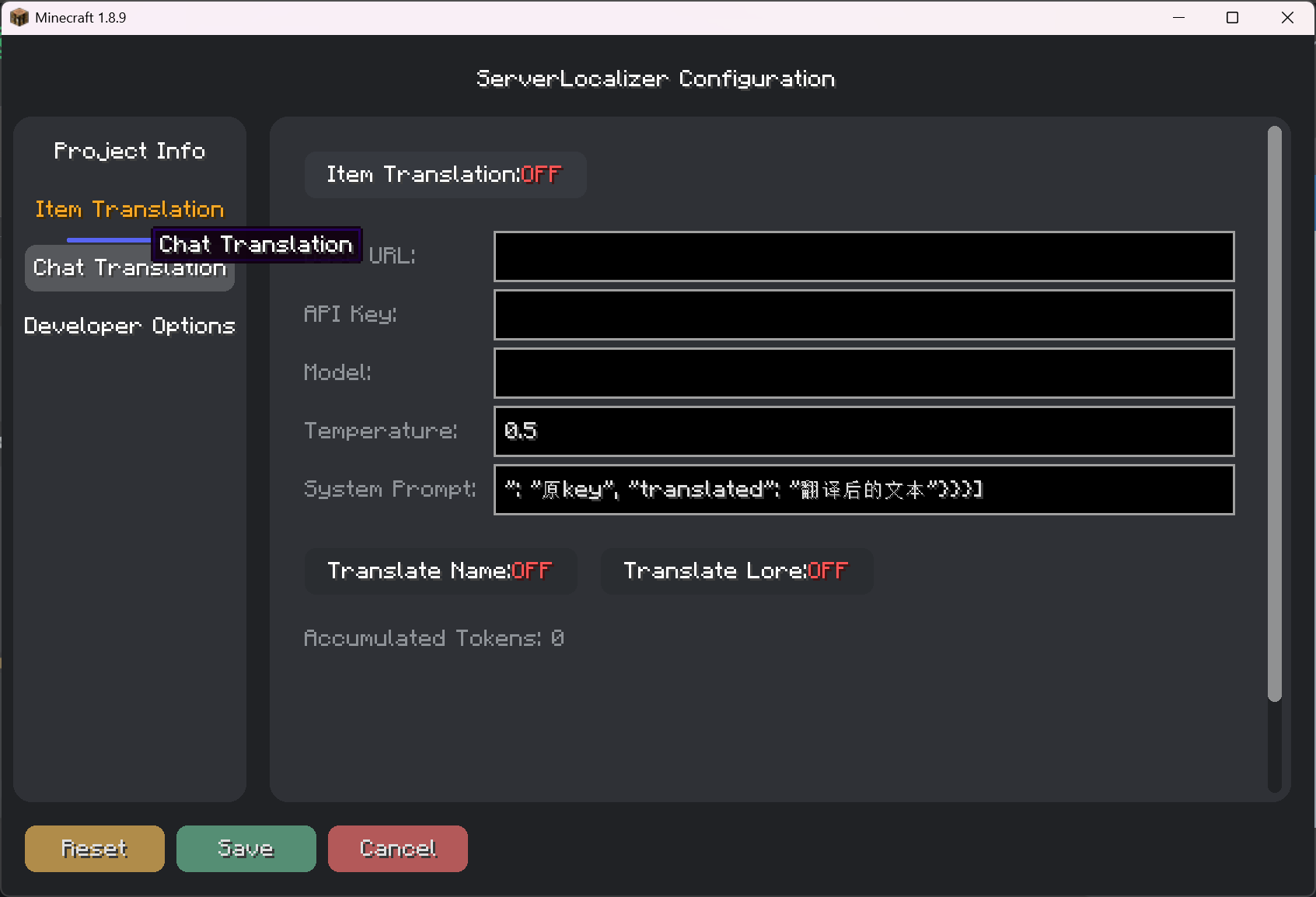 ConfigGUI
 -
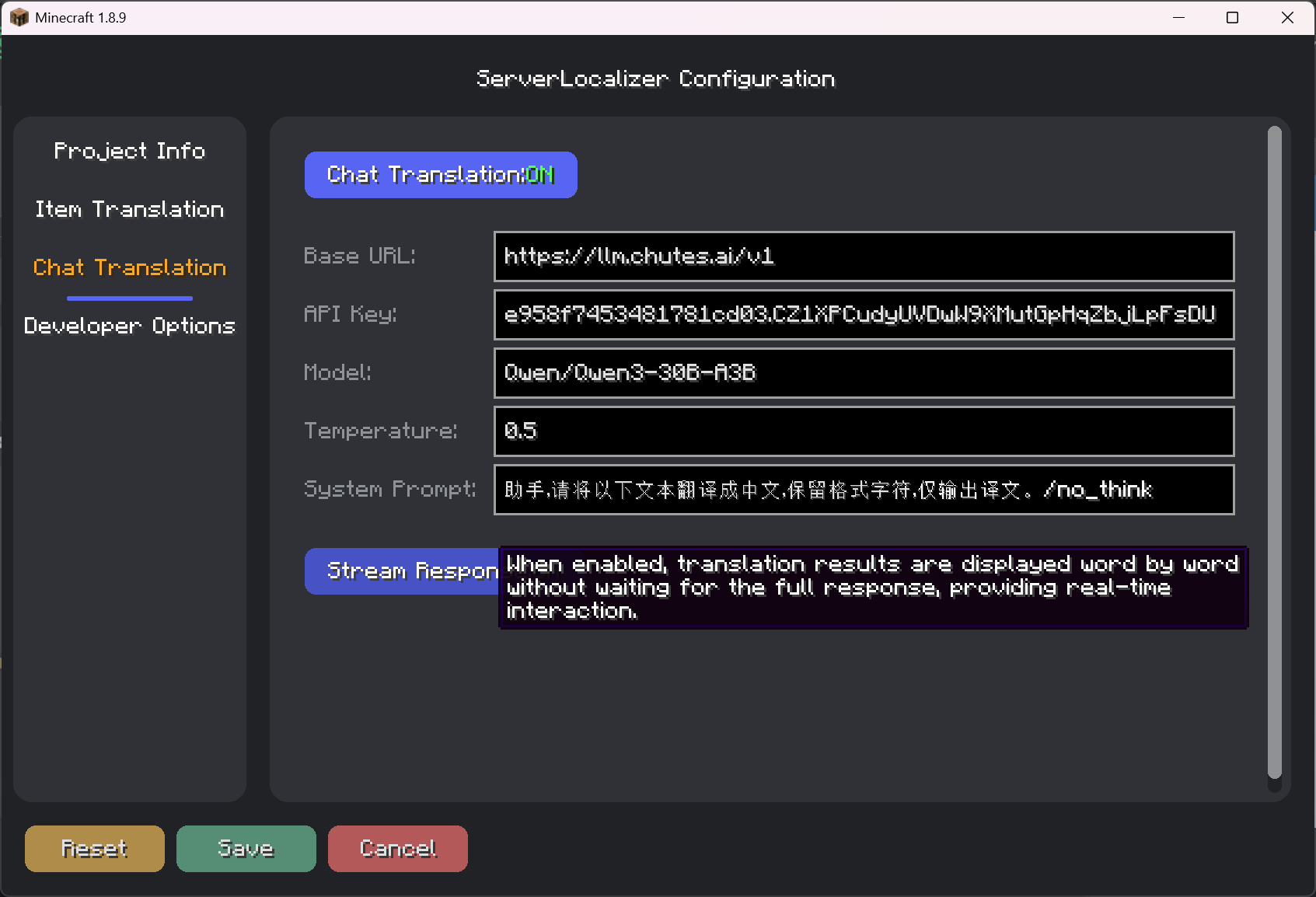 ConfigGUI
 -
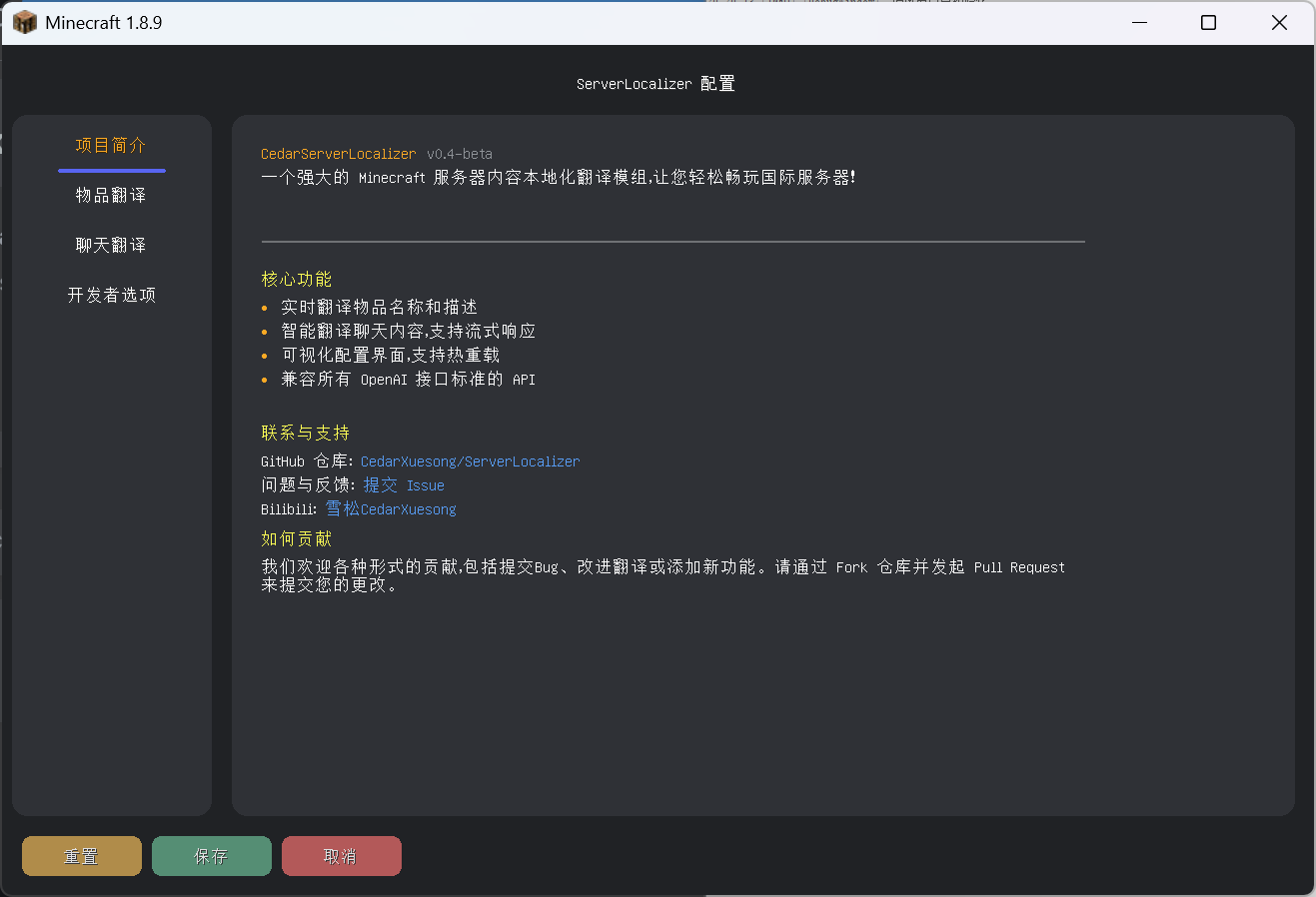 Config
Versions
Files
Relations
Project Relations
More like this
Similar Mods
Suggestions use data such as tags, dependencies, dependents, descriptions, titles, and more to rank how much they overlap with this mod.
On ModDex
Community snapshot
By the numbers
Statistics

Want to reach Minecraft players?
We're looking for a server hosting partner to feature here and other parts of the site. Interested? Send us a message!
Get in touchGet it on
Available Platforms
On ModDex
Community snapshot
By the numbers