
Community listing page, reviews may not be monitored by the author.
Stoneworks HUD chat

No reviews yet
An unofficial mod that displays your current selected Stoneworks channel in your HUD.

Community voices
Reviews
No reviews yet. Be the first to review this project!
Get it on
Available Platforms
Compatibility
Supported Environments
Runs entirely on the client. Works on vanilla servers.
About
Project Details
For authors
Embed Badge
If you're the author of this project, you can embed a live badge anywhere that supports HTML or Markdown. It updates automatically whenever ratings change.
Use HTML for any page that supports it, or Markdown for README files and Markdown-based descriptions.
Identifiers
Platform IDs
About
Description
Stoneworks HUD Chat
An unofficial Fabric client mod that displays your currently selected chat channel in your HUD. Designed mainly for Stoneworks but works on other RedisChat-based servers via manual user configuration.
Features
- Current channel shown on-screen with colorized prefix
- In-game HUD config screen: drag to move, resize via handles, snap to edges/center
- Alignment modes: left-to-right, center, right-to-left
- Scale control with clamped min/max for readability
- Visibility toggle keybind
- Auto-detects server channel changes and updates the HUD
- Config persisted to
config/stoneworks_chat.json
Keybinds
- Open HUD Config:
H - Toggle HUD Visibility:
V
You can change keybinds in Minecraft Controls.
Config
Location: config/stoneworks_chat.json
currentChannel: string key of the current channelchannels: map of channel key -> objectdisplay: string shown in the HUD prefixcolor: one ofwhite|green|light_red|cyan|red|yellowaliases: array of strings (e.g., ["/g", "/global"]) used to detect channel switchesuiName: optional UI-friendly name
hudX,hudY: alignment coordinates (depend on alignment mode)textAlign:ltr|center|rtlhudScale: float between 0.75 and 4.0hudVisible: booleanhudAnchorX: optionalLEFT|CENTER|RIGHThudAnchorY: optionalTOP|CENTER|BOTTOMhudOffsetX,hudOffsetY: pixel offsets from the chosen anchorsshowHudTutorial: boolean
Defaults for Stoneworks channels are added automatically if missing.
Screenshots
Gallery
-
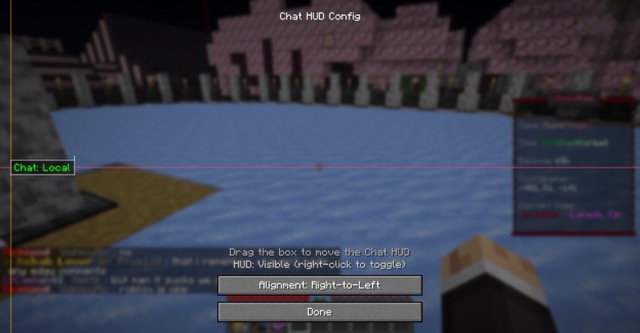 Move the HUD anywhere
 -
 Scale from 0.75x to 4.00x
 -
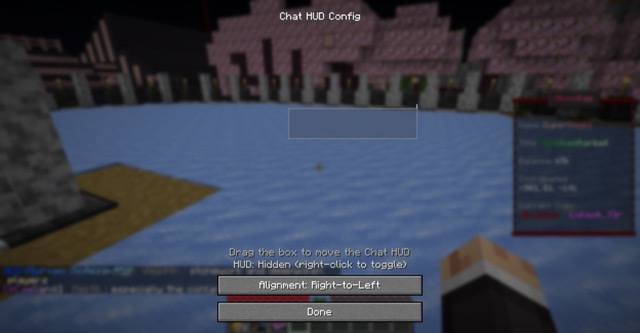 Easily toggle the visibility
 -
 Change the text alignment
Versions
Files
Relations
Project Relations
More like this
Similar Mods
Suggestions use data such as tags, dependencies, dependents, descriptions, titles, and more to rank how much they overlap with this mod.
On ModDex
Community snapshot
By the numbers
Statistics


Get it on
Available Platforms
On ModDex
Community snapshot
By the numbers