
ShellOpUtility
No reviews yet
this mod gives you useful utility's for finding bases and more
Fabric is a mod loader for versions 1.14+ of Minecraft, particularly popular for client side and optimization mods.
Community voices
Reviews
Click once to include, again to exclude, again to clear
No reviews yet. Be the first to review this project!
Get it on
Available Platforms
 Modrinth
Compatibility
Supported Environments
About
Project Details
For authors
Embed Badge
If you're the author of this project, you can embed a live badge anywhere that supports HTML or Markdown. It updates automatically whenever ratings change.
Use HTML for any page that supports it, or Markdown for README files and Markdown-based descriptions.
Identifiers
Platform IDs
Resources
External Links
About
Description
ShellOp
ShellOp is a sleek, customizable client-side and server side toolkit that gives you a power-user terminal, quick-run forms, overlays, and smart scanners — all designed to feel like a natural part of Minecraft.
Carefully crafted for explorers, PvP players, builders, and server regulars alike, ShellOp lets you pull intel fast: see nearby entities, find containers and spawners, scan for ores, jump to saved marks, and run one‑click “Quick Run” forms. It’s lightweight, fully client-side, and plays nice anywhere.
Features
Terminal + Manual: In-game terminal: /shellop-ui with history, tab-completion, and clickable outputs Book-style manual: /shellop-help with categories, pages, tooltips, and right-click “Quick Run” Quick Run forms: right-click in the manual to open friendly forms (entities, blocks, find, ores, containers, spawners, portals, redstone, beehives, vein, marks, convert, ping, overlay, watch)
Smart Scans (client-only data, non-blocking): blocks [radius] [be|blocks] [max] — summary with sample coords find [radius] [be|blocks|both] [max] ores [radius] [max] spawners, containers, portals, redstone, beehives Progress shown while scanning; results echo to chat with clickable /tp suggestions
Watchers + Alerts: watch players [radius] [names…] — notify when players enter range watch clusters [radius] [min] — detects chunk hotspots (block-entity density) Optional ding sound; clickable coords in chat
Overlay HUD: overlay on/off [players hostiles marks] — minimal, readable overlay (players, mobs, marks)
Navigation & Utilities: mark add/goto/del/list/clear — fast local waypoints (session-based) look — info on what your crosshair hits (block/entity) with coords ping — send a clickable coord to chat convert <nether|overworld> [x y z] — coordinate conversion chunk — chunk/region/dimension/time readout vein [limit] — follow a connected vein from your crosshair block
Lightweight: Non-blocking background tasks Only inspects what your client receives (no extra server load) Fully client-side — works on any server
What makes ShellOp different
Instant intel without clutter: CLI when you want it, clean HUD/overlays when you don’t Manual + Quick Run forms: don’t memorize syntax — just click and run Clickable outputs: coords show in chat with “click to insert /tp” Safe by design: scans are limited to loaded chunks/entities (no server hooks or unfair extras)
Install
Requirements: Fabric Loader (latest for your Minecraft version) Fabric API
Steps: Drop the JAR into .minecraft/mods Launch the game Open the terminal with /shellop-ui or the manual with /shellop-help
How to use
Open terminal: /shellop-ui Type help to open the manual UI, or /shellop-help to open it directly Tab-completion for commands/args, history with Up/Down Manual UI: Hover for detailed tooltips Left-click: copy example Shift+Left-click: send clickable suggestion to chat Right-click (or Ctrl+Left-click): open a Quick Run form
Quick command reference
Info/navigation look chunk ping [x y z] convert <nether|overworld> [x y z] mark add [x y z], mark goto , mark del , mark list, mark clear
Overlays/watchers overlay on|off [players hostiles marks] watch players [radius] [names…] watch clusters [radius] [min] watch stop
Scans/finders entities [radius] [type] [max] (players|hostiles|passives|items|boats|minecarts|all) blocks [radius] [be|blocks] [maxPerType] find [radius] [be|blocks|both] [max] ores [radius] [max] spawners [radius] [max] redstone [radius] [max] beehives [radius] [max] containers [radius] [max] portals [radius] [max] vein [limit]
Notes & limitations
Client-only: you will only see entities and blocks the server actually sends to your client (same dimension, within tracking range) No server dependency Background scans avoid freezing; progress shows in action bar/terminal Marks are session-based (persistence planned)
Configuration
Everything essential is available in the terminal, manual, and Quick Run forms. If you want a Mod Menu/Cloth Config screen as well, it can be added (this version ships with built-in UIs).
Credits
Frqme — Mod author and developer XtreaMC — Owner of the QoLabs Organization FabricMC and Cloth Config teams for their APIs Minecraft community for ideas and support
License
All rights reserved
Screenshots
Gallery
-
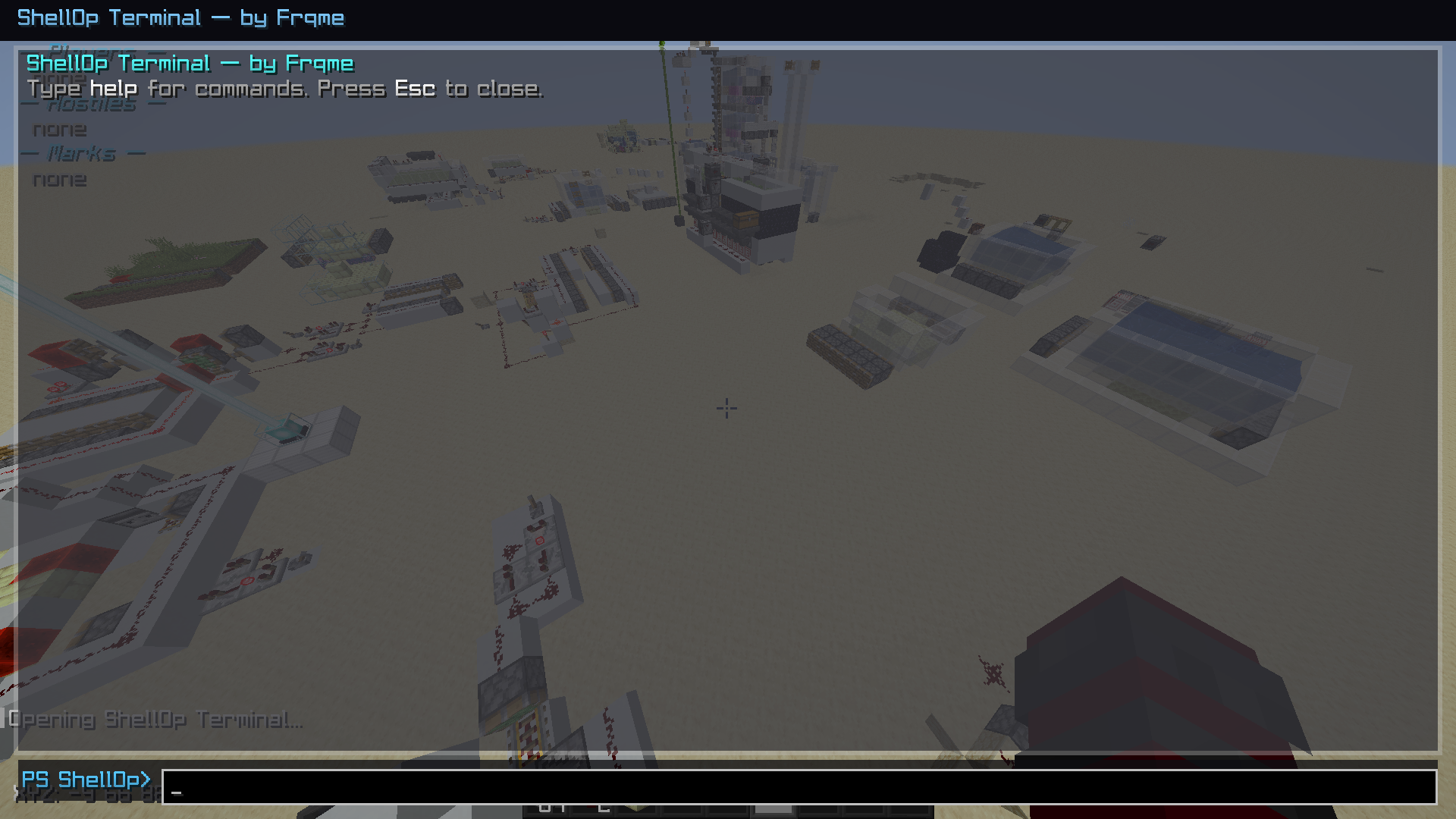 mod terminal the main menu off the mod
 -
 mod icon the icon
Versions
Files
Relations
Project Relations
More like this
Similar Mods
Suggestions use data such as tags, dependencies, dependents, descriptions, titles, and more to rank how much they overlap with this mod.
On ModDex
Community snapshot
By the numbers
Statistics

Want to reach Minecraft players?
We're looking for a server hosting partner to feature here and other parts of the site. Interested? Send us a message!
Get in touchGet it on
Available Platforms
On ModDex
Community snapshot
By the numbers
Statistics
Resources