
Community listing page, reviews here may not be monitored by the author.
Shulker Network

No reviews yet
This mod adds management of all shulkerboxes in your inventory without the need to place them.
Community voices
Reviews
No reviews yet. Be the first to review this project!
Get it on
Available Platforms
Compatibility
Supported Environments
Must be installed on both the client and the server.
About
Project Details
For authors
Embed Badge
If you're the author of this project, you can embed a live badge anywhere that supports HTML or Markdown. It updates automatically whenever ratings change.
Use HTML for any page that supports it, or Markdown for README files and Markdown-based descriptions.
Identifiers
Platform IDs
Resources
External Links
About
Description
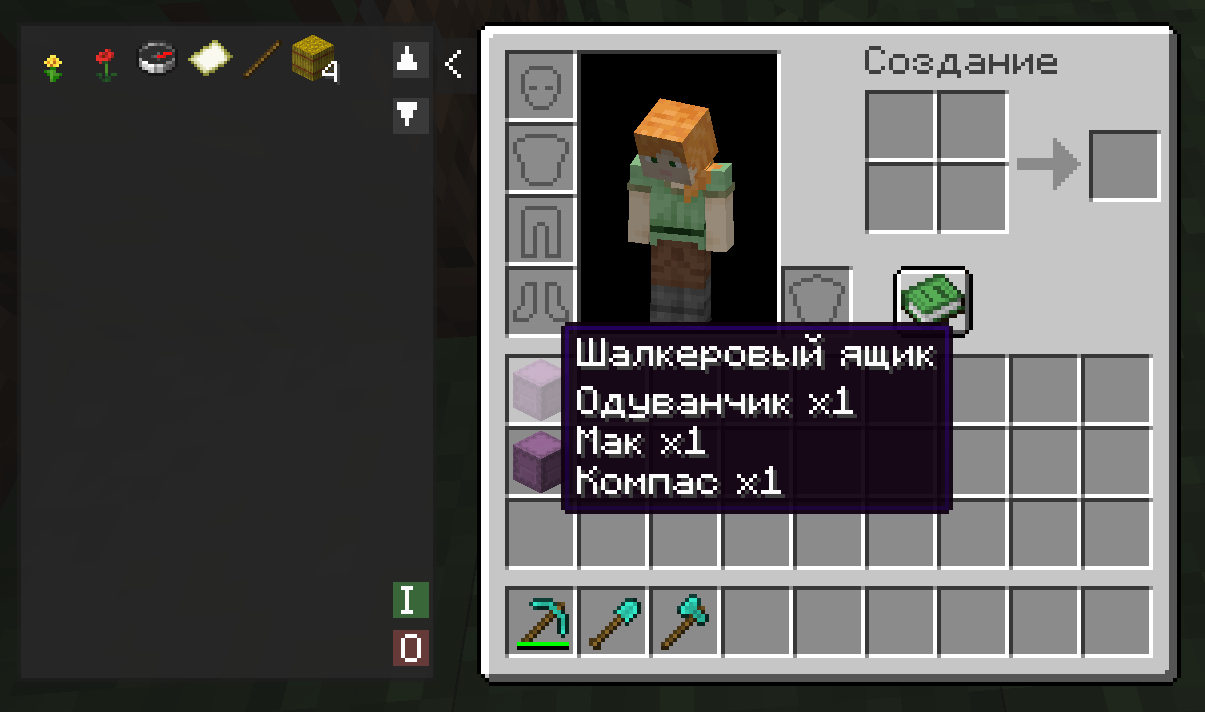
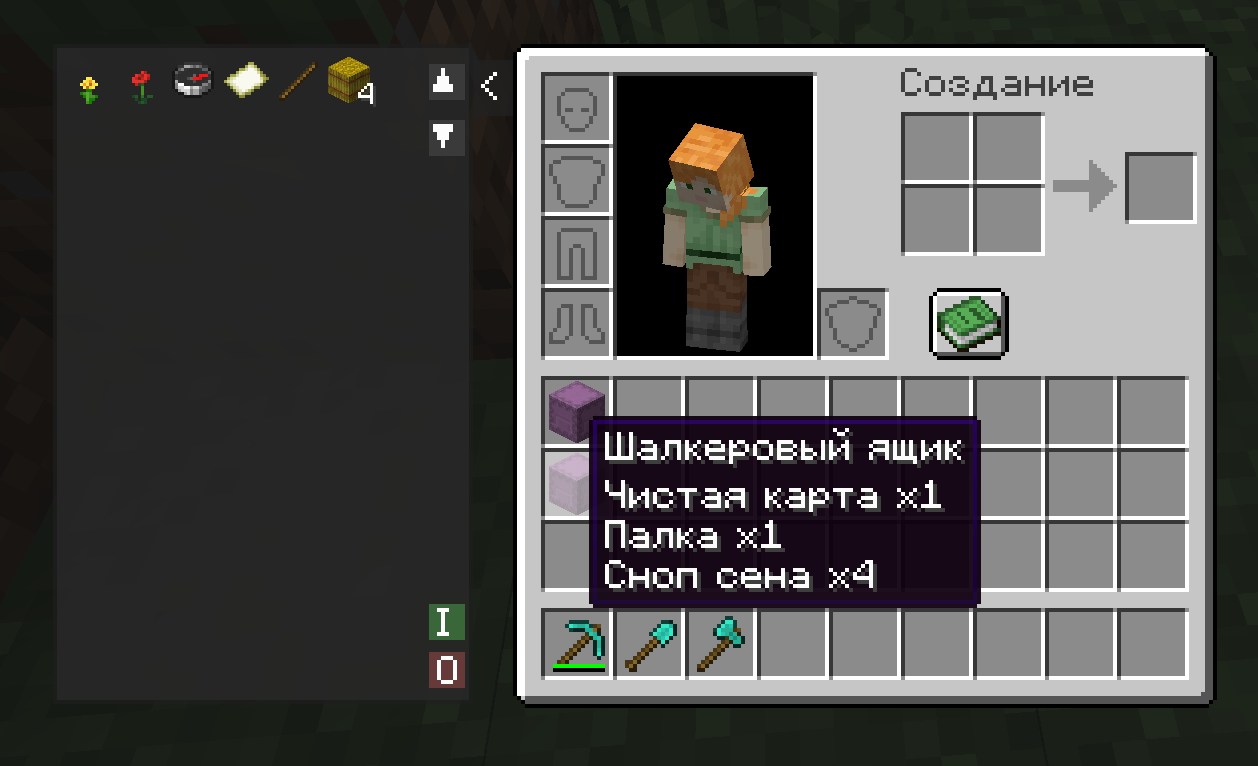
📦 Shulker Network Shulker Network is a compact and powerful utility for managing your shulker boxes directly from your inventory. Stop wasting time placing boxes on the ground! Now, the entire contents of your shulkers are accessible in a single click through a convenient side panel.
✨ Key Features • ⚡ Instant Access: A retractable side panel next to your inventory displays all items stored in shulker boxes currently held in your inventory. • 🖱️ Smart Interaction: o Left Click (LMB): Instantly extract an item from a shulker directly into your inventory. o Right Click (RMB): Quickly deposit the selected item from your hotbar into the shulker network. • 📥 "I" Button (Input): Automatically bulk-deposits your entire main inventory (excluding the hotbar) into your shulkers. The system intelligently prioritizes merging with existing partial stacks first. • 📤 "O" Button (Output): Instantly unloads all items from your shulkers into your available inventory slots. • 📜 Easy Navigation: Supports a large number of items with dedicated scroll buttons (▲/▼) to navigate through your resources. • 📦 Compact Design: Optimized item icons allow you to view up to 77 stacks at once, minimizing the need for scrolling.
🛠 How to Use
- Open your inventory (default key E).
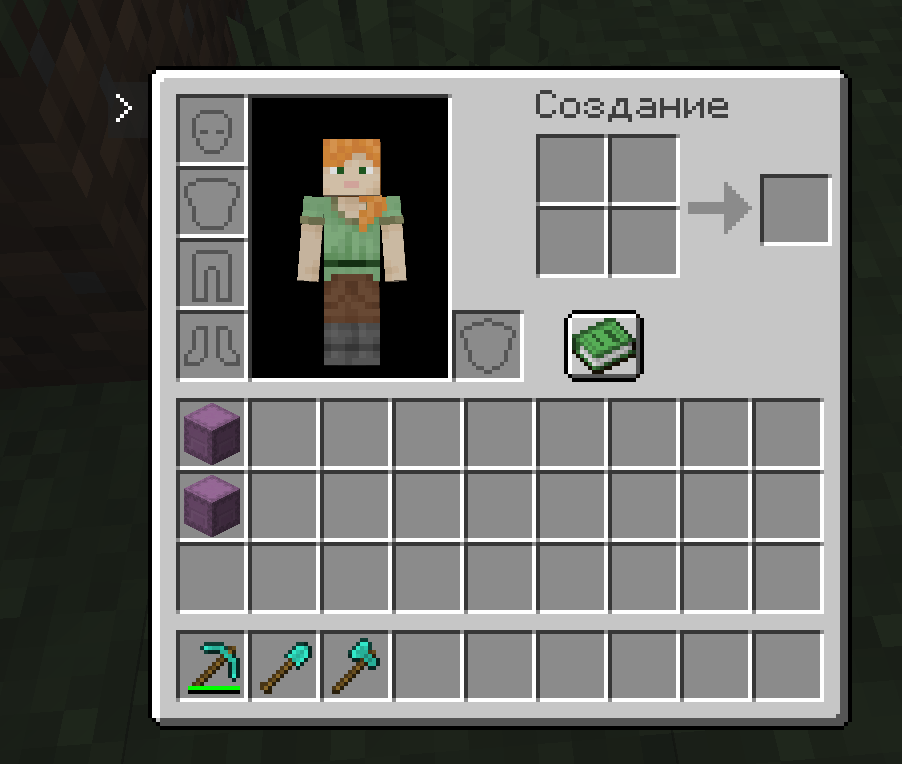
- Click the small > button on the left side of the inventory window to expand the panel.
- Interact with the item grid to extract resources or use the I / O buttons for bulk transfers.
- If you need more screen space, simply click the < button to collapse the panel at any time.
⚙️ Requirements To run this mod, you will need: • Architectury API • Fabric API (for the Fabric version)
Screenshots
Gallery
Versions
Files
Relations
Project Relations
More like this
Similar Mods
Suggestions use data such as tags, dependencies, dependents, descriptions, titles, and more to rank how much they overlap with this mod.
On ModDex
Community snapshot
By the numbers
Statistics

Want to reach Minecraft players?
We're looking for a server hosting partner to feature here and other parts of the site. Interested? Send us a message!
Get in touchGet it on
Available Platforms
On ModDex
Community snapshot
By the numbers
Statistics
Resources