
Community listing page, reviews here may not be monitored by the author.
Simple Charcoal Pit

No reviews yet
Make charcoal the immersive way: bury a pit of logs, seal it with non-flammable blocks, light it, and smolder the pile into charcoal.
Community voices
Reviews
No reviews yet. Be the first to review this project!
Get it on
Available Platforms
Compatibility
Supported Environments
Must be installed on both the client and the server.
About
Project Details
For authors
Embed Badge
If you're the author of this project, you can embed a live badge anywhere that supports HTML or Markdown. It updates automatically whenever ratings change.
Use HTML for any page that supports it, or Markdown for README files and Markdown-based descriptions.
Identifiers
Platform IDs
About
Description
An immersive way to make charcoal in Minecraft. Stack logs into a tightly packed pit, bury them under non-flammable blocks, and set the pile alight. A sealed, burning pit slowly smolders the logs into charcoal while venting smoke from the top.
Notice: This mod was made using AI
How it works
- Build the pit — Pack logs (
#minecraft:logs) into a hole or stack on the ground. - Cover it up — Bury every log under non-flammable, solid blocks (dirt, stone, sand, gravel, etc.). Every face of every log must touch either another log or a cover block.
- Light it — Right-click a log with flint and steel or a fire charge. Fire spreads through the touching pile.
- Wait — Sealed logs smolder and vent smoke from the top. Each finished log becomes a Charcoal Pile that drops 1–2 charcoal when dug out (fastest with a shovel; Fortune boosts drops like coal ore).
Uncovered burning logs burn away to nothing after a short time — seal the pit before the fire spreads too far.
Balance
- About 1–2 charcoal per log (~1.5 average), on par with a furnace
- No fuel required; the whole pile cooks in parallel
- Trade-off: build effort, flint-and-steel durability, real-time wait, and risk of losing unsealed logs
- Cook time scales with pit size:
charringTime + charringTimePerLog × (logs − 1)
| Pit size | Logs | Approx. cook time |
|---|---|---|
| 2×2×2 | 8 | ~95s |
| 3×3×3 | 27 | ~190s |
| 5×5×5 | 125 | ~11 min |
Charcoal can be crafted into a Block of Charcoal for storage (9 charcoal ↔ block), like vanilla coal blocks.
Configuration
File: config/simplecharcoalpit-common.toml
| Option | Default | Description |
|---|---|---|
charringTime |
1200 |
Base ticks for a single-log pit |
charringTimePerLog |
100 |
Extra ticks per additional log |
burnoutTime |
600 |
Ticks before an exposed log burns away |
requireSturdyCover |
true |
Only full solid faces count as cover |
Requirements
- Minecraft 1.21.1
- NeoForge 21.1.233+
Links
Screenshots
Gallery
-
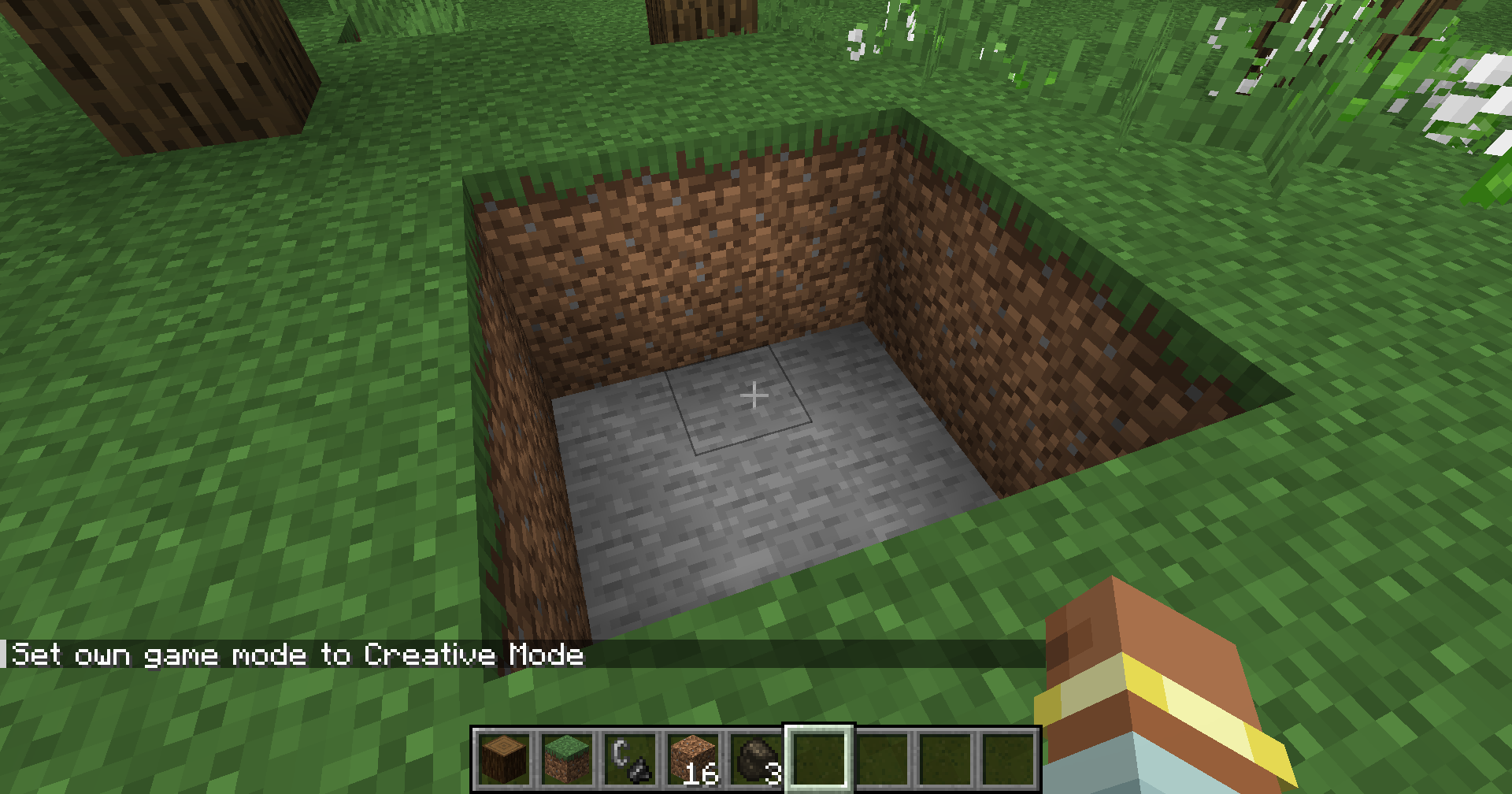 Make a Pit
 -
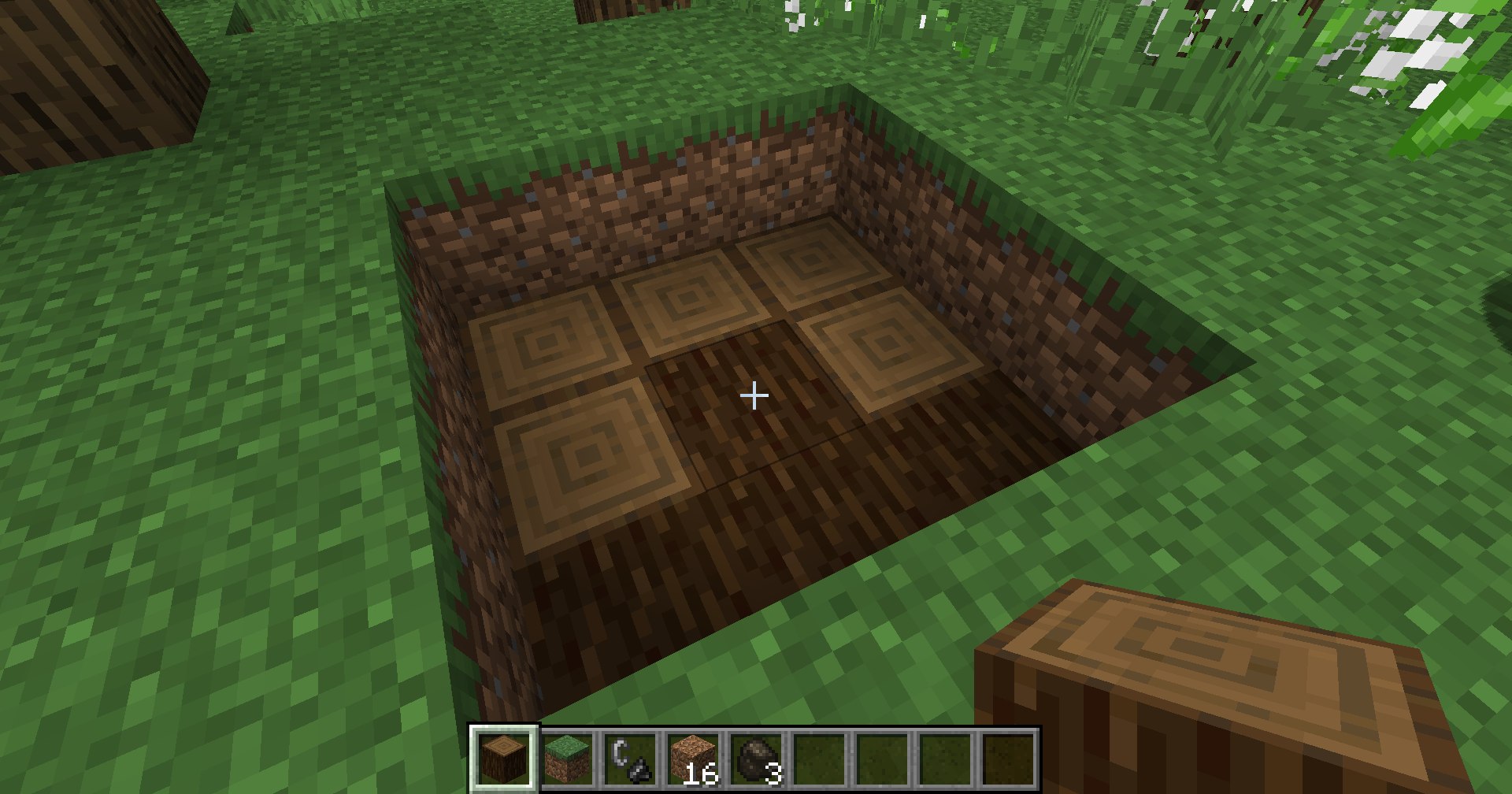 Pack Logs
 -
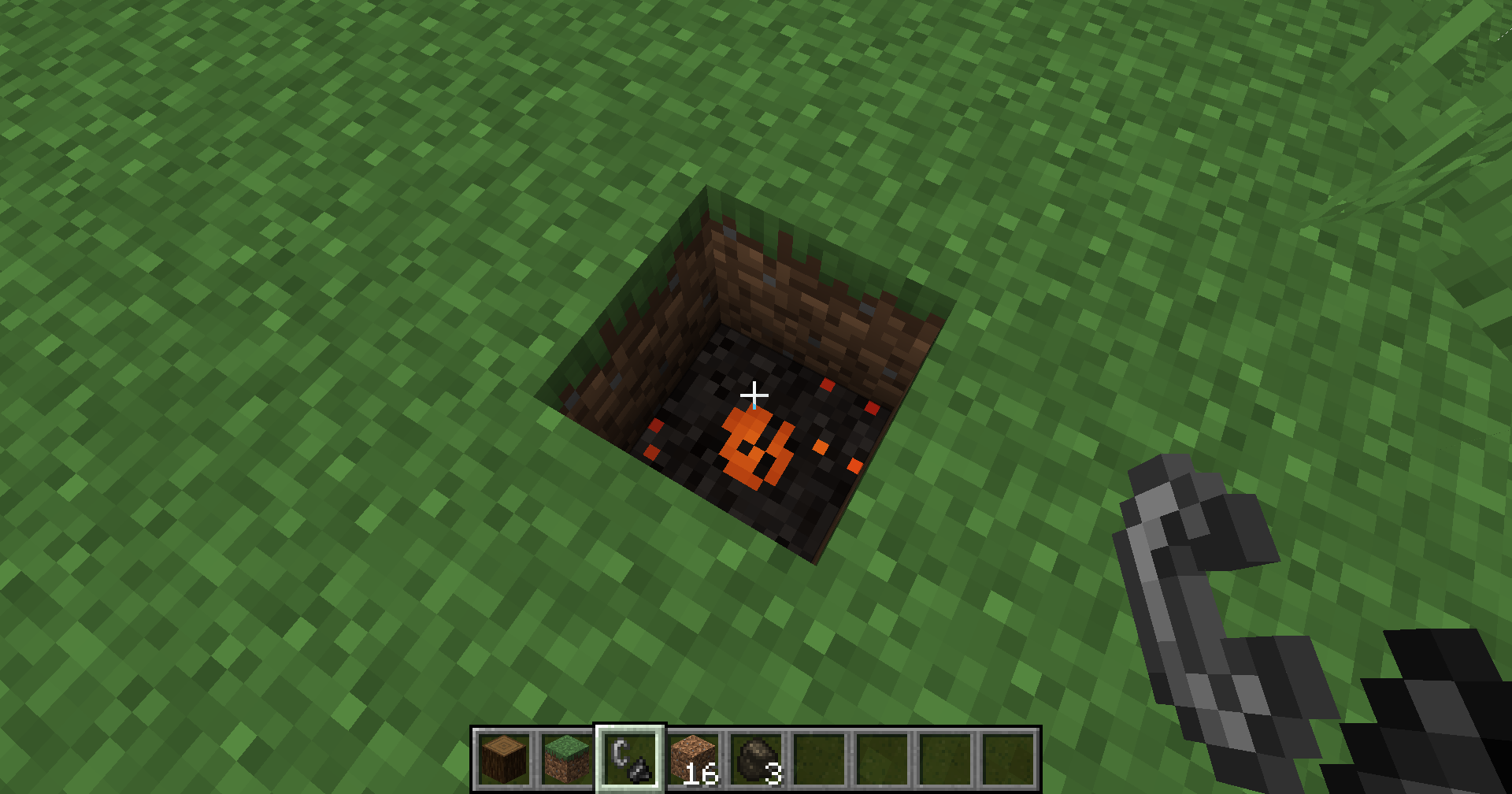 Cover and Light
 -
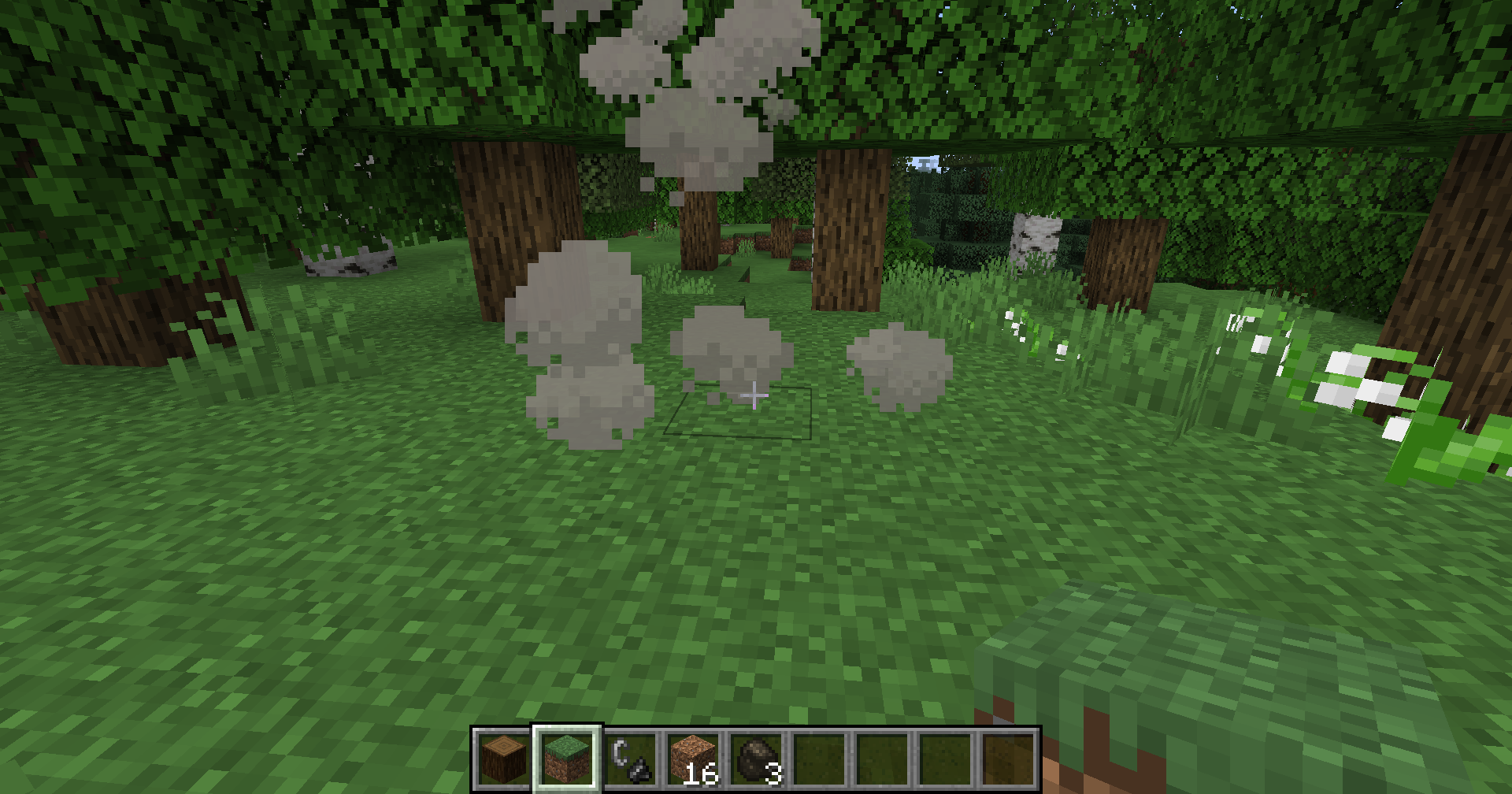 Cover and Wait
 -
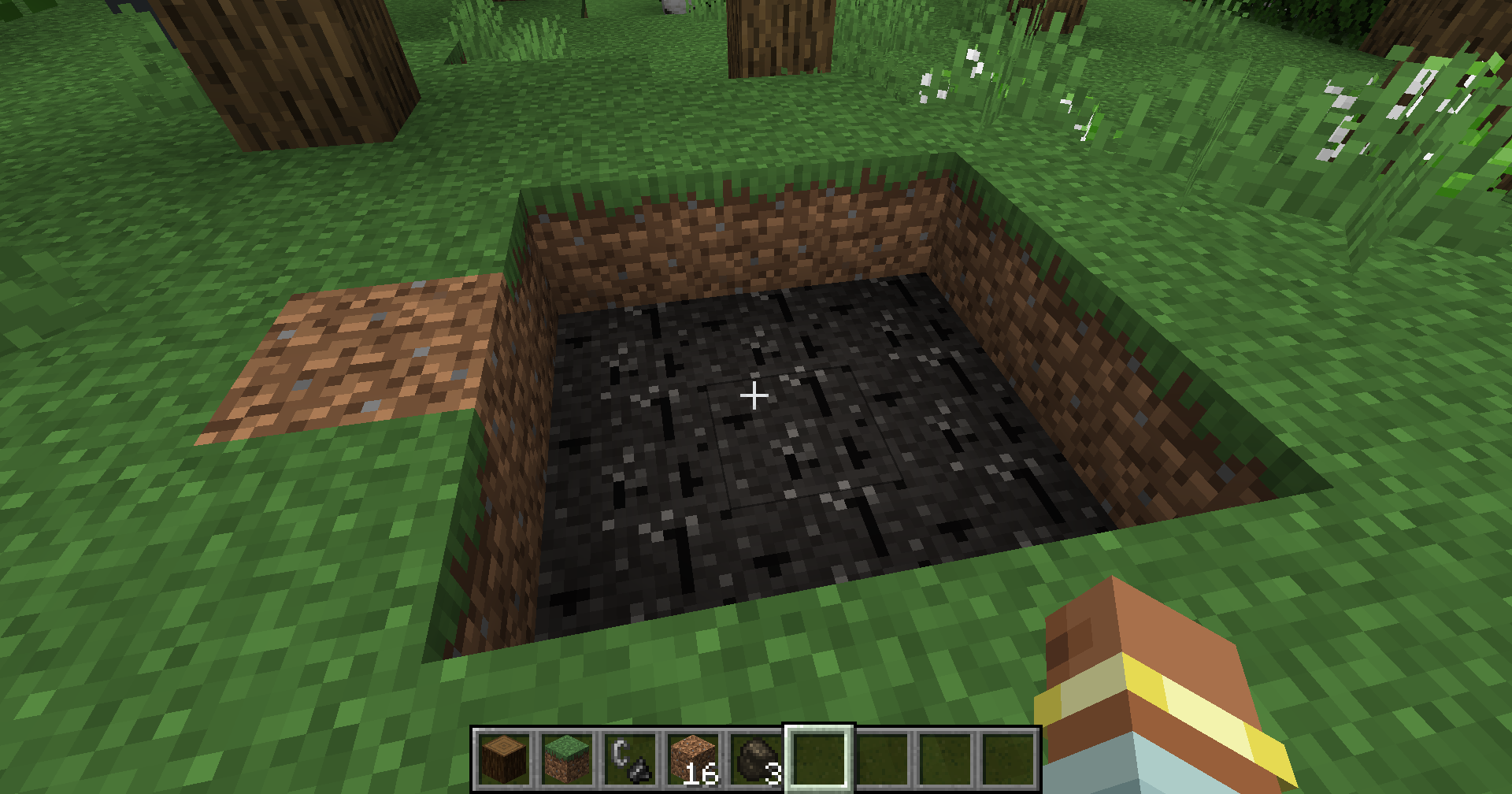 Dig Up
Versions
Files
Relations
Project Relations
More like this
Similar Mods
Suggestions use data such as tags, dependencies, dependents, descriptions, titles, and more to rank how much they overlap with this mod.
On ModDex
Community snapshot
By the numbers
Statistics

Want to reach Minecraft players?
We're looking for a server hosting partner to feature here and other parts of the site. Interested? Send us a message!
Get in touchGet it on
Available Platforms
On ModDex
Community snapshot
By the numbers