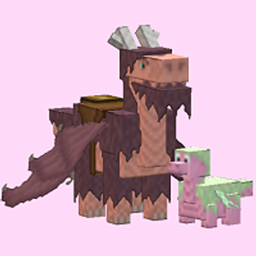
Community listing page, reviews here may not be monitored by the author.
Simple Dragons — Eastern Eldwyrm


No reviews yet
This mod adds asian dragons to minecraft. They're cute, multicolored and quite useful.

Community voices
Reviews
No reviews yet. Be the first to review this project!
Get it on
Available Platforms
Compatibility
Supported Environments
Must be installed on both the client and the server.
About
Project Details
For authors
Embed Badge
If you're the author of this project, you can embed a live badge anywhere that supports HTML or Markdown. It updates automatically whenever ratings change.
Use HTML for any page that supports it, or Markdown for README files and Markdown-based descriptions.
Identifiers
Platform IDs
Resources
External Links
About
Description
Simple Dragons — Eastern Eldwyrm
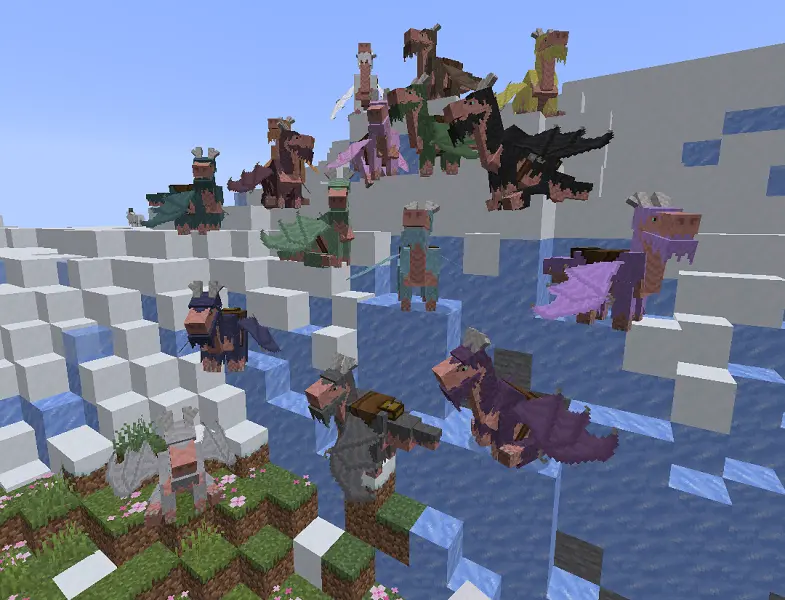
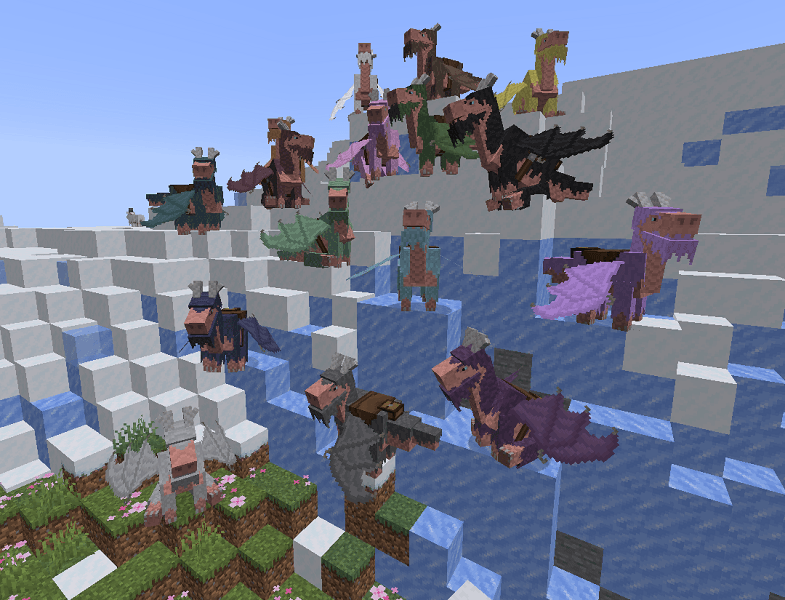
This mod adds dragons to minecraft. They're not big and scary, but rather cute and helpful. I used Asian dragons with deer horns and beards as a basis. You can paint them in any color and put your things in saddlebags.
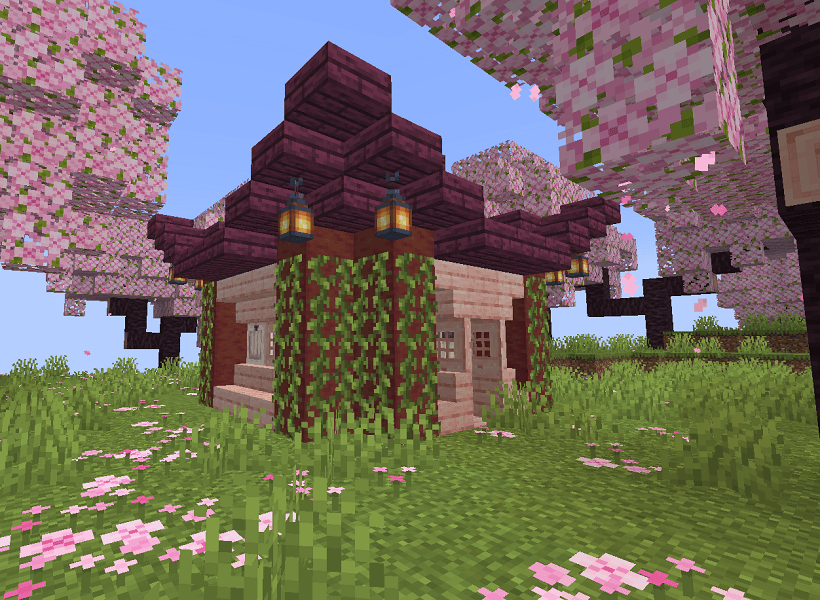
But first things first. You need to find Eastern Temple, which is located in cherry grove.
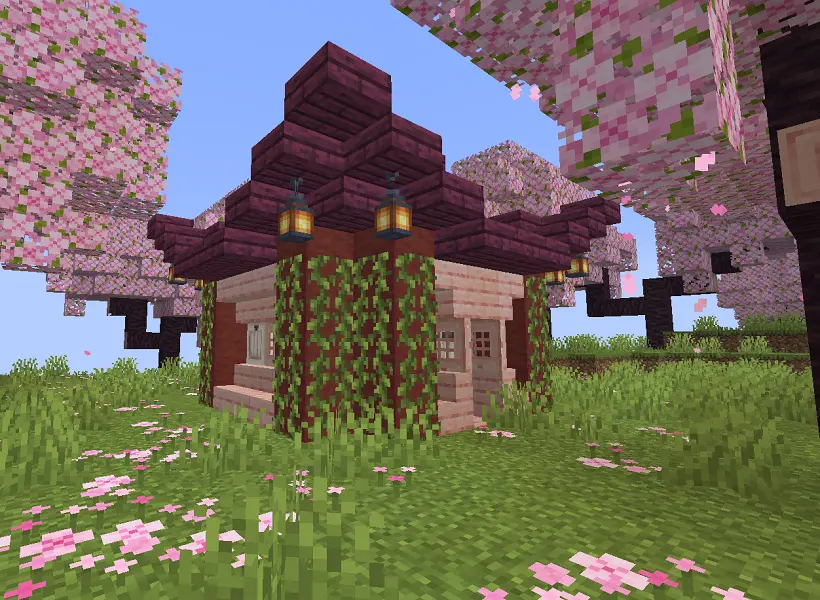
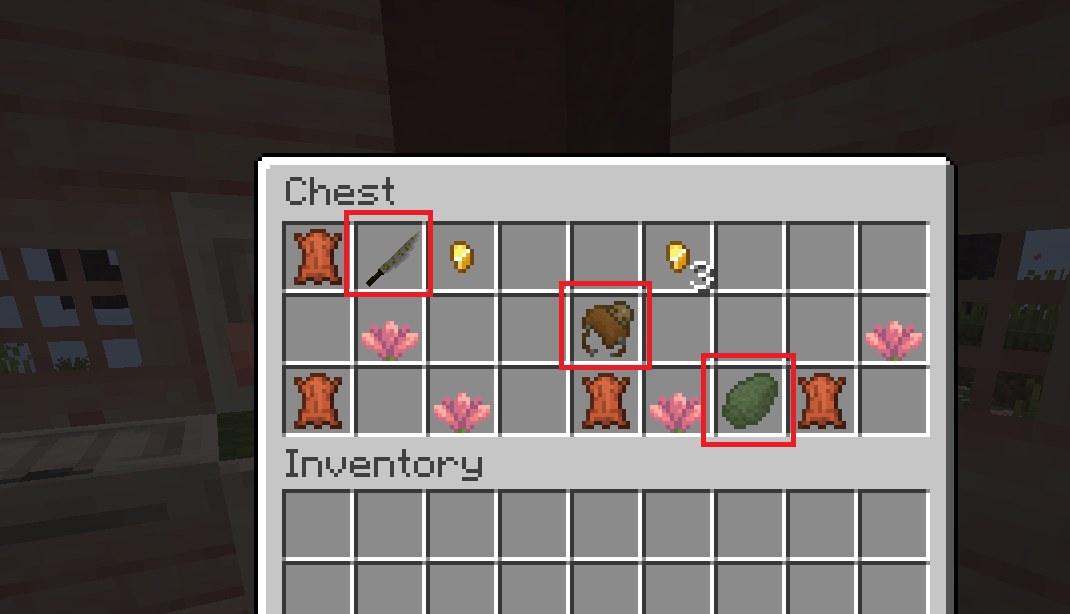
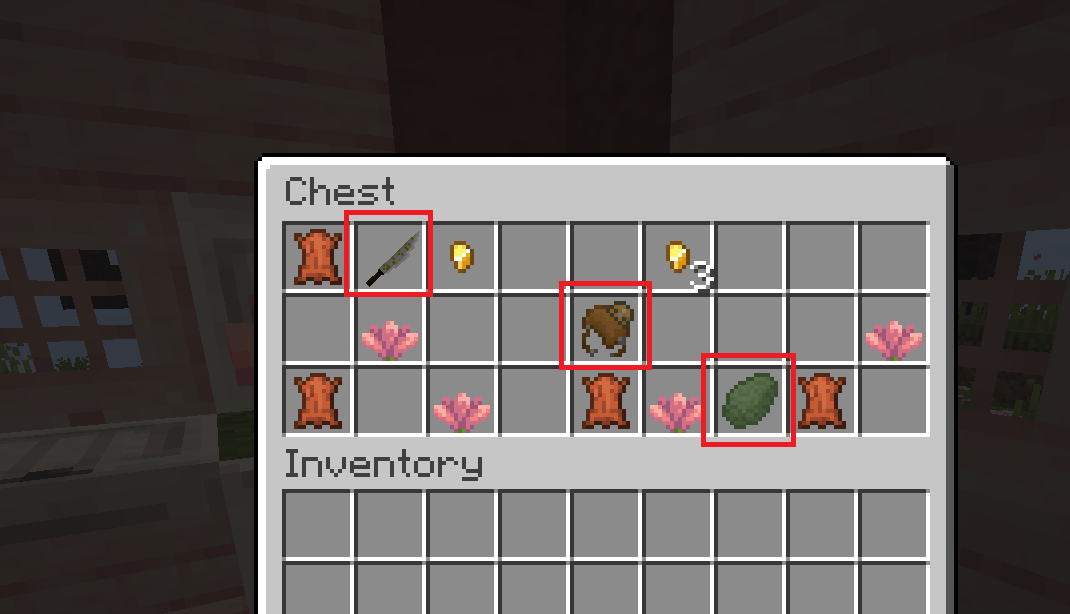
There will be a chest, where you can find 3 new items:
- Scaly Egg;
- Katana;
- Dragon saddle.
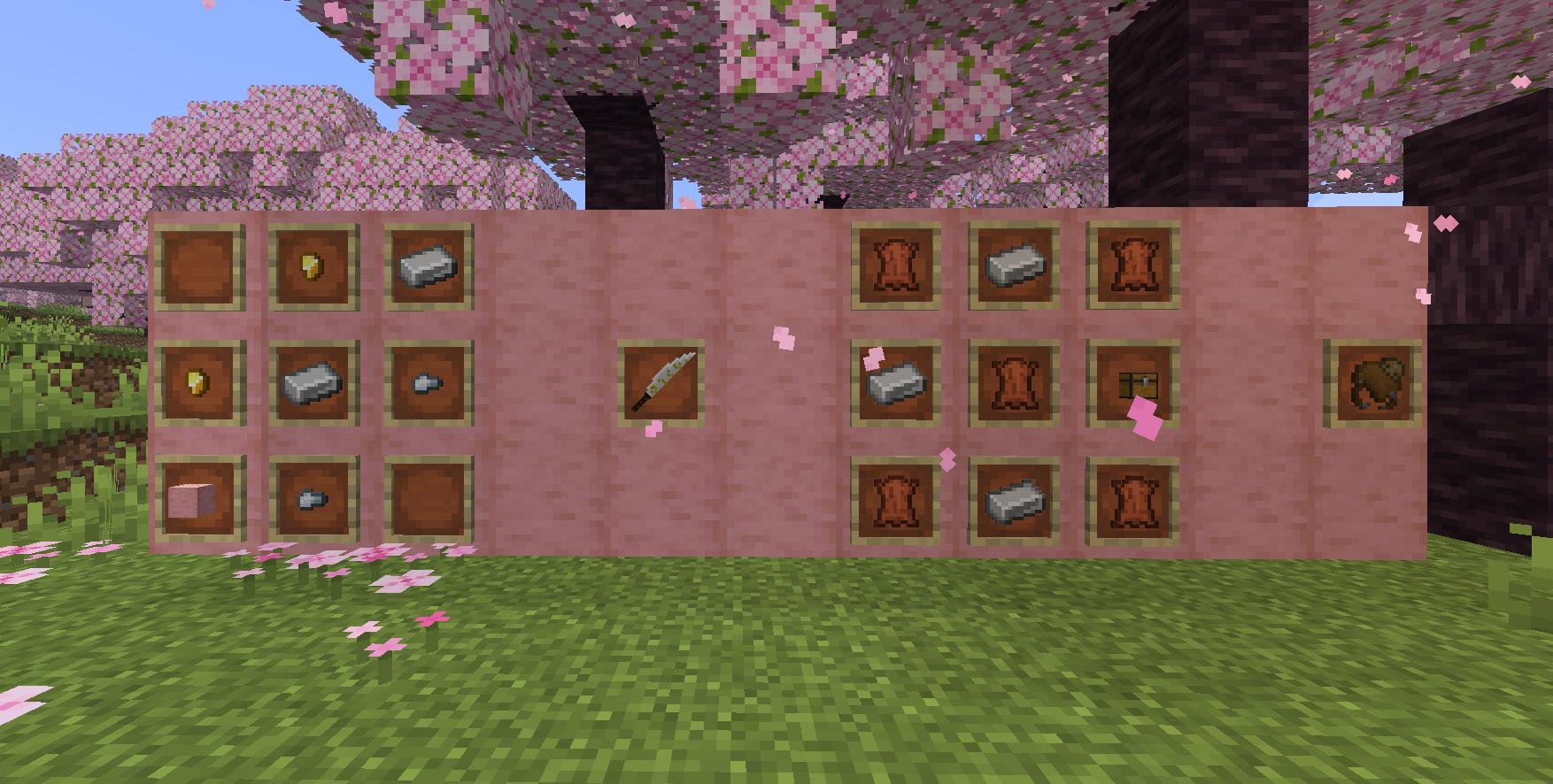
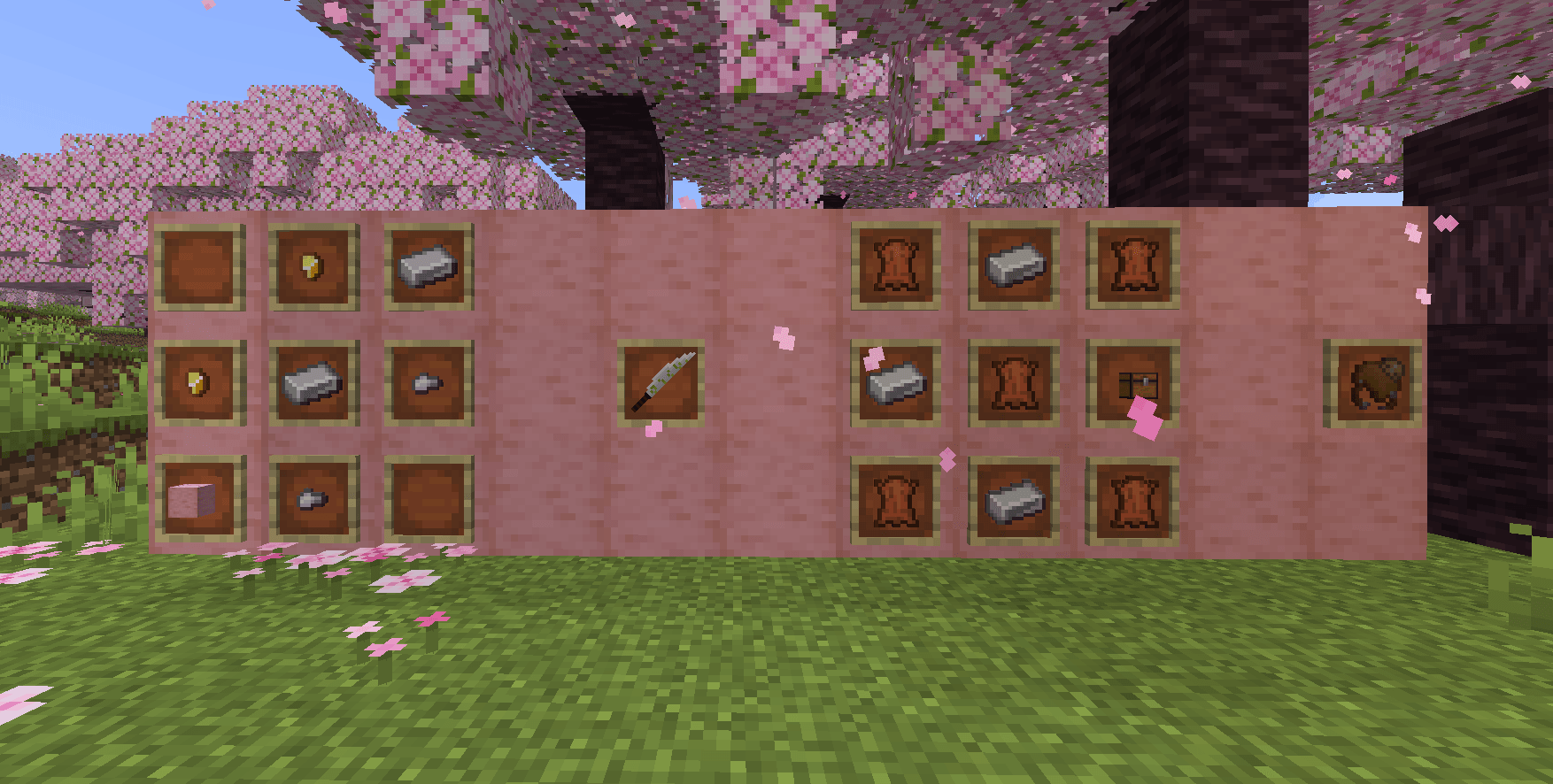
You can also craft Katana and Dragon saddle:
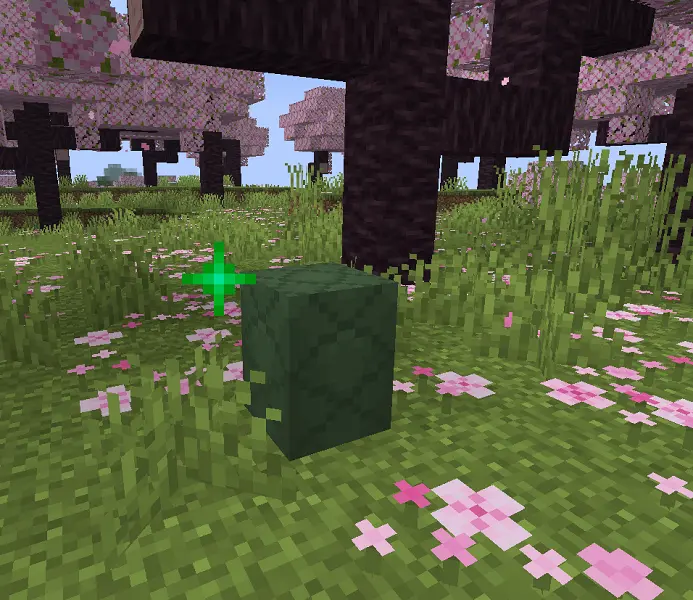
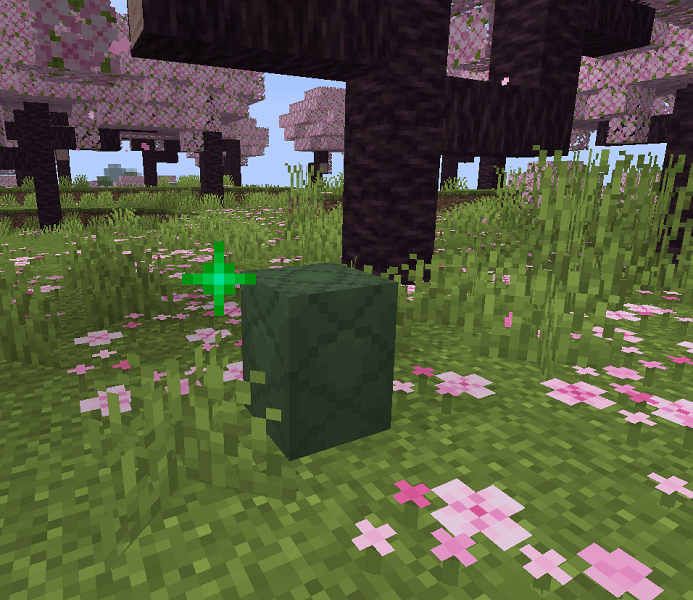
Now you need to place this egg anywhere on the ground.
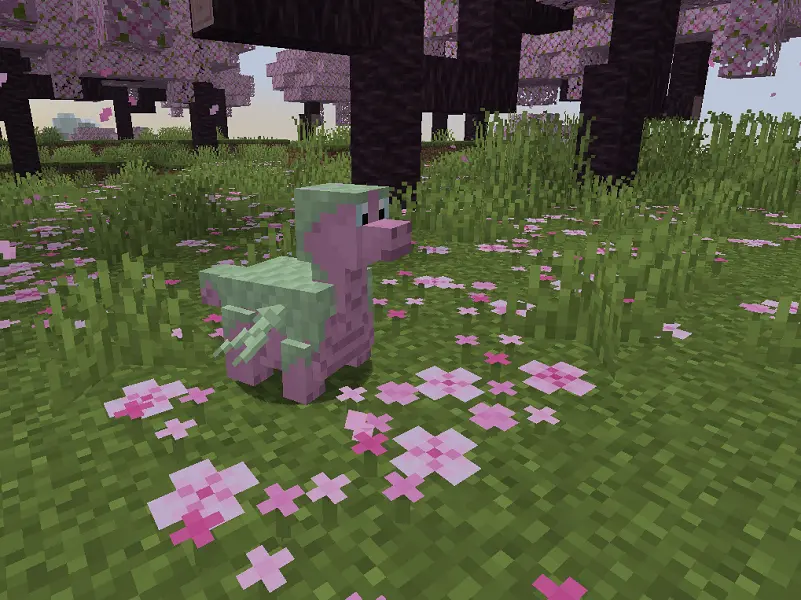
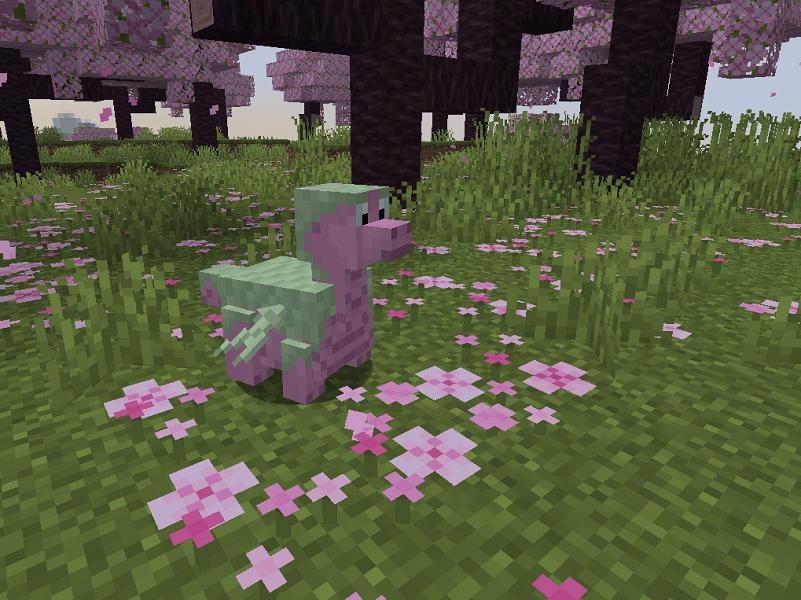
After 10-20 min a little dragon (with a custom model!) will hatch:
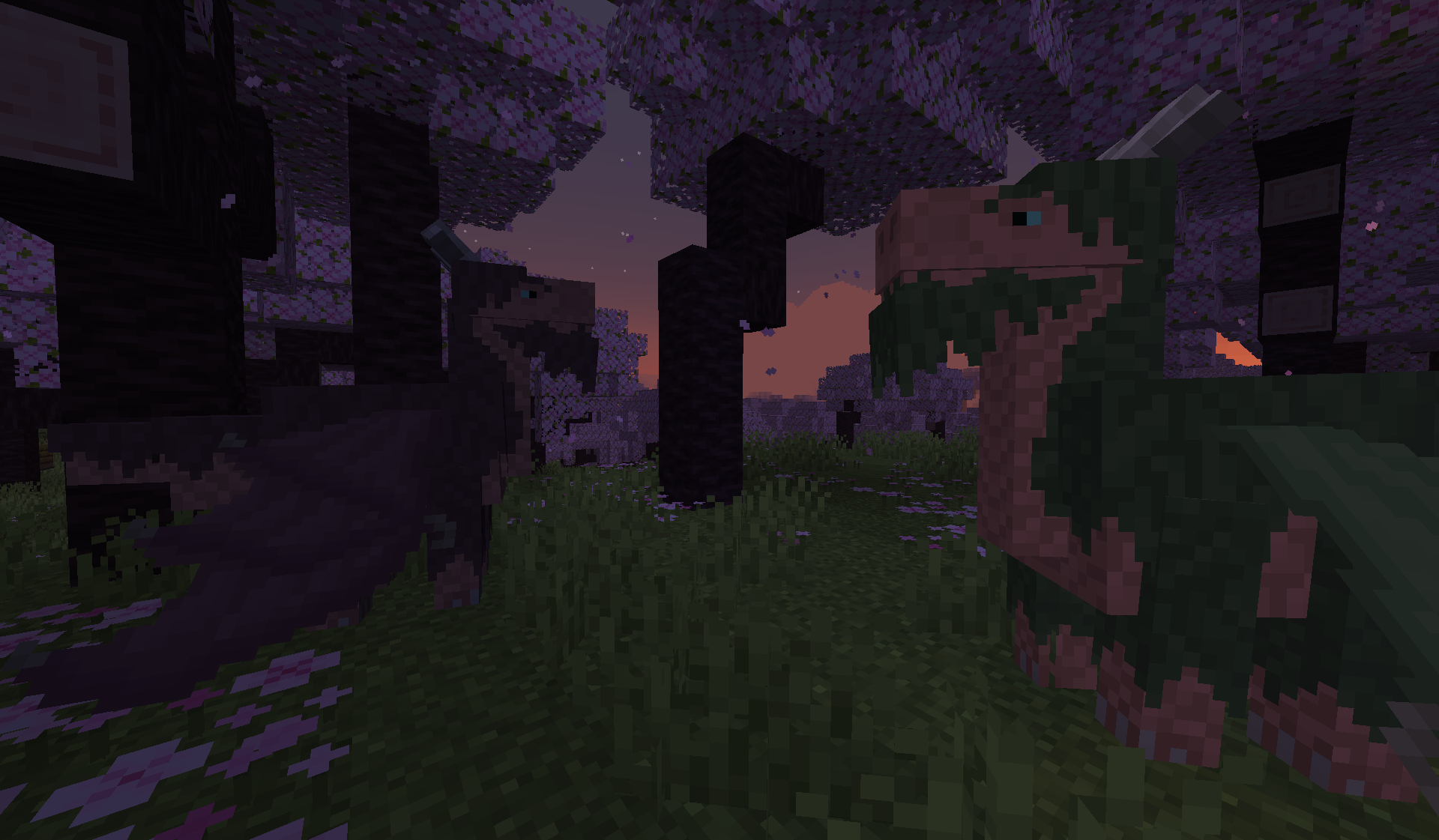
Then you need to wait for one day, and the dragon will grow up. You can tame and breed adult dragons using Cactus flowers.
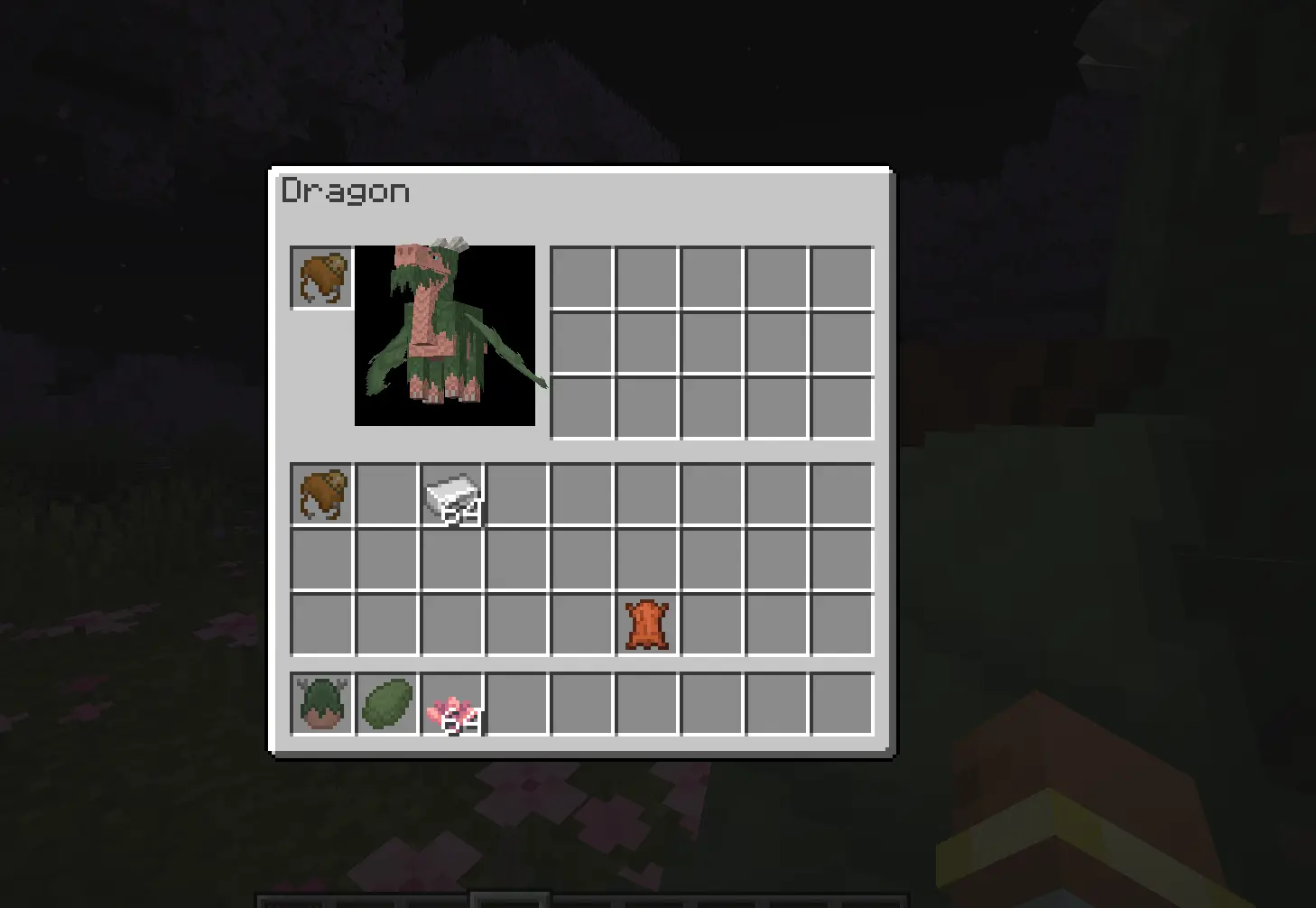
Then you can equip a saddle on a dragon an put something into its inventory. You need to shift+rightclick on a saddled dragon with empty hand to open gui:
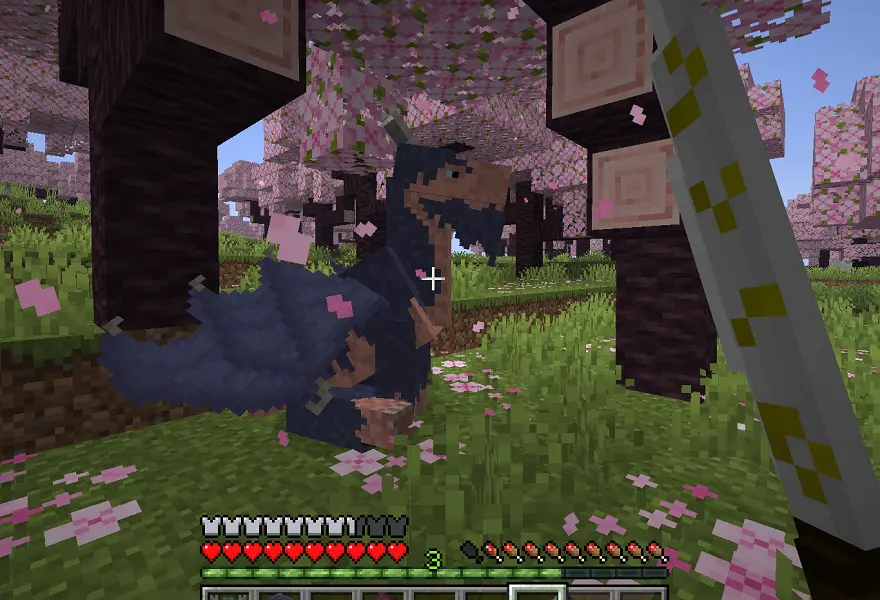
You can use katana to sit your dragon down or make him stand up:
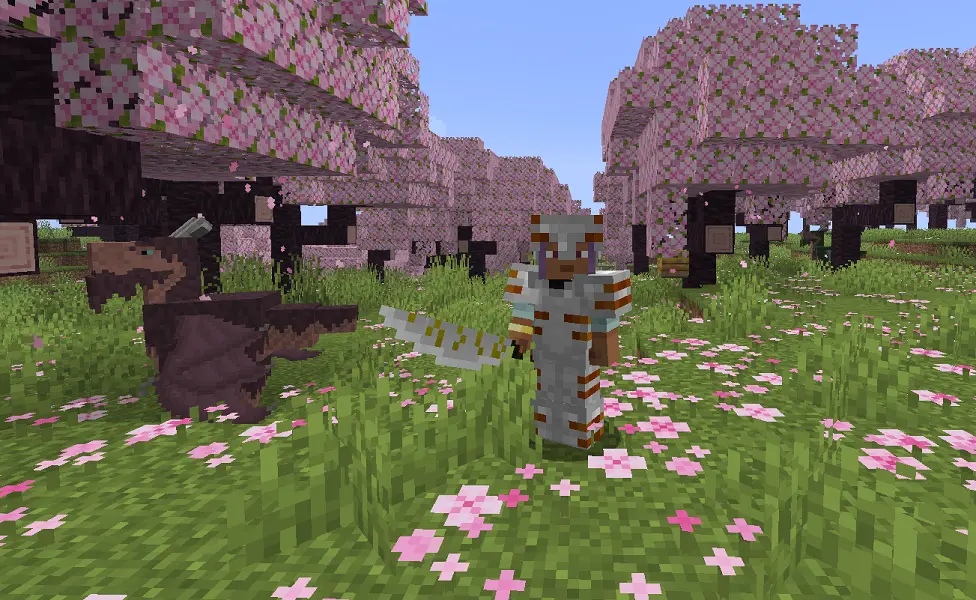
By the way, kata has its own custom model. Its slightly stronger than iron sword but has greater attack speed.
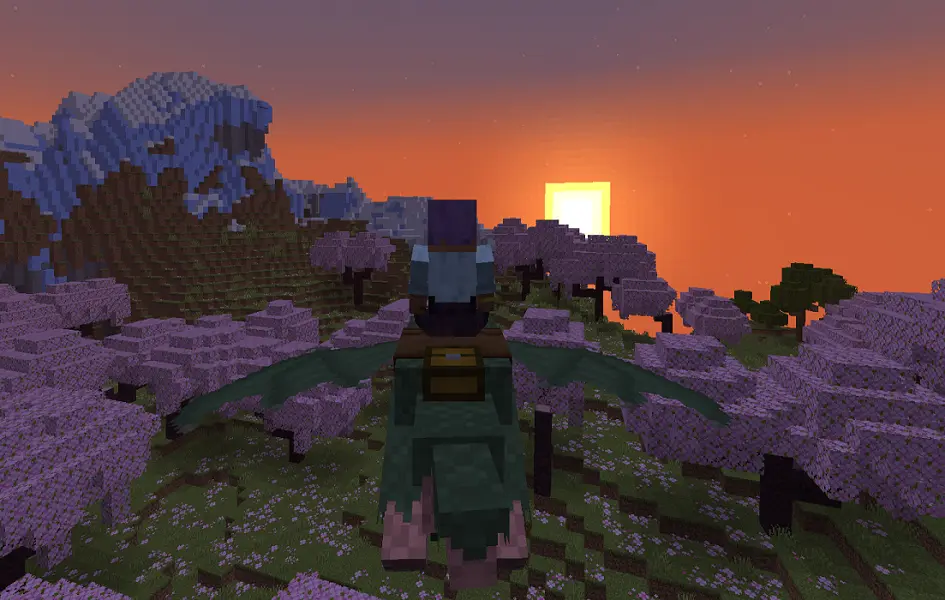
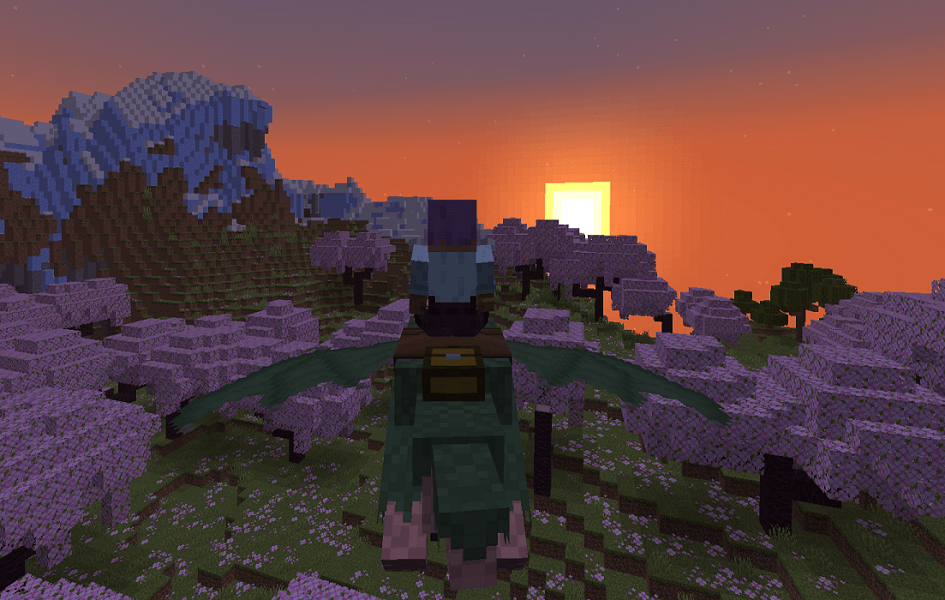
To dye your dragon, just rightclick on it with any dye. When the dragon is customized and his saddlebag is filled with your equipment, you can just fly away:
- to fly up, hold space up to 3 sec (the longer you hold, the higher will the dragon fly);
- when flying, you can press space up to 5 more times to speed up. The dragon will fly in the direction of your gaze, but after a few seconds it will get tired and begin to descend. At this point, press the space bar again or, if you have already used acceleration 5 times, go down to the ground to rest and take off again.
That's all for now. I hope you'll enjoy the mod.
This is one of a series of mods, in each of which I want to add a different type of dragon. I want each dragon to have a unique design that fits into the game's style. Some people may not like certain dragons, so I decided to divide my project.
Simple Dragons
This mod adds dragons to minecraft. They're not big and scary, but rather cute and helpful.
Eastern Eldwyrm
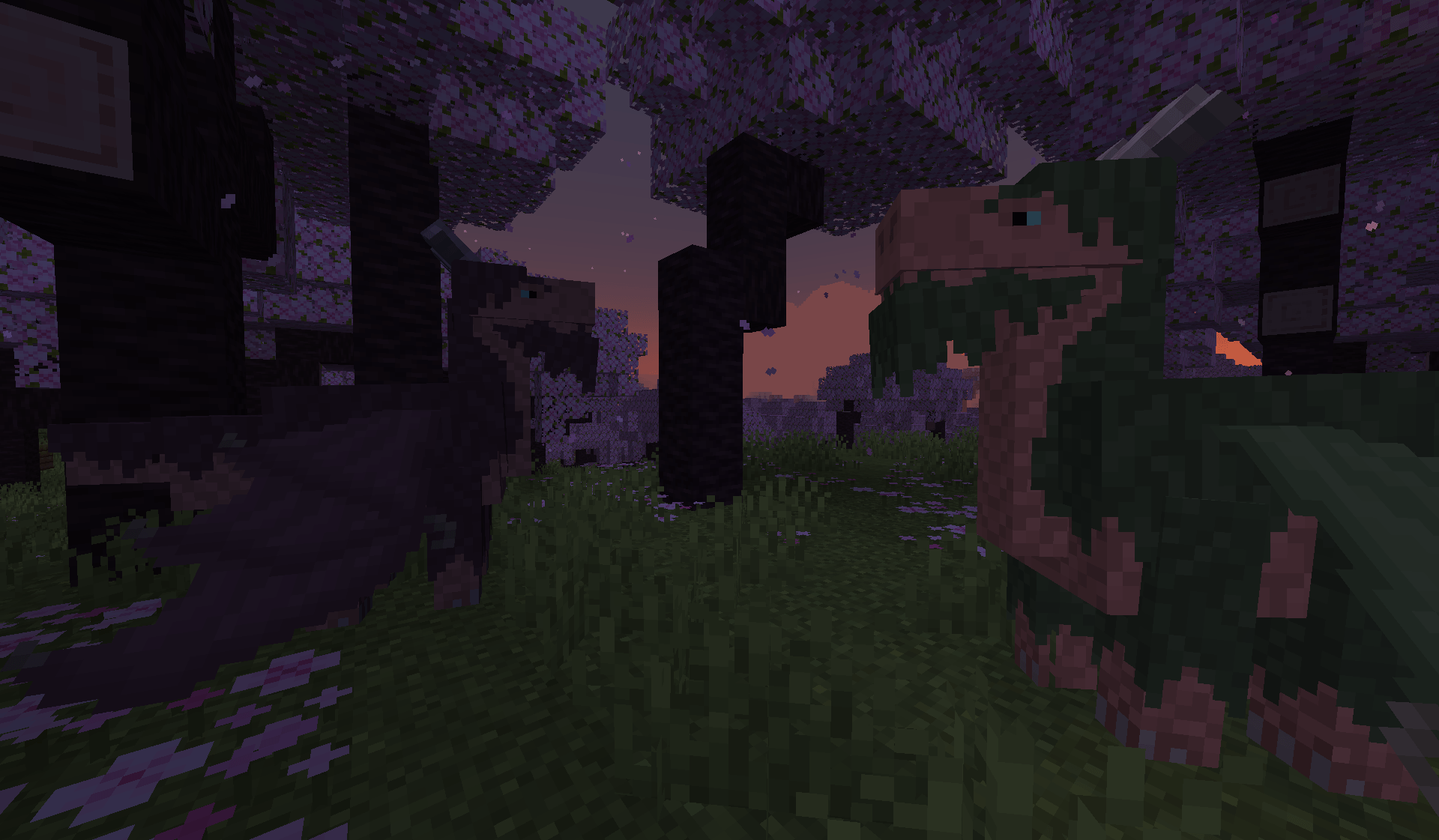
For now there is only one type of dragon — Eastern Eldwyrm. I used Asian dragons with deer horns and beards as a basis. You can paint them in any color and put your things in saddlebags.
But first things first. You need to find Eastern Temple, which is located in cherry grove.
There will be a chest, where you can find 3 new items:
- Scaly Egg;
- Katana;
- Dragon saddle.
You can also craft Katana and Dragon saddle:
Now you need to place this egg anywhere on the ground.
After 10-20 min a little dragon (with a custom model!) will hatch:
Then you need to wait for one day, and the dragon will grow up. You can tame and breed adult dragons using Cactus flowers.
Then you can equip a saddle on a dragon an put something into its inventory. You need to shift+rightclick on a saddled dragon with empty hand to open gui:
You can use katana to sit your dragon down or make him stand up:
By the way, kata has its own custom model. Its slightly stronger than iron sword but has greater attack speed.
To dye your dragon, just rightclick on it with any dye. When the dragon is customized and his saddlebag is filled with your equipment, you can just fly away:
- to fly up, hold space up to 3 sec (the longer you hold, the higher will the dragon fly);
- when flying, you can press space up to 5 more times to speed up. The dragon will fly in the direction of your gaze, but after a few seconds it will get tired and begin to descend. At this point, press the space bar again or, if you have already used acceleration 5 times, go down to the ground to rest and take off again.
Lighting Dragon
It's another variation of Eldwyrm. Firstly, you need to find Weather Pearls in Eastern Temple and craft Weather Orb.
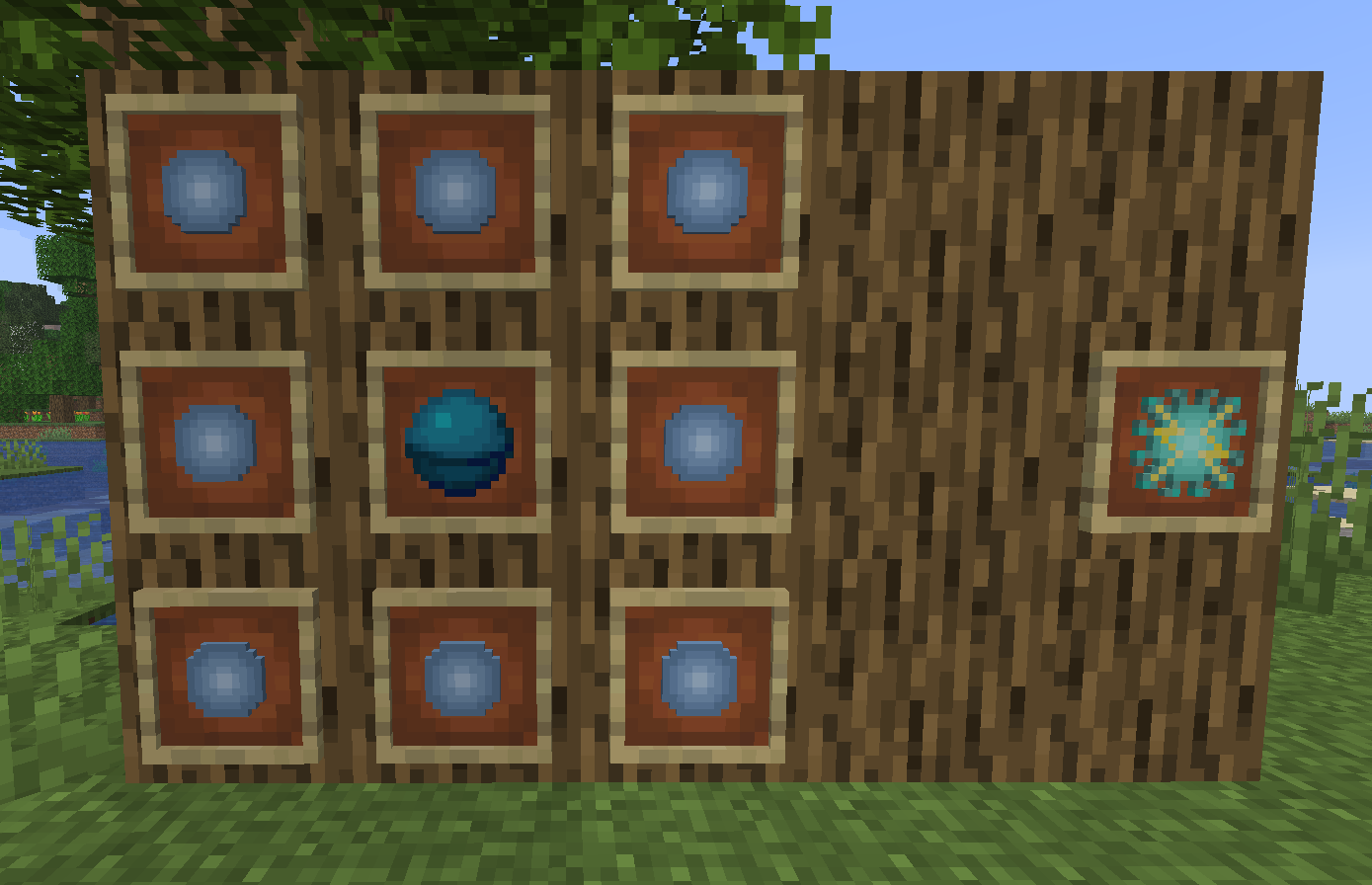
By the way, you can shoot Weather Pearls - they spawn lightnings when hit the ground! You can also use Weather Orb to change the weather:
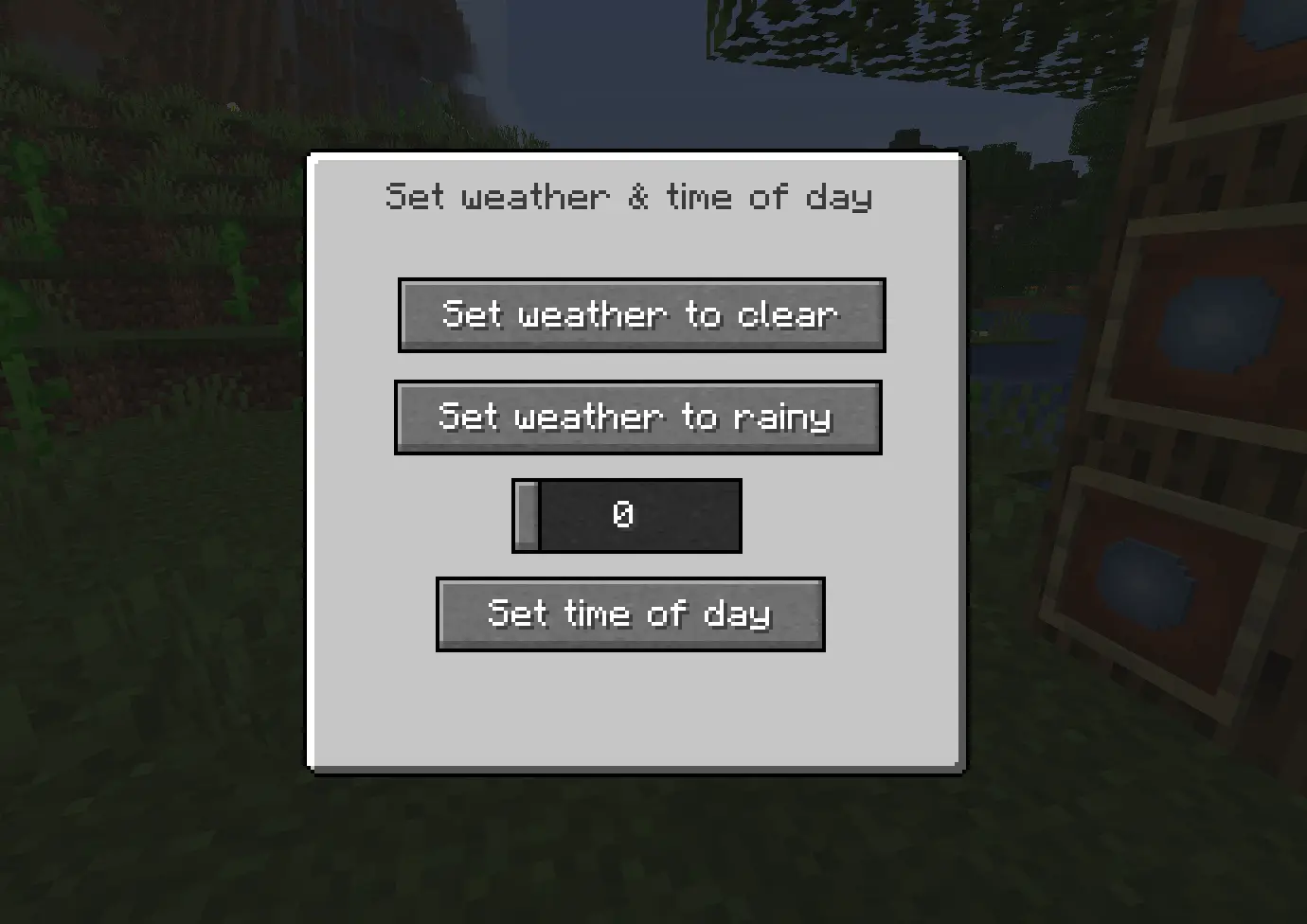
Then you need to rightclick on your dragon with the orb:
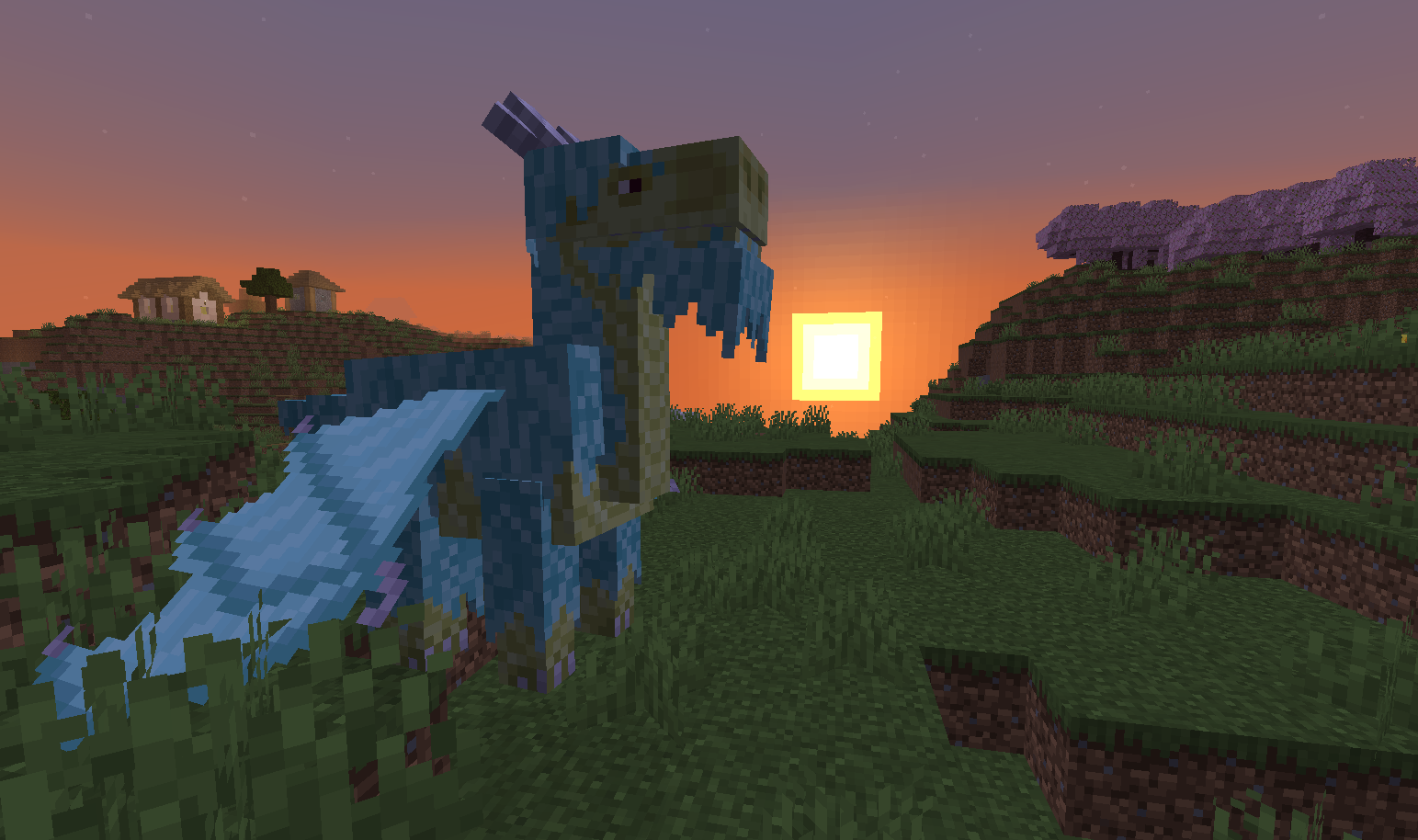
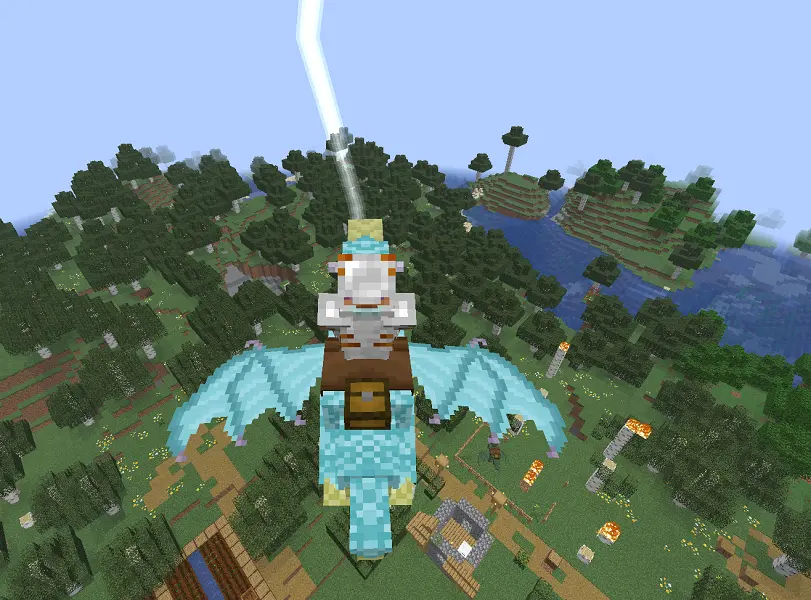
This dragon cannot be dyed. It can strike lightnings when you press J while riding it.
That's all for now. I hope you'll enjoy the mod.
There will be more dragon species in the nearest future!
Screenshots
Gallery
-
 screen1.png screen1.png
 -
 screen2.png screen2.png
 -
 temple.png temple.png
 -
 chest.png chest.png
 -
 recips.png recips.png
 -
 egg.png egg.png
 -
 hatchling.png hatchling.png
 -
 2026-04-29_23.13.07.png 2026-04-29_23.13.07.png
 -
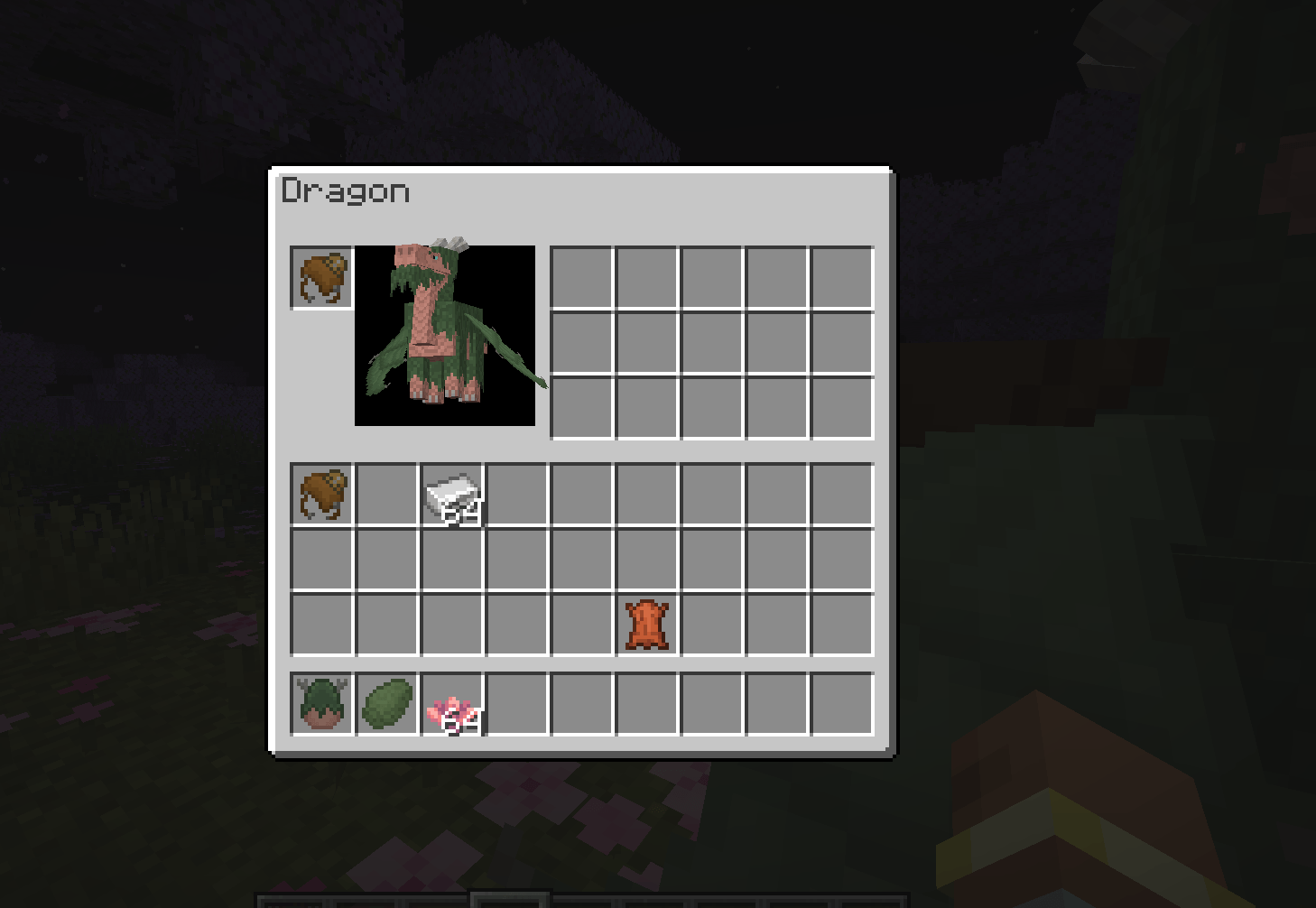 dragon_gui.png dragon_gui.png
 -
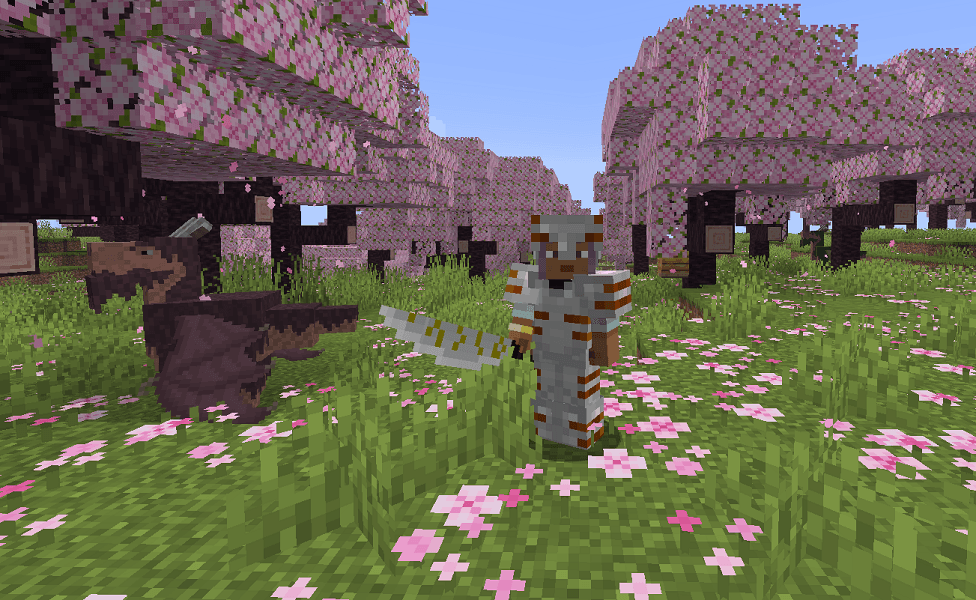 katana.png katana.png
 -
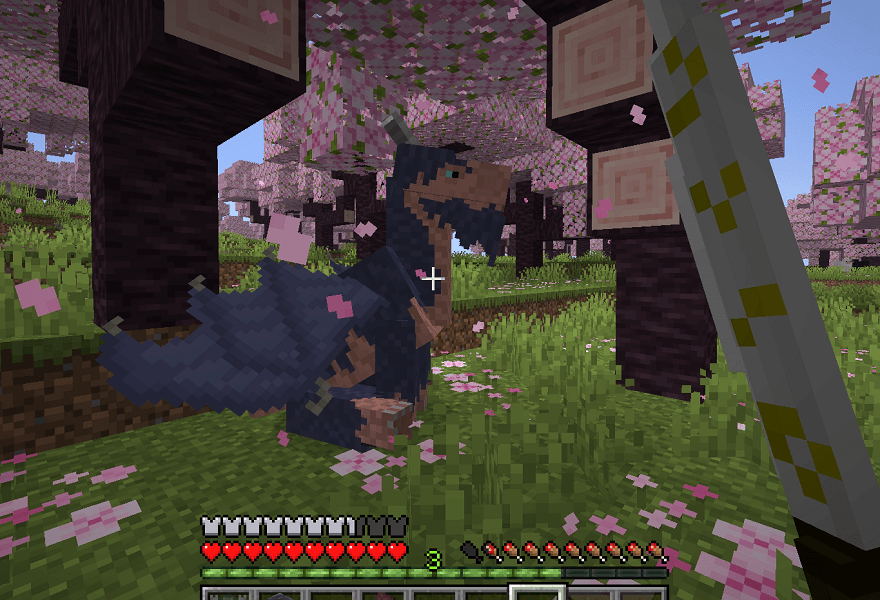 sit.png sit.png
-
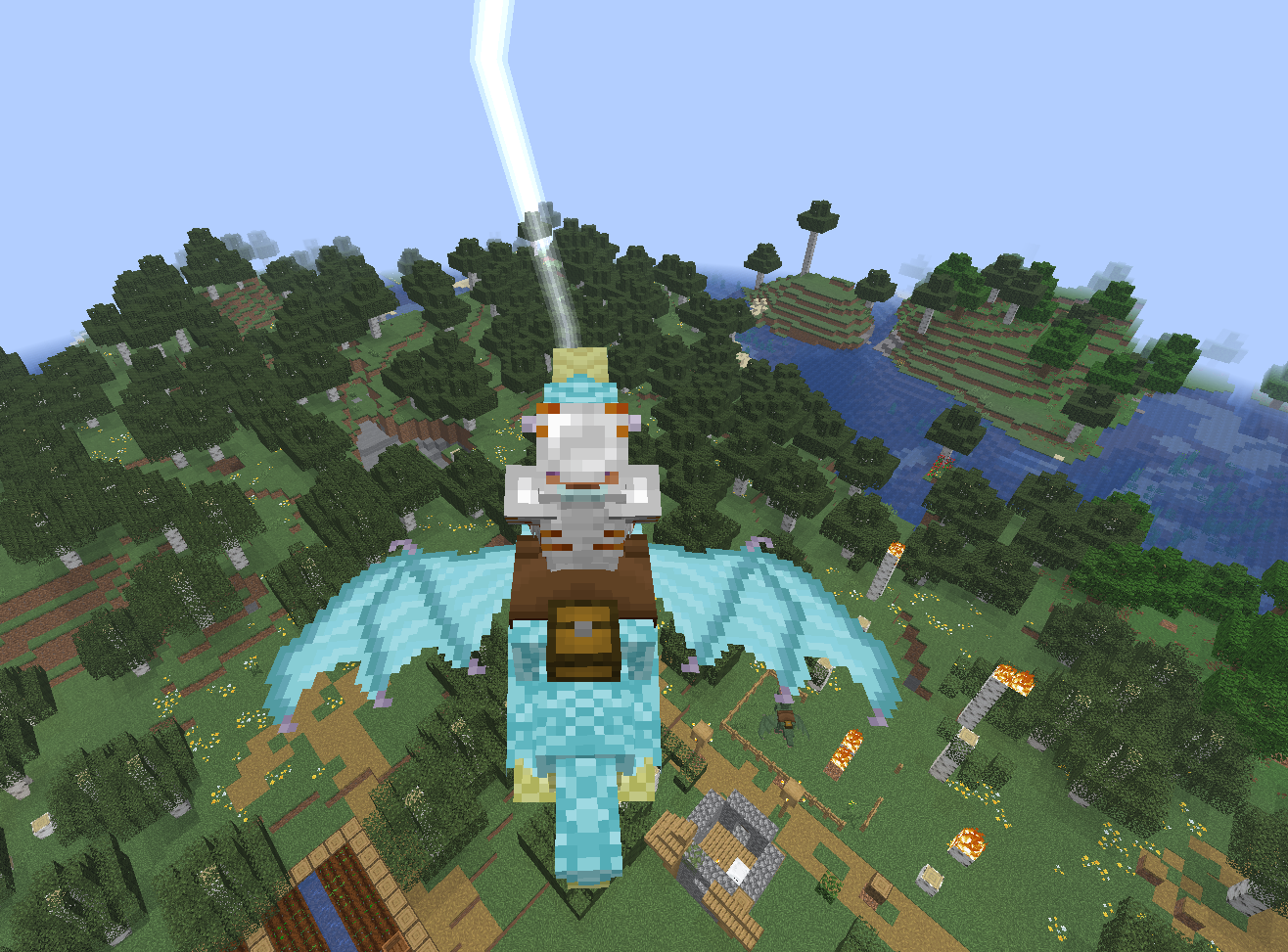 Lightning dragon (1.1.0 update)
 -
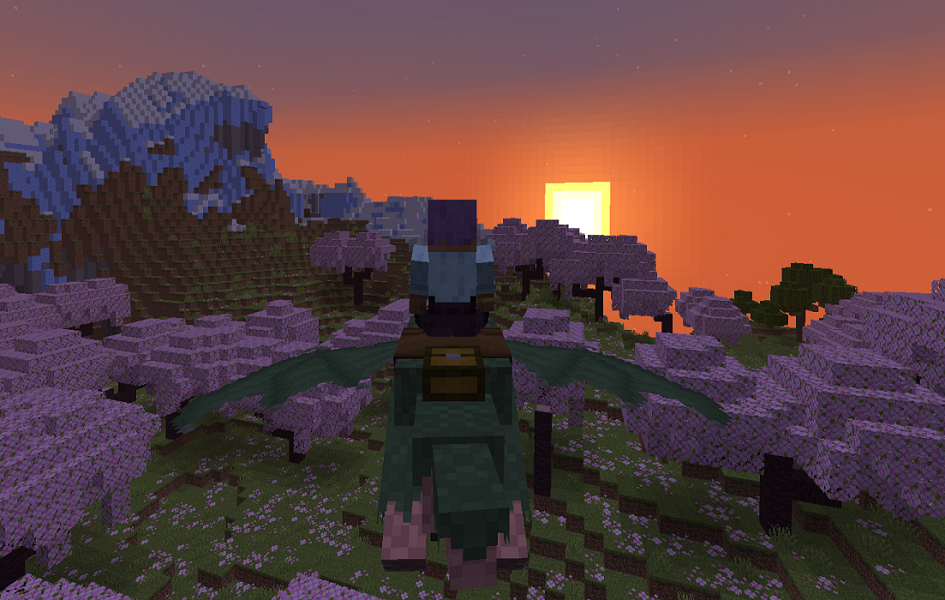 Flying away
 -
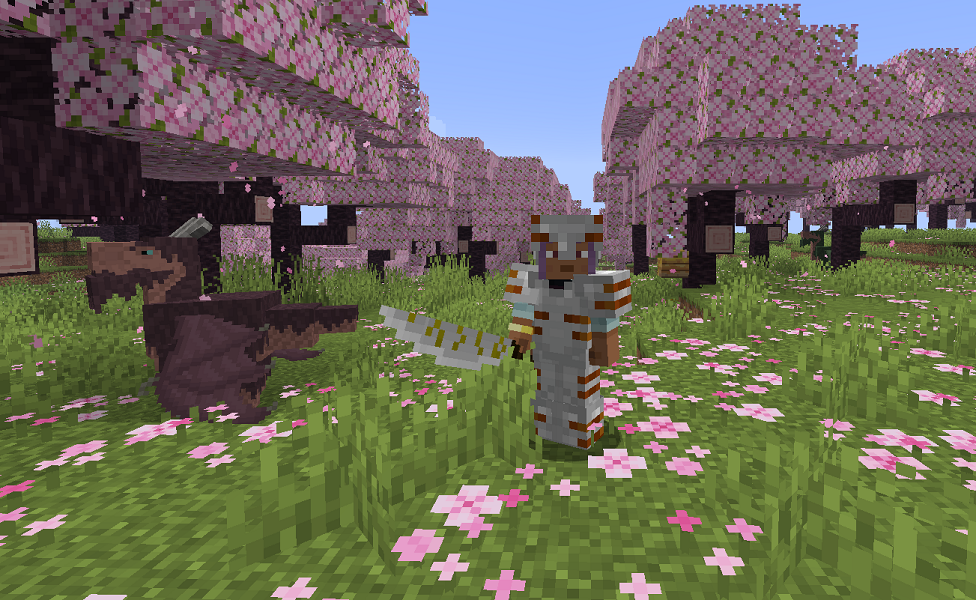 Katana
 -
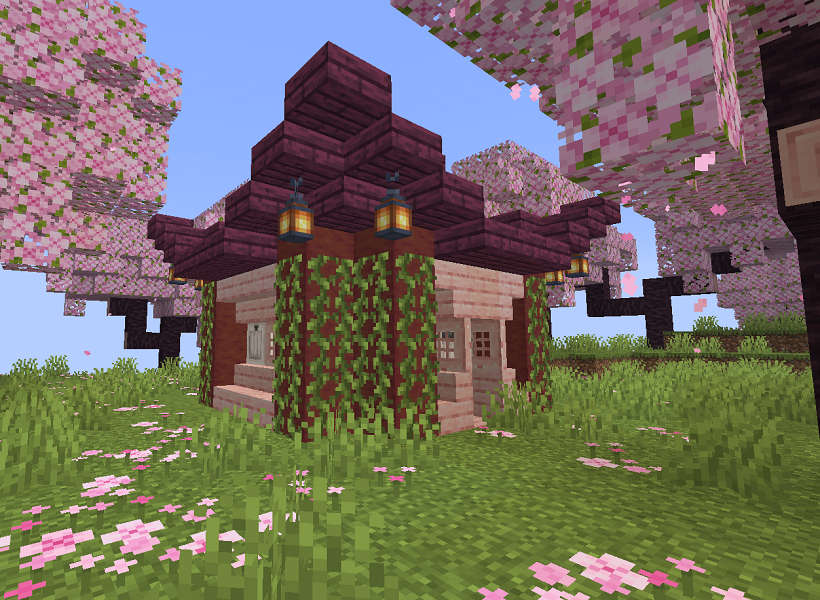 Eastern temple
 -
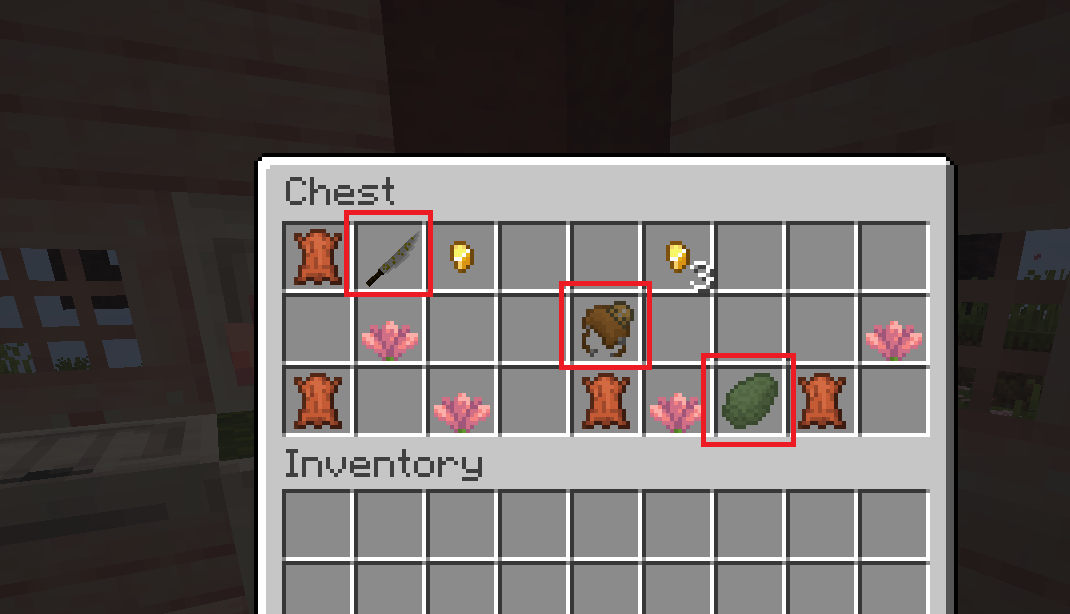 Chest in temple
 -
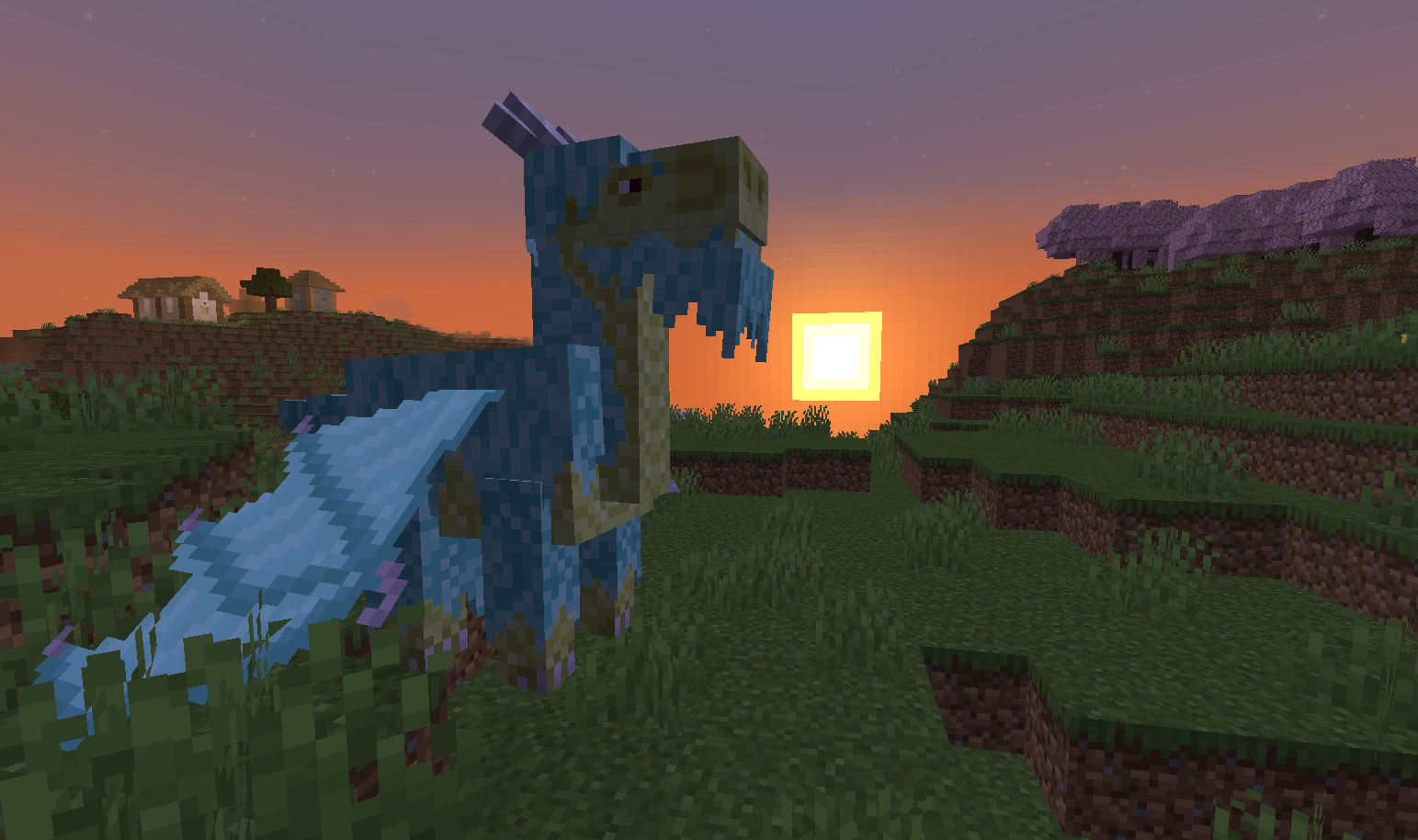 Lightning dragon (another screen)
 -
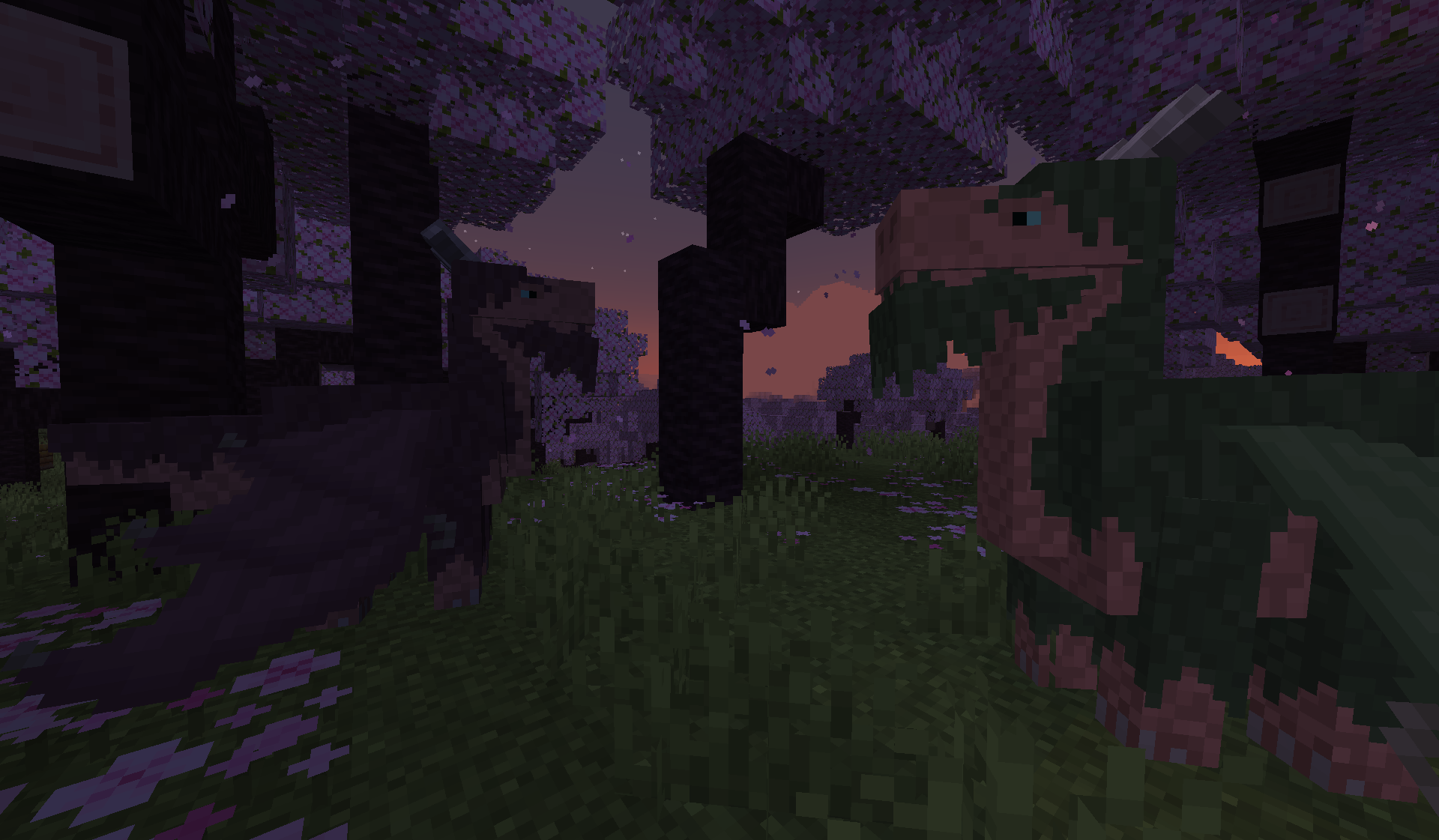 Adult dragons
 -
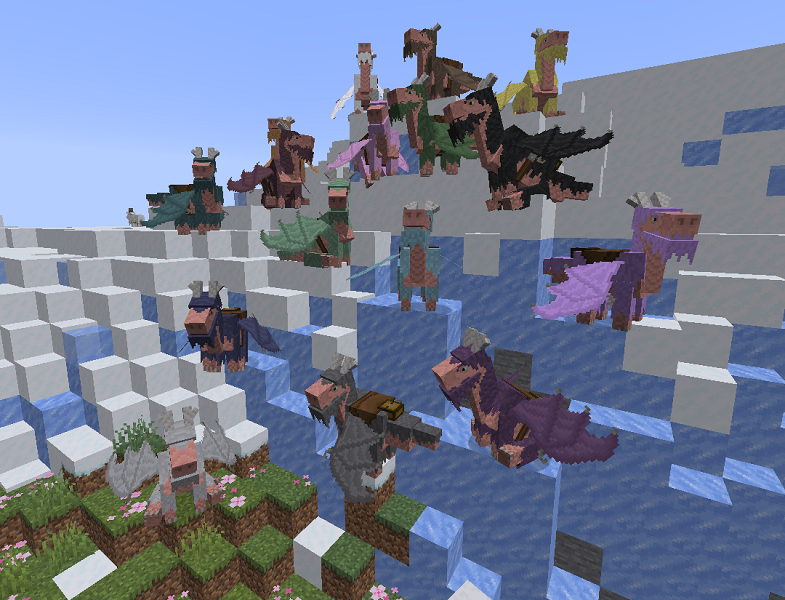 All dragon colors
 -
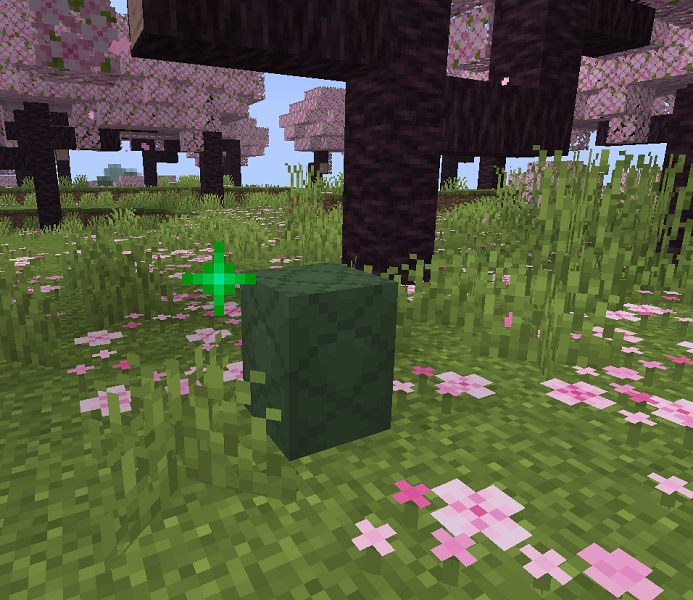 Dragon egg
 -
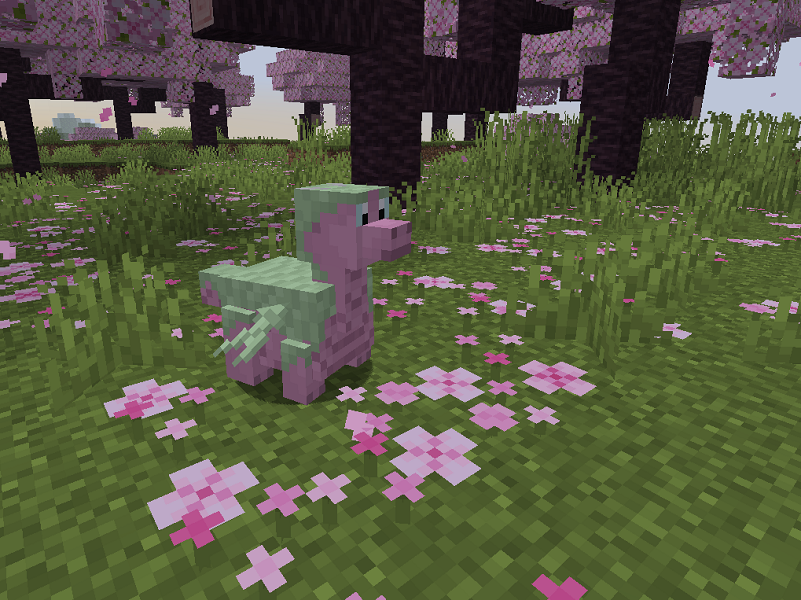 Eldwyrm hatchling
 -
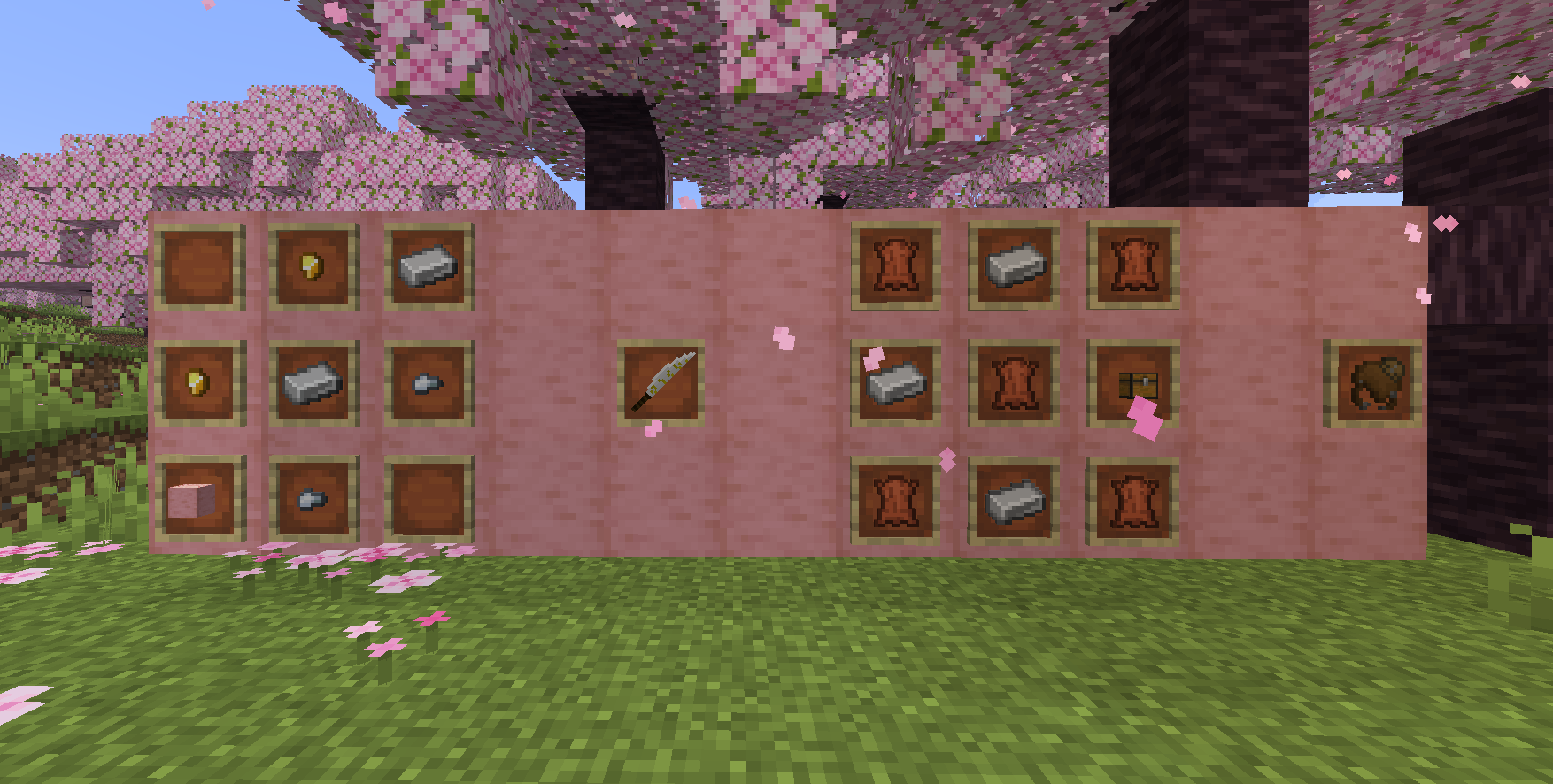 Craft recipes
 -
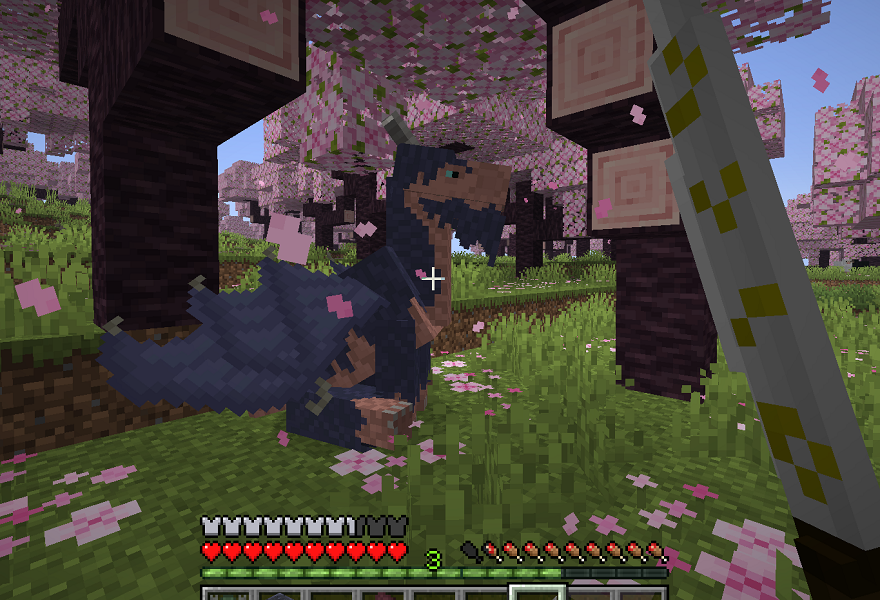 Sitting dragon
Versions
Files
Relations
Project Relations
More like this
Similar Mods
Suggestions use data such as tags, dependencies, dependents, descriptions, titles, and more to rank how much they overlap with this mod.
On ModDex
Community snapshot
By the numbers
Statistics
 (opens in a new tab)
Get it on
Available Platforms
On ModDex
Community snapshot
By the numbers
Statistics
Resources