
Community listing page, reviews here may not be monitored by the author.
Simple Indexer

No reviews yet
Simple Indexer with filter and wire system
Community voices
Reviews
No reviews yet. Be the first to review this project!
Get it on
Available Platforms
About
Project Details
For authors
Embed Badge
If you're the author of this project, you can embed a live badge anywhere that supports HTML or Markdown. It updates automatically whenever ratings change.
Use HTML for any page that supports it, or Markdown for README files and Markdown-based descriptions.
Identifiers
Platform IDs
Resources
External Links
About
Description
Simple Indexer
Five chests. One list.
Simple Indexer gives you a single searchable view of everything in your storage room. Place a terminal, run a bit of cable to your chests, and all of them read as one big inventory that you can search, pull from and push into. No power. No machines. No research tree. Just storage that finally behaves like storage.
If the big storage-tech mods feel like too much apparatus for "I want to find my iron", this is the small alternative.
Features
- One unified inventory – every container on the network appears in a single item list.
- Search as you type – filter thousands of items by name from the terminal's search box.
- Quick item handling – take a stack, half a stack, or send items straight to your inventory.
- Insert from anywhere – drop a carried stack onto the grid, or shift-click out of your own inventory.
- No energy system – nothing to generate, nothing to wire, nothing to keep fuelled.
- Works with any item container – vanilla chests and barrels, and any modded block that exposes an item handler capability.
- Cables that connect themselves – place them and they link to their neighbours, visually and logically.
- Built-in item routing – the Filter block splits an item stream into a match branch and a pass branch.
- Lightweight – simple network scanning, no heavy per-tick machine simulation.
- Multiple terminals – put as many access points on one network as you want.
How It Works
The whole mod is three blocks.
1. Terminal Panel
The main interface. Right-click it to open a searchable grid showing every item in every container connected to the network, merged into one list. Five chests full of different items read as a single inventory.
| Action | Result |
|---|---|
| Left-click an item in the grid | Take one stack |
| Right-click an item in the grid | Take half a stack |
| Shift + left-click an item in the grid | Send it straight to your inventory |
| Drop a carried stack onto the grid | Insert it into the network |
| Shift-click an item in your inventory | Insert it into the network |
| Type in the search box | Narrow the list by item name |
2. Storage Cable
The connective tissue. Cables link the Terminal Panel to chests, barrels and any other item container. They connect to their neighbours automatically and render connected, so a run of cable looks like a run of cable.
   [ Terminal Panel ]---[ Cable ]---[ Cable ]---[ Chest ]
                                        |
                                        +-------[ Barrel ]
Anything a cable can reach ends up in the terminal's list. Chests do not need to be next to each other, or next to the terminal – only connected.
3. Filter
A routing branch: one input, two outputs. Configure an item in the Filter. Items matching that item are pushed out of the match output; everything else continues out of the pass output.
                          +--------------+
        input  ---------> |    FILTER    |
                          |  (diamond)   |
                          +--+--------+--+
                     match |          | pass
                           v          v
                  [ Diamond Chest ]   [ Bulk Storage ]
That is enough to build simple automated sorting: diamonds peel off into their own chest while everything else flows on down the line. Chain a few Filters and you have a sorting system, without a single machine or a single unit of power.
Getting Started
- Place a chest or barrel where you want your storage.
- Run Storage Cable from that container.
- Place a Terminal Panel at the end of the cable run.
- Right-click the Terminal Panel – everything in the connected containers is now one searchable list.
- Want sorting? Put a Filter in a cable run, set the item to match, and send its two outputs to different chests.
Add more chests to the network at any time by running more cable to them. Add more terminals wherever it is convenient.
Requirements
- Minecraft: 1.21.1
- Mod loader: NeoForge
- Mod ID:
simpleindexer - Dependencies: none
FAQ
Does it need power?
No. There is no energy system in this mod at all – nothing to generate, store, or wire up.
Does it work with modded chests?
Yes. Anything that exposes an item handler capability works, which covers essentially every modded chest, barrel, crate and drawer.
Can I have multiple terminals?
Yes. Put as many Terminal Panels on a network as you like.
Do my chests have to be next to each other?
No. They just have to be reachable by cable.
Can I add storage later?
Yes. Run cable to a new container and it shows up in the terminal immediately.
What Simple Indexer Is Not
Being upfront so nobody installs it expecting the wrong thing. Simple Indexer has no energy system, no wireless access, and no autocrafting or crafting-on-demand. It indexes, searches, moves and filters items. That is the entire scope, and it is deliberate.
Screenshots
Gallery
-
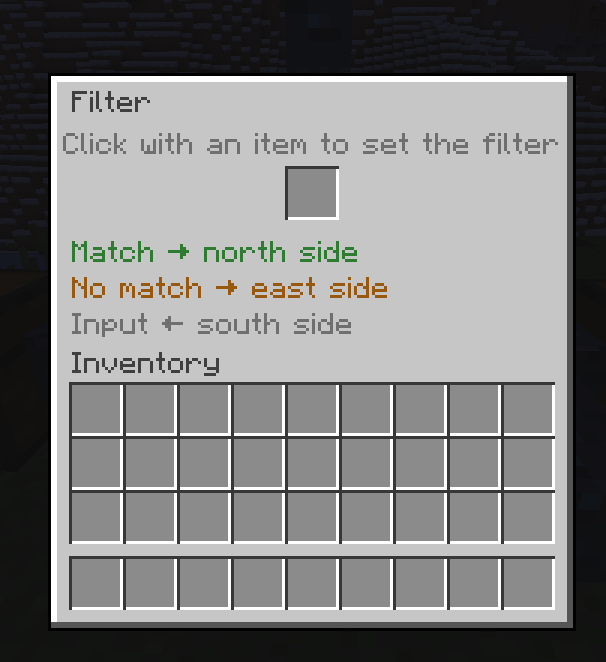 Filter HUD
 -
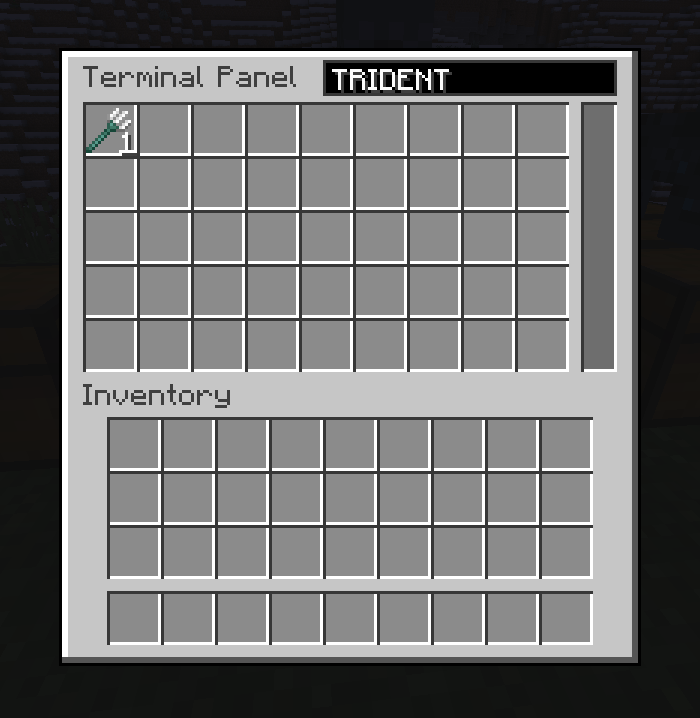 Search
 -
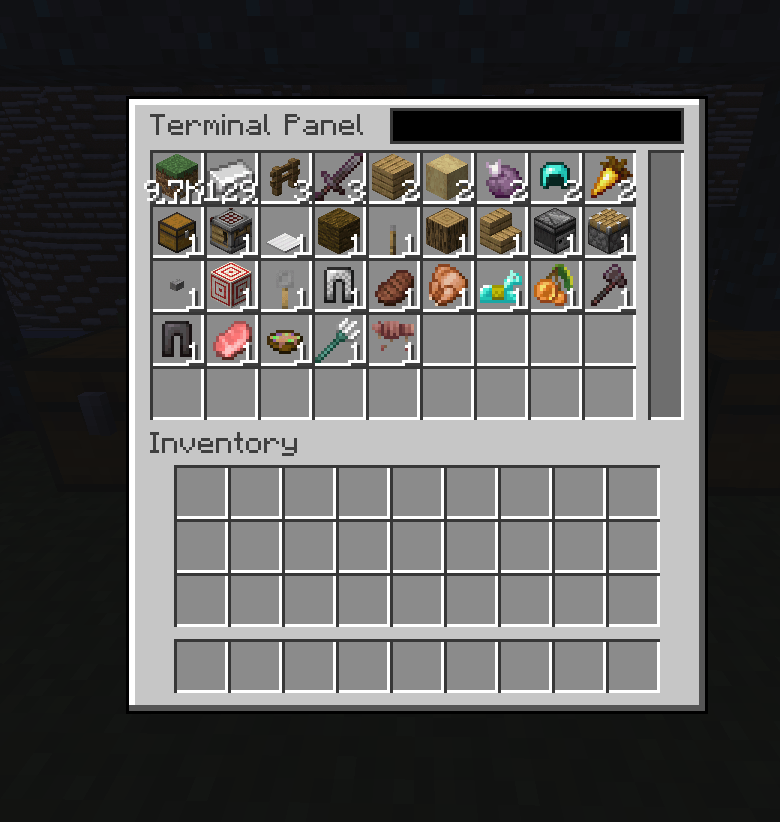 Indexer Hud
Versions
Files
Relations
Project Relations
More like this
Similar Mods
Suggestions use data such as tags, dependencies, dependents, descriptions, titles, and more to rank how much they overlap with this mod.
On ModDex
Community snapshot
By the numbers
Statistics
Want to reach Minecraft players?
We're looking for a server hosting partner to feature here and other parts of the site. Interested? Send us a message!
Get in touchGet it on
Available Platforms
On ModDex
Community snapshot
By the numbers
Statistics
Resources