Community listing page, reviews here may not be monitored by the author.
Simple Info Display

No reviews yet
A simple, yet customizable, mod that can display some useful infos on the HUD, similar to the one in Lunar Client.
Community voices
Reviews
No reviews yet. Be the first to review this project!
Get it on
Available Platforms
Compatibility
Supported Environments
Runs entirely on the client. Works on vanilla servers.
About
Project Details
For authors
Embed Badge
If you're the author of this project, you can embed a live badge anywhere that supports HTML or Markdown. It updates automatically whenever ratings change.
Use HTML for any page that supports it, or Markdown for README files and Markdown-based descriptions.
Identifiers
Platform IDs
About
Description
Minecraft Info Display
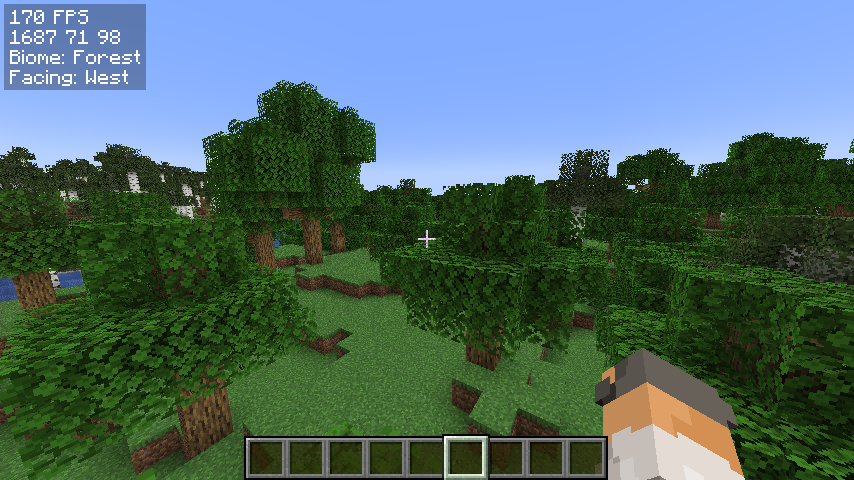
A simple, yet customizable, mod that can display some useful infos on the hud, similar to the one in Lunar Client.
I am very new to fabric modding, so if you have suggestions or find any bugs, DM me on Discord: @jamicah or open an issue on GitHub.
Features
Info Display:
- FPS
- Coordinates
- Biome
- Facing Direction
- Real Time
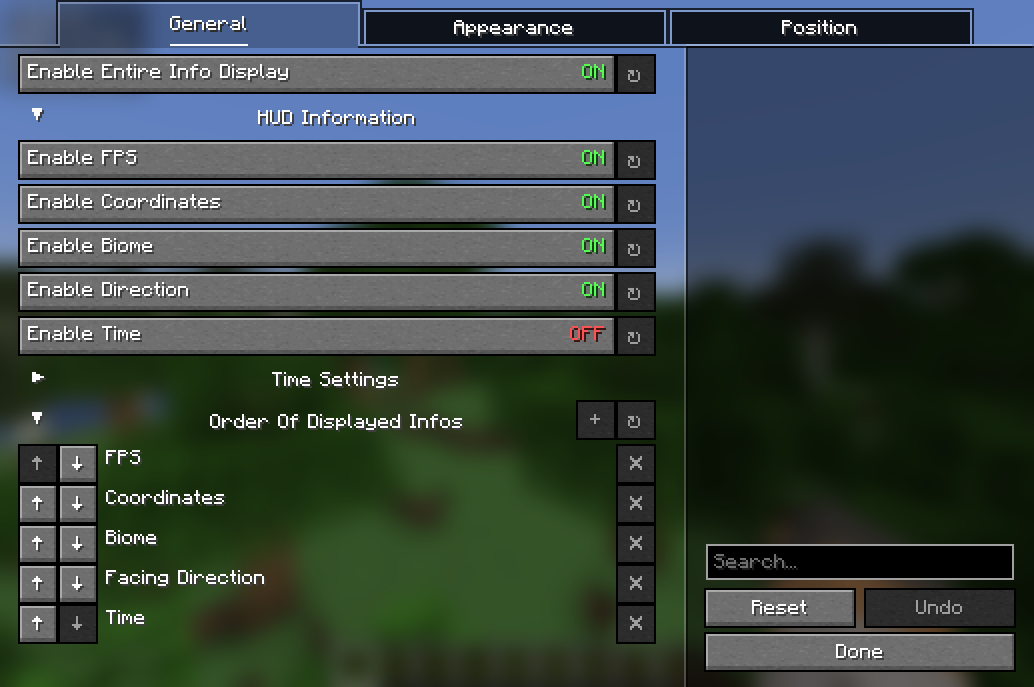
Toggle all of them on/off using a keybind or in the config menu.
Customization:
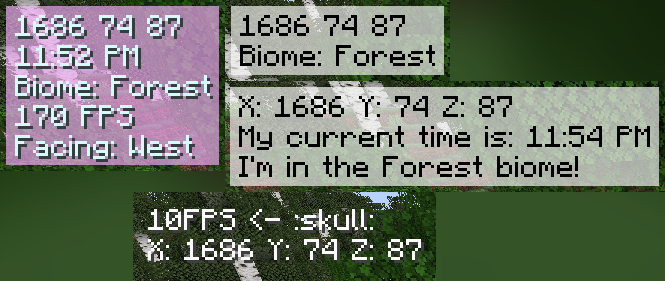
- Change the display order
- Change the (absolute) position of the HUD
- Change the color of the text
- Change the background color
- Customize the HUD text
- and more!
TODO:
- more customization options
- more info to display
- relative HUD position
Requirements
- Fabric API
- YetAnotherConfigLib
- Mod Menu (optional)
How to install
- Download the latest release on modrinth or from the releases page
- Put the downloaded jar file into your mods folder
- Launch the game
How to use
Open the configuration menu by either:
- running the command
/infodisplay - opening it using Mod Menu
- setting a keybind for it in the controls menu
Contribute
Feel free to open an issue or a pull request on GitHub!
How to add localization for a new language:
- Create a new file in
src/main/resources/assets/coords_mod/lang/ - Name it
xx_XX.json, wherexx_XXis the language code (e.g.en_usfor English (US),de_defor German (DE)) - Copy the contents of
en_us.jsoninto the new file - Translate the values on the right side of the colons into the new language
- Create a pull request
Screenshots
Gallery
-
Info Display HUD
-
examples
-
config menu
Versions
Files
Relations
Project Relations
More like this
Similar Mods
Suggestions use data such as tags, dependencies, dependents, descriptions, titles, and more to rank how much they overlap with this mod.
On ModDex
Community snapshot
By the numbers
Statistics

Want to reach Minecraft players?
We're looking for a server hosting partner to feature here and other parts of the site. Interested? Send us a message!
Get in touchGet it on
Available Platforms
On ModDex
Community snapshot
By the numbers