
Simple Voice Chat Soundboard
No reviews yet
Client-side soundboard for Simple Voice Chat to play custom sounds with keybinds.
Does not follow a specific thematic focus apart from vanilla Minecraft.
Used for mods with little to no gameplay elements.
Includes a large focus on traversing worlds with enhanced world generation, structures, dungeons, and more for players to find unique loot.
Adds new music or changing the game's music and sound effects.
Adds client-side tools and features to enhance the user experience.
Adds extra features or content to an existing mod.
Fabric is a mod loader for versions 1.14+ of Minecraft, particularly popular for client side and optimization mods.
Community voices
Reviews
Click once to include, again to exclude, again to clear
No reviews yet. Be the first to review this project!
Get it on
Available Platforms
 Modrinth
Compatibility
Supported Environments
About
Project Details
For authors
Embed Badge
If you're the author of this project, you can embed a live badge anywhere that supports HTML or Markdown. It updates automatically whenever ratings change.
Use HTML for any page that supports it, or Markdown for README files and Markdown-based descriptions.
Identifiers
Platform IDs
About
Description
Simple Voice Chat Soundboard
A client-side soundboard mod for Simple Voice Chat. Play your own sounds through voice chat so everyone using Simple Voice Chat can hear them.
This is not an official Simple Voice Chat addon. Please do not ask for support in the Simple Voice Chat Discord server. Instead, use the GitHub issue tracker; I will try to help as soon as possible.
Features
- Play any
.mp3file through Simple Voice Chat - Start and stop sounds with keybinds
- Start and stop sounds directly from a customizable sound wheel
- Multi-key keybinds (like
Ctrl + Shift + 1) - Bind an unlimited number of sounds
- See active playing sounds in an optional HUD element
- Configure each sound individually:
- Loop on or off
- Amplifier (the volume sent to other players)
- Play sounds while your microphone is muted
- Adjust your local playback volume without changing how loud other players hear the sounds
- Search, sort, and filter large sound collections
- English and German interface
Dependencies
Quick Start
- Launch the game once so the
soundsfolder is created in your Minecraft instance. - Put your
.mp3files into that folder. - Open the Soundboard Config screen with
Oby default. - Assign keybinds to your sounds and, optionally, to the sound wheel.
- Use the keybinds in singleplayer or multiplayer to start a sound; use the same keybind again to stop it.
GUI and Usage Guide
Currently Playing Sounds
All currently playing sounds are shown in a small HUD at the bottom-right of the screen. Looping sounds are marked accordingly. You can disable this indicator in the settings.

Sound Wheel
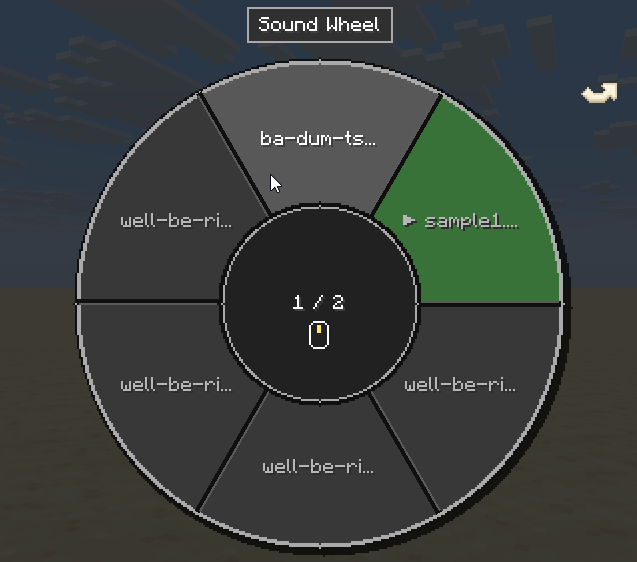
Assign a keybind to Open Sound Wheel in the General tab. By default, the wheel stays open while you hold the keybind. You can instead enable toggle mode and optionally close the wheel after playing a sound.
The wheel shows six alphabetically sorted sounds per page. Change pages with the mouse wheel, the left and right arrow keys, or the clickable page arrows. Hover over a sound and left-click it to start or stop it. Indicators show which sounds are currently playing or set to loop, and you can keep walking, jumping, sneaking, and sprinting while the wheel is open.
Local Soundboard Volume
Change how loud the soundboard is for you with the Soundboard category in Simple Voice Chat's Adjust Volumes menu. This only affects local playback and does not change the amplifier or how loud other players hear the sounds.

Settings
Open the custom Minecraft-style config screen with O by default. You can change this key in Minecraft's Controls menu. Use Apply to save without closing the screen, or Done to save and close it.
General
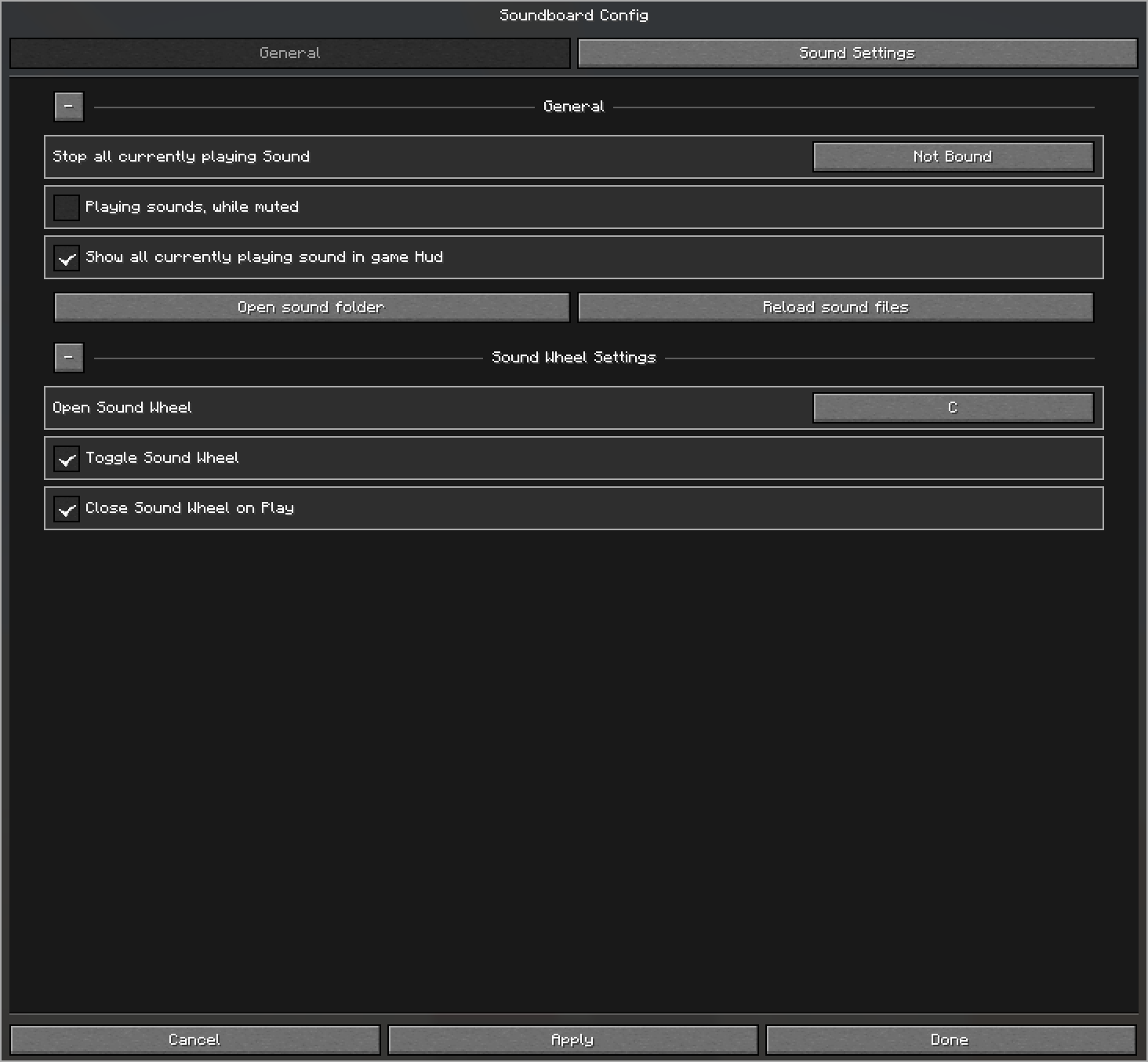
The General tab contains the global options and keybinds. Its persistent, collapsible sections let you:
- Bind Stop all currently playing sounds
- Allow sounds to play while your microphone is muted
- Show or hide the currently playing sounds HUD
- Open the sound folder or reload its files
- Bind the sound wheel and configure its toggle and close-on-play behavior
Sound Settings
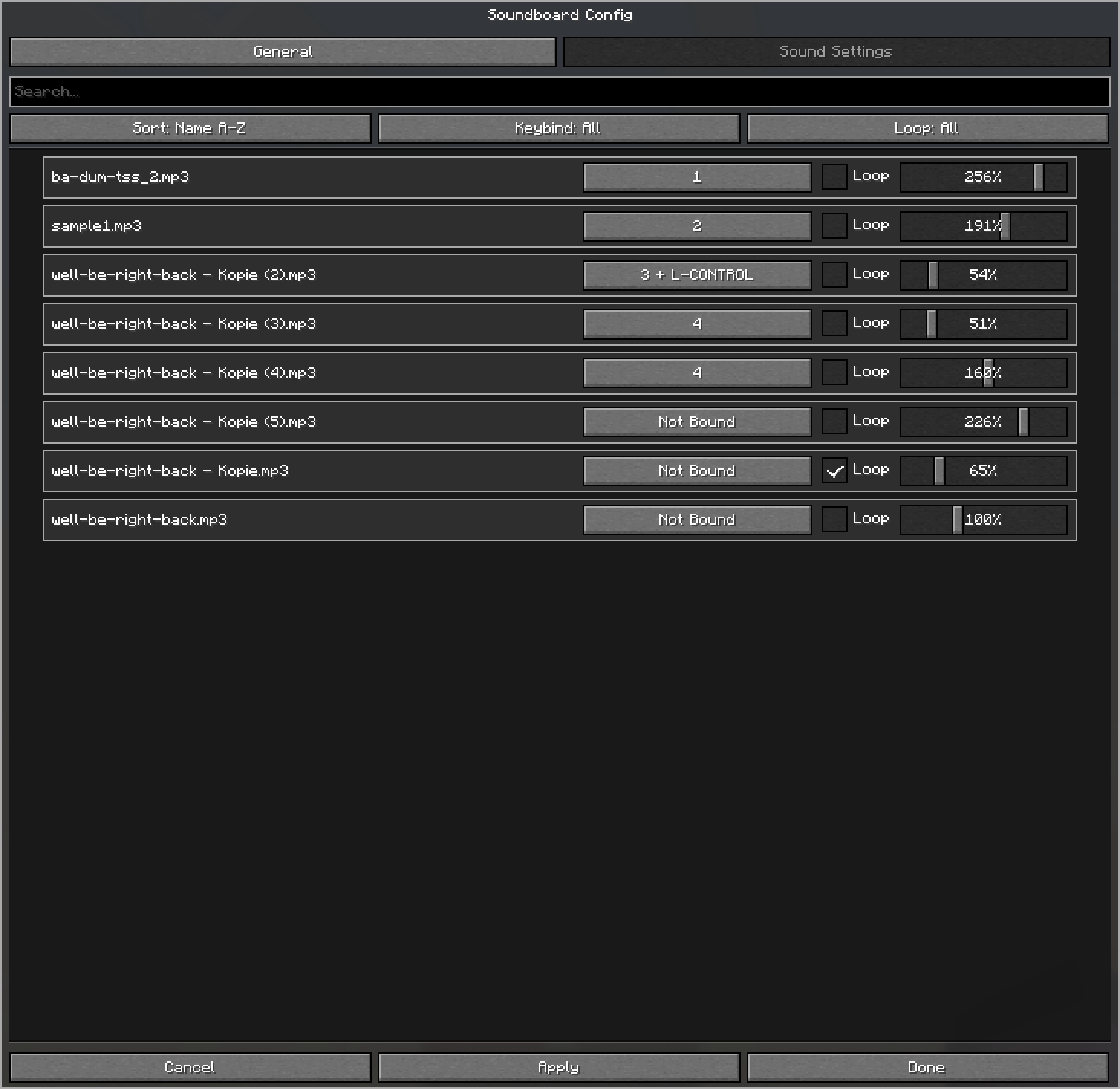
The Sound Settings tab lists all .mp3 files detected in your sounds folder. Search by name, sort from A-Z or Z-A, and filter sounds by whether they have a keybind or use looping.
Each sound can be customized individually:
- Keybind (multiple keys supported)
- Loop on or off
- Amplifier (the volume sent to other players)
Screenshots
Gallery
-
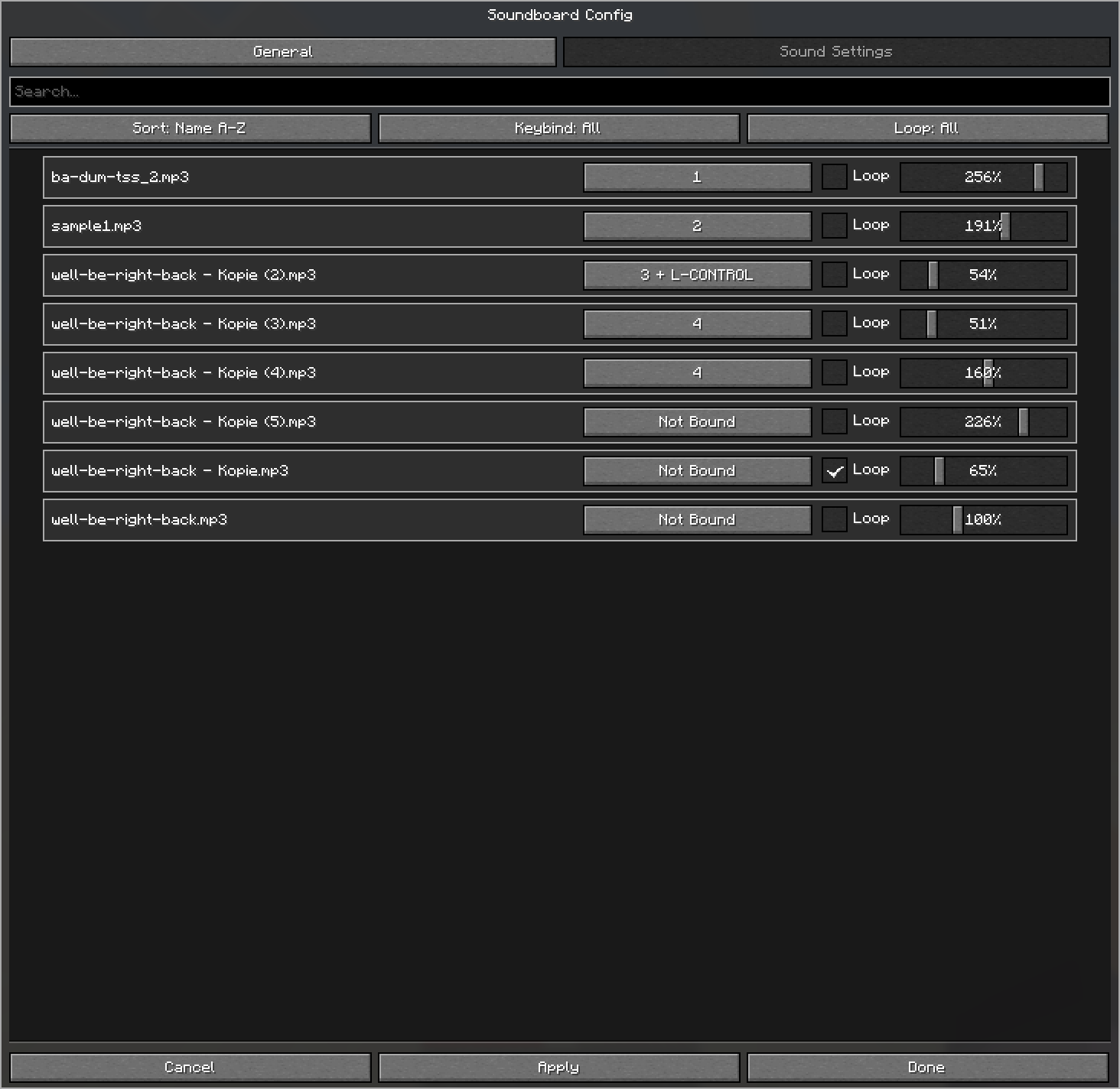 Sound settings Lists all sounds found in the sounds folder. Each sound can be configured individually.
 -
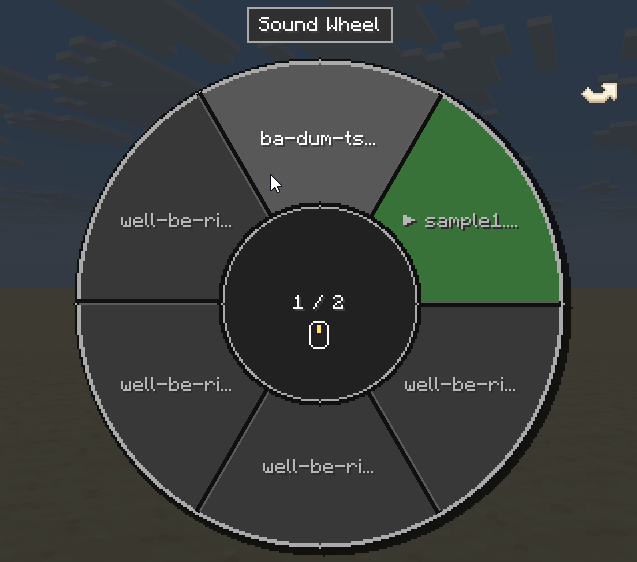 Sound Wheel Start playing sounds with the Sound Wheel.
 -
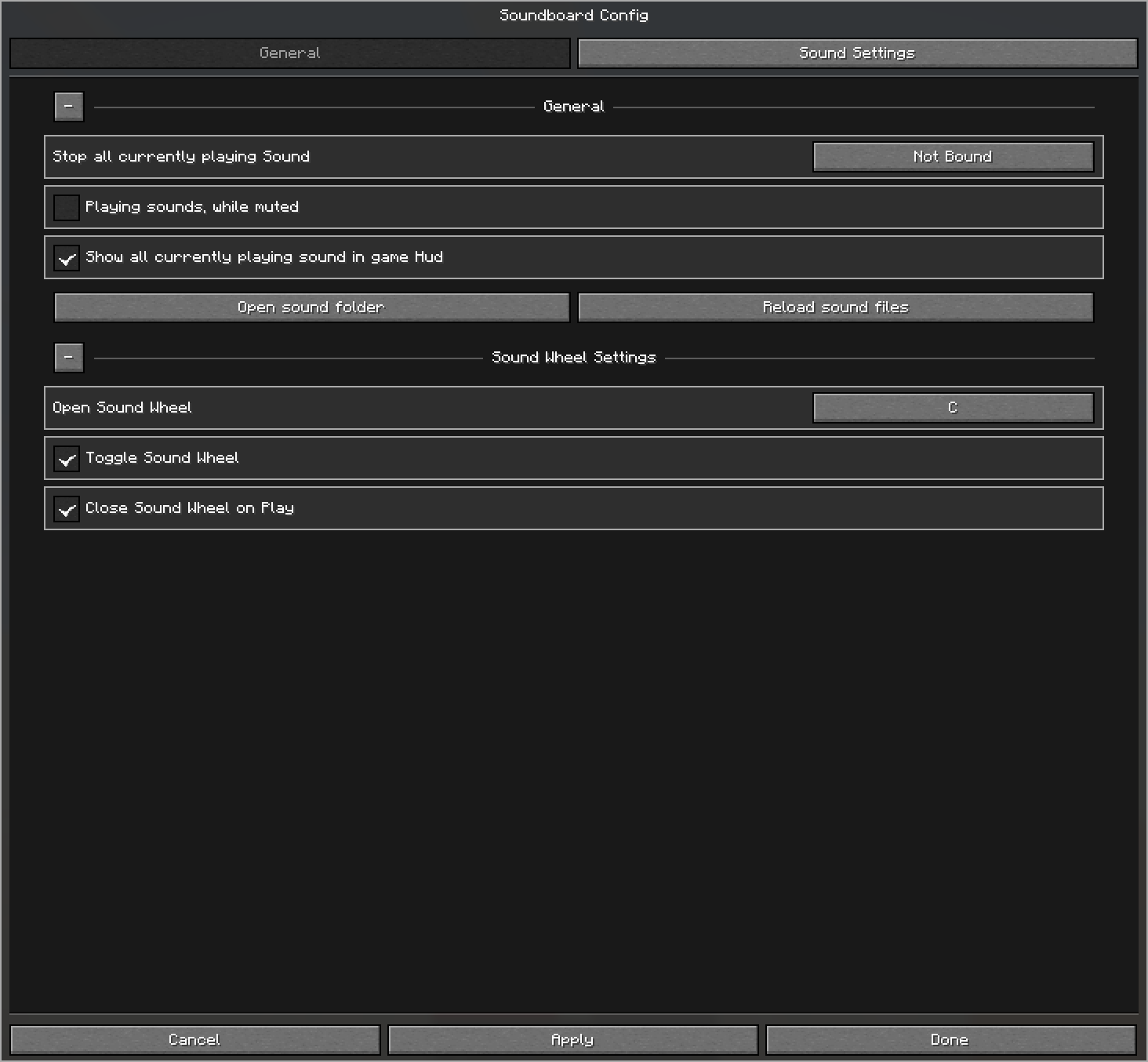 General Settings Change general keybind and settings
 -
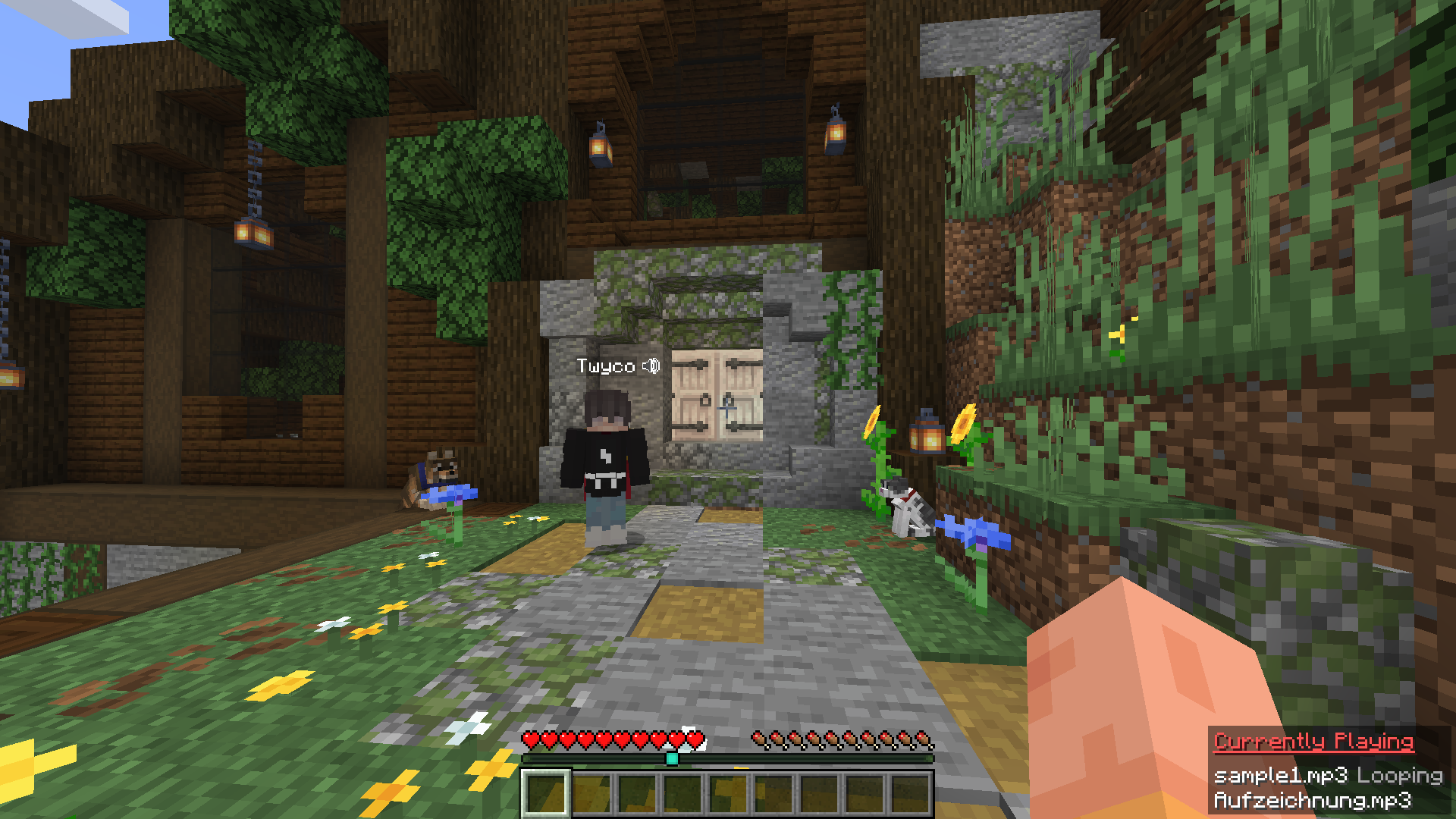 Currently playing sound GUI In the bottom-right corner, a small HUD shows all currently playing sounds and whether they are looping.
Versions
Files
Relations
Project Relations
More like this
Similar Mods
Suggestions use data such as tags, dependencies, dependents, descriptions, titles, and more to rank how much they overlap with this mod.
On ModDex
Community snapshot
By the numbers
Statistics

Want to reach Minecraft players?
We're looking for a server hosting partner to feature here and other parts of the site. Interested? Send us a message!
Get in touchGet it on
Available Platforms
On ModDex
Community snapshot
By the numbers