
SimpleFPS
No reviews yet
A lightweight, customizable FPS counter mod with other features, for Minecraft (Fabric 1.21.11, 1.21.10, and 1.21.9).
Fabric is a mod loader for versions 1.14+ of Minecraft, particularly popular for client side and optimization mods.
Community voices
Reviews
Click once to include, again to exclude, again to clear
No reviews yet. Be the first to review this project!
Get it on
Available Platforms
 Modrinth
Compatibility
Supported Environments
About
Project Details
For authors
Embed Badge
If you're the author of this project, you can embed a live badge anywhere that supports HTML or Markdown. It updates automatically whenever ratings change.
Use HTML for any page that supports it, or Markdown for README files and Markdown-based descriptions.
Identifiers
Platform IDs
About
Description
SimpleFPS




A lightweight, customizable FPS counter mod for Minecraft (Fabric).
Author: Partacus-SPQR
Source: GitHub
Download: Modrinth
Features
- FPS Counter - Real-time FPS display with customizable appearance
- Coordinates Display - Show X/Y/Z position on screen
- Biome Display - Show current biome name
- Time Clock - Show Minecraft day and time (12/24-hour format)
- FPS Graph - Visual FPS history with Min/Max/Avg statistics
- Draggable UI - Position all HUD elements anywhere on screen
- Color Picker - Built-in visual color picker for easy customization
- Adaptive Colors - Optional color-coding based on FPS thresholds
- Live Preview - See changes in real-time while configuring
- Built-in Config Screen - Scrollable fallback config with draggable scrollbar
Installation
- Install Fabric Loader for your Minecraft version (1.21.9–26.2)
- Install Fabric API (required)
- Download SimpleFPS and place in your
modsfolder
Recommended (Optional)
- Cloth Config - Enhanced config screen with live preview
- Mod Menu - Access config from the mod list
Without these, set a keybind in Options > Controls > SimpleFPS to open the built-in config screen.
Configuration
Access settings via:
- Mod Menu (if installed) - Click the config button
- Keybind - Set "Open Config" in Options > Controls > SimpleFPS
- Config file - Edit
.minecraft/config/simplefps.jsondirectly
Keybindings
All keybinds are unbound by default. Set them in Options > Controls > SimpleFPS:
| Action | Description |
|---|---|
| Toggle FPS | Show/hide FPS counter |
| Open Config | Open settings screen |
| Drag FPS Counter | Reposition the counter |
| Drag FPS Graph | Reposition the graph |
| Reload Config | Reload settings from file |
Requirements
| Dependency | Version | Required |
|---|---|---|
| Minecraft | 1.21.9 - 26.2 | Yes |
| Fabric Loader | ≥0.16.0 | Yes |
| Fabric API | Any | Yes |
| Cloth Config | Any (1.21.x only) | Optional |
| Mod Menu | Any | Optional |
Version Compatibility
| Minecraft | Mod Version | Fabric Loader |
|---|---|---|
| 26.2 | 1.5.0 | ≥0.16.0 |
| 26.1 | 1.5.0 | ≥0.16.0 |
| 1.21.11 | 1.5.0 | ≥0.16.0 |
| 1.21.10 | 1.5.0 | ≥0.16.0 |
| 1.21.9 | 1.5.0 | ≥0.16.0 |
License
Author
Partacus-SPQR
Screenshots
Gallery
-
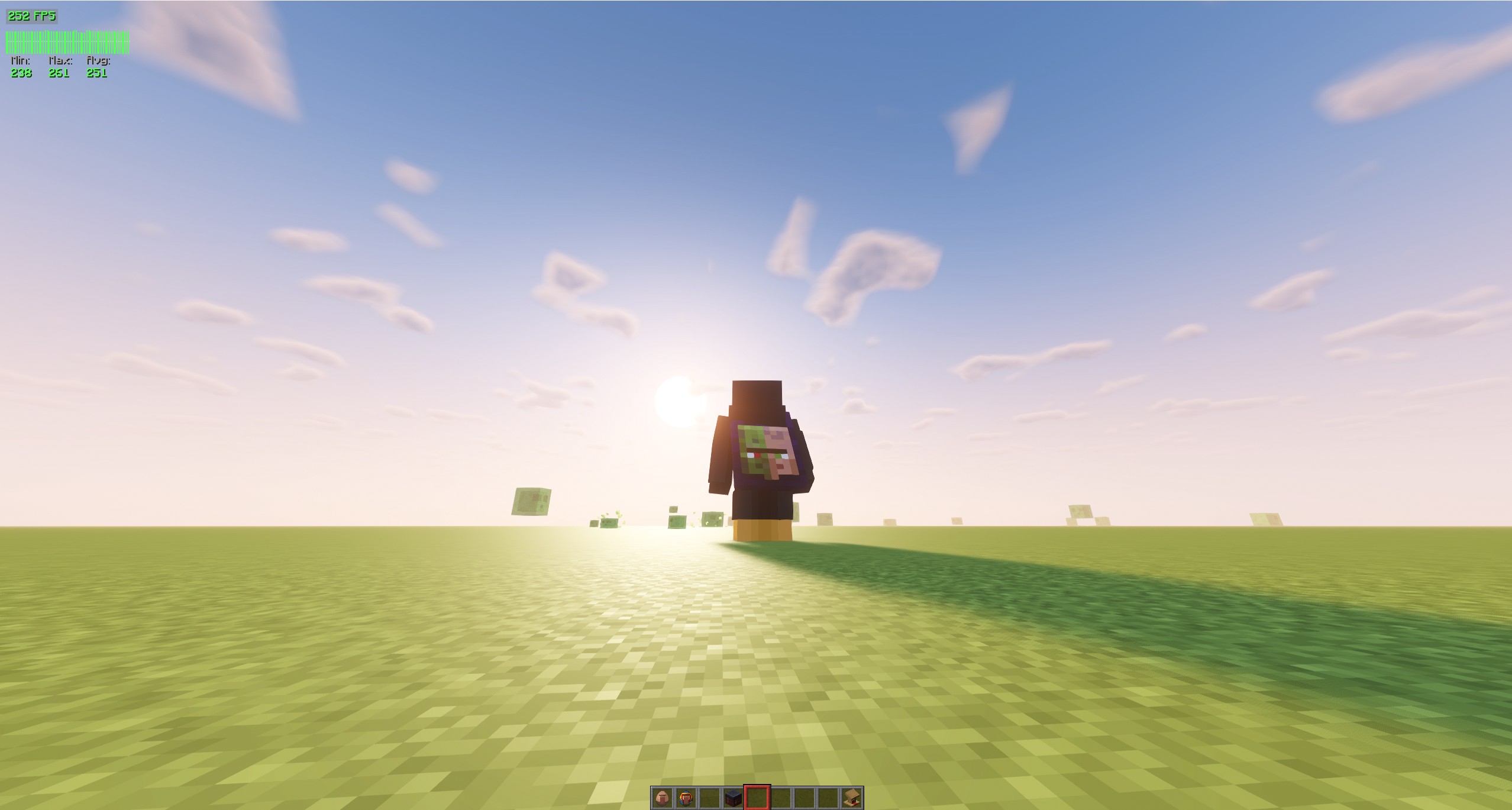 SimpleFPS Shows the two possible overlays for the mod. These can be resized etc.
 -
 SimpleFPS Config Shows the config screen, there are other options of course as seen in the image, download and find out :) haha or just read the description.
 -
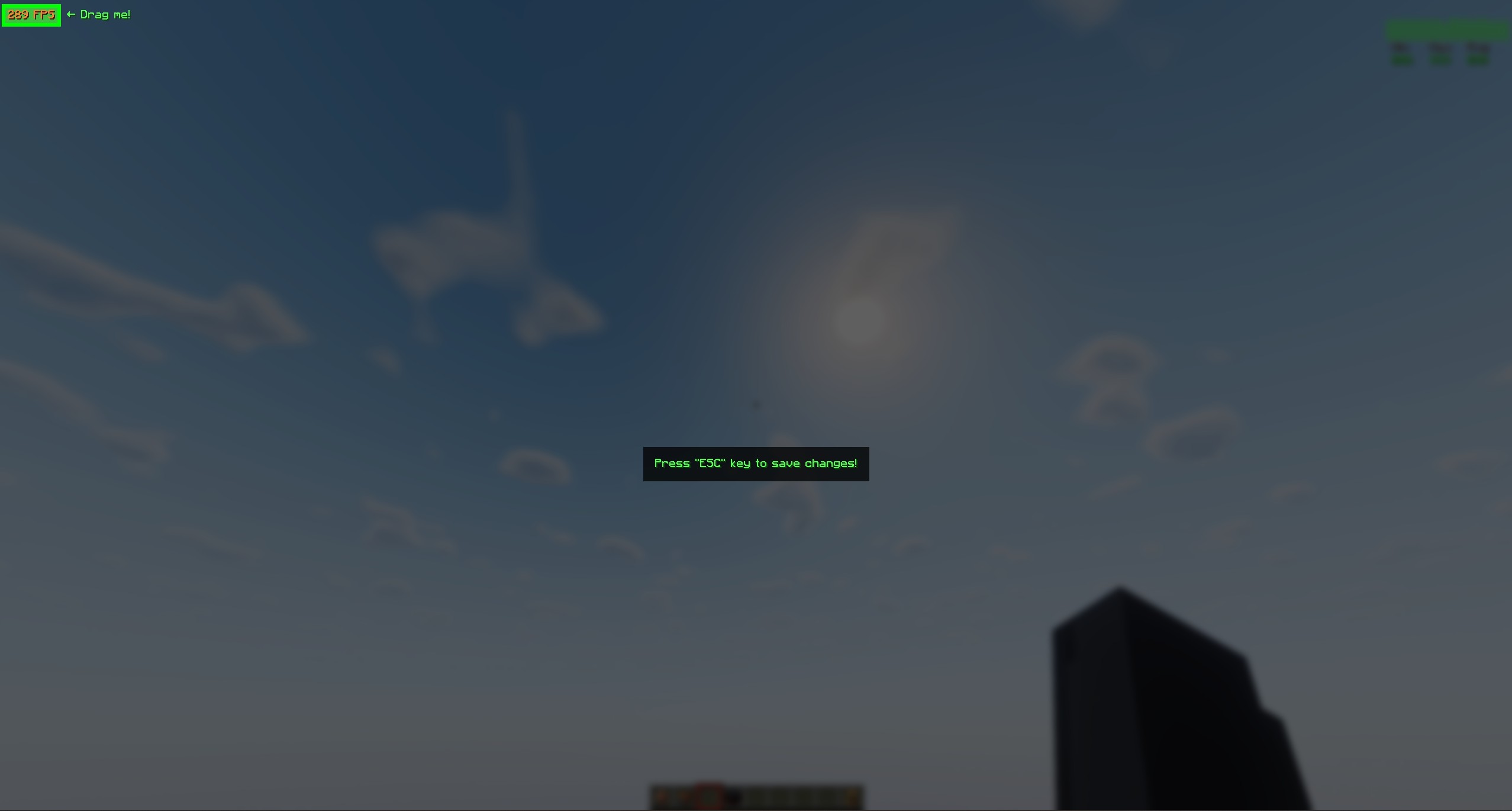 SimpleFPS Drag Screen Simple, you click and drag. This can be done for both overlays, must set a key bind for this unless you want to input manual values :D you can unbind key bind after its set. Each overlay has its own bind.
Versions
Files
Relations
Project Relations
More like this
Similar Mods
Suggestions use data such as tags, dependencies, dependents, descriptions, titles, and more to rank how much they overlap with this mod.
On ModDex
Community snapshot
By the numbers
Statistics

Want to reach Minecraft players?
We're looking for a server hosting partner to feature here and other parts of the site. Interested? Send us a message!
Get in touchGet it on
Available Platforms
On ModDex
Community snapshot
By the numbers