
Community listing page, reviews here may not be monitored by the author.

Community voices
Reviews
No reviews yet. Be the first to review this project!
Get it on
Available Platforms
About
Project Details
For authors
Embed Badge
If you're the author of this project, you can embed a live badge anywhere that supports HTML or Markdown. It updates automatically whenever ratings change.
Use HTML for any page that supports it, or Markdown for README files and Markdown-based descriptions.
Identifiers
Platform IDs
Resources
External Links
About
Description
Simple Path Finder
A NeoForge mod for Minecraft 26.1.2 that provides pathfinding navigation.
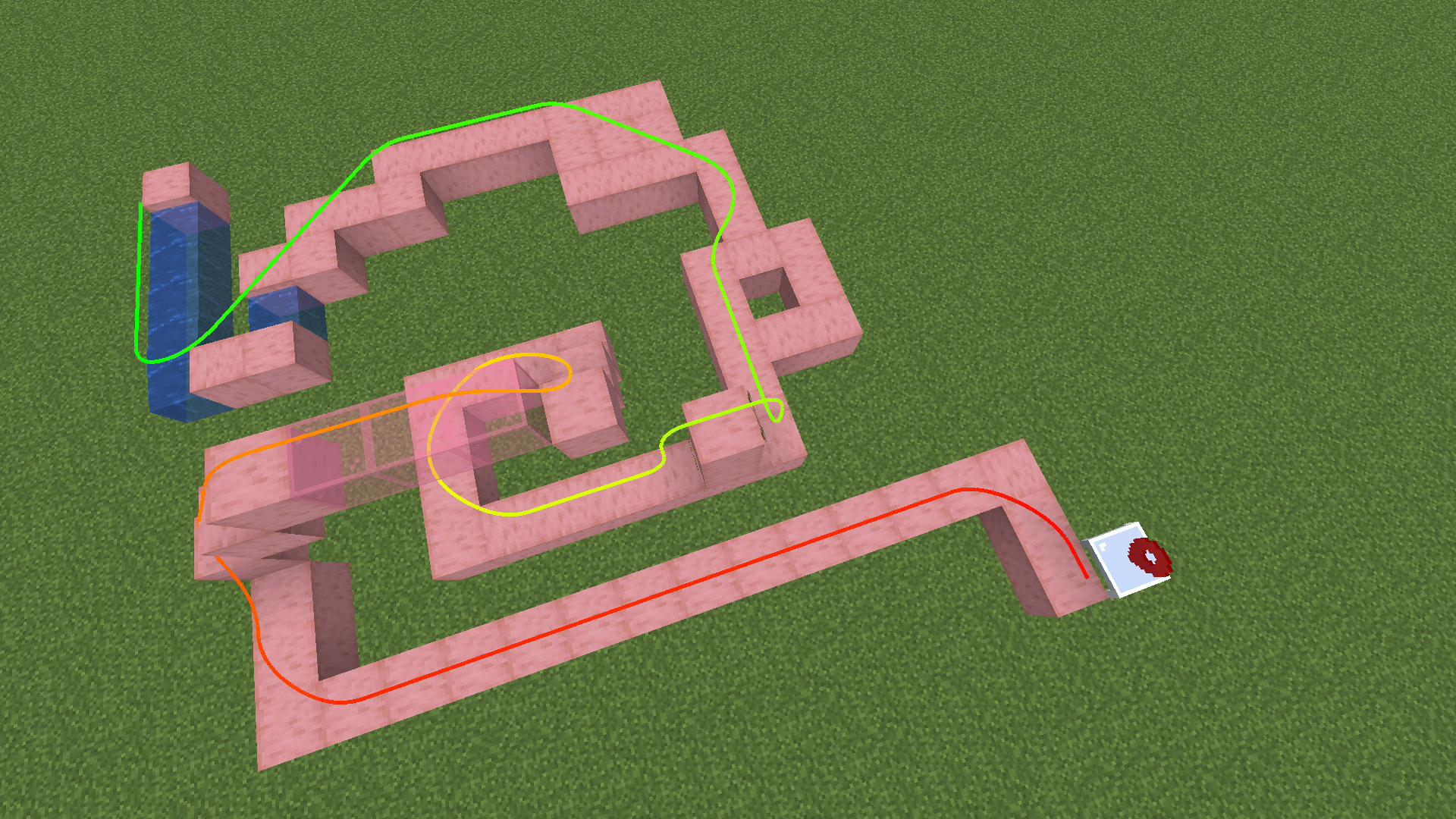
This mod processes the game's map data into game-independent offline navigation data. You can then use commands, items, and blocks to run pathfinding calculations on this navigation data and display the path.
Items
Navigation Barrier
A block that behaves like the vanilla structure void: it can be replaced by any block and does not obstruct players. When editing navigation data, its position is treated as a full, solid block. It appears as a blue navigation marker.
Navigation
The main item used to view and edit navigation data.
- While holding the Navigation item, nearby navigation data is loaded and visualized.
- The current navigation layer is displayed on blocks, with colors that follow the layer as it changes.
- Text shown between blocks indicates the weight of that edge.
- If a gap between blocks shows a red marker, that connection is impassable.
Default Mode
Primarily used to auto-generate navigation:
- Starting from a base height, the generator scans upward and downward.
- Passable spots must have at least two full blocks of clearance (i.e. a player can walk through).
- Layers are assigned based on each spot's position relative to the base height: the base height is layer
0, spots above it are numbered1, 2, 3, ...upward, and spots below are numbered-1, -2, ...downward.
Right-clicking anywhere in a chunk in this mode clears all navigation layers in that chunk, then builds navigation layers, walkability, and edge weights using the clicked block as the origin.
Other modes (switch with Shift + Scroll): Add Nav, Add Link, Remove Nav. Shift+right-click opens the settings screen.
Locator
An item that can be right-clicked on any position in the world. When used, it starts pathfinding to that position.
- Shift + right-click writes your own player data into the locator. Hand it to another player and they can navigate to your position.
Path Finder Block
Right-click the block to pathfind to its bound position.
- Right-click while holding a Locator with data: imports (writes) that data into the block.
- Right-click while holding an empty Locator: exports the block's data into the locator.
Pathfinding
Pathfinding uses the Dijkstra algorithm by default — paths are the shortest path according to edge weights.
With the default configuration, the weights are:
| Block type | Weight |
|---|---|
| Normal blocks | 10 |
| Water | 127 |
| Lava | 12737 |
If the two blocks on an edge have different weights, the larger value is used.
Weights are configurable in-game via the Block Distance Configuration screen (block IDs or tags with custom distances).
Server vs. Client Pathfinding Mode
- Server mode: the client sends a pathfinding request to the server, the server computes the path and sends the result back. Costs server CPU; requests are rate-limited.
- Client mode: the server syncs the full navigation data to the client, and all pathfinding runs locally on the client. Costs client CPU and server bandwidth.
Server mode is the default. Set serverSidePathfinding to false in the config to enable client pathfinding.
Commands
/nav <target>— start client-side pathfinding to the target position./navserver <target>— send a pathfinding request to the server for the target position (works regardless of the configured pathfinding mode)./nav clear— clear the currently displayed path (also stops pathfinding).
Screenshots
Gallery
-
 2026-09-08_20.12.00.png 2026-09-08_20.12.00.png
Versions
Files
Relations
Project Relations
More like this
Similar Mods
Suggestions use data such as tags, dependencies, dependents, descriptions, titles, and more to rank how much they overlap with this mod.
On ModDex
Community snapshot
By the numbers
Statistics
Want to reach Minecraft players?
We're looking for a server hosting partner to feature here and other parts of the site. Interested? Send us a message!
Get in touchGet it on
Available Platforms
On ModDex
Community snapshot
By the numbers
Statistics
Resources