Community listing page, reviews may not be monitored by the author.
[SIOST]Spell Icons Overlay Scroll Textures

No reviews yet
Identify spell scrolls with spell icons, rarity-colored borders, and level indicators. Toggle overlays with a key instead of permanently replacing textures. Fully configurable, client-side only, and compatible with FTB Quests.

Community voices
Reviews
No reviews yet. Be the first to review this project!
Get it on
Available Platforms
About
Project Details
For authors
Embed Badge
If you're the author of this project, you can embed a live badge anywhere that supports HTML or Markdown. It updates automatically whenever ratings change.
Use HTML for any page that supports it, or Markdown for README files and Markdown-based descriptions.
Identifiers
Platform IDs
Resources
External Links
About
Description
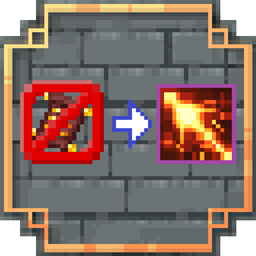
As the name suggests, this mod overlays each spell scroll’s original texture with its corresponding spell icon, making otherwise similar-looking scrolls easy to tell apart. Identify their spells at a glance without checking every name—no more rummaging through chests or storage systems!
This overlay can be freely toggled with a key, rather than permanently replacing textures when the mod is installed.
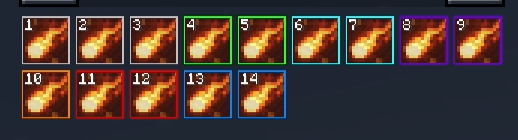
The mod also adds a thin border indicating the spell’s rarity, using gray, green, cyan, purple, and orange by default. With the extended rarities from Forbidden Tiers, Mythic and Ancient receive red and rainbow borders, respectively. The rainbow effect can be disabled in favor of a configurable solid color, which defaults to yellow. RGB colors for every rarity can be freely customized in the configuration file, along with border width and opacity.
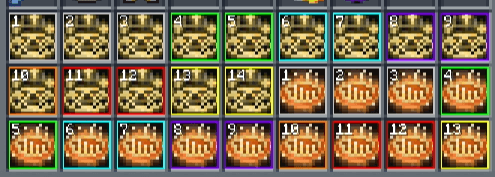
The spell level stored on the scroll appears in the icon’s upper-left corner using Minecraft’s original pixel-style digits. This value excludes bonuses from affinity rings or other equipment. The level indicator can be disabled independently, and its size is adjustable.
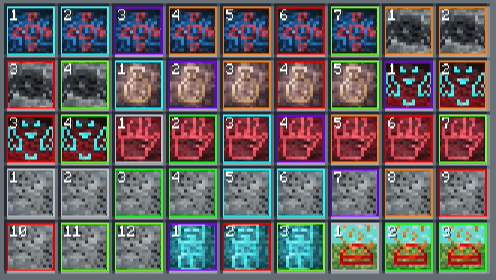
Choose Alt or Shift as your modifier key, switch between “press to toggle” and “hold to display,” and decide whether scroll textures or spell icons appear by default. Icon opacity, borders, level indicators, and tooltip hints can all be adjusted through a single configuration file with Chinese and English comments.
The mod also supports scroll item icons in the FTB Quests interface, making scrolls in tasks and rewards easier to identify.
Note: This is a client-side-only mod. Install it on the client; no server installation is required.
顾名思义,本模组会在卷轴原有材质上叠加对应的法术图标,让外貌相似的卷轴变得一目了然,无需逐个查看名称,就能快速辨认其中的法术。(再也不用在箱子或者存储里面翻箱倒柜了)
模组还会为图标添加代表法术稀有度的细边框,默认依次为灰、绿、青、紫、橙。搭配 Forbidden Tiers 的扩展稀有度时,Mythic 与 Ancient 分别使用红色和炫彩边框;炫彩可以关闭,改为默认黄色的固定边框。所有稀有度的 RGB 颜色均可在配置文件中自由修改,边框的宽度和不透明度也支持调整。
图标左上角会以原版 Minecraft 像素数字显示卷轴保存的法术等级,不计入亲和之戒或其他装备加成。等级指示器可单独关闭,也可以调整显示大小。
你可以选择使用 Alt 或 Shift,在“按一下切换”和“长按显示”之间自由选择,并设置默认显示卷轴还是法术图标。图标不透明度、边框、等级数字和操作提示均可通过带有中英双语注释的统一配置文件调整。
模组同时适配了 FTB Quests 任务界面中的卷轴物品图标,让任务与奖励中的卷轴也能清晰辨认。
注:本模组为作为纯客户端模组,只需安装在客户端,服务器无需安装。
Screenshots
Gallery
Versions
Files
Relations
Project Relations
More like this
Similar Mods
Suggestions use data such as tags, dependencies, dependents, descriptions, titles, and more to rank how much they overlap with this mod.
On ModDex
Community snapshot
By the numbers
Statistics

Get it on
Available Platforms
On ModDex
Community snapshot
By the numbers
Statistics
Resources