
Community listing page, reviews may not be monitored by the author.
six seven emote

No reviews yet
67 Emote is a smooth, client-side Fabric mod for Minecraft. Groove to the beat with alternating hand pumps, fluid body sway, synchronized custom audio, and a clean glowing HUD. Press B or type /67 to dance anywhere!

Community voices
Reviews
No reviews yet. Be the first to review this project!
Get it on
Available Platforms
About
Project Details
For authors
Embed Badge
If you're the author of this project, you can embed a live badge anywhere that supports HTML or Markdown. It updates automatically whenever ratings change.
Use HTML for any page that supports it, or Markdown for README files and Markdown-based descriptions.
Identifiers
Platform IDs
Resources
External Links
About
Description
🕺 67 Emote
The ultimate 67 groove client-side mod for Minecraft!

 [
[ ]
]

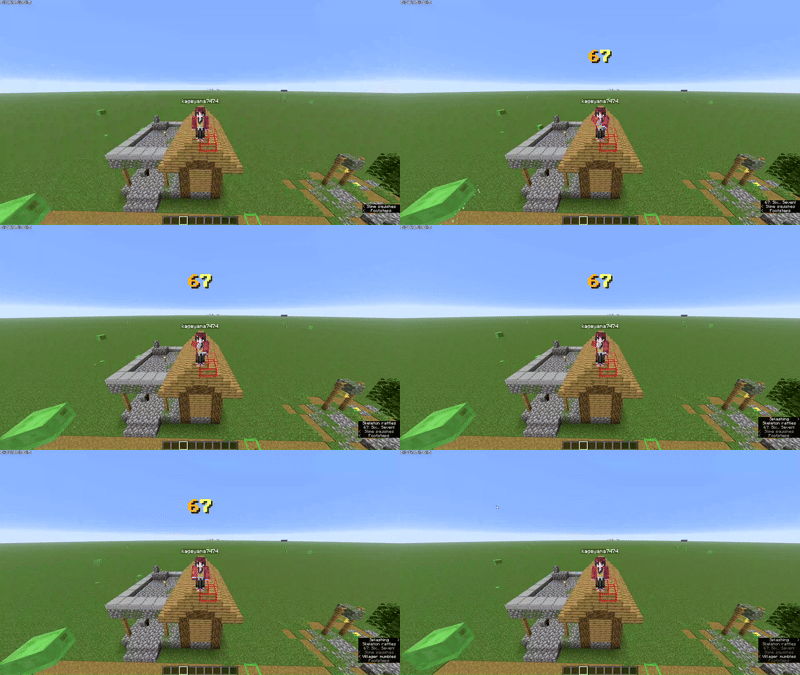
Groove to the beat with alternating hand movements, synchronized custom audio, and smooth dynamic camera transitions.
✨ Features
- 🕺 Fluid Handcrafted Choreography:
- Signature alternating chest pump: Left arm moves upward while right arm pumps downward, then smoothly switches—repeating for 4 full cycles (8 snappy beats).
- Full-Body Natural Motion: Features subtle torso sway, dynamic hip roll, head bobs/tilts, and rhythmic knee flex.
- Cubic Polynomial Easing: Smoothstep in/out transitions so your character glides in and out of the dance with zero stiff snapping.
- 🔊 Synchronized Custom Sound:
- High-energy vocal track saying "Six… Seven!" with an 808 beat drop, perfectly synchronized to the 2.1-second groove.
- ✨ Clean Native Minecraft HUD:
- Floating golden
67text overlay that scales up on the beat with standard Minecraft typography and drop shadows (no intrusive black boxes). - Synchronized subtitle cues:
SIX!➔SEVEN!➔♪ 67 ♪.
- Floating golden
- 🎥 Smart Camera Switching:
- Automatically transitions to Third-Person Front View when you start the emote so you can see your avatar dancing.
- Restores your previous camera perspective automatically when the dance finishes or is interrupted.
- 🛡️ 100% Client-Side Safe:
- Works on singleplayer worlds, LAN, Realms, and any multiplayer server without requiring the mod on the server side!
🎮 How to Use & Controls
| Action | Control |
|---|---|
| Play / Stop Emote | Press B (Default Key) |
| Chat Command | Type /67 or /emote 67 |
| Instant Cancel | Press Space (Jump) or Shift (Crouch) |
Customizing the Keybind:
- In Minecraft, press
Esc➔ Options… ➔ Controls… ➔ Key Binds… - Scroll down to the dedicated 67 Emote category.
- Click on Play 67 Emote to bind it to any key of your choice!
📥 Installation
- Make sure you have Fabric Loader installed for Minecraft 26.2 or 26.3.
- Download and place Fabric API into your
.minecraft/modsfolder. - Download
six-seven-emote-1.0.0.jarand drop it into your.minecraft/modsfolder:- Windows:
%AppData%\.minecraft\mods\ - Mac:
~/Library/Application Support/minecraft/mods/ - Linux:
~/.minecraft/mods/
- Windows:
- Launch the game and start grooving!
📜 License
This project is released under the All right reserved License.
Screenshots
Gallery
-
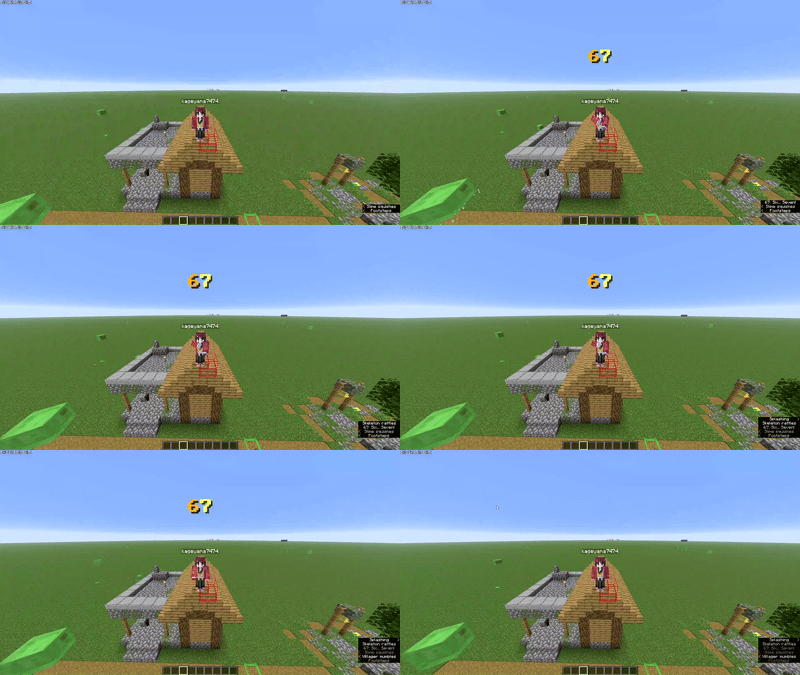 Untitled project.gif Untitled project.gif
Versions
Files
Relations
Project Relations
More like this
Similar Mods
Suggestions use data such as tags, dependencies, dependents, descriptions, titles, and more to rank how much they overlap with this mod.
On ModDex
Community snapshot
By the numbers
Statistics

Get it on
Available Platforms
On ModDex
Community snapshot
By the numbers
Statistics
Resources