Community listing page, reviews here may not be monitored by the author.
Sketches & Blueprints

No reviews yet
A simple structure copy and paste tool with natural vanilla progression in 1.7.10.
Community voices
Reviews
No reviews yet. Be the first to review this project!
Get it on
Available Platforms
About
Project Details
For authors
Embed Badge
If you're the author of this project, you can embed a live badge anywhere that supports HTML or Markdown. It updates automatically whenever ratings change.
Use HTML for any page that supports it, or Markdown for README files and Markdown-based descriptions.
Identifiers
Platform IDs
Resources
External Links
About
Description
Sketches & Blueprints is a simple structure copy and paste tool with natural vanilla progression in 1.7.10.
No dependencies required.
Sketches & Blueprints adds three new items, the Sketchbook, Architect's Quill, and Blueprints
First, craft a Sketchbook like this:
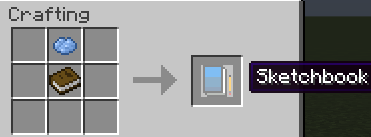
The Sketchbook allows you to highlight a selection of blocks to record (copy).
- While holding the Sketchbook right-click once to see a floating blue block outline.
- Right click a second time to "pin" the selection to a block. (Start with the front face of your structure on the bottom-left most corner).
- Move your player around to move the second "pin". Right clicking a third time will place the third pin. (Make sure it's the top-right most corner of your structure.)
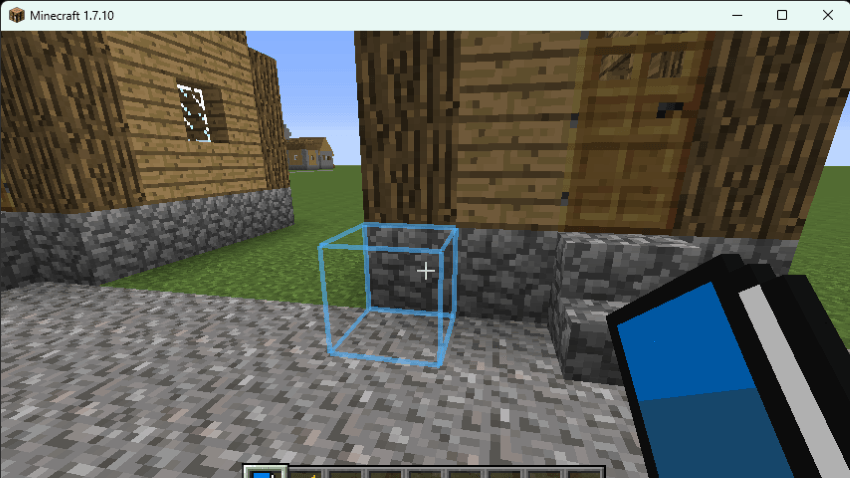
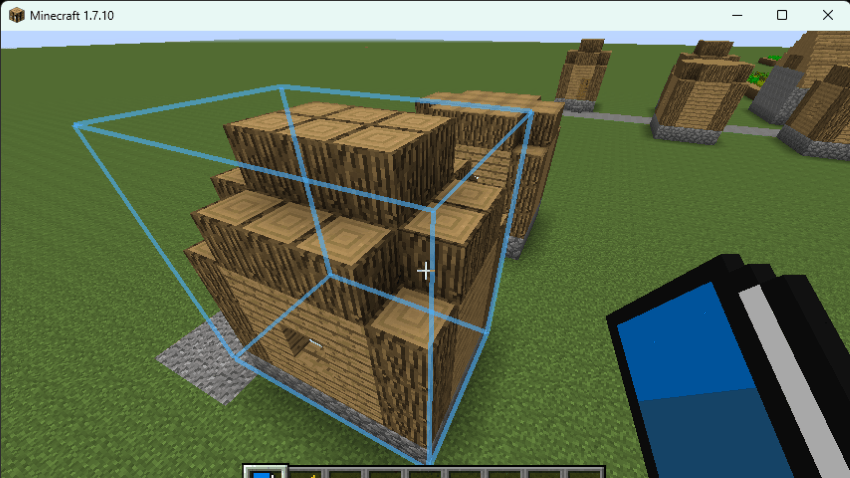
You'll now be prompted to enter a name for you sketch on the GUI screen.
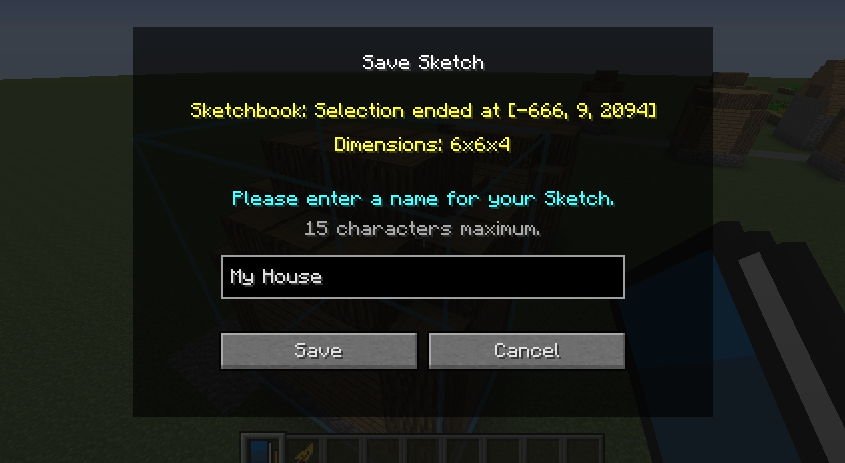
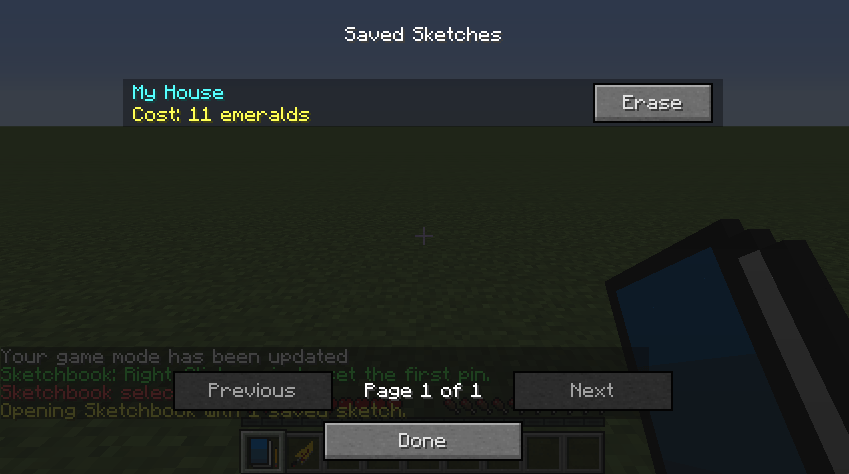
Other than using the Sketchbook to rightclick and save sketches, left-clicking with the sketchbook will open up the Sketchbook Manager where you can easily manage and erase your sketches.
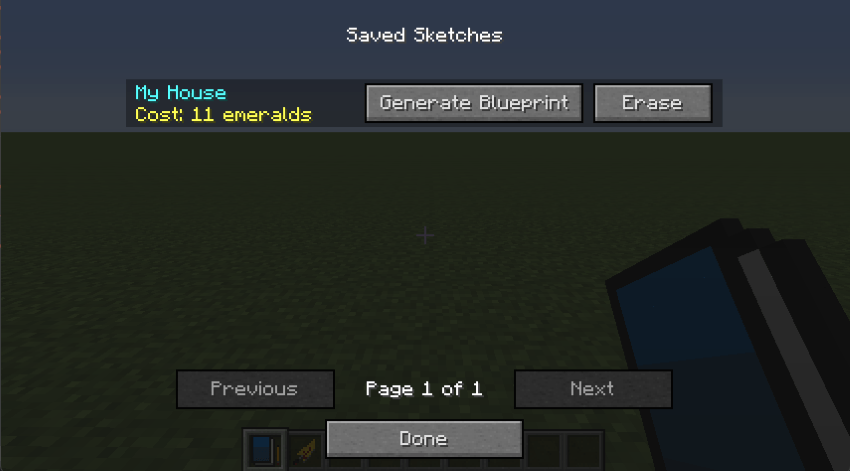
If you're playing in Creative Mode, you will also have the option to generate a Blueprint at your players position.
Now that you've drawn your sketch in your Sketchbook (copied it). You'll need to visit an Architect villager so he can turn your sketch into a Blueprint... for a price that is.
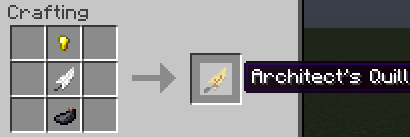
Any villager (meaning with a class or not) can be turned into an architect by right clicking it with an Architect's Quill. this will consume the Quill and change the Villager's class to Architect.
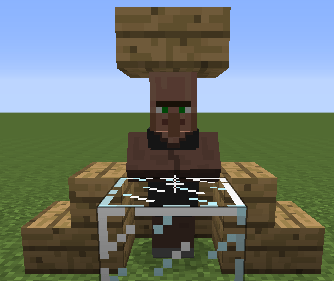
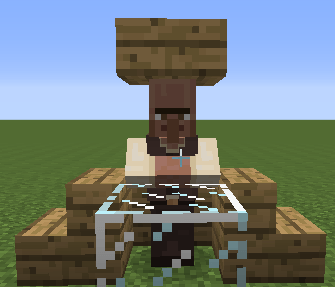
The Architect will trade blueprints of any of your sketches for emeralds. (Emerald cost is determined by the size and types of blocks in your structure.)
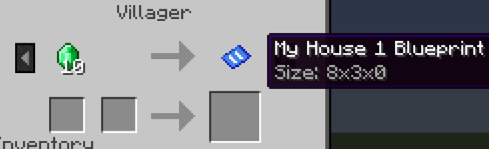
While holding a blueprint, you will see a blue border following your pointer, indicating where the Blueprint will be placed
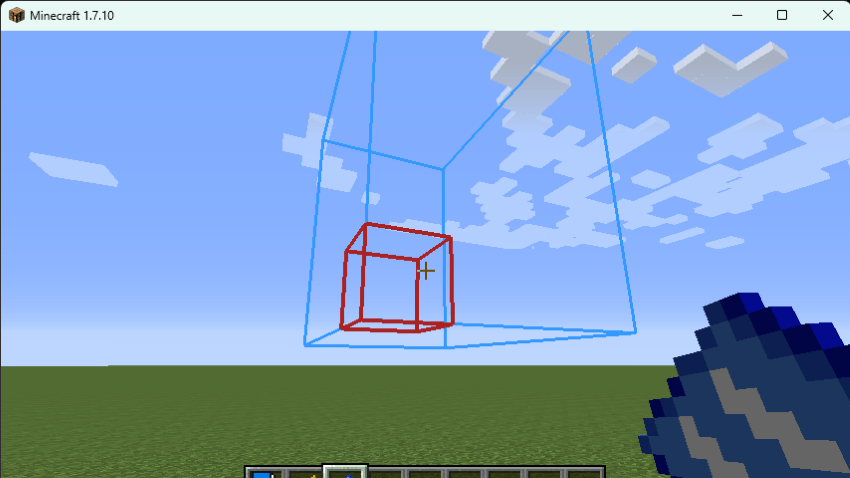
Right-click to lock the border, this will bring up a gold wireframe of the structure and allow the player to freely move around to see if they like the placement or not. (Left click at any point to cancel placement and start over).
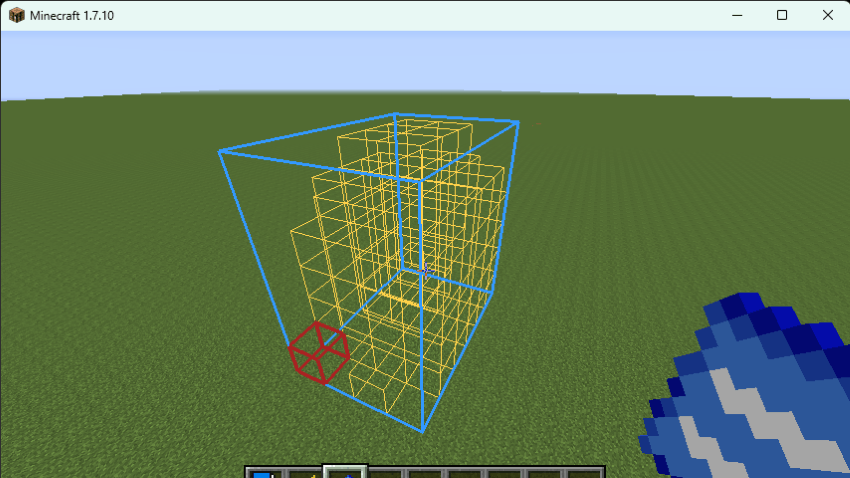
Once you have the structure lined up where you want it, right click a second time to bring up the confirmation screen.
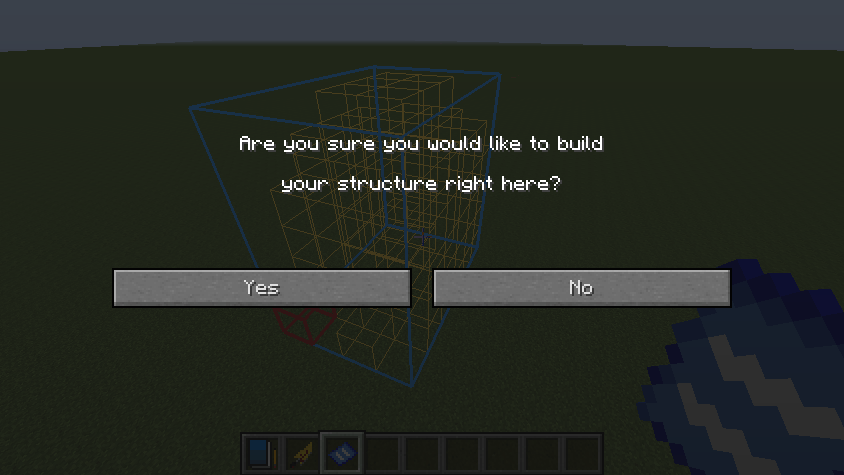
Clicking "Yes" will consume the blueprint and spawn your structure. (While in creative the Blueprint will not be consumed).
Please note that this does not remove the original sketch from your sketchbook. You can still get another Blueprint of the same sketch from an Architect Villager! Also, Bedrock blocks can not be replaced by blocks from your structure.
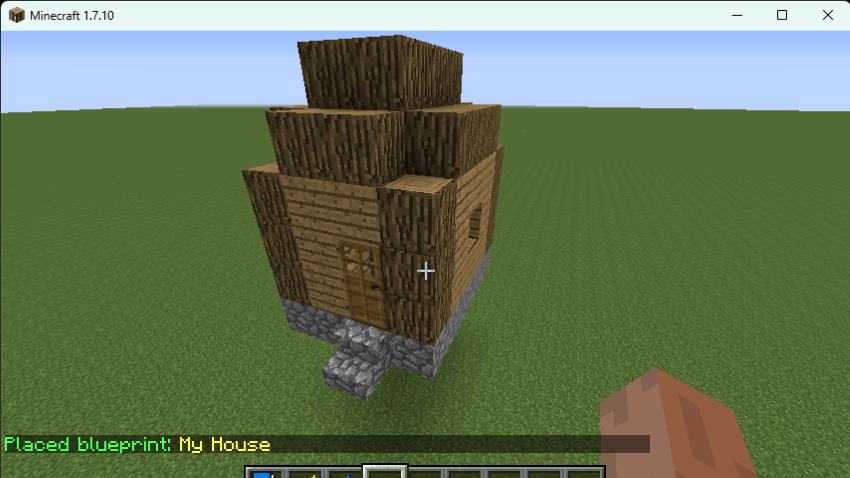
Copy and Paste support has been added in version 1.0.2 for many more blocks as seen below. Rotation issues for these blocks have also been solved in 1.0.2. Please enjoy!
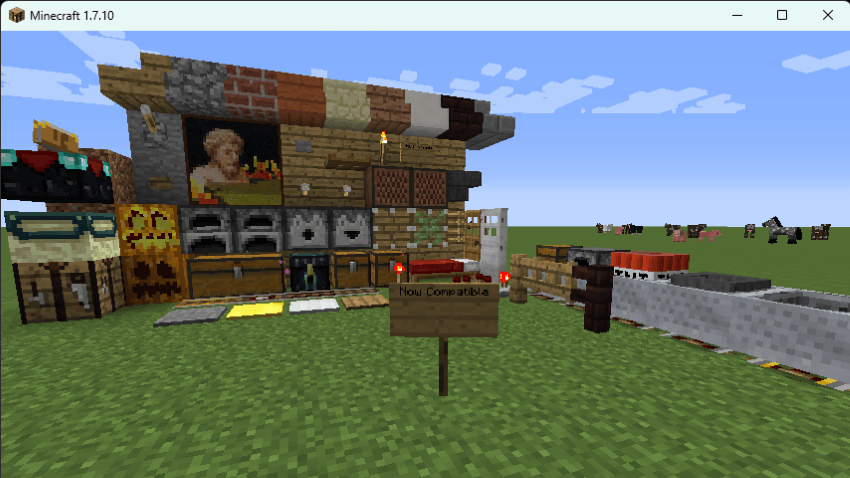
Additionally,
This mod has three in-game chat commands: which can be used in place of the GUI menus (these are deprecated but still available.)
"sketchbook_list" - This will list all structure sketches saved in your sketchbook along with the emerald costs.
"sketchbook_erase <yoursketchname>" - this will erase any sketches and blueprints for the entered sketch name (don't include the <> symbols).
"summon_architect" - This command summons a villager at the players position with the Architect class. This command is only available while cheats are enabled.
Please note that when sketches are saved and erased from your sketchbook, they are written to your minecraft folder for each save. the data file can be found at
saves>'yoursavename'>data>BlueprintStorage.dat
Because the data file is saved to disc and local to each save file, the BlueprintStorage.dat file can be copied to other saves for easy accesibility.
Please be aware that currently some blocks have not yet been tested and behavior may be odd for the following. I'm currently aware of...
- Anvils
- Vines
- Mob heads & skulls
- Cocoa Pods
- Occupants in Minecarts
- Nether Portals
- Tall Plants
- Boats
- End Portal Frame Rotation
Disclaimer: this mod may be used in your modpacks but may not be directly monetized by itself or in part of any pack. Additionally, although you may copy and distribute the mod freely, it may not be modified without first receiving my permission.
Screenshots
Gallery
Versions
Files
Relations
Project Relations
More like this
Similar Mods
Suggestions use data such as tags, dependencies, dependents, descriptions, titles, and more to rank how much they overlap with this mod.
On ModDex
Community snapshot
By the numbers
Statistics
Want to reach Minecraft players?
We're looking for a server hosting partner to feature here and other parts of the site. Interested? Send us a message!
Get in touchGet it on
Available Platforms
On ModDex
Community snapshot
By the numbers
Statistics
Resources