
Community listing page, reviews here may not be monitored by the author.
Skill Issue


No reviews yet
Dynamic leveling, player attributes and more. Highly configurable.
Community voices
Reviews
No reviews yet. Be the first to review this project!
Get it on
Available Platforms
Compatibility
Supported Environments
Must be installed on both the client and the server.
About
Project Details
For authors
Embed Badge
If you're the author of this project, you can embed a live badge anywhere that supports HTML or Markdown. It updates automatically whenever ratings change.
Use HTML for any page that supports it, or Markdown for README files and Markdown-based descriptions.
Identifiers
Platform IDs
Resources
External Links
About
Description
Skill Issue

Dynamic leveling, player attributes and more. Highly configurable.
Overview
Skill Issue provides players with means in reaching high experience levels in Minecraft. That is, once players reach levels for their first time their attributes will become better. To avoid confusion this mod refers to such levels as milestones. But wait, what are attributes you might ask? We will get to that in a moment, in fact the mod has a few things to offer so each category of features is explained in detail in its own section.
Milestones
As already mentioned milestones are experience levels that have been reached by players for their first time. Once a player has reached a milestone its benefits will not be lost if the player loses levels (e.g. by enchanting). An exception to that would be the death of a player, which sets back the milestone level to a configurable percentage of its former value (by default 80%).
Attributes
Attributes are a vanilla feature and allow to buff/debuff properties of entities. With higher milestone levels attributes of players will become better. This mod provides a json-configuration file that allows to define what attributes should grow with the milestone level and in what range. It is possible to define ranges for attributes that are less than the vanilla default. Following an overview of the default attributes configuration:
| key | bonus | min_factor | max_factor |
|---|---|---|---|
| generic.max_health | 0 | 0.8 | 2 |
| generic.armor_toughness | 3 | 0 | 1 |
| generic.knockback_resistance | 0.25 | 0 | 1 |
| generic.movement_speed | 0 | 0.95 | 1.15 |
| generic.attack_damage | 0 | 0.9 | 1.25 |
| generic.attack_speed | 0 | 0.9 | 1.25 |
| generic.attack_knockback | 0.25 | 0 | 1 |
With the default configuration players start with some attributes beeing lower than in vanilla. For instance a player has to reach atleast milestone level 35 for vanilla movement speed and milestone level 40 for vanilla attack damage and speed.
The root of the configuration needs to be an object with a single field attributes, an array of attribute objects. Following a brief explanation of the fields from an attribute object:
| Field | Description |
|---|---|
| key | The name of the attribute as defined in the attribute section of the Minecraft wiki (for living entities or players). Supports attributes from other mods by preceding the mod id, e.g. <modid>:<key> (the default modid is minecraft). |
| bonus | This value is added to the default base value of the attribute, before it is multiplied with a factor, regardless of a players milestone level. |
| min_factor | The factor that is applied to the default base value of the attribute, after a bonus has been added, when the player is at milestone level 0. |
| max_factor | The factor that is applied to the default base value of the attribute, after a bonus has been added, when the player has reached the max milestone level (by default 140). |
Rewards
Rewards offer a flexible way to expand upon the milestone system by providing the possibility to run Minecraft commands for players, once they have reached a certain milestone level. Additional properties help to specify in what exact circumstances a command should be executed, since the effects of commands can have various outcomes.
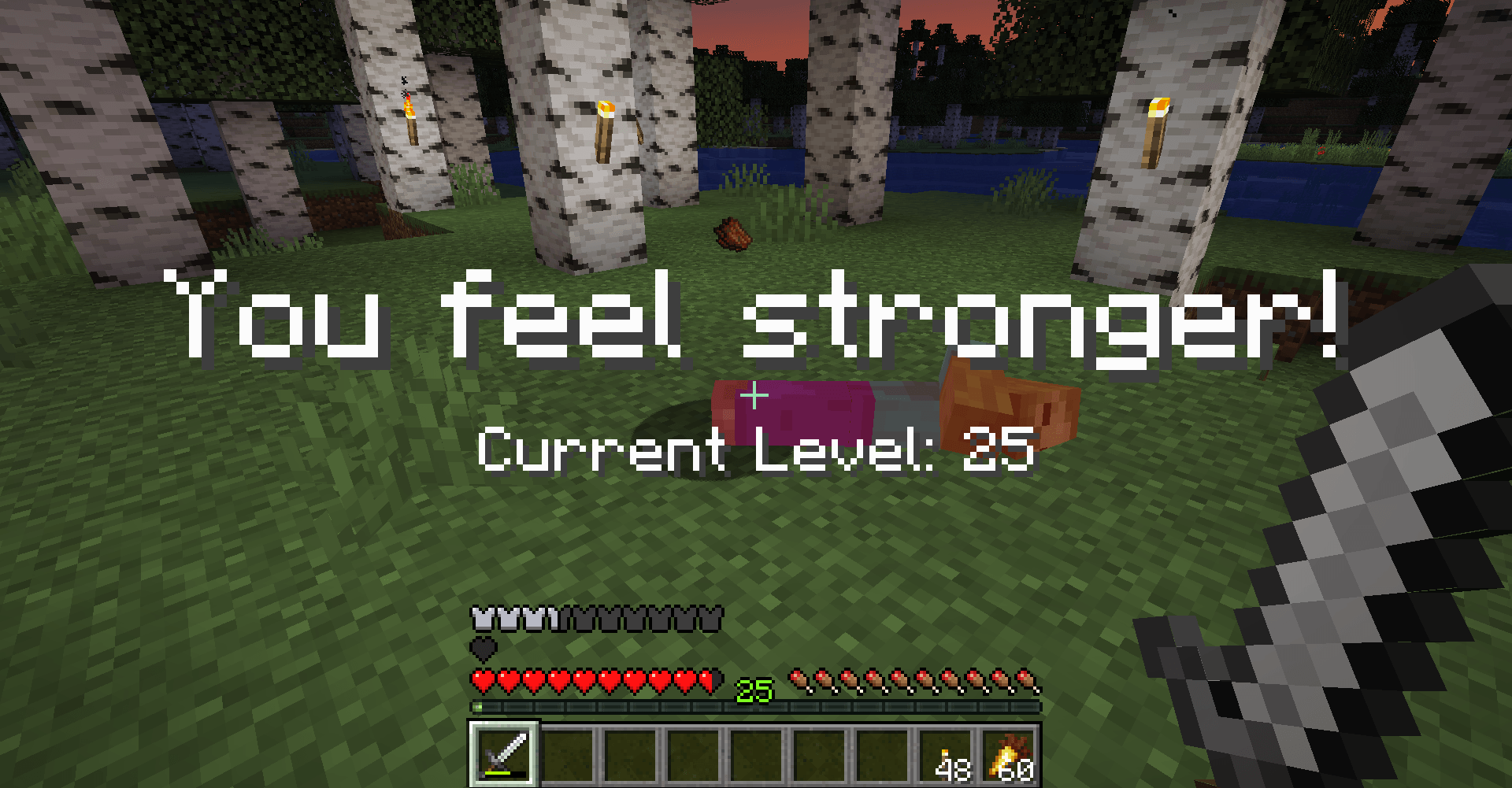
The default configuration defines titles that are displayed to the player on level up.
The root of the configuration needs to be an object with a single field milestones, an array of milestone objects. Following a brief explanation of the fields from a milestone object:
| Field | Description | Default |
|---|---|---|
| level | The milestone level that has to be reached to execute the commands. | 0 |
| level_step | Determines the interval at which milestones are created for levels if level_range is greater than 0. | 1 |
| level_range | Milestones will be defined for levels inbetween level (inclusive) and level + level_range (exclusive). | 1 |
| level_inject | A token that will be replaced with the milestone level in command literals (has no effect if empty). | "" |
| on_level_up | Determines if the commands should be executed once a player levels up. | true |
| on_respawn | Determines if the commands should be executed (again) if the player respawns after death. | false |
| on_login | Determines if the commands should be executed (again) if the player logs in to the world. | false |
| is_volatile | Determines if the commands should be executed (again) if the player is above the milestone level (only on respawn and/or on login). | false |
| commands | A list of Minecraft command literals. These will always be executed in the given order. | [] |
It is possible to define multiple milestones for the same level (or have them overlap). The commands of those will be executed in ascending order of the milestone definitions in the config file.
Penalties
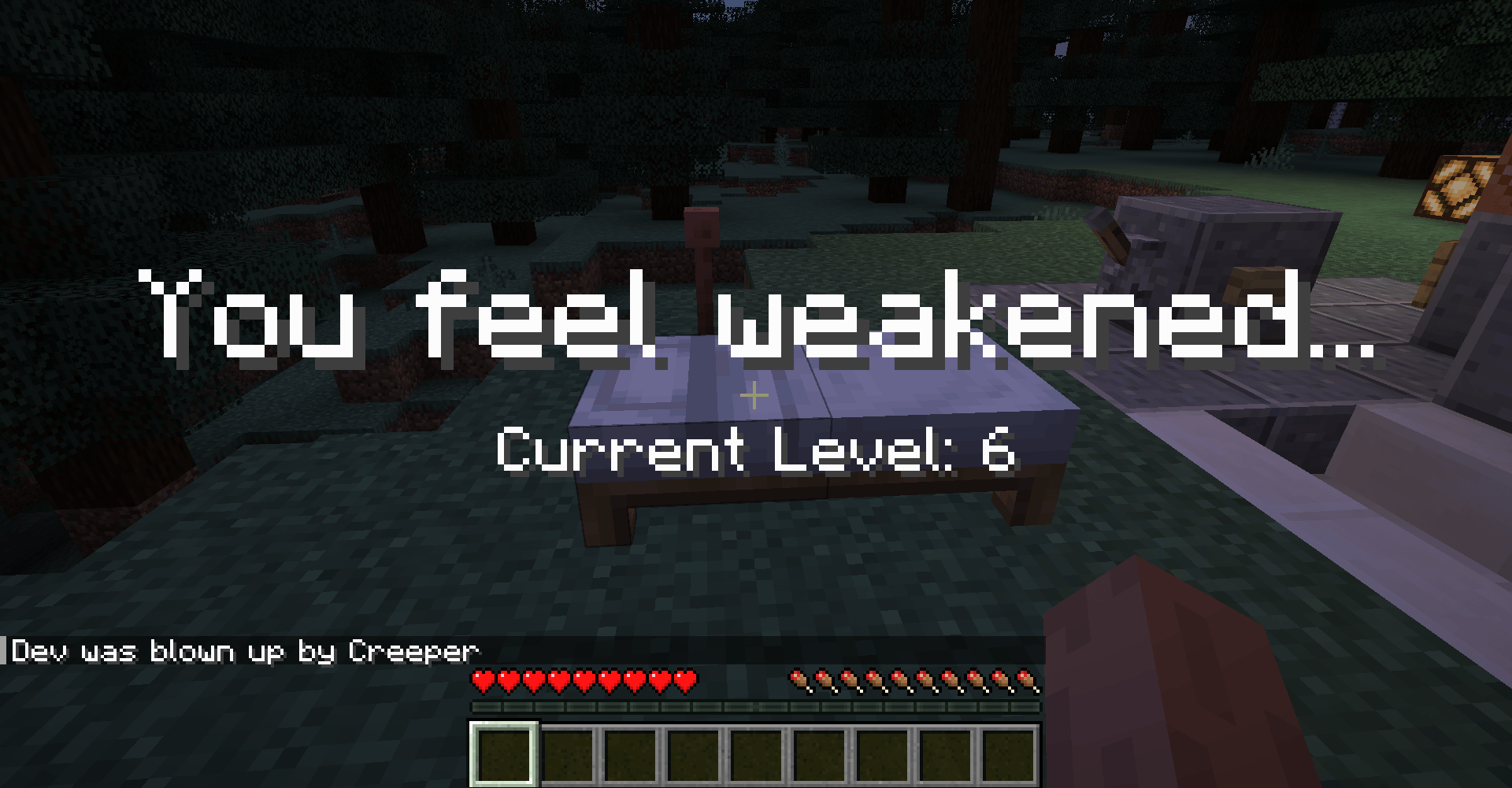
Penalties are similiar to rewards in the sense that they allow to define commands that should be executed in certain cirumstances. To be exact penalties are executed once after a player respawns from death for the milestone levels that the player has lost. This feature is meant to give the option to remove persistent effects that have been applied by reward commands but there might be other use cases.
This mod does not define any penalties by default.
The root of the configuration needs to be an object with a single field milestones, an array of milestone objects. Following a brief explanation of the fields from a milestone object:
| Field | Description | Default |
|---|---|---|
| level | The milestone level that has to be lost to execute the commands. | 0 |
| level_step | Determines the interval at which milestones are created for levels if level_range is greater than 0. | 1 |
| level_range | Milestones will be defined for levels inbetween level (inclusive) and level + level_range (exclusive). | 1 |
| level_inject | A token that will be replaced with the milestone level in command literals (has no effect if empty). | "" |
| commands | A list of Minecraft command literals. These will always be executed in the given order. | [] |
Although penalties are of the same type as rewards any settings not mentioned in the table above have no effect when set.
Chunk Xp
Another facette of this mod is a balance feature that limits the amount of xp players can gain in an area within a short amount of time. Xp that has been picked up by players accumulates in an 3x3 chunk area around the player up to a max value. The more xp has been accumulated in a chunk the less xp players will gain when picking up xp orbs in that chunk (by default down to 20%). Chunks will slowly regenerate from the accumulated xp.
With the default settings players can pick up about 2400 xp (~ 37 levels from level 0) before a chunk xp pool has reached the threshold. It will take 40 minutes for such a chunk to fully regenerate. Though in reality there is a little bit more dynamic to this since chunks regenerate from the accumulated xp all the time. This feature can be completely disabled by setting
chunk_xp_scaleto0.
Blocks
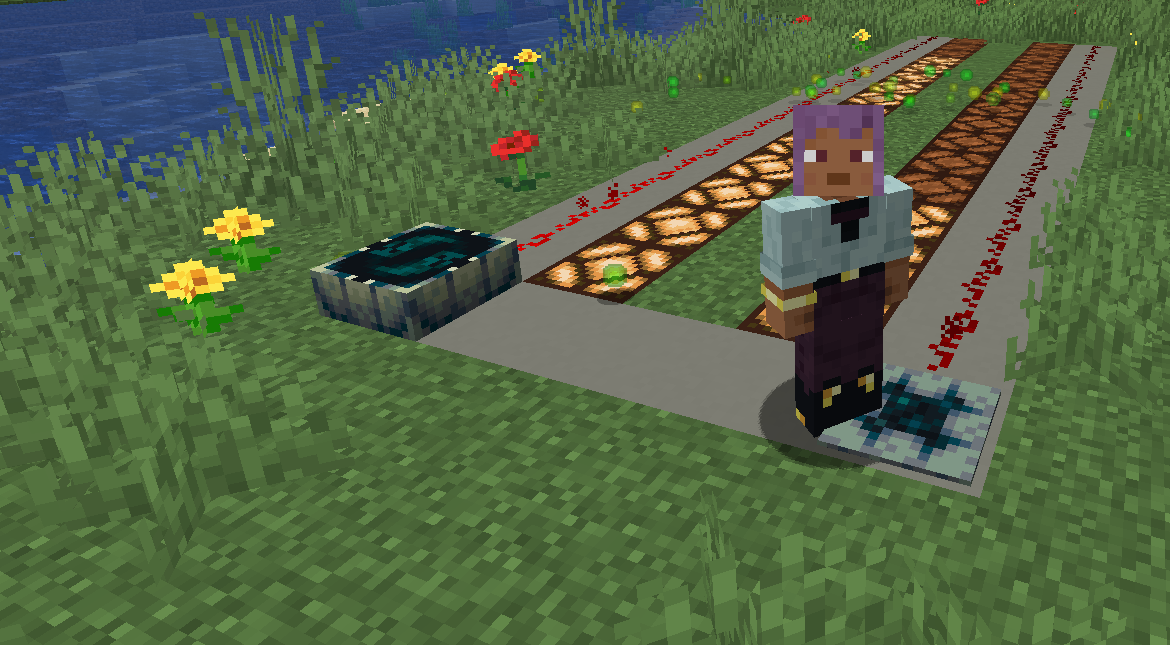
Skill Pressure Plate

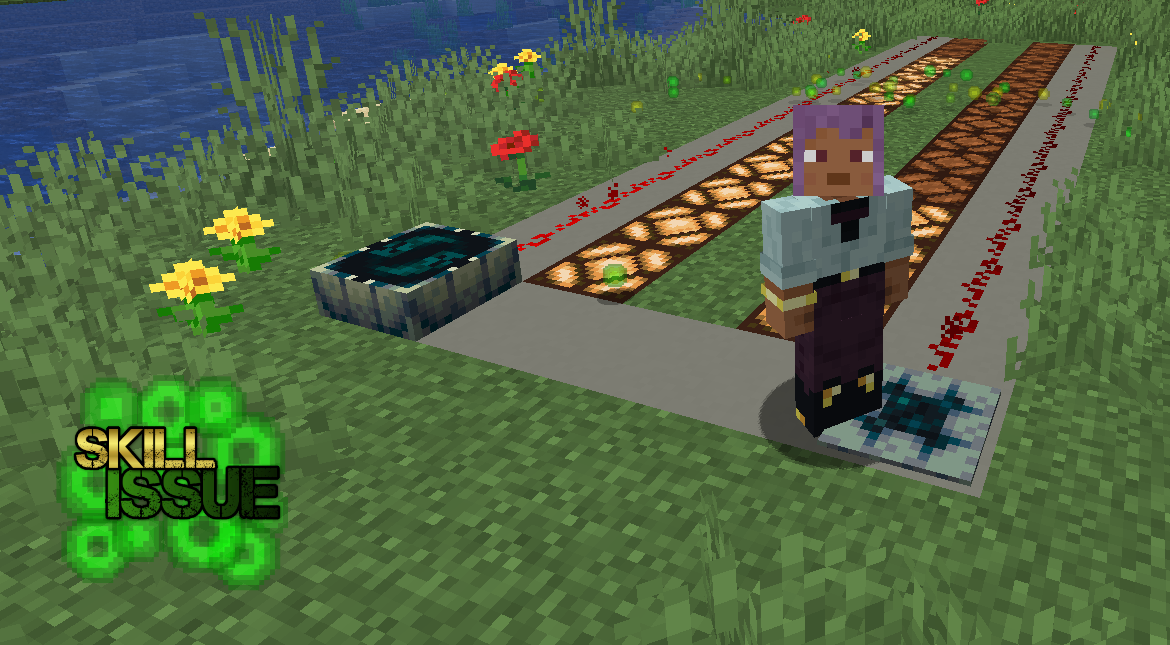
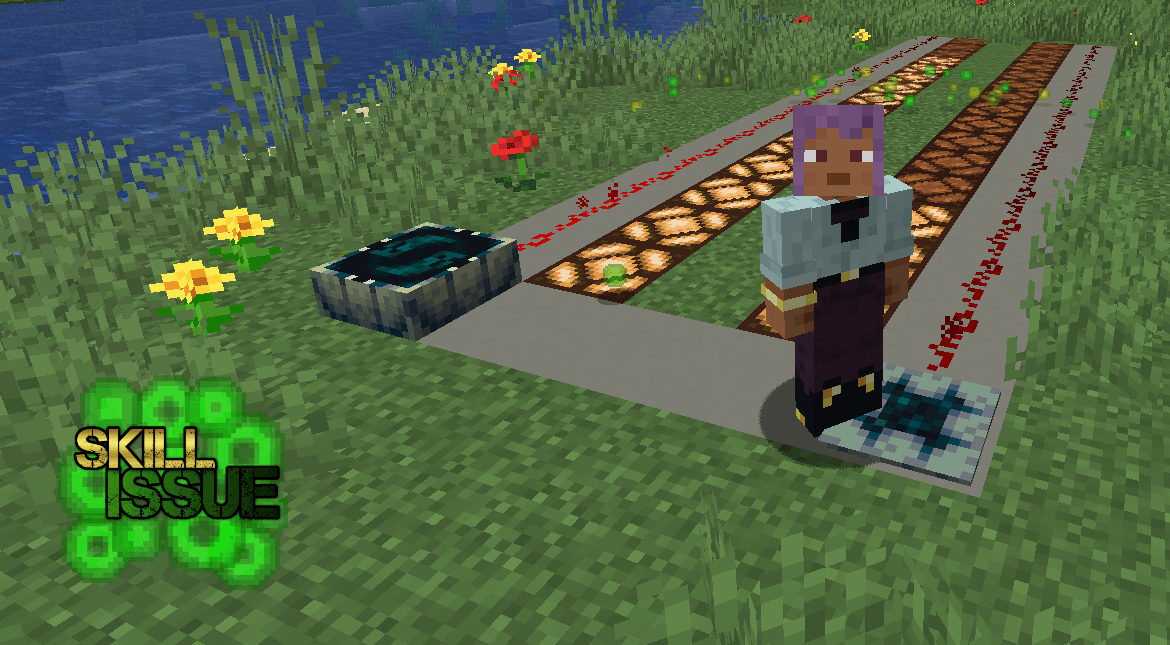
As the title may suggests a Skill Pressure Plate is a pressure plate that is only activated by players. The strength of the output signal depends on the milestone level of the player standing on it. To put things into perspective the signal strength will be 1 for a player at milestone level 0 and 15 for a player at the max milestone level (by default 140).
With the default settings the signal strength increases by 1 every 10 levels (i.e. at level 10, 20, …, 140).
Xp Sensor

The Xp Sensor is a block that measures the available xp in a chunk. Emits a redstone signal of 15 if no xp has recently been picked up in the area (i.e. the chunk has no xp accumulated) and a signal of strength 0 if a chunk has reached its threshold.
Configuration
As already mentioned this mod offers most features with a default behaviour. Many of the aspects can be changed. Following config files exist:
| Path | Description |
|---|---|
| <MINECRAFT_FOLDER>/config/skillissue-common.toml | Common mod configuration. |
| <MINECRAFT_FOLDER>/config/skillissue/attributes.json | Definition of milestone attributes. |
| <MINECRAFT_FOLDER>/config/skillissue/rewards.json | Definition of milestone rewards. |
| <MINECRAFT_FOLDER>/config/skillissue/penalties.json | Definition of milestone penalties. |
To revert any of the configurations to its default simply delete the corresponding config file.
Commands
| Command | Description | Op Level |
|---|---|---|
| skillissue level get <target> | Retrieves the milestone level of the player. | 1 |
| skillissue level set <targets> <value> | Sets the milestone level of the player (applies level up rewards). | 2 |
| skillissue chunkxp get <position> | Retrieves the accumulated xp in the chunk at the given position. | 1 |
| skillissue chunkxp set <position> <value> | Sets the accumulated xp of the chunk at the given position to the given value. | 2 |
Further Ideas
- A class system with different attribute sets, rewards and penalties.
- Switch to datapack format for definition of attributes, rewards and penalties? Let me know what you prefer.
Usage Scenarios
The mod in itself comes with a rather subtle default configuration that is meant to fit well into different mod packs. But due to its highly configurable nature there are many possibilities of what can be done. Here some random ideas:
- Progressively unlock skills and features from other mods (e.g. Epic Fight or ParCool).
- Adventure map format that awards players with better armor, tools, etc. on level up.
- Unlock recipes and items with player levels.
- Create a guide that expands with increasing levels (e.g. use titles and/or hand out written books).
- Add a display for levels using scoreboards or reward players with other UI features on level progression.
- Super hardcore mode with extremely low starting factors for the attributes and a max level of 1000.
Skill Issue

Dynamic leveling, player attributes and more. Highly configurable.
Table of Contents
Overview
Skill Issue provides players with means in reaching high experience levels in Minecraft. That is, once players reach levels for their first time their attributes will become better. To avoid confusion this mod refers to such levels as milestones. But wait, what are attributes you might ask? We will get to that in a moment, in fact the mod has a few things to offer so each category of features is explained in detail in its own section.
Milestones
As already mentioned milestones are experience levels that have been reached by players for their first time. Once a player has reached a milestone its benefits will not be lost if the player loses levels (e.g. by enchanting). An exception to that would be the death of a player, which sets back the milestone level to a configurable percentage of its former value (by default 80%).
Attributes
Attributes are a vanilla feature and allow to buff/debuff properties of entities. With higher milestone levels attributes of players will become better. This mod provides a json-configuration file that allows to define what attributes should grow with the milestone level and in what range. It is possible to define ranges for attributes that are less than the vanilla default. Following an overview of the default attributes configuration:
key |
bonus |
min_factor |
max_factor |
|---|---|---|---|
generic.max_health |
0 |
0.8 |
2 |
generic.armor_toughness |
3 |
0 |
1 |
generic.knockback_resistance |
0.25 |
0 |
1 |
generic.movement_speed |
0 |
0.95 |
1.15 |
generic.attack_damage |
0 |
0.9 |
1.25 |
generic.attack_speed |
0 |
0.9 |
1.25 |
generic.attack_knockback |
0.25 |
0 |
1 |
With the default configuration players start with some attributes beeing lower than in vanilla. For instance a player has to reach atleast milestone level 35 for vanilla movement speed and milestone level 40 for vanilla attack damage and speed.
The root of the configuration needs to be an object with a single field attributes, an array of attribute objects. Following a brief explanation of the fields from an attribute object:
| Field | Description |
|---|---|
key |
The name of the attribute as defined in the attribute section of the Minecraft wiki (for living entities or players). Supports attributes from other mods by preceding the mod id, e.g. <modid>:<key> (the default modid is minecraft). |
bonus |
This value is added to the default base value of the attribute, before it is multiplied with a factor, regardless of a players milestone level. |
min_factor |
The factor that is applied to the default base value of the attribute, after a bonus has been added, when the player is at milestone level 0. |
max_factor |
The factor that is applied to the default base value of the attribute, after a bonus has been added, when the player has reached the max milestone level (by default 140). |
Rewards
Rewards offer a flexible way to expand upon the milestone system by providing the possibility to run Minecraft commands for players, once they have reached a certain milestone level. Additional properties help to specify in what exact circumstances a command should be executed, since the effects of commands can have various outcomes.
The default configuration defines titles that are displayed to the player on level up.
The root of the configuration needs to be an object with a single field milestones, an array of milestone objects. Following a brief explanation of the fields from a milestone object:
| Field | Description | Default |
|---|---|---|
level |
The milestone level that has to be reached to execute the commands. | 0 |
level_step |
Determines the interval at which milestones are created for levels if level_range is greater than 0. |
1 |
level_range |
Milestones will be defined for levels inbetween level (inclusive) and level + level_range (exclusive). |
1 |
level_inject |
A token that will be replaced with the milestone level in command literals (has no effect if empty). | "" |
on_level_up |
Determines if the commands should be executed once a player levels up. | true |
on_respawn |
Determines if the commands should be executed (again) if the player respawns after death. | false |
on_login |
Determines if the commands should be executed (again) if the player logs in to the world. | false |
is_volatile |
Determines if the commands should be executed (again) if the player is above the milestone level (only on respawn and/or on login). | false |
commands |
A list of Minecraft command literals. These will always be executed in the given order. | [] |
It is possible to define multiple milestones for the same level (or have them overlap). The commands of those will be executed in ascending order of the milestone definitions in the config file.
Penalties
Penalties are similiar to rewards in the sense that they allow to define commands that should be executed in certain cirumstances. To be exact penalties are executed once after a player respawns from death for the milestone levels that the player has lost. This feature is meant to give the option to remove persistent effects that have been applied by reward commands but there might be other use cases.
This mod does not define any penalties by default.
The root of the configuration needs to be an object with a single field milestones, an array of milestone objects. Following a brief explanation of the fields from a milestone object:
| Field | Description | Default |
|---|---|---|
level |
The milestone level that has to be lost to execute the commands. | 0 |
level_step |
Determines the interval at which milestones are created for levels if level_range is greater than 0. |
1 |
level_range |
Milestones will be defined for levels inbetween level (inclusive) and level + level_range (exclusive). |
1 |
level_inject |
A token that will be replaced with the milestone level in command literals (has no effect if empty). | "" |
commands |
A list of Minecraft command literals. These will always be executed in the given order. | [] |
Although penalties are of the same type as rewards any settings not mentioned in the table above have no effect when set.
Chunk Xp
Another facette of this mod is a balance feature that limits the amount of xp players can gain in an area within a short amount of time. Xp that has been picked up by players accumulates in an 3x3 chunk area around the player up to a max value. The more xp has been accumulated in a chunk the less xp players will gain when picking up xp orbs in that chunk (by default down to 20%). Chunks will slowly regenerate from the accumulated xp.
With the default settings players can pick up about 2400 xp (~ 37 levels from level 0) before a chunk xp pool has reached the threshold. It will take 40 minutes for such a chunk to fully regenerate. Though in reality there is a little bit more dynamic to this since chunks regenerate from the accumulated xp all the time. This feature can be completely disabled by setting
chunk_xp_scaleto0.
Blocks
Skill Pressure Plate
As the title may suggests a Skill Pressure Plate is a pressure plate that is only activated by players. The strength of the output signal depends on the milestone level of the player standing on it. To put things into perspective the signal strength will be 1 for a player at milestone level 0 and 15 for a player at the max milestone level (by default 140).
With the default settings the signal strength increases by 1 every 10 levels (i.e. at level 10, 20, ..., 140).
Xp Sensor
The Xp Sensor is a block that measures the available xp in a chunk. Emits a redstone signal of 15 if no xp has recently been picked up in the area (i.e. the chunk has no xp accumulated) and a signal of strength 0 if a chunk has reached its threshold.
Configuration
As already mentioned this mod offers most features with a default behaviour. Many of the aspects can be changed. Following config files exist:
| Path | Description |
|---|---|
<MINECRAFT_FOLDER>/config/skillissue-common.toml |
Common mod configuration. |
<MINECRAFT_FOLDER>/config/skillissue/attributes.json |
Definition of milestone attributes. |
<MINECRAFT_FOLDER>/config/skillissue/rewards.json |
Definition of milestone rewards. |
<MINECRAFT_FOLDER>/config/skillissue/penalties.json |
Definition of milestone penalties. |
To revert any of the configurations to its default simply delete the corresponding config file.
Commands
| Command | Description | Op Level |
|---|---|---|
skillissue level get <target> |
Retrieves the milestone level of the player. | 1 |
skillissue level set <targets> <value> |
Sets the milestone level of the player (applies level up rewards). | 2 |
skillissue chunkxp get <position> |
Retrieves the accumulated xp in the chunk at the given position. | 1 |
skillissue chunkxp set <position> <value> |
Sets the accumulated xp of the chunk at the given position to the given value. | 2 |
Further Ideas
- A class system with different attribute sets, rewards and penalties.
- Switch to datapack format for definition of attributes, rewards and penalties? Let me know what you prefer.
Usage Scenarios
The mod in itself comes with a rather subtle default configuration that is meant to fit well into different mod packs. But due to its highly configurable nature there are many possibilities of what can be done. Here some random ideas:
- Progressively unlock skills and features from other mods (e.g. Epic Fight or ParCool).
- Adventure map format that awards players with better armor, tools, etc. on level up.
- Unlock recipes and items with player levels.
- Create a guide that expands with increasing levels (e.g. use titles and/or hand out written books).
- Add a display for levels using scoreboards or reward players with other UI features on level progression.
- Super hardcore mode with extremely low starting factors for the attributes and a max level of 1000.
Screenshots
Gallery
-
 banner-with-logo.png banner-with-logo.png
 -
 level_up_title.png level_up_title.png
 -
 respawn_title.png respawn_title.png
 -
 xp_sensor_recipe.png xp_sensor_recipe.png
 -
 skill_pressure_plate_recipe.png skill_pressure_plate_recipe.png
-
Banner with Logo
-
 Banner
 -
 Level Up Title
 -
 Respawn Title
 -
Skill Pressure Plate Recipe
-
Xp Sensor Recipe
Versions
Files
Relations
Project Relations
More like this
Similar Mods
Suggestions use data such as tags, dependencies, dependents, descriptions, titles, and more to rank how much they overlap with this mod.
On ModDex
Community snapshot
By the numbers
Statistics
Want to reach Minecraft players?
We're looking for a server hosting partner to feature here and other parts of the site. Interested? Send us a message!
Get in touchGet it on
Available Platforms
On ModDex
Community snapshot
By the numbers
Statistics
Resources