Skinmatics

Quick rating

Skinmatics

No reviews yet

A versatile yet minimal player skin customization mod.

Mod Loaders
Fabric
Quilt
Minecraft

Community voices

Reviews

Versions
Loading versions…
Match includes

Click once to include, again to exclude, again to clear

Rating Any
Any 0.5 1.0 1.5 2.0 2.5 3.0 3.5 4.0 4.5 5.0
Min
Max
Play Status
Reviews
Time Played
hrs+
Verified developers only
Has developer response
List view
Grid view
Compact view
Sort by
Date
Rating
Helpful
Unhelpful
Edited
Sort ascending
Delete this review?

This removes your review from the project. You can write a new review after.

Review submitted for moderation

Your review has been sent to moderators, who will check that it meets our guidelines before it appears publicly.

No reviews yet. Be the first to review this project!

Get it on

Available Platforms

Compatibility

Supported Environments

Dev Environment
Client Required
Server Unsupported

About

Project Details

Type
Mod
License
All Rights Reserved
Latest Version
1.0.0
Authors

For authors

Embed Badge

If you're the author of this project, you can embed a live badge anywhere that supports HTML or Markdown. It updates automatically whenever ratings change.

Custom banner text
ModDex rating badge preview

Use HTML for any page that supports it, or Markdown for README files and Markdown-based descriptions.

Identifiers

Platform IDs

Modrinth ID

Resources

External Links

About

Description

Skinmatics

A versatile yet minimal player customization mod. Vanilla-friendly!


About

Want custom animated skins? emissive (glowing) skins? and maybe even animated and reactive eyes?

Skinmatics gives you just that. Adding customization to existing aspect of the game without overriding it, while staying relatively vanilla-friendly

Utilitary is required to use this mod

Features

  • Skin

    Emissive Skin Emissive Hand

  • Cape

    Cape

  • Elytra

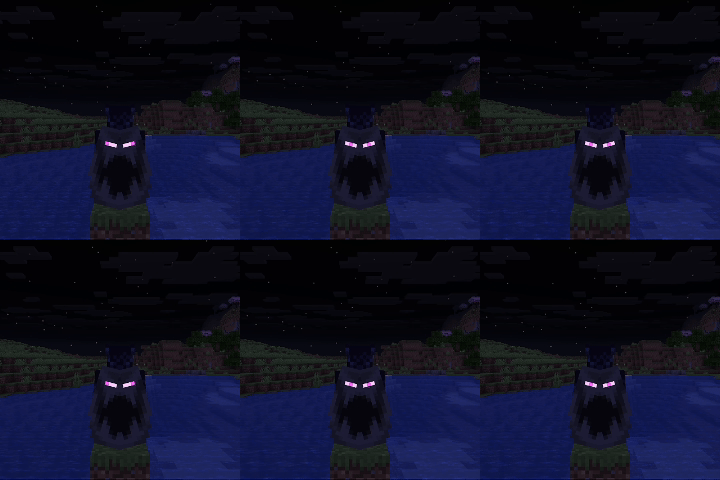
    Elytra

    Yes, they looked goofy since the wings are mirrored.

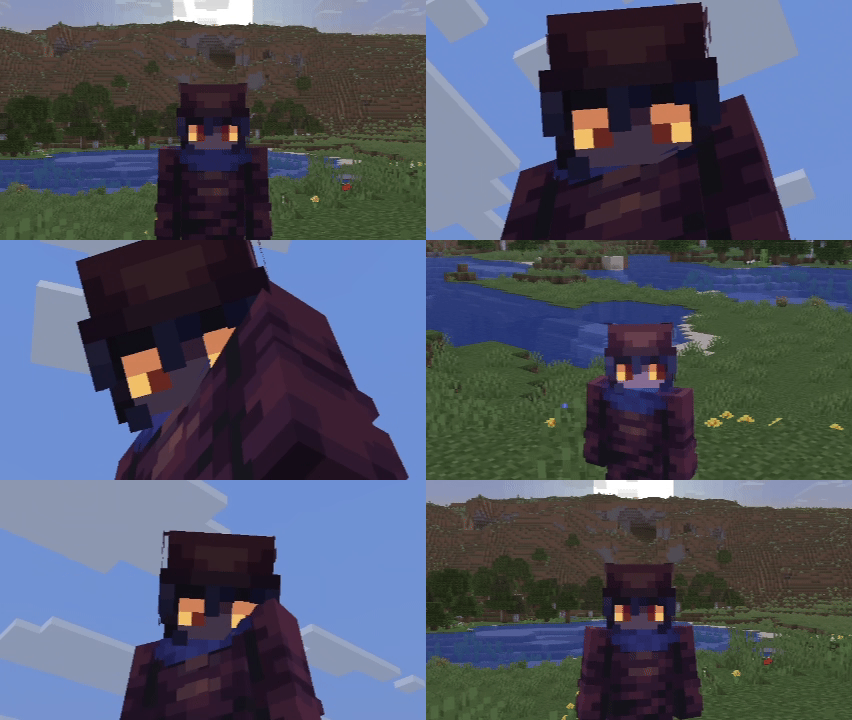
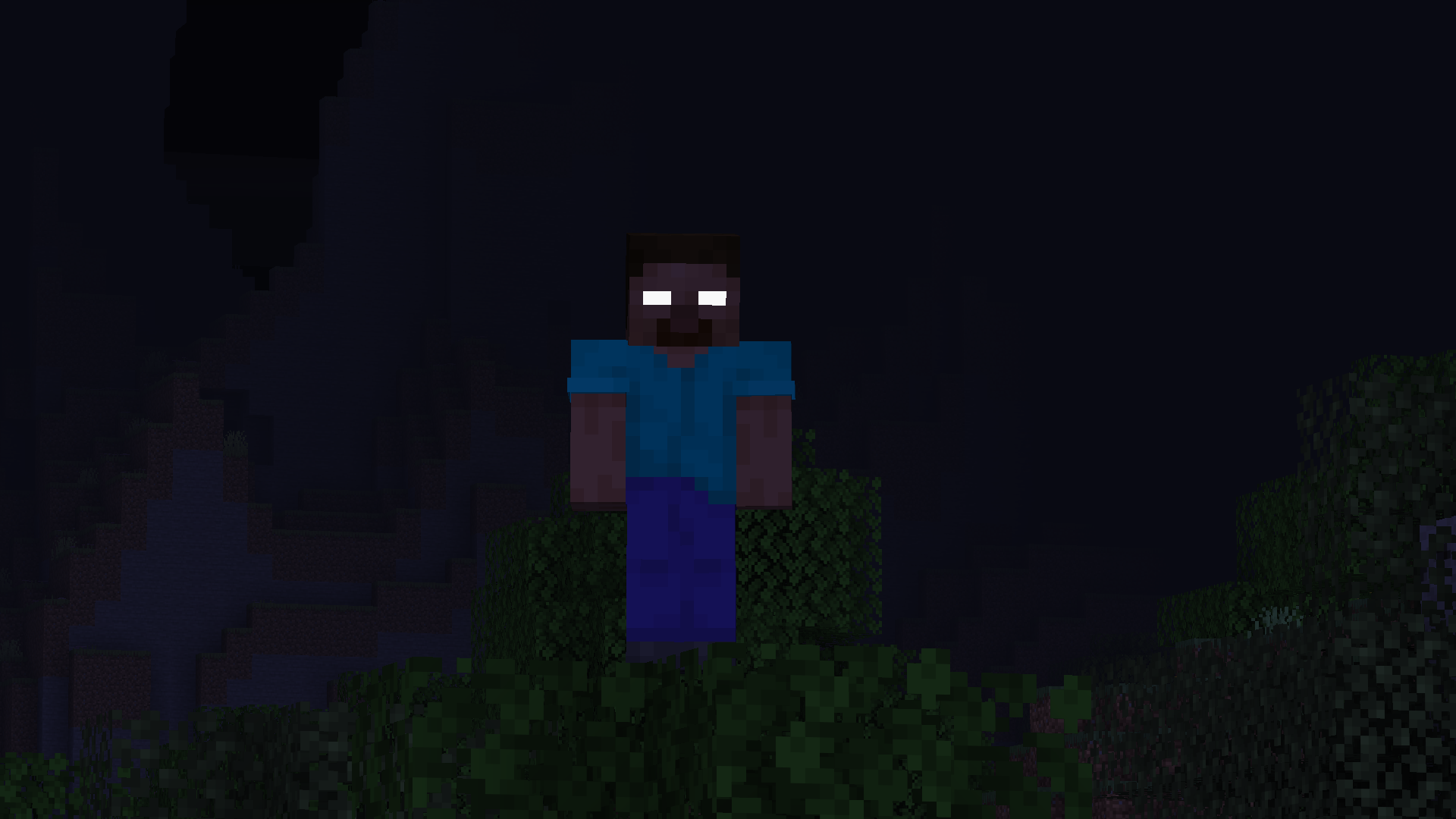
  • Eyes

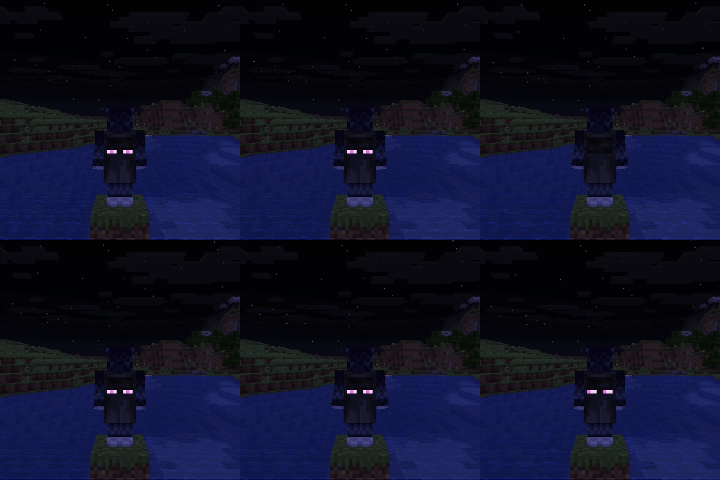
    Herobrine Niko Eyes

Note:

  • The mod does not come with pre-made textures, players must create their own textures to use these features
  • Other players can't see your Skinmatics profile as of now

Documentation

Currently, the editor screen for the mod is still a work-in-progress, and only serves as a shortcut to open files. To open it, open Options > Skin Customizations > Skinmatics... or from Mod Menu

You can change your profile in the config (config/skinmatics/config.json > profile). Textures are stored in config/skinmatics/textures.

You can safely ignore the config's "identity" field in the config, it serves as an identification for Utilitary to load the config file.

Alternatively, you can use commands:

  • /skinmatics profile
    • /skinmatics profile open opens config/skinmatics/profiles directory
    • /skinmatics profile create <profile> creates and opens a new profile with <profile> as the name
    • /skinmatics profile load <profile> loads a profile to your player character
    • /skinmatics profile reload reloads/loads all profiles in config/skinmatics/profiles
    • /skinmatics profile assign <profile> assign an entity with the profile, must look at an entity to assign. You can assign this to a mannequin entity to preview your profile
    • /skinmatics profile unassign unassigns an entity with the profile (if they have one). You must look at an entity to unassign
    • /skinmatics config
      • /skinmatics config open opens config/skinmatics/config.json
      • /skinmatics config reload reloads Skinmatics config
    • /skinmatics texture
      • /skinmatics texture open opens config/skinmatics/textures directory
      • /skinmatics texture reload reloads/loads all textures (the same as F3 + T)
    • /skinmatics documentation opens Skinmatics Github page
Profile (In JSON)

You can use Notepad or any other JSON file manipulation app to modify this

{
  "identity": "skinmatics:profiles/<profile>", // Change <profile> to your profile file name, this is Utilitary way of loading config files
  "enabled": true, // Wheter this Skinmatics profile is enabled
  "maxTicks": 0, // In ticks, numbers above 0 will tick your skin, resulting in an animated texture. The amount of ticks to do a texture change is maxTicks - 1
  "strongerEmissiveGlow": false, // Use the same rendering method as spider eyes (glow in the dark and not affected by light)
  "useCustomSkin": false, // Use the profile's skin texture instead of your Minecraft account skin texture
  "addEmissiveSkin": false, // Add emissive layers to your skin
  "showCape": true, // Show cape texture, elytra cape texture included
  "useCustomCape": false, // Use custom cape texture, elytra cape texture affected if not using custom elytra texture
  "addEmissiveCape": false, // Add emissive layer to your cape
  "useCustomElytra": false, // Use custom elytra texture
  "addEmissiveElytra": false, // Add emissive layer to your elytra
  "showEyes": false, // Show eyes
  "addEmissiveEyes": false, // Add emissive eyes to your skin (if showEyes is true)
  "rightEyeHidden": false, // Hide your right eye
  "leftEyeHidden": false, // Hide your left eye
  "blinkingChance": 48, // Chance to blink for every tick
  "holdBlinkingFor": 4, // How many tick it took to blink
  
  // These fields use the same format
  // "<Image Path>": [<Ticks>]
  // <Image Path> refers to the image texture, can be from the game resource packs (minecraft:textures/...) or imported from `config/skinmatics/textures`
  // [<Ticks>] refers to the tick time for the texture to switch
  "skin": {
    // Example (if maxTicks is 20, textures can be changed between 0-19)
    "skin/my_skin": [5, 15] // Use this texture at tick 5 and 15 (if no textures start at tick 0, then it will use the end tick's texture). This texture file path is config/skinmatics/textures/skin/my_skin.png
    "minecraft:textures/entity/player/wide/steve": [10, 19] // Switch to this texture at tick 10 and 19 (and use this texture at tick 0-4 since there's no texture at tick 0)
  },
  "emissiveSkin": {},
  "cape": {},
  "emissiveCape": {},
  "elytra": {},
  "emissiveElytra": {},
  "rightEye": {
    "closed": {},
    "front": {},
    "up": {},
    "down": {},
    "right": {},
    "rightUp": {},
    "rightDown": {},
    "left": {},
    "leftUp": {},
    "leftDown": {}
  },
  "leftEye": {
    "closed": {},
    "front": {},
    "up": {},
    "down": {},
    "right": {},
    "rightUp": {},
    "rightDown": {},
    "left": {},
    "leftUp": {},
    "leftDown": {}
  },
  "emissiveRightEye": {
    "closed": {},
    "front": {},
    "up": {},
    "down": {},
    "right": {},
    "rightUp": {},
    "rightDown": {},
    "left": {},
    "leftUp": {},
    "leftDown": {}
  },
  "emissiveLeftEye": {
    "closed": {},
    "front": {},
    "up": {},
    "down": {},
    "right": {},
    "rightUp": {},
    "rightDown": {},
    "left": {},
    "leftUp": {},
    "leftDown": {}
  }
}

Got more questions? Join the Discord server!


Incompatibilities

There are currently no known incompatibilities with other mods.

Screenshots

Gallery

  • Elytra
    Elytra Animated and glowing elytra. Looks goofy.
  • Herobrine
    Herobrine Spooky!
  • Eyes
    Eyes
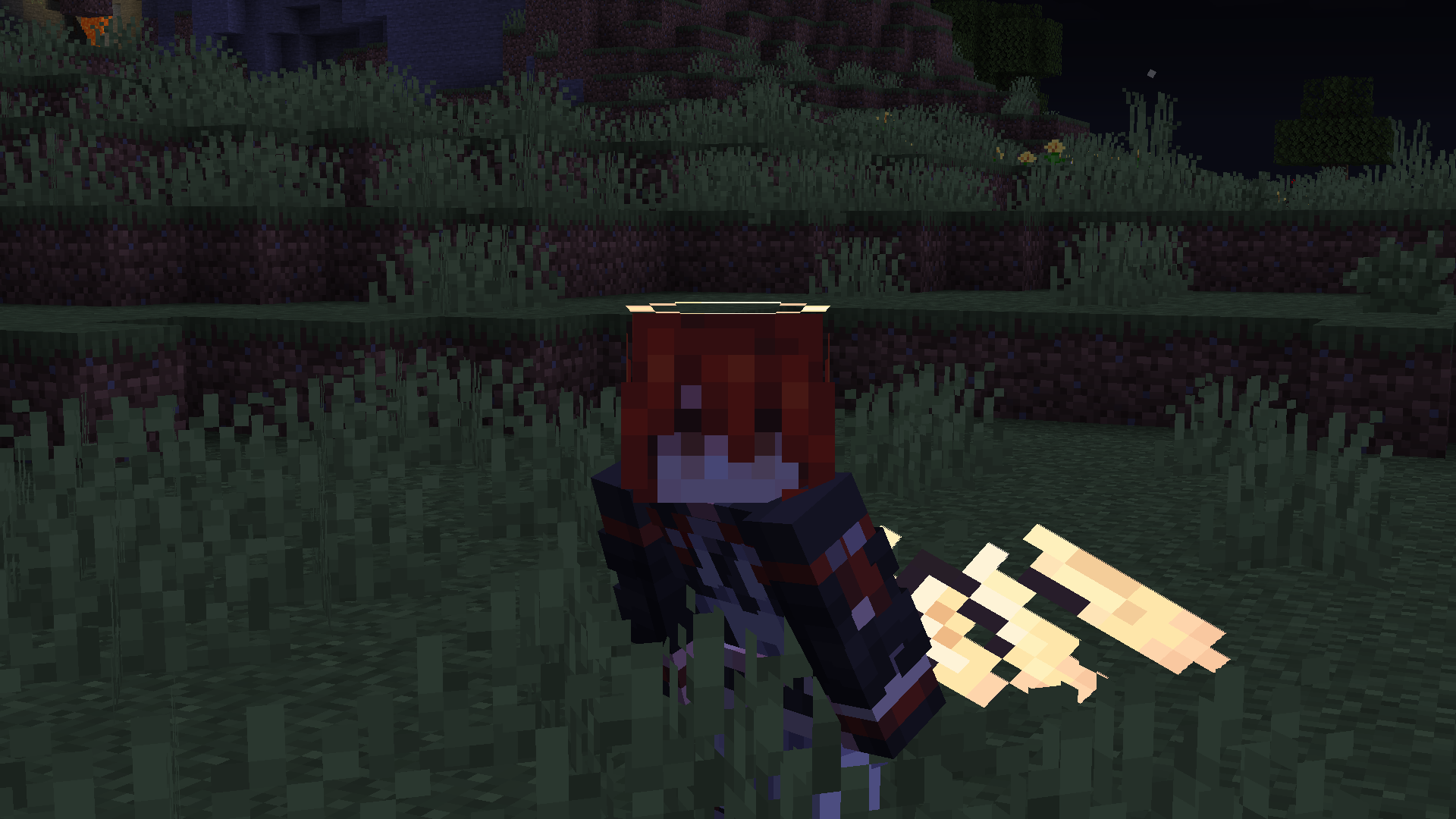
  • Wings and Halo
    Wings and Halo Emissive textures now glow both side instead of glowing one side (1.0.0+)
  • Cape
    Cape Animated and glowing cape

Versions

Files

Relations

Project Relations

More like this

Similar Mods

Suggestions use data such as tags, dependencies, dependents, descriptions, titles, and more to rank how much they overlap with this mod.

On ModDex

Community snapshot

0
Ratings
0
Followers
0
In stacks

By the numbers

Statistics

<1,000
Downloads
Last Updated
CurseForge
Created
Last synced
When ModDex last fetched this project from CurseForge or Modrinth. Every project is re-checked on a schedule, and any project that ships a new file is synced automatically within hours of the release.
New file updates sync automatically
How syncing works