
Community listing page, reviews here may not be monitored by the author.
SkinViewer 3D

No reviews yet
View your live 3D Minecraft skin in the title and pause menus, with your player name displayed in third person.
Community voices
Reviews
No reviews yet. Be the first to review this project!
Get it on
Available Platforms
About
Project Details
For authors
Embed Badge
If you're the author of this project, you can embed a live badge anywhere that supports HTML or Markdown. It updates automatically whenever ratings change.
Use HTML for any page that supports it, or Markdown for README files and Markdown-based descriptions.
Identifiers
Platform IDs
About
Description

SkinViewer brings your Minecraft character to life directly inside your menus.
Enjoy a clean and interactive 3D preview of your current Minecraft skin on the title screen or in the pause menu. Rotate your character, customize the viewer's position, and give your menus a little more personality.
🌟 Features
🧍 Interactive 3D Skin Viewer
Take a closer look at your character whenever you want.
- View your player model directly in the Title Screen and Pause Menu
- Uses Minecraft's native player rendering for an authentic in-game appearance
🎨 Your Current Minecraft Skin
- Automatically displays the currently loaded skin of your local player
- Supports both Steve and Alex player models
- Renders enabled skin layers, including:
* 🎩 Hat layer
* 🧥 Jacket layer
* 👕 Sleeves
* 👖 Pants layers
* 🦸 Cape, when available
🏷️ Menu Name Display
Make your menus feel a little more personal.
- Optionally display your Minecraft username above the SkinViewer
- Available in both the Title Screen and Pause Menu
👤 Third-Person NameTag
See your name tag while viewing your character in third person.
- Optional third-person name tag for your own player
- Automatically hidden while playing in first person for a clean experience
⚙️ Simple Customization
Make SkinViewer fit your style.
- Choose whether the viewer appears on the **Left** or **Right** side
- Toggle the menu name independently from the third-person name tag
- All settings are saved automatically
🧩Compatibility
Simple, lightweight, and easy to use.
- Client-side only — no server installation required
- Works perfectly without Mod Menu
- Optional Mod Menu configuration support
- Designed for Fabric on Minecraft26.2
🖱️ Controls
| Action | Control |
| ------------------------ | ------------------------- |
| 🔄 Rotate the SkinViewer | Left-click + Drag |
| ⚙️ Open Settings | Mod Menu → SkinViewer |
📦 InstallationGetting started is quick and easy:
1. Install Fabric Loader for Minecraft 26.2
2. Install Fabric API
3. Place skinviewer-1.0.0.jar into your .minecraft/mods folder
4. Launch Minecraft using your Fabric profile
⚠️ BETA RELEASE
The mod is in beta, so it has a few bugs. for example, issues with nametags in third-person view and in the menus.
Screenshots
Gallery
-
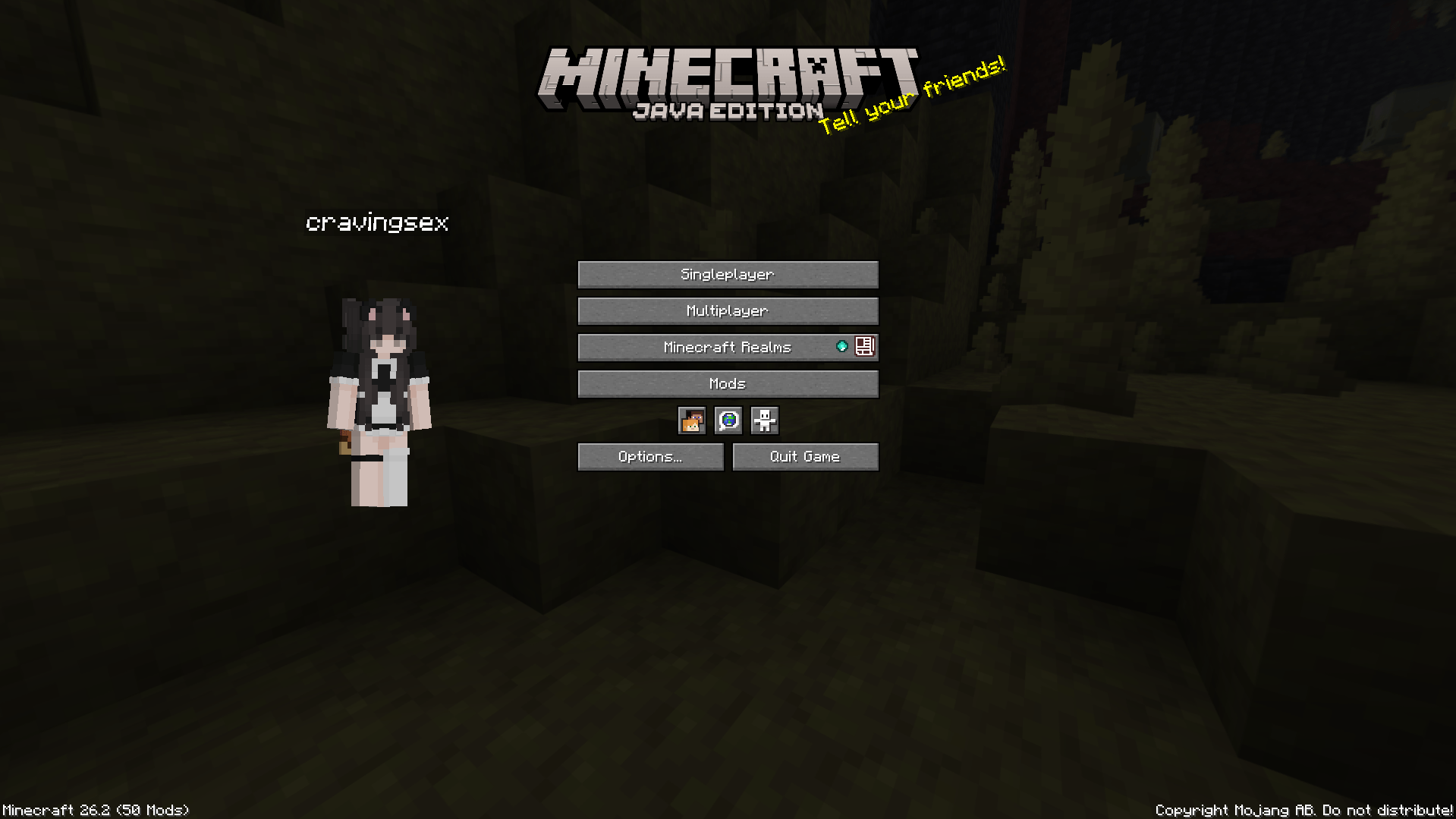 Title Screen
 -
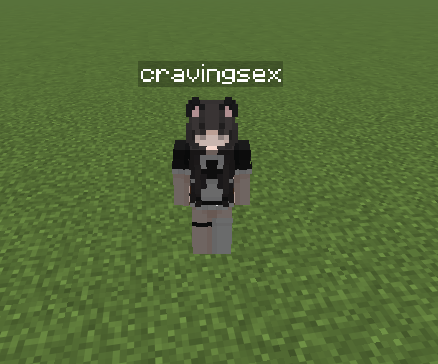 Third Person View
 -
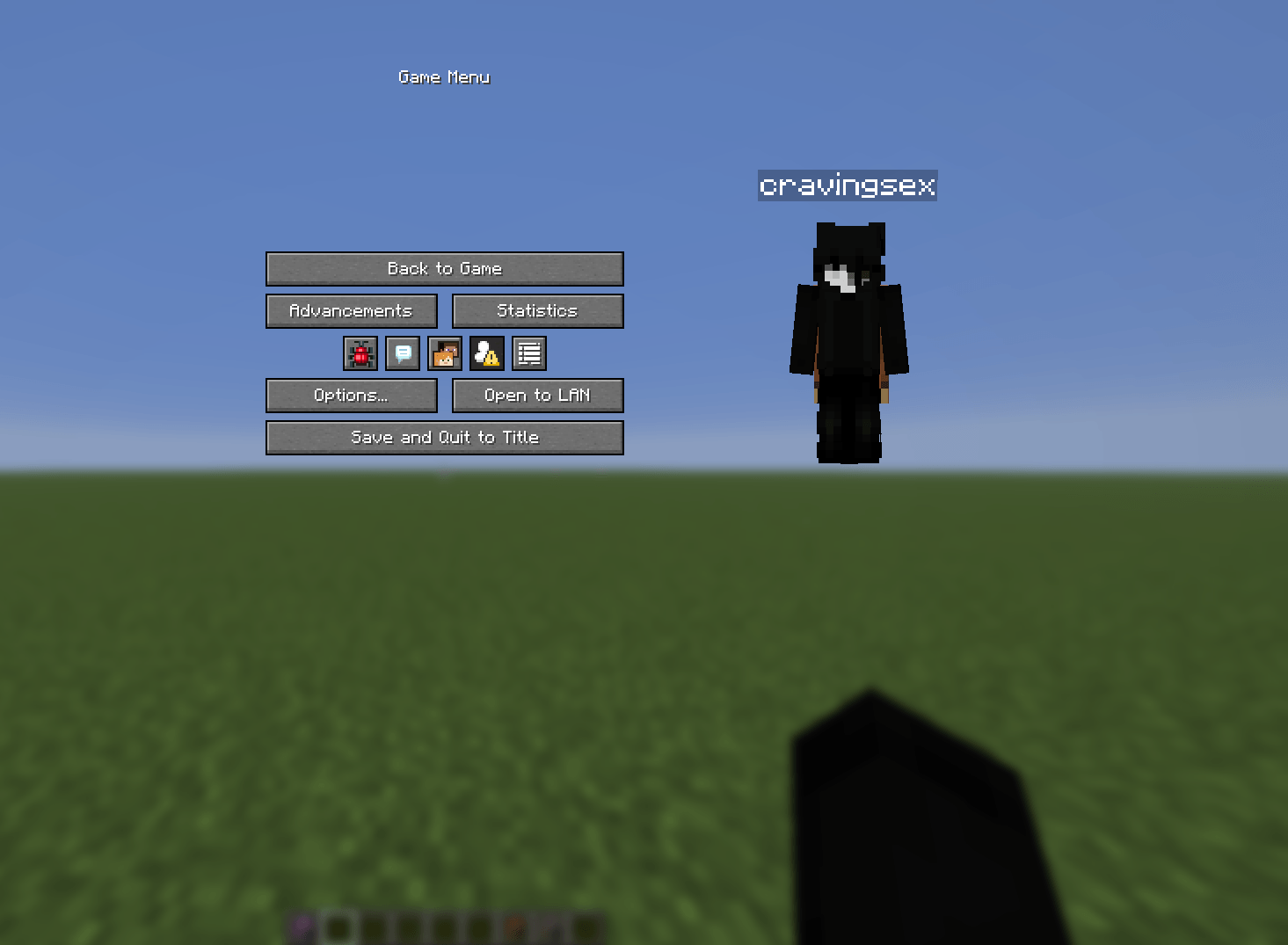 Pause Screen
 -
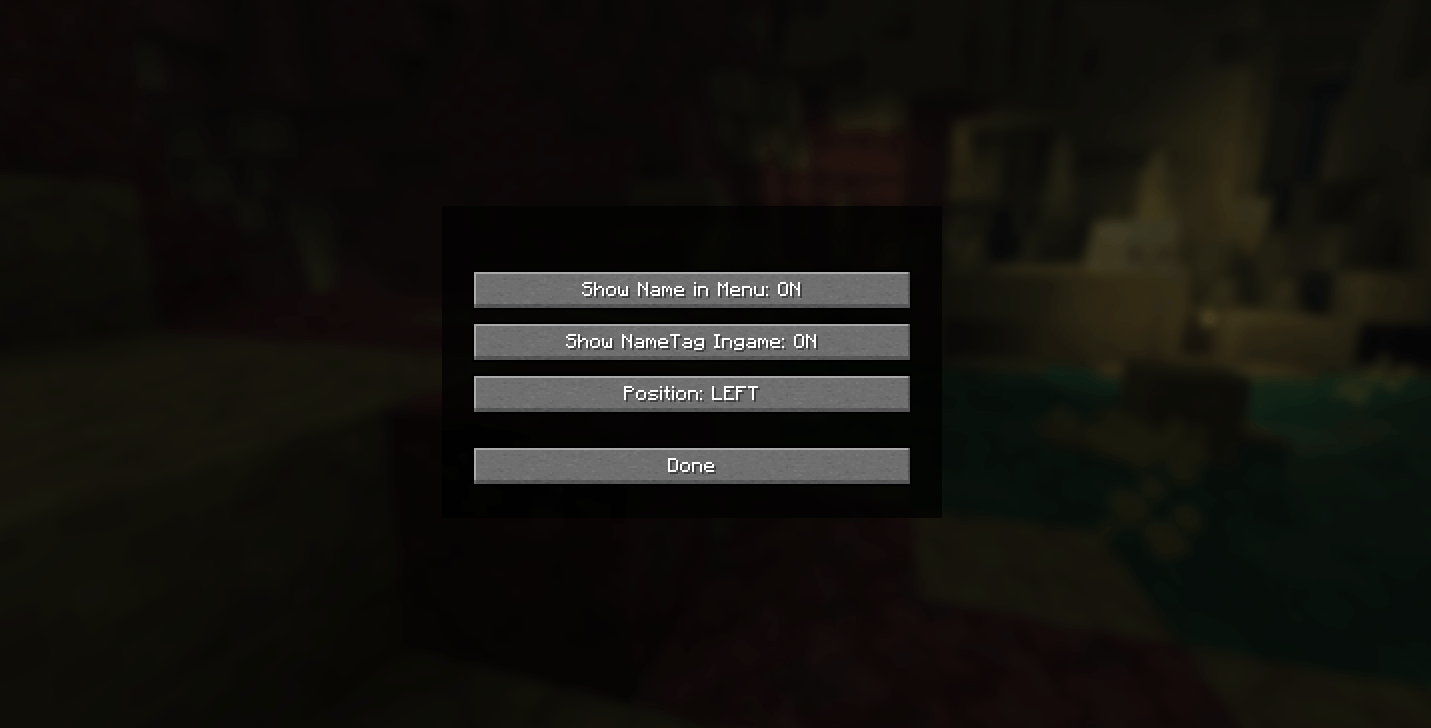 ModMenu Menu
Versions
Files
Relations
Project Relations
More like this
Similar Mods
Suggestions use data such as tags, dependencies, dependents, descriptions, titles, and more to rank how much they overlap with this mod.
On ModDex
Community snapshot
By the numbers
Statistics
Want to reach Minecraft players?
We're looking for a server hosting partner to feature here and other parts of the site. Interested? Send us a message!
Get in touchGet it on
Available Platforms
On ModDex
Community snapshot
By the numbers