Community listing page, reviews here may not be monitored by the author.
Skyr (display hud)

No reviews yet
Sky permet de modifier l'hud du joueur, actuellement il est en version bêta mais des mises à jours arrive rapidement !

Community voices
Reviews
No reviews yet. Be the first to review this project!
Get it on
Available Platforms
About
Project Details
For authors
Embed Badge
If you're the author of this project, you can embed a live badge anywhere that supports HTML or Markdown. It updates automatically whenever ratings change.
Use HTML for any page that supports it, or Markdown for README files and Markdown-based descriptions.
Identifiers
Platform IDs
About
Description
FR : Skyr Mod
Skyr est un mod de personnalisation de l'interface utilisateur pour Minecraft 1.16.5. Ce mod vous permet de personnaliser l'affichage de certains éléments de l'interface, d'ajouter du texte et des images directement à l'écran.
📌 Fonctionnalités principales :
🎛️ Contrôle de l'interface :
Skyr permet de supprimer ou afficher les éléments suivants de l'interface du joueur via le fichier de configuration skyr.toml :
- Inventaire
- Barre de vie
- Barre de nourriture (food)
- Barre de niveau (level)
- Réticule (crosshair)
📝 Ajout de texte personnalisé :
Vous pouvez ajouter du texte personnalisé directement à l'écran grâce aux fichiers .skyr situés dans le dossier /.minecraft/skyr_texts/.
Chaque texte peut être personnalisé avec :
- Couleur
- Taille
- Position à l'écran (haut, gauche, etc.)
📊 Variables dynamiques dans les textes :
Les textes peuvent inclure des variables dynamiques pour afficher des informations en temps réel sur le joueur.
Variables disponibles :
%player%: Le nom du joueur.%item's hand%: L'élément actuellement dans la main du joueur.%hunger's display%: Le pourcentage de faim du joueur.%health's display%: Le pourcentage de vie du joueur.%Id's player%:"Premium"si le joueur a un compte Minecraft authentifié,"Cracké"sinon.%level's display%: Le niveau d'expérience actuel du joueur.
🖼️ Ajout d’images sur l’HUD :
Skyr permet également d'afficher des images à l'écran via les fichiers .skyr placés dans le dossier /.minecraft/skyr_image/.
Vous pouvez ajouter et positionner des images avec les paramètres suivants :
- Nom de l’image
- Position sur l’écran (haut, gauche, etc.)
- Largeur et hauteur personnalisables
💡 Les images sont mises à jour dynamiquement ! Si un fichier image est modifié, il sera mis à jour sans besoin de redémarrer le jeu.
📥 Installation :
1️⃣ Téléchargez le mod Skyr.
2️⃣ Placez-le dans le dossier mods de votre installation Minecraft.
3️⃣ Lancez Minecraft 1.16.5 avec Forge.
4️⃣ Modifiez les fichiers de configuration (skyr.toml, .skyr pour les textes et images) selon vos préférences.
🚀 Disponible uniquement pour Minecraft 1.16.5 !
EN: Skyr Mod
Skyr is a UI customization mod for Minecraft 1.16.5. This mod allows you to customize UI elements, add text, and display images directly on the screen.
📌 Main Features:
🎛️ UI Control:
Skyr allows you to hide or show the following UI elements via the skyr.toml configuration file:
- Inventory
- Health bar
- Food bar
- Experience level bar
- Crosshair
📝 Add Custom Text:
You can add custom text directly to the screen by creating .skyr files in the /.minecraft/skyr_texts/ folder.
Each text can be customized with:
- Color
- Font size
- Position on screen (top, left, etc.)
📊 Dynamic Variables in Text:
Text can include dynamic variables, allowing you to display real-time information about the player.
Available variables:
%player%: The player's name.%item's hand%: The item currently in the player's hand.%hunger's display%: The player's hunger percentage.%health's display%: The player's health percentage.%Id's player%:"Premium"if the player has an authenticated Minecraft account,"Cracked"otherwise.%level's display%: The player's current experience level.
🖼️ Add Images to the HUD:
Skyr also allows you to display images on the screen using .skyr files placed in the /.minecraft/skyr_image/ folder.
You can add and position images with the following settings:
- Image name
- Screen position (top, left, etc.)
- Custom width and height
💡 Images update dynamically! If an image file is modified, it will be updated without restarting the game.
📥 Installation:
1️⃣ Download the Skyr mod.
2️⃣ Place it into the mods folder of your Minecraft installation.
3️⃣ Launch Minecraft 1.16.5 with Forge.
4️⃣ Modify the configuration files (skyr.toml, .skyr for text and images) to your liking.
🚀 Available only for Minecraft 1.16.5!
Screenshots
Gallery
-
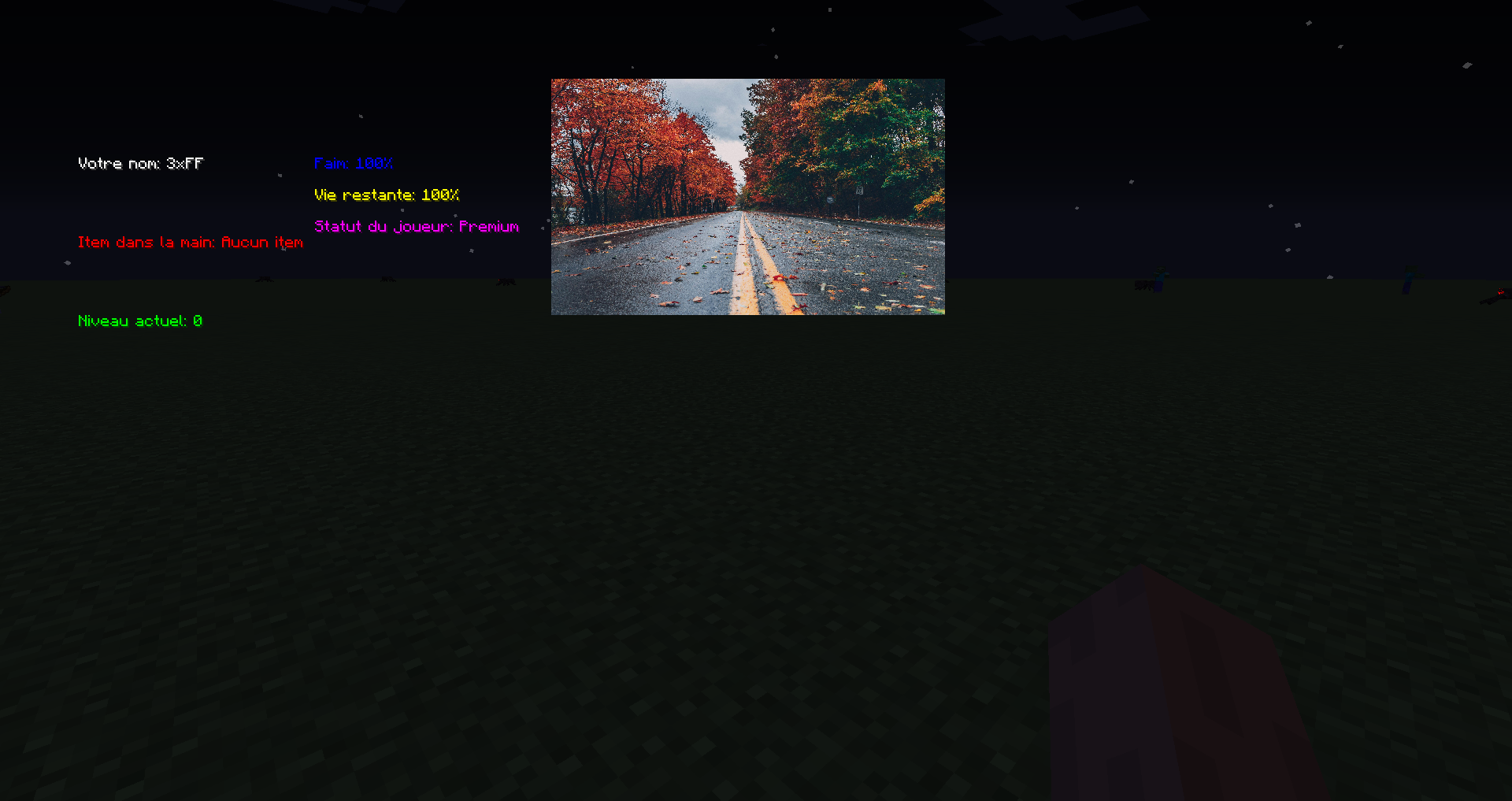 add Image in "skyr_image/name.skyr": add images named "test.png" at screen to position top "50" and left "350" with height "150" and width "250"
 -
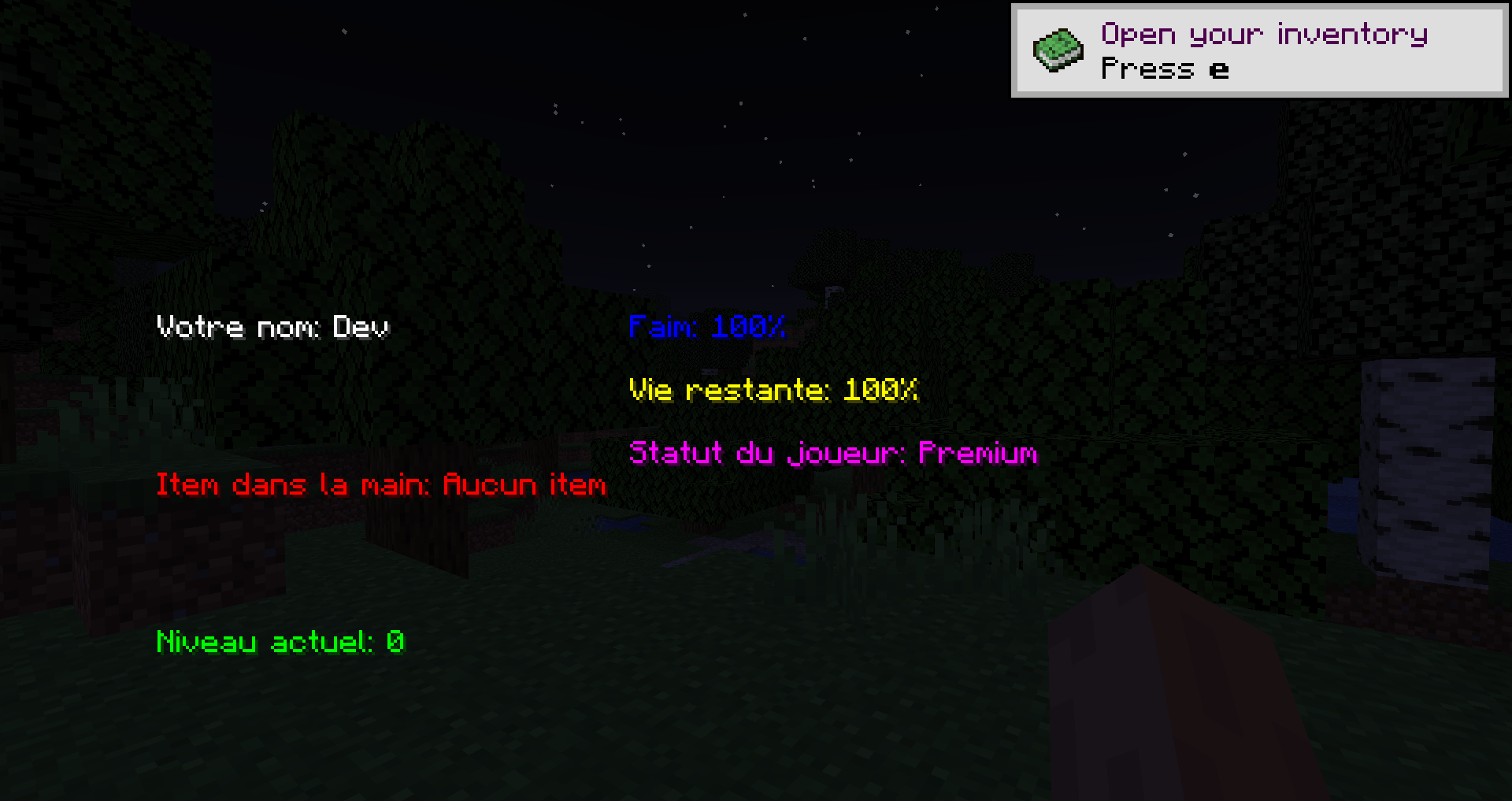 Version 1.1
 -
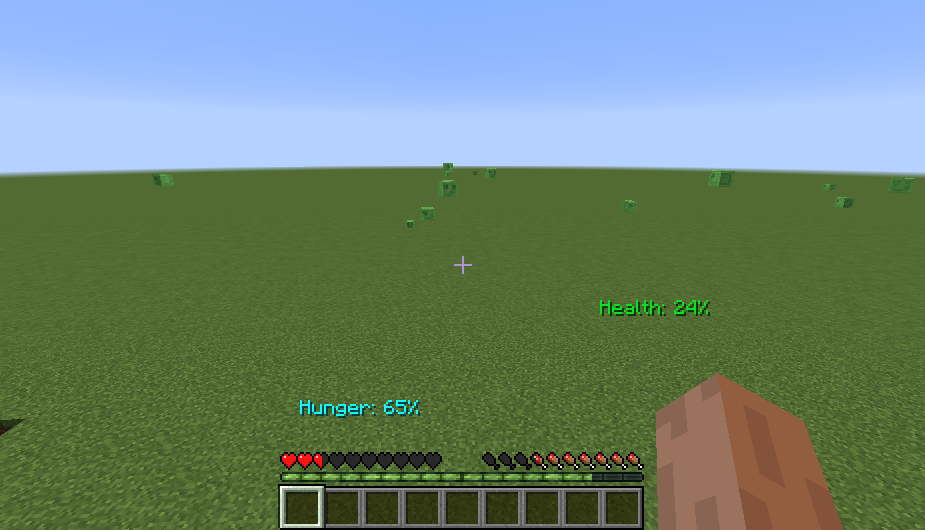 All
All -
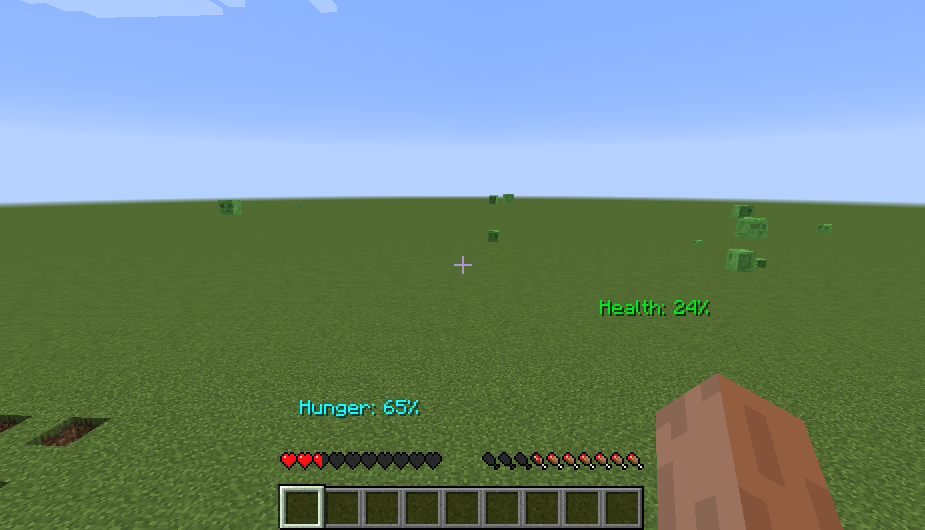 all without level bar
 -
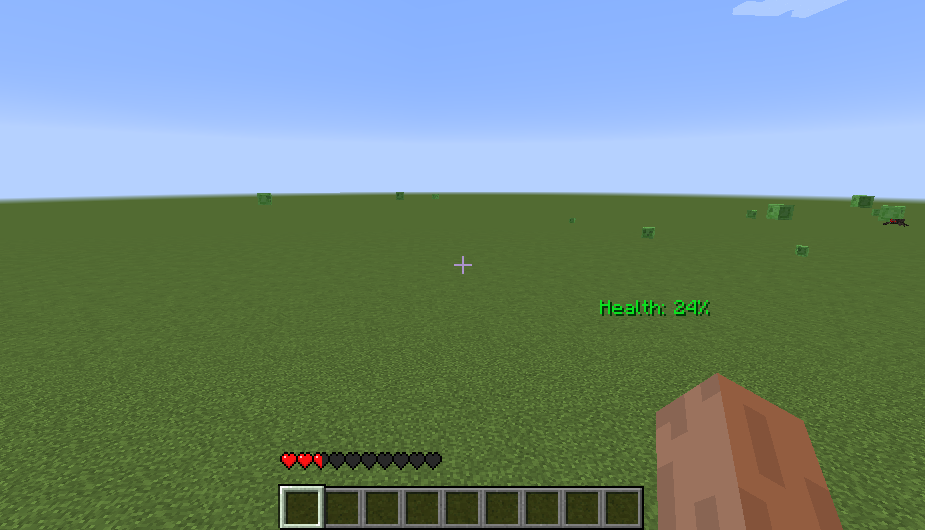 Health bar + health text
 -
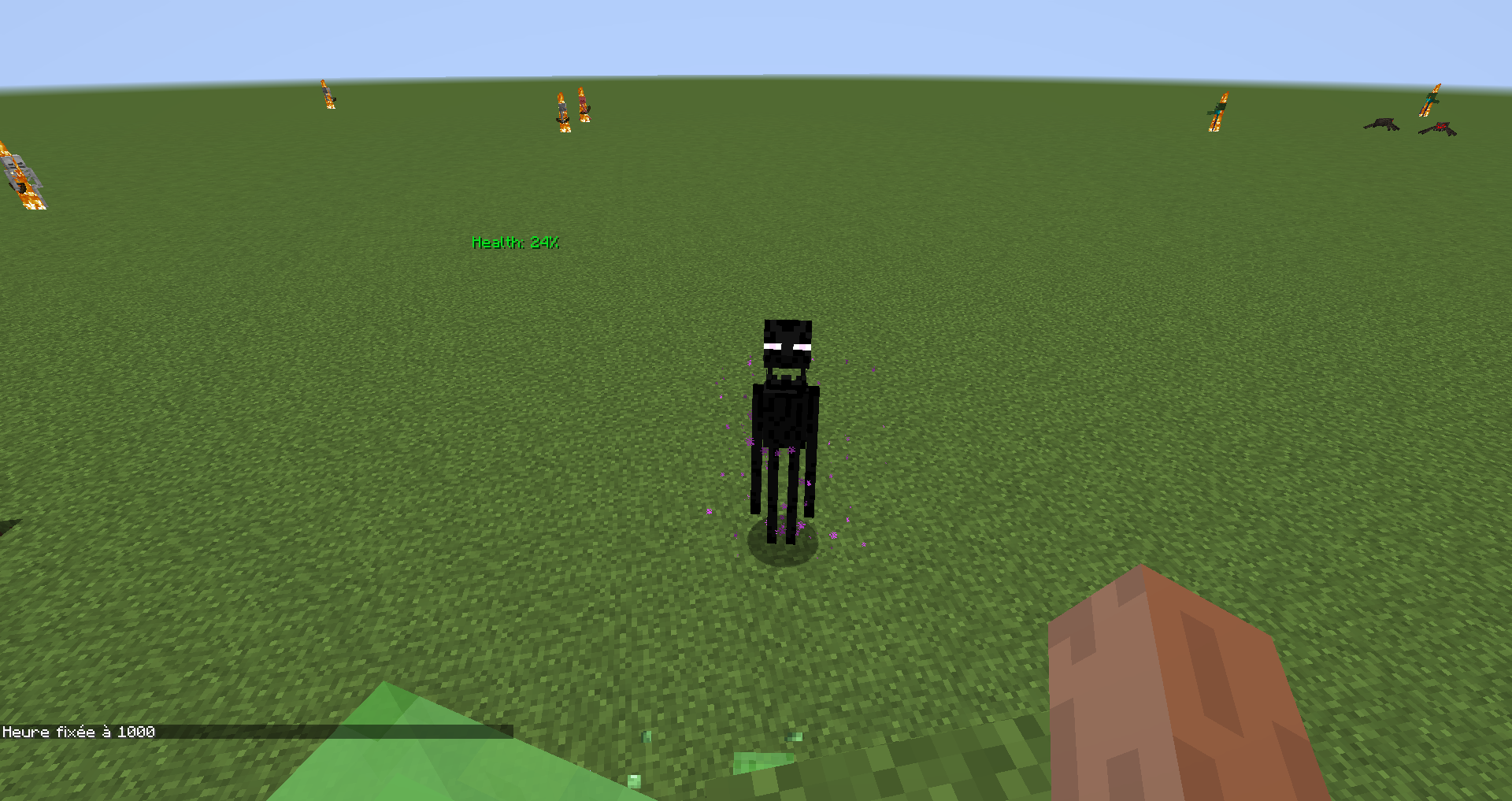 Remove invetory bar
 -
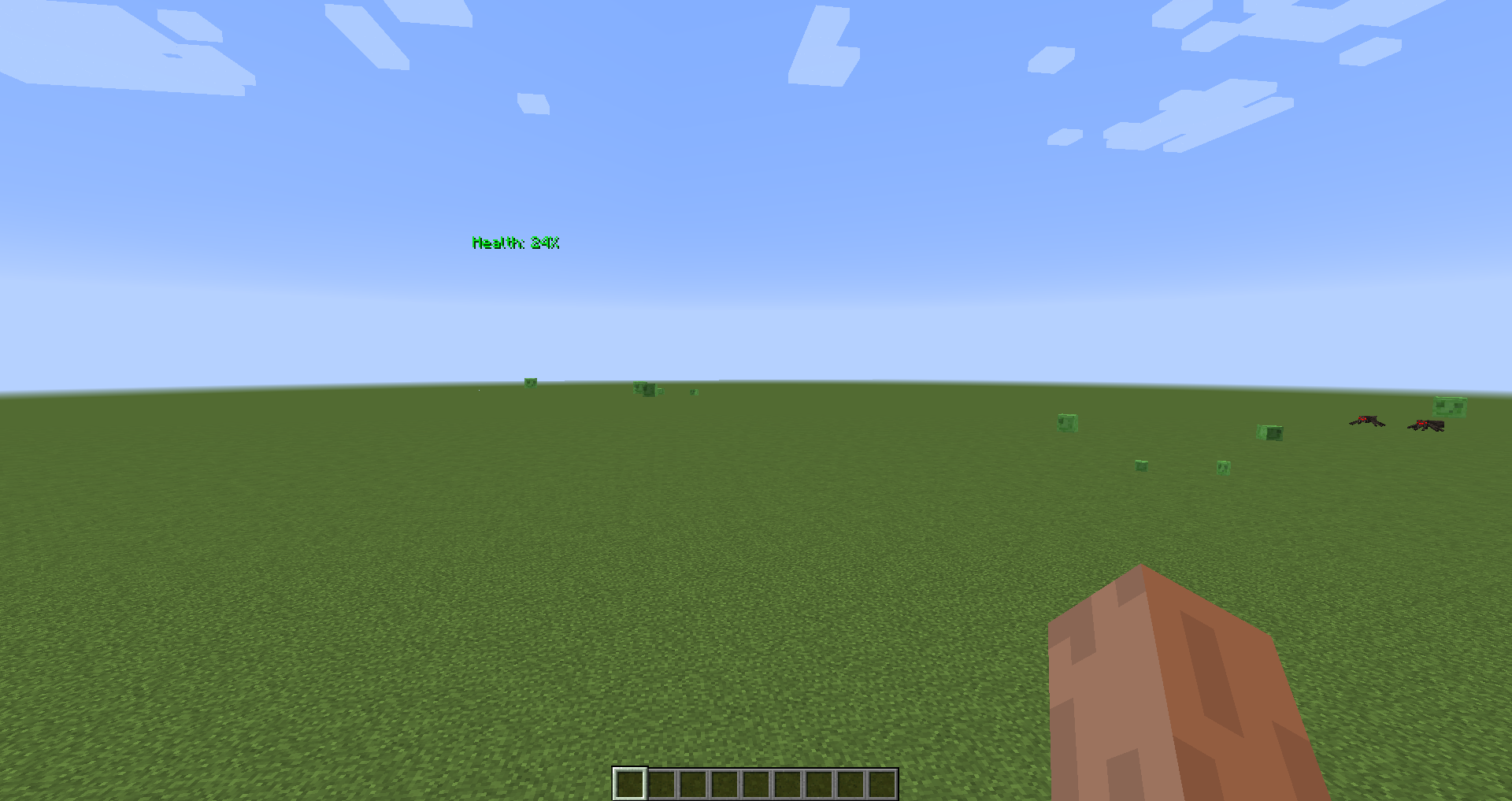 Health Text add text on hud player
Versions
Files
Relations
Project Relations
More like this
Similar Mods
Suggestions use data such as tags, dependencies, dependents, descriptions, titles, and more to rank how much they overlap with this mod.
On ModDex
Community snapshot
By the numbers
Statistics
 (opens in a new tab)
Get it on
Available Platforms
On ModDex
Community snapshot
By the numbers